1994 OLDSMOBILE SILHOUETTE ignition
[x] Cancel search: ignitionPage 108 of 276
I
Features & Controls
-
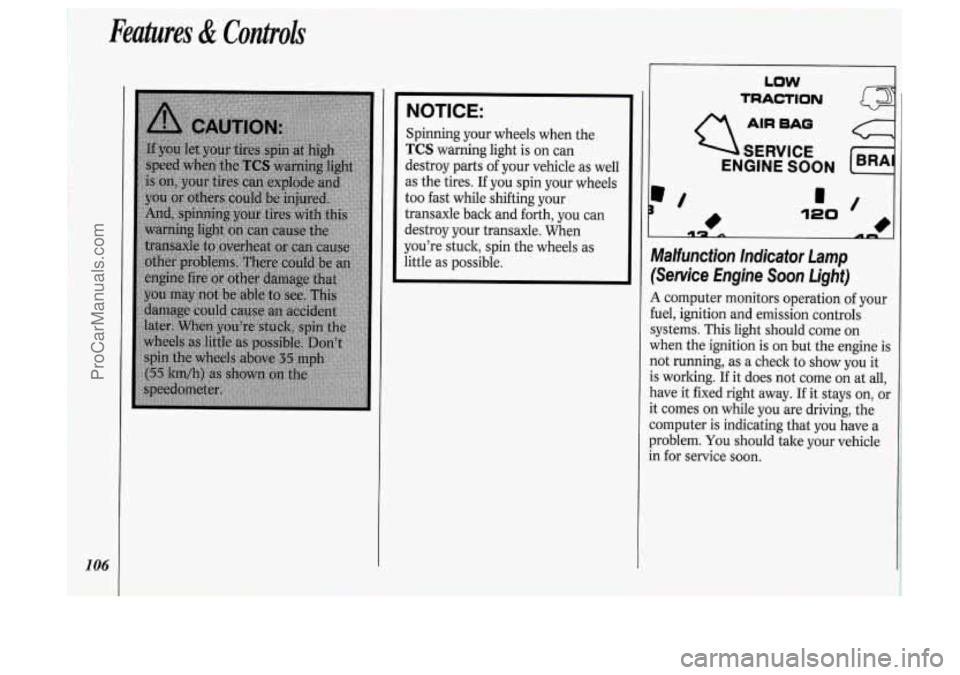
NOTICE:
Spinning your wheels when the
TCS warning light is on can
destroy parts of your vehicle as well
as the tires.
If you spin your wheels
too fast while shifting your
transaxle back and forth, you can
destroy your transaxle. When
you're stuck, spin the wheels as
little as possible.
106
LOW
TRACTION
AIR BAO
SERVICE
ENGINE SOON
c
Malfunction Indicator Lamp
(Service Engine Soon Light)
A computer monitors operation of your
fuel, ignition and emission controls
systems. This light should come on
when the ignition is on but the engine is
not running, as a check to show you it
is working.
If it does not come on at all,
have it fixed right away.
If it stays on, or
it comes on while you are driving, the
computer is indicating that you have a
problem.
You should tale your vehicle
in for service soon.
ProCarManuals.com
Page 110 of 276
Features & Controls
108
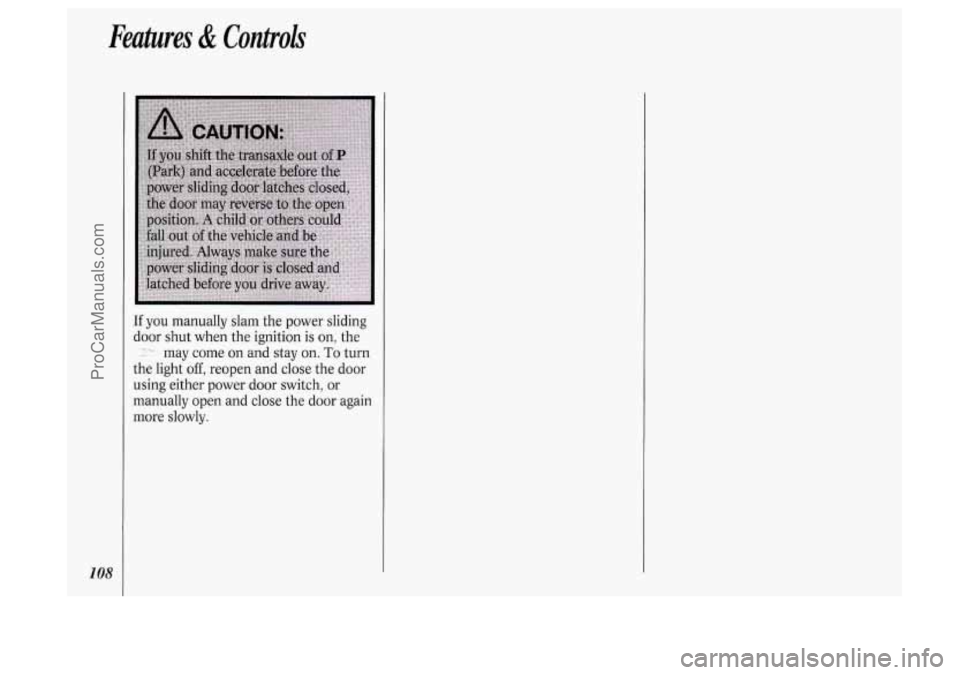
If you manually slam the power sliding
door shut when the ignition
is on, the
:-- may come on and stay on. To turn
the light
off, reopen and close the door
using either power door switch, or
manually open and close the door again
more slowly.
ProCarManuals.com
Page 113 of 276
![OLDSMOBILE SILHOUETTE 1994 Owners Manual I Climate Control System
Your vehicle’s heater and air
conditioner work best if you keep your
windows closed. Your vehicle also has
flow-through ventilation, described late]
in this s](/manual-img/31/58207/w960_58207-112.png "OLDSMOBILE SILHOUETTE 1994 Owners Manual I Climate Control System
Your vehicle’s heater and air
conditioner work best if you keep your
windows closed. Your vehicle also has
flow-through ventilation, described late]
in this s")
I Climate Control System
Your vehicle’s heater and air
conditioner work best if you keep your
windows closed. Your vehicle also has
flow-through ventilation, described late]
in this section, to bring outside air into
your vehicle.
If you have the optional engine coolant
heater and use it during cold weather,
0°F (-18°C) or lower, your heating
system will more quicldy provide heat
because the engine coolant is already
warmed. See the
Index under Engine
Coolant Heater.
OFF: Press to turn the system off. Press
any climate control setting to turn the
system on.
8: Slide the lever to the right to increase
fan speed,
decrease fan speed. to the left
to
Temperature Control Lever: Slide
the
lever to the right for warmer, heated air;
slide it to the left for cooled air.
Air Conditioner
When the temperature outside is above
freezing, the air conditioner compressor
will automatically condition the air
when
you press RECIRC (the A/C
indicator light will glow), DEFOG or
DEF (the A/C indicator light will not
Press
A/C (the A/C indicator light will
glow) to condition the air when you
press
UPPER, BI-LEV or LOWER. To
turn off the air conditioner compressor
in these settings, press
A/C again (the
indicator light will go off).
glow).
Each time you turn on the ignition, the
air conditioner will default to the setting
you had selected before last turning off
the ignition.
When the air conditioner compressor is
on, you may sometimes notice slight
changes in your vehicle’s engine
performance and power. This is normal, because
the system is designed to help
fuel economy while it maintains the
desired cooling level.
The air conditioner removes moisture
from the air,
so you may sometimes
notice water dripping from under your
vehicle when it
is idling or after it has
been turned off. This is normal.
On very hot days, your vehicle will cool
down more quickly and economically if
you open the windows long enough to
let hot inside air escape. For all settings,
adjust the temperature control lever and
fan speed as desired.
Directional Controls
RECIRC (Recirculate): Press to get
maximum cooling or quick cool-down
on very hot days. This setting
recirculates much of the air inside your
vehicle. It should not be used for long
periods of time because the air may
become too cold and dry.
Slide the temperature control lever
down to the coolest setting and adjust
the fan speed as desired.
UPPER: For normal cooling on hot
days, press
A/C along with UPPER.
1
111
ProCarManuals.com
Page 117 of 276
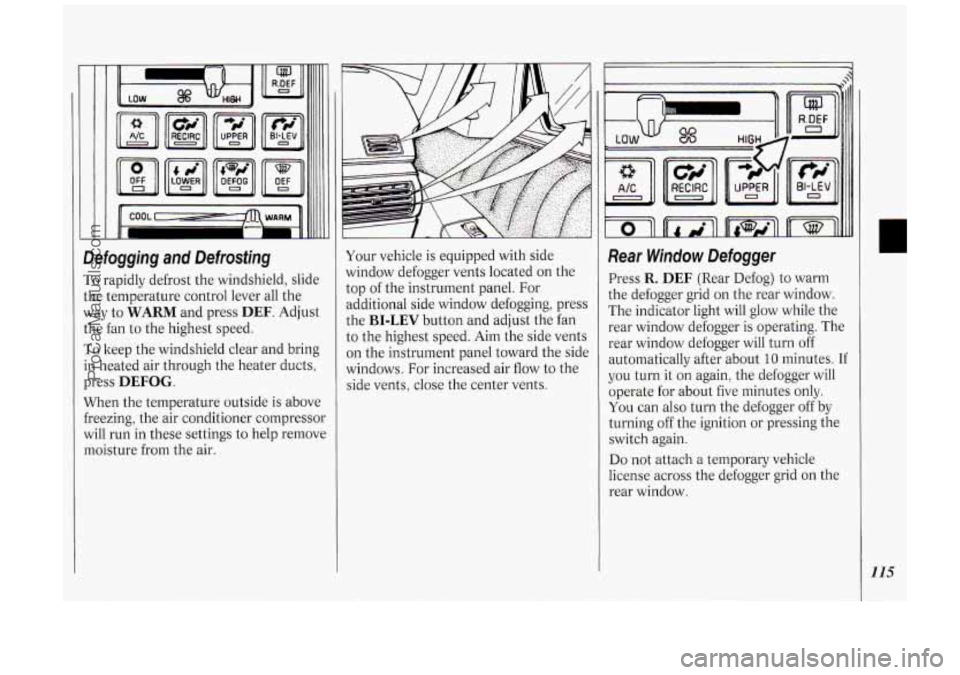
Defogging and Defrosting
To rapidly defrost the windshield, slide
the temperature control lever all the
way to
WARM and press DEF. Adjust
the fan to the highest speed.
To keep the windshield clear and bring
in heated air through the heater ducts,
press
DEFOG.
When the temperature outside is above
freezing, the air conditioner compressor
will run in these settings to help remove
moisture from the air. Your vehicle
is equipped with side
window defogger vents located on the
top of the instrument panel. For
additional side window defogging, press
the
BI-LEV button and adjust the fan
to the highest speed. Aim the side vents
on the instrument panel toward the side
windows. For increased air flow to the
side vents, close the center vents.
Rear Window Defogger
Press R. DEF (Rear Defog) to warm
the defogger grid on the rear window.
The indicator light will glow while the
rear window defogger is operating. The
rear window defogger will turn off
automatically after about
10 minutes. If
you turn it on again, the defogger will
operate for about five minutes only.
You can also turn the defogger off by
turning off the ignition or pressing the
switch again.
Do not attach a temporary vehicle
license across the defogger grid on the
rear window.
115
ProCarManuals.com
Page 121 of 276
2 RECALL
TUNE --@ FAOE --
5 AM-FM
~
BASS V SEEK A 1 234 SET
II I I II
II I I II
II I I II
4MIFM Sfereo Radio
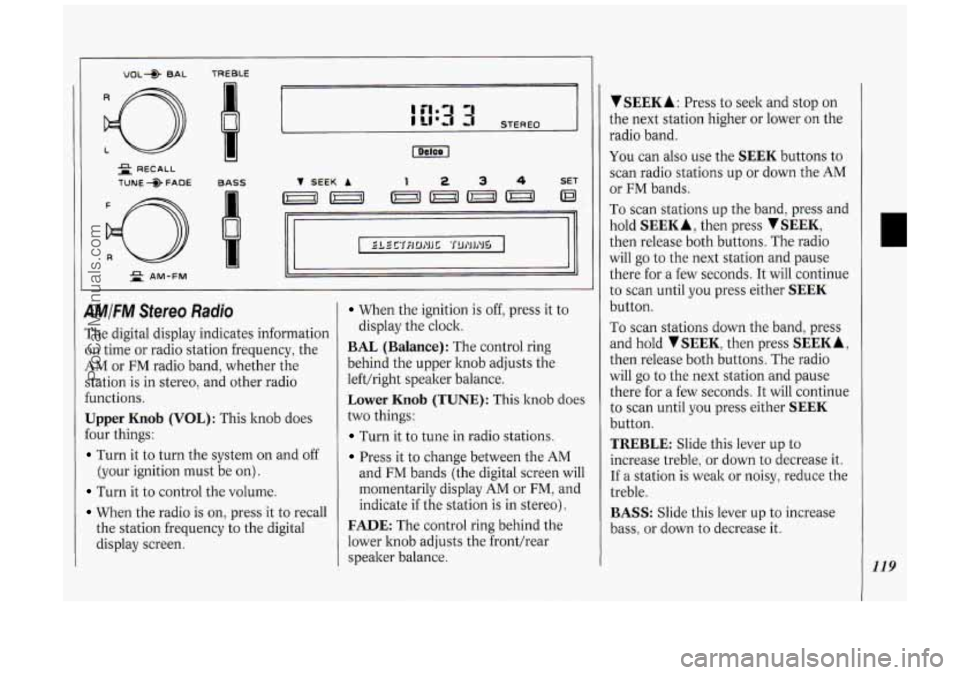
The digital display indicates information
on time or radio station frequency, the
AM or FM radio band, whether the
station is in stereo, and other radio
€unctions.
Upper Knob (VOL): This knob does
Four things:
Turn it to turn the system on and off
(your ignition must be on).
Turn it to control the volume.
When the radio is on, press it to recall
the station frequency to the digital
display screen.
When the ignition is off, press it to
BAL (Balance): The control ring
behind the upper knob adjusts the
lefthight speaker balance.
Lower Knob (TUNE): This knob does
two things:
Turn it to tune in radio stations.
Press it to change between the AM
display the clock.
and
FM bands (the digital screen will
momentarily display
AM or FM, and
indicate
if the station is in stereo).
FADE: The control ring behind the
lower hob adjusts the fronthear
speaker balance.
V SEEK A : Press to seek and stop on
the next station higher or lower on the
radio band.
You can also use the SEEK buttons to
scan radio stations up or down the
AM
or FM bands.
To scan stations up the band, press and
hold
SEEK A, then press SEEK,
then release both buttons. The radio
will
go to the next station and pause
there for a few seconds.
It will continue
to scan until you press either
SEEK
button.
To scan stations down the band, press
and hold
TSEEK, then press SEEKA,
then release both buttons. The radio
will
go to the next station and pause
there for a few seconds.
It will continue
to scan until you press either
SEEK
button.
TREBLE: Slide this lever up to
increase treble, or down to decrease it.
If a station is weak or noisy, reduce the
treble.
BASS: Slide this lever up to increase
bass, or down to decrease it.
119
ProCarManuals.com
Page 122 of 276
120
Comfort Controls &Audio Systems
To Preset Radio Stations:
1. Tune in the desired station.
2. Press SET. The word SET will
appear on the digital screen for five
seconds.
3. While SET is displayed, press one of
the four pushbuttons.
4. Repeat steps 1-3 for each of four AM
and four
FM stations.
Up to three additional stations
on each
band may be preset by “pairing”
pushbuttons:
1. Tune in the desired station.
2. Press SET, and within five seconds
press any two adjacent pushbuttons
at the same time.
3. The station can be tuned in when the
same two pushbuttons are pressed at
the same time.
VOL* BAL TREBLE I= - -
= PROG-RCL
TUNE +> FADE BASS
d
AUTO REVERSE
2 AM-FM
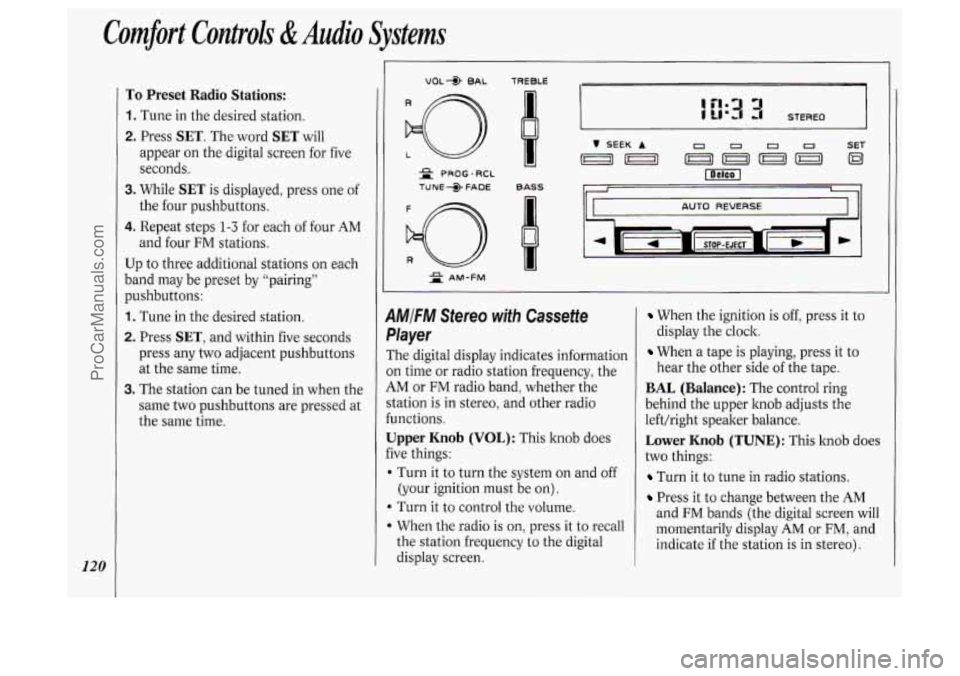
1MIFM Stereo with Cassette
,layer
The digital display indicates information
)n time or radio station frequency, the
iM or FM radio band, whether the
‘tation is in stereo, and other radio
unctions.
Jpper Knob (VOL): This knob does
ive things:
I Turn it to turn the system on and off
(your ignition must be on).
b Turn it to control the volume.
When the radio is on, press it to recall
the station frequency to the digital
display screen.
When the ignition is off, press it to
display the clock.
When a tape is playing, press it to
hear the other side
of the tape.
BAL (Balance): The control ring
behind the upper knob adjusts the
left/right speaker balance.
Lower Knob (TUNE): This knob does
two things:
Turn it to tune in radio stations.
Press it to change between the AM
and FM bands (the digital screen will
momentarily display
AM or FM, and
indicate if the station is in stereo).
ProCarManuals.com
Page 124 of 276
Comfort Controls &Audio Systems
122
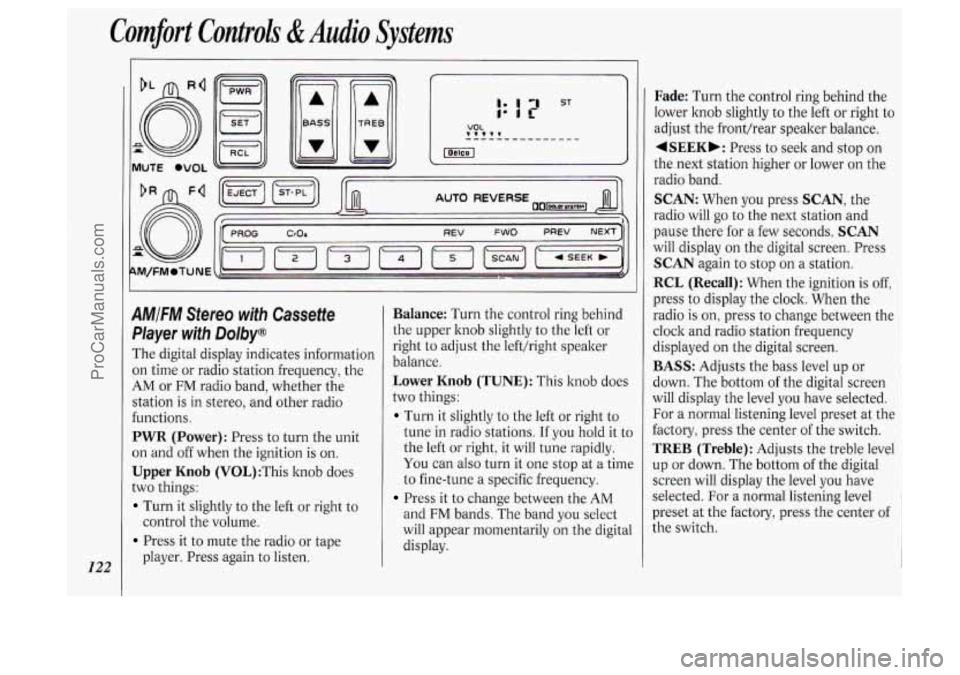
AMIFM Stereo with Cassette
Pkyer with Dolby@
The digital display indicates information
on time or radio station frequency, the
AM or FM radio band, whether the
station
is in stereo, and other radio
functions.
PWR (Power): Press to turn the unit
on and off when the ignition
is on.
Upper Knob (V0L):This knob does
two things:
Turn it slightly to the left or right to
Press it to mute the radio or tape
control the
volume.
player. Press again to listen.
Balance: Turn the control ring behind
the upper knob slightly to the left or
right to adjust the lefthight speaker
balance.
Lower Knob (TUNE): This knob does
two things:
Turn it slightly to the left or right to
tune in radio stations. If you hold it to
the left or right, it will tune rapidly.
You can also turn it one stop at a time
to fine-tune a specific frequency.
Press it to change between the AM
and FM bands. The band you select
will appear momentarily on the digital
display.
Fade: Turn the control ring behind the
lower knob slightly to the left or right to
adjust the fronthear speaker balance.
4SEEKb: Press to seek and stop on
the next station higher or lower on the
radio band.
SCAN: When you press SCAN, the
radio will
go to the next station and
pause there for a few seconds.
SCAN
will display on the digital screen. Press
SCAN again to stop on a station.
RCL (Recall): When the ignition is off,
press to display the clock. When the
radio
is on, press to change between the
clock and radio station frequency
displayed on the digital screen.
BASS: Adjusts the bass level up or
down. The bottom
of the digital screen
will display the level you have selected.
For a normal listening level preset at the
factory, press the center of the switch.
TREB (Treble): Adjusts the treble level
up or down. The bottom of the digital
screen will display the level you have
selected. For a normal listening level
preset at the factory, press the center of
the switch.
ProCarManuals.com
Page 125 of 276
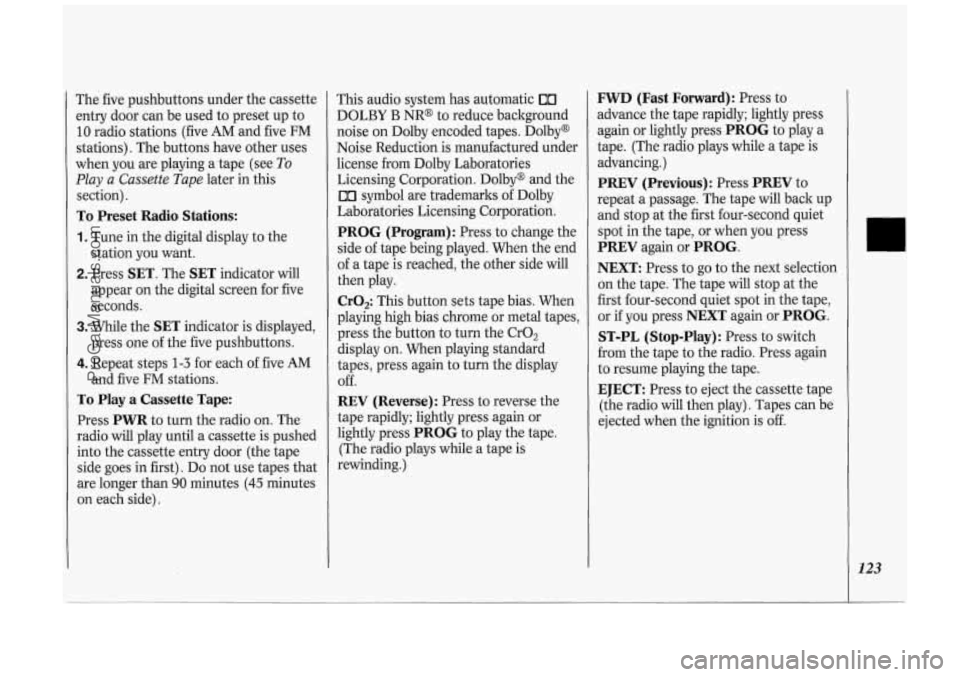
The five pushbuttons under the cassette
entry door can be used to preset up to
10 radio stations (five AM and five FM
stations). The buttons have other uses
when you are playing a tape (see
To
Play a Cassette Tape later in this
section).
To Preset Radio Stations:
1. Tune in the digital display to the
station you want.
2. Press SET. The SET indicator will
appear on the digital screen for five
seconds.
3. While the SET indicator is displayed,
press one of the five pushbuttons.
4. Repeat steps 1-3 for each of five AM
and five FM stations.
To Play a Cassette Tape:
Press PWR to turn the radio on. The
radio will play until a cassette is pushed
into the cassette entry door (the tape
side goes in first). Do not use tapes that
are longer than
90 minutes (45 minutes
on each side). This audio
system has automatic
00
DOLBY B NR@ to reduce background
noise on Dolby encoded tapes. Dolby@
Noise Reduction is manufactured under
license from Dolby Laboratories
Licensing Corporation. Dolby@ and the
00 symbol are trademarks of Dolby
Laboratories Licensing Corporation.
PROG (Program): Press to change the
side of tape being played. When the end
of a tape is reached, the other side will
then play.
Cr02: This button sets tape bias. When
playing high bias chrome or metal tapes,
press the button to turn the CrO,
display on. When playing standard
tapes, press again to turn the display
Off.
REV (Reverse): Press to reverse the
tape rapidly; lightly press again or
lightly press
PROG to play the tape.
(The radio plays while a tape is
rewinding.)
FWD (Fast Forward): Press to
advance the tape rapidly; lightly press
again or lightly press
PROG to play a
tape. (The radio plays while a tape is
advancing.)
PREV (Previous): Press PREV to
repeat a passage. The tape will back up
and stop at the first four-second quiet
spot in the tape, or when you press
PREV again or PROG.
NEXT:
Press to go to the next selection
on the tape. The tape will stop at the
first four-second quiet spot in the tape,
or if you press
NEXT again or PROG.
ST-PL (Stop-Play):
Press to switch
from the tape to the radio. Press again
to resume playing the tape.
EJECT: Press to eject the cassette tape
(the radio will then play). Tapes can be
ejected when the ignition is
off.
123
ProCarManuals.com