1994 OLDSMOBILE SILHOUETTE tow
[x] Cancel search: towPage 73 of 276
0
Turn Signal and Lane Change
lndicafor
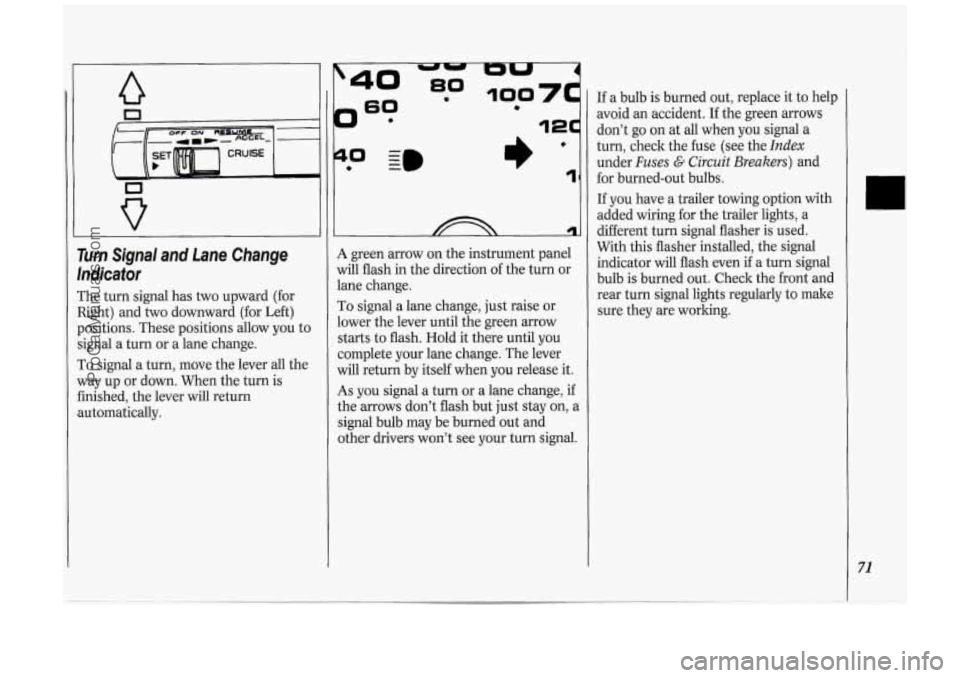
The turn signal has two upward (for
Right) and two downward (for Left)
positions. These positions allow you to
signal a turn or a lane change.
To signal a turn, move the lever all the
way up or down. When the turn is
finished, the lever will return
automatically.
?
0 - I)’ 1
A green arrow on the instrument panel
will flash in the direction of the turn or
lane change.
To signal a lane change, just raise or
lower the lever until the green arrow
starts to flash. Hold it there until you
complete your lane change. The lever
will return by itself when you release it.
As you signal a turn or a lane change, if
the arrows don’t flash but just stay on, a
signal bulb may be burned out and
other drivers won’t see your turn signal. If
a bulb is burned out, replace it to help
avoid an accident. If the green arrows
don’t go on at all when you signal a
turn, check the fuse (see the
Index
under Fuses G Circuit Breakers) and
for burned-out bulbs.
If you have a trailer towing option with
added wiring for the trailer lights, a
different turn signal flasher is used.
With this flasher installed, the signal
indicator will flash even
if a turn signal
bulb is burned out. Check the front and
rear turn signal lights regularly to make
sure they are working.
71
ProCarManuals.com
Page 77 of 276
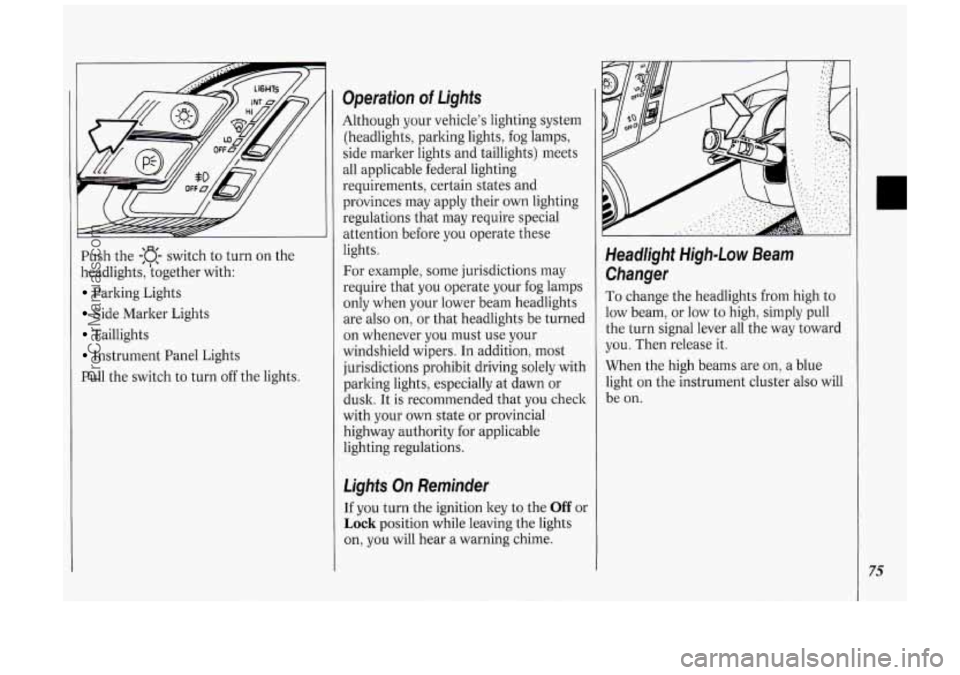
Push the -:a- switch to turn on the
headlights, kogether with:
Parking Lights
Side Marker Lights
Taillights
Instrument Panel Lights
Pull the switch to turn off the lights.
Operation of Lights
Although your vehicle’s lighting system
(headlights, parking lights, fog lamps,
side marker lights and taillights) meets
all applicable federal lighting
requirements, certain states and
provinces may apply their own lighting
regulations that may require special
attention before you operate these
lights.
For example, some jurisdictions may
require that you operate your fog lamps
only when your lower beam headlights
are also on, or that headlights be turned
on whenever you must use your
windshield wipers.
In addition, most
jurisdictions prohibit driving solely with
parking lights, especially at dawn or
dusk. It is recommended that you check
with your
own state or provincial
highway authority for applicable
lighting regulations.
Lights On Reminder
If you turn the ignition key to the Off or
Lock position while leaving the lights
on, you will hear
a warning chime.
Headlight High-Low Beam
Changer
To change the headlights from high to
low beam, or low to high, simply pull
the turn signal lever all the way toward
you. Then release it.
When the high beams are
on, a blue
light on the instrument cluster also will
be on.
75
ProCarManuals.com
Page 88 of 276
86
Features & Controls
you may damage the system. After 30
minutes, wait at least 10 minutes before
restarting the air inflator.
To turn off the inflator, press OFF and
detach the hose, first from the inflated
object, then from the outlet. Place the
inflator kit tools
in the pouch and store
it in the glove box.
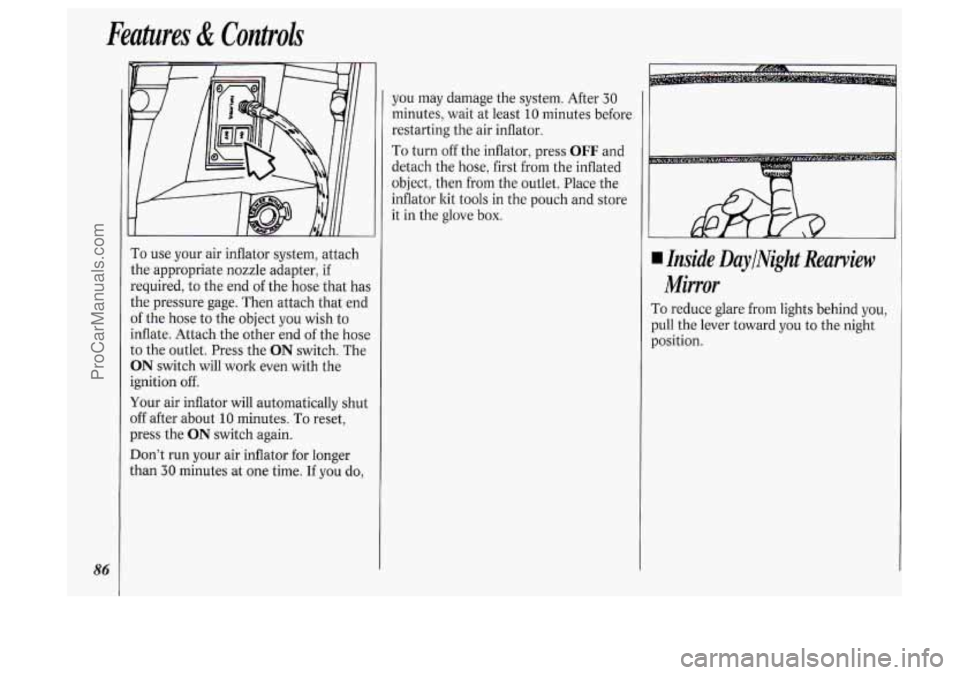
To use your air inflator system, attach
the appropriate nozzle adapter, if
required, to the end of the hose that has
the pressure gage. Then attach that end
of the hose to the object you wish to
inflate. Attach the other end
of the hose
to the outlet. Press the
ON switch. The
ON switch will work even with the
ignition off.
Your air inflator will automatically shut
off after about
10 minutes. To reset,
press the
ON switch again.
Don’t run your air inflator for longer
than
30 minutes at one time. If you do,
4 Inside DaylNight Rearview
Mirror
To reduce glare from lights behind you,
pull the lever toward you to the night
position.
ProCarManuals.com
Page 106 of 276
Features & Controls
104
closer to the floor. It may take longer to
stop. If the light is still on, have the
vehicle towed for service. (See
Towing
Your Vehicle in the Index.)
The brake system warning light will also
come on when
you set your parking
brake, and it will stay on if your parking
brake doesn’t release fully. If it stays on
after your parking brake is fully
released, it means you have
a brake
problem.
L Wb
Anti-Lock Brake System Warning
Light
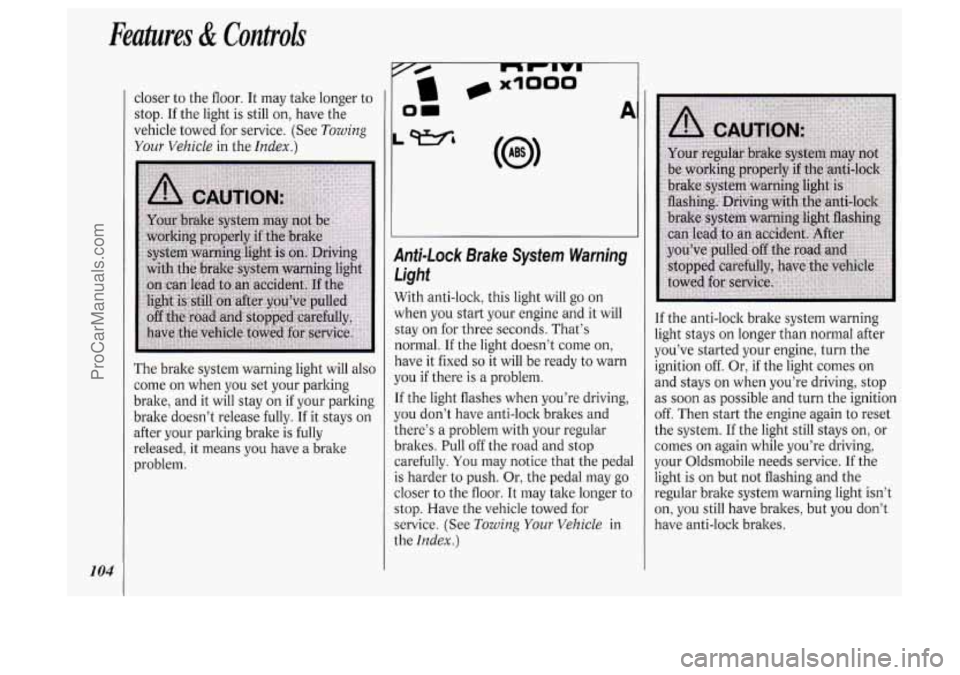
With anti-lock, this light will go on
when you start your engine and it will
stay on for three seconds. That’s
normal. If the light doesn’t come on,
have it fixed
so it will be ready to warn
you if there is a problem.
If the light flashes when you’re driving,
you don’t have anti-lock brakes and
there’s a problem with your regular
brakes. Pull off the road and stop
carefully.
You may notice that the pedal
is harder to push. Or, the pedal may go
closer to the floor. It may take longer to
stop. Have the vehicle towed for
service. (See
Towing Your Vehicle in
the
Index.)
I
If the anti-lock brake system warning
light stays on longer than normal after
you’ve started your engine, turn the
ignition off. Or, if the light comes on
i
and stays on when you’re driving, stop !
as soon as possible and turn the ignition
off. Then start the engine again to reset
! I
the system. If the light still stays on, or j
comes on again while you’re driving, ~
your Oldsmobile needs service. If the !
light is on but not flashing and the
regular brake system warning light isn’t
on,
you still have brakes, but you don’t
have anti-lock brakes.
ProCarManuals.com
Page 114 of 276
Comfort Controh &Audio Systems
112
This setting cools outside air and
directs it through the instrument panel
outlets. Adjust the temperature of the
air with the temperature control lever.
BI-LEV (Bi-Level): This setting is
designed for use
on sunny days when
the air is only moderately warm or cool.
On days like these, the
sun may
adequately warm your upper body, but
your lower body may not be warm
enough.
The
BI-LEV setting directs outside air
into your vehicle in two ways. Cooler
air is directed toward your upper body
through the front instrument panel
outlets, while warmed air
is directed
through the heater ducts
at your feet.
At times this temperature difference may be
more apparent than others. For
best results, slide the temperature
control lever
to the middle position, and
then adjust for comfort.
LOWER: This setting brings in most
heated air through the heater ducts, and
some through the defroster vents.
DEFOG: Because of your Silhouette’s
larger windshield area, this mode is
particularly useful during cold or
inclement weather. Press to direct
warmed air to the windshield and
through the heater ducts.
DEF (Defrost): Press to direct most
warmed air to the windshield and side
window vents.
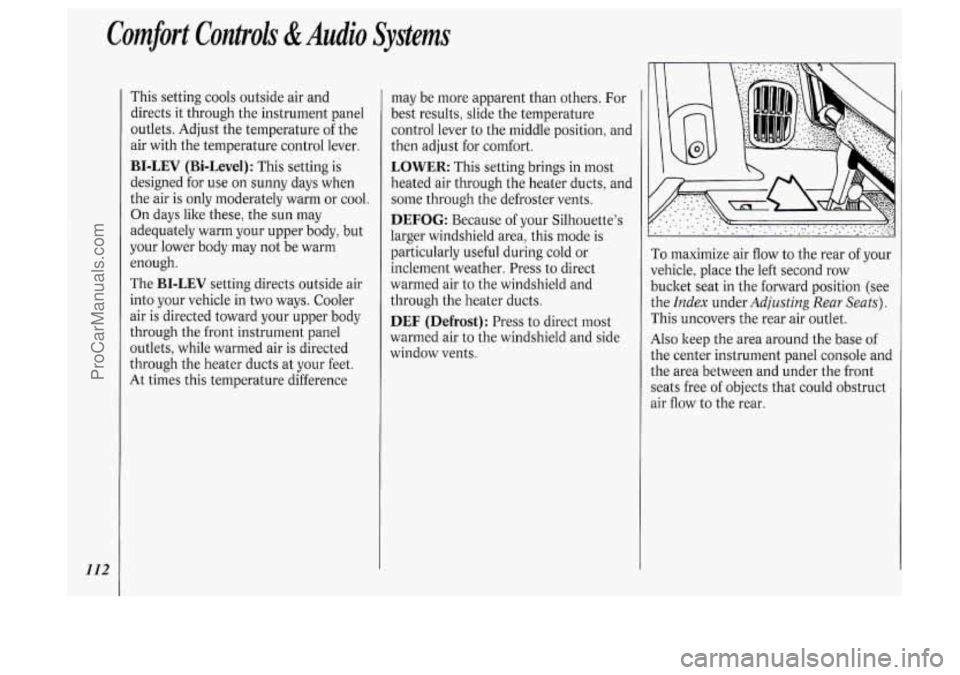
To maximize air flow to the rear of your
vehicle, place the left second row
bucket seat in the forward position (see
the
Index under Adjusting Rear Seats).
This uncovers the rear air outlet.
Also keep the area around the base of
the center instrument panel console and
the area between and under the front
seats free of objects that could obstruct
3ir flow to the rear.
ProCarManuals.com
Page 115 of 276
h d II
II I(
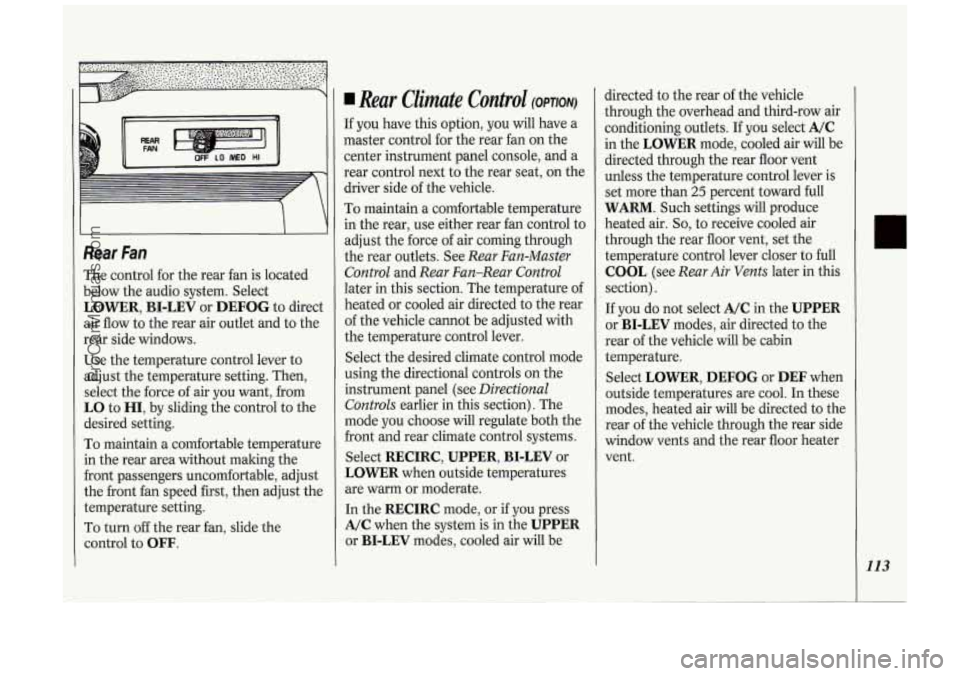
Rear Fan
The control for the rear fan is located
below the audio system. Select
LOWER, BI-LEV or DEFOG to direct
air flow to the rear air outlet and to the
rear side windows.
Use the temperature control lever to
adjust the temperature setting. Then,
select the force of air you want, from
LO to HI, by sliding the control to the
desired setting.
To maintain a comfortable temperature
in the rear area without making the
front passengers uncomfortable, adjust
the front fan speed first, then adjust the
temperature setting.
To turn off the rear fan, slide the
control to
OFF.
Rear Climate Control (OPTION)
If you have this option, you will have a
master control for the rear fan on the
center instrument panel console, and a
rear control next to the rear seat, on the
driver side of the vehicle.
To maintain a comfortable temperature
in the rear, use either rear fan control to
adjust the force
of air coming through
the rear outlets. See
Rear Fan-Master
Control
and Rear Fan-Rear Control
later in this section. The temperature of
heated or cooled air directed to the rear
of the vehicle cannot be adjusted with
the temperature control lever.
Select the desired climate control mode
using the directional controls on the
instrument panel (see
Directional
Controls
earlier in this section). The
mode you choose will regulate both the
front and rear climate control systems.
Select
RECIRC, UPPER, BI-LEV or
LOWER when outside temperatures
are warm or moderate.
In the
RECIRC mode, or if you press
A/C when the system is in the UPPER
or BI-LEV modes, cooled air will be directed
to the rear
of the vehicle
through the overhead and third-row air
conditioning outlets. If
you select A/C
in the LOWER mode, cooled air will be
directed through the rear floor vent
unless the temperature control lever is
set more than
25 percent toward full
WARM. Such settings will produce
heated air.
So, to receive cooled air
through the rear floor vent, set the
temperature control lever closer to full
COOL (see Rear Air Vents later in this
section).
If
you do not select A/C in the UPPER
or BI-LEV modes, air directed to the
rear of the vehicle will be cabin
temperature.
Select
LOWER, DEFOG or DEF when
outside temperatures are cool. In these
modes, heated air will be directed to the
rear of the vehicle through the rear side
window vents and the rear floor heater
vent.
113
ProCarManuals.com
Page 117 of 276
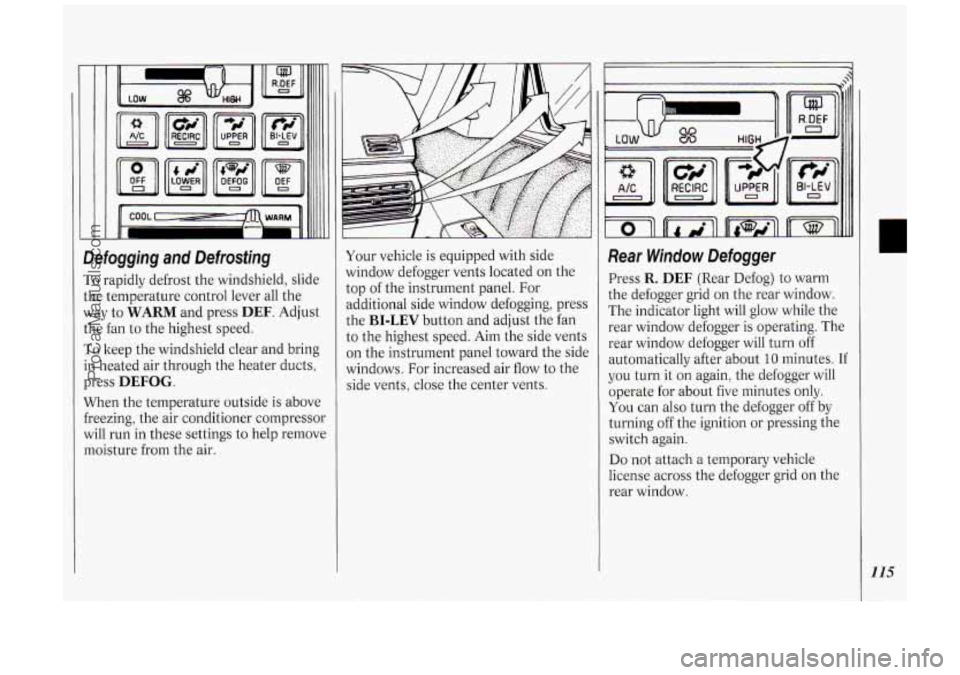
Defogging and Defrosting
To rapidly defrost the windshield, slide
the temperature control lever all the
way to
WARM and press DEF. Adjust
the fan to the highest speed.
To keep the windshield clear and bring
in heated air through the heater ducts,
press
DEFOG.
When the temperature outside is above
freezing, the air conditioner compressor
will run in these settings to help remove
moisture from the air. Your vehicle
is equipped with side
window defogger vents located on the
top of the instrument panel. For
additional side window defogging, press
the
BI-LEV button and adjust the fan
to the highest speed. Aim the side vents
on the instrument panel toward the side
windows. For increased air flow to the
side vents, close the center vents.
Rear Window Defogger
Press R. DEF (Rear Defog) to warm
the defogger grid on the rear window.
The indicator light will glow while the
rear window defogger is operating. The
rear window defogger will turn off
automatically after about
10 minutes. If
you turn it on again, the defogger will
operate for about five minutes only.
You can also turn the defogger off by
turning off the ignition or pressing the
switch again.
Do not attach a temporary vehicle
license across the defogger grid on the
rear window.
115
ProCarManuals.com
Page 133 of 276
Here you’ll find infoimation about
driving on different kinds
of roads
and in varying weather conditions
.
We’ve also included many other
useful tips on driving
.
Part 4
Your Driving and the Road
Defensive DrlWg 132
Dmnken Driving
........................................................................\
............................. 132
Control
of a Vehicle
Braking
........................................................................\
.......................................... 134
Anti-Locls: Brakes
........................................................................\
.......................... 135
Traction Control System
........................................................................\
.............. 137
Steering Tips
........................................................................\
................................. 138
Steering in Emergencies ........................................................................\
............... 139
Passing
........................................................................\
.......................................... 140
Driving at Night
........................................................................\
.............................. 142
Driving in the Rain ........................................................................\
.......................... 143
City Driving
........................................................................\
..................................... 145
Freeway Driving
........................................................................\
.............................. 145
Hill and Mountain Roads
........................................................................\
................ 147
Winter Driving
........................................................................\
................................. 148
Towing a Trailer
........................................................................\
.............................. 151
.. ........................................................................\
............................
..
131
ProCarManuals.com