Page 9 of 385
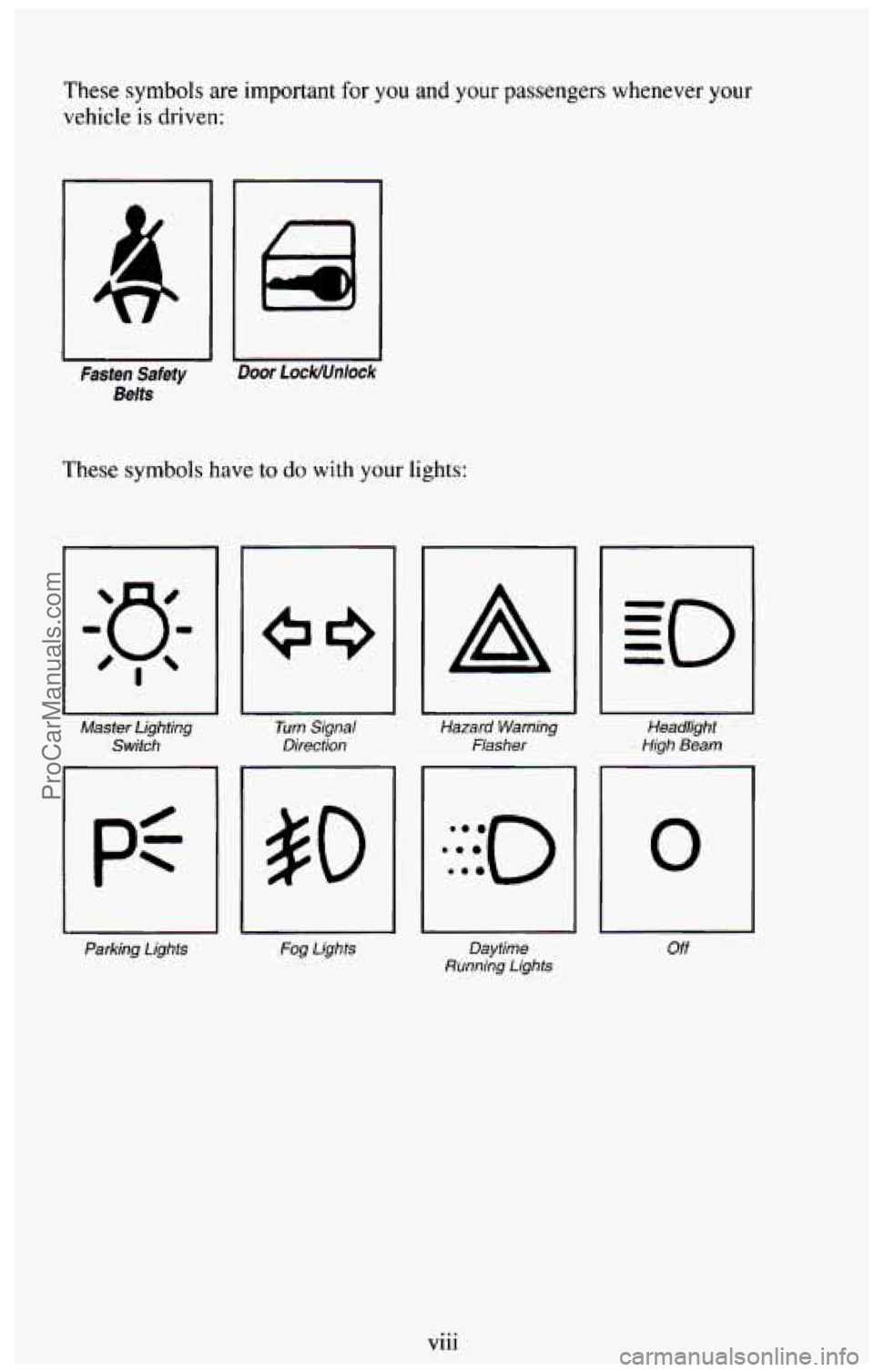
These symbols are important for you and your passengers whenever your
vehicle is driven:
IC I
Fasten Safety Door 1 ock/Unlock
Belts
These symbols have to do with your lights:
Master Lighting
Switch
Parking Lights
I
Turn Signal
Direction
Fog Lights
A
U
Hazard Warning
Flasher
1
Headlight
High Beam
Daytime
Running Lights
0
Off
Vlll ...
ProCarManuals.com
Page 10 of 385
These symbols are on some of your controls:
I I Windshield Wiper
rl
i Rear Window
Washer Windshield
Washer Windshield
Defroster
1
3c
Rear
Window
Defogger Ventilating Fan
These symbols are used on
warning and indicator lights:
Engine Coolant
Temperature
BRAKE
I Brake
I p3
Baftery Charging
System
Fuel
ANTI-
I LOCK
I 4 Wheel
Anti-Lock
I RELEASE
Parking Brake Release
I\J
Rear Window Wiper
Hatch
Release
I
Engine Oil
Pressure
I SHIFT
1 Shift Light
ix
ProCarManuals.com
Page 24 of 385
Safety Belts: They’re For Everyone
This part of the manual tells you how to use safety belts properly. It also
tells you some things you should not do with safety belts.
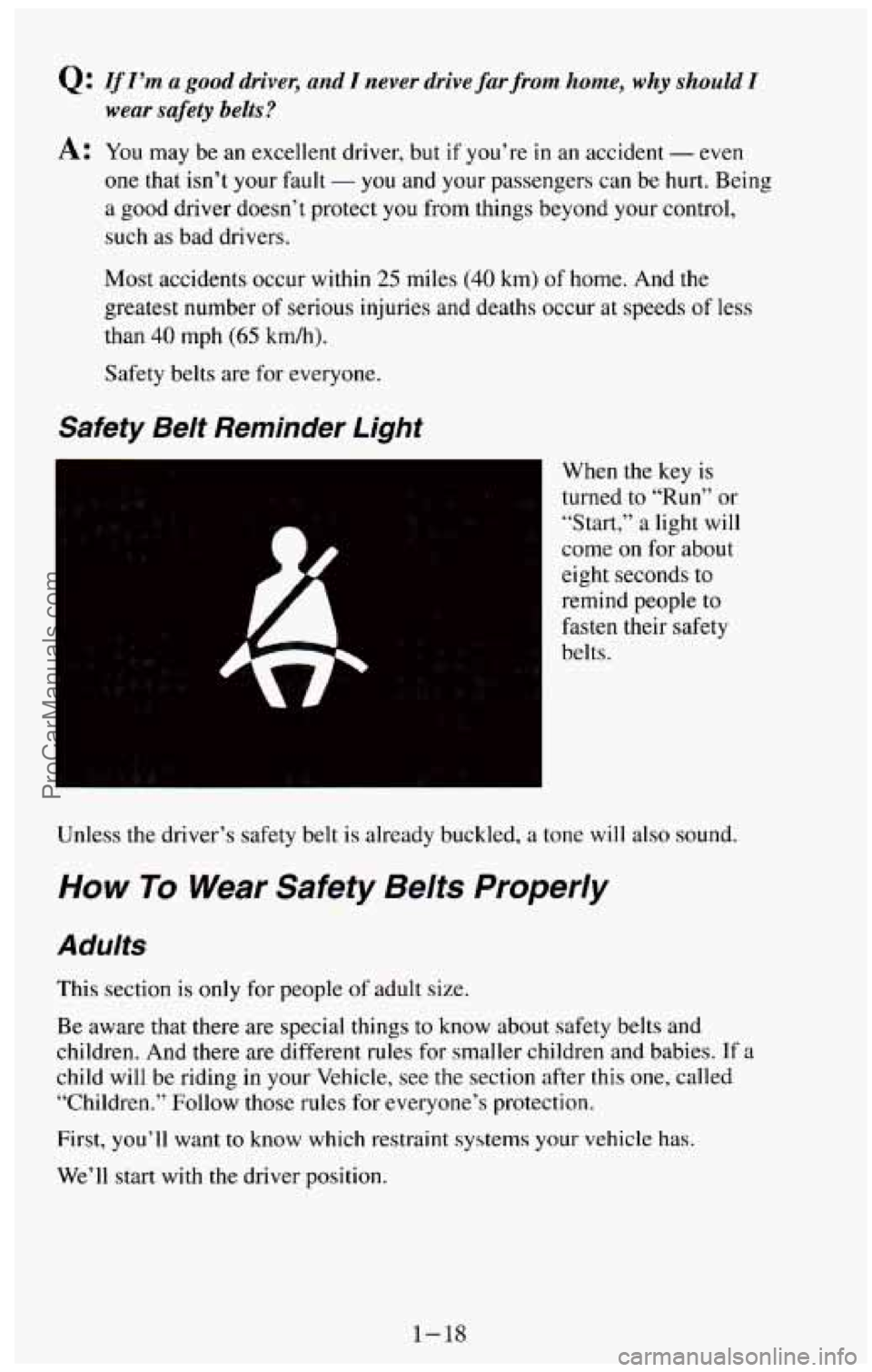
This figure lights up
as a reminder to buckle up. (See “Safety Belt Reminder
Light”
in the Index.)
It will light when you turn the key to RUN or START when your safety belt
isn’t buckled, and you’ll hear
a tone or buzzer, too.
1-13
ProCarManuals.com
Page 29 of 385
Q: If I’m a good driver, and I never drive far from home, why should I
wear safety belts?
A: You may be an excellent driver, but if you’re in an accident - even
one that
isn’t your hult - you and your passengers can be hurt. Being
a good driver doesn’t protect you from things beyond your control,
such
as bad drivers.
Most accidents occur within
25 miles (40 km) of home. And the
greatest number of serious injuries and deaths occur
at speeds of less
than
40 mph (65 kdh).
Safety belts are for everyone.
Safety Belt Reminder Light
When the key is
turned to “Run” or
“Start,” a light will
come on for about
eight seconds to
remind people
to
fasten their safety
belts.
Unless the driver’s safety belt is already buckled,
a tone will also sound.
How To Wear Safety Belts Properly
Adults
This section is only for people of adult size.
Be aware that there are special things to know about safety belts and
children. And there are different rules for smaller children and babies. If a
child will be riding in your Vehicle, see the section after this one, called
“Children.” Follow those rules for everyone’s protection.
First, you’ll want
to know which restraint systems your vehicle has.
We’ll start with the driver position.
1-18
ProCarManuals.com
Page 57 of 385
Parking Over Things That Burn ........................ ... 2-30
Running Your Engine While You’re Parked
..................... 2-31
EngineExhaust
........................................... 2-31
Four-WheelDrive
..................................... 2-32
Transfer Case
............................................. 2-33
Front Axle Locking Feature
.................................. 2-34
Windows
................................................ 2-35
Ho~ .................................................... 2-37
Tiltwheel
............................................. 2-37
Multifunction Lever
........................................ 2-38
Turn Signal and Lane Change Indicator
...................... 2-39
Windshield Wipers
......................................... 240
Headlight
High-Low Beam
................................ 2-40
Windshield Washer
........................................ 2-41
Cruise Control
........................................... 2-42
Headlights and Vehicle Lighting
.............................. 247
Mirrors
.................................................. 2-51
SunVisors
............................................... 2-53
Rear Window Wiper and Washer
.............................. 2-54
Storage Compartments
...................................... 2-56
Instrument Cluster
......................................... 2-64
Warning and Indicator Lights
.............................. 2-66
Luggagecarrier
........................................... 2-79
Trailer Wiring Harness
.................................... 2-80
Cigarette LightedAshtrays
............... ................ 2-55
Gages
................................................ 2-74
ProCarManuals.com
Page 66 of 385
Parking at Night
Park in a lighted spot, close all windows and lock your vehicle. Remember
to keep your valuables out
of sight. Put them in a storage area, or take them
with you.
Parking Lots
If you park in a lot where someone will be watching your vehicle, it’s best
to lock it up and take your keys. But what if you have to leave your ignition
key? What if you have to leave something valuable
in your vehicle?
Put your valuables in a storage area or console.
Lock the console.
0 Lock all the doors except the driver’s.
Then take the door key with you.
New Vehicle “Break=/#”
NOTICE:
Your modern vehicle doesn’t need an elaborate “break-in.” But
it will perform better in the long run
if you follow these
guidelines:
Keep your speed at 55 mph (88 km/h) or less for the first
500 miles (804 km).
0 Don’t drive at any one speed - fast or slow - for the first
500 miles (804 km), Don’t make full-throttle starts.
Avoid making hard stops for the first 200 miles (322 km) or
so. During this time your new brake linings aren’t yet broken
in. Hard stops with new linings can mean premature wear and
earlier replacement. Follow this “breaking-in” guideline
every time
you get new brake linings,
2-11
ProCarManuals.com
Page 71 of 385
Driving In Snow (Diesel Engines)
When driving in a heavy snowstorm or in swirling snow with a diesel
engine, snow can get into
the air intake system. If you keep driving in these
conditions the air cleaner may get plugged, causing black smoke and loss of
power. In an emergency, if the air cleaner gets plugged with snow, you can
remove the air cleaner.
Then, drive to a place of safety as soon as possible
and put the air cleaner back
on.
Starting Your Diesel Engine
Your diesel engine starts differently than a gasoline engine.
1. Automatic Transmission:
Move your shift lever to “P’ (Park) or “N” (Neutral). Your engine
won’t start in any other position
- that’s a safety feature. To restart
when you’re already moving, use
“N” (Neutral) only.
NOTICE:
Don’t try to shift to 4‘P’’ (Park) if your vehicle is moving. If you
do, you could damage the transmission. Shift to
“P” (Park) only
when your vehicle is stopped.
2. Manual Transmission:
Move your shift lever to neutral and hold the clutch pedal to the floor
while starting
the engine. Your vehicle won’t start if the clutch pedal is
not all the way down - that’s a safety feature.
Turn your ignition
key to RUN. Don’t turn it to START.
With the ignition in RUN, the “GLOW PLUGS” light will come on. If
the engine is already warm, this light may
not come on. That’s normal.
During starting, your “GLOW
PLUGS” light may go on and off a few
times. This
is normal. This means that part of your engine is being
warmed up for better starting. When the light goes off, your engine is
ready to start.
Do not start the engine with this light on.
NOTICE:
If the “GLOW PLUGS” light stays on, it means that your
vehicle could have one
of several problems, so you should have it
serviced right away.
2-16
ProCarManuals.com
Page 72 of 385

3. If this light does not come on, or the instant the light goes off, turn your
ignition key to
START. When the engine starts, let go of the key.
NOTICE:
Holding your key in “Start” for longer than 15 seconds at a time
will cause your battery to be drained much sooner. And the
excessive heat can damage your starter motor.
4. If the engine does not start after 15 seconds of cranking, turn the
ignition key to
OFF. Wait one minute for the starter to cool, then try
the same steps again.
If you’re trying to start your engine after you’ve run out of fuel, follow the
steps
in “Running Out of Fuel” (see “Diesel Fuel Requirements and Fuel
System”
in the Index).
When your engine
is cold, let it run for a few minutes before you move your
vehicle. This lets oil pressure build up. Your engine
will sound louder when
it’s cold.
NOTICE:
If you’re not in an idling vehicle and the engine overheats, you
wouldn’t be there to see the coolant temperature gage. This
could damage your vehicle. Don’t let your engine run when
you’re not in your vehicle.
Cold Weather Starting (Diesel Engine)
The following tips will help you get good starting in cold weather.
Use
SAE low-30 oil when the outside temperature drops below freezing.
When the outside temperature drops below 0°F
(-I S’C), use your engine
coolant heater.
If
you park your vehicle in a garage, you shouldn’t need to use the coolant
heater
until the garage temperature goes below 0°F (-1 Sac), no matter how
cold
it is outside.
2- 17
ProCarManuals.com