1994 CHEVROLET S10 clock
[x] Cancel search: clockPage 128 of 340
Downloaded from www.Manualslib.com manuals search engine SCAN
When you press SCAN, the radio will go to the next station and pause and
will keep scanning until you press SCAN again. SCAN appears
in the
graphic display.
Pushbuttons
The four pushbuttons let you return to favorite stations. You can set the
pushbuttons for up to eight favorite stations
(4 AM and 4 FM). Just:
Tune in the desired station.
Push the SET pushbutton (SET appears in the VF display for
Within the 5 seconds, push one of the four pushbuttons. Whenever you
5 seconds.)
press that button, the preset station will return.
NOTE:
In addition to the four stations set as above, up to two additional stations
may be preset on each band by pressing two adjoining pushbuttons at the
same time. Just:
Tune in the desired station.
Press the SET pushbutton (SET appears in the VF display for
5 seconds.)
Within 5 seconds, press any two adjoining pushbuttons at the same
time. (The station will return when the same two buttons are \
pressed again.
Clock
To set the clock, just:
Press the SET pushbutton.
0 Within 5 seconds, press and hold S :K until the correct minute
Press and hold SCAN until the correct hour appears on the display.
appears on the display.
Adjust the Tone
Use the levers in the upper left corner to set the bass, mid\
range, and treble
until you get the sound you want. The 60 and 250 levers adjust the bass;
1K is midrange; and 3SK and 1OK control the treble.
We suggest you start with
the center lever (1K) in the midpoint position,
then move the others up until you get the amount of bass and treble you like.
Am-St Button
The Am-St
is just below the SEARCH button. Push this when you tune to
an
AM station that broadcasts in stereo. Your STEREO light will come on
when you’re receiving AM stereo. If you push AmSt and there is no more
noise, it means the station is weak. You’ll hear the statio\
n better if you don’t
use Am-St. Just push theAm-St button again to delete stereo.
3- 14
Page 132 of 340
Downloaded from www.Manualslib.com manuals search engine .. . -
R’ -,
SEEK
Pressing the SEEK button will cause the receiver to seek the next higher
static and stop.
Pressing the
4 SEEK button will cause the receiver to seek the next lower
station and stop.
SCAN
When you press SCAN, the radio will go to the next station and pause, and
will keep scanning until you press
SCAN again. SC will be displayed when
using this control.
Pushbuttons
The five pushbuttons let you return to favorite stations. They are also \
used
when
you play a disc. (See “To Play A Compact Disc”.)
To set the pushbuttons for up to ten favorite stations
(5 AM and 5 FM):
Tune in the desired station.
Push the SET button. (SET is displayed briefly.)
Within 5 seconds, push one of the five pushbuttons to store the station.
Whenever you press that button, the preset station will return.\
Clock
To set the clock, just:
Press the SET button. The radio may be on or off.
Within 5 seconds, press and hold either SEEK to increase the
minutes or
4 SEEK to decrease the minutes until the correct minute
appears on the display.
Press and hold SCAN until the correct hour appears on the display.
RCL
Press the RCL button to alternate between time and radio station on the
display.
RCL may be pressed when the ignition is off to see the time.
BASS
Press the BASSI to increase the bass tones and v BASS to decrease bass
tones. Press the center of the control for
a preset BASS position. The bass
level will be displayed briefly when using this control.
TREBLE
Press the TREBA to increase the treble tones and v TREB to decrease the
treble tones. Press the center
of the control for a preset TREB position. The
treble level will be displayed briefly when using this control.
3-18
1
Page 145 of 340
Downloaded from www.Manualslib.com manuals search engine The same thing can happen if you’re steering through a sharp curve and you
suddenly accelerate. Those two control systems
- steering and acceleration
- can overwhelm those places where the tires meet the road and make vou
lose control.
What should you do if this ever happens? Ease up on the brake or
accelerator pedal, steer the vehicle the way you want it~to go, and slow
down.
Speed
limit signs near curves warn that you should adjust your speed. Of
course, the posted speeds are based on good weather and road conditions.
Under less favorable conditions you’ll want to
go slower.
If you need to reduce your speed as you approach a curve, do it before you
enter the curve, while your front wheels are straight ahead.
Try to adjust your speed
so you can “drive” through the curve. Maintain a
reasonable, steady speed. Wait to accelerate until you are out \
of the curve,
and then accelerate gently into the straightaway.
Steering in Emergencies
There are times when steering can be more effective than braki\
ng. For
example, you come over a hill and find a truck stopped in your lane, or a car
suddenly pulls out from nowhere, or a child darts out from between parked
cars and stops right in front of you.
You can avoid these problems by
braking
- if you can stop in time. But sometimes you can’t; there isn’t
room. That’s the time for evasive action
- steering around the problem.
Your Vehicle can perform very well in emergencies like these. First apply
your brakes
- but, unless you have four-wheel anti-lock, not enough to
lock your front wheels. It is better to remove as much speed as you can from
a possible collision. Then steer around the problem, to the left
or right
depending on the space available.
An emergency like this requires close attention and a quick decision.
If you
are holding the steering wheel at the recommended
9 and 3 o’clock
positions, you can turn
it a full 180 degrees very quickly without removing
either hand. But you have to act fast, steer quickly, and just as quickly
straighten the wheel once you have avoided the object.
4-9
Page 155 of 340
Downloaded from www.Manualslib.com manuals search engine Q: What should I do if my vehicle stalls, or is about to stall, and I
A: If this happens, there are some things you should do, and there are
some things you must not do. First, here’s what you
should do:
can’t make it up the hill?
Push the brake pedal to stop the vehicle and keep it from rolling
backwards. Also, apply
the parking brake.
If your engine is still running, shift the transmission into reverse,
release the parking brake, and slowly back down the hill in r\
everse.
If your engine has stopped running, you’ll need to restart it. With the
brake pedal depressed and the parking brake still applied, shift the
transmission to
“P” (Park) (or, shift to “N” (Neutral) if your vehicle h\
as
a manual transmission) and restart the engine. Then, shift to \
reverse,
release the parking brake, and slowly back down the hill as s\
traight
as
possible in reverse.
wheel at the
12 o’clock position. This way, you’ll be able to tell if your
wheels are straight and maneuver as you back down. It’s bes\
t that you
back down the hill with your wheels straight rather than in the left or
right direction. Turning the wheel too far to the left or right will
increase the possibility
of a rollover.
Here are some things you
must not do if you stall, or are about to stall,
when going up a hill.
0 As you are backing down the hill, put your left hand on the steering
0 Never attempt to prevent a stall by shifting into “N’ (Neutral) (or
depressing the clutch, if you have a manual transmission) to “rev-up”
the engine and regain forward momentum. This won’t work. Your
vehicle will roll backwards very quickly and you could go out \
of
control.
Instead, apply the regular brake to stop the vehicle. Then app\
ly the
parking brake. Shift into reverse, release the parking brake, and slowly
back straight down.
0 Never attempt to turn around if you are about to stall when going up a
hill.
If the hill is steep enough to stall your vehicle, it’s steep enough to
cause you to roll over
if you turn around. If you can’t make it up the
hill, you must back straight down the hill.
Page 295 of 340

Downloaded from www.Manualslib.com manuals search engine FUSEKIRCUIT BREAKER
6
10
11
12
13
14
15
16
17
18
19
20
21
22
23
24
NAME
HTR NC
CIRCUITS PROTECTED
Blower Motor, Temperature Door
Motor
PWR AUX Pwr Auxiliary Outlets
(NOT USED) ECM BATT Engine Computer (Battery), ABS
Battery, Fuel Pump
ECM IGN Engine Computer (Ignition), Injectors, Engine Sensors
RADIO
(NOT USED) RDO/BATT ILLUM
DRL
TURN B/U
WIPER
BRAKE
4 WD
(NOT USED) FOG
(NOT USED)
(NOT USED)
(NOT USED) Radio,
Inside Rearview
Mirror Map
Lamps
Clock, Radio Battery, CD Player
Cluster Illumination, Ash Tray Lamp,
Radio Illumination, Heater Lamp,
Four-wheel Drive Illumination, Chime Module, Fog Lamp Switch
Illumination, Daytime Running
Lamps
Daytime Running Lamps (Canada
Turn Signals, Backup Lamps
Windshield Washer, Windshield
Wiper Motor Only)
Speedometer, Anti-lock Braking
System, Cruise Control
Four-wheel Drive
Fog Lamps
Page 328 of 340
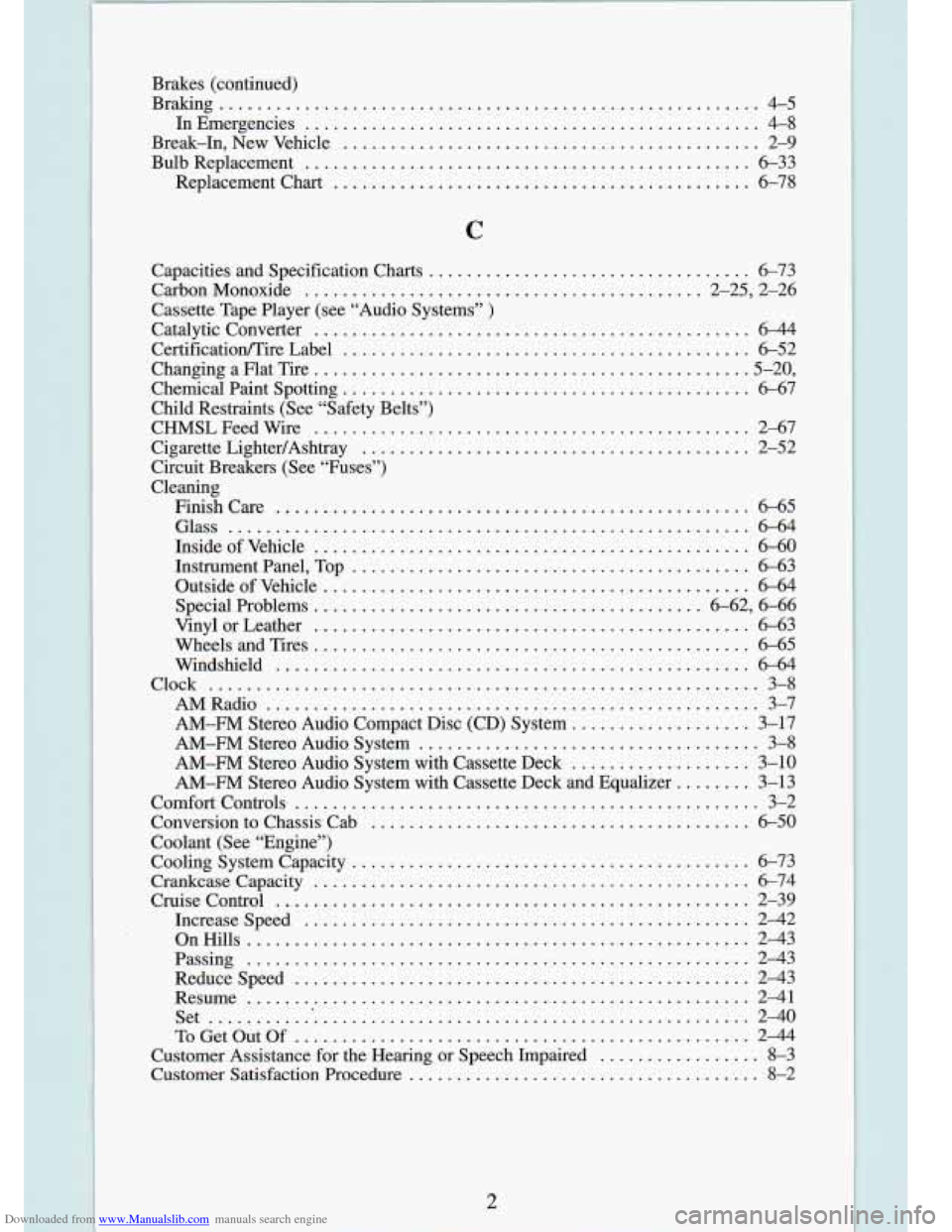
Downloaded from www.Manualslib.com manuals search engine Brakes (continued)
Braking
......................................................... 4-5
InEmergencies
................................................ 4-8
Break.In. New Vehicle
............................................ 2-9
Bulb Replacement
............................................... 6-33
Replacement Chart
............................................ 6-78
C
Capacities and Specification Charts .................................. 6-73
CarbonMonoxide
.......................................... 2.25, 2.26
Cassette Tape Player (see “Audio Systems”
)
Catalytic Converter .............................................. 6-44
Certif“lcation/Tire Label
........................................... 6-52
Changing a Flat Tire
............................................. .5.20.
Chemical Paint Spotting
........................................... 6-67
Child Restraints (See “Safety Belts”)
CHMSLFeedWire
.............................................. 2-67
Cigarette LightedAshtray
......................................... 2-52
Circuit Breakers (See “Fuses”)
Cleaning
Finishcare
.................................................. 6-65
Glass
....................................................... 6-64
Inside
of Vehicle .............................................. 6-60
Instrument Panel. Top
.......................................... 6-63
Outside
of Vehicle ............................................. 6-64
Special Problems
......................................... 6-62. 6-66
Vinyl or Leather
.............................................. 6-63
Wheels and Tires
.............................................. 6-65
Windshield
.................................................. 6-64
AMRadio
.................................................... 3-7
AM-FM Stereo Audio Compact Disc (CD) System
................... 3-17
AM-FM Stereo Audio System
.................................... 3-8
AM-FM Stereo Audio System with Cassette Deck ................... 3-10
AM-FM Stereo Audio System with Cassette Deck and Equalizer
........ 3-13
Comfort Controls
................................................. 3-2
Conversion to Chassis Cab
........................................ 6-50
Coolant
(See “Engine”)
Cooling System Capacity
.......................................... 6-73
CruiseControl
.................................................. 2-39
Increasespeed
............................................... 2-42
OnHills
..................................................... 2-43
Passing
..................................................... 2-43
Reducespeed
................................................ 2-43
Resume
..................................................... 2-41
Set .......................................................... 2-40
ToGetOutOf
................................................ 2-44
Customer Assistance for the Hearing or Speech Impaired
................. 8-3
Customer Satisfaction Procedure
..................................... 8-2
Clock
.......................................................... 3-8
Crankcase Capacity
.............................................. 6-74