1994 CHEVROLET CORVETTE service
[x] Cancel search: servicePage 90 of 274

Downloaded from www.Manualslib.com manuals search engine I
S
T
P
Y
U
0
0
si
C
0:
01
SERVICE
LTPWS
‘ervice LTPWS Light (Option)
‘he “SERVICE LTPWS” light comes on
rhenever a LTPWS part is not working
roperly. It may also come on when
ou’re going less than
25 mph (40 kmk)
r in stop-and-go traffic. The light will go
ut when the electronic receiver gets a
ignal from each sensor.
lheck the system by turning the ignition
n. The light should come on and then go
ut. See your dealer if the light stays on
r doesn’t come on. Here
are two situations that cause the
“SERVICE LTPWS” light to come on
and stay on. Both
of these situations are
normal and do not indicate that anything
is wrong with your Corvette.
You turn the ignition on three times in
a row for half an hour without moving
your Corvette. The light will then
come on every time you
turn the
ignition on until you move your
Corvette.
You run your Corvette three times in a
row for half an hour while all four
sensors are missing. (All the sensors
would be missing, for example, if yo,u
put different wheels on your Corvette
without transferring the sensors.)
If you would like to clear the
”SERVICE LTPWS” light from your
driver information center permanently,
see your dealer.
[f the light comes on and stays on, even
when the vehicle is driven, there may be a
problem with LTPWS. See your dealer.
185
- k- $3 26C
- TEMP .F
100
rEMP “F
LT5 Engine LT1 Engine
Engine Coolant Temperature Gauge
This gauge shows the engine coolant
temperature. If the gauge pointer moves
into the shaded area, your engine is too
hot!
It means that your engine coolant has
overheated. If you have been operating
your vehicle under normal driving
conditions, you should pull off the road,
stop your vehicle and turn off the engine
as soon as possible.
HOT COOLANT CAN BURN YOU
BADLY!
In “Problems on the Road,” this manual
shows what to do. See “Engine
Overheating” in the Index.
89 ...
Page 92 of 274

Downloaded from www.Manualslib.com manuals search engine SERVICE
SOON
0
Malfunction Indicator Lamp (Service Engine Soon Light)
A computer monitors operation of your
fuel, ignition and emission control
systems. This light should come on when
the ignition is on,
but the engine is not
running, as a check to show you it is
working. If it does not come on at all,
have it fixed right away. If it stays on, or
it comes on while you are driving, the
computer is indicating that you have a
problem.
You should take your vehicle in
for service soon.
NOTICE:
If you keep driving your vehicle
with this light on, after a while the
emission controls won’t work as
well, your fuel economy won’t be as
good and your engine may not
run as
smoothly. This could lead to costly
repairs not covered by your warranty.
W
OIL
PRESS
PSI
. .,
Engine Oil Pressure Gauge
This gauge tells you if there could be a
problem with your engine oil pressure.
The engine oil pressure gauge shows the
engine oil pressure
in psi (pounds per
square inch) or kPa (kilopascals) when
the engine is running. Oil pressure
should be
20 to 80 psi (140 to 550 kPa).
It may
vary with engine speed, outside
temperature and oil viscosity, but readings
above the shaded area show the normal
operating range. Readings in the shaded
area tell you that the engine
is low on oil,
or that you might have some other oil
problem. See “Engine Oil” in the Index.
91 ...
Page 93 of 274
Downloaded from www.Manualslib.com manuals search engine Features and Controls
I NOTICE:
I
Damage to your engine from
neglected oil problems can be costly
and is not covered by your warranty.
... 92
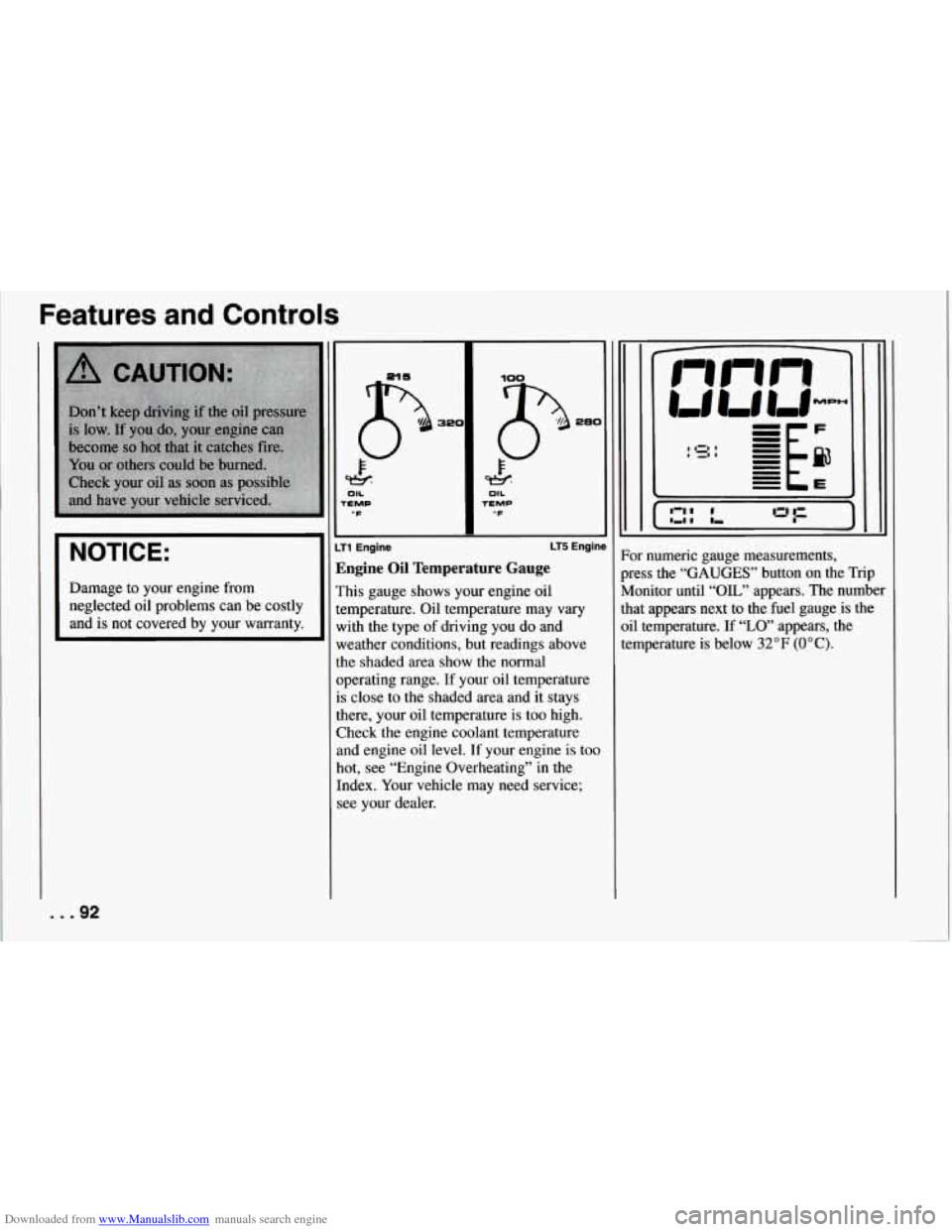
TEMP OIL
OF TEMP OIL
‘F
280
T1 Engine LT5 Enginl
Zngine Oil Temperature Gauge
rhis gauge shows your engine oil
emperature. Oil temperature may
vary
vith the type of driving you do and
weather conditions, but readings above
the shaded area show the normal
operating range. If your oil temperature
is close to the shaded area and it stays
there, your oil temperature is too high.
Check the engine coolant temperature
and engine oil level. If your engine
is too
hot, see “Engine Overheating” in the
Index. Your vehicle may need service;
see your dealer.
1 IZI I
I ,I I
)r numeric gauge measurements,
ness the
“GAUGES” button on the Trip
[onitor until
“OIL” appears. The number
at appears next to the fuel gauge is the
1 temperature. If “LO’ appears, the
mperature
is below 32°F (OOC).
Page 95 of 274

Downloaded from www.Manualslib.com manuals search engine Features and Controls
Zharging System Light
rhis light will come on when you turn on
he ignition, but the engine is not running
LS a check to show you it is working. It
ihould go out when the engine starts. If
t stays on or comes on while you are
Iriving, you may have a problem with
he electrical charging system. It could
ndicate that you have a loose or broken
lrive belt or another electrical problem.
3ave it checked right away. Driving whil
his light is
on could drain your battery.
:f you must drive a short distance with thl
ight on, be certain to turn
off all your
tccessories, such as the radio and air
:onditioner.
loor Ajar Light
’his light comes on when you open one
If the doors with the ignition on. It stays
In until you fully close the door. Have
‘our vehicle serviced if the light comes
In and stays on even when the doors are
ully closed.
-1
E
1
a
a
ti
1
e
i:
l-
4
4
E
1
t
E
GI
1
Sngine Oil Life Monitor
?he “CHANGE OIL” light comes on for
, few seconds when you turn the ignition
In. It will come on and stay on when it’s
ime to change your oil.
:he monitor uses oil temperature and
rngine revolutions to decide when the oil
s nearly worn out. The light is only a
eminder, though. You should change
‘our oil at the intervals recommended in
‘our Maintenance Schedule, even if the
‘CHANGE
OIL” light hasn’t come on.
3e sure to reset the monitor when your oil
s changed, even if the “CHANGE OIL”
ight didn’t come on. If you don’t reset
he monitor, it won’t work correctly.
Tollow these steps:
... 94
Page 96 of 274

Downloaded from www.Manualslib.com manuals search engine 1. Turn the key to “Run,” but don’t start
2. Press “ENG MET” on the Trip the engine.
Monitor. Then, within five seconds,
press it again.
3. Within five seconds, press and hold
“GAUGES” on the Trip Monitor. The
“CHANGE
OIL” light should flash.
4. Hold the “GAUGES” button until the
“CHANGE
OIL” light stops flashing
and goes out. This should take about
ten seconds.
When the light goes out, the monitor is
reset. If the monitor doesn’t reset, turn the
ignition
off, then try again.
SERVICE
RIDE
CONTROL
Service Ride Control Light
This light should come on for a few
seconds when you start your vehicle. If
the light stays on or comes on while
you’re driving, there may be a problem
with your Selective Ride Control system.
You can still drive, but you should see
your dealer soon.
The Selective Ride Control system is
designed to sense vehicle speed in the
first minute after the vehicle is started.
If the vehicle is not moved
in that first
minute, the system records a fault. The
“SERVICE RIDE CONTROL” light
comes on after three faults are recorded.
If the light comes on for this reason, movc
your Corvette and the light should go out.
PASSIVE
KEYLESS
ENTRY
’assive Keyless Entry Light
’his light will come on for about two
econds when you turn the ignition
on,
Inless your keyless entry system is off.
:he light also comes on and flashes when
‘ou are programming transmitters. See
‘Passive Keyless Entry System” in the
ndex.
95 ...
Page 111 of 274
Downloaded from www.Manualslib.com manuals search engine Comfort Controls and Audio Systems
except ‘j and-; and at all
temperatures above freezing.
3. Press the arrows on the fan speed
switch if you don’t like the automatic
setting. In
“AUTO # ” on hot days,
the fan speed will be low at fist to
help get rid of the hot inside air..
When the air conditioner is on,
you may
notice slight changes
in your vehicle’s
engine speed and power. This is normal
because the system is designed to cycle
the compressor on and off to keep the
desired temperature and help fuel
economy.
Defogging and Defrosting
Windows
Your vehicle has several settings for
clearing your windows. The air
conditioner compressor will run to help
remove moisture from the air.
To defrost the windshield quickly:
1. Press the arrows on the “TEMP SET”
switch to set
a comfortable
temperature.
2. Press .
3. The fan will go to high speed. After
the windows are clear, you can lower
. . .I10
the speed using 7 or
“AUTO .”
To warm passengers while keeping the
windshield clear:
1. Press the arrows on the “TEMP SET”
switch
to set a comfortable
temperature.
2. Press -2 and at the same time.
3. Press the arrows on the fan speed
switch if you don’t like the automatic
setting.
To defrost
the side windows quickly:
1. Press the arrows on the “TEMP SET”
switch to set a‘comfortable
temperature.
2. Press c2 .
3. Press the arrows on the fan speed
switch if you don’t like the automatic
setting.
System Problems
If ,the light above a button flashes when
you turn on the ignition, your system may
have an electrical problem. The flashing
will continue for one minute, then stop.
The flashing light could also mean the
refrigerant level
is too low in your
system. The light will continue to flash, even
if refrigerant
is added, until the
system is reset. Have your system
checked and serviced
if needed.
To reset yoilr system:
1. Turn your ignition key to “Off’ or
2. Remove the courtesy lights and radio
fuses from the main fuse panel and
wait one minute. See “Fuses and
Circuit Breakers” in the Index.
3. Put the fuses back in and start your
The light shouldn’t come on and your
system should be working properly. If
you still have a problem, see your dealer.
“LOCK.”
vehicle.
Page 119 of 274
Downloaded from www.Manualslib.com manuals search engine Comfort Controls and Audio Systems
Clean your tape player with a
wiping-action, non-abrasive cleaning
cassette
(GM Part No. 12344600), and
follow the directions provided with
it.
Cassettes are subject to wear and the
sound quality may degrade over time.
Always make sure that the cassette tape is
in good condition before you have your
tape player serviced.
. . .I18
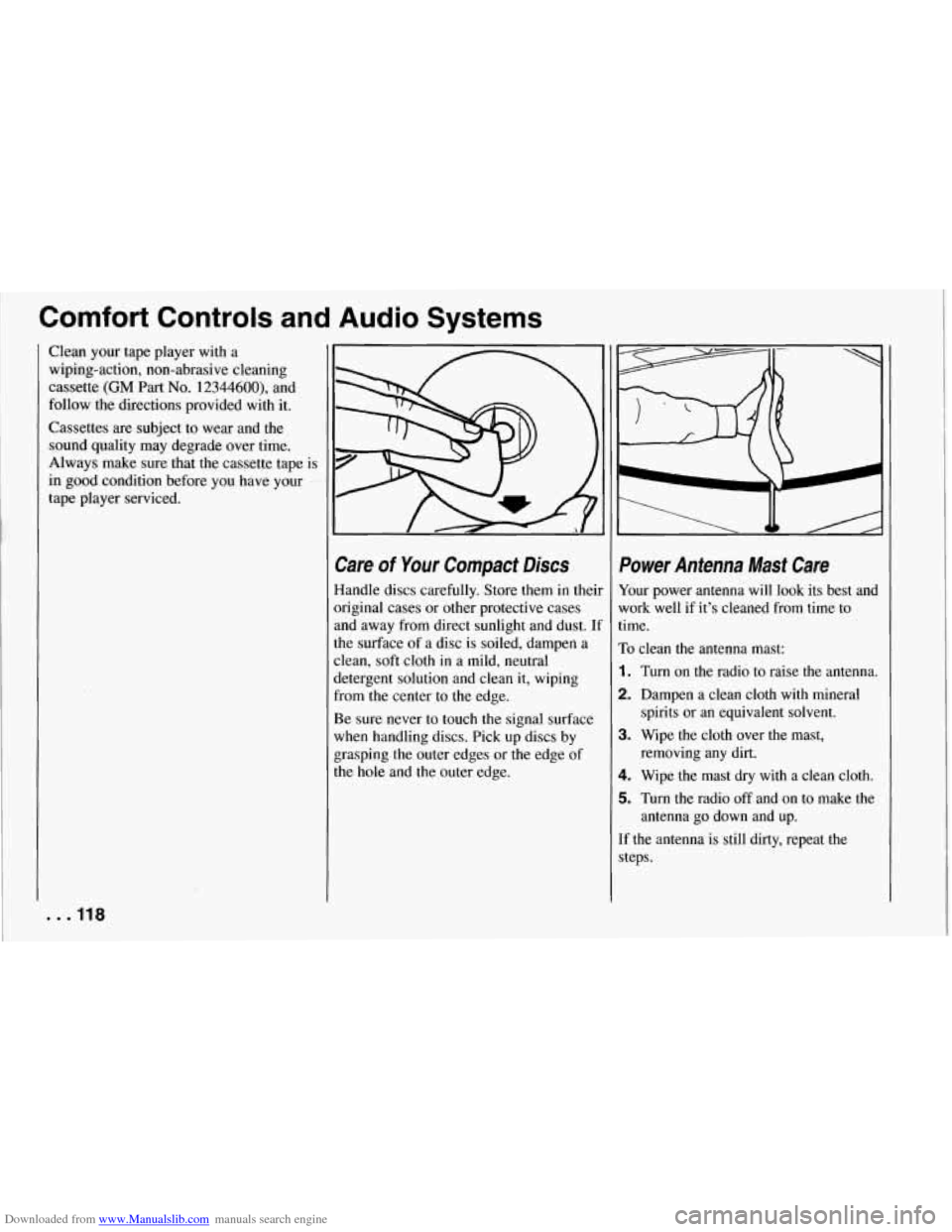
Care of Your Compact Discs
Handle discs carefully. Store them in theil
original cases or other protective cases
and away from direct sunlight and dust.
U
the surface of a disc is soiled, dampen a
clean, soft cloth in a mild, neutral
detergent solution and clean it, wiping
from the center to
the edge.
Be sure never to touch the signal surface
when handling discs. Pick up discs by
grasping the outer edges or the edge of
the
hole and the outer edge.
Power Antenna Mast Care
Your power antenna will look its best and
work well if it’s cleaned from time to
time.
To clean the antenna mast:
1. Turn on the radio to raise the antenna.
2. Dampen a clean cloth with mineral
spirits or an equivalent solvent.
3. Wipe the cloth over the mast, removing any dirt.
4. Wipe the mast dry with a clean cloth.
5. Turn the radio off and on to make the
antenna go down and up.
If the antenna is still dirty, repeat the steps.
Page 126 of 274
Downloaded from www.Manualslib.com manuals search engine This is a mistake. Your brakes may not
have time to cool between hard stops.
Your brakes will wear out much faster if
you do a lot
of heavy braking. If you keep
pace with the traffic and allow realistic
following distances, you will eliminate a
lot of unnecessary braking. That means
better braking and longer brake life.
If your engine ever stops while you’re
driving, brake normally but don’t pump
your brakes. If you do, the pedal may get
harder to push down. If your engine stops,
you will still have some power brake
assist. But you will use it
when you brake.
Once the power assist is used up, it may
take longer to stop and the brake pedal
will be harder to push.
SERVICE
I
Anti-Lock Brakes (ABS)
Your Corvette has an advanced electronic
braking system that will help prevent
skidding.
This light on the instrument panel will go
on when you start your vehicle.
When you start your vehicle and begin to
drive away, you may hear a momentary
motor or clicking noise. And you may
even notice that your brake pedal moves
,
little while this is going on. This is the
ABS system testing itself. If there’s a
problem with the anti-lock brake system,
the anti-lock brake system warning light
will stay on.
See “Anti-lock Brake System Warning
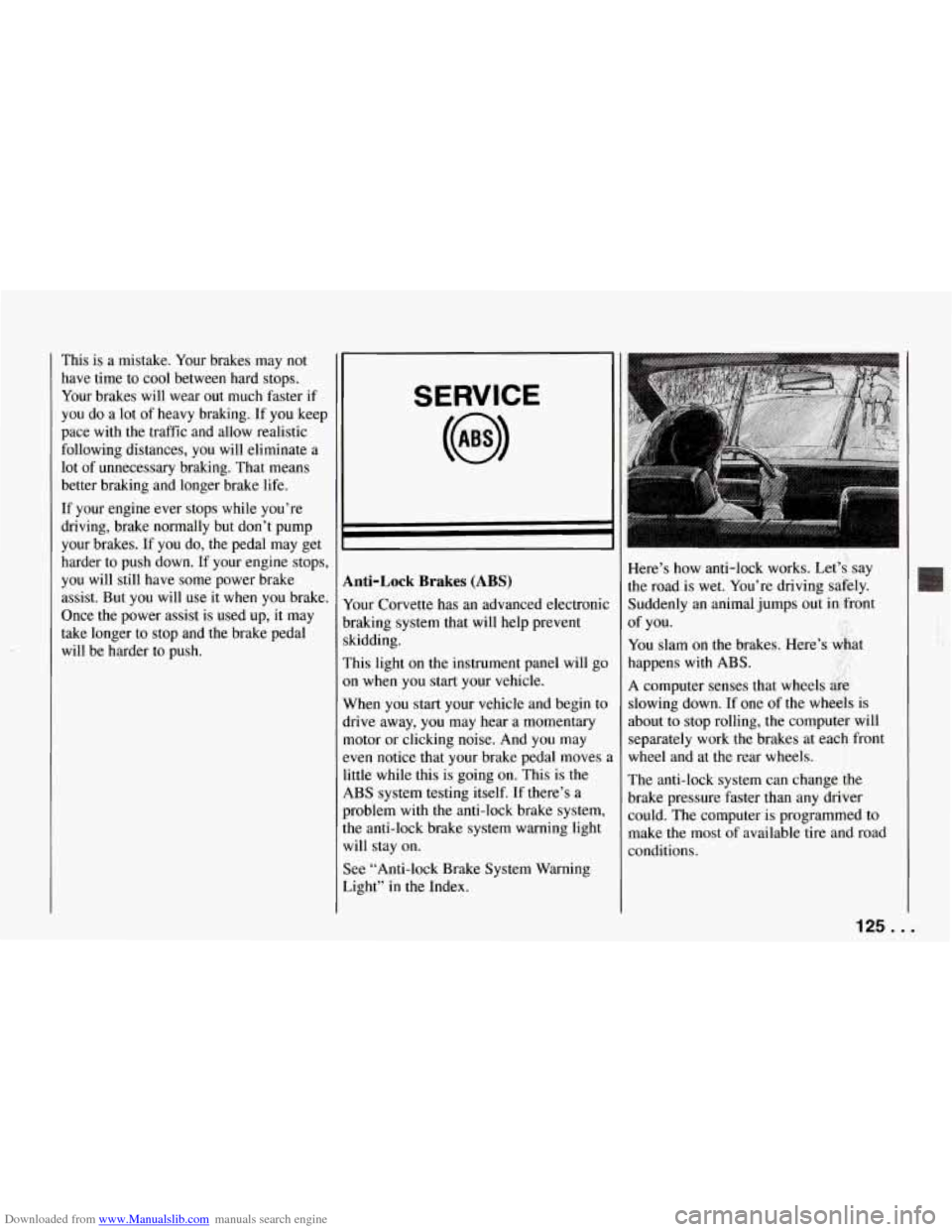
Light” in the Index. Here’s how anti-lock works. Let’s, say
the road
is wet. You’re driving safely.
Suddenly an animal jumps out in front
You slam on the brakes. Here’s &at
happens with
ABS. ..
A computer senses that wheels &g,
slowing down. If one of the wheels is
about to stop rolling, the computer will
separately work the brakes at each front
wheel and at the rear wheels.
The anti-lock system can change
the
brake pressure faster than any driver
could. The computer is programmed to
make the most of available tire and road
conditions. of
you.
125..,