1994 CHEVROLET CAVALIER light
[x] Cancel search: lightPage 50 of 243
Downloaded from www.Manualslib.com manuals search engine Convenience Net (OPTION)
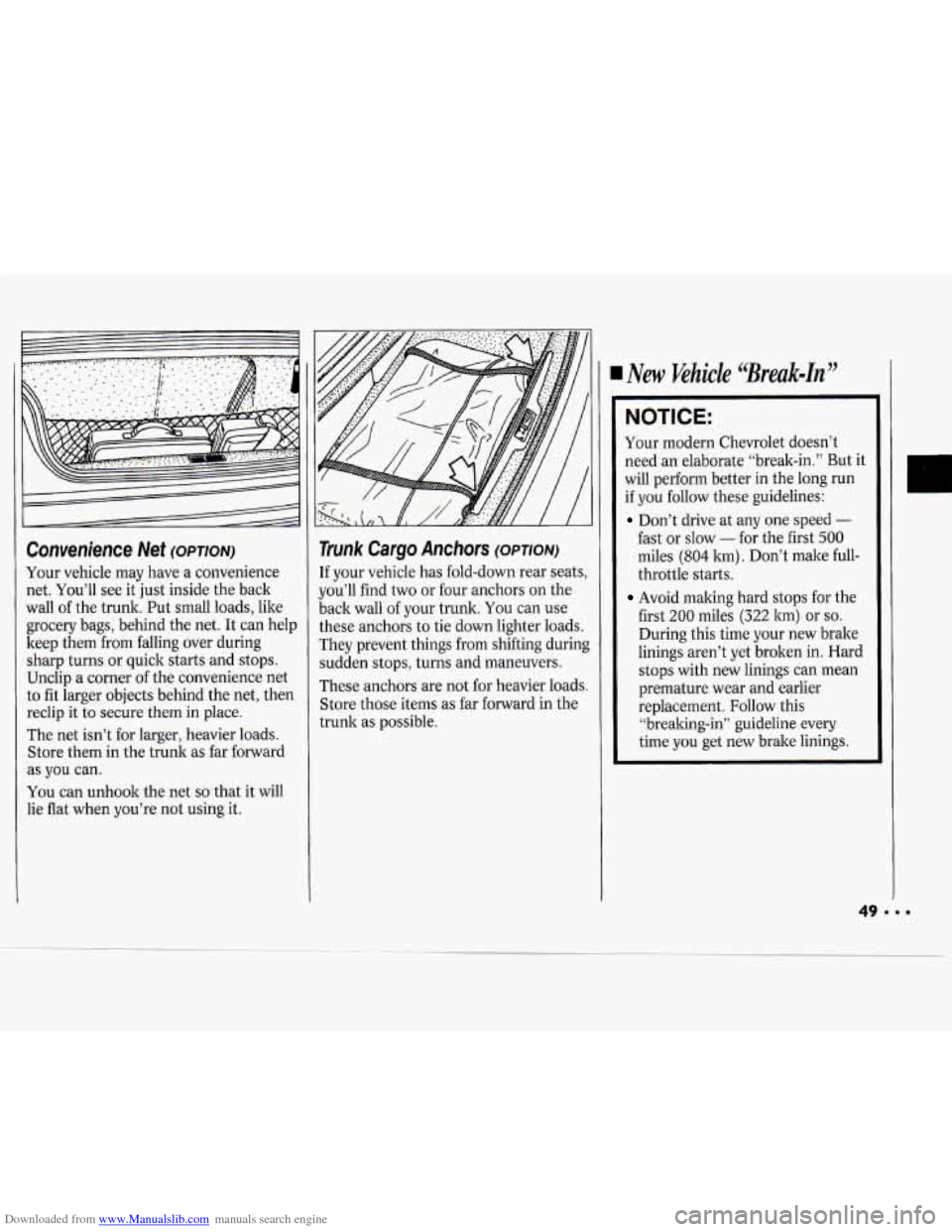
Your vehicle may have a convenience
net. You’ll see it just inside the back
wall of the trunk. Put small loads, like
grocery bags, behind the net. It can help
keep them
from falling over during
sharp turns or quick starts and stops.
Unclip a corner of the convenience net
to fit larger objects behind the net, then
reclip it to secure them in place.
The net isn’t for larger, heavier loads.
Store them in the trunk as far forward
as
you can.
You can unhook the net
so that it will
lie flat when you’re not using it.
Trunk Cargo Anchors (OPTION)
If your vehicle has fold-down rear seats,
you’ll find two or four anchors on the
back wall of your trunk.
You can use
these anchors to tie down lighter loads.
They prevent things from shifting during
sudden stops, turns and maneuvers.
These anchors are not for heavier loads.
Store those items as far forward in the
trunk as possible.
New Khicle ‘Break-in"
NOTICE:
Your modern Chevrolet doesn’t
need an elaborate “break-in.” But it
will perform better in the long run
if you follow these guidelines:
Don’t drive at any one speed -
fast or slow - for the fist 500
miles (804 km) . Don’t make full-
throttle starts.
Avoid making hard stops for the
first
200 miles (322 km) or so.
During this time your new brake
linings aren’t yet broken in. Hard
stops with new linings can mean
premature wear and earlier
replacement. Follow this
“brealring-in” guideline every
time you get new brake linings.
Page 58 of 243
Downloaded from www.Manualslib.com manuals search engine 3,4 and 5 (Third, Fourth and Fifth
Gears):
Shift into 3,4 and 5 the same
way you do for
2. Slowly let up on the
clutch pedal as you press the
accelerator pedal.
To Stop: Let up on the accelerator
pedal and press the brake pedal.
Just
before the vehicle stops, press the
clutch pedal and the brake pedal, and
shift to
N (Neutral).
N (Neutral): Use this position when
you start or idle your engine.
R (Reverse): To back up, press down
the clutch pedal and shift into
R
(Reverse). Let up on the clutch pedal
slowly while pressing the accelerator
pedal.
NOTICE:
Shift to R (Reverse) only after your
vehicle is stopped. Shifting to
R
(Reverse) while your vehicle is
moving could damage your transaxle.
Also, use R (Reverse), along with the
parking brake, for parking your vehicle.
SHIFT
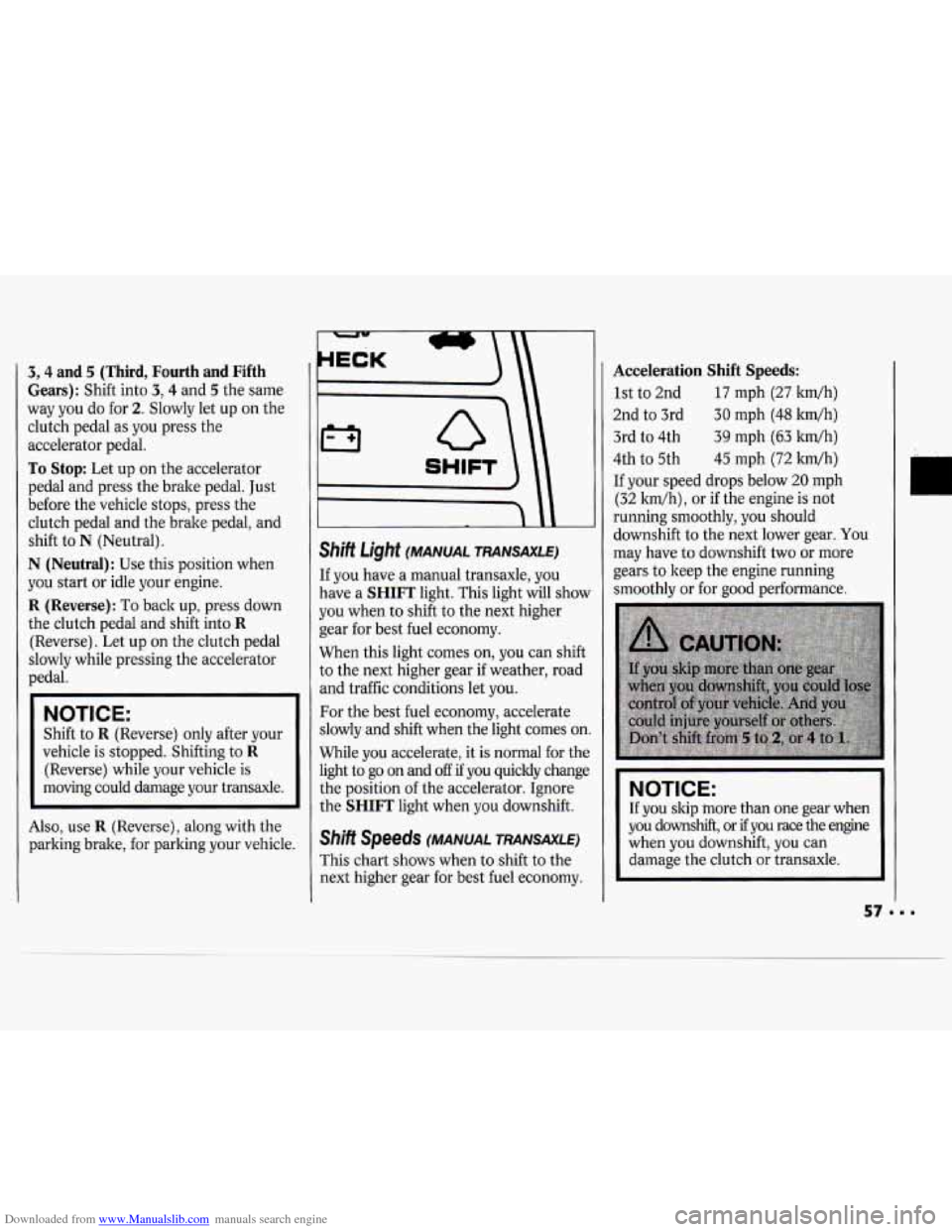
Shift Light (MANUAL TRANSAXLE)
If you have a manual transaxle, you
have a
SHIFT light. This light will show
you when to shift to the next higher
gear for best fuel economy.
When this light comes on, you can shift
to the next higher gear
if weather, road
and traffic conditions let you.
For the best fuel economy, accelerate
slowly and shift when the light comes on
While you accelerate, it is normal for the
light to go on and
off if you quickly change
the position of the accelerator. Ignore
the
SHIFT light when you downshift.
Shift Speeds (MANUAL TRANSAXLE)
This chart shows when to shift to the
next higher gear for best fuel economy.
Acceleration Shift Speeds:
1st to 2nd 17 mph (27 kwh)
2nd to 3rd
30 mph (48 km/h)
3rd
to 4th 39 mph (63 ltm/h)
4th
to 5th 45 mph (72 ltm/h)
If your speed drops below 20 mph
(32 ldh), or if the engine is not
running smoothly, you should
downshift to the next lower gear.
You
may have to downshift two or more
gears to keep the engine running
smoothly or for good performance.
NOTICE:
If you skip more than one gear when
you downshift, or
if you race the engine
when you downshift, you can
damage the clutch
or transaxle.
Page 59 of 243
Downloaded from www.Manualslib.com manuals search engine Features & Controls
Parking Brake
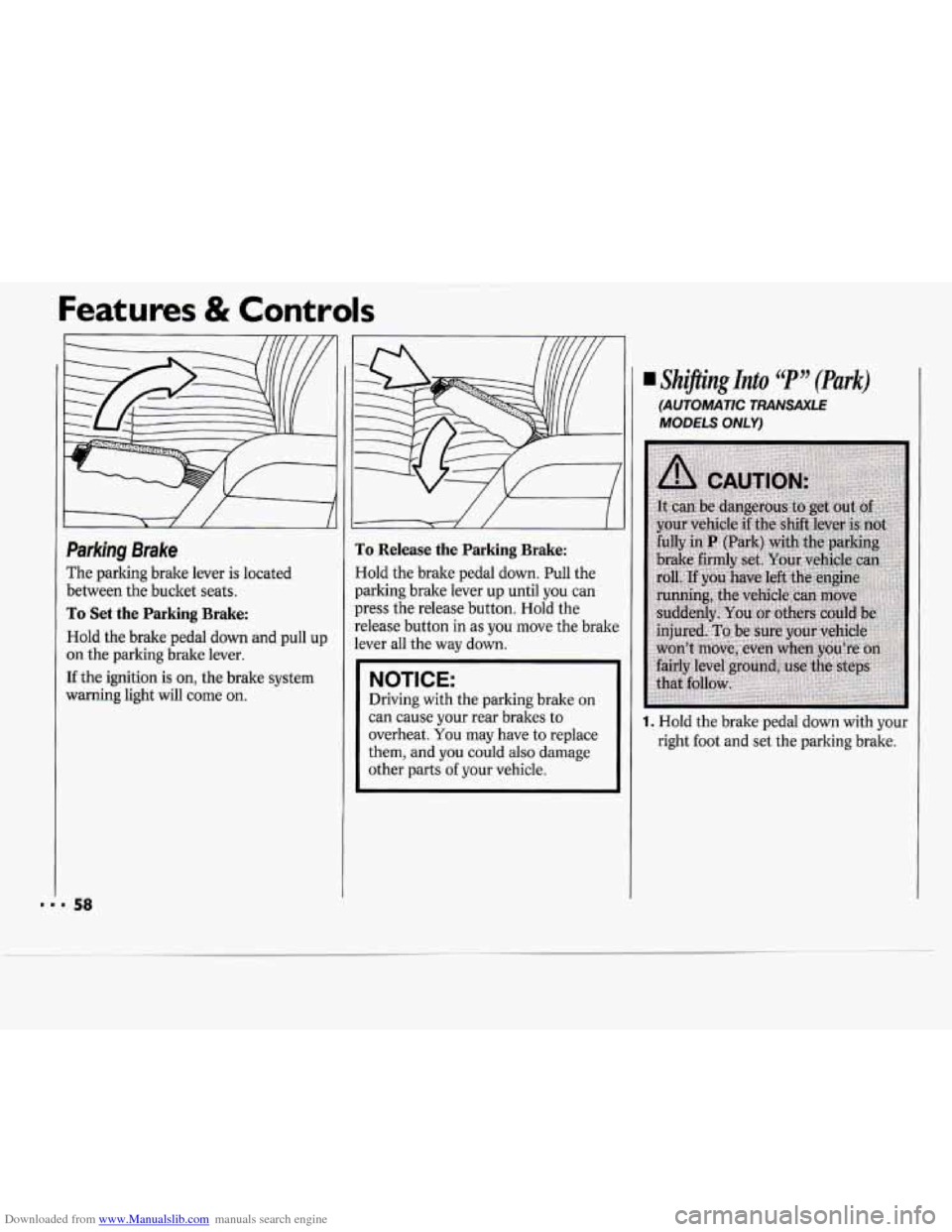
The parking brake lever is located
between the bucket seats.
To Set the Parking Brake:
Hold the brake pedal down and pull up
on the parking brake lever.
If the ignition is on, the brake system
warning light will come
on.
J
To Release the Parking Brake:
Hold the brake pedal down. Pull the
parking brake lever up until you can
press the release button. Hold the
release button
in as you move the brake
lever all the way down.
NOTICE:
Driving with the parking brake on
can cause your rear brakes to
overheat.
You may have to replace
them, and you could also damage
other parts
of your vehicle.
Shijling Into C( P JJ (Park)
(AUTOMATIC TRANSAXLE
MODELS ONLY)
1. Hold the brake pedal down with your
right foot and set the parking brake.
Page 64 of 243
Downloaded from www.Manualslib.com manuals search engine Horn
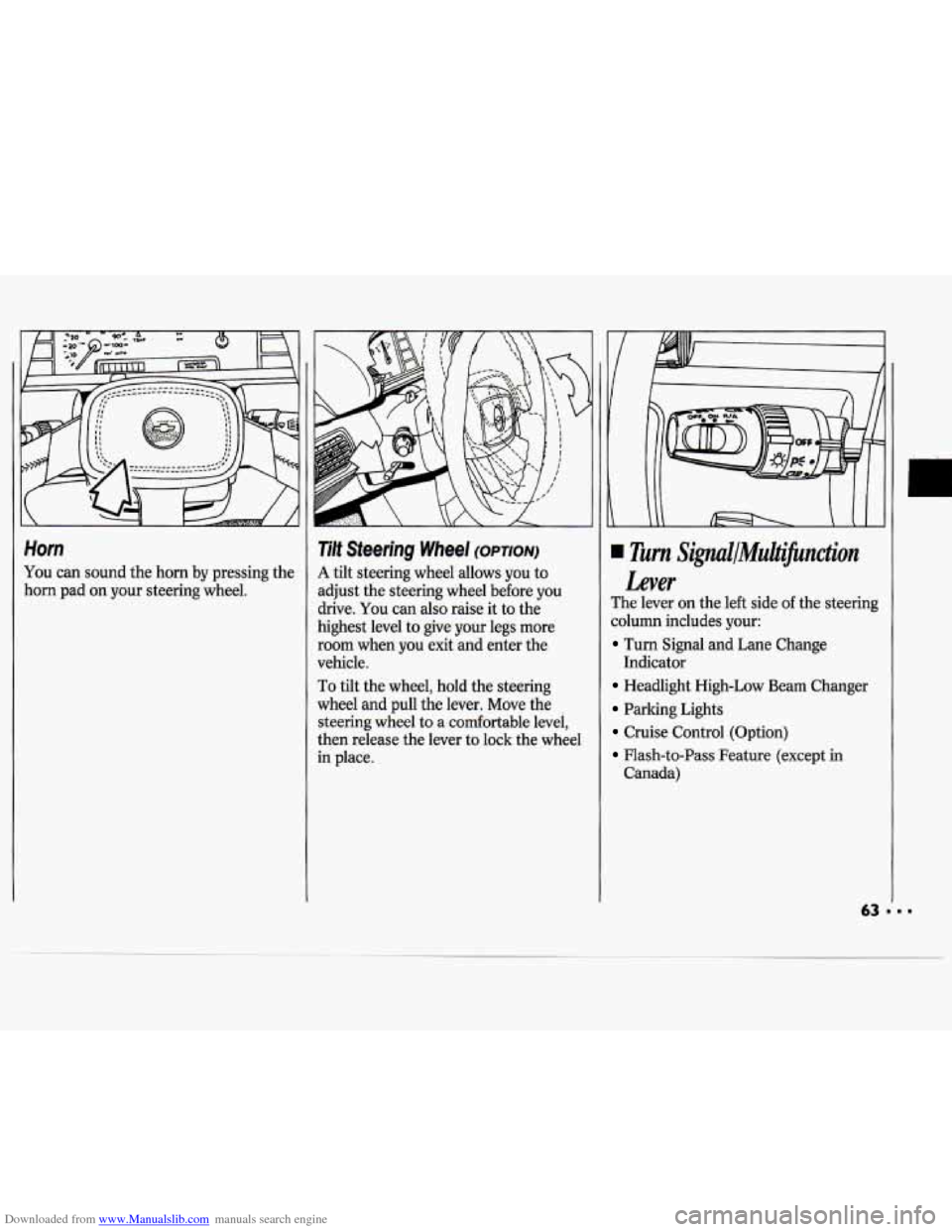
You can sound the horn by pressing the
horn pad on your steering wheel.
Tilt Steering Wheel (OPTION)
A tilt steering wheel allows you to
adjust the steering wheel before
you
drive. You can also raise it to the
highest level to give your legs more
room when
you exit and enter the
vehicle.
To tilt the wheel, hold the steering
wheel and pull the lever. Move the
steering wheel to a comfortable level,
then release the lever to lock the wheel
in place.
Turn Signul/MuiJicnction
Lever
The lever on the left side of the steering
column includes your:
Turn Signal and Lane Change
Headlight High-Low Beam Changer
Parking Lights
Cruise Control (Option)
Flash-to-Pass Feature (except in
Indicator
Canada)
Page 65 of 243

Downloaded from www.Manualslib.com manuals search engine Features & Controls
Operation of Lights
Although your vehicle’s lighting system
(headlights, parking lights, fog lamps,
side marker lights and taillights) meets
all applicable federal lighting
requirements, certain states and
provinces may apply their own lighting
regulations that may require special
attention before you operate these lights,
For example, some jurisdictions may
require that you operate your lower
beam lights with fog lamps at all times,
or that headlights be turned on
whenever you must use your windshield
wipers. In addition, most jurisdictions
prohibit driving solely with parking
lights, especially at dawn or dusk.
It is
recommended that you check with your
own state or provincial highway
authority for applicable lighting
regulations.
LLJ’ n
-
Turn Signal and Lane Change
Indicator
The turn signal has two upward (for
Right) and two downward (for Left)
positions. These positions allow you to
signal a turn or
a lane change.
To signal a turn, move the lever all the
way up or down. When the turn is
finished, the lever will return
automatically.
A green arrow on the instrument panel
will flash in the direction of the turn or
lane change.
I)
To signal a lane change, just raise or
lower the lever until the green arrow
starts to flash. Hold it there until you
complete your lane change. The lever
will return by itself when you release it.
As you signal a turn or a lane change, if
the arrows don’t flash but just stay on, a
signal bulb may be burned out and
other drivers won’t see your turn signal.
If a bulb is burned out, have your dealer
replace
it to help avoid an accident. If
the green arrows don’t go on at all
when
you signal a turn, check the fuse
(see the
Index under Fuses G Circuit
Breakers) and for burned-out bulbs.
Page 66 of 243
Downloaded from www.Manualslib.com manuals search engine Headlights
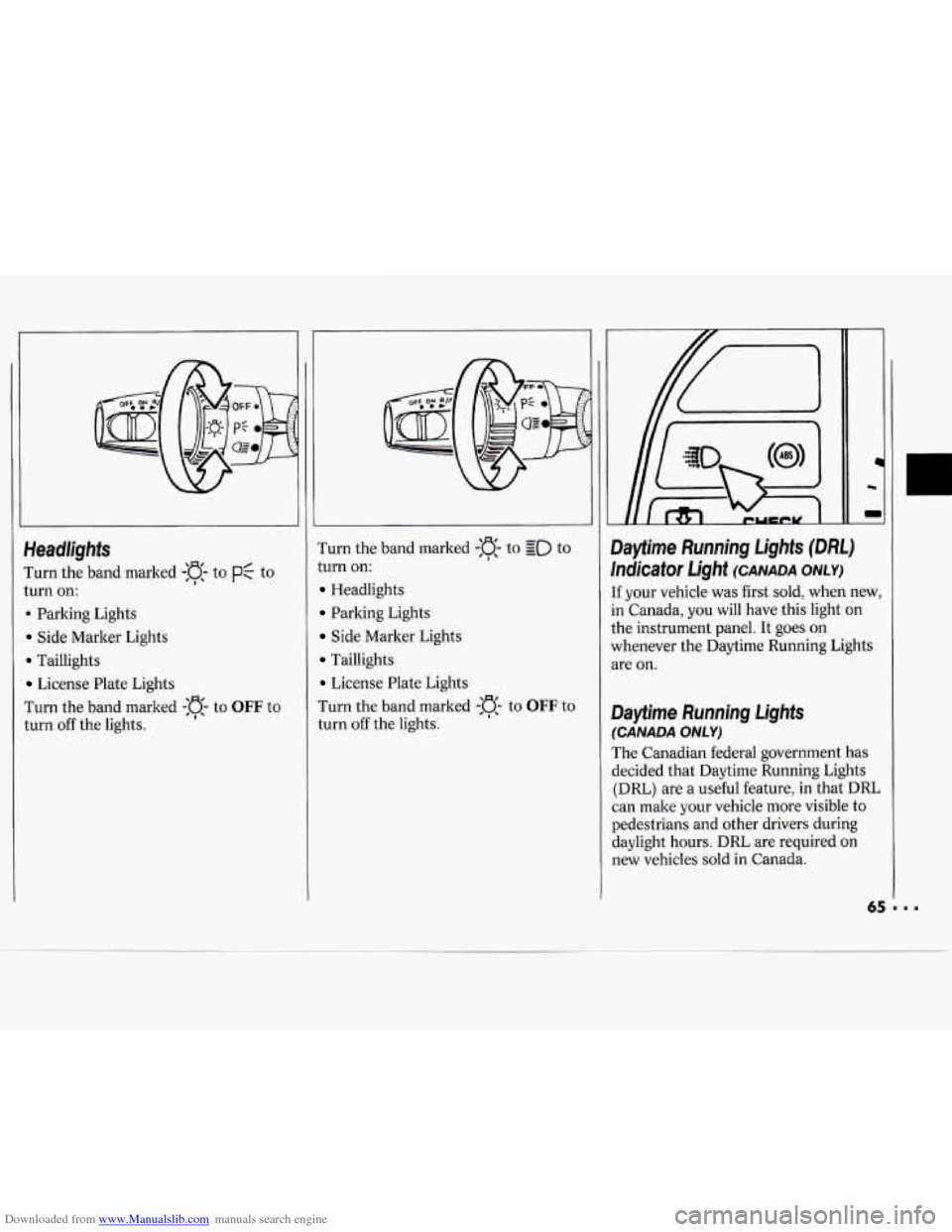
I'urn the band marked -:a- to PC to
turn on:
. Parking Lights
Side Marker Lights
Taillights
License Plate Lights
I'urn the band marked
-:a- to OFF to
turn off the lights. Turn
the band marked
-a- to go to
turn on:
Headlights
Parking Lights
Side Marker Lights
Taillights
License Plate Lights
Turn the band marked
-n- to OFF to
turn off the lights.
I
1c
m
Dayfime Running Lights (DM)
Indicator Light (CANADA ONLY)
[f your vehicle was first sold, when new,
in Canada, you will have this light on
the instrument panel. It goes on
whenever the Daytime Running Lights
we on.
Dayfime Running Lights
(CANADA ONLY)
The Canadian federal government has
decided that Daytime Running Lights
(DRL) are a useful feature, in that DRL
can make your vehicle more visible to
pedestrians and other drivers during
daylight hours. DRL are required on
new vehicles sold in Canada.
Page 67 of 243
Downloaded from www.Manualslib.com manuals search engine Features & Controls
The high beam headlights will come on
at reduced brightness in daylight when:
The ignition is on
The headlight switch is off, and
The parking brake is released.
When you turn on your headlights, the
DRL will switch off and the exterior
lights will come on. When you turn off
the headlights, the exterior lights will go
out and the high beams will change to
the reduced brightness
of DRL again.
The DRL indicator light on the
instrument panel will go on whenever
the DRL are on. This light means that
only the DRL are on. When you turn on
your exterior lights, this light will go
out. Of course, you may still turn on the
headlights any time
you need to.
To idle your vehicle with the DRL off,
set the parking brake. The
DRL will
stay
off until you release the parking
brake.
J
Headlight High-Low Beam
Changer
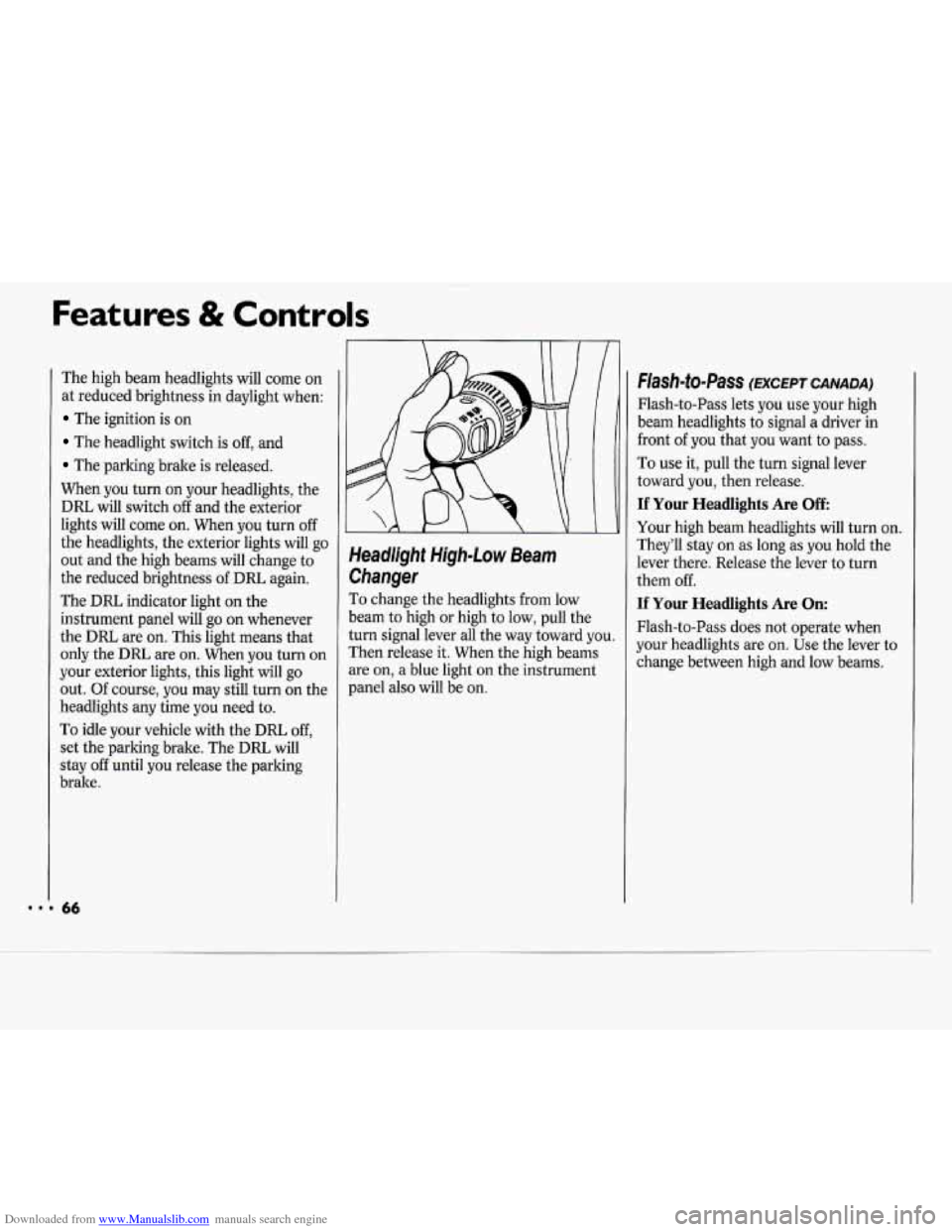
To change the headlights from low
beam
to high or high to low, pull the
turn signal lever all the way toward you.
Then release it. When the high beams
are on, a blue light on the instrument
panel also will be on.
Flash-to-Pass (EXCEPT CANADA)
Flash-to-Pass lets you use your high
beam headlights to signal a driver in
front
of you that you want to pass.
To use it, pull the turn signal lever
toward you, then release.
If Your Headlights Are Off
Your high beam headlights will turn on.
They’ll stay on
as long as you hold the
lever there. Release the lever to turn
them off.
If Your Headlights Are On:
Flash-to-Pass does not operate when
your headlights are on. Use the lever to
change between high and low beams.
Page 68 of 243
Downloaded from www.Manualslib.com manuals search engine
Instrument Panel Intensity Control
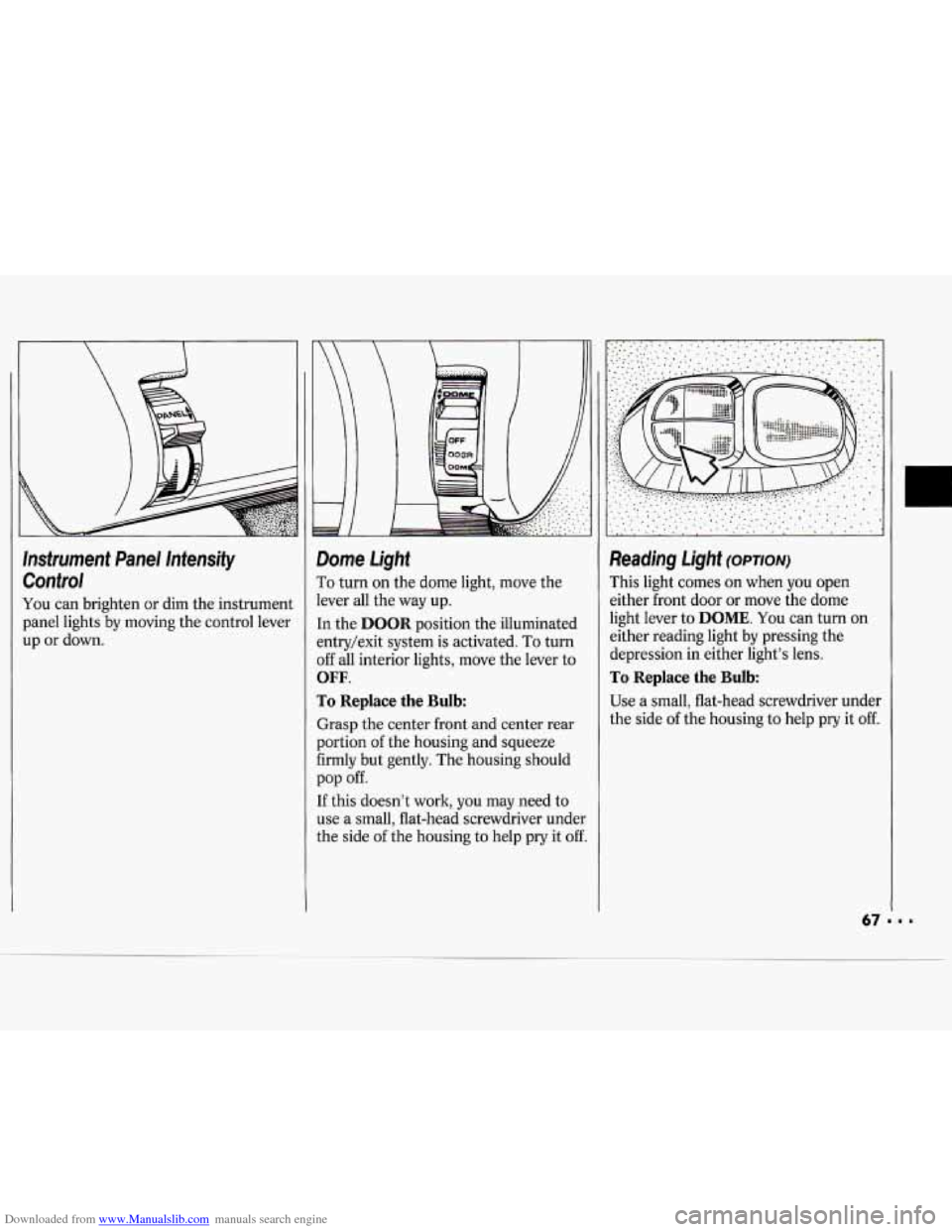
You can brighten or dim the instrument
panel lights by moving the control lever
up
or down.
-
- E
1
1
1
I
1
j
1
1
1
1
Dome Light
To turn on the dome light, move the
lever all the way up.
[n the
DOOR position the illuminated
:ntry/exit system is activated.
To turn
3ff all interior lights, move the lever to
OFF.
ro Replace the Bulb:
Grasp the center front and center rear
portion
of the housing and squeeze
Firmly but gently. The housing should
[f this doesn’t work, you may need to
use a small, flat-head screwdriver under
the side
of the housing to help pry it off.
pop off.
Reading Light (OPTION)
This light comes on when you open
either front door
or move the dome
light lever to
DOME. You can turn on
either reading light by pressing the
depression in either light’s lens.
To Replace the Bulb
Use a small, flat-head screwdriver under
the side
of the housing to help pry it off.