Page 2 of 243
Downloaded from www.Manualslib.com manuals search engine OChevrolet Cavalier I994 Owner’s Manual
Table of Contents
I
Part I
Part 2
Part 3
Seats & Restraint Systems.................. 1.,1
Features & Controls.. ........................... 41
Comfort Controls
& Audio Systems.... 91
Part 4 Your Driving and the Road ................ 107
Part 5 Problems on the Road ....................... 127
Part 6
Part 7
Part 8
Maintenance Schedule ...................... 203
Customer Assistance Information
.... 221
Includes “Reporting Safety Defects” on page 224
Y
Part 9
Service Station Information .... Last Page
Printed in USA 10234005 B First Edition
Page 7 of 243
Downloaded from www.Manualslib.com manuals search engine Using Your 7994 Chevrolet
Owner’s Manual
Many people read their owner’s
manual
from beginning to end when
they first receive their new vehicle. This
will help you learn about the
features and controls for your vehicle.
In this manual, you’ll find that
pictures and words work together
to explain things quickly.
There are nine parts with thumb-tabbed
pages in this manual. Each part begins
with a brief list of contents,
so you can
usually tell at a glance if that part
contains the information you want.
You can bend the manual slightly to
reveal the tabs that help you find a part.
Part 1: Seats & Restraint Systems
This part tells you how to use your seats
and safety belts properly.
Part 2 Features & Controls
This part explains how to start and
operate your Chevrolet
.
Part 3: Comfort Controls & Audio
Systems
This part tells you how to adjust the
ventilation and comfort controls and
how to operate your audio system.
Part 4 Your Driving and the Road
Here you’ll find helpful information and
tips about the road and how
to drive
under different conditions.
Part 5: Problems on the Road
This part tells you what to do if you
have a problem while driving, such as a
flat tire or engine overheating.
Part 6: Service & Appearance Care
Here the manual tells you how to keep
your Chevrolet running properly and
looking good.
Part 7: Maintenance Schedule
This part tells you when to perform
vehicle maintenance and what fluids
and lubricants to use.
Page 12 of 243
Downloaded from www.Manualslib.com manuals search engine Here YOU’II find information about
the seats
in your Chevrolet and how
to use your safety belts properly
. You
can also learn about some things
you should
not do with safety belts .
Part I
Seats & Restraint Systems
Seats and Seat Controls ........................................................................\
.................... 12
Safety Belts ........................................................................\
........................................ 17
Driver Position ........................................................................\
.................................. 21
Safety Belt Use During Pregnancy ........................................................................\
... 24
Rear Seat Passengers ........................................................................\
........................ 25
Rear Safety Belt Comfort Guides ........................................................................\
..... 27
Center Passenger Position ........................................................................\
................ 29
Children ........................................................................\
............................................. 30
Smaller Children and Babies ........................................................................\
............ 30
Child Restraints ........................................................................\
................................. 31
Larger Children ........................................................................\
................................. 38
Safety Belt Extender ........................................................................\
.......................... 40
Replacing Safety Belts After a Crash ........................................................................\
40
How to Wear Safety Belts Properly ........................................................................\
.. 20
Right Front Passenger Position ........................................................................\
........ 25
Page 13 of 243
Downloaded from www.Manualslib.com manuals search engine Seats & Restraint Systems
Stas and Stat Controls
This section tells you about the seats-
how to adjust thern-and &a about
reclining seatbacks and head restraints.
m=m 12
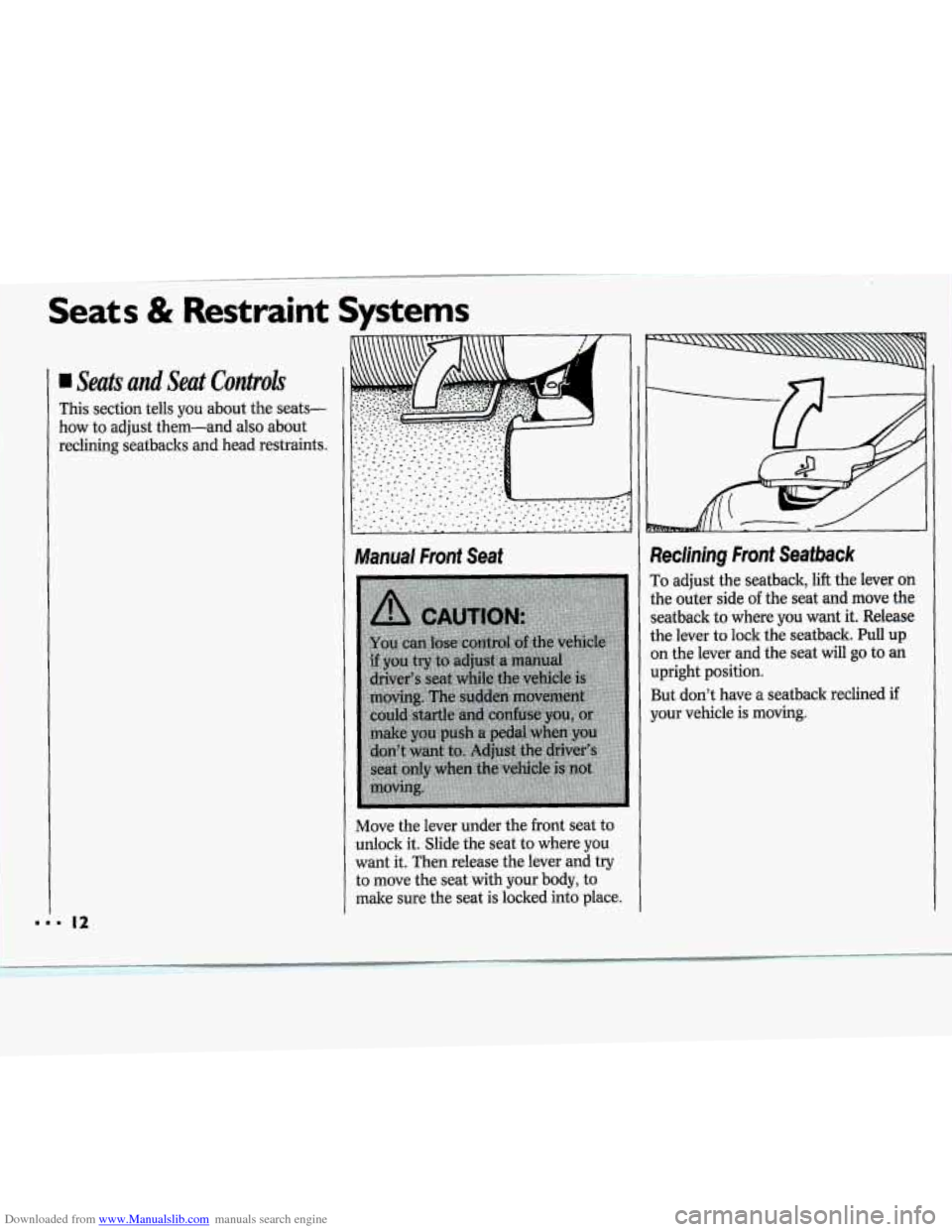
Manual Front Seat
Move the lever under the front seat to
unlock it. Slide the seat to where you
want it. Then release the lever and try
to move the seat with your body, to
make sure the seat is locked into place.
i
3
tl
tl
Si
0
U
B
Y'
kclining Front Seafbsck
'0 adjust the seatback, lift the lever or].
he outer side uf the sed md move the
eathack to where you want it. Release.
he lever to lo& the seatback. Pull up
n the kmr and the seat will go to an
pright position.
;ut don't
have a seatback reclined it
Dur vehicle is moving.
Page 17 of 243
Downloaded from www.Manualslib.com manuals search engine Seats & Restraint Systems
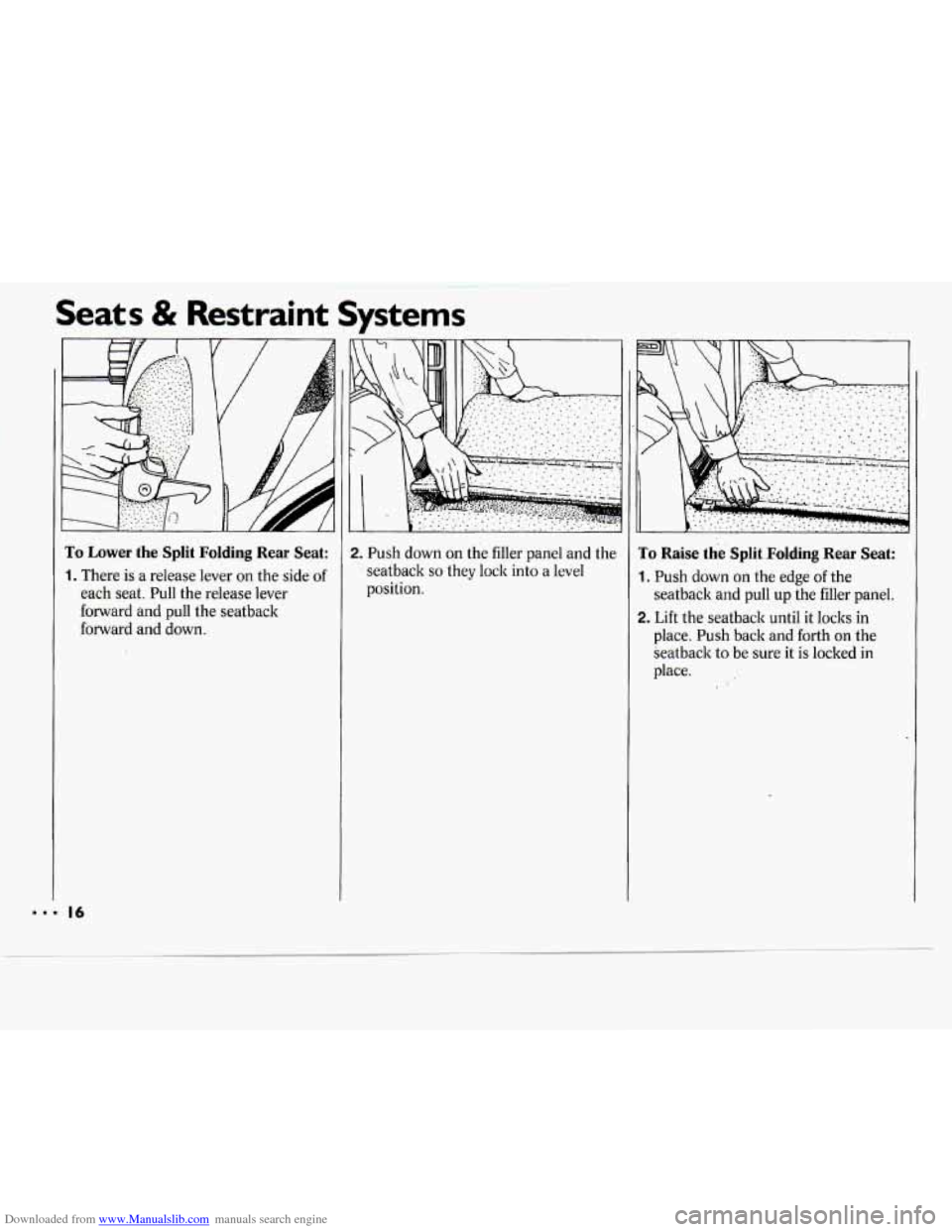
To Lower the Split Folding Rear Seat:
1. There is a release lever on the side of
each seat. Pull the release lever
forward and pull the seatback
forward and down.
2. Push down on the filler panel and the
1 seatback so they lock into a level
position.
To Raise the Split Folding Rear Seat:
1. Push down on the edge of the
seatback and pull up the filler panel.
2. Lift the seatback until it loclts in
place.
Push back and forth on the
Seatback to be sure it is locked in
place.
... 16
Page 19 of 243
Downloaded from www.Manualslib.com manuals search engine Seats & Restraint Systems
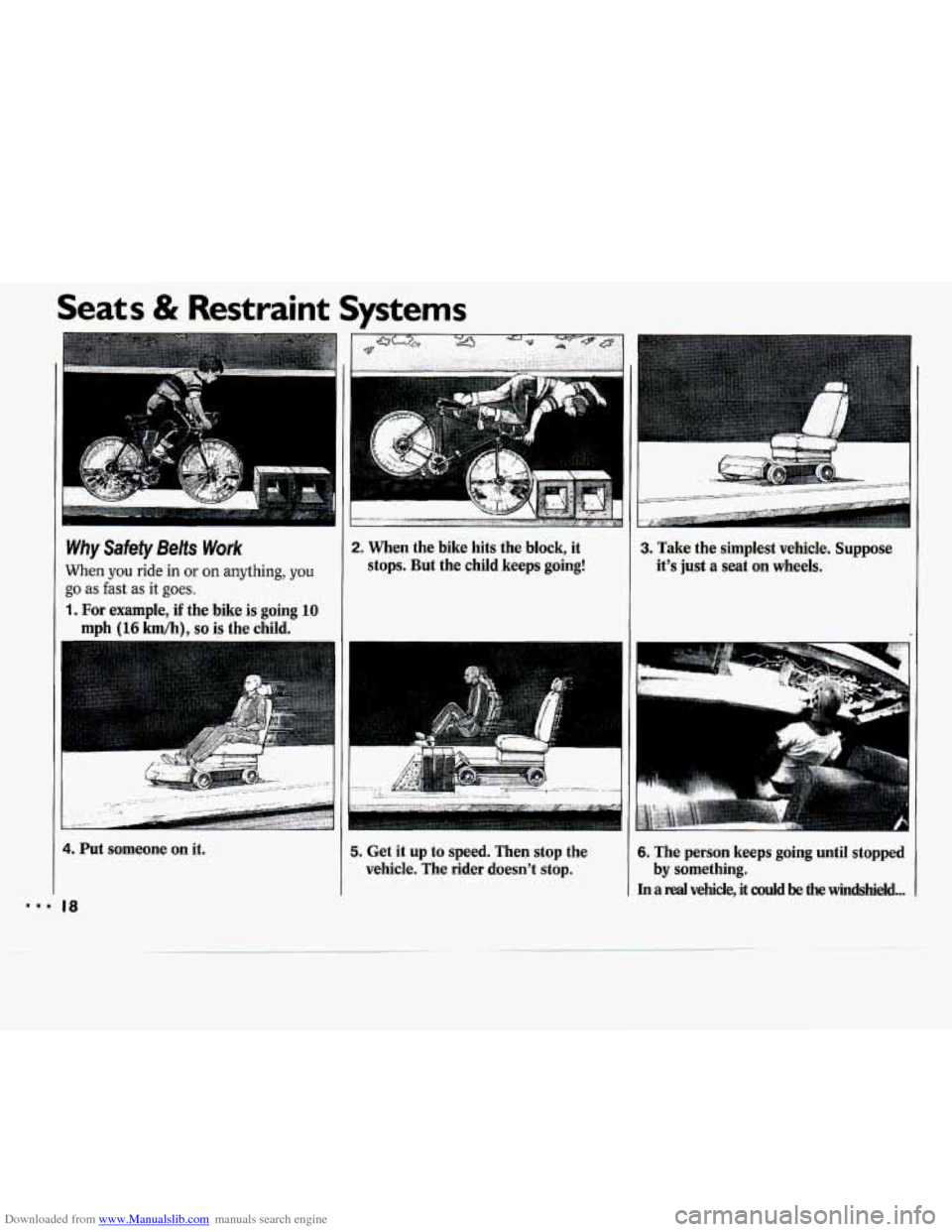
2. When the bike hits the block, it
stops. But the child keeps going! Why Safety Belts Work
When you ride in or on anything, you
go as fast as it goes.
1. For example, if the bike is going 10
mph (16 km/h). so is the child.
3. Take the simplest vehicle. Suppose
it's just a seat on wheels.
4. Put someone on it.
'8. 18
5. Get it up to speed. Then stop the
vehicle. The rider doesn't stop. 6. The person keeps going until stopped
In a real vehicle, it could be the windshield ...
by something.
Page 21 of 243
Downloaded from www.Manualslib.com manuals search engine ~~ Seats & Restraint Systc
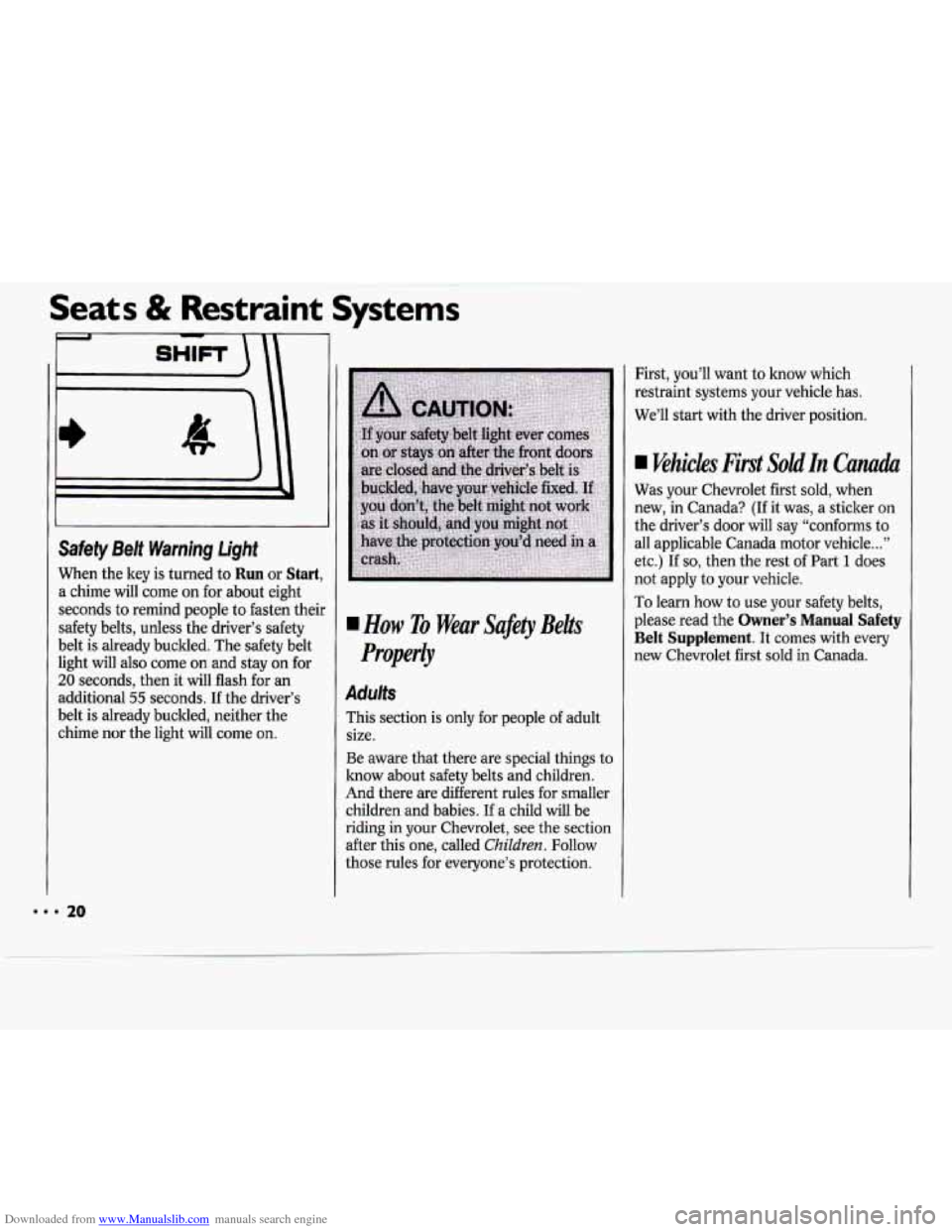
Safety Belt Warning
light
When the key is turned to Run or Start,
a chime will come on for about eight
seconds to remind people to fasten their
safety belts, unless the driver’s safety
belt is already buckled. The safety belt
light will also come on and stay on for
20 seconds, then it will flash for an
additional
55 seconds. If the driver’s
belt is already buckled, neither the
chime nor the light will come on.
How To Wear Safety Belts
Properly
Adults
This section is only for people of adult
size.
Be aware that there are special things to
know about safety belts and children.
And there are different rules for smaller
children and babies.
If a child will be
riding in your Chevrolet, see the section
after this one, called
Children. Follow
those rules for everyone’s protection. First,
you’ll want
to know which
restraint systems your vehicle has.
We’ll start with the driver position.
Vehicles First SoldIn Canada
Was your Chevrolet first sold, when
new, in Canada?
(If it was, a sticker on
the driver’s door will say “conforms to
all applicable Canada motor vehicle
...”
etc.) If so, then the rest of Part 1 does
not apply to your vehicle.
To learn how to use your safety belts,
please read the
Owner’s Manual Safety
Belt Supplement. It comes with every
new Chevrolet first sold in Canada.
888 20
Page 22 of 243
Downloaded from www.Manualslib.com manuals search engine Driver Position
This section describes the driver’s
restraint system.
Automatic Lap-Shoulder Belt
This safety belt is called “automatic”
because you don’t have to buckle up
when you get into your vehicle.
And you don’t have to unbuckle when
you get out.
Just get into your vehicle. Then close
and lock the door. Adjust the seat (to
see how, see
Seats in the Index) so you
can sit
up straight.
21 ...