Page 133 of 308
Tune
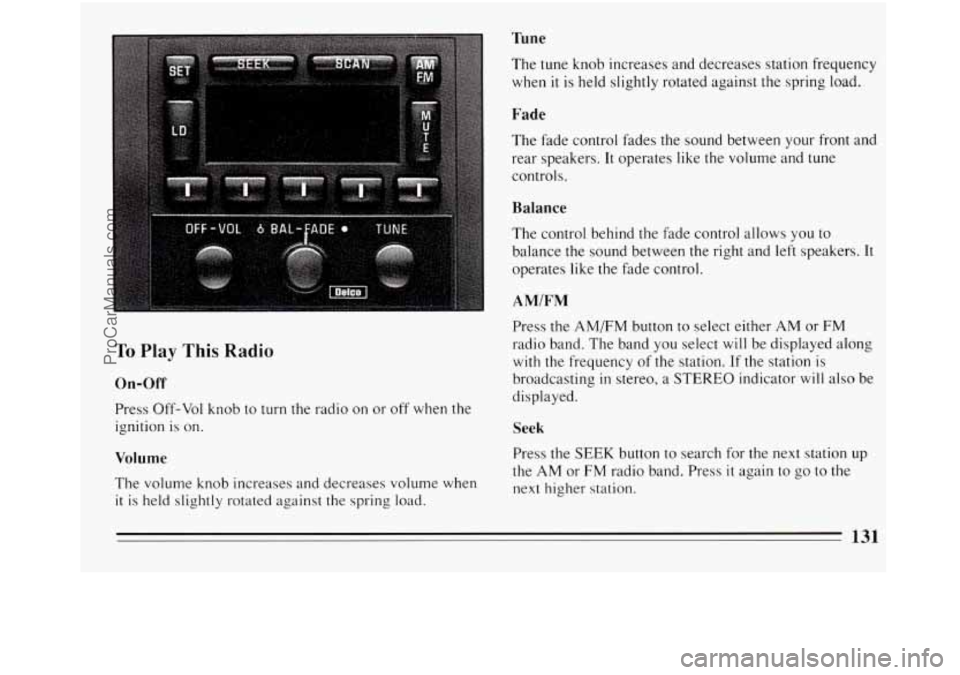
To Play This Radio
On-Off
Press Off-Vol knob to turn the radio on or off when the
ignition is on.
Volume
The volume knob increases and decreases volume when
it is held slightly rotated against the spring load. The tune knob increases
and decreases station frequency
when it is held slightly rotated against the spring load.
Fade
The fade control fades the sound between your front and
rear speakers.
It operates like the volume and tune
controls.
Balance
The control behind the fade control allows you to
balance the sound between the right and left speakers. It
operates like the fade control.
AMIFM
Press the AMEM button to select either AM or FM
radio band. The band you select will be displayed along
with the frequency of the station. If the station is
broadcasting
in stereo, a STEREO indicator will also be
displayed.
Seek
Press the SEEK button to search for the next station up
the AM or FM radio band. Press
it again to go to the
next higher station.
131
ProCarManuals.com
Page 134 of 308
Scan
Press the SCAN button to hear each station for a few
seconds. Push
it again to stop scanning.
Pushbuttons
The five buttons can be used to preset ten radio stations
(5 AM and 5 FM stations.)
0 Tune in the desired station.
0 Press SET. (The SET indicator will appear on the
screen for five seconds.)
While the SET indicator is displayed, press one of
the five buttons. Whenever you press that button
again, the preset station
will return.
Repeat these steps for each of 5 AM and 5 FM
stations.
Loud
Press LD to increase the bass response.
Mute
Pressing Mute allows you to silence the radio or tape
player; press again to listen. During mute, only volume
up works.
Clock
With the ignition on and the radio off, press SET. The
set indicator
will appear on the display for five seconds.
0 During that five seconds, press SCAN to set the
minute.
0 Press SET again. Within 5 seconds, press SEEK to
set the hour.
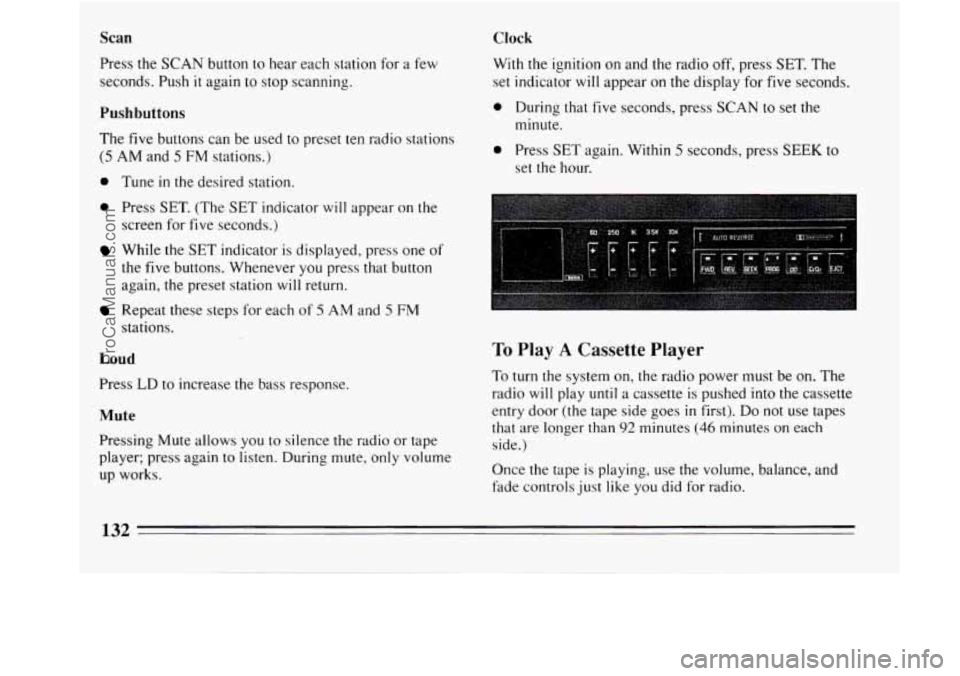
To Play A Cassette Player
To turn the system on, the radio power must be on. The
radio
will play until a cassette is pushed into the cassette
entry door (the tape side goes
in first). Do not use tapes
that are longer than
92 minutes (46 minutes on each
side.)
Once the tape is playing, use the volume, balance, and
fade controls just like you did for radio.
132
ProCarManuals.com
Page 135 of 308
Equalizer Program
The EQUALIZER enables you to adjust five separate
sound frequencies to your individual taste.
Slide an EQUALIZER control up to emphasize a
frequency, down to de-emphasize
it. It’s best to begin
with all the controls in the middle position, then adjust
each control as you like.
Forward
Press FWD to advance the tape rapidly. Press again to
play the tape. (The radio plays while a tape is
advancing.)
Reverse
Press REV to reverse the tape rapidly. Press again to
play the tape. (The radio plays while a tape is
rewinding.)
Seek
To search for the next selection on the tape, press SEEK
then press either FWD
or REV. For the SEEK to stop,
there must be at least a 4-second gap between selections
on the tape. Press PROG
to change the side of the tape being played.
When the
A is lit, the selections listed on the top side of
the tape are played. When the is lit, selections listed
on
the bottom side of the tape are played. When the end
of a tape is reached, the other side will then play.
Press
00 to remove unwanted noise on tapes.
Cr02
When playing high bias chrome or metal tapes, press
Cr02. This button sets tape bias. When playing standard
tapes, press again.
Eject
Press EJCT to eject the cassette tape from the tape
player.
133
ProCarManuals.com
Page 136 of 308
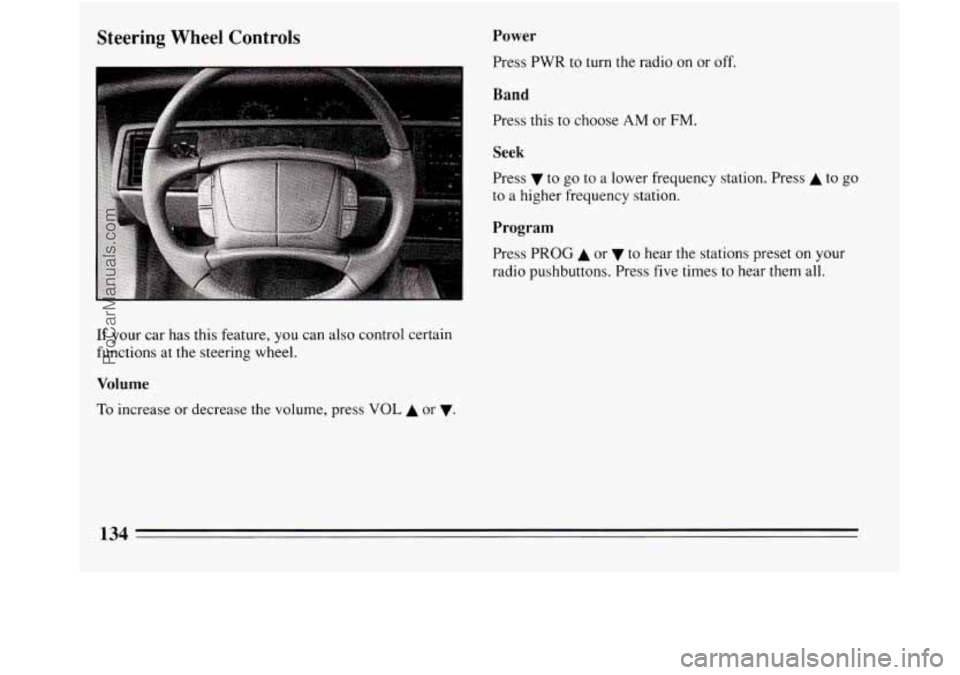
Steering Wheel Controls Power
Press PWR to turn the radio on or off.
Band
Press this to choose AM or FM.
I
Seek
Press v to go to a lower frequency station. Press A to go
to a higher frequency station.
Program
Press PROG A or to hear the stations preset on your
radio pushbuttons. Press five times
to hear them all.
If your car has this feature, you can also control certain
functions at the steering wheel.
Volume
To increase or decrease the volume, press VOL A or v.
134
ProCarManuals.com
Page 138 of 308
Care of Your Compact Discs
Handle discs carefully. Store them in their original cases
or other protective cases and away from direct sunlight
and dust. If the surface of a disc
is soiled, dampen a
clean, soft cloth
in a mild, neutral detergent solution and
clean
it, wiping from the center to the edge.
Be sure never to touch the signal surface when handling
discs. Pick up discs by grasping the outer edges or the
edge of the hole and the outer edge.
Fixed Mast Antenna
The fixed mast antenna can withstand most car washes
without being damaged. If the mast should ever become
slightly bent, you can straighten
it out by hand. If the
mast
is badly bent, as it might be by vandals, you should
replace
it.
Check every once in a while to be sure the mast is still
tightened to the fender.
If necessary, tighten the antenna
with your hand until
snug and then use a wrench to tighten it another 1/4 of a
turn.
Power Antenna Mast Care
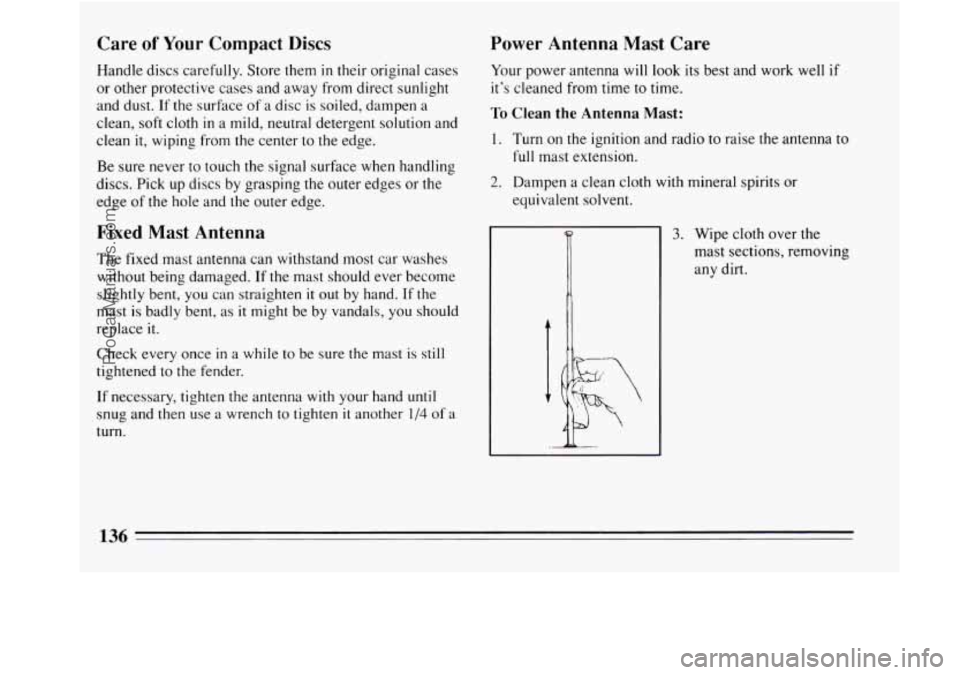
Your power antenna will look its best and work well if
it’s cleaned from time
to time.
To Clean the Antenna Mast:
1. Turn on the ignition and radio to raise the antenna to
full mast extension.
2. Dampen a clean cloth with mineral spirits or
equivalent solvent.
3. Wipe cloth over the
mast sections, removing
any dirt.
136
ProCarManuals.com
Page 139 of 308
4. Wipe dry with clean cloth before retracting.
5. Make the antenna go up and down by turning the
radio or ignition on and
off.
6. Then repeat if necessary.
1 NOTICE:
Don’t lubricate the power antenna. Lubrication
could damage it.
NOTICE:
Before entering an automatic car wash, turn off
your radio
to make the power antenna go down.
This will prevent the mast from possibly getting
damaged.
If the antenna does not go down when
you turn the radio off, it may be damaged or need
to be cleaned.
In either case, lower the antenna
by hand by carefully pressing the antenna down.
If the mast portion of your antenna is damaged, you can
easily replace
it. See your dealer for a replacement kit
and follow the instructions in the kit.
137
ProCarManuals.com
Page 176 of 308
I NOTICE:
Ignoring these steps could result in costly
damage
to your vehicle that wouldn’t be covered
by your warranty. Trying to start your Buick by
pushing or pulling it won’t work, and it could
damage your vehicle.
To Jump Start Your Buick:
1. Check the other vehicle. It must have a 12-volt
battery
with a negative ground system.
NOTICE:
If the other system isn’t a 12-volt system with a
negative ground, both vehicles can be damaged.
2. Get the vehicles close enough so the jumper cables
can reach, but be sure the vehicles aren’t touching
each other.
If they are, it could cause a ground
connection you don’t want.
You wouldn’t be able to
start your Buick, and the bad grounding could
damage the electrical systems. You
could be injured
if the vehicles roll. Set the
parking brake firmly on each vehicle. Put an
automatic transaxle
in “P” (Park) or a manual
transaxle
in “N” (Neutral).
3. Turn off the ignition on both vehicles. Turn off all
lights that aren’t needed, and radios. This will avoid
sparks and help save both batteries. And
it could
save your radio!
1 NOTICE:
If you leave your radio on, it could be badly
damaged. The repairs wouldn’t be covered by
your warranty.
ProCarManuals.com
Page 257 of 308

Fuse Block
Amp Description
1.
2.
10
10
3. 20
4.
2s
5. IO
6. 15
7. 15
8. 1s
9. 20
10.
1s
11. 5
12. 1s
13. 15 Radio
& Clock, Steering
Wheel Radio Switches.
Headlight Switch, Air Bag Diagnostic Module, ABS
Lamp Driver Module, Daytime Running Lamps
Module (w/DRL), TCC/Brake Switch, Cruise
Control Cut-Out Switch, Instrument Cluster, Chime
Module, Rear Defogger Timer Relay
A/C HI Blower Relay
Wipermasher Switch
Turn Signal Flasher
TCC/Brake Switch, Hazard Flasher
Vanity Mirror, Lights, I/P Compartment Light,
Courtesy Lights, Trunk Courtesy Light,
Dome/Reading Lights, Cigar Lighter.
Air Bag Diagnostic Module
Power Door Locks, Remote Keyless Entry System
Cigar Lighter
Theft Deterrent Decoder Module
Heater, Vent A/C Solenoid Box, A/C LO Blower
Relay
Chime Module, Electronic Brake Control Module.
Theft Deterrent Decoder Module, Radio, Passive
Restraint Timer Relay, Low Oil Level Module
1s.
Amp Description
14. 15 Air Temperature Valve Motors, Instrument Cluster,
Daytime Running Lights Module (w/DRL), HVAC
Control Assembly, Multi-Function Lever, Heated
Oxygen Sensor
#2, Passenger Temperature Control
Electrical Center
#2, ABS Relay
16. 10 Antenna Relay, Outside Mirror Control, Front
Window/Door Lock Switches, Front Door Handle
Switches
17.
Not Used
18. 5 Air Bag Diagnostic Module
5 Electronic Brake Control Module, Underhood
n
CTSY ARBGl DRLKS
@m@
ClLTR VATS HVAC
This fuse panel is inside the
glove
box. Pull the cover
down to access the
fuses.
Some spare fuses and a fuse
puller are included.
255
ProCarManuals.com