Page 148 of 324

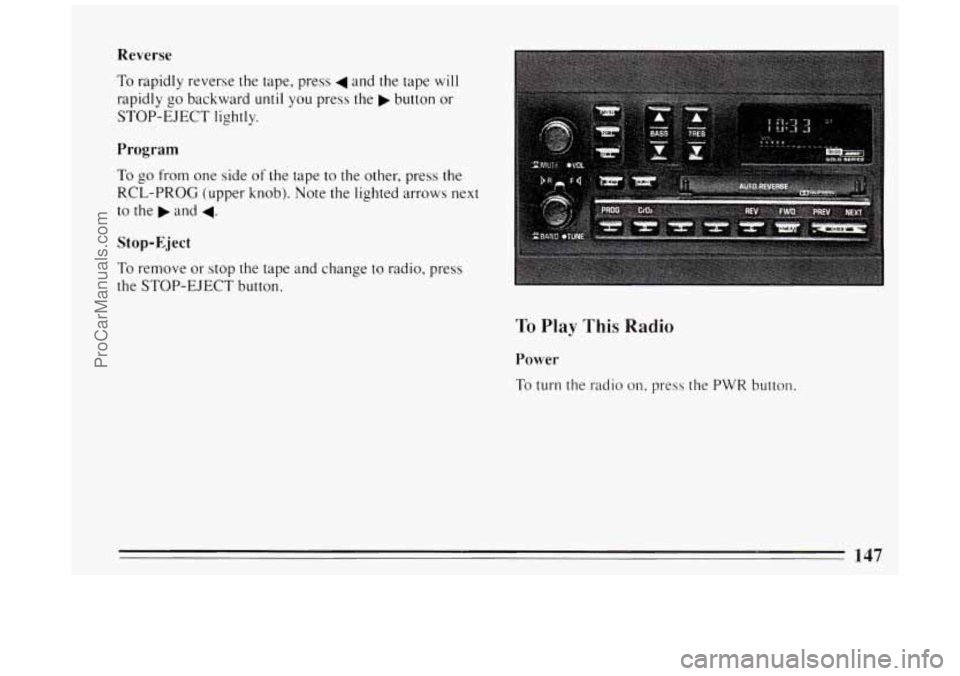
Clock To Play A Cassette
To set the clock:
0 Press the SET button.
0 Within 5 seconds, press and hold SCAN until the
correct hour appears on the display.
0 Press and hold SEEK until the correct minute
appears on the display.
Treble
Slide the TREBLE lever up to increase the treble
response.
If the station is weak or noisy, slide the
TREBLE lever down to reduce the noise.
Bass
Slide the BASS lever up to increase the bass response.
Adjust the BASS lever to give a pleasing sound to your
ear.
DNR@
This is the Dynamic Noise Reduction button. DNR@
helps remove background hiss from the radio or tape
player.
You may want to leave it pushed in all the time.
Your tape player is built to work best with tapes that are
30 to 45 minutes long on each side. Tapes longer than
that are
so thin they may not work well in this player.
With the radio on, press a tape into the slot marked
AUTO REVERSE (the tape side goes in first).
Once
the tape is playing, use the upper and lower knobs
for volume, balance, and fade just as you did for radio.
The arrows indicate which side
of the tape is being
played.
When the end
of the tape is reached, it will
automatically reverse and play the other side
of the tape.
Forward
To rapidly advance the tape, press and the tape will
rapidly
go forward until you press the 4 button or
STOP-EJECT lightly.
146
ProCarManuals.com
Page 149 of 324
Reverse
To rapidly reverse the tape, press 4 and the tape will
rapidly go backward until you press the b button or
STOP-EJECT lightly.
Program
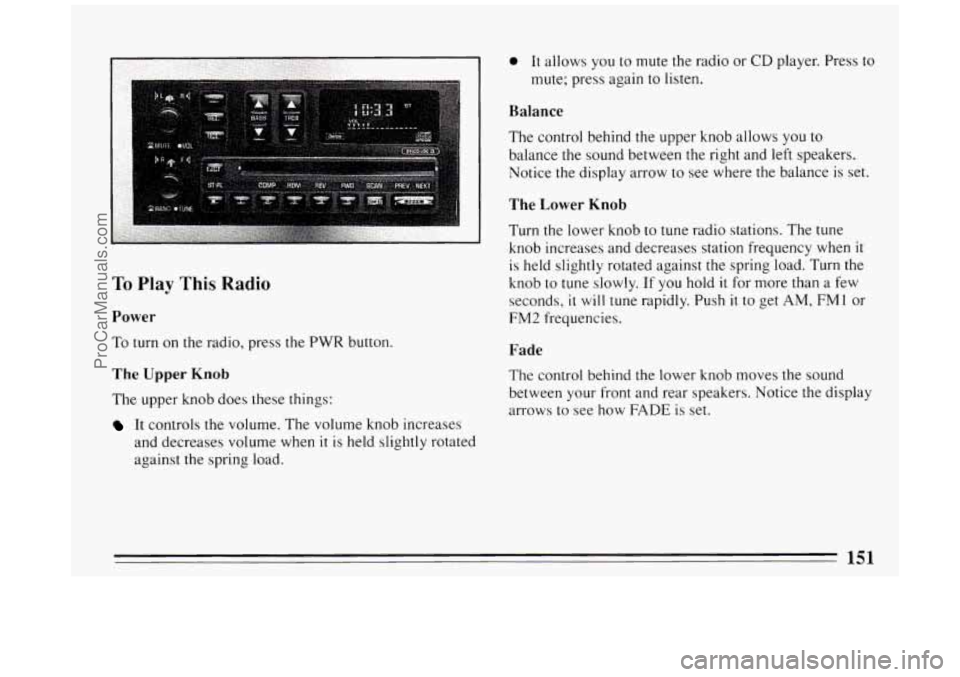
To go from one side of the tape to the other, press the
RCL-PROG (upper knob). Note the lighted arrows next
to the
b and 4.
Stop-Eject
To remove or stop the tape and change to radio, press
the STOP-EJECT button.
To Play This Radio
Power
To turn the radio on, press the PWR button.
ProCarManuals.com
Page 150 of 324
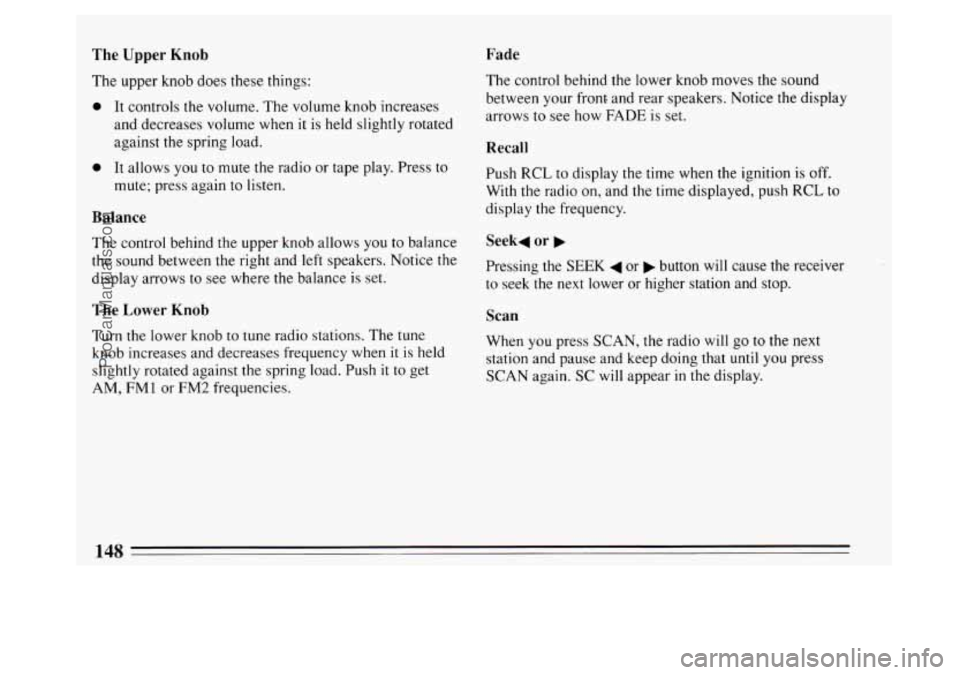
The Upper Knob
The upper knob does these things:
0 It controls the volume. The volume knob increases
and decreases volume when
it is held slightly rotated
against the spring load.
Fade
0 It allows you to mute the radio or tape play. Press to
mute; press again to listen.
Balance
The control behind the upper knob allows you to balance
the sound between the right and left speakers. Notice the
display arrows to see where the balance is set.
The Lower Knob
Turn the lower knob to tune radio stations. The tune
knob increases and decreases frequency when it
is held
slightly rotated against the spring load. Push it to get
AM,
FM 1 or FM2 frequencies. The control
behind the lower knob moves the sound
between your front and rear speakers. Notice the display
arrows to see how FADE is set.
Recall
Push RCL to display the time when the ignition is off.
With the radio on, and the time displayed, push RCL to
display the frequency.
Seek4 or b
Pressing the SEEK 4 or b button will cause the receiver
to seek the next lower or higher station and stop.
Scan
When you press SCAN, the radio will go to the next
station and pause and keep doing that
until you press
SCAN again. SC will appear in the display.
148
ProCarManuals.com
Page 151 of 324

Pushbuttons Treble
The five pushbuttons let you return to favorite stations.
You can set the pushbuttons for up to fifteen stations
(5 AM and 10 FM).
Tune in the desired station.
Push the SET button.
Within 5 seconds, push one of the five pushbuttons.
SET will disappear from the display when the station
is set.
Whenever you press that button, the preset station
will
return.
Clock
To set the clock:
0 Press the SET button.
0 Within 5 seconds, press and hold SCAN until the
correct hour appears on the display.
appears on the display.
0 Press and hold SEEK until the correct minute Adjust the treble response
up or down.
If the station is
weak or noisy, adjust the treble down to reduce the noise.
Bass
Adjust the bass response up or down. Pressing the
button
in the center will set the bass level to a factory
preset level.
To Play a Cassette
Your tape player is built to work best with tapes that are
30 to 45 minutes long on each side. Tapes longer than
that are
so thin they may not work well in this player.
With the radio
on, press a tape into the slot marked
AUTO REVERSE (the tape side goes in first).
Once the tape is playing, use the upper and lower knobs
for volume, balance, and fade just as
you did for the
radio. The arrow
in the graphic display above the word
TAPE indicates which side of the tape is being played.
When the end
of the tape is reached, it will
automatically reverse and play the other side of the tape.
149
ProCarManuals.com
Page 152 of 324
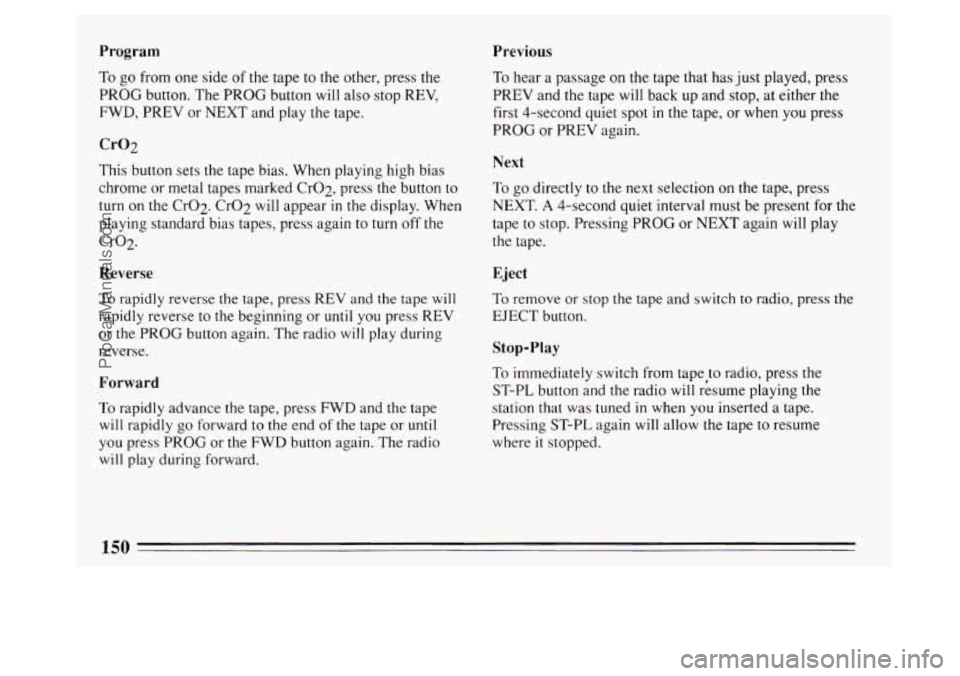
Program Previous
To go from one side of the tape to the other, press the
PROG button. The PROG button will also stop REV,
FWD, PREV or NEXT and play the tape.
Cr02
This button sets the tape bias. When playing high bias
chrome
or metal tapes marked Cr02, press the button to
turn on the Cr02. CrO2 will appear in the display. When
playing standard bias tapes, press again to turn off the
Cr02.
Reverse
To rapidly reverse the tape, press REV and the tape will
rapidly reverse to the beginning or
until you press REV
or the PROG button again. The radio
will play during
reverse.
Forward
To rapidly advance the tape, press FWD and the tape
will rapidly go forward to the end of the tape or until
you press PROG or the FWD button again. The radio
will play during forward.
To hear a passage on the tape that has just played, press
PREV and the tape
will back up and stop, at either the
first 4-second quiet spot
in the tape, or when you press
PROG or PREV again.
Next
To go directly to the next selection on the tape, press
NEXT.
A 4-second quiet interval must be present for the
tape
to stop. Pressing PROG or NEXT again will play
the tape.
Eject
To remove or stop the tape and switch
to radio, press the
EJECT button.
Stop-Play
To immediately switch from tape to radio, press the
ST-PL button and the radio will resume playing the
station that was tuned
in when you inserted a tape.
Pressing ST-PL again
will allow the tape to resume
where
it stopped.
150
ProCarManuals.com
Page 153 of 324
To Play This Radio
Power
To turn on the radio, press the PWR button.
The Upper Knob
The upper knob does these things:
It controls the volume. The volume knob increases
and decreases volume when
it is held slightly rotated
against the spring load.
0 It allows you to mute the radio or CD player. Press to
mute; press again
to listen.
Balance
The control behind the upper knob allows you to
balance the sound between the right and left speakers.
Notice the display arrow to see where the balance is set.
The Lower Knob
Turn the lower knob to tune radio stations. The tune
knob increases and decreases station frequency when
it
is held slightly rotated against the spring load. Turn the
knob
to tune slowly. If you hold it for more than a few
seconds,
it will tune rapidly. Push it to get AM, FMl or
FM2 frequencies.
Fade
The control behind the lower knob moves the sound
between
your front and rear speakers. Notice the display
arrows
to see how FADE is set.
151
ProCarManuals.com
Page 154 of 324

Recall
When the ignition is off, push RCL to display the time.
With the radio on, and the time displayed, push
RCL to
see the frequency.
Seek 4 or b
Pressing the SEEK 4 or b will cause the receiver to
seek the next lower or higher station and stop.
Scan
When you press SCAN, the radio will go to the next
station and pause and keep doing that
until you press
SCAN again. SC will appear in the display.
Pushbuttons
The five pushbuttons let you return to favorite stations.
You can set the pushbuttons for up to fifteen stations
(5 AM and 10 FM).
0 Tune in the desired station.
0 Press the SET pushbutton.
0 Within 5 seconds, push one of the five pushbuttons.
SET will disappear from the display when the station
is set. Whenever
you press that button, the preset station
will
return.
Clock
To set the clock:
0 Press the SET pushbutton.
0 Within 5 seconds, press and hold SCAN until the
correct hour appears
on the display.
0 Press and hold SEEK or 4 until the correct minute
appears on the display.
Treble
Adjust the treble response up or down. If the station is
weak or
noisy, adjust the treble down to reduce the
noise. Pressing the control in the center
will set the bass
to a factory preset level.
Bass
Use the BASS control to adjust bass response up or
down. Pressing the control
in the center will set the bass
to a factory preset level.
152
ProCarManuals.com
Page 156 of 324
Reverse
Press and hold REV to return rapidly to a favorite
passage
in a track. Release it to play the passage. Note
the seconds counter reading in the display.
Forward
Press and hold FWD to advance quickly within a track.
Release it to resume playing. Watch the display to stop
at a specific passage.
Previous
Press PREV to hear the previous track. If you hold this
button or press
it more than once, the disc will retreat to
previous tracks.
Next
Press NEXT to hear the next track now (instead of
waiting until the present track is finished.) If you hold
this button, or press
it more than once, the disc will
advance further.
Stop/Play
Press ST/PL the disc will stop and the radio will play.
Press ST/PL again to restart
the disc at the point where it
stopped.
Press the PWR button or turn the ignition key off to stop
the disc player. The disc stays in the player and will
resume playing at the point where it stopped.
Eject
Press EJCT and the disc will eject and the radio will
play. The disc
will start at track 1 when you reinsert it.
As a feature to protect the disc, if you turn off the
ignition with the disc partway out of the slot (after
eject), it will be drawn back into the player
in about 30
seconds. The disc will play at track 1 when the radio is
turned on again.
154
ProCarManuals.com