1993 CHEVROLET S10 lights
[x] Cancel search: lightsPage 122 of 356

Downloaded from www.Manualslib.com manuals search engine -. .. ,. L .. .
lndicator Lights
lndicator lights go on when you use your turn signals, change from low beam
headlights to high beams, or when you use your hazard flashers. The next
few pages will also tell you about the indicator lights on your vehicle and
help you locate them.
Charging System Light
KO280
t
The charging system light will come on briefly when you turn on the ignition,
but the engine is not running, as a check to show you it is working. Then
it
should go out once the engine is running. If it stays on, or comes on while
you are driving, you may have a problem with the electrical c\
harging system. It could indicate that you have a loose generator drive belt, or anothe\
r
electrical problem. Have it checked right away. Driving while this light is
on
could drain your battery.
If you must drive a short distance with the light on, be certain to turn off all
your accessories, such as the radio and air conditioner.
It is on the lower
right hand side
of your standard instrument cluster.
2-70
Page 123 of 356

Downloaded from www.Manualslib.com manuals search engine CHECK GAGES Light
KO281
If you have the standard instrument cluster, this light will come \
on briefly
when you are starting the engine.
If the light comes on and stays on while
you are driving, check your various gages to see
if they are in the warning
zones.
Daytime Running Lights (DRL) Indicator Light (Canada Only)
KO242
This green light with the DRL symbol is on the lower left of the instrument
cluster. The DRL indicator is on whenever the ignition is on \
and the headlight
switch and parking brake are
off. For more details about DRL, see "Lights" in
this section.
2-71
Page 124 of 356
Downloaded from www.Manualslib.com manuals search engine Features & Controls
SHIFT Indicator Light
1
KO287
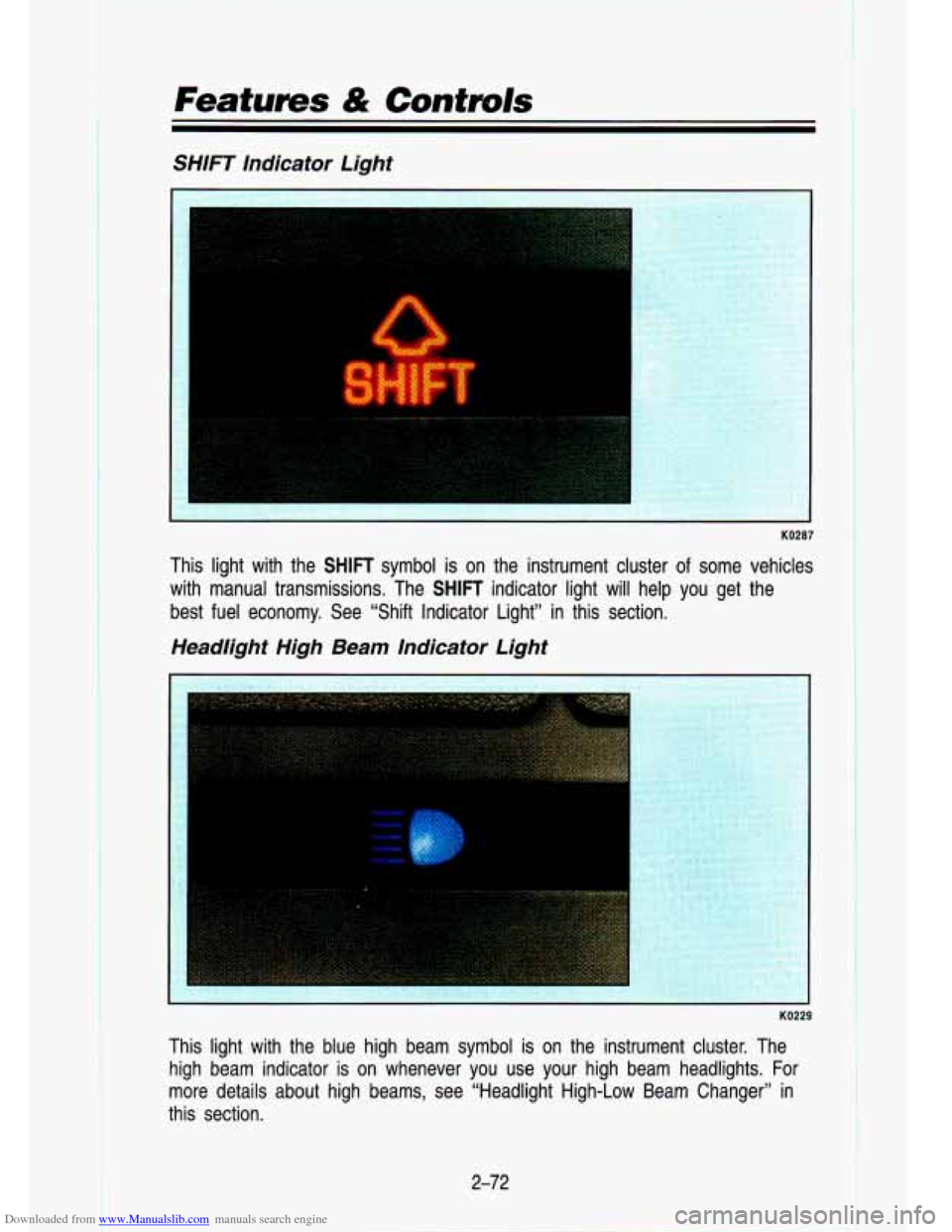
This light with the SHIFT symbol is on the instrument cluster of some vehicles
with manual transmissions. The
SHIFT indicator light will help you get the
best fuel economy. See “Shift Indicator Light” in this section.
Headlight High Beam Indicator Light
L
This light with the blue high beam symbol is on the instrumen\
t cluster. The
high beam indicator is on whenever you use your high beam headlights. For
more details about high beams, see “Headlight High-Low Beam \
Changer” in
this section.
2-72
Page 160 of 356
Downloaded from www.Manualslib.com manuals search engine Your Driving and the Road
Symbols on Road Signs
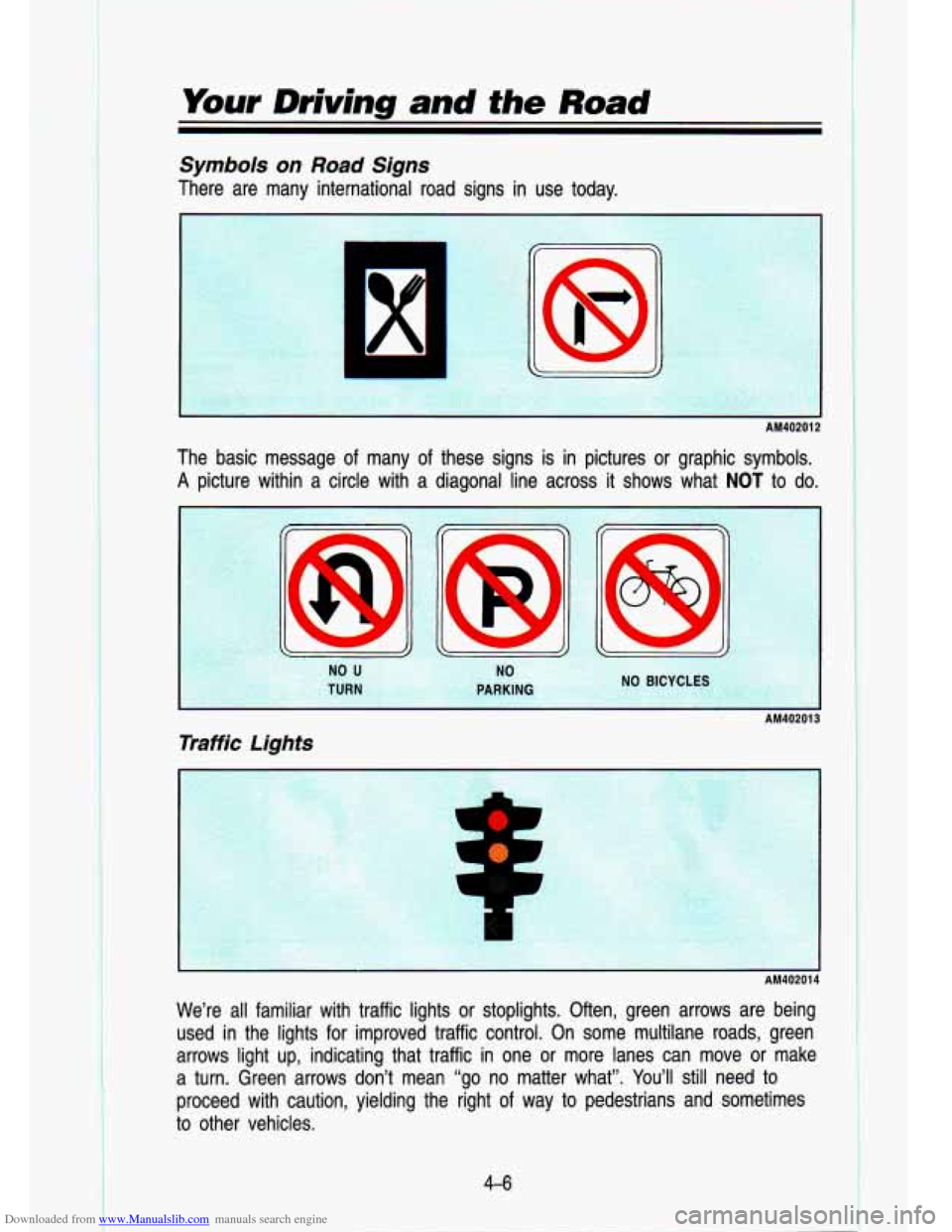
There are many international road signs in use today.
The basic message
of many of
A picture within a circle with a
r
C
I AM40201 2
these signs is in pictures or graphic symbols.
liagonal line across it shows what
NOT to do.
I AM40201 3
Traffic Lights
I AM40201 4
We’re all familiar with traffic lights or stoplights. Often, green ar\
rows are being
used in the lights for improved traffic control. On some multilane road\
s, green
arrows light up, indicating that traffic in one or more lanes can move or make
a turn. Green arrows don’t mean “go no matter what”.
You’ll still need to
proceed with caution, yielding the right of way to pedestrians and sometimes
to other vehicles.
4-6
Page 161 of 356
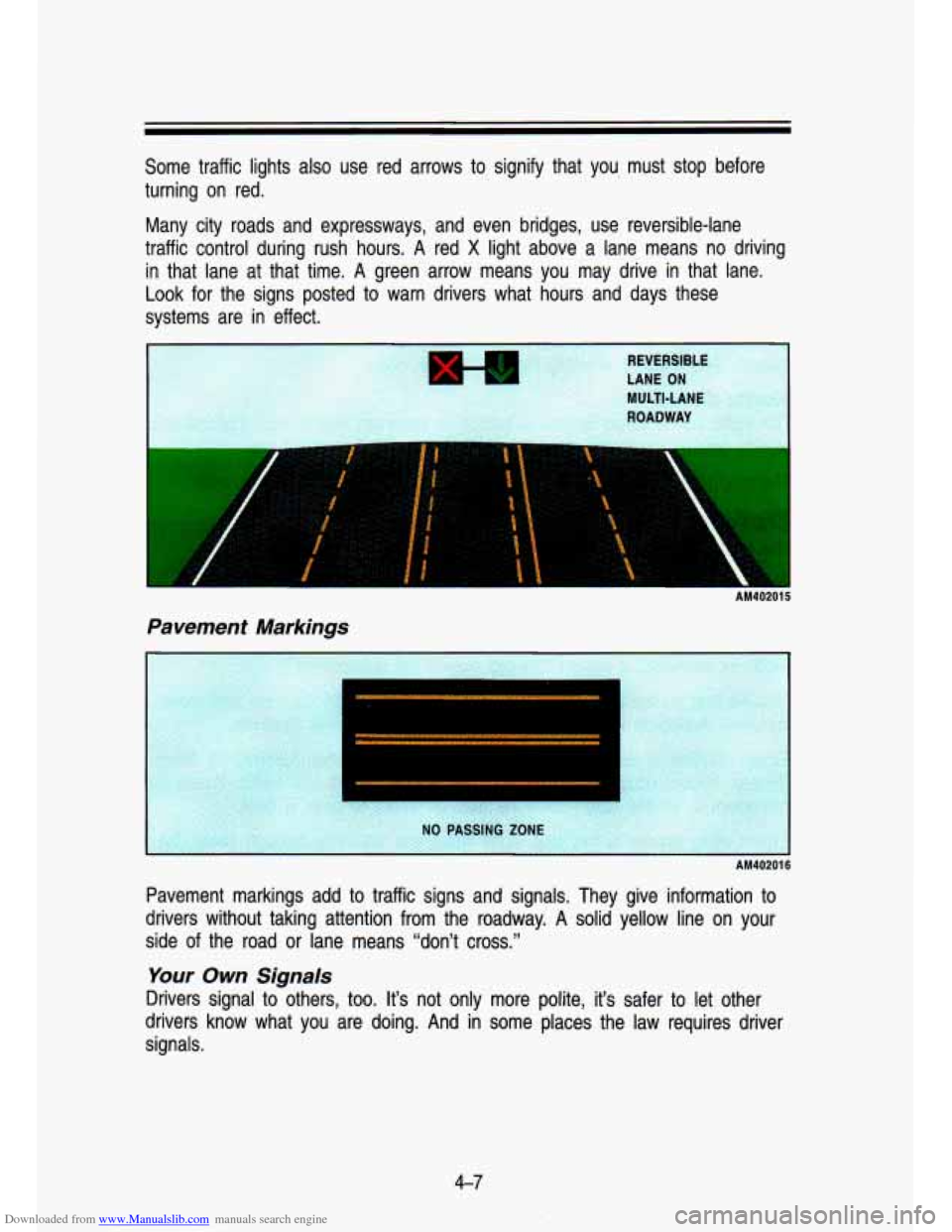
Downloaded from www.Manualslib.com manuals search engine Some traffic lights also use red arrows to signify that you must stop before
turning on red.
Many city roads and expressways, and even bridges, use reversib\
le-lane
traffic control during rush hours.
A red X light above a lane means no driving
in that lane at that time. A green arrow means you may drive in that lane.
Look for the signs posted to warn drivers what hours and days these
systems are in effect.
AM40201 5
Pavement Markings
AM40201 6
Pavement markings add to traffic signs and signals. They give information to
drivers without taking attention from the roadway.
A solid yellow line on your
side of the road or lane means “don’t cross.”
Your - Own Signals
Drivers signal to others, too. It’s not only more polite, it’s safer to let other
drivers know what you are doing. And in some places the law requires driver
signals.
4-7
Page 162 of 356

Downloaded from www.Manualslib.com manuals search engine c. -. .. .
Your Driving and the Road
Turn and lane change signals: Always signal when you plan to \
turn or
change lanes.
If necessary, you can use hand signals out the window: Left arm \
straight out
for a left turn, down for slow or about-to-stop, and up for a right turn.
Slowing down:
If time allows, tap the brake pedal once or twice in advance
of slowing or stopping. This warns the driver behind you.
Disabled: Your four-way flashers signal that your vehicle is disabled or is a
hazard. See “Hazard Warning Flasher’’ in the Index.
Traffic Officer
The traffic police officer is also a source of important information. The officer’s
signals govern, no matter what the traffic lights or other sig\
ns say.
The next part discusses some of the road conditions you may encounter.
Defensive Driving
The best advice anyone can give about driving is: Drive defens\
ively.
Please
start with a very important safety device in your vehicle: Buckle up.
(See “Safety Belts” in the Index.)
Defensive driving really means “be ready for anything.” On\
city streets, rural
roads, or freeways, it means “always expect the unexpected.”
Assume that pedestrians or other drivers are going to be careless and make
mistakes. Anticipate what they might
do. Be ready for their mistakes.
Expect children to dash out from behind parked cars, often followed by other
children. Expect occupants in parked cars to open doors into traffic. Watch for
movement in parked cars-someone may be about to open a door.
Expect other drivers to run stop signs .when you are on a through street. Be
ready to brake
if necessary as you go through intersections. You may not
have to use the brake, but if you
do, you will be ready.
If you’re driving through a shopping center parking lot where there are
well-marked lanes, directional arrows, and designated parking are\
as, expect
some drivers to ignore all these markings and dash straight toward one part
of the lot.
Pedestrians can be careless. Watch for them. In general, you m\
ust give way
to pedestrians even
if you know you have the right of way.
Rear-end collisions are about the most preventable of accidents. Yet they are
common. Allow enough following distance. It’s the best defens\
ive driving
4-8
Page 172 of 356
Downloaded from www.Manualslib.com manuals search engine Your Driving and the Road
Steering Tips
Driving on Curves
It’s important to take curves at a reasonable speed.
A lot of the “driver lost control” accidents mentioned on the news \
happen on
curves. Here’s why:
Experienced driver or beginner, each of us is subject to the same laws of
physics when driving on curves. The traction of the tires against the road
surface makes it possible for the vehicle to change its path when you turn
the front wheels.
If there’s no traction, inertia will keep the vehicle going in
the same direction.
If you’ve ever tried to steer a vehicle on wet ice, you’ll \
understand this.
The traction you can get in a curve depends on the condition of your tires
and the road surface, the angle at which the curve is banked, and your
speed. While you’re in a curve, speed is the one factor you can control.
Suppose you’re steering through a sharp curve. Then you sudd\
enly apply the
brakes. Both control systems-steering and braking-have to do their work
where the tires meet the road. Adding the hard braking can de\
mand too
much at those places. You can lose control. The same thing can happen
if
you’re steering through a sharp curve and you suddenly accel\
erate. Those
two control systems-steering and acceleration-can overwhelm those places
where the tires meet the road and make you lose control.
What should you
do if this ever happens? Let up on the brake or accelerator
pedal, steer the vehicle the way you want it to go, and slow down.
Speed limit signs near curves warn that you should adjust your\
speed. Of
course, the posted speeds are based on good weather and road \
conditions. Under less favorable conditions you’ll want to go slower.
If you need to reduce your speed as you approach a curve, do it before you
enter the curve, while your front wheels are straight ahead. Try to adjust your
speed
so you can “drive” through the curve. Maintain a reasonable, \
steady
speed. Wait to accelerate until you are out of the curve, and then accelerate
gently into the straightaway.
When you drive into a curve at night, it’s harder to see the road ahead of
you because it bends away from the straight beams of your lights. This is
one
good reason to drive slower.
Steering in Emergencies
There are times when steering can be more effective than braki\
ng. For
example, you come over a hill and find a truck stopped in your lane, or a
4-1 %
Page 176 of 356

Downloaded from www.Manualslib.com manuals search engine Your Driving and the Road
Don’t overtake a slowly moving vehicle too rapidly. Even tho\
ugh the
brake lights are not flashing, it may be slowing down or starting to turn.
If you’re being passed, make it easy for the following driv\
er to get ahead
of you. Perhaps you can ease a little to the right.
Loss of Control
Let’s review what driving experts say about what happens whe\
n the three
control systems (brakes, steering and acceleration) don’t ha\
ve enough friction
where the tires meet the road to
do what the driver has asked.
In any emergency, don’t give up. Keep trying to steer, and constantly seek an
escape route or area of less danger.
Skidding
In a skid, a driver can lose control of the vehicle. Defensive drivers avoid
most skids by taking reasonable care suited to existing conditi\
ons, and by not
“overdriving” those conditions. But skids are always possib\
le.
The three types
of skids correspond to your vehicle’s three control systems.
In the braking skid, your wheels aren’t rolling. In the steering or cornering
skid, too much speed or steering in a curve causes tires to \
slip and lose
cornering force. And in the acceleration skid, too much throttle causes the
driving wheels to spin.
A cornering skid and an acceleration skid are best handled by easing your
foot off the accelerator pedal. If your vehicle starts to slide (as when you turn
a corner on a wet, snow- or ice-covered road), ease your foo\
t
off the
accelerator pedal as soon as you feel the tires start to slide. Quickly steer
the way you want the vehicle to go. If you start steering quickly enough, your
vehicle will straighten out.
As it does, straighten the front wheels.
Of course, traction is reduced when water, snow, ice, gravel, or other material
is on the road. For safety, you’ll want to slow down and adjust your driving to
these conditions.
It is important to slow down on slippery surfaces because
stopping distance will be longer and vehicle control more limit\
ed.
While driving on a surface with reduced traction, try your bes\
t to avoid
sudden steering, acceleration, or braking (including engine brak\
ing by shifting
to a lower gear). Any sudden move could cause the tires to slide. You may
not realize the surface is slippery until your vehicle is skidding. Learn to
recognize warning clues-such as enough water, ice or packed snow on the
road to make
a “mirrored surface”-and slow down when you have any
doubt.
4-22