Page 43 of 308
Downloaded from www.Manualslib.com manuals search engine . .. . .. ... ... . ,.. . ,.. . ....
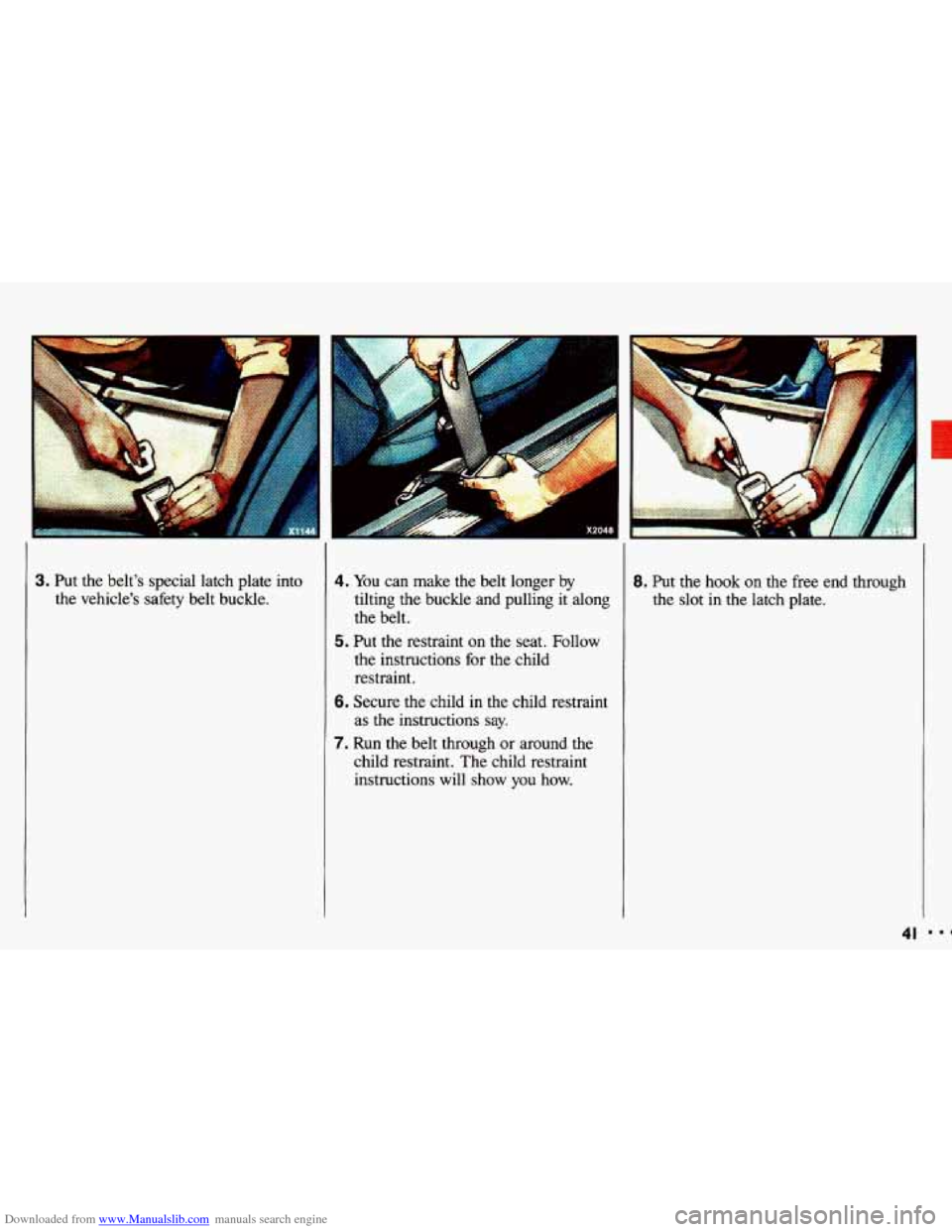
3. Put the belt's special latch plate into
the vehicle's safety
belt buckle.
4. You can make the belt longer by
tilting the buckle and pulling it along
the belt.
the instructions for the child
restraint.
5. Put the restraint on the seat. Follow
6. Secure the child in the child restraint
as the instructions say.
7. Run the belt through or around the
child restraint. The child restraint
instructions will show
you how.
8. Put the hook on the free end through
the slot
in the latch plate.
41
Page 44 of 308
Downloaded from www.Manualslib.com manuals search engine Seats & Safety Belts
Securing a Child Restraint in the
7ight Front Seat
(CONX:)
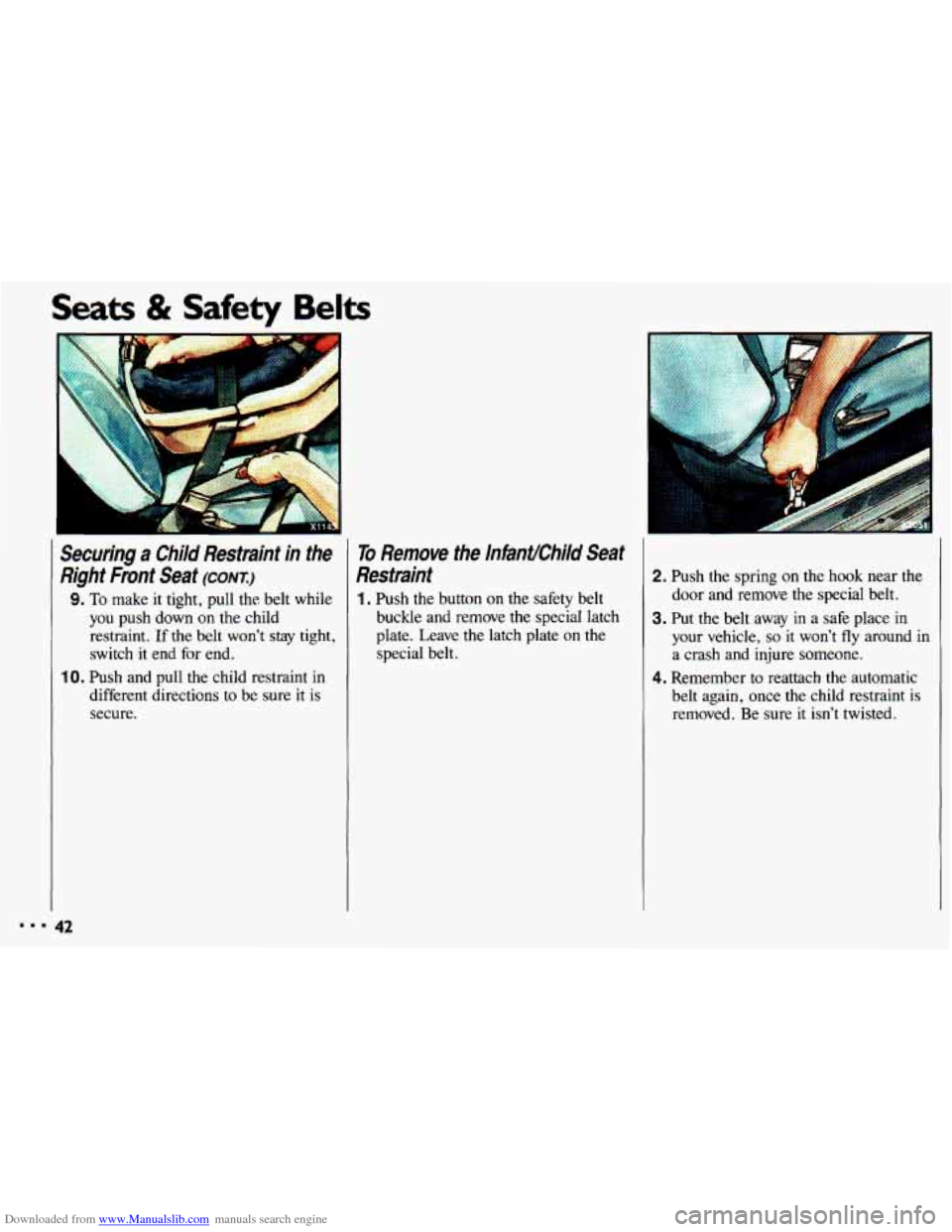
9. To make it tight, pull the belt while
you push down on the child
restraint.
If the belt won’t stay tight,
switch
it end for end.
IO. Push and pull the child restraint in
different directions
to be sure it is
secure.
To Remove the InfanUChiId Seat
Restraint
1. Push the button on the safety belt
buckle and remove the special latch
plate. Leave the latch plate on the special belt.
2. Push the spring on the hook near the
door and remove the special belt.
3. Put the belt away in a safe place in
your vehicle, so it won’t fly around in
a crash and injure someone.
4. Remember to reattach the automatic
belt again, once the child restraint is
removed. Be sure it isn’t twisted.
Page 56 of 308

Downloaded from www.Manualslib.com manuals search engine Features & Controls
. . ,. .
. ... .
Convenience Net (OPTION)
Your vehicle may have a convenience
net. You’ll see it just inside
the back
wall of the trunk. Put small loads, like
grocery bags, behind the net. It can help
keep them from falling over during
sharp turns or quick
starts and stops.
Unclip a corner of the convenience net
to
fit larger objects behind the net, then
reclip it to secure them in place.
The
net isn’t for larger, heavier loads.
Store them in the trunk as far forward
as
you can.
You can unhook the net
so that it will lie
flat when you’re not using it.
Trunk Cargo Anchors (omoN)
If your vehicle has fold-down rear seats,
you’ll find two or four anchors on the
back wall of your trunk. You can use
these anchors to tie down lighter loads.
They prevent things from shifting during sudden stops, turns and maneuvers.
These anchors are not for heavier loads.
Store those items as far forward in
the
trunk as possible.
New Vehicle “Break-ln”
Your modern Chevrolet doesn’t
need an elaborate “break-in.” But
it will perform better in the long run
if you follow these guidelines:
Don’t drive at any one speed-
fast or slow-for the first
500
miles (804 km 3on’t make full
throttle starts.
first 200 miles (322 km) or so.
During this time your new brake
linings aren’t yet broken in.
Harc
stops with new linings can mean
premature wear and earlier replacement. Follow this
“breaking-in” guideline eveq
time
you get new brake linings.
Avoid making hard stops for 1
Page 91 of 308
Downloaded from www.Manualslib.com manuals search engine .
. . .. ...
4. If you have the optional fold-down
rear seat,
you can secure the storage
bag containing the glass panel to the
trunk anchors using the straps
provided.
To Install the Sunroof Glass Panel:
1. Center the glass panel upright on the
weatherstrip. Then line
up the hinges
on the panel with the slots in the roof
opening.
3. Store the glass panel in the special
storage bag in
the trunk.
CAllTlbN
I Don't try to remove the
m sunroofpanel while the
whicle is
moving. Trying to
remove the sunroof panel while the
vehicle is moving could cause an
. accident. The panel could a1 into
the vehicle and cause you to lose
control,
or it could fly off and
strike another vehicle. You or
others could be injured. Remove
the sunroof panel only when the
vehicle is parked. I
89
Page 92 of 308
Downloaded from www.Manualslib.com manuals search engine Features & Controls
90
030
Sunroof (CONT.)
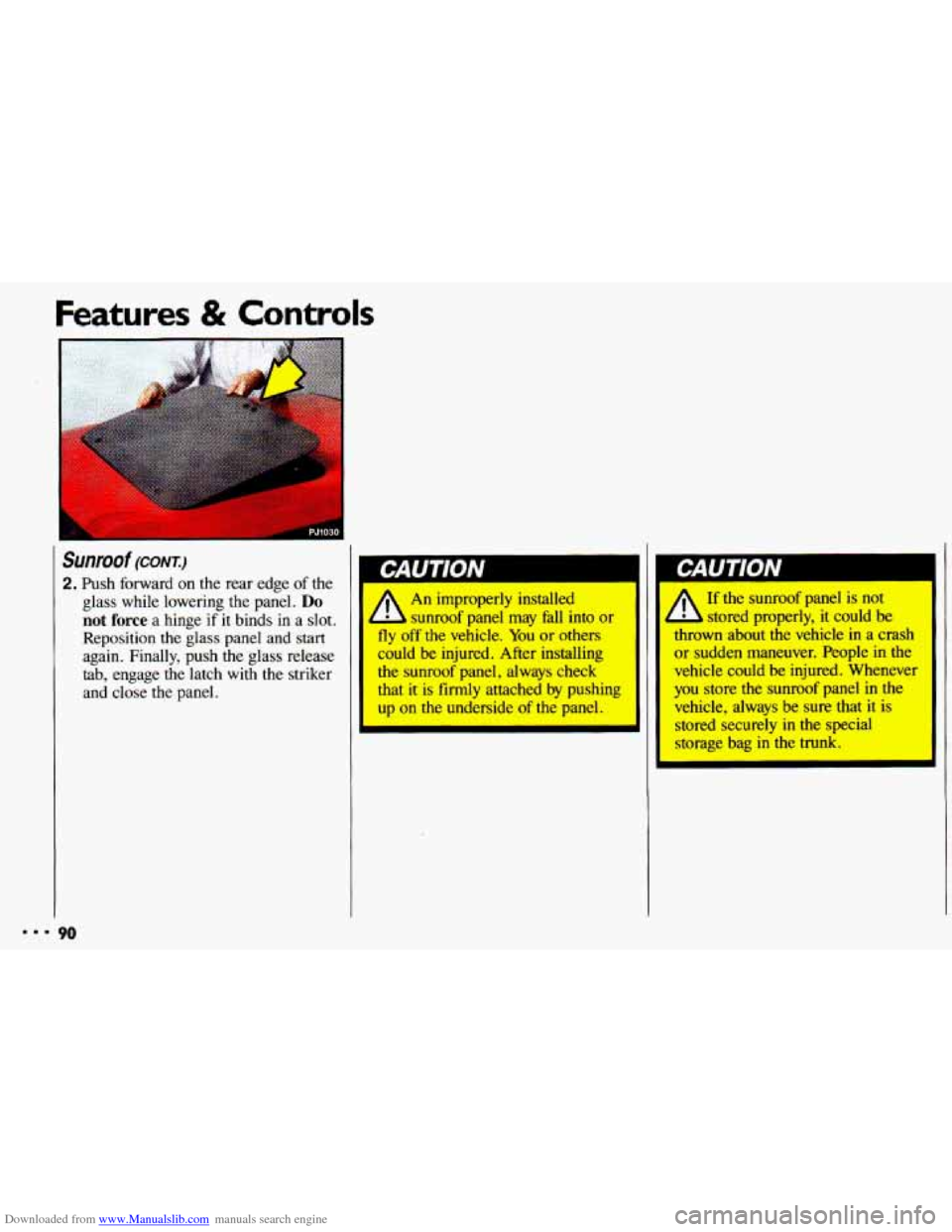
2. Push forward on the rear edge of the
glass while lowering the panel.
Do
not force a hinge if it binds in a slot.
Reposition
the glass panel and start
again. Finally, push the glass release
tab, engage the latch with the striker
and close the panel.
LAU I IUN
An improperly installed
sunroof panel may fall into or I
fly off the vehicle. You or others
could be injured. After installing
the sunroof panel, alwqs check
that it is firmly attached by pushing
up on the underside of the panel. I
A
If the sunroof panel is not
stored properly, it could be
thrown about the vehicle
in a crash
or sudden maneuver. People in the
vehicle could be injured. Whenever
you store
the sunroof panel in the
vehicle, always be sure that
it is
stored securely
in the special
storage bag in the trunk.
I
Page 93 of 308
Downloaded from www.Manualslib.com manuals search engine CJ2081 I
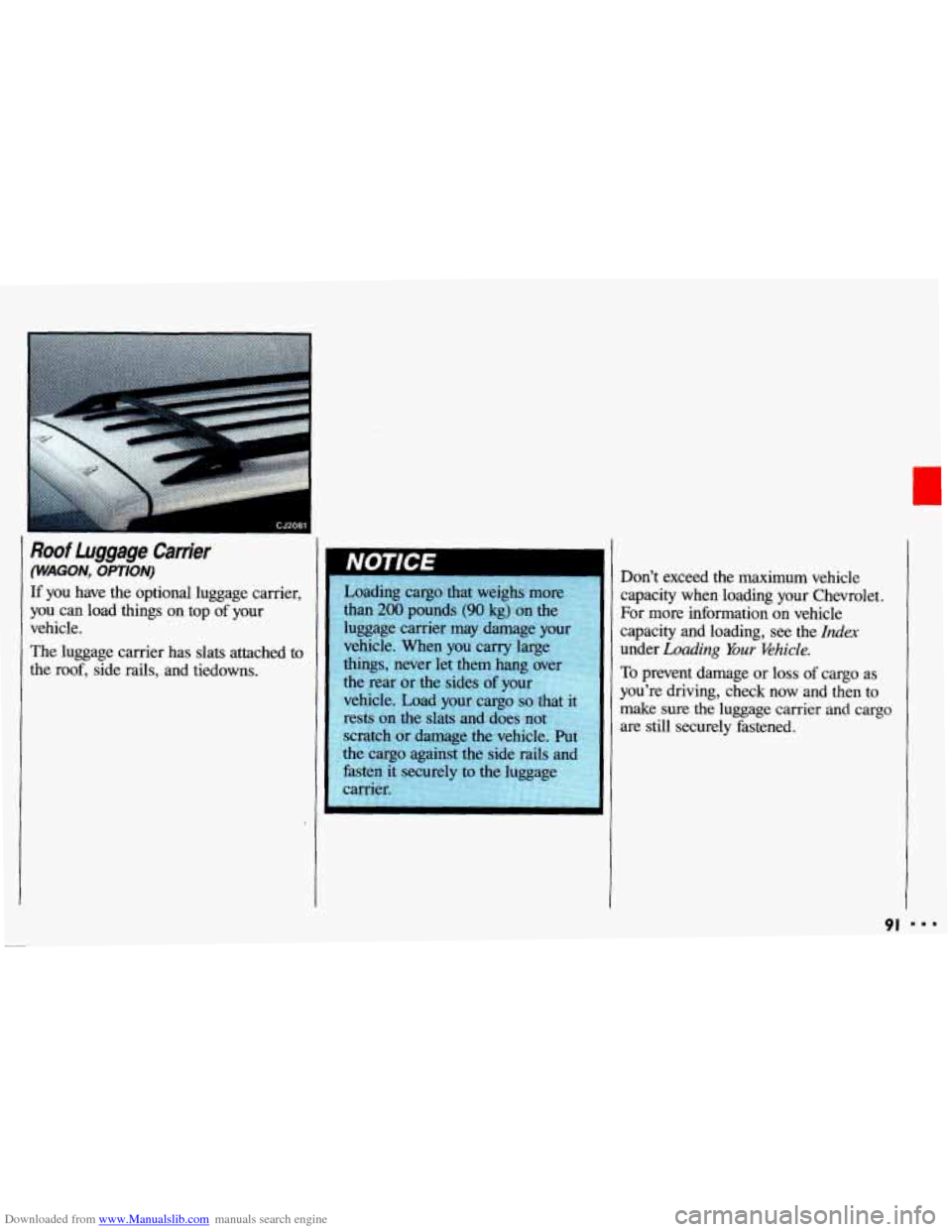
Roof Luggage Carrier
(WAGON, OPTION)
If you have the optional luggage carrier,
you can load things on top of your
vehicle.
The luggage carrier has slats attached to
the roof, side rails, and tiedowns. Don't exceed the maximum vehicle
capacity when loading your Chevrolet.
For more information on vehicle
capacity and loading, see the
Index
under Loading Your Ehicle.
To prevent damage or loss of cargo as
you're driving, check now and then to
make sure the luggage carrier and cargo
are still securely fastened.
91
Page 121 of 308
Downloaded from www.Manualslib.com manuals search engine When Finished with the Compact Disc Player:
If you turn the radio off, or turn off the
ignition, the disc
will stay in the player
and
start again when you turn on the
ignition or the
PWR-VOL button. The
disc will begin playing at the point
where it had been stopped.
ST-PL (Stop-Play): Press to stop the
disc player; the radio will play. Press
again
to play the disc (the player will
start playing the disc where it had
stopped earlier).
EJCT(Eject): Press to eject the disc;
the radio
will play. The disc will start at
track
1 when you reinsert it. EJCT
works even when the radio or the
ignition is off.
CD Player Anti-Theit Feature
Delco LOC IP is a security feature that
can be used or ignored. If you ignore
it,
the radio will play normally. If you use
it, your radio cannot be turned
on if it is
stolen. These instructions will tell you
how
to enter a secret code into the radio.
If battery power is lost for any reason,
the secret code must be entered again
before your audio system can be turned
on.
To Set the Anti-Theft System:
1. Write down any six-digit number and
keep
it in a safe place. This is your
secret code.
2. Turn the ignition on.
3. Rotate the PWR knob to turn the
radio
off.
4. Press station preset buttons 1 and 4 at
the same time and hold
until "---"
shows on the display.
You now have only
15 seconds
between each
of the following steps.
5. Press SET, and 000 will appear on
the display.
6. Press SCAN until the first digit of
your code appears.
7. Press SEEK until the second and
third digits of your code appear.
8. Press the TUNE knob (000 will
appear on the display).
9. Press SCAN until the fourth digit of
your code appears.
10. Press SEEK until the fifth and sixth
digits of your code appear.
11. Press the TUNE knob (rEP will
appear for five seconds, then
000).
12. Repeat steps 6 through 10. Then
press the
TUNE knob again. SEC
will appear, indicating that Delco
LOC II@ is set, and your radio is
secure.
If "- - -" appears, the steps
were not successful and you must
repeat the entire procedure.
r
888 I I9
Page 122 of 308
Downloaded from www.Manualslib.com manuals search engine Comfort Controls & Audio Systems
CD Player Anti-Theft kature
(CONT.)
To Disable the Anti-Theft System:
Enter your secret code by following
these steps
(you will have only 15
seconds between each step).
1. Turn the ignition on and the radio
off, then press station preset buttons
1 and 4. SEC will appear, showing
the radio is secure.
2. Press SET and 000 will appear on
the display.
3. Press SCAN until the first digit of
your secret code appears.
4. Press SEEK until the second and
third digits of your code appear.
5. Press the TUNE knob (000 will
appear
on the display).
I20
6. Press SCAN until the fourth digit of
your code appears.
7. Press SEEK until the fifth and sixth
digits
of your code appear.
8. Press the TUNE knob. If the display
shows
"- - -;' the radio is unsecured
and will play again. If the display
shows
SEC, the steps were not
successful and the numbers did not
match
the secret code.
If
you lose or forget your code, see your
dealer. If you
lose battery power, when
the
battery is reconnected the radio will not
turn on and LOC will appear. Follow
steps
1-8 for disabling your system, and
the time will appear if you are
successful.
If SEC appears, the numbers
did not match and your unit is still
locked.