1993 CADILLAC SEVILLE reset
[x] Cancel search: resetPage 158 of 407
Downloaded from www.Manualslib.com manuals search engine You’ll see how much oil life you have left, as a percentage. So, if you see
“95 OIL LIFE INDEX,” for example, that means that the way you’re
driving your car,
95% of your current oil life is still left.
The
“OIL LIFE INDEX’ may say to change the oil sooner than your
maintenance schedule. This can happen
if driving conditions, such as
short trips in cold weather, cause shorter oil life. Always keep a written
record
of the mileage and date when you last changed your oil. For more
information on
when to change your oil, see the “Maintenance
Schedule.”
If you see “CHANGE OIL
SOON,” it means that you have less than 10%
of your oil life left, and you should consider changing your engine oi\
l.
If you see
“CHANGE ENGINE OIL,” it means the oil life is gone and
you should change the oil right away (certainly within
200 more miles
[320 km]).
The system probably will say to change the oil between 3000 miles (5000
km) and 7500 miles (12500 km), but it may even say to change it before
3000 under very severe conditions. It all depends on your driving
patterns. If it’s been
7500 miles (12500 km) it will say to change oil.
There are
two things the system doesn’t do:
It can’t sense heavy dust in the places where you drive. If you drive in
a dusty area, you should change your oil every 3000 miles (5000 km)
or
3 months (whichever comes first), unless the display says to change
it even sooner than that.
It doesn’t check how much oil you have, so you’ll still have to check
Also, for the system to work right, it is important that you use SG oil, as
discussed earlier. for that.
To see how,
see Index under “Engine Oil.”
when You’ve Changed the Oil
When new oil is put in, you’ll need to reset your system. To do it, display
the “OIL LIFE INDEX’ by pressing the “Information” button. Then
press and hold the “STORE/RECALC’ buttons
until the display shows
“100.”
144
y.
u
H
U
Page 289 of 407
Downloaded from www.Manualslib.com manuals search engine This doughnut-shaped logo (symbol) is used on most oil containers to
help you select the correct oil.
You should look for this on the oil container, and use
only those oils that
display the logo.
GM Goodwrench@ oil
(in Canada, GM Engine Oil) meets all the
requirements for your vehicle.
Engine Oil Additives: Don’t add anything to your oil. Your Cadillac
dealer
is ready to advise if you think something should be added.
When to Change Engine Oil: Your vehicle is equipped with an engine oil
life index (EOLI) feature as part of the Driver Information Center
display (DIC). Oil change intervals are determined
by the EOLI and will
usually fall at, or between, the two recommended alternative intervals of
3,000 miles (5,000 kilometers) and 7,500 miles (12,500 kilometers), but
could
be shorter than 3,000 miles (5,000 kilometers) under some very
severe driving conditions shown in Schedule I. The system will also
indicate the need for an
oil change if 7,500 miles (12,500 kilometers) or
one year has passed.
Engine oil life remaining
is displayed through engine data as the ‘OIL
LIFE INDEX’ and as a
‘CHANGE ENGINE OIL message. The ‘OIL
LIFE INDEX’ display includes a number between
0 and 100. This is the
percentage
of oil life REMAINING based on driving conditions and
mileage driven since the last time
of the oil life indicator was reset. When
the remaining oil life is less than
lo%, a ‘CHANGE OIL SOON’ message
will appear. This is a reminder to schedule an engine oil change. When
the oil life index reaches
0, the ‘CHANGE ENGINE OIL: message will
appear. This indicates that no oil life remains and the oil should be
changed as soon as possible, but certainly within the next 200 miles (320
km).
The EOLI will not detect excessively dusty conditions or engine
malfunctions which may effect the oil.
If you drive in dusty areas, change
the engine
oil after every 3,000 miles (5,000 kilometers) or 3 months
(whichever comes first), unless instructed
to do so sooner by the DIC.
On Northstar 4.6 Liter engine equipped vehicles a ‘CHECK OIL LEVEE
message will appear whenever the oil level’s approximately one quart low.
275
Page 290 of 407
Downloaded from www.Manualslib.com manuals search engine How To Reset the Oil Life Indicator: After the oil has been changed,
display the ‘OIL LIFE INDEX’ message by pressing the
‘INFORMATION’ button. Then press and hold the
‘STORE/RECALL
button until the display shows ‘100’. This will reset the oil life index. The
message will remain
OFF until the next oil change is needed. The
percentage
of oil life remaining may be check at any item by pressing the
INFORMATION button several times until the ‘OIL LIFE INDEX
message appears.
Engine Block Heater: An engine block heater can be a big help if you
have to park outside in very cold weather, -20” F (-29 “C) or colder. If
your vehicle
has this option, see “Engine Block Heater” in the Index.
What to Do with Used Oil:
A CAUTION
Used engine oil contains things that have caused skin cancer in
laboratory animals. Don’t let used oil stay on your skin for very
long. Clean your skin and nails with soap and water, or a good
hand cleaner. Wash or properlv throw away clothing or rags
containing used engine
oil.
Used oil can be a real threat to the environment. If you change your own
oil, be sure to drain all free-flowing oil from the filter before disposal.
Don’t ever dispose
of oil by pouring it on the ground, into sewers, or into
streams or bodies
of water. Instead, recycle it by taking it to a place that
collects used oil.
If you have a problem properly disposing of your used
oil, ask your dealer, a service station or a local recycling center for help.
3
I
276
Page 296 of 407
Downloaded from www.Manualslib.com manuals search engine When the correct fluid level is obtained, push the dipstick back in all
the way.
How To Reset Transaxle Fluid Change Indicator: 4.6L (Northstar)
Your vehicle is equipped with a transaxle fluid change indicator.
A
“CHANGE TRANS FLUID” message will display on the Information
Center
when the power train computer determines that the transaxle
fluid needs to be changed or at each 100,000 miles
(160,000 km) interval,
whichever occurs first. When this message appears, change the t\
ransaxle
fluid and reset the transaxle fluid life indicator
as follows:
Turn the key “ON” with the engine stopped.
Press and hold the “OFF” and “REAR DEFOG” buttons on the
climate control simultaneously
until the “TRANS FLUID RESET”
message appears
in the Information Center (between 5 and 20
seconds).
ENGINE COOLANT
The following explains your cooling system and how to add coolant when
it is low. If you have
a problem with engine overheating, see “Engine
Overheating” in the Index.
The proper coo’ It for
your Cadillac will:
Give freezing protection down to -34°F (-37’C) .
Give boiling protection up to 262 ” F (128 ” C) .
Protect against rust and corrosion.
Help keep the proper engine temperature.
Let the warning lights work as they should.
What to Use:
Use a mixture of one-half clean water (preferably distilled) and one\
-half
antifreeze that meets
“GM Specification 1825-M,” which won’t damage
aluminum parts. You can also use a recycled coolant conforming to
GM
Specification 1825-M with a complete coolant flush and refill. Use GM
Engine Coolant Supplement (sealer) with any complete coolant c\
hange.
If you use these, you don’t need to add anything else.
Y
c.
282
Page 300 of 407
Downloaded from www.Manualslib.com manuals search engine MUTOR OR SURGE TANK
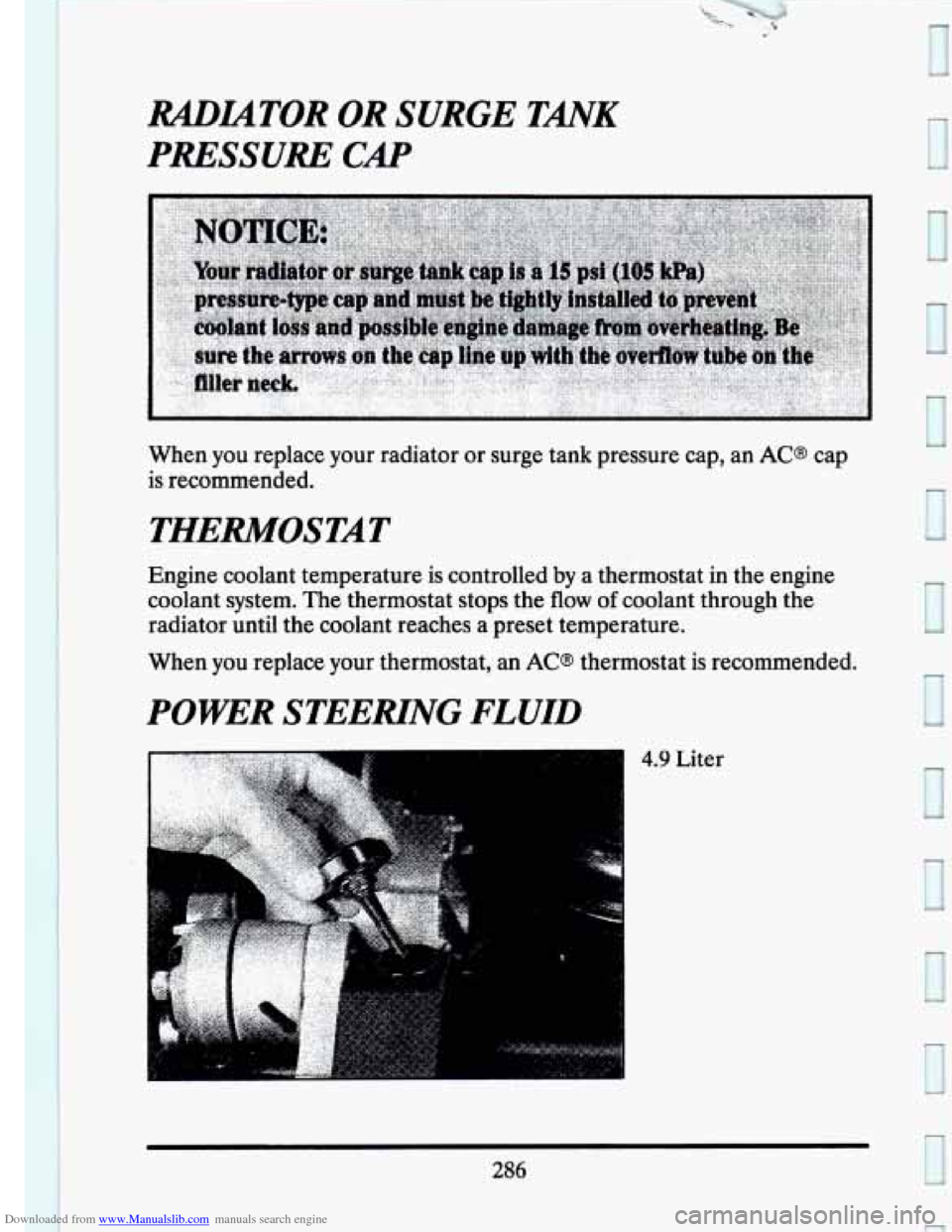
PRESSURE CAP
When you replace your radiator or surge tank pressure cap, an AC@ cap
is recommended.
THERMOSTAT
Engine coolant temperature is controlled by a thermostat in the engine
coolant system.
The thermostat stops the flow of coolant through the
radiator until the coolant reaches a preset temperature.
When you replace your thermostat, an
AC@ thermostat is recommended.
POWER STEERING FLUID
0
4.9 Liter
286
Page 327 of 407
Downloaded from www.Manualslib.com manuals search engine While the tires available as standard or optional equipment on General
Motors vehicles may vary with respect to these grades, all such tires meet
General Motors performance standards and have been approved for use
on General Motors vehicles. All passenger type (P Metric) tires must
conform to Federal safety requirements
in addition to these grades.
Wheel Alignment and Tire Balance
The wheels on your vehicle were aligned and balanced carefully at the
factory to give you the longest tire
life and best overall performance.
In most cases,
you will not need to have your wheels aligned again.
However,
if you notice unusual tire wear or your vehicle pulling one way
or the other, the alignment may need to be reset. If you notice your
vehicle vibrating when driving on a smooth road, your wheels may need
to be rebalanced.
meel Replacement
Replace any wheel that is bent, cracked or badly rusted. If wheel nuts
keep coming loose, the wheel, wheel bolts,
and wheel nuts should be
replaced. If the wheel leaks air out, replace it (except some aluminum
wheels, which can sometimes be repaired). See your Cadillac dealer if any
of these conditions exist.
Your dealer
will know the kind of wheel you need.
Each new wheel should have the same load carrying capacity, diameter,
width, offset, and be mounted the same way as the one it replaces.
If you need to replace any of your wheels, wheel bolts, or wheel nuts, replace
them only with new
GM original equipment parts. This way, you will be sure
to have the right wheel, wheel bolts, and wheel nuts for your Ca\
dillac model.
A CAUTION
Using the wrong replacement wheels, wheel bolts, or wheel nuts \
on your vehicle can be dangerous. It could affect the
braking
and handling of your vehicle, make your tires lose air and make
you lose control. You could have a collision in which you or
others could be injured. Always use the correct wheel, wheel
bolts, and wheel
nuts for replacement.
313