Page 160 of 406
Downloaded from www.Manualslib.com manuals search engine The control behind the lower knob moves the sound between your front
and rear speakers.
SCAN
When you push “SCAN”, the radio will find the next station and stay
there a
few seconds. Then it will go to the next station and pause, and
keep doing that. When
you want it to stop, just push SCAN again.
SEEK
When you push “SEEK”, it also chooses stations, but it doesn’t keep
moving as
SCAN does. When you push SEEK, the radio goes to the next
station and stays there.
Push Buttons
I
a Tune in the station.
0 Push the SET button. You
can set the push
buttons to get up to
eight favorite stations
(four on
AM and four
more on
FM). Just:
0 Within 5 seconds, push one of the four push buttons.
Repeat these steps for each station you select.
If you want to, you can pre-set up to three more favorite stations on AM
and up to three more on FM. To do that, use the buttons in pairs, like this:
Tune in the station.
Page 161 of 406

Downloaded from www.Manualslib.com manuals search engine 0 Push the SET button.
0 Push any two of the push buttons that are next to each other.
0 Repeat these steps for each station you select. Whenever you push
those buttons together, you’ll get the station you selected.
Your Cassette Tape Player
Your tape player is built to work best with tapes that are 30 to 45 minutes
long
on each side. Tapes longer than that use such thin tape that they may
not work well in this player.
Tu Play A Cassette Tape
Have the radio on.
A
Insert the tape squarely through the tape door.
The longer side with the tape visible goes in first.
If you hear nothing or
hear just
a garbled sound, it may not be in squarely. Push EJECT to
remove the tape and start over.
Once the tape is playing, use the upper and lower knobs for volume
and balance, just as you do for radio. The arrows show which side
of
the tape is playing.
7
To go forward to another part of the tape push FWD. To go Wackward,
push
REV. To stop the tape, push the other button lightly.
To go from one side of the tape to the other, push in the upper knob
on your radio. To remove or stop the tape, push EJECT
148
Page 163 of 406

Downloaded from www.Manualslib.com manuals search engine Push-Freq (Program)
Push the upper knob when playing a tape to switch from one side of the
tape to the other.
Search
When you’re playing a tape, Search lets you jump ahead quickly to the
start
of the next selection. It makes the tape stop when it gets to the next
place with
4 seconds or more of silence. To use Search:
Slide Search to the right, then
0 Push Fwd.
If you want to go back and hear a selection you’ve just heard, Search will
do that too. Just slide Search to the right and then push REV. The tape
will
go back to the last silent place and start again from there.
Choose the right bias (or “equalization ”) for your tape.
On your radio, you’ll find a CrOiM
button:
Now look at your tape, or
on its label or box. It should say whether its
bias (“equalization”) is
70 microseconds (70 u) or 120 microseconds (120
u). If it doesn’t say, chrome and metal tapes are 70 ,u sec and standard
iron tapes are 120
u sec.
For
70, push the Cr02 button in. For 120, it should be out.
If you don’t do this, the tape will still play, but the sound will not be as
good
as your system can provide.
-.
Cr
r
Page 164 of 406
Downloaded from www.Manualslib.com manuals search engine c
r
Delco Bose System
Does your Cadillac have this Delco-Bose system?
If it does, then please keep reading here. If not, then please turn ahead to
the part that describes your system.
-
Setting the Tone
BASS Move this lever up to hear more bass.
TREBLE Move this lever up to hear more treble.
For the clearest sound, keep both of these all the way up. If a station is
7
- weak and noisy, you can move TREBLE down to reduce the noise.
DNR@* This is the Dynamic Noise Reduction button. It helps remove
background hiss noise from the radio or tape player.
You may want to
- leave it pushed in all the time.
r
151
*DNR@ is a registered trademark of National Semiconductor
Corporation.
-
Page 165 of 406

Downloaded from www.Manualslib.com manuals search engine To Play a Cassette Tape
Have the radio on.
Insert the tape into the door marked “AUTO REVERSE”. The longer
side with the tape visible goes
in first.
Once the tape is playing, the Volume, Treble, Bass, DNR@ and speaker
balance controls work just as they do for the radio.
Cr02/M (Chromium DioxideIMetal)
Choose the right bias (or “equalization”) for your tape. Your tape, on its
label
or box, should say whether its bias (or “equalization”) is 70
microseconds (70 p) or 120 microseconds (120 p). If it doesn’t say,
chrome and metal tapes are
70 1.1 sec and standard iron tapes are 120 p
sec.
For
70, push the Cr02/M button in. For 120, it should be &. If you don’t
do this, the tape will still play, but the sound will not be as good as your
system can provide.
Arrows Below Tape Door
These show which side of the tape is playing. When the lighted arrow
points up
(A), selections listed on top of the cassette are playing. When
the arrow points down
(v), selections on the bottom are playing.
Push-Freq (Program)
To go from one side of the tape to the other, push in the upper knob. The
tape automatically changes sides when tape reaches the end.
Fwd (Forward)
Press this to move the tape forward; press REV to return to playing
speed.
Rev (Reverse)
Press this to move the tape rapidly backward; press FWD to return to
playing speed.
152
Page 167 of 406
Downloaded from www.Manualslib.com manuals search engine The Delco43ose Gold Series Compact Disc Music
System
1
To Play the Radio
The “Power” button turns the radio on and off.
The Volume (or Vol) button adjusts the volume up or down. (Press the
center to get
a preset level.)
am-fm Button
Push this to get AM or FM. (The lighted display shows your selection.)
Seek
Push the Seek button to go to the next station and stay there. Push again
and it will find the next station, and
so on.
Scan
Push to hear each station for a few seconds. Push it again when you hear
something
you like and want to stay there.
154
Page 171 of 406
Downloaded from www.Manualslib.com manuals search engine To stop the disc player:
Press the Dower button or turn the ignition key off. The disc stays in
the player and will resume playing at the point where
it stopped.
OR
I
L
.. . ._
I . -. - . .^.
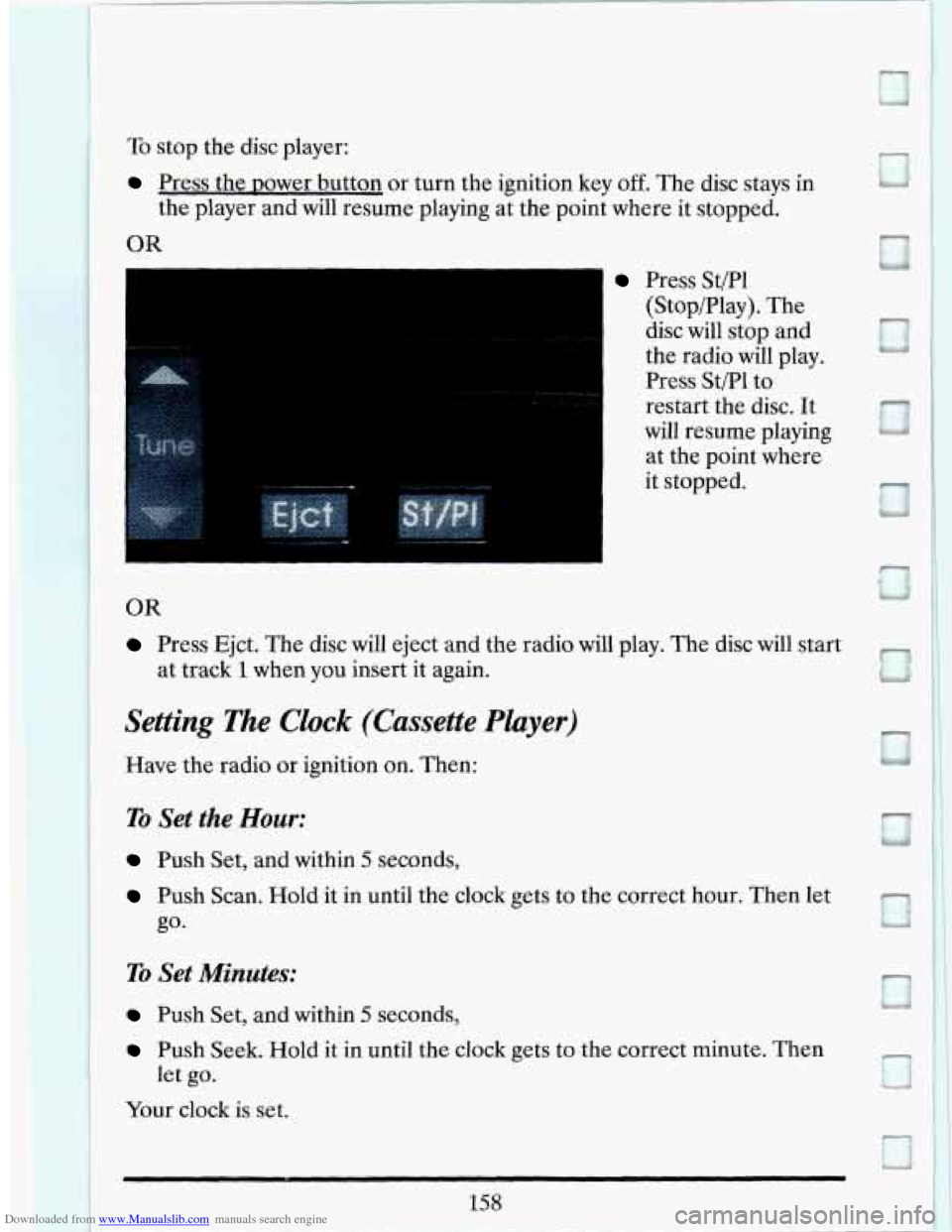
Press St/Pl
(Stop/Play). The
disc will stop and
the radio will play.
Press St/Pl to
restart the disc.
It
will resume playing
at the point where
it stopped.
0
OR
Press Ejct. The disc will eject and the radio will play. The disc will start
at track 1 when yuu insert it again.
Settiplg T%e Clock (Cussette Player)
Have the radio CJ~ ignition on. Then:
TO Set the Hour:
Push Set, and within 5 seconds,
Push Scan. Hold it in until the clock gets to the correct hour. Then let
ro Set Minutes:
Push Set, and within 5 seconds,
Push Seek. Hold it in until the clock gets to the correct minute. Then
let go.
Your clock is set.
158 I
Page 172 of 406
Downloaded from www.Manualslib.com manuals search engine Setting The Clock (CD Player)
Have the radio or ignition on. Then:
To Set the Hour:
Push Set, and within 5 seconds,
0 Push Seek. Hold it in until the clock gets to the correct hour. Then let
go*
To Set Minutes:
e Push Set, and within 5 seconds,
0 Push Scan. Hold it in until the clock gets to the correct minute. Then
Your clock is set.
let
go.
To Play This Radio (Export Only)
PWR
To turn the radio on, press the PWR button. _-
159