Page 38 of 136
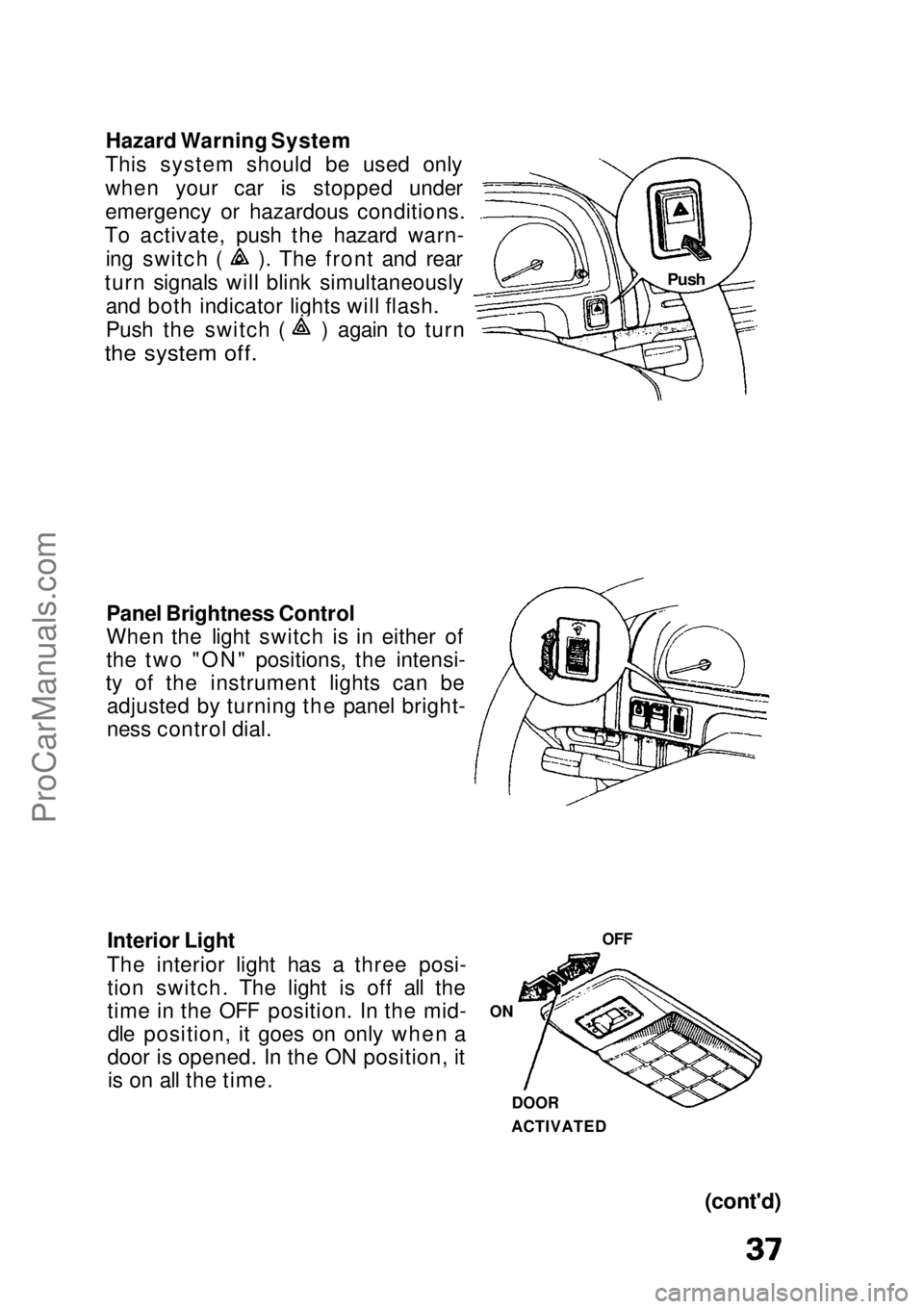
Hazard Warning System
This system should be used only
when your car is stopped under
emergency or hazardous conditions.
To activate, push the hazard warn- ing switch ( ). The front and rear
turn signals will blink simultaneously and both indicator lights will flash. Push the switch ( ) again to turn
the system off.
Panel Brightness Control
When the light switch is in either of
the two "ON" positions, the intensi-
ty of the instrument lights can be adjusted by turning the panel bright-
ness control dial.
Interior Light
The interior light has a three posi- tion switch. The light is off all the
time in the OFF position. In the mid-dle position, it goes on only when a
door is opened. In the ON position, it is on all the time.
(cont'd)
OFF
ON
DOOR
ACTIVATED
PushProCarManuals.comMain Menu s t
Page 39 of 136
Lights (cont'd)
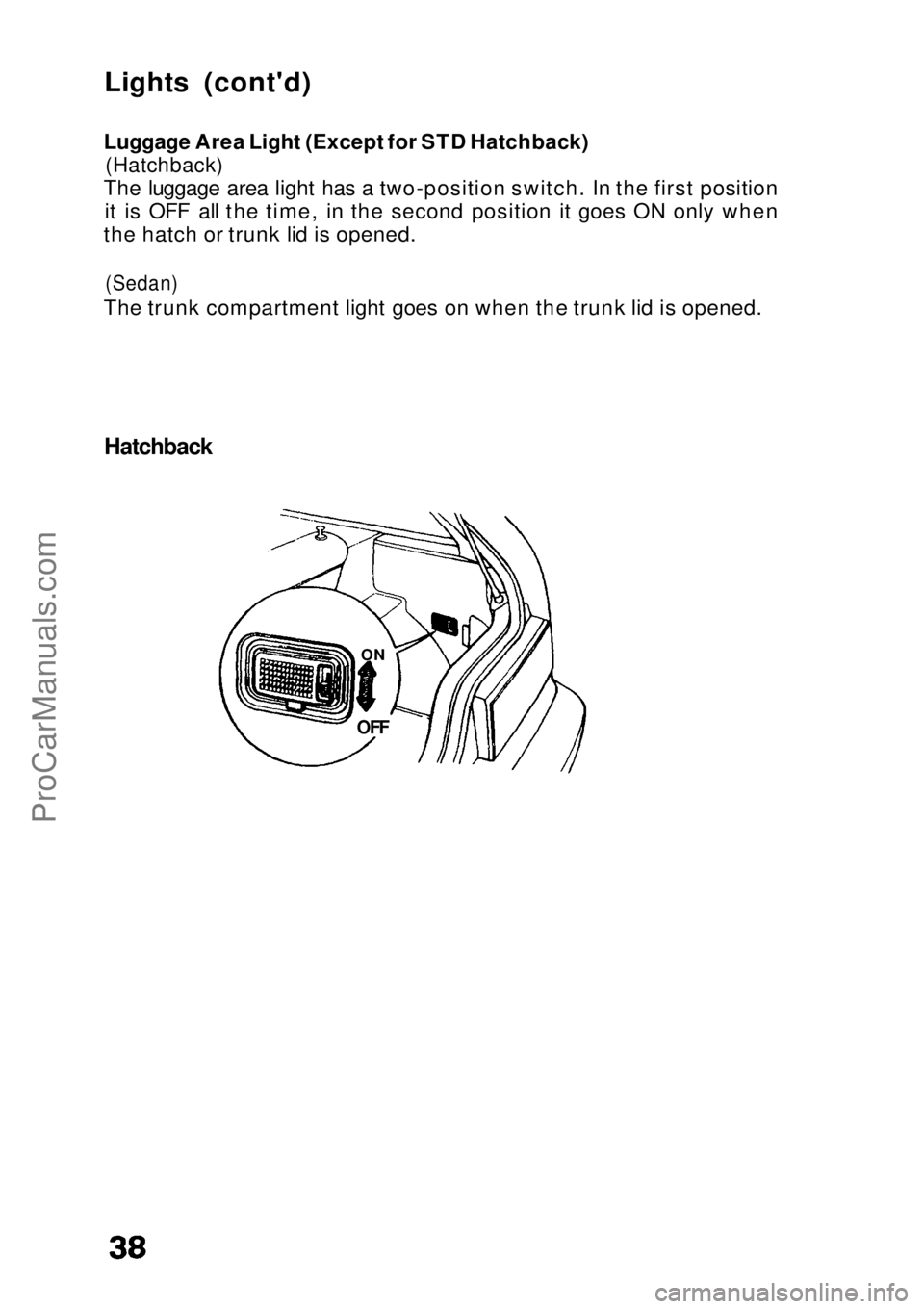
Luggage Area Light (Except for STD Hatchback)
(Hatchback)
The luggage area light has a two-position switch. In the first position it is OFF all the time, in the second position it goes ON only when
the hatch or trunk lid is opened.
(Sedan)
The trunk compartment light goes on when the trunk lid is opened.
Hatchback
OFF
ONProCarManuals.comMain Menu s t
Page 40 of 136
Cruise Control (LX/EX Sedan)
Cruise Control
The Cruise Control system allows you to set and automatically maintain any speed above 25 mph (40 km/h) without keeping your
foot on the accelerator. As its name implies, it is meant for cruising
on straight, uncongested highways or freeways. It is not
recommended to be used in traffic, on winding roads or in bad
weather conditions where the driver should have total control.
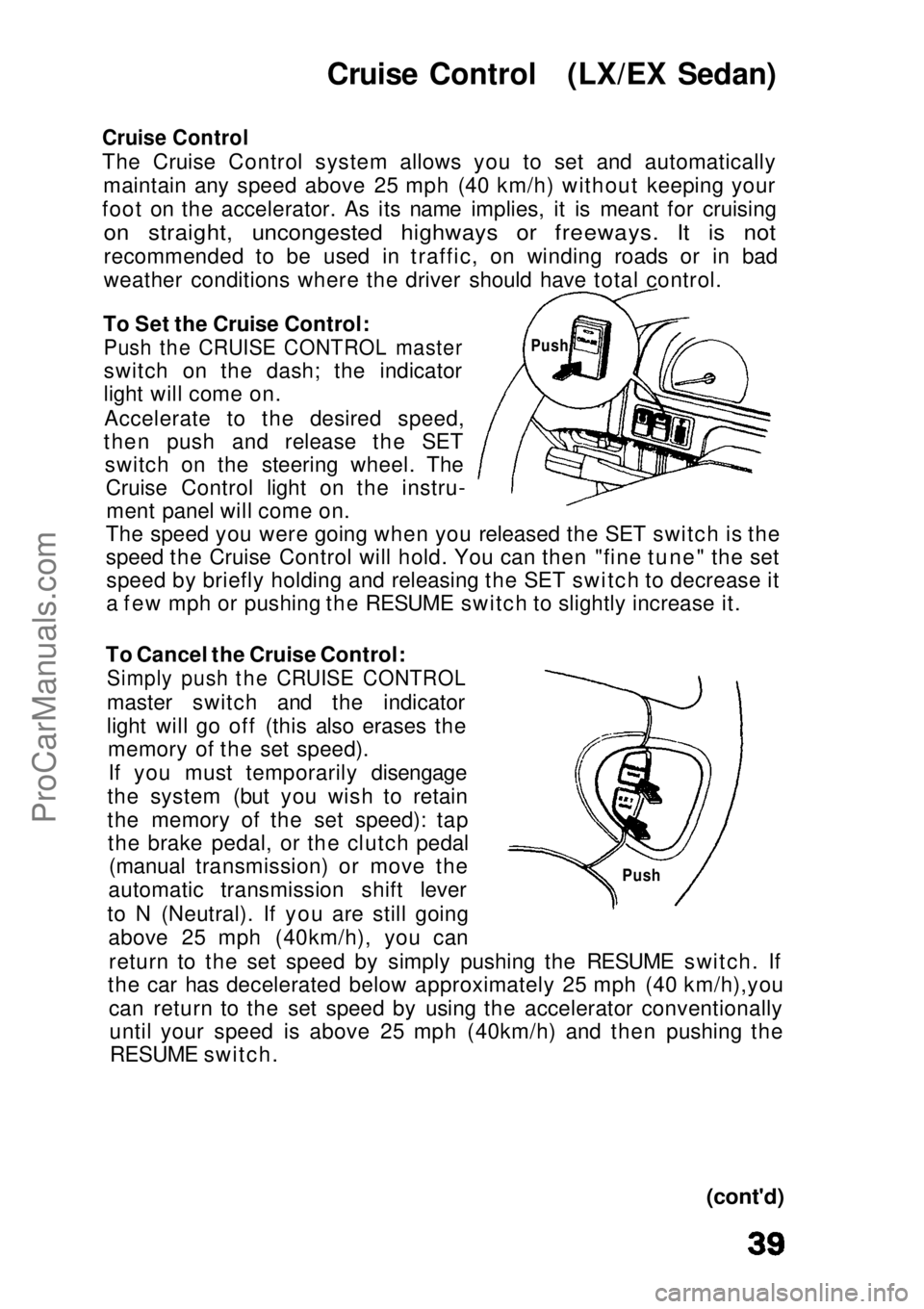
To Set the Cruise Control:
Push the CRUISE CONTROL master
switch on the dash; the indicator
light will come on.
Accelerate to the desired speed,
then push and release the SET switch on the steering wheel. TheCruise Control light on the instru-ment panel will come on.
The speed you were going when you released the SET switch is the
speed the Cruise Control will hold. You can then "fine tune" the set speed by briefly holding and releasing the SET switch to decrease it
a few mph or pushing the RESUME switch to slightly increase it.
To Cancel the Cruise Control:
Simply push the CRUISE CONTROL
master switch and the indicator
light will go off (this also erases thememory of the set speed).
If you must temporarily disengage
the system (but you wish to retain
the memory of the set speed): tap the brake pedal, or the clutch pedal (manual transmission) or move the
automatic transmission shift lever
to N (Neutral). If you are still going above 25 mph (40km/h), you can
return to the set speed by simply pushing the RESUME switch. If
the car has decelerated below approximately 25 mph (40 km/h),you
can return to the set speed by using the accelerator conventionallyuntil your speed is above 25 mph (40km/h) and then pushing theRESUME switch.
(cont'd)
Push
PushProCarManuals.comMain Menu s t
Page 41 of 136
Cruise Control (cont'd)
To Change the Set Speed: To a faster speed — For gradual acceleration with your foot off the
accelerator, push and hold the RESUME switch until you reach the
desired speed; release the switch and the system's memory will bere-programmed to the new speed.
For faster acceleration, push the accelerator until you reach the
desired speed, then push and release the SET switch to re-program
the system.
To a slower speed — push and hold the SET switch and the car will coast; when you reach the desired slower speed, release the switch
and the system will be re-programmed.
For temporary acceleration above the set speed, such as for passing,
use the accelerator pedal conventionally. When you want to return
to the set speed, take your foot off the accelerator and coast without applying the brakes.
The Cruise Control automates the function of the accelerator pedal to maintain your car at a constant speed. This can be a
convenience on long trips, but it can also be a danger if there aremany other cars on the road or if the road is unfamiliar. Pay strict
attention to the responsibility of driving whenever using the Cruise Control.
CAUTION:
Because the Cruise Control directly activates the acceleratorpedal, don't rest your foot under the pedal when the Cruise
Control is on; it may pull the pedal down onto your foot.
NOTE:
With Cruise Control on, your speed will still vary slightly,
particularly when going up or down hills. Do not drive with your foot on the brake or clutch pedal (manual
transmission), as this will cause the Cruise Control to disengage.ProCarManuals.comMain Menu s t
Page 42 of 136
Hood
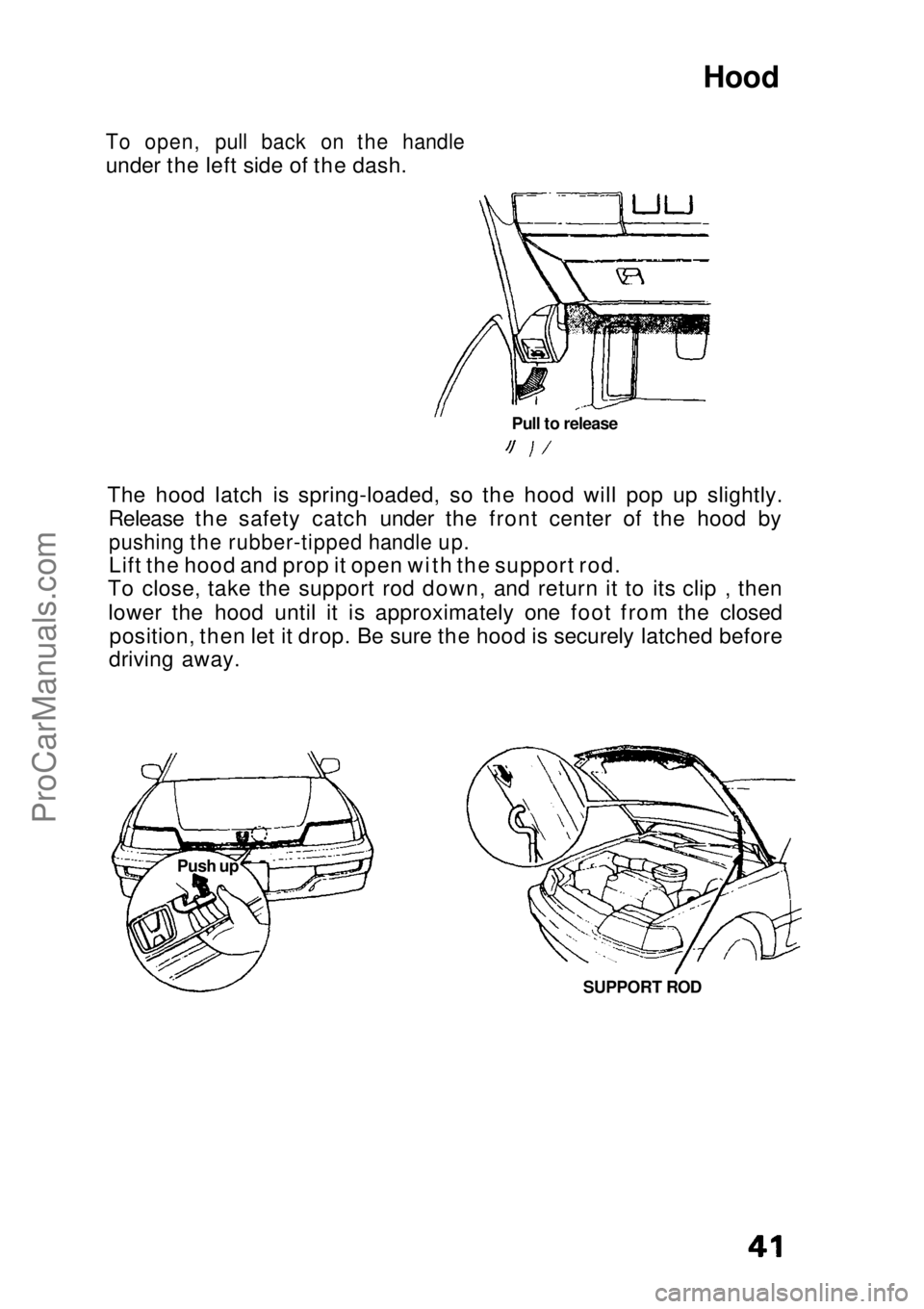
To open, pull back on the handle
under the left side of the dash.
The hood latch is spring-loaded, so the hood will pop up slightly.Release the safety catch under the front center of the hood by
pushing the rubber-tipped handle up.
Lift the hood and prop it open with the support rod.
To close, take the support rod down, and return it to its clip , then
lower the hood until it is approximately one foot from the closed position, then let it drop. Be sure the hood is securely latched before
driving away.
Pull to release
SUPPORT ROD
Push upProCarManuals.comMain Menu s t
Page 43 of 136
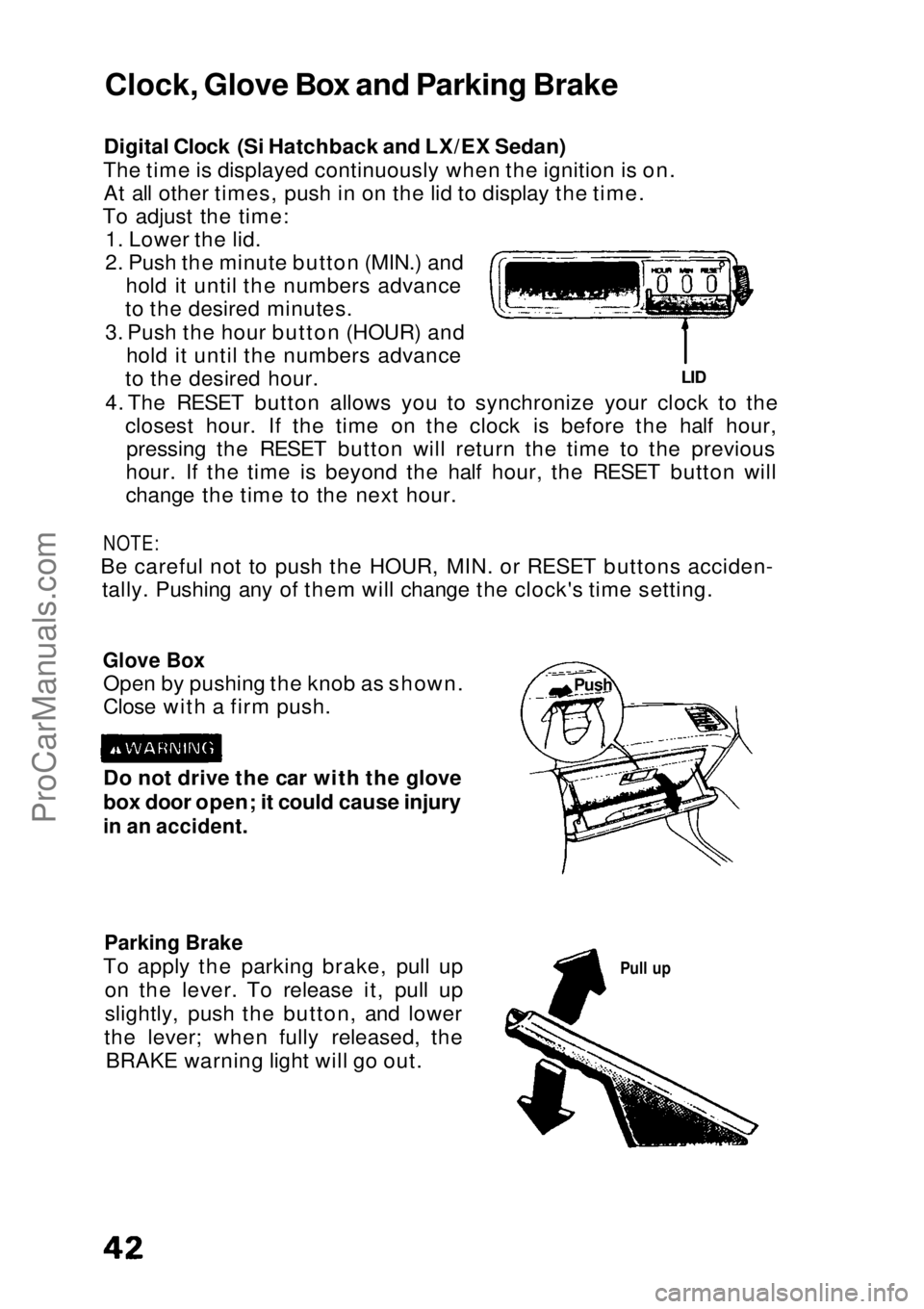
Digital Clock (Si Hatchback and LX/EX Sedan)
The time is displayed continuously when the ignition is on. At all other times, push in on the lid to display the time.
To adjust the time: 1. Lower the lid.
2. Push the minute button (MIN.) and hold it until the numbers advance
to the desired minutes.
3. Push the hour button (HOUR) and hold it until the numbers advance
to the desired hour.
4. The RESET button allows you to synchronize your clock to the closest hour. If the time on the clock is before the half hour,pressing the RESET button will return the time to the previous
hour. If the time is beyond the half hour, the RESET button will
change the time to the next hour.
NOTE:
Be careful not to push the HOUR, MIN. or RESET buttons acciden- tally. Pushing any of them will change the clock's time setting.
Glove Box
Open by pushing the knob as shown.
Close with a firm push.
Parking Brake
To apply the parking brake, pull up on the lever. To release it, pull up
slightly, push the button, and lower
the lever; when fully released, the BRAKE warning light will go out.
Pull up
Do not drive the car with the glove
box door open; it could cause injury
in an accident.
LID
Clock, Glove Box and Parking Brake
PushProCarManuals.comMain Menu s t
Page 45 of 136
Cigarette Lighter and Ashtrays
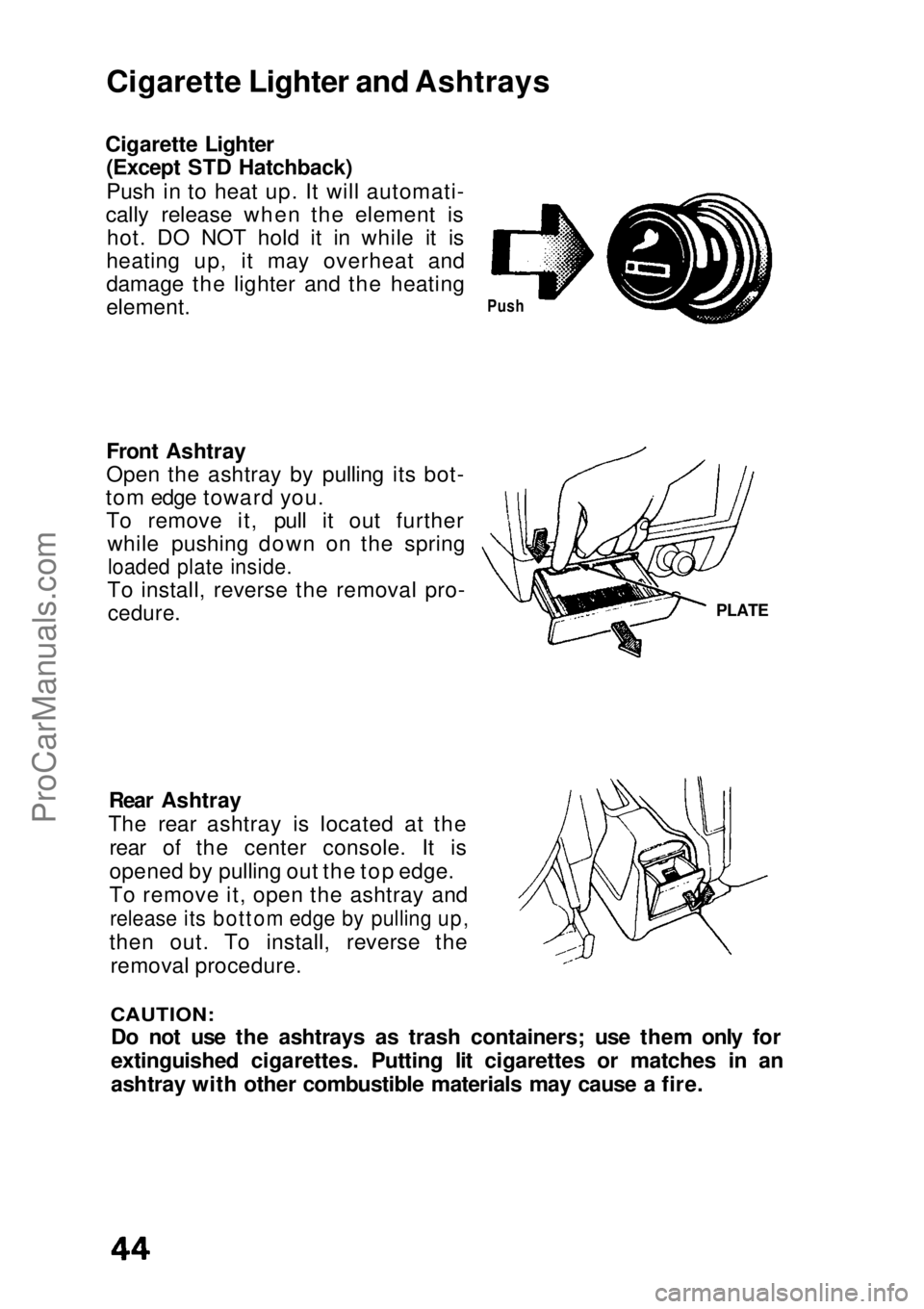
Cigarette Lighter (Except STD Hatchback)
Push in to heat up. It will automati-
cally release when the element is hot. DO NOT hold it in while it is
heating up, it may overheat and
damage the lighter and the heating
element.
Front Ashtray
Open the ashtray by pulling its bot-
tom edge toward you. To remove it, pull it out further while pushing down on the spring
loaded plate inside.
To install, reverse the removal pro-
cedure.
Rear Ashtray
The rear ashtray is located at the rear of the center console. It is
opened by pulling out the top edge.
To remove it, open the ashtray and
release its bottom edge by pulling up,
then out. To install, reverse the removal procedure.
CAUTION:
Do not use the ashtrays as trash containers; use them only for
extinguished cigarettes. Putting lit cigarettes or matches in an
ashtray with other combustible materials may cause a fire.
Push
PLATEProCarManuals.comMain Menu s t
Page 48 of 136
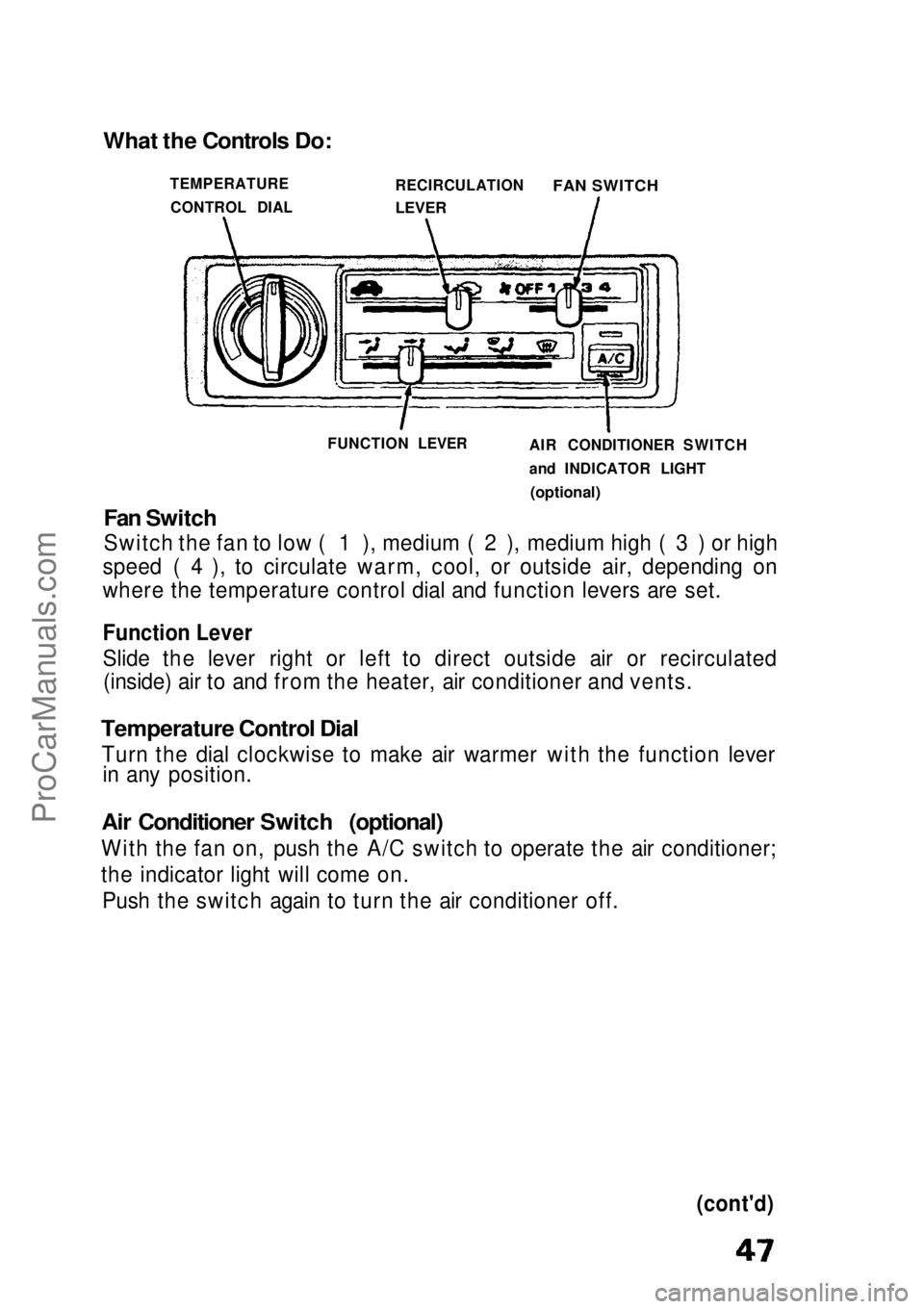
Fan Switch
Switch the fan to low ( 1 ), medium ( 2 ), medium high ( 3 ) or high
speed ( 4 ), to circulate warm, cool, or outside air, depending on
where the temperature control dial and function levers are set.
Function Lever
Slide the lever right or left to direct outside air or recirculated (inside) air to and from the heater, air conditioner and vents.
Temperature Control Dial
Turn the dial clockwise to make air warmer with the function lever in any position.
Air Conditioner Switch (optional)
With the fan on, push the A/C switch to operate the air conditioner;
the indicator light will come on. Push the switch again to turn the air conditioner off.
(cont'd)
What the Controls Do:
TEMPERATURECONTROL DIAL RECIRCULATION
LEVER
FAN SWITCH
FUNCTION LEVER AIR CONDITIONER SWITCH
and INDICATOR LIGHT
(optional)ProCarManuals.comMain Menu s t