Page 24 of 143

Warning and indicator Lights (cont'd)
Anti Lock Brake Warning Light (Si with ALB)
The ALB (Anti Lock Brake) warning light will come on, and remain
on, if there is a malfunction in the ALB system or when the ignition switch is turned on with the engine not running, if the light comes
on while driving, stop the car at a safe place and shut off the engine, if the light does not go out or lights again while driving, have the
system checked by an authorized Honda dealer as soon as possible.
NOTE:
The light does not indicate a failure of the normal brake system.
The light only indicates a malfunction in the ALB system. In such acase, the ALB system is automatically shut down but normal
braking capability continues.
After jump-starting the car, there is a possibility that the ALB
warning light may come on due to insufficient battery voltage.
After the battery is sufficiently recharged and the engine is turned
off and restarted, the ALB warning light should indicate that the
ALB system is OK, by coming on for a few seconds each time the
engine is started. If the light remains on after recharging, have it
checked by a Honda dealer.
ANTI
LOCKProCarManuals.comMain Menu s t
Page 25 of 143
Safety Indicator Lights
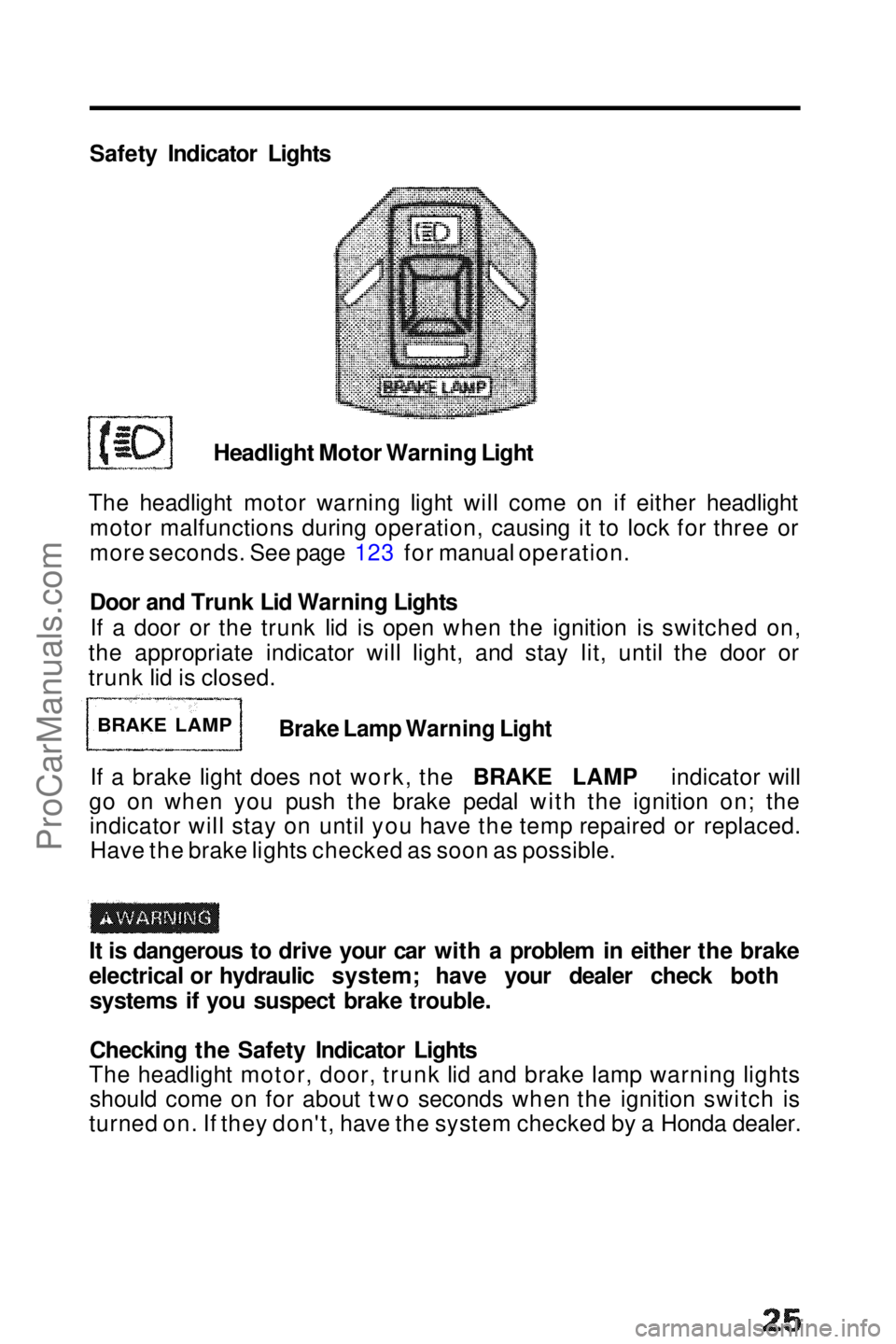
Headlight Motor Warning Light
The headlight motor warning light will come on if either headlight motor malfunctions during operation, causing it to lock for three or
more seconds. See page 123 for manual operation.
Door and Trunk Lid Warning Lights
If a door or the trunk lid is open when the ignition is switched on,
the appropriate indicator will light, and stay lit, until the door or
trunk lid is closed.
Brake Lamp Warning Light
If a brake light does not work, the BRAKE LAMP indicator will
go on when you push the brake pedal with the ignition on; the indicator will stay on until you have the temp repaired or replaced.Have the brake lights checked as soon as possible.
It is dangerous to drive your car with a problem in either the brake
electrical or hydraulic system; have your dealer check both systems if you suspect brake trouble.
Checking the Safety Indicator Lights
The headlight motor, door, trunk lid and brake lamp warning lights should come on for about two seconds when the ignition switch is
turned on. If they don't, have the system checked by a Honda dealer.
BRAKE LAMPProCarManuals.comMain Menu s t
Page 26 of 143
Tilt Steering
The steering wheel position can be adjusted to suit driver preference.
1.Pull toward you and hold the
lever at the bottom left of the
steering column, and adjust the
steering wheel to the desired position.
2. To lock the steering wheel, hold it in the desired position
and release the lever. TILT STEERING
ADJUSTMENT
LEVER
Do not adjust the steering wheel position while driving. After adjusting the steering wheel position, make sure it is
securely locked in place by "rocking" it up and down sightly.ProCarManuals.comMain Menu s t
Page 37 of 143
Clock
Digital Clock
The time is displayed continuously when the ignition is on. At all other times, push in on the lid to display the time.
To adjust the time:
1. Lower the lid.
2. Push the minute button
(MIN) and hold it until the
numbers advance to the
desired minutes.
3. Push the hour button
(HOUR) and hold it until
the numbers advance to
the desired hour.
4.The RESET button allows you to synchronize your clock to the closest hour. If the time on the clock is before the half hour,
pressing the RESET button will return the time to the previous
hour. If the time is beyond the half hour, the RESET button will
change the time to the next hour.
NOTE:
Be careful not to push the HOUR, MIN or RESET buttons
accidentally. Pushing any of them will change the clock's time
setting.ProCarManuals.comMain Menu t s
Page 39 of 143

Glove Box,Parking Brake and Hood
Glove Box
Open by pulling the handle.Close
with a firm push .The glove box
can be locked by using the master key; turn the key clockwise to
LOCK.
The glove box light will go on when the glove box door is
opened and the headlights are on.
Do not drive the car with the glove
box door open; it could cause injury
in an accident.
Parking Brake
To apply the parking brake, pull up on the lever. To release it, pull up
slightly, push the button, and lower
the lever; when fully released, the BRAKE warning light will go out.
Hood
To open, pull back on the handle under the left side of the dash.
The hood latch is spring-loaded, so the hood will pop up slightly. Release the safety catch under the front center of the hood by
pushing the handle up.
Lift the hood and prop it open with the support rod.
To close, take the support rod down, and return it to its clip , then lower the hood until it is approximately one foot from the closedposition, then let it drop. Be sure the hood is securely latched before
driving away. MASTER KEY
Pull up
CLIP
SUPPORT ROD
Pull to release LockProCarManuals.comMain Menu t s
Page 43 of 143

What the Controls Do:
FUNCTION BUTTONS
AND INDICATOR LIGHTS RECIRCULATION BUTTON
AND INDICATOR LIGHT FRESH AIR BUTTON
AND INDICATOR LIGHT
FAN SWITCH
TEMPERATURE LEVER AIR CONDITIONER SWITCH
AND INDICATOR LIGHT COMPRESSOR LIGHT
Fan Switch
Turning the dial clockwise will increase the fan speed, and the fan
will circulate warm, cool, or outside air, depending on where the
temperature lever and function buttons are set.
Function Buttons
Push the appropriate button to direct air to and from the heater,
defroster and vents. Each function button has an indicator light that
comes on when the button is pushed in.
Air Conditioner Switch (optional on the 2.0 S and 2.0 Si models)
With the fan on, push the A/C switch to operate the air conditioner;
the indicator light will come on.
Push the switch again to turn the air conditioner off.
NOTE:
If the air conditioner compressor light comes on, turn off the A/C
switch (with the engine running) and turn it on again. If the light does
not come on again, the system is functioning normally, if the light
does come on again, turn off the A/C switch and do not use the
system until it can be checked by an authorized Honda dealer.
Temperature Lever Slide the lever from left to right to make air warmer when the
appropriate function is selected. and Recirculation
Fresh Air
When the
Buttons
button is pushed, the indicator light will go on and
outside air will be allowed to circulate inside the car.
When the outside air is shut off, and the air inside the car is recirculated. So,
when the heater or air conditioner is on and you want to warm up
or cool down the interior more quickly, or keep smoke or dust out
of the car without losing the heat or cool function, simply push the
button.
button is pushed, the indicator light comes on,ProCarManuals.comMain Menu t s
Page 47 of 143
Stereo Sound System
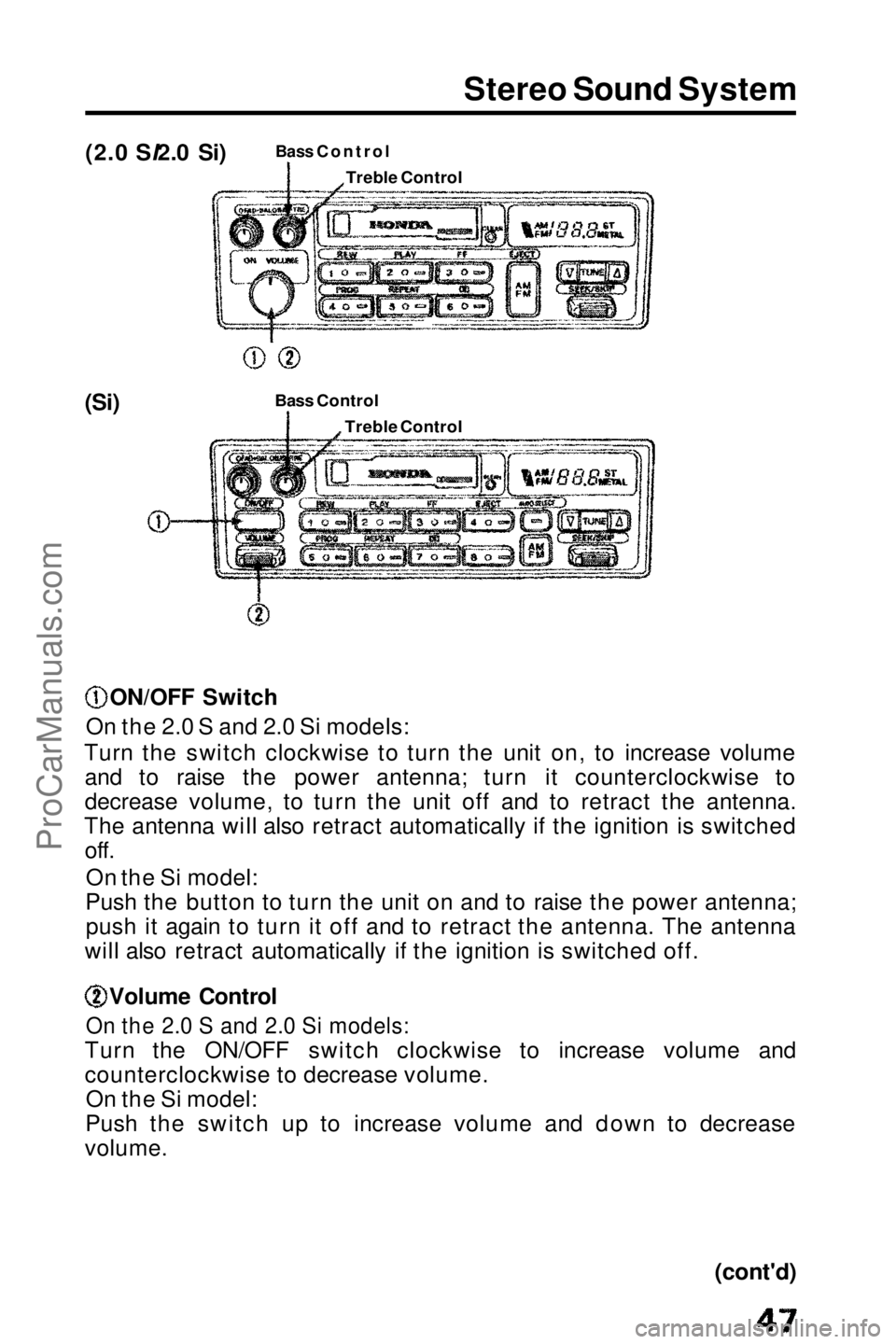
(2.0 SI2.0 Si)
Bass Control
(Si) Bass Contro
l
ON/OFF Switch
On the 2.0 S and 2.0 Si models:
Turn the switch clockwise to turn the unit on, to increase volume and to raise the power antenna; turn it counterclockwise to
decrease volume, to turn the unit off and to retract the antenna.
The antenna will also retract automatically if the ignition is switched off.
On the Si model:
Push the button to turn the unit on and to raise the power antenna; push it again to turn it off and to retract the antenna. The antenna
will also retract automatically if the ignition is switched off. Volume Control
On the 2.0 S and 2.0 Si models:
Turn the ON/OFF switch clockwise to increase volume and
counterclockwise to decrease volume. On the Si model:
Push the switch up to increase volume and down to decrease
volume.
(cont'd)
Treble Control
Treble ControlProCarManuals.comMain Menu t s
Page 53 of 143
Sunroof
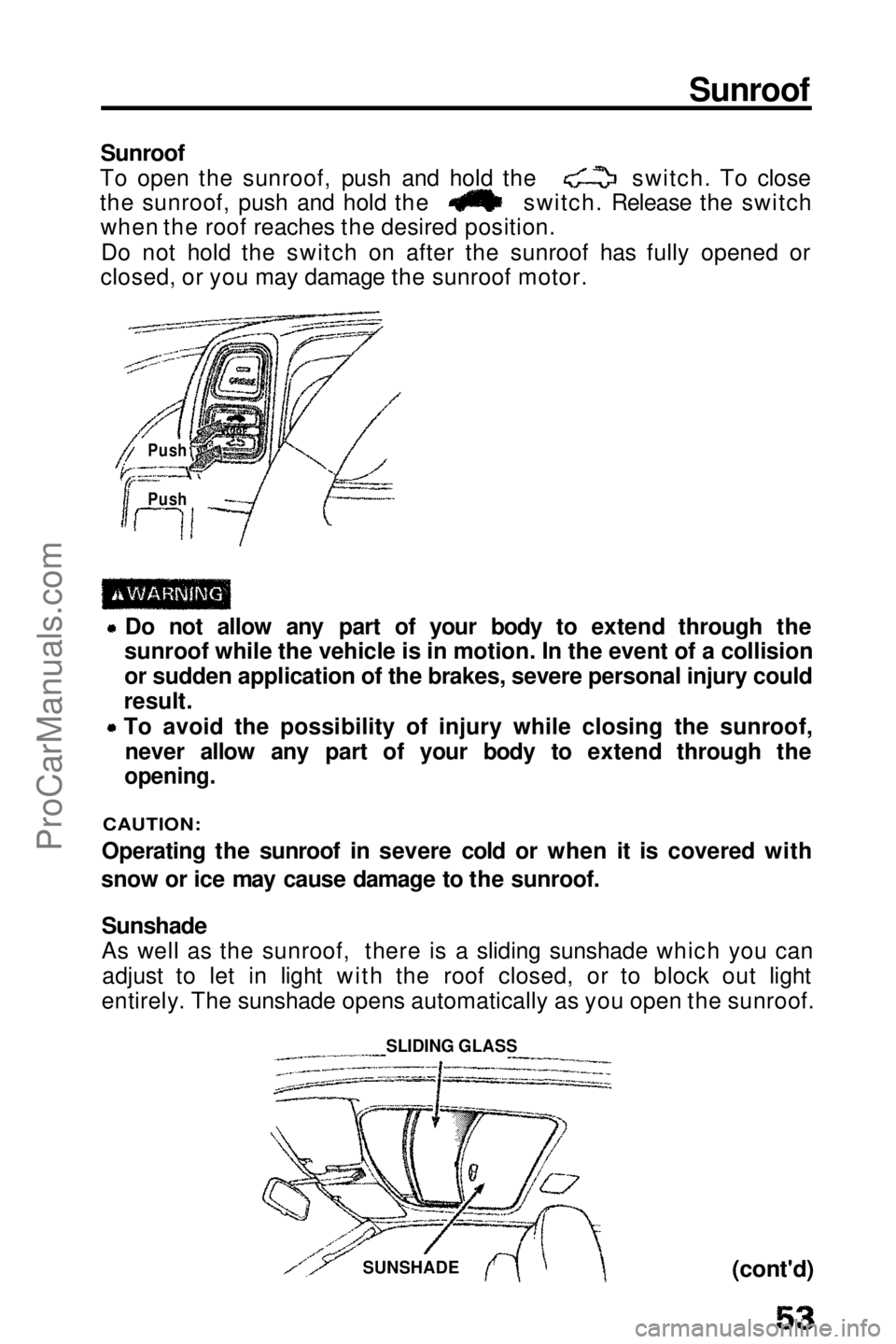
Sunroof
To open the sunroof, push and hold the switch. To close
the sunroof, push and hold the switch. Release the switch
when the roof reaches the desired position.
Do not hold the switch on after the sunroof has fully opened or
closed, or you may damage the sunroof motor. Do not allow any part of your body to extend through the
sunroof while the vehicle is in motion. In the event of a collision
or
sudden application of the brakes, severe personal injury could
result.
To avoid the possibility of injury while closing the sunroof,
never allow
any part of your body to extend through the
opening.
CAUTION:
Operating the sunroof in severe cold or when it is covered with
snow or ice may cause damage to the sunroof.
Sunshade
As well as the sunroof, there is a sliding sunshade which you canadjust to let in light with the roof closed, or to block out light
entirely. The sunshade opens automatically as you open the sunroof.
(cont'd)
Push
Push
SUNSHADE
SLIDING GLASSProCarManuals.comMain Menu t s