1973 CHEVROLET MONTE CARLO lock
[x] Cancel search: lockPage 27 of 86
Downloaded from www.Manualslib.com manuals search engine INSTRUMENTS AND CONTROLS
o STANDARD
o OPTIONAL
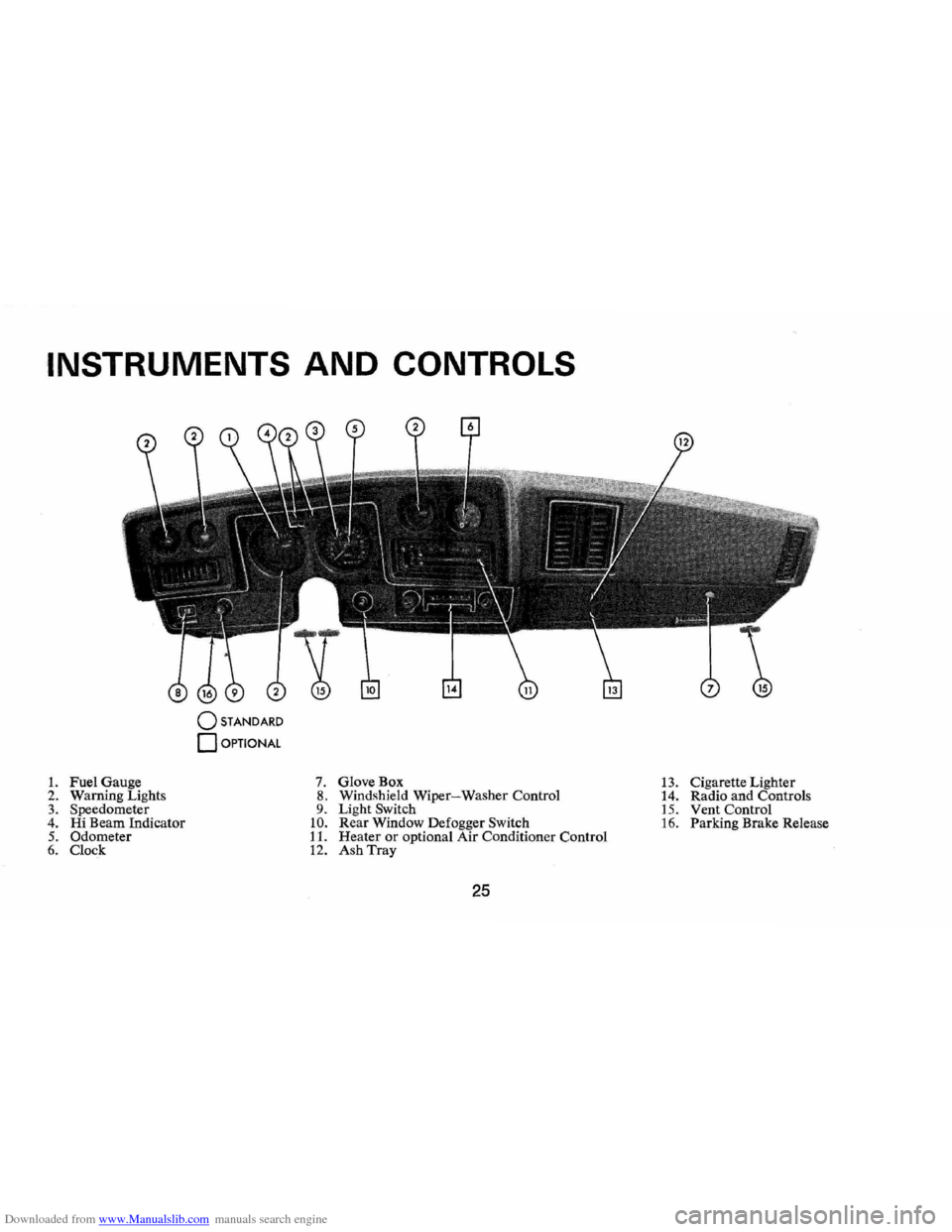
1. Fuel Gauge 7. GloveBox 13. Cigarette Lighter
2. Warn ing Lights 8. Windshield Wiper-Washer Control
14. Radio and Controls 3. Speedometer 9. Light Switch 15. Vent Control 4. Hi Beam Indicator 10. Rear Window Defogger Switch 16. Parking Brake Release 5. Odometer 11. Heater or optional Air Conditioner Control 6. Clock 12. Ash Tray
25
Page 30 of 86
Downloaded from www.Manualslib.com manuals search engine • Stopping distances may be
greater.
• Greater pedal effort may be
required .
• Pedal travel may be greater.
3.
Tryout braking operation by
starting and stopping on road
shoulder -then:
• If you judge such operation
to be safe , proceed cautious
ly
at a s afe speed to nearest
dealer for repair.
• Or have car towed to dealer
for repair.
Continued operation of the car
in this condition
is dangerous.
Headlight Beam Indicator
Light
The headlights of your car have
high and low beams to provide
ybu
with proper night-time visibility
for most driving conditons . The
"low" beams are used during most
city driving. The "high" beams are especially
useful when driving
on
dark roads since they provide ex
cellent long range illumination.
The headlight beam indicator will
be on whenever the high beams
or
"brights" are in use. The Headlight
Beam Switch controls the headlight
beams (see
Page 24).
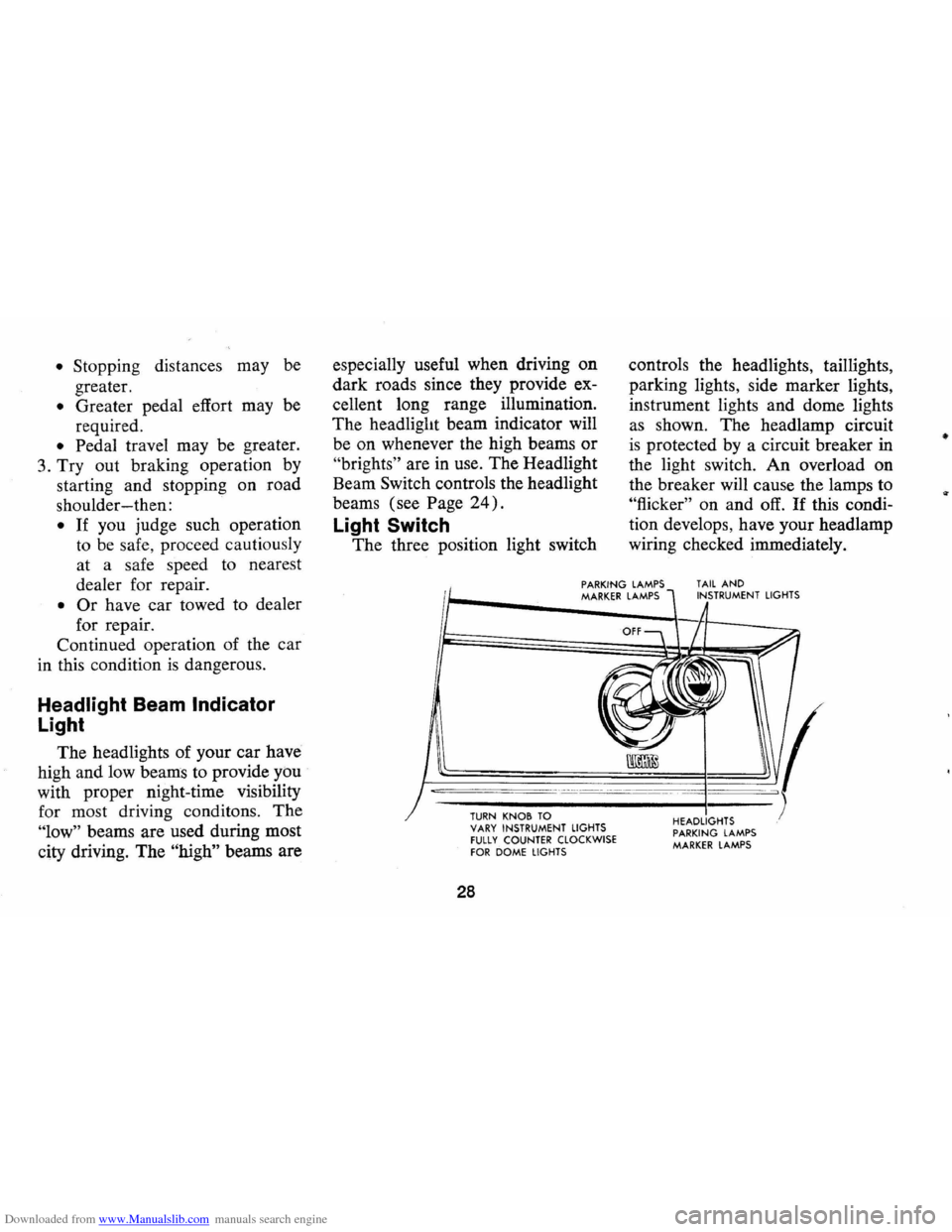
Light Switch
The three position light switch controls
the headlights, taillights,
parking lights, side marker lights,
instrument lights and dome lights
as shown. The headlamp circuit
is protected by a circuit breaker in
the light switch. An overload on
the breaker will cause the lamps to
"flicker" on and off. If this condi
tion develops, have your headlamp
wiring checked immediately.
PARKING LAMPS MARKER LAMPS TAIL AND INSTRUMENT LIGHTS
--,---.---~------ -- --------
TURN KNOB TO VARY INSTRUMENT LIGHTS fULLY COUNTER CLOCKWISE fOR DOME LIGHTS
28
HEADLIGHTS PARKING LAMPS MARKER LAMPS
•
Page 33 of 86

Downloaded from www.Manualslib.com manuals search engine Clock
Reset the clock , by pulling out
the knob and turning the hands
clockwise
if slow, counterclockwise
if fast. This will, if the clock error
is five minutes or more, automati
cally compensate for time gain or
lag . Several resettings, several days
apart, may be needed to propertly
adjust the clock mechanism. Have
your clock cleaned and oiled by a
competent clock serviceman at
least every two years.
Cigarette Lighter
The cigarette lighter is located
on the instrument panel face.
To
operate, push it in. When it be
comes heated, it automatically pops
out ready for use.
Windshield Wiper and
Washer
The windshield wiping system
operates at two speeds and
is de
signed to wipe clear specific areas of
the windshield under most in
clement weather conditions . The
windshield wipers work electrically
and are not affected by engine op
eration. Push the control lever to the
right to start the electric wind
shield wiper. The two-speed elec
tric wiper has both a "low" and a
"high" speed position.
31
Pressing the control will send a
measured amount of water or other
cleaning agent onto the windshield
and will also cause the wiper lever
to move thus starting the wiper
motor. The wiper will continue to
operate until manually turned off
at the wiper lever.
Fill the washer jar only
% full
during the winter to allow for ex
pansion if the temperature should
fall low enough to freeze the solu
tion .
• Check washer fluid level regu
larly-do it frequently when the
weather is bad .
• Use a fluid such as GM OPTI
KLEEN to prevent freezing
damage, and to provide better
cleaning.
• Do not use radiator anti-freeze
in windshield washer; it could
cause paint damage.
• In cold weather, warm the wind
shield with defrosters before
Page 34 of 86
Downloaded from www.Manualslib.com manuals search engine VENT
CONTROLS
using washer -to help prevent
icing that may seriously obscure
vision.
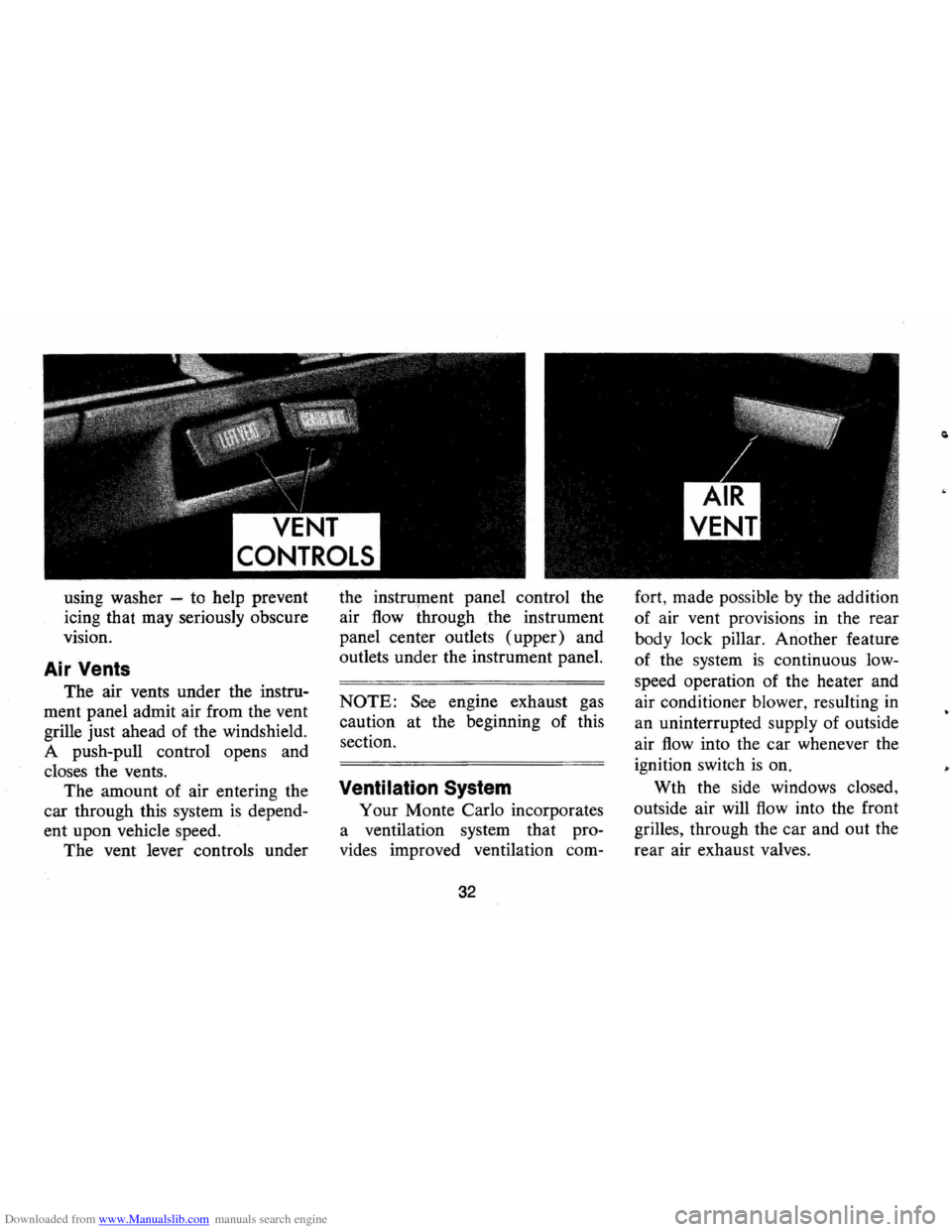
Air Vents
The air vents under the instru
ment panel admit air from the vent
grille just ahead of the windshield.
A push-pull control opens and
closes the vents.
The amount of air entering the
car through this system
is depend
ent upon vehicle speed.
The vent lever controls under the
instrument panel control the
air
flow through the instrument
panel center outlets (upper) and
outlets under the instrument panel.
NOTE: See engine exhaust gas
caution at the beginning of this
section.
Ventilation System
Your Monte Carlo incorporates
a ventilation system that pro
vides improved ventilation com-
32
fort, made possible by the addition
of air vent provisions in the rear
body lock pillar. Another feature
of the system
is continuous low
speed operation of the heater and
air conditioner blower, resulting
in
an uninterrupted supply of outside
air
flow into the car whenever the
ignition switch
is on.
Wth the side windows closed,
outside air will
flow into the front
grilles, through the car and out the
rear air exhaust valves.
Page 37 of 86
Downloaded from www.Manualslib.com manuals search engine • Operate blower on "HIGH" for
a
few seconds before moving the
vehicle, to clear the intake ducts
of snow.
• Keep all windows and vents
closed to reduce dust, road and
wind noise and uncomfortable
drafts.
• For most satisfactory heater op
eration and air circulation, op
erate fan on low
or medium
speeds for normal operation and
high speed for quick warm-up
and during extremely low temp
eratures.
• For adequate rear seat heating,
the area beneath the front seat
must not be blocked
by carpet
ing, rags, paper or other ma
terial and fan should operate on
high blower.
Rear Window Defroster
To ensure clear vision through
the rear window during inclement weather,
the Rear Window De
froster
is optionally available. This
unit draws
in air from the pas
senger compartment and directs it against
the back window to remove
frost or moisture. Its blower has a
two-speed control switch on the
instrument panel.
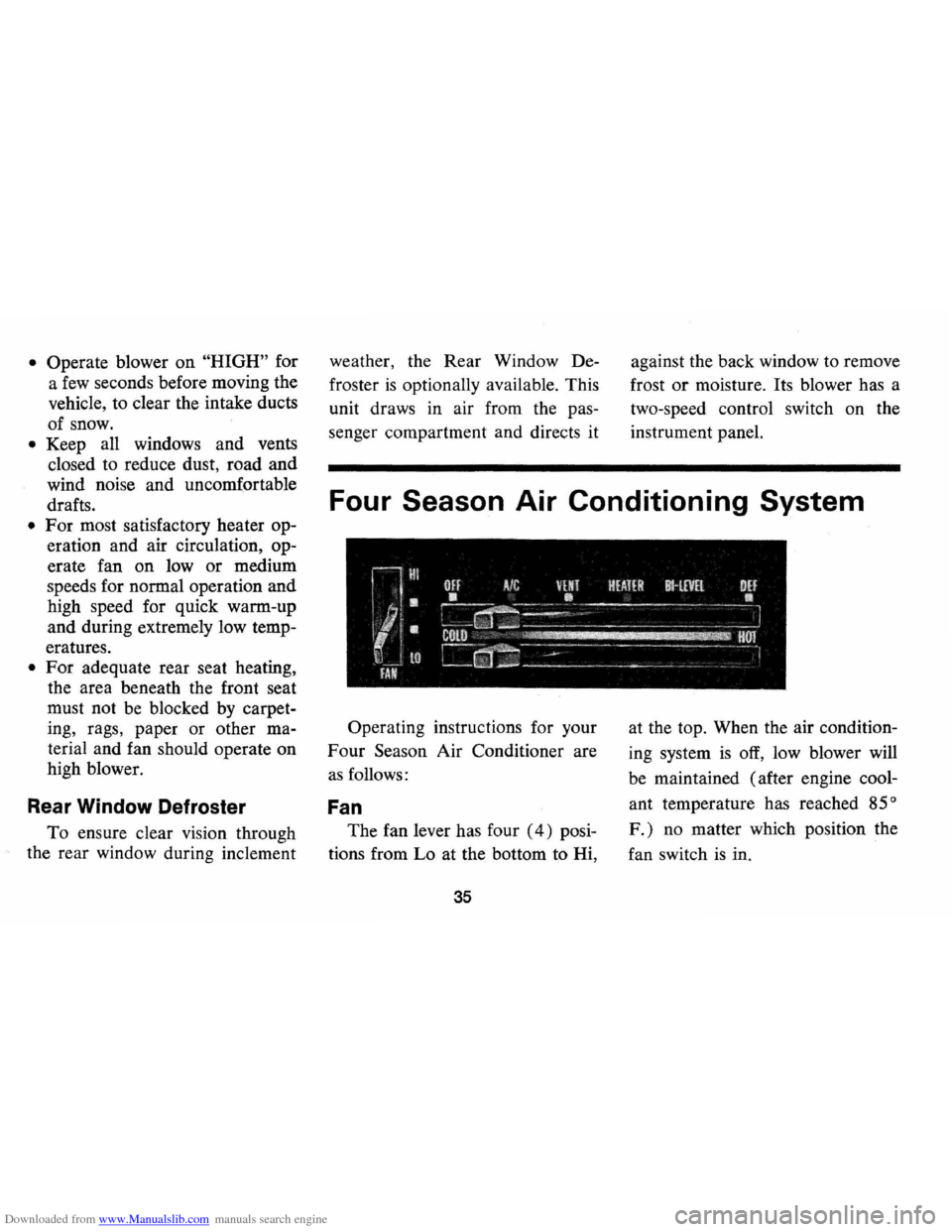
Four Season Air Conditioning System
Operating instructions for your
Four Season Air Conditioner are
as follows:
Fan
The fan lever has four (4) posi
tions from Lo at the bottom to Hi,
35
at the top. When the air condition
ing system
is off, low blower will
be maintained (after engine cool
ant temperature has reached
85°
F.) no matter which position the
fan switch
is in.
Page 40 of 86
Downloaded from www.Manualslib.com manuals search engine Chevrolet HAil Transistor" Radios
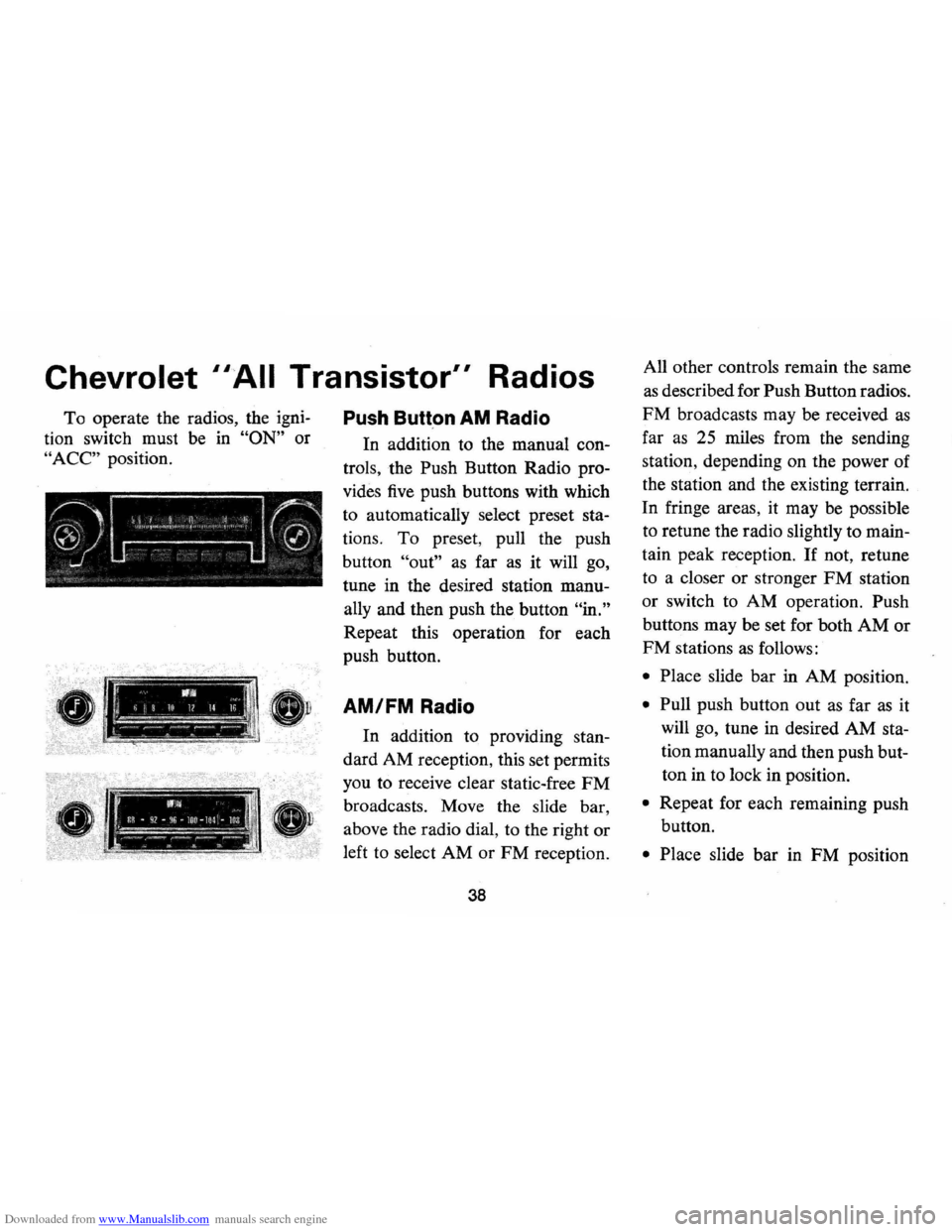
To operate the radios, the igni
tion switch must be in "ON" or
"ACC" position.
r------_·_-
Push Butt.on AM Radio
In addition to the manual con
trols , the Push Button Radio pro
vides five push buttons with which
to automatically select preset
sta
tions. To preset , pull the push
button
"out" as far as it will go,
tune in the desired station
manu
ally and then push the button "in."
Repeat this operation for each
push button.
!, 11111, II >, -ij 10 1/ Il '" I 1 AM/FM Radio
I.:"" :~ ;:--'.-'.-:'---~ -
.--.. -WI .. il~ • q2 -f~6 -lor ~ lOl -loa ~~,.."... -~-~.-.. ---_ ll'1 S. ...
In addition to providing stan
dard AM reception, this set permits
you to receive clear static-free
FM
broadcasts. Move the slide bar ,
above the radio dial, to the right or
left to select AM or FM reception.
38
All other controls remain the same
as described for Push Button radios.
FM broadcasts may be received as
far as 25 miles from the sending
station , depending on the power of
the station and the existing terrain.
In fringe areas, it may
be possible
to retune the radio slightly to
main
tain peak reception . If not, retune
to a closer or stronger
FM station
or switch to AM operation. Push
buttons may be set for both
AM or
FM stations as follows:
• Place slide bar in AM position.
• Pull push button out as far as it
will go, tune in desired AM
sta
tion manually and then push but
ton in to lock in position.
• Repeat for each remaining push
button.
• Place slide bar in FM position
Page 41 of 86
Downloaded from www.Manualslib.com manuals search engine and repeat procedures outlined
for AM band setting.
NOTE: Bands cannot be changed
if push button
is unlocked.
Antenna
The radio antenna is incorpo
rated in the windshield glass.
If
necessary, adjustments for maxi
mum antenna effectiveness can be
made
by your authorized Chevro
let dealer.
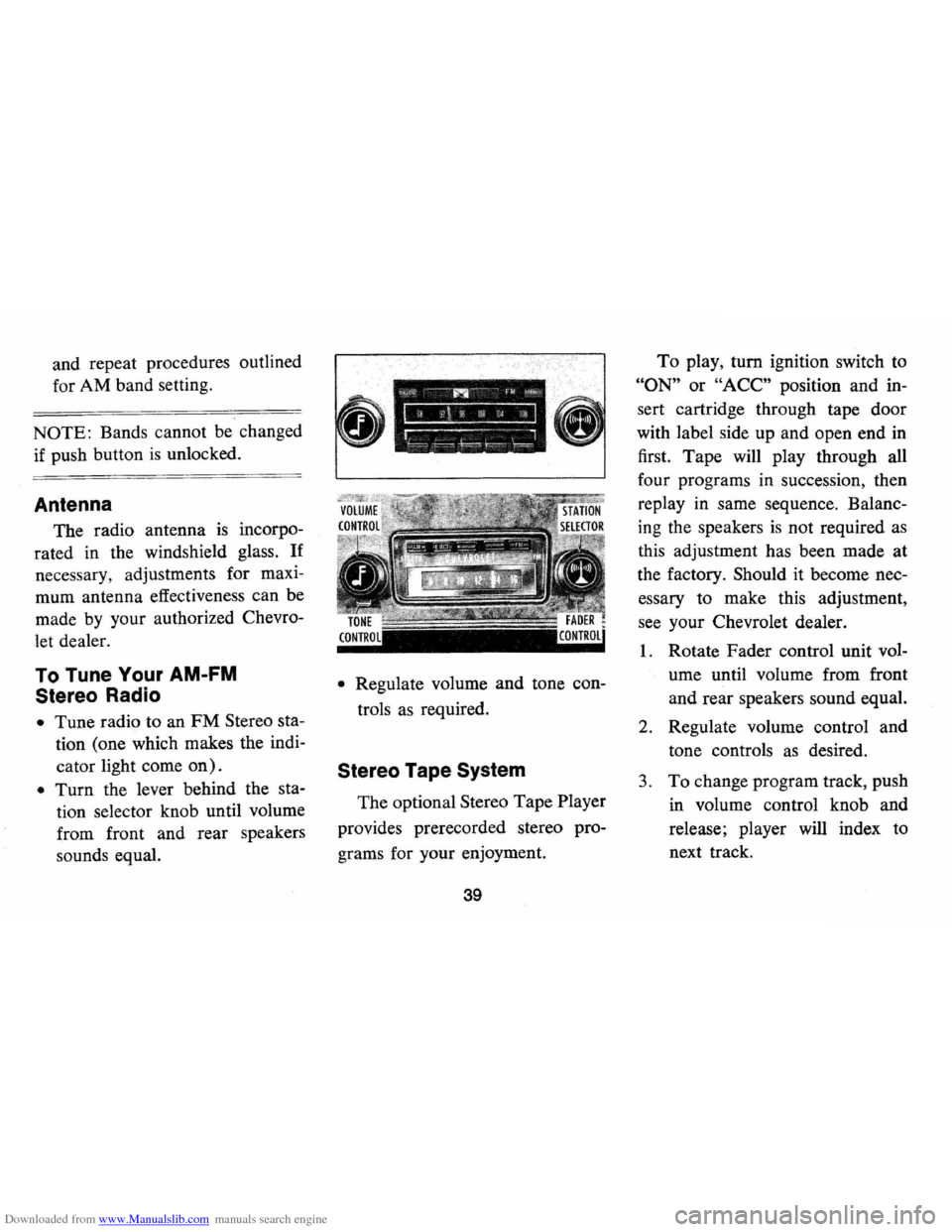
To Tune Your AM-FM
Stereo Radio
• Tune radio to an FM Stereo sta
tion (one which makes the indi
cator light come
on).
• Turn the lever behind the sta
tion selector knob until volume
from front and rear speakers
sounds equal.
• Regulate volume and tone con
trols
as required.
Stereo Tape System
The optional Stereo Tape Player
provides prerecorded stereo pro
grams for your enjoyment.
39
To play, turn ignition switch to
"ON" or "ACC" position and in
sert cartridge through tape door
with label side up and open end
in
first. Tape will play through all
four programs in succession , then
replay in same sequence. Balanc
ing the speakers
is not required as
this adjustment has been made at
the factory. Should it become nec
essary to make this adjustment,
see your Chevrolet dealer.
1. Rotate Fader control unit vol
ume until volume from front
and rear speakers sound equal.
2. Regulate volume control and
tone controls
as desired.
3. To change program track, push
in volume control knob and
release; player will index to
next track.
Page 42 of 86
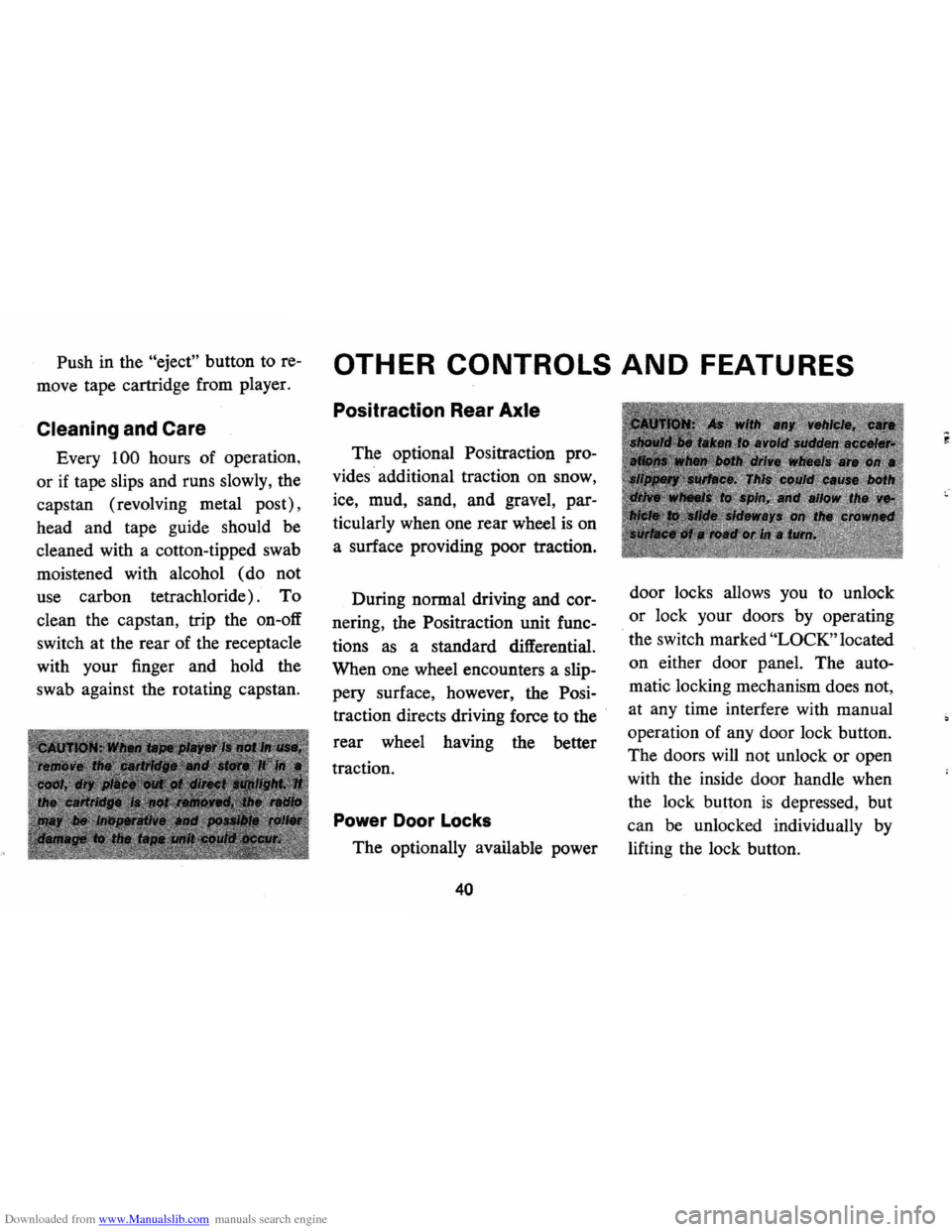
Downloaded from www.Manualslib.com manuals search engine Push in the "eject" button to re
move tape cartridge from player.
Cleaning and Care
Every 100 hours of operation ,
or
if tape slips and runs slowly, the
capstan (revolving metal post) ,
head and tape guide should be
cleaned with a cotton-tipped swab
moistened with alcohol (do not
use carbon tetrachloride) . To
clean the capstan , trip the on-off
switch at the rear of the receptacle
with your finger and hold the
swab against the rotating capstan.
OTHER CONTROLS AND FEATURES
Positraction Rear Axle
The optional Positraction pro
vides · additional traction on snow,
ice, mud, sand, and gravel, par
ticularly when one rear wheel
is on
a surface providing poor traction.
During normal driving and cor
nering , the Positraction unit func
tions as a standard differential.
When one wheel encounters a slip
pery surface, however, the Posi
traction directs driving force to the
.
rear wheel having the better
traction.
Power Door Locks
The optionally available power
40
door locks allows you to unlock
or lock your doors by operating
the switch marked
"LOCK" located
on either door panel. The auto
matic locking mechanism does not,
at any time interfere with manual
operation of any door lock button.
The doors
will not unlock or open
with the inside door handle when
the lock button
is depressed, but
can be unlocked individually by
lifting the lock button.