2024 CHEVROLET SILVERADO EV heated
[x] Cancel search: heatedPage 8 of 429

Chevrolet Silverado EV Owner Manual (GMNA-Localizing-U.S./Canada-
16702912) - 2024 - CRC - 1/17/23
Introduction 7
1.Air Vents 0177.
2. Windshield Wiper/Washer 098.
Turn and Lane-Change Signals 0143.
3. Regenerative Braking 0206.
4. Instrument Cluster (Base Level) 0107 or
Instrument Cluster (Uplevel) 0109.
5. Driver Monitoring System.
6. Shift Switches. See Electric Drive Unit
0 200.
7. Infotainment Controls. See Overview
0 148.
8. Infotainment Display. See AM-FM Radio
0 152.
9. Light Sensor. See Automatic Headlamp
System 0142.
Vehicle Alarm System. See Vehicle
Security 032.
10. Dual Automatic Climate Control System
0174.
11. USB Port 0154.
12. Power Outlets 099.
13. Wireless Charging 0104. 14.
Steering Wheel Controls 0149.
Driver Information Center (DIC) Controls.
See Driver Information Center (DIC) (Base
Level) 0129 or
Driver Information Center (DIC) (Uplevel)
0 130.
15. Horn 098.
16. Steering Wheel Adjustment 097 (Out
of View).
17. Trailer Brake Control Panel. See “Integrated Trailer Brake Control System”
under Towing Equipment 0301.
18. Adaptive Cruise Control (Advanced) 0217.
Forward Collision Alert (FCA) System
0 261.
Heated Steering Wheel 097 (If
Equipped).
19. Data Link Connector (DLC) (Out of View). SeeService Vehicle Soon Light (Propulsion
System Failure) 0115.
20. Manual Hood Release.
21. Fuse Block Cover. 22.
Electric Parking Brake 0205.
Air Suspension 0211.
Lane Keep Assist (LKA) 0274.
Power Hood Release. See Hood019.
Power Tailgate Release. See Tailgate
0 28.
Instrument Panel Illumination Control
0 143.
Page 9 of 429
Chevrolet Silverado EV Owner Manual (GMNA-Localizing-U.S./Canada-
16702912) - 2024 - CRC - 1/23/23
8 Keys, Doors, and Windows
Keys, Doors, and
Windows
Keys and Locks
Keys . . . . . . . . . . . . . . . . . . . . . . . . . . . . . . . . . . . . . 8
Remote Key . . . . . . . . . . . . . . . . . . . . . . . . . . . . . 9
Remote Key Operation . . . . . . . . . . . . . . . . . . 9
Remote Vehicle Start . . . . . . . . . . . . . . . . . . . 14
Door Locks . . . . . . . . . . . . . . . . . . . . . . . . . . . . . . 15
Power Door Locks . . . . . . . . . . . . . . . . . . . . . . . 16
Delayed Locking . . . . . . . . . . . . . . . . . . . . . . . . 16
Automatic Door Locks . . . . . . . . . . . . . . . . . . . 17
Lockout Protection . . . . . . . . . . . . . . . . . . . . . . 17
Safety Locks . . . . . . . . . . . . . . . . . . . . . . . . . . . . 17
Digital Key . . . . . . . . . . . . . . . . . . . . . . . . . . . . . 18
Doors
Hood . . . . . . . . . . . . . . . . . . . . . . . . . . . . . . . . . . . 19
Midgate . . . . . . . . . . . . . . . . . . . . . . . . . . . . . . . . 23
Tailgate . . . . . . . . . . . . . . . . . . . . . . . . . . . . . . . . 28
Vehicle Security
Vehicle Security . . . . . . . . . . . . . . . . . . . . . . . . 32
Vehicle Alarm System . . . . . . . . . . . . . . . . . . 33
Immobilizer . . . . . . . . . . . . . . . . . . . . . . . . . . . . . 33
Immobilizer Operation . . . . . . . . . . . . . . . . . . 33
Exterior Mirrors
Power Mirrors . . . . . . . . . . . . . . . . . . . . . . . . . . 34
Folding Mirrors . . . . . . . . . . . . . . . . . . . . . . . . . 35
Heated Mirrors . . . . . . . . . . . . . . . . . . . . . . . . . 36
Automatic Dimming Mirror . . . . . . . . . . . . . 36
Reverse Tilt Mirrors . . . . . . . . . . . . . . . . . . . . 36
Interior Mirrors
Interior Rearview Mirrors . . . . . . . . . . . . . . . 36
Manual Rearview Mirror . . . . . . . . . . . . . . . . 36
Automatic Dimming Rearview Mirror . . . 36
Rear Camera Mirror . . . . . . . . . . . . . . . . . . . . 36
Windows
Windows . . . . . . . . . . . . . . . . . . . . . . . . . . . . . . . 38
Power Windows . . . . . . . . . . . . . . . . . . . . . . . . 39
Sun Visors . . . . . . . . . . . . . . . . . . . . . . . . . . . . . 40
Keys and Locks
Keys
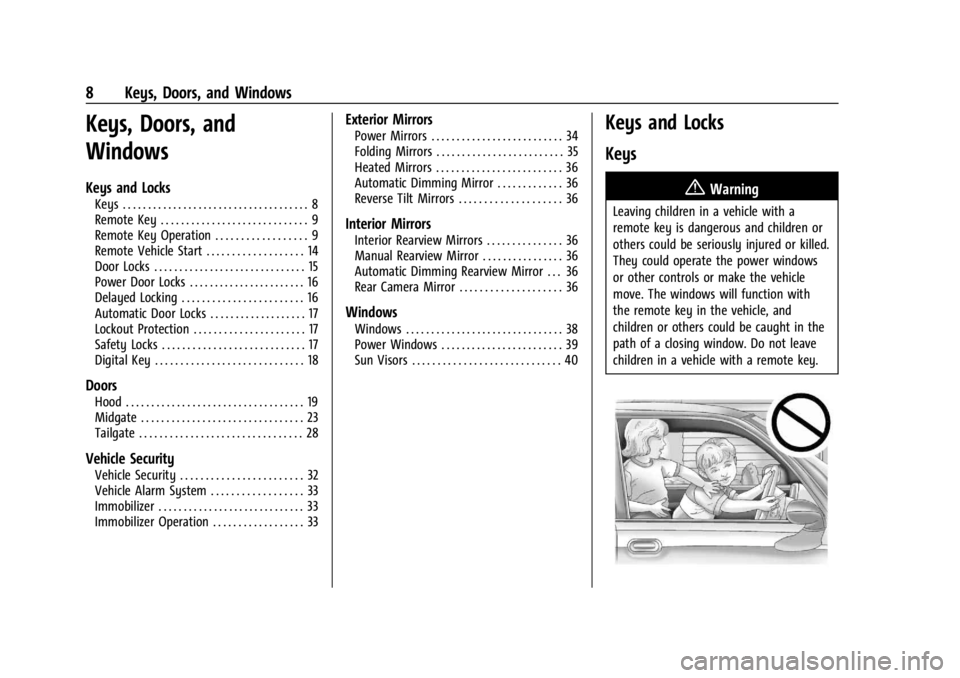
{Warning
Leaving children in a vehicle with a
remote key is dangerous and children or
others could be seriously injured or killed.
They could operate the power windows
or other controls or make the vehicle
move. The windows will function with
the remote key in the vehicle, and
children or others could be caught in the
path of a closing window. Do not leave
children in a vehicle with a remote key.
Page 37 of 429
Chevrolet Silverado EV Owner Manual (GMNA-Localizing-U.S./Canada-
16702912) - 2024 - CRC - 1/23/23
36 Keys, Doors, and Windows
Heated Mirrors
To heat the mirrors, pressKon the
infotainment display.
See “Rear Window Defogger” underDual
Automatic Climate Control System 0174.
Automatic Dimming Mirror
The driver outside mirror automatically
adjusts for the glare of the headlamps from
behind. This feature comes on when the
vehicle is started.
Reverse Tilt Mirrors
If equipped with reverse tilt mirrors and
memory seats, the passenger and/or driver
mirror tilts to a preselected position when
the vehicle is in R (Reverse). This allows the
curb to be seen when parallel parking.
The mirror(s) may move from their tilted
position when:
.The vehicle is shifted out of R (Reverse) or
remains in R (Reverse) for about
30 seconds.
.The vehicle is turned off.
.The vehicle is driven in R (Reverse) above
a set speed. To view available settings from the
infotainment screen, touch Settings >
Vehicle > Comfort and Convenience.
Interior Mirrors
Interior Rearview Mirrors
Adjust the rearview mirror for a clear view
of the area behind the vehicle.
Do not spray glass cleaner directly on the
mirror. Use a soft towel dampened with
water.
Manual Rearview Mirror
If equipped, push the tab forward for
daytime use and pull it rearward for
nighttime use to avoid glare of the
headlamps from behind.
Automatic Dimming Rearview
Mirror
If equipped, automatic dimming reduces the
glare of headlamps from behind. The
dimming feature comes on when the vehicle
is started.
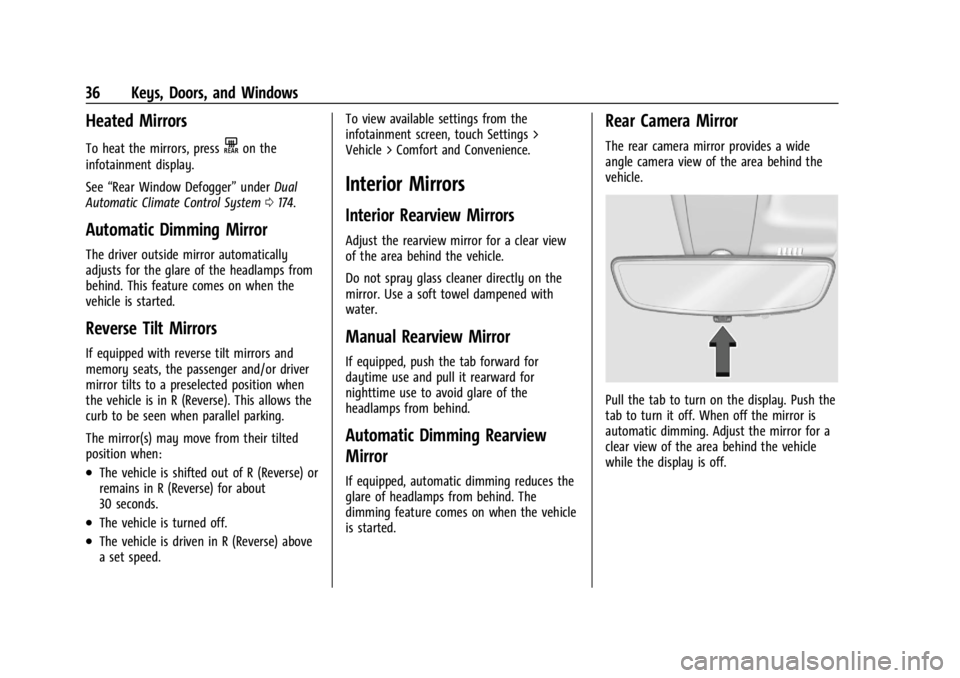
Rear Camera Mirror
The rear camera mirror provides a wide
angle camera view of the area behind the
vehicle.
Pull the tab to turn on the display. Push the
tab to turn it off. When off the mirror is
automatic dimming. Adjust the mirror for a
clear view of the area behind the vehicle
while the display is off.
Page 42 of 429
Chevrolet Silverado EV Owner Manual (GMNA-Localizing-U.S./Canada-
16702912) - 2024 - CRC - 1/13/23
Seats and Restraints 41
Seats and Restraints
Head Restraints
Head Restraints . . . . . . . . . . . . . . . . . . . . . . . . . 41
Front Seats
Seat Adjustment . . . . . . . . . . . . . . . . . . . . . . . . 43
Power Seat Adjustment . . . . . . . . . . . . . . . . 43
Reclining Seatbacks . . . . . . . . . . . . . . . . . . . . . 43
Lumbar Adjustment . . . . . . . . . . . . . . . . . . . . 45
Memory Seats . . . . . . . . . . . . . . . . . . . . . . . . . . 45
Heated and Ventilated Front Seats . . . . . 47
Rear Seats
Rear Seats . . . . . . . . . . . . . . . . . . . . . . . . . . . . . . 49
Heated Rear Seats . . . . . . . . . . . . . . . . . . . . . . 51
Seat Belts
Seat Belts . . . . . . . . . . . . . . . . . . . . . . . . . . . . . . 52
Buckle To Drive . . . . . . . . . . . . . . . . . . . . . . . . . 53
How to Wear Seat Belts Properly . . . . . . 54
Lap-Shoulder Belt . . . . . . . . . . . . . . . . . . . . . . . 56
Seat Belt Use During Pregnancy . . . . . . . . 58
Seat Belt Extender . . . . . . . . . . . . . . . . . . . . . . 59
Safety System Check . . . . . . . . . . . . . . . . . . . 59
Seat Belt Care . . . . . . . . . . . . . . . . . . . . . . . . . . 59
Replacing Seat Belt System Parts after aCrash . . . . . . . . . . . . . . . . . . . . . . . . . . . . . . . . . 59
Airbag System
Airbag System . . . . . . . . . . . . . . . . . . . . . . . . . 60
Where Are the Airbags? . . . . . . . . . . . . . . . . 61
When Should an Airbag Inflate? . . . . . . . . 62
What Makes an Airbag Inflate? . . . . . . . . . 63
How Does an Airbag Restrain? . . . . . . . . . 63
What Will You See after an AirbagInflates? . . . . . . . . . . . . . . . . . . . . . . . . . . . . . . 64
Passenger Sensing System . . . . . . . . . . . . . 65
Servicing the Airbag-Equipped Vehicle . . . . . . . . . . . . . . . . . . . . . . . . . . . . . . . 68
Adding Equipment to the Airbag-Equipped Vehicle . . . . . . . . . . . . . . 68
Airbag System Check . . . . . . . . . . . . . . . . . . . 69
Replacing Airbag System Parts after a Crash . . . . . . . . . . . . . . . . . . . . . . . . . . . . . . . . . 69
Child Restraints
Older Children . . . . . . . . . . . . . . . . . . . . . . . . . . 70
Infants and Young Children . . . . . . . . . . . . . 71
Child Restraint Systems . . . . . . . . . . . . . . . . . 73
Where to Put the Restraint . . . . . . . . . . . . . 75
Lower Anchors and Tethers for Children(LATCH System) . . . . . . . . . . . . . . . . . . . . . . . 76
Replacing LATCH System Parts After a Crash . . . . . . . . . . . . . . . . . . . . . . . . . . . . . . . . . 85
Securing Child Restraints (With the Seat Belt in the Rear Seat) . . . . . . . . . . . . . . . . 86
Securing Child Restraints (With the Seat Belt in the Front Passenger Seat) . . . . . 88
Head Restraints
{
Warning
With head restraints that are not
installed and adjusted properly, there is a
greater chance that occupants will suffer
a neck/spinal injury in a crash. Do not
drive until the head restraints for all
occupants are installed and adjusted
properly.
Front Seats
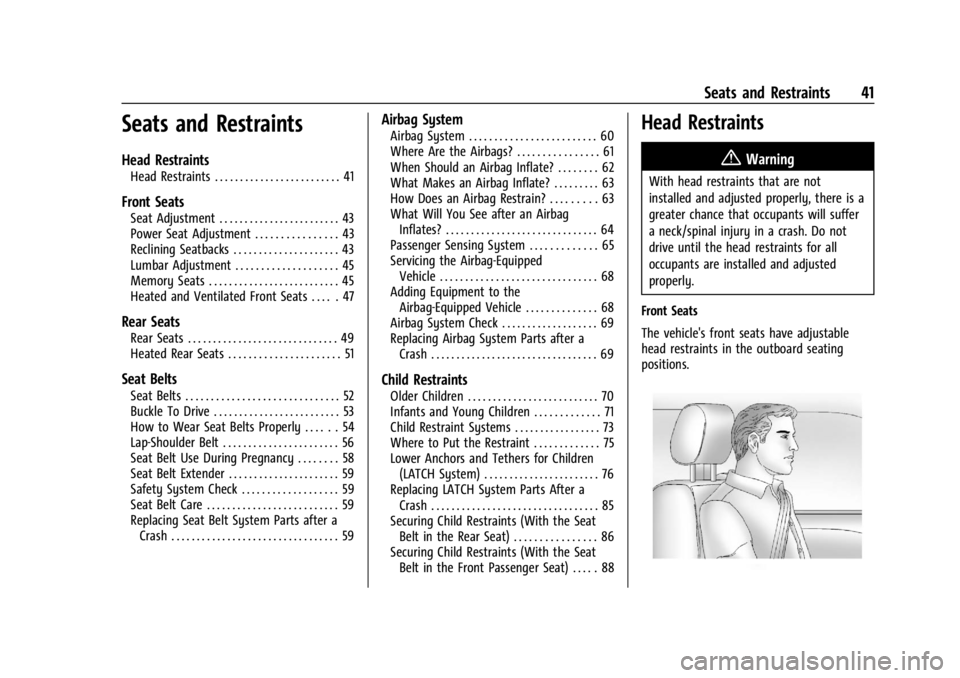
The vehicle's front seats have adjustable
head restraints in the outboard seating
positions.
Page 48 of 429
Chevrolet Silverado EV Owner Manual (GMNA-Localizing-U.S./Canada-
16702912) - 2024 - CRC - 1/13/23
Seats and Restraints 47
If the memory seat recalls to the wrong
position, remote key number 1 or 2 may not
match the memory button number positions
they were saved to. Try the other remote
key or try saving the positions to the other
1 or 2 memory button. See“Saving Seating
Positions” previously in this section.
Automatic Seat Entry Memory recalls are
only available for remote key numbers 1 and
2. Remote keys 3–8 will not provide Seat
Entry Memory recalls.
Auto Seat Exit Memory Recall
Seat Exit Memory will begin movement to
the seating position of the
B
button when:
.The vehicle is turned off and the driver
door is open or opened within a
short time.
.A seating position has been previously
been saved to the
Bmemory button.
See “Saving Seating Positions” previously
in this section.
.Seat Exit Memory is enabled. See
“Enabling Automatic Recalls” previously in
this section.
.The vehicle is in P (Park). Seat Exit Memory recall will continue if the
vehicle is shifted out of P (Park) prior to
reaching the saved memory position.
Seat Exit Memory is not linked to a remote
key. The seating position saved to
Bis
used for all drivers.
Cancel Memory Seating Recalls
.During any memory recall:
Press a power seat control
Press SET memory button
.During Manual memory recall:
Release 1, 2, or
Bmemory button
.During Auto Seat Entry Memory Recall:
Turn vehicle off
Press SET, 1, 2, or
Bmemory buttons
.During Auto Seat Exit Memory Recall:
Press SET, 1, 2, or
Bmemory buttons
Obstructions
If something has blocked the seat while
recalling a memory position, the recall may
stop. Remove the obstruction and try the
recall again. If the memory position still
does not recall, see your dealer.
Heated and Ventilated Front
Seats
{Warning
If temperature change or pain to the skin
cannot be felt, the seat heater may cause
burns. To reduce the risk of burns, use
care when using the seat heater,
especially for long periods of time. Do
not place anything on the seat that
insulates against heat, such as a blanket,
cushion, cover, or similar item. This may
cause the seat heater to overheat. An
overheated seat heater may cause a burn
or may damage the seat.
Page 49 of 429
Chevrolet Silverado EV Owner Manual (GMNA-Localizing-U.S./Canada-
16702912) - 2024 - CRC - 1/13/23
48 Seats and Restraints
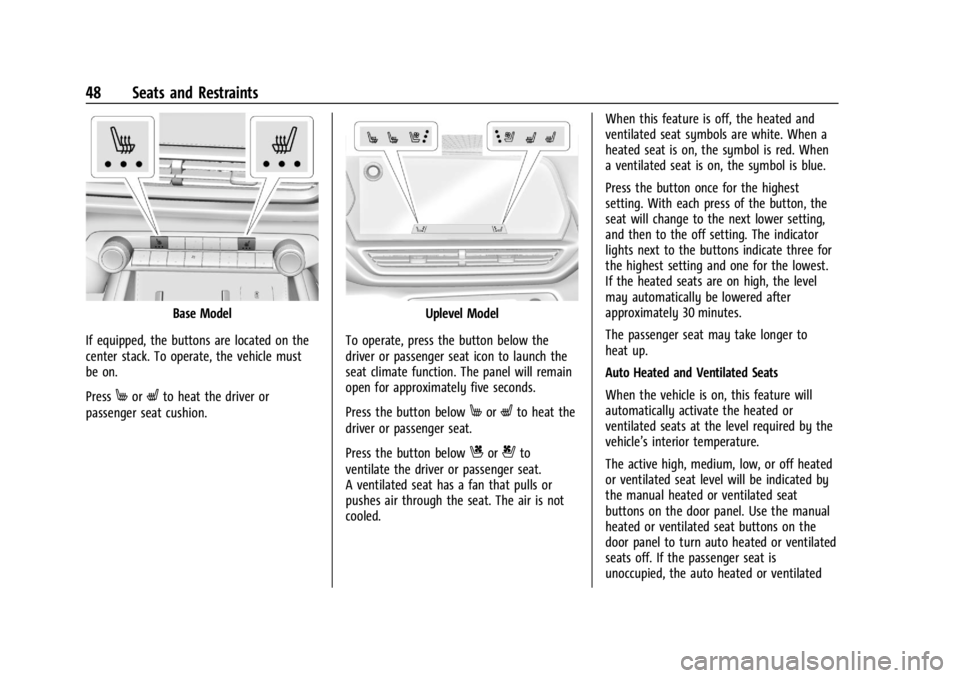
Base Model
If equipped, the buttons are located on the
center stack. To operate, the vehicle must
be on.
Press
MorLto heat the driver or
passenger seat cushion.
Uplevel Model
To operate, press the button below the
driver or passenger seat icon to launch the
seat climate function. The panel will remain
open for approximately five seconds.
Press the button below
MorLto heat the
driver or passenger seat.
Press the button below
Cor{to
ventilate the driver or passenger seat.
A ventilated seat has a fan that pulls or
pushes air through the seat. The air is not
cooled. When this feature is off, the heated and
ventilated seat symbols are white. When a
heated seat is on, the symbol is red. When
a ventilated seat is on, the symbol is blue.
Press the button once for the highest
setting. With each press of the button, the
seat will change to the next lower setting,
and then to the off setting. The indicator
lights next to the buttons indicate three for
the highest setting and one for the lowest.
If the heated seats are on high, the level
may automatically be lowered after
approximately 30 minutes.
The passenger seat may take longer to
heat up.
Auto Heated and Ventilated Seats
When the vehicle is on, this feature will
automatically activate the heated or
ventilated seats at the level required by the
vehicle’s interior temperature.
The active high, medium, low, or off heated
or ventilated seat level will be indicated by
the manual heated or ventilated seat
buttons on the door panel. Use the manual
heated or ventilated seat buttons on the
door panel to turn auto heated or ventilated
seats off. If the passenger seat is
unoccupied, the auto heated or ventilated
Page 50 of 429

Chevrolet Silverado EV Owner Manual (GMNA-Localizing-U.S./Canada-
16702912) - 2024 - CRC - 1/13/23
Seats and Restraints 49
seats feature will not activate that seat. To
enable or disable auto heated or ventilated
seats, select Settings > Vehicle > Climate
and Air Quality > Auto Cooled or Auto
Heated Seats > ON or OFF.
Remote Start Heated and Ventilated Seats
During a remote start, the heated or
ventilated seats, if equipped, can be turned
on automatically. When it is cold outside,
the heated seats turn on, and when it is hot
outside the ventilated seats turn on. If the
auto heated or ventilated seats feature is
not on when then vehicle is turned on, the
heated or ventilated seats may be canceled.
If necessary, press the heated or ventilated
seat button to use the heated or ventilated
seats after the vehicle is started.
The heated or ventilated seat indicator lights
may turn on during a remote start.
The temperature performance of an
unoccupied seat may be reduced. This is
normal.
To enable or disable remote start heated or
ventilated seats, select Settings > Vehicle >
Remote Lock, Unlock, and Start > Remote
Start Auto Heat Seats or Remote Start Auto
Cool Seats > ON or OFF. SeeRemote Vehicle
Start 014.Rear Seats
Rear Seat Reminder
If equipped, the message REAR SEAT
REMINDER LOOK IN REAR SEAT displays
under certain conditions indicating there
may be an item or passenger in the rear
seat. Check before exiting the vehicle.
This feature will activate when a second row
door is opened while the vehicle is on or up
to 10 minutes before the vehicle is turned
on. There will be an alert when the vehicle
is turned off. The alert does not directly
detect objects in the rear seat; instead,
under certain conditions, it detects when a
rear door is opened and closed, indicating
that there may be something in the
rear seat.
The feature is active only once each time
the vehicle is turned on and off, and will
require reactivation by opening and closing
the second row doors. There may be an
alert even when there is nothing in the rear
seat; for example, if a child entered the
vehicle through the rear door and left the
vehicle without the vehicle being shut off. The feature can be turned on or off. Select
Settings > Vehicle > Rear Seat Reminder >
ON or OFF.Folding the Rear Seat Cushion (Uplevel
Models)
Either side of the rear seat cushion can be
folded down for added cargo space.
{Warning
Folding a rear seat with the seat belts
still fastened may cause damage to the
seat or the seat belts. Always unbuckle
the seat belts and return them to their
normal stowed position before folding a
rear seat.
{Warning
Do not operate the vehicle with the rear
seat cushion(s) folded down and the rear
seatbacks in the upright position. The
folded seat cushion is not locked. It can
move when the vehicle is in motion.
People in the vehicle could be injured in a
sudden stop or crash. Be sure to return
the seat cushion to the seating position
(Continued)
Page 52 of 429
Chevrolet Silverado EV Owner Manual (GMNA-Localizing-U.S./Canada-
16702912) - 2024 - CRC - 1/13/23
Seats and Restraints 51
Raising the Seatback (Uplevel Models)
{Warning
A seat belt that is improperly routed, not
properly attached, or twisted will not
provide the protection needed in a crash.
The person wearing the belt could be
seriously injured. After restoring the seat
to the normal seating position, always
check to be sure that the seat belts are
properly routed and attached, and are
not twisted.
1. Lift the seatback and push it rearward to lock it in place.
Make sure the seat belts are not pinched
by the seatback locking mechanism.
2. Push and pull the top of the seatback to be sure it is locked into position.
If additional cargo space is not needed, the
seatbacks should be kept in the upright,
locked position.
Folding the Rear Seat Cushion (Base
Models)
Either side of the rear seat cushion can be
folded up for added cargo space.
{Warning
Folding a rear seat with the seat belts
still fastened may cause damage to the
seat or the seat belts. Always unbuckle
the seat belts and return them to their
normal stowed position before folding a
rear seat.
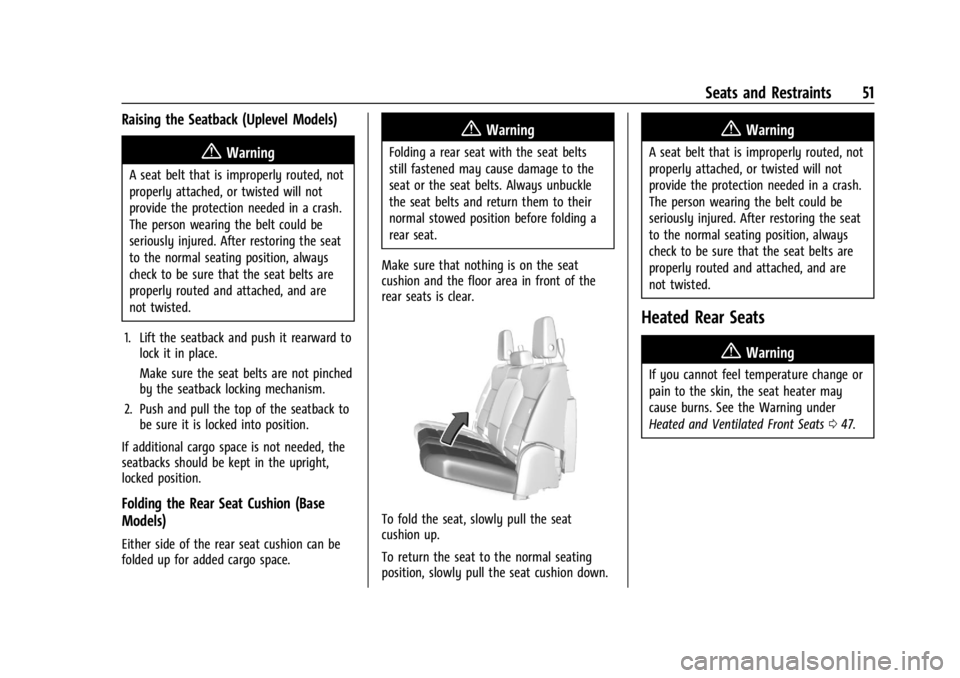
Make sure that nothing is on the seat
cushion and the floor area in front of the
rear seats is clear.
To fold the seat, slowly pull the seat
cushion up.
To return the seat to the normal seating
position, slowly pull the seat cushion down.
{Warning
A seat belt that is improperly routed, not
properly attached, or twisted will not
provide the protection needed in a crash.
The person wearing the belt could be
seriously injured. After restoring the seat
to the normal seating position, always
check to be sure that the seat belts are
properly routed and attached, and are
not twisted.
Heated Rear Seats
{Warning
If you cannot feel temperature change or
pain to the skin, the seat heater may
cause burns. See the Warning under
Heated and Ventilated Front Seats 047.