2024 CADILLAC XT4 Green
[x] Cancel search: GreenPage 93 of 373

Cadillac XT4 Owner Manual (GMNA-Localizing-U.S./Canada/Mexico-
17180837) - 2024 - CRC - 2/28/23
92 Instruments and Controls
{Warning
Wireless charging may affect the
operation of an implanted pacemaker or
other medical devices. If you have one, it
is recommended to consult with your
doctor before using the wireless charging
system.
The vehicle must be on, in accessory mode,
or Retained Accessory Power (RAP) must be
active. The wireless charging feature may
not correctly indicate charging when the
vehicle is in RAP, during a Bluetooth phone
call, or when phone projection (e.g. Apple
CarPlay / Android Auto) is active. See
Retained Accessory Power (RAP) 0179.
The operating temperature is −40 °C (−40 °F)
to 85 °C (185 °F) for the charging system and
0 °C (32 °F) to 35 °C (95 °F) for the phone.
A charging stopped alert may be displayed
on the infotainment screen, if the wireless
charger or smartphone are outside of
normal operating temperature. Charging will
automatically resume when a normal
operating temperature is reached.
{Warning
Remove all objects from the charger
before charging your compatible
smartphone. Objects, such as coins, keys,
rings, paper clips, or cards, between the
smartphone and charger may become
very hot.
On the rare occasion that the charging
system does not detect an object, and
the object gets wedged between the
smartphone and charger, remove the
smartphone and allow the object to cool
before removing it from the charger, to
prevent burns.
To charge a compatible smartphone:
1. Confirm the smartphone is capable of wireless charging.
2. Remove all objects from the charging pad. The system may not charge if there
are any objects between the smartphone
and charger.
3. Place the smartphone face up against the rear of the charger.
To maximize the charge rate, ensure the
smartphone is fully seated and centered
in the holder with nothing under it.
A thick smartphone case may prevent
the charger from working, or reduce the
charging performance. See your dealer
for additional information.
4. A green
]will appear on the
infotainment display, next to the phone
icon. This indicates that the smartphone
is detected.
5. If a smartphone is placed on the charger and
]turns off or turns yellow, remove
the smartphone and any objects from
the pad. Turn the smartphone
180 degrees and wait a few seconds
before placing/aligning it on the pad
again.
Page 98 of 373
Cadillac XT4 Owner Manual (GMNA-Localizing-U.S./Canada/Mexico-
17180837) - 2024 - CRC - 2/28/23
Instruments and Controls 97
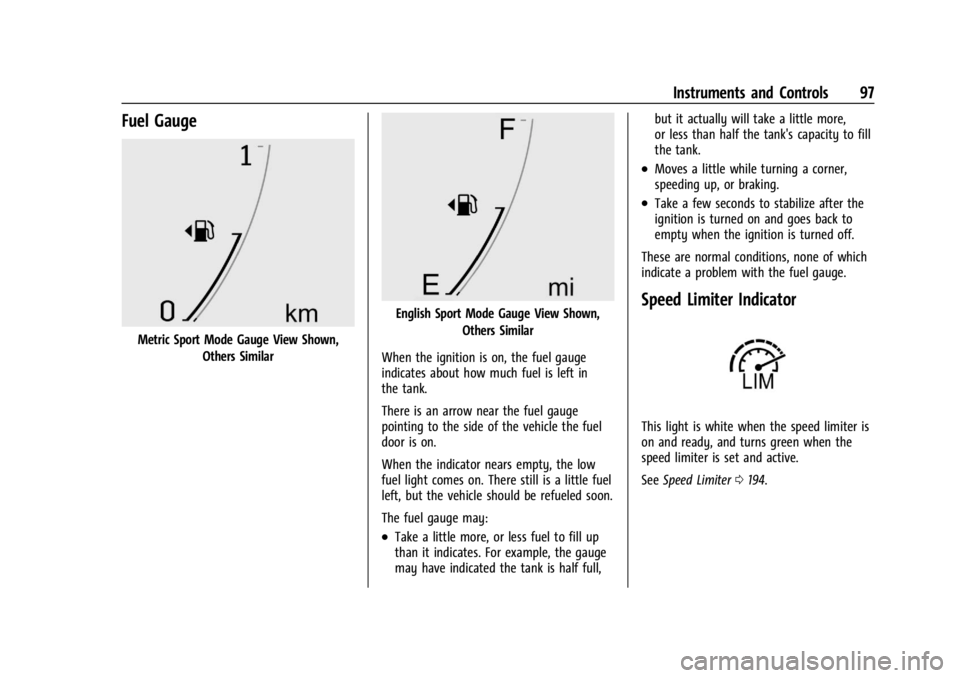
Fuel Gauge
Metric Sport Mode Gauge View Shown,Others Similar
English Sport Mode Gauge View Shown, Others Similar
When the ignition is on, the fuel gauge
indicates about how much fuel is left in
the tank.
There is an arrow near the fuel gauge
pointing to the side of the vehicle the fuel
door is on.
When the indicator nears empty, the low
fuel light comes on. There still is a little fuel
left, but the vehicle should be refueled soon.
The fuel gauge may:
.Take a little more, or less fuel to fill up
than it indicates. For example, the gauge
may have indicated the tank is half full, but it actually will take a little more,
or less than half the tank's capacity to fill
the tank.
.Moves a little while turning a corner,
speeding up, or braking.
.Take a few seconds to stabilize after the
ignition is turned on and goes back to
empty when the ignition is turned off.
These are normal conditions, none of which
indicate a problem with the fuel gauge.
Speed Limiter Indicator
This light is white when the speed limiter is
on and ready, and turns green when the
speed limiter is set and active.
See Speed Limiter 0194.
Page 102 of 373
Cadillac XT4 Owner Manual (GMNA-Localizing-U.S./Canada/Mexico-
17180837) - 2024 - CRC - 2/28/23
Instruments and Controls 101
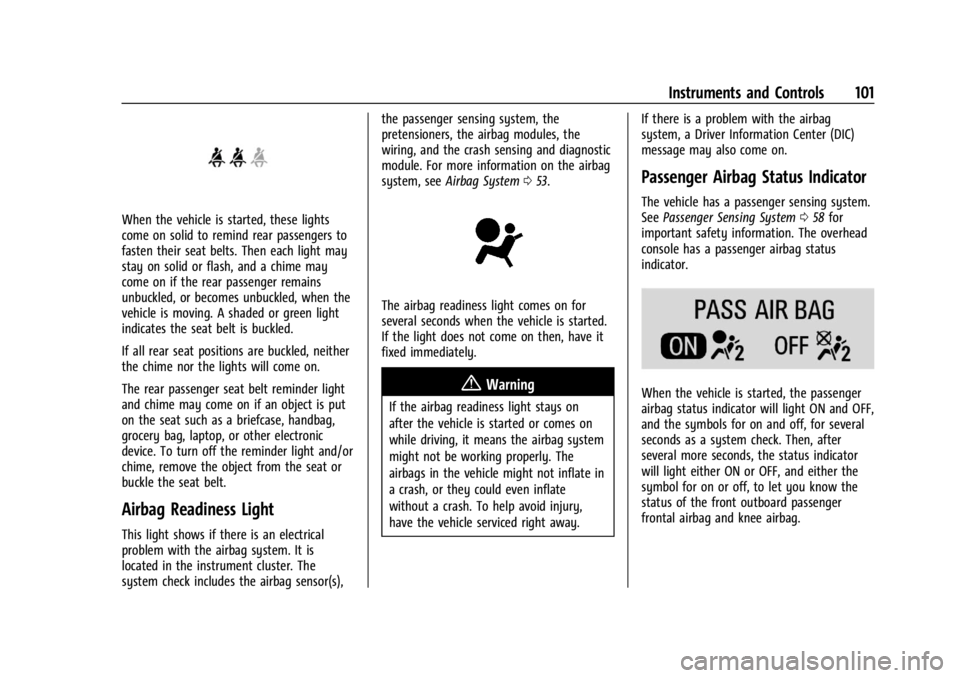
When the vehicle is started, these lights
come on solid to remind rear passengers to
fasten their seat belts. Then each light may
stay on solid or flash, and a chime may
come on if the rear passenger remains
unbuckled, or becomes unbuckled, when the
vehicle is moving. A shaded or green light
indicates the seat belt is buckled.
If all rear seat positions are buckled, neither
the chime nor the lights will come on.
The rear passenger seat belt reminder light
and chime may come on if an object is put
on the seat such as a briefcase, handbag,
grocery bag, laptop, or other electronic
device. To turn off the reminder light and/or
chime, remove the object from the seat or
buckle the seat belt.
Airbag Readiness Light
This light shows if there is an electrical
problem with the airbag system. It is
located in the instrument cluster. The
system check includes the airbag sensor(s),the passenger sensing system, the
pretensioners, the airbag modules, the
wiring, and the crash sensing and diagnostic
module. For more information on the airbag
system, see
Airbag System 053.
The airbag readiness light comes on for
several seconds when the vehicle is started.
If the light does not come on then, have it
fixed immediately.
{Warning
If the airbag readiness light stays on
after the vehicle is started or comes on
while driving, it means the airbag system
might not be working properly. The
airbags in the vehicle might not inflate in
a crash, or they could even inflate
without a crash. To help avoid injury,
have the vehicle serviced right away. If there is a problem with the airbag
system, a Driver Information Center (DIC)
message may also come on.
Passenger Airbag Status Indicator
The vehicle has a passenger sensing system.
See
Passenger Sensing System 058 for
important safety information. The overhead
console has a passenger airbag status
indicator.
When the vehicle is started, the passenger
airbag status indicator will light ON and OFF,
and the symbols for on and off, for several
seconds as a system check. Then, after
several more seconds, the status indicator
will light either ON or OFF, and either the
symbol for on or off, to let you know the
status of the front outboard passenger
frontal airbag and knee airbag.
Page 106 of 373

Cadillac XT4 Owner Manual (GMNA-Localizing-U.S./Canada/Mexico-
17180837) - 2024 - CRC - 2/28/23
Instruments and Controls 105
This light should come on briefly when the
vehicle is turned on. If it does not come on,
have it fixed so it will be ready to warn if
there is a problem.
If this light stays on or comes on while
driving, there is a problem with the Electric
Parking Brake (EPB). Take the vehicle to a
dealer as soon as possible. In addition to the
parking brake, other safety functions that
utilize the EPB may also be degraded.
A message may also display in the Driver
Information Center (DIC). SeeElectric Parking
Brake 0187.
Antilock Brake System (ABS)
Warning Light
This light comes on briefly when the vehicle
is turned on to show that the light is
working. If it does not come on then, have
it fixed so it will be ready to warn you if
there is a problem. If the ABS warning light stays on, or comes
on again while driving, the vehicle needs
service. A chime may also sound when the
light stays on.
If the ABS warning light is the only light on,
the vehicle has regular brakes, but ABS is
not functioning.
If both the ABS warning light and the brake
system warning light are on, ABS is not
functioning and there is a problem with the
regular brakes. See your dealer for service.
See
Brake System Warning Light 0104.
Gear Shifting Light
If equipped, this light comes on when a gear
shift is recommended for best fuel economy.
When the arrow is pointed up, an upshift is
recommended. When the arrow is pointed
down, a downshift is recommended. The
number displayed with the arrow indicates
the recommended gear.
Performance Shifting Light
If equipped, this light may display green
when Sport Mode is activated and certain
driving conditions are met. Sport Mode
detects when the vehicle is being driven in a
sporty manner, and adjusts the shifting of
the gears accordingly. See Driver Mode
Control 0190.
All-Wheel-Drive Light
All-Wheel-Drive LightFront-Wheel-Drive
Light
If equipped, the corresponding light comes
on when an All-Wheel Drive (AWD) mode or
Front-Wheel-Drive mode is selected. See
All-Wheel Drive 0186.
Page 107 of 373

Cadillac XT4 Owner Manual (GMNA-Localizing-U.S./Canada/Mexico-
17180837) - 2024 - CRC - 2/28/23
106 Instruments and Controls
If the light turns amber, there may be a
malfunction. See your dealer.
Lane Keep Assist (LKA) Light
If equipped, the Lane Keep Assist Light may
display the following colors:
.Blank: LKA is disabled.
.White: Appears when the vehicle starts.
A steady white light indicates that LKA is
not ready to assist.
.Green: Appears when LKA is turned on
and ready to assist. LKA will gently turn
the steering wheel if the vehicle
approaches a detected lane marking.
.Amber: Appears when LKA is active. The
light flashes amber as a Lane Departure
Warning (LDW) alert to indicate that the
lane marking has been unintentionally
crossed. If the system detects you are
steering intentionally (to pass or change
lanes), the LDW alert may not display.
The amber light also appears when the
Blind Zone Steering Assist detects apotential crash with a moving vehicle in
the lane you are entering. See
Blind Zone
Steering Assist (BZSA) 0243.
LKA will not assist or alert if the turn signal
is active in the direction of lane departure,
or if LKA detects that you are accelerating,
braking, or actively steering. See Lane Keep
Assist (LKA) 0245.
Automatic Emergency Braking
(AEB) Disabled Light
This indicator displays when you turn off
Automatic Emergency Braking (AEB) or Front
Pedestrian Braking (FPB).
This indicator will also display if AEB or FPB
is unavailable due to malfunction, weather
conditions, or if the windshield is not clean.
See Automatic Emergency Braking (AEB)
0 235.
See Front Pedestrian Braking (FPB) System
0 238.
Vehicle Ahead Indicator
If equipped, this indicator will display green
when a vehicle is detected ahead and amber
when you are following a vehicle ahead
much too closely.
See Forward Collision Alert (FCA) System
0 233.
Pedestrian Ahead Indicator
If equipped, this indicator will display amber
when a nearby pedestrian is detected in
front of the vehicle.
See Front Pedestrian Braking (FPB) System
0 238.
Page 112 of 373

Cadillac XT4 Owner Manual (GMNA-Localizing-U.S./Canada/Mexico-
17180837) - 2024 - CRC - 2/28/23
Instruments and Controls 111
Cruise Control Light
The cruise control light is white when the
cruise control is on and ready, and turns
green when the cruise control is set and
active.
SeeCruise Control 0192.
Adaptive Cruise Control Light
If equipped, this light is white when the
Adaptive Cruise Control (ACC) is on and
ready, and turns green when the ACC is set
and active. Curve Speed Control Light
If equipped, this light may illuminate green
when ACC is actively controlling the vehicle
speed and detects a sharp curve on the road
ahead.
ACC automatically slows the vehicle down
while navigating the curve and may increase
speed out of the curve, but will not exceed
the set speed.
See
Adaptive Cruise Control (Advanced)
0 196.
Super Cruise Light
If equipped, this light comes on to show the
status of Super Cruise. See Super Cruise
0 206.
Door Ajar Light
This light comes on when a door is open or
not securely latched. Before driving, check
that all doors are properly closed.
Information Displays
Driver Information Center (DIC)
The DIC is displayed in the instrument
cluster. It shows the status of many vehicle
systems.
DIC information is broken down into three
main zones:
Control Panel : A touchscreen display to left
of the instrument cluster.
Left Zone : Displays on the instrument
cluster to the left of the speedometer.
Right Zone : Displays on the instrument
cluster to the right of the speedometer.
Page 176 of 373
Cadillac XT4 Owner Manual (GMNA-Localizing-U.S./Canada/Mexico-
17180837) - 2024 - CRC - 2/28/23
Driving and Operating 175
The ignition will switch from accessory
mode to OFF after 10 minutes to prevent
battery rundown.
ON/RUN/START (Green Indicator Light) :This
mode is for driving and starting. With the
ignition off and the brake pedal applied,
pressing ENGINE START/STOP once will place
the ignition system in ON/RUN/START. Once
engine cranking begins, release the button.
Engine cranking will continue until the
engine starts. The ignition will then remain
on. See Starting the Engine 0175.
Service Mode
This mode is available to verify the proper
operation of the malfunction indicator lamp
as may be required for emissions inspection
purposes and for service and diagnostics.
See Automatic Transmission 0181.
With the vehicle off, and the brake pedal
not applied, pressing and holding ENGINE
START/STOP for more than five seconds will
place the vehicle in Service Mode. The
instruments and audio systems will operate
as they do in ON/RUN, but the vehicle will
not be able to be driven. The engine will not
start in Service Mode. Press ENGINE START/
STOP again to turn the vehicle off.Starting the Engine
Place the transmission in the proper gear,
P (Park) or N (Neutral). To restart the engine
when the vehicle is already moving, use
N (Neutral).
Caution
Do not try to shift to P (Park) if the
vehicle is moving. If you do, you could
damage the transmission. Shift to P (Park)
only when the vehicle is stopped.
Caution
If you add electrical parts or accessories,
you could change the way the engine
operates. Any resulting damage would
not be covered by the vehicle warranty.
See Add-On Electrical Equipment 0259.
To start the vehicle: 1. With the Keyless Access system, the remote key must be in the vehicle. Press
ENGINE START/STOP with the brake pedal
applied. When the engine begins
cranking, let go of the button. The idle
speed will go down as the engine warms
up. Do not race the engine immediately
after starting it. If the remote key is not in the vehicle,
if there is interference, or if the remote
key battery is low, a Driver Information
Center (DIC) message will display. See
Remote Key Operation
08.
Caution
Cranking the engine for long periods of
time, by pressing ENGINE START/STOP
immediately after cranking has ended,
can overheat and damage the cranking
motor, and drain the battery. Wait at
least 15 seconds between each try, to let
the cranking motor cool down.
2. If the engine does not start after five to 10 seconds, especially in very cold
weather (below −18 °C or 0 °F), it could
be flooded with too much gasoline. Try
pushing the accelerator pedal all the way
to the floor and hold it there, then press
ENGINE START/STOP for up to a
maximum of 15 seconds. Wait at least
15 seconds between each try, to allow
the cranking motor to cool down. When
the engine starts, let go of the button
and the accelerator. If the vehicle starts
briefly but then stops again, do the
same thing. This clears the extra gasoline
from the engine. Do not race the engine
Page 194 of 373

Cadillac XT4 Owner Manual (GMNA-Localizing-U.S./Canada/Mexico-
17180837) - 2024 - CRC - 2/28/23
Driving and Operating 193
the first detent toward RES+. To increase
speed to the next 5 km/h (5 mph) mark on
the speedometer, press the thumbwheel up
to the second detent.
SET−:Move the thumbwheel down briefly
to set the speed and activate cruise control.
If the cruise control is already active, use to
decrease vehicle speed. To decrease speed
by 1 km/h (1 mph), move the thumbwheel
down toward SET−. To decrease speed to the
next 5 km/h (5 mph) mark on the
speedometer, move the thumbwheel down
toward SET− to the second detent.
*:Press to disengage cruise control
without erasing the set speed from memory.
Setting Cruise Control
If
Jis on when not in use, SET− or RES+
could get pressed and go into cruise when
not desired. Keep
Joff when cruise is not
being used.
1. Press
J.
2. Get up to the desired speed.
3. Move the thumbwheel down to SET−. The desired set speed briefly appears in
the instrument cluster.
4. Remove your foot from the accelerator. When the cruise control has been set to the
desired speed, a green cruise control
indicator appears on the instrument cluster
and a cruise set speed message appears on
the Head-Up Display (HUD), if equipped.
Resuming a Set Speed
If the cruise control is set at a desired speed
and then the brakes are applied or
*is
pressed, the cruise control is disengaged
without erasing the set speed from memory.
Once the vehicle speed reaches about
40 km/h (25 mph) or more, move the
thumbwheel up toward RES+ briefly. The
vehicle returns to the previous set speed.
Increasing Speed While Using Cruise Control
If the cruise control system is already
activated:
.Move the thumbwheel up toward RES+
until the desired speed is reached, then
release it.
.To increase vehicle speed in small
increments, move the thumbwheel up
toward RES+ briefly. For each press, the
vehicle goes about 1 km/h (1 mph) faster.
.To increase vehicle speed in larger
increments, move the thumbwheel up
toward RES+ to the second detent. For each press, the vehicle speed increases to
the next 5 km/h (5 mph) mark on the
speedometer.
The speedometer reading can be displayed
in either English or metric units. See
Instrument Cluster 094. The increment
value used depends on the units displayed.
Reducing Speed While Using Cruise Control
If the cruise control system is already
activated:
.Move the thumbwheel down toward SET−
until the desired lower speed is reached,
then release it.
.To decrease the vehicle speed in small
increments, move the thumbwheel down
toward SET− briefly. For each press, the
vehicle goes about 1 km/h (1 mph) slower.
.To decrease the vehicle speed in larger
increments, move the thumbwheel down
toward SET− to the second detent. For
each press, the vehicle speed decreases to
the next 5 km/h (5 mph) mark on the
speedometer.
The cruise control system may automatically
brake to slow the vehicle down.