2023 TOYOTA VENZA HYBRID oil pressure
[x] Cancel search: oil pressurePage 1 of 560
VENZA_OM_OM48J57U_(U)
1
2
3
4
5
6
7
8
9
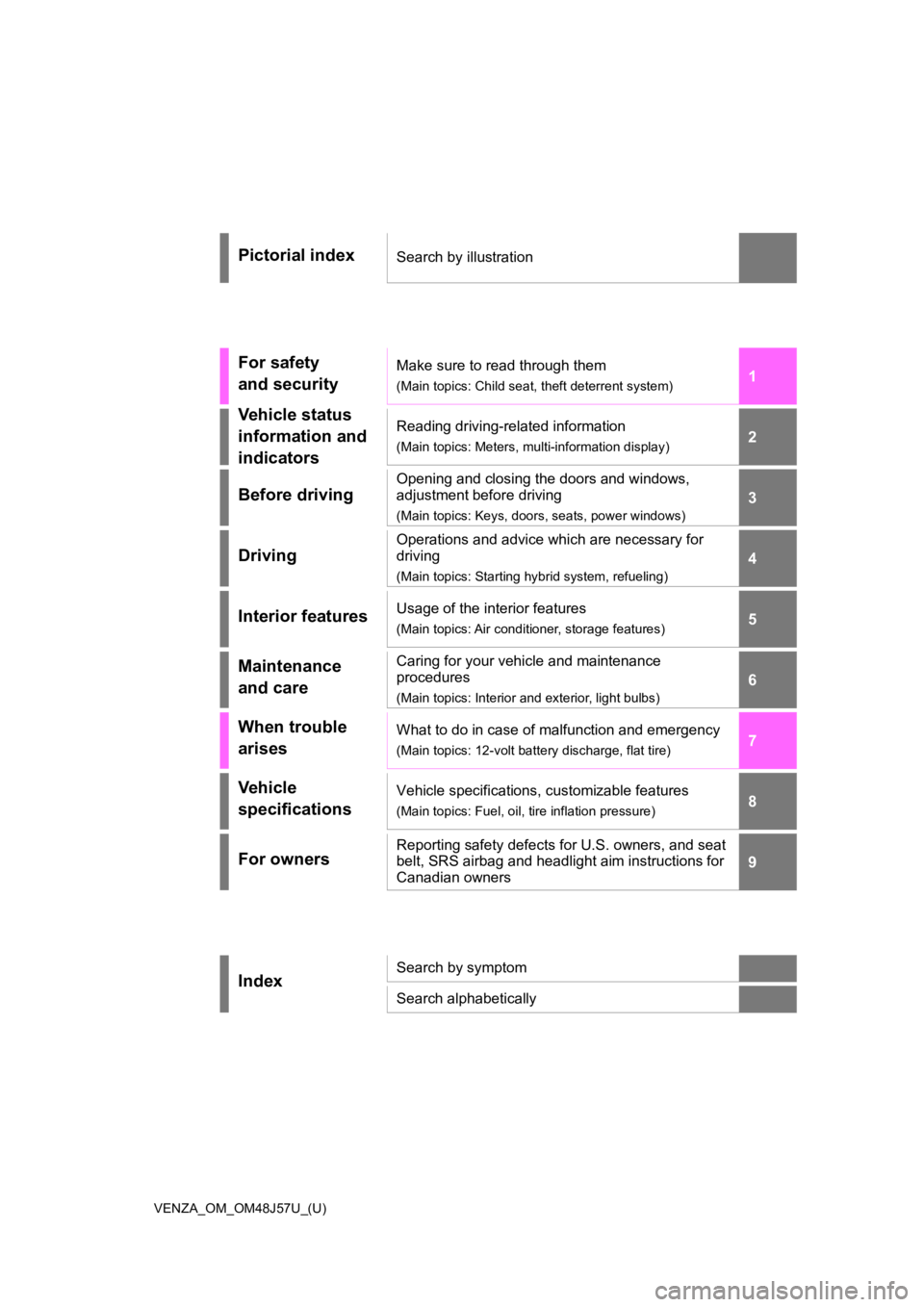
Pictorial indexSearch by illustration
For safety
and securityMake sure to read through them
(Main topics: Child seat, theft deterrent system)
Vehicle status
information and
indicatorsReading driving-related information
(Main topics: Meters, multi-information display)
Before driving
Opening and closing the doors and windows,
adjustment before driving
(Main topics: Keys, doors, seats, power windows)
Driving
Operations and advice which are necessary for
driving
(Main topics: Starting hybrid system, refueling)
Interior featuresUsage of the interior features
(Main topics: Air conditioner, storage features)
Maintenance
and careCaring for your vehicle and maintenance
procedures
(Main topics: Interior and exterior, light bulbs)
When trouble
arisesWhat to do in case of malfunction and emergency
(Main topics: 12-volt battery discharge, flat tire)
Vehicle
specificationsVehicle specifications, customizable features
(Main topics: Fuel, oil, tire inflation pressure)
For ownersReporting safety defects for U.S. owners, and seat
belt, SRS airbag and headlight aim instructions for
Canadian owners
IndexSearch by symptom
Search alphabetically
Page 15 of 560
15Pictorial index
To prevent freezing (windshield wiper de-icer)*...........P.325, 335
Precautions against car wash
(Rain-sensing windshield wipers)
*.......................................P.373
Replacing the wiper insert .................................... ...............P.421
Fuel filler door ............................................... .....................P.231
Refueling method ............................................... ..................P.231
Fuel type/fuel tan k capacity .................................................P.481
Tires ....................................................................................P.400
Tire size/inflation pressure ................................... ................P.485
Winter tires/tire chain ........................................ ...................P.313
Checking/rotation/tire pressur e warning system ..................P.400
Coping with flat tires......................................... ....................P.456
Hood ....................................................................................P.387
Opening ........................................................ .......................P.387
Engine oil ..................................................... ........................P.482
Coping with overheat ........................................... ................P.473
Warning messages ..............................................................P.451
Headlights..................................................... ......................P.219
Fog lights
*............................................................... ............P.225
Parking lights .....................................................................P.219
Daytime running lights .. ....................................................P.219
Turn signal lights ...............................................................P.212
Side marker lights ............................................. .................P.219
Tail lights/stop lights ........................................ .................P.219
Tail lights .................................................... ........................P.219
License plate lights........................................... .................P.219
Back-up lights
Exterior lights for driving
(Replacing: P.430)
E
F
G
H
I
J
K
L
M
N
O
P
Q
Page 86 of 560
862-1. Instrument cluster
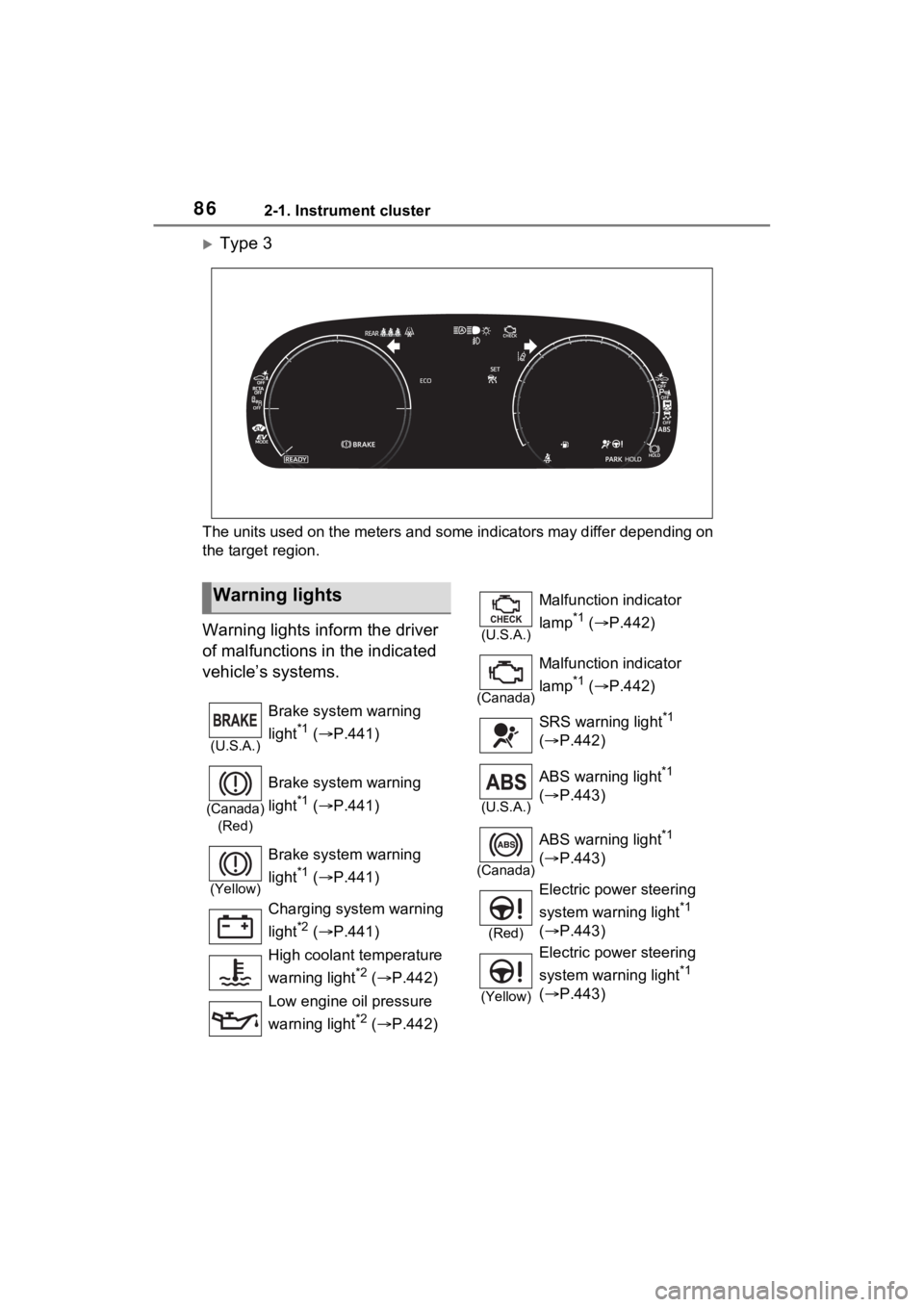
Type 3
The units used on the meters and some indicators may differ depending on
the target region.
Warning lights inform the driver
of malfunctions in the indicated
vehicle’s systems.
Warning lights
(U.S.A.)
Brake system warning
light
*1 ( P.441)
(Canada)
(Red)
Brake system warning
light
*1 ( P.441)
(Yellow)
Brake system warning
light
*1 ( P.441)
Charging system warning
light
*2 ( P.441)
High coolant temperature
warning light
*2 ( P.442)
Low engine oil pressure
warning light
*2 ( P.442)
(U.S.A.)
Malfunction indicator
lamp
*1 ( P.442)
(Canada)
Malfunction indicator
lamp
*1 ( P.442)
SRS warning light
*1
( P.442)
(U.S.A.)
ABS warning light*1
( P.443)
(Canada)
ABS warning light*1
( P.443)
(Red)
Electric power steering
system warning light
*1
( P.443)
(Yellow)
Electric power steering
system warning light
*1
( P.443)
Page 108 of 560
1082-1. Instrument cluster
Road Sign Assist on/off
Select to enable/disable the RSA
(Road Sign Assist).
“Notification method”
Select to change e ach notification
method used to notify the driver
when the system recognizes
excess speed and Do Not Enter
sign.
“Notification Level”
Select to change e ach notification
level used to notify the driver when
the system recognizes a speed limit
sign.
■ DRCC
Select to change the curve
speed reduction function setting.
■ Vehicle Settings
PBD (Power Back Door)
( P.143)
Select to set up the following items.
• System settings
Select to enable/disable the power
back door system.
• “Hands Free” (if equipped)
Select to enable/disable the Hands
Free Power Back Door operation.
• “Opening Adjustment”
Select the open position when
power back door is fully open.
•“Volume”
Select to set the volume of the
buzzer which sounds when the
power back door system operates.
“TPWS setting” (Tire Pres-
sure Warning System) (
P.402)
• “Setting Pressure”
Select to initialize the tire pressure
warning system.
• “Identify Wheel”
Select to change the tire pressure
warning system sen sor ID code set.
To enable this function, a second
set of tire pressure warning system
sensor ID codes must be registered
by a Toyota dealer. For information
regarding changing the registered
ID code set, contact your Toyota
dealer.
• “Setting Unit”
Select to change the units of mea-
sure displayed.
Rear Seat Reminder
( P.139)
Select to enable/disable the rear
seat reminder function.
“Scheduled Maintenance”
( P.380)
Select to reset the scheduled main-
tenance information (message indi-
cating maintenance is required and
distance until the next mainte-
nance) after all ma intenance is per-
formed.
Oil Maintenance
Select to reset the Oil maintenance.
( P.392)
■ Settings
“Language”
Select to change the language on
the multi-information display.
“Units”
Select to change the units of mea-
Page 120 of 560
1202-1. Instrument cluster
Select to initialize the tire pres-
sure warning system.
• “Identifying Each Wheel & Posi- tion”
Select to change the tire pressure
warning system sensor ID code
set. To enable this function, a
second set of tire pressure warn-
ing system sensor ID codes must
be registered by a Toyota dealer.
For information regarding chang-
ing the registered ID code set,
contact your Toyota dealer.
• “Pressure unit setting” Select to change the units of
measure displayed.
“Scheduled Maintenance”
( P.380)
Select to reset the scheduled
maintenance information
(message indicating mainte-
nance is required and dis-
tance until the next
maintenance) after all mainte-
nance is performed.
Oil Maintenance
Select to reset the Oil mainte-
nance. ( P.392)
Rear Seat Reminder
( P.139)
Select to enable/disable the
rear seat reminder function.
■ Settings
“Language”
Select to change the lan-
guage on the multi-informa-
tion display.
“Units”
Select to change the unit of measure for fuel consump-
tion.
Meter Type
Select to change the meter
type setting.
Meter Style
Select to change the meter
style.
Dial Type
Select to change dial type.
( P.94)
EV indicator
Select to enable/disable the
EV indicator.
Fuel Economy
Select to change the display
on Fuel Economy. ( P.114)
Hybrid System
Select to enable/disable refer-
ence operation range.
Drive Info
Select to change displayed
items on drive information dis-
play. ( P.116)
Pop-Up Display
Select to enable/disable the
pop-up displays, which may
appear in some situations.
Default Settings
Select to reset the meter dis-
play settings.
■Suspension of the settings dis-
play
●Some settings cannot be changed
while driving. When changing set-
tings, park the vehicle in a safe
place.
Page 313 of 560
3134-6. Driving tips
4
Driving
Use fluids that are appropriate
to the prevailing outside tem-
peratures.
• Engine oil
• Engine coolant
• Power control unit coolant
• Washer fluid
Have a service technician
inspect the condition of the
12-volt battery.
Have the vehicle fitted with
four snow tires or purchase a
set of tire chains for the front
tires.
Ensure that all tires are the same
size and brand, and that chains
match the size of the tires.
Winter driving tips
Carry out the necessary
preparations and inspec-
tions before driving the
vehicle in winter. Always
drive the vehicle in a man-
ner appropriate to the pre-
vailing weather conditions.
Preparation for winter
WARNING
■Driving with snow tires
Observe the following precautions
to reduce the risk of accidents.
Failure to do so m ay result in a
loss of vehicle control and cause
death or serious injury.
●Use tires of the specified size.
●Maintain the recommended
level of air pressure.
●Do not drive in excess of 75
mph (120 km/h), regardless of
the type of snow tires being
used.
●Use snow tires on all, not just
some wheels.
■Driving with tire chains
Observe the following precautions
to reduce the risk of accidents.
Failure to do so may result in the
vehicle being unable to be driven
safely, and may cause death or
serious injury.
●Do not drive in excess of the
speed limit specifi ed for the tire
chains being used, or 30 mph
(50 km/h), whichever is lower.
●Avoid driving on bumpy road
surfaces or over potholes.
●Avoid sudden acceleration,
abrupt steering, sudden brak-
ing and shifting operations that
cause sudden engine braking.
●Slow down sufficiently before
entering a curve to ensure that
vehicle control is maintained.
●Do not use LTA (Lane Tracing
Assist) system.
NOTICE
■Repairing or replacing snow
tires
Request repairs or replacement of
snow tires from your Toyota
dealer or legitimate tire retailers.
This is because the removal and
attachment of snow tires affects
the operation of the tire pressure
warning valves and transmitters.
Page 372 of 560
3726-1. Maintenance and care
6-1.Maintenance and care
Working from top to bottom,
liberally apply water to the
vehicle body, wheel wells and
underside of the vehicle to
remove any dirt and dust.
Wash the vehicle body using
a sponge or soft cloth, such
as a chamois.
For hard-to-remove marks,
use car wash soap and rinse
thoroughly with water.
Wipe away any water.
Wax the vehicle when the
waterproof coating deterio-
rates.
If water does not bead on a clean
surface, apply wax when the vehi-
cle body is cool.
■Self-restoring coat (if equipped)
The vehicle body has a self-restor-
ing coating that is resistant to small
surface scratches caused in a car
wash etc.
●The coating lasts for 5 to 8 years
from when the vehicle is delivered
from the plant.
●The restoration time differs
depending on t he depth of the scratch and outside temperature.
The restoration time may become
shorter when the coating is
warmed by applying warm water.
●Deep scratches caused by keys,
coins, etc. cannot be restored.
●Do not use wax that contain abra-
sives.
■Automatic car washes
●Before washing the vehicle:
• Fold the mirrors
• Turn off the power back door
Start washing from the front of the
vehicle. Make sure to extend the
mirrors before driving.
●Brushes used in automatic car
washes may scratch the vehicle
surface, parts (wheel, etc.) and
harm your vehicle’s paint.
●Rear spoiler may not be washable
in some automatic car washes.
There may also be an increased
risk of damage to vehicle.
■High pressure car washes
As water may enter the cabin, do
not bring the nozzle tip near the
gaps around the doors or perimeter
of the windows, or spray these
areas continuously.
■Note for a smart key system
If the door handle becomes wet
while the electronic key is within the
effective range, t he door may lock
and unlock repeatedly. In that case,
follow the following correction pro-
cedures to wash the vehicle:
●Place the key in a position 6 ft. (2
m) or more separate from the
vehicle while the vehicle is being
washed. (Take care to ensure that
the key is not stolen.)
●Set the electronic key to battery-
saving mode to disable the smart
key system. ( P.155)
■Wheels and wheel ornaments
●Remove any dirt immediately by
using a neutral detergent.
Cleaning a nd protect-
ing the vehicle exte-
rior
Perform the following to
protect the vehicle and
maintain it in prime condi-
tion:
Cleaning instructions
Page 386 of 560
3866-3. Do-it-yourself maintenance
Hybrid bat-
tery (traction
battery) air
intake vent
( P.417)• Vacuum cleaner,
etc,
• Phillips screw- driver
Radiator and
condenser
( P.394)
Tire inflation
pressure
( P.412)• Tire pressure
gauge
• Compressed air source
Washer fluid
( P.396)
• Water or washer
fluid containing
antifreeze (for win-
ter use)
• Funnel (used only for adding water or
washer fluid)
WARNING
The engine compartment contains
many mechanisms and fluids that
may move suddenly, become hot,
or become electrically energized.
To avoid death or serious injury,
observe the following precautions.
■When working on the engine
compartment
●Make sure that “IGNITION ON”
on the multi-info rmation display
and the “READY” indicator are
both off.
●Keep hands, clothing and tools
away from the moving fan.
●Be careful not to touch the
engine, power control unit, radi-
ator, exhaust manifold, etc. right
after driving as they may be hot.
Oil and other fluids may also be
hot.
ItemsParts and tools●Do not leave anything that may
burn easily, such as paper and
rags, in the engine compart-
ment.
●Do not smoke, cause sparks or
expose an open flame to fuel or
the battery. Fuel and battery
fumes are flammable.
■When working near the elec-
tric cooling fan or radiator
grille
Be sure the power switch is OFF.
With the power switch in ON, the
electric cooling fa n may automati-
cally start to run if the air condi-
tioning is on and/or the coolant
temperature is high. ( P.394)
■Safety glasses
Wear safety gla sses to prevent
flying or falling material, fluid
spray, etc., from getting in your
eyes.
NOTICE
■If you remove the air cleaner
filter
Driving with the air cleaner filter
removed may cause excessive
engine wear due to dirt in the air.