2023 TOYOTA VENZA HYBRID warning
[x] Cancel search: warningPage 118 of 560
1182-1. Instrument cluster
2Press or with the cur-
sor on the content display
area (center) to select
and then press .
3 Press or of the meter
control switch and move the
cursor to select the item for
changing settings.
If the function is t urned on and off
or the volume, etc. is changed on
the setting screen, the setting is
changed each time is pressed .
For functions that allow operation
contents, display contents, etc., of
function to be selected, the setting
screen is displayed by pressing and
holding . When the setting
screen is displayed, select the set-
ting or desired va lue (time, etc.)
with .
4 After changing the settings,
press of the meter control
switches.
■HUD (Head-up display) (if
equipped) ( P.123)
Select to change the head-up
display setting.
■ LTA (Lane Tracing
Assist) (if equipped)
( P.250)
Select to set up the following
items.
“Lane Center”
Select to enable/disable the lane
centering function.
“Alert Options”
Select to set the alert type.
“Sensitivity”
Select to set the warning sensitivity.
“Sway Warning”
Select to enable/disable the vehicle
sway warning.
“Sway Sensitivity”
Select to set the vehicle sway warn-
ing sensitivity.
■ BSM (Blind Spot Moni-
tor) ( P.277)
Select to set up the following
items.
BSM (Blind Spot Monitor)
on/off
Select to enable/disable the
BSM system.
“Sensitivity”
Select to change the alert tim-
ing for an approaching vehi-
cle.
“Brightness”
Select to switch the bright-
ness of the outside rear view
mirror indicators. ( P.278)
■ PCS (Pre-Collision Sys-
tem)
Select to set up the following
items.
PCS on/off
Select to enable/disable the
pre-collision system.
“Sensitivity”
Select to change the pre-colli-
sion warning timing.
Page 120 of 560
1202-1. Instrument cluster
Select to initialize the tire pres-
sure warning system.
• “Identifying Each Wheel & Posi- tion”
Select to change the tire pressure
warning system sensor ID code
set. To enable this function, a
second set of tire pressure warn-
ing system sensor ID codes must
be registered by a Toyota dealer.
For information regarding chang-
ing the registered ID code set,
contact your Toyota dealer.
• “Pressure unit setting” Select to change the units of
measure displayed.
“Scheduled Maintenance”
( P.380)
Select to reset the scheduled
maintenance information
(message indicating mainte-
nance is required and dis-
tance until the next
maintenance) after all mainte-
nance is performed.
Oil Maintenance
Select to reset the Oil mainte-
nance. ( P.392)
Rear Seat Reminder
( P.139)
Select to enable/disable the
rear seat reminder function.
■ Settings
“Language”
Select to change the lan-
guage on the multi-informa-
tion display.
“Units”
Select to change the unit of measure for fuel consump-
tion.
Meter Type
Select to change the meter
type setting.
Meter Style
Select to change the meter
style.
Dial Type
Select to change dial type.
( P.94)
EV indicator
Select to enable/disable the
EV indicator.
Fuel Economy
Select to change the display
on Fuel Economy. ( P.114)
Hybrid System
Select to enable/disable refer-
ence operation range.
Drive Info
Select to change displayed
items on drive information dis-
play. ( P.116)
Pop-Up Display
Select to enable/disable the
pop-up displays, which may
appear in some situations.
Default Settings
Select to reset the meter dis-
play settings.
■Suspension of the settings dis-
play
●Some settings cannot be changed
while driving. When changing set-
tings, park the vehicle in a safe
place.
Page 121 of 560
1212-1. Instrument cluster
2
Vehicle status information and indicators
●If a warning message is displayed,
operation of the settings display
will be suspended.
Select to display warning mes-
sages and measures to be
taken if a malfunction is
detected. (P.451)
Displays suggestions to the
driver in the following situations.
To select a response to a dis-
played suggestion, use the
meter control switches.
■Suggestion to enable the
power back door
If the power back door system is
disabled (setting on set to off) and the power back door
switch on the instrument panel
is operated, a suggestion mes-
sage will be displayed asking if
you wish to enable the power
back door system. To enable
the power back door system,
select “Yes”.
After enabling the power back door
system, press the power back door
switch again to op
en or close the
power back door.
■Suggestion to turn off the
headlights
If the headlights are left on for a
certain amount of time after the
power switch has been turned
off, a suggestion message will
be displayed.
When the headlight switch is in
the AUTO position: The mes-
sage asking if you wish to turn
the headlights off is displayed.
To turn the headlights off, select
“Yes”.
If the driver’s door is opened after
the power switch is turned off, this
suggestion message will not be dis-
played.
■Suggestion to close the
power windows (Driving at
high speeds)
If the vehicle speed exceeds a
certain speed with a power win-
dow open, a suggestion mes-
sage will be displayed asking if
you wish to close the power win-
dows. To close all of the power
windows, select “Yes”.
WARNING
■Cautions during setting up
the display
As the hybrid system needs to be
operating during setting up the
display, ensure that the vehicle is
parked in a place with adequate
ventilation. In a closed area such
as a garage, exhaust gases
including harmful carbon monox-
ide (CO) may collect and enter
the vehicle. This may lead to
death or a seri ous health hazard.
NOTICE
■During setting up the display
To prevent 12-vo lt battery dis-
charge, ensure that the hybrid
system is operating while setting
up the display features.
Warning message display
Suggestion function
Page 124 of 560
1242-1. Instrument cluster
through sunglasses, especially
polarized sunglasses. Adjust the
brightness of the head-up display or
remove your sunglasses.
■Street name display
Only street names which are
included in the map data will be dis-
played.
Select the “HUD” on the
screen of the multi-information
display. ( P.106)
■Enabling/disabling the
head-up display
The head-up display enabled
and disabled with each press of
the of the meter control
switches.
■Changing settings of the
head-up display
The following settings can be
changed pressing and hold of
the of the meter control
switches.
Brightness and vertical posi-
tion of the head-up display
Select to adjust the brightness or
vertical position of the head-up dis-
play.
Tachometer Settings
Select to display the blank, Hybrid
System Indicator or tachometer.
Display content
Select to enable/d isable the follow-
ing items:
• Navigation display (if equipped)
• Driving Assist display
*
WARNING
■When using the head-up dis-
play
●Check that the position and
brightness of the head-up dis-
play image does not interfere
with safe driving. Incorrect
adjustment of the image’s posi-
tion or brightness may obstruct
the driver’s view and lead to an
accident, resulting in death or
serious injury.
●Do not continuously look at the
head-up display while driving as
you may fail to see pedestrians,
objects on the r oad, etc. ahead
of the vehicle.
NOTICE
■Head-up display projector
●Do not place any drinks near
the head-up display projector. If
the projector gets wet, electrical
malfunctions may result.
●Do not place anything on or put
stickers onto the head-up dis-
play projector.
Doing so could interrupt head-
up display indications.
●Do not touch the inside of the
head-up display projector or
thrust sharp edges or the like
into the projector.
Doing so could cause mechani-
cal malfunctions.
Using the head-up display
Page 125 of 560
1252-1. Instrument cluster
2
Vehicle status information and indicators
• Compass (heading-up display) (if equipped)
• Audio system operation status
*: Make sure to enable this display when using the driving support
systems
Display angle
Select to adjust the angle of the
head-up display.
■Enabling/disabling of the head-
up display
If the head-up display is disabled, it
will remain disabled when the power
switch is turned off then back to ON.
■Display brightness
The brightness of the head-up dis-
play can be adjusted on the
screen of the mult i-information dis-
play. Also, it is automatically
adjusted according to the ambient
brightness.
■Head-up display automatic
position adjustment
If the display position is recorded
into memory, the head-up display
will be automatically adjusted to the
desired position. ( P.163)
■When the 12-volt battery is dis-
connected
The customize settings of the head-
up display will be reset.
Displays the operational status
of the following systems:
LTA (Lane Tracing Assist)
( P.250)
Dynamic radar cruise control
with full-speed range
( P.265)
Details of content d isplayed on the
head-up display may differ from
that displayed on the multi-informa-
tion display. For details, refer to the
explanation of each system.
Pop-up displays for the following
WARNING
■Caution for changing settings
of the head-up display
As the hybrid system needs to be
operating while changing the set-
tings of the head-up display,
ensure that the vehicle is parked
in a place with adequate ventila-
tion. In a closed area such as a
garage, exhaust gases including
harmful carbon monoxide (CO)
may collect and enter the vehicle.
This may lead to death or a seri-
ous health hazard.
NOTICE
■When changing the settings
of the head-up display
To prevent 12-vo lt battery dis-
charge, ensure that the hybrid
system is operating while chang-
ing the settings of the head-up
display.
Driving support system
display area
Pop-up display
Page 126 of 560
1262-1. Instrument cluster
systems will be displayed when
necessary.
■Driving support systems
Displays a warning/sugges-
tion/advice message or the
operating state of a relevant
system.
PCS (Pre-Collision System)
( P.239)
PKSB (Parking Support
Brake) (if equipped) ( P.295)
Brake Override System
( P.189)
Drive-Start Control (DSC)
( P.194)
LTA (Lane Tracing Assist)
( P.250)
Dynamic radar cruise control
with full-speed range
( P.265)
Details of content displayed on the
head-up display may differ from
that displayed on the multi-informa-
tion display. For details, refer to the
explanation of each system.
■/ icons
Displays the following multi-
information display linked icons:
: Master warning icon
Displayed when a warning mes-
sage is displayed on the multi-infor-
mation display.
: Information icon
Displayed when a sugges-
tion/advice pop-up display is dis-
played on the multi-information display.
■Warning message
Some warning messages are
displayed when necessary,
according to certain conditions.
Details of content d isplayed on the
head-up display may differ from
that displayed on the multi-informa-
tion display.
■Audio system operation
status
Displayed when an audio
remote control switch on the
steering wheel is operated.
■Hands-free system status
Displayed when the hands-free
system is operated.
■When a pop-up display is dis-
played
When a pop-up display is displayed,
a current display may no longer be
displayed. In this case, the display
will return afte r the pop-up display
disappears.
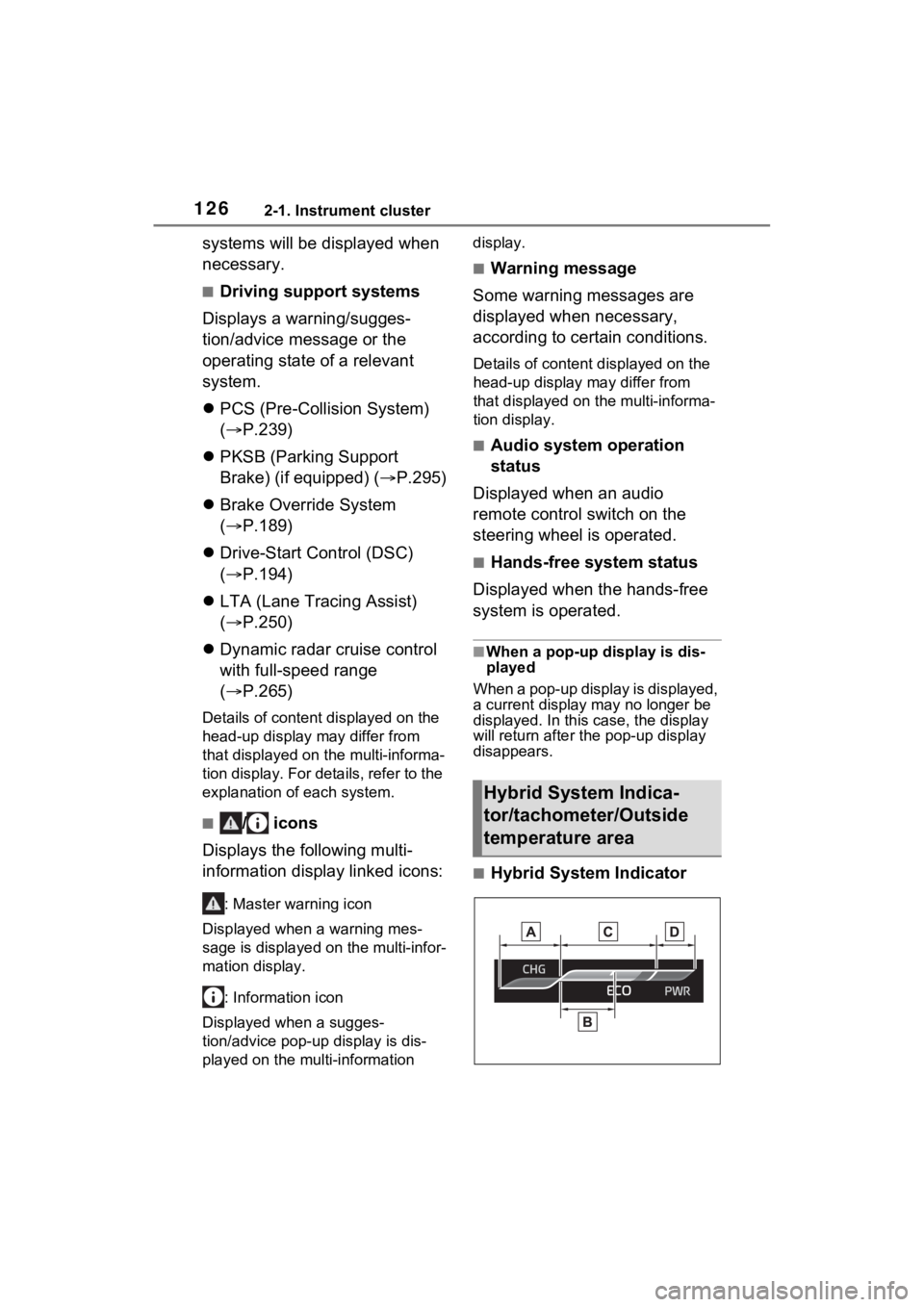
■Hybrid System Indicator
Hybrid System Indica-
tor/tachometer/Outside
temperature area
Page 129 of 560
1292-1. Instrument cluster
2
Vehicle status information and indicators
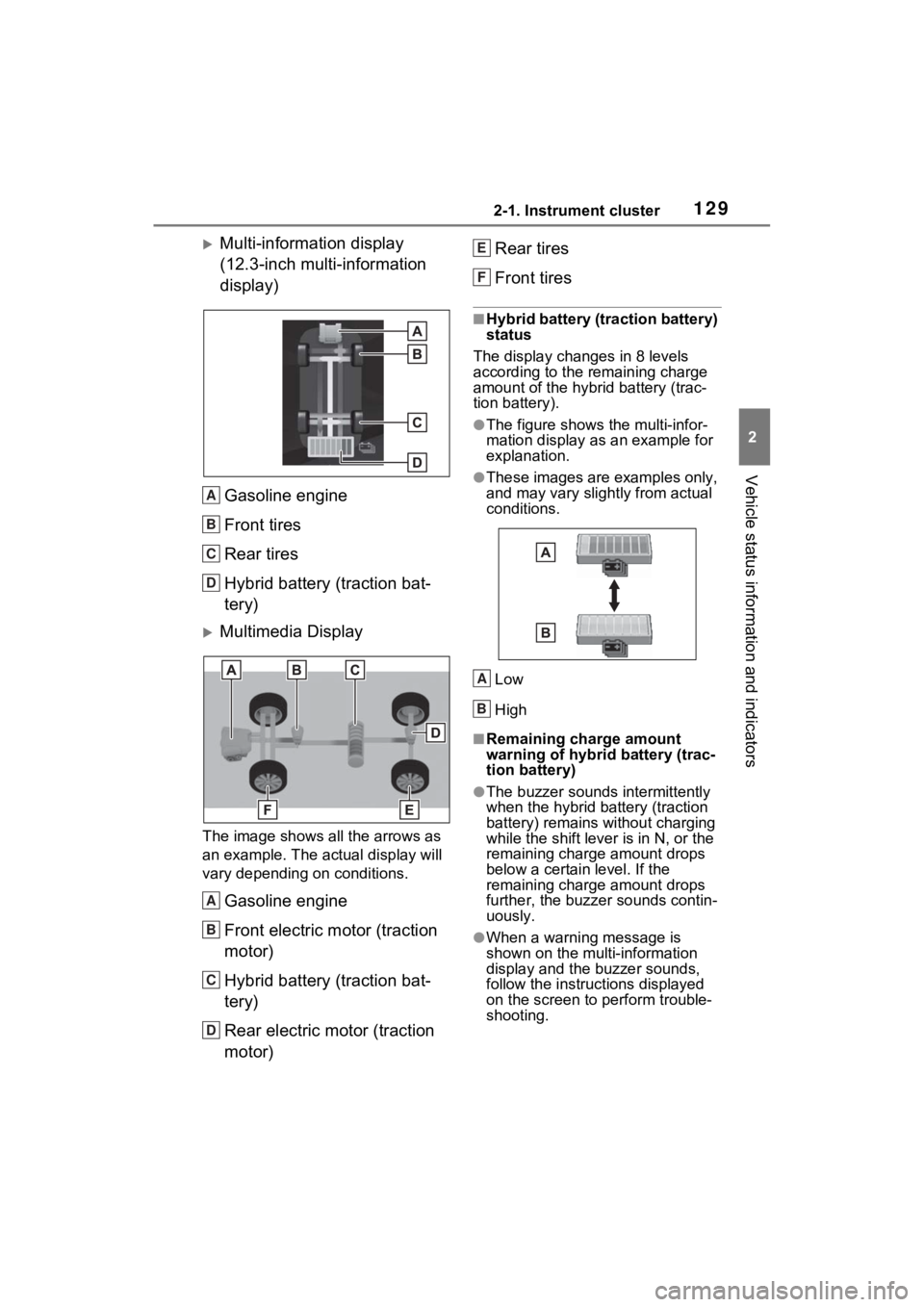
Multi-information display
(12.3-inch multi-information
display)Gasoline engine
Front tires
Rear tires
Hybrid battery (traction bat-
tery)
Multimedia Display
The image shows all the arrows as
an example. The actual display will
vary depending on conditions.
Gasoline engine
Front electric motor (traction
motor)
Hybrid battery (traction bat-
tery)
Rear electric motor (traction
motor) Rear tires
Front tires
■Hybrid battery (traction battery)
status
The display changes in 8 levels
according to the remaining charge
amount of the hybrid battery (trac-
tion battery).
●The figure shows the multi-infor-
mation display as an example for
explanation.
●These images are examples only,
and may vary slightly from actual
conditions.
Low
High
■Remaining charge amount
warning of hybri d battery (trac-
tion battery)
●The buzzer sounds intermittently
when the hybrid battery (traction
battery) remains without charging
while the shift lever is in N, or the
remaining charge amount drops
below a certain level. If the
remaining charge amount drops
further, the buzz er sounds contin-
uously.
●When a warning message is
shown on the multi-information
display and the buzzer sounds,
follow the instruct ions displayed
on the screen to perform trouble-
shooting.
A
B
C
D
A
B
C
D
E
F
A
B
Page 139 of 560
1393-2. Opening, closing and locking the doors
3
Before driving
■Door lock buzzer
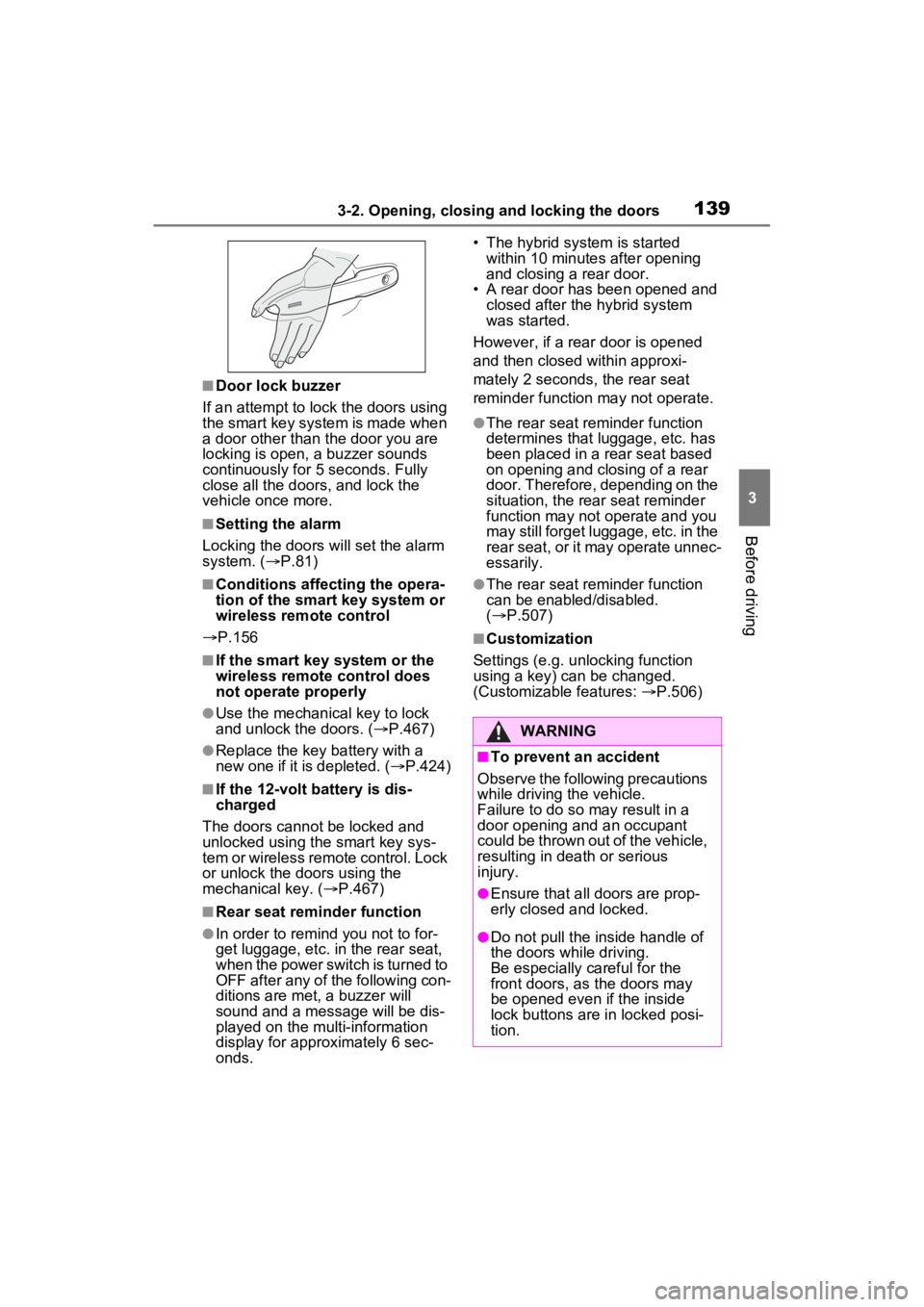
If an attempt to lock the doors using
the smart key system is made when
a door other than t he door you are
locking is open, a buzzer sounds
continuously for 5 seconds. Fully
close all the doors, and lock the
vehicle once more.
■Setting the alarm
Locking the doors will set the alarm
system. ( P.81)
■Conditions affecting the opera-
tion of the smart key system or
wireless remo te control
P.156
■If the smart key system or the
wireless remote control does
not operate properly
●Use the mechanical key to lock
and unlock the doors. ( P.467)
●Replace the key battery with a
new one if it is depleted. ( P.424)
■If the 12-volt battery is dis-
charged
The doors cannot be locked and
unlocked using the smart key sys-
tem or wireless remote control. Lock
or unlock the doors using the
mechanical key. ( P.467)
■Rear seat reminder function
●In order to remind you not to for-
get luggage, etc. in the rear seat,
when the power switch is turned to
OFF after any of the following con-
ditions are met, a buzzer will
sound and a message will be dis-
played on the multi-information
display for approximately 6 sec-
onds. • The hybrid system is started
within 10 minutes after opening
and closing a rear door.
• A rear door has been opened and closed after the hybrid system
was started.
However, if a rear door is opened
and then closed within approxi-
mately 2 seconds, the rear seat
reminder function may not operate.
●The rear seat reminder function
determines that luggage, etc. has
been placed in a rear seat based
on opening and closing of a rear
door. Therefore, depending on the
situation, the rear seat reminder
function may not operate and you
may still forget luggage, etc. in the
rear seat, or it may operate unnec-
essarily.
●The rear seat reminder function
can be enabled/disabled.
( P.507)
■Customization
Settings (e.g. unlocking function
using a key) can be changed.
(Customizable features: P.506)
WARNING
■To prevent an accident
Observe the following precautions
while driving the vehicle.
Failure to do so may result in a
door opening and an occupant
could be thrown out of the vehicle,
resulting in dea th or serious
injury.
●Ensure that all doors are prop-
erly closed and locked.
●Do not pull the inside handle of
the doors while driving.
Be especially careful for the
front doors, as the doors may
be opened even if the inside
lock buttons are in locked posi-
tion.