2023 TOYOTA SUPRA warning
[x] Cancel search: warningPage 86 of 372

863-1. CONTROLS
Remote Services of the Toy-
ota Supra Connect app
include the ability to lock and
unlock a vehicle.
This requires an active Toyota
Supra Connect contract and the
Toyota Supra Connect app must be
installed on a smartphone.
• Unlocking the vehicle can be requested via the Concierge.
An active Toyota Supra Connect
contract is required.
The driver's door can be locked
and unlocked without remote
control using the integrated key.
The integrated key also fits the
glove compartment. Press the button, arrow 1, and
pull out the integrated key, arrow
2.
1
Pull and hold the door handle
outward with one hand.
2 Guide one finger of your
other hand from the back
Integrated key
General information
Safety information
WARNING
For some country versions,
unlocking from the inside is only
possible with special knowledge.
Persons who spend a lengthy
time in the vehicle while being
exposed to extreme tempera-
tures are at risk of injury or death.
Do not lock the vehicle from the
outside when there are people in
it.
NOTICE
The door lock is permanently
joined with the door. The door
handle can be moved. When pull-
ing the door handle with the inte-
grated key inserted, paint or the
integrated key can be damaged.
There is a risk of damage to prop-
erty. Remove the integrated key
before pulling the outside door
handle.
Removing
Locking/unlocking via the
door lock
Page 87 of 372
873-1. CONTROLS
3
CONTROLS
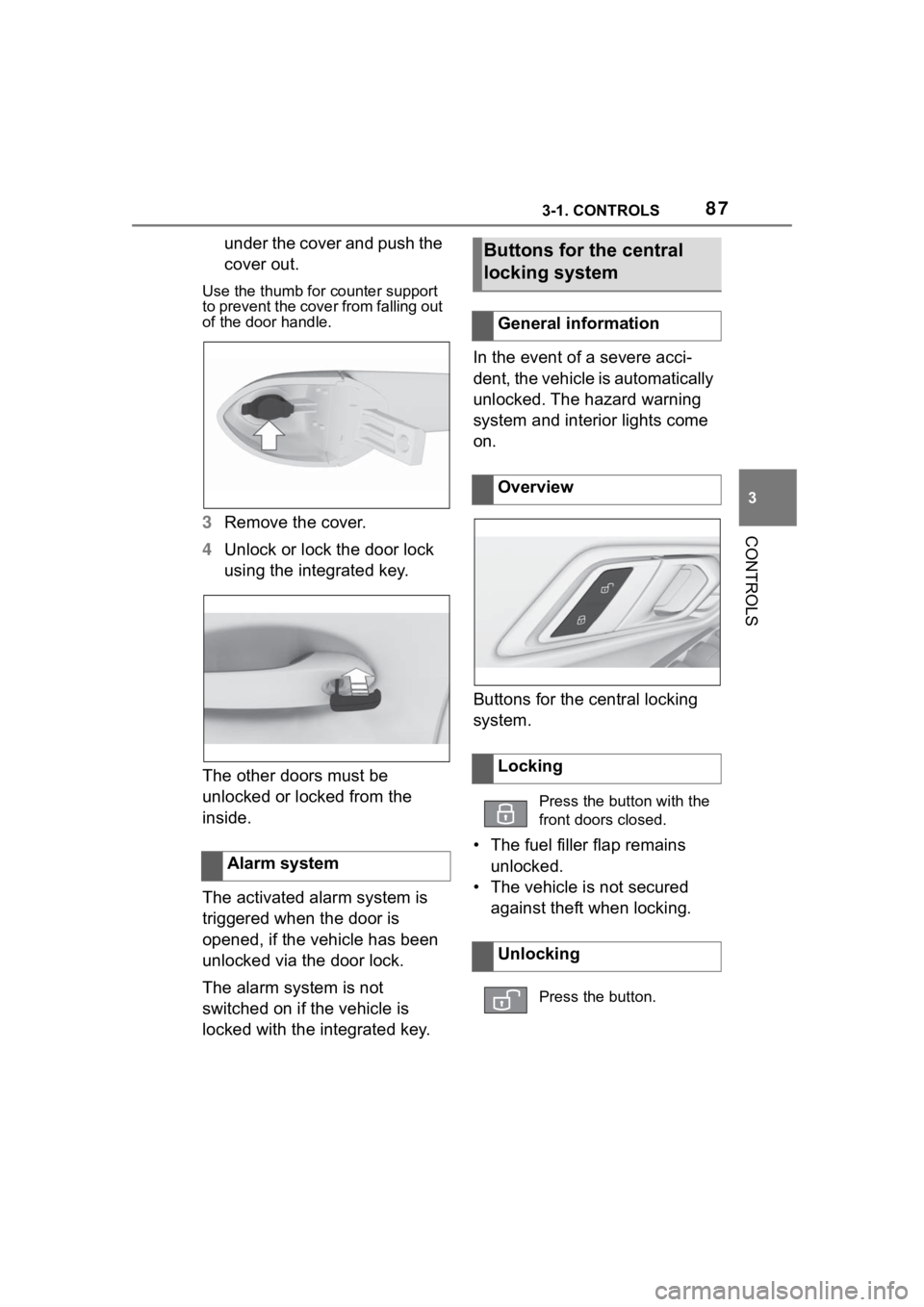
under the cover and push the
cover out.
Use the thumb for counter support
to prevent the cover from falling out
of the door handle.
3 Remove the cover.
4 Unlock or lock the door lock
using the integrated key.
The other doors must be
unlocked or locked from the
inside.
The activated alarm system is
triggered when the door is
opened, if the vehicle has been
unlocked via the door lock.
The alarm system is not
switched on if the vehicle is
locked with the integrated key. In the event of a severe acci-
dent, the vehicle is automatically
unlocked. The hazard warning
system and interior lights come
on.
Buttons for the central locking
system.
• The fuel filler flap remains
unlocked.
• The vehicle is not secured against theft when locking.
Alarm system
Buttons for the central
locking system
General information
Overview
Locking
Press the button with the
front doors closed.
Unlocking
Press the button.
Page 89 of 372

893-1. CONTROLS
3
CONTROLS
Safety notes
WARNING
The vehicle transmits radio waves
whenever the Smart Key System
is used to lock or unlock the
doors, open the trunk lid, or when
the engine switch is operated.
Therefore, this system may affect
the operation of implantable car-
diac pacemakers and implantable
cardioverter defibrillators.
Persons with implantable cardiac
pacemakers or implantable car-
dioverter defibrillators should stay
22 cm or more away from the
vehicle when opening or closing a
door. Also, they should refrain
from leaning on the vehicle or
looking through the windows from
outside when a door is opened or
closed.
Users of any electrical medical
device other than i mplantable car-
diac pacemakers, cardiac resyn-
chronization therapy-pacemakers
or implantable cardioverter
defibrillators should consult their
doctor or the manufacturer of the
device for information about its
operation under the influence of
radio waves.
Page 91 of 372
913-1. CONTROLS
3
CONTROLS
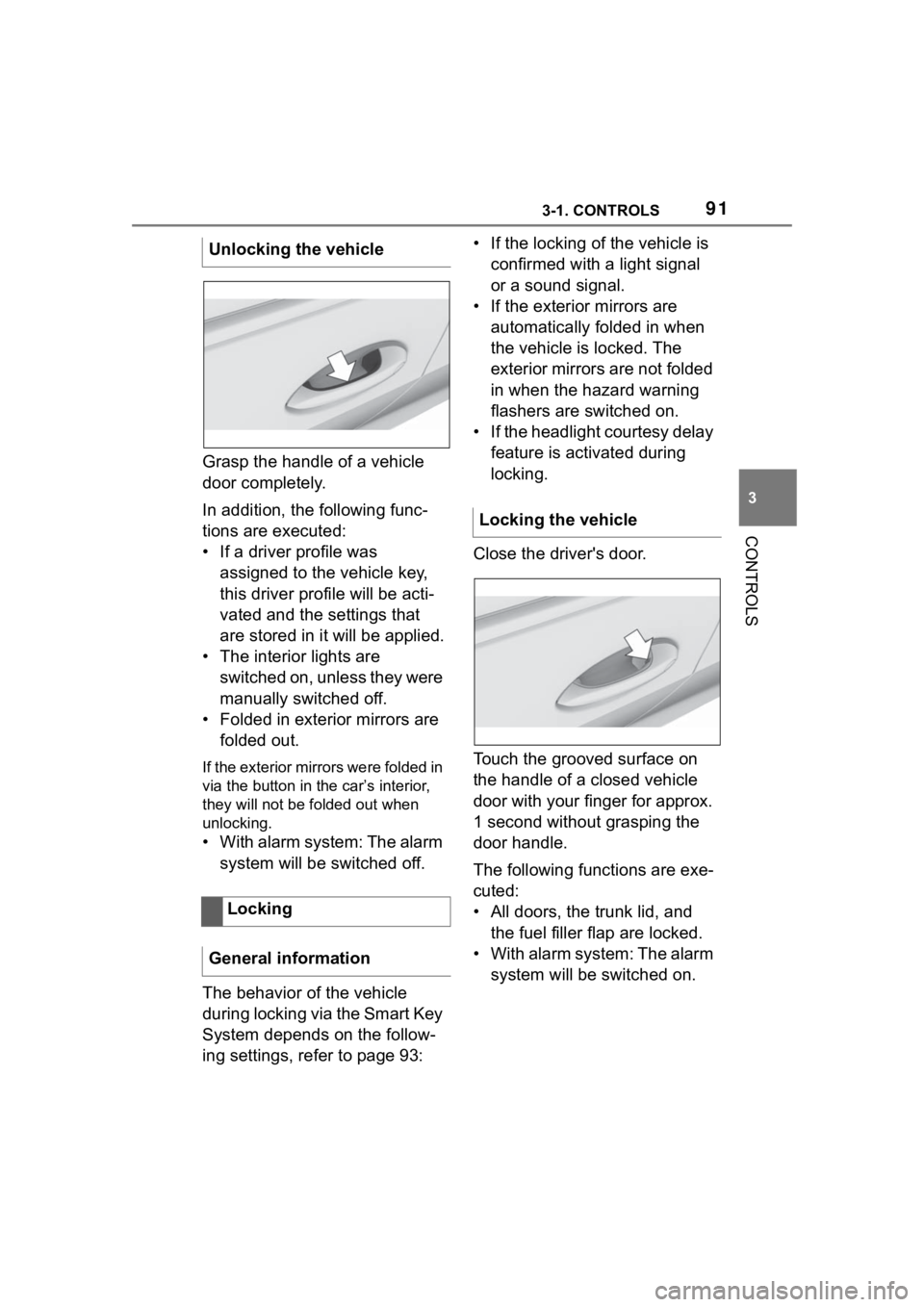
Grasp the handle of a vehicle
door completely.
In addition, the following func-
tions are executed:
• If a driver profile was assigned to the vehicle key,
this driver profile will be acti-
vated and the settings that
are stored in it will be applied.
• The interior lights are switched on, unless they were
manually switched off.
• Folded in exterior mirrors are folded out.
If the exterior mirrors were folded in
via the button in the car’s interior,
they will not be f olded out when
unlocking.
• With alarm system: The alarm
system will be switched off.
The behavior of the vehicle
during locking via the Smart Key
System depends on the follow-
ing settings, refer to page 93: • If the locking of the vehicle is
confirmed with a light signal
or a sound signal.
• If the exterior mirrors are automatically folded in when
the vehicle is locked. The
exterior mirrors are not folded
in when the hazard warning
flashers are switched on.
• If the headlight courtesy delay feature is activated during
locking.
Close the driver's door.
Touch the grooved surface on
the handle of a closed vehicle
door with your finger for approx.
1 second without grasping the
door handle.
The following functions are exe-
cuted:
• All doors, the trunk lid, and the fuel filler flap are locked.
• With alarm system: The alarm system will be switched on.
Unlocking the vehicle
Locking
General information
Locking the vehicle
Page 92 of 372
923-1. CONTROLS
To avoid locking the vehicle key
in the vehicle, do not place the
vehicle key in the cargo area.
Depending on the vehicle equip-
ment and country version, it is
also possible to have the doors
unlocked. To perform settings,
refer to page 93.When unlocking with the vehicle
key, refer to page 83, the doors
may also be unlocked.
Trunk lid
General information
Safety information
WARNING
Body parts can be jammed when
operating the trunk lid. There is a
risk of injury. Make sure that the
area of movement of the trunk lid
is clear during opening and clos-
ing.
NOTICE
During opening, the trunk lid piv-
ots back and up. There is a risk of
damage to property. Make sure
that the area of movement of the
trunk lid is clear during opening
and closing.
NOTICE
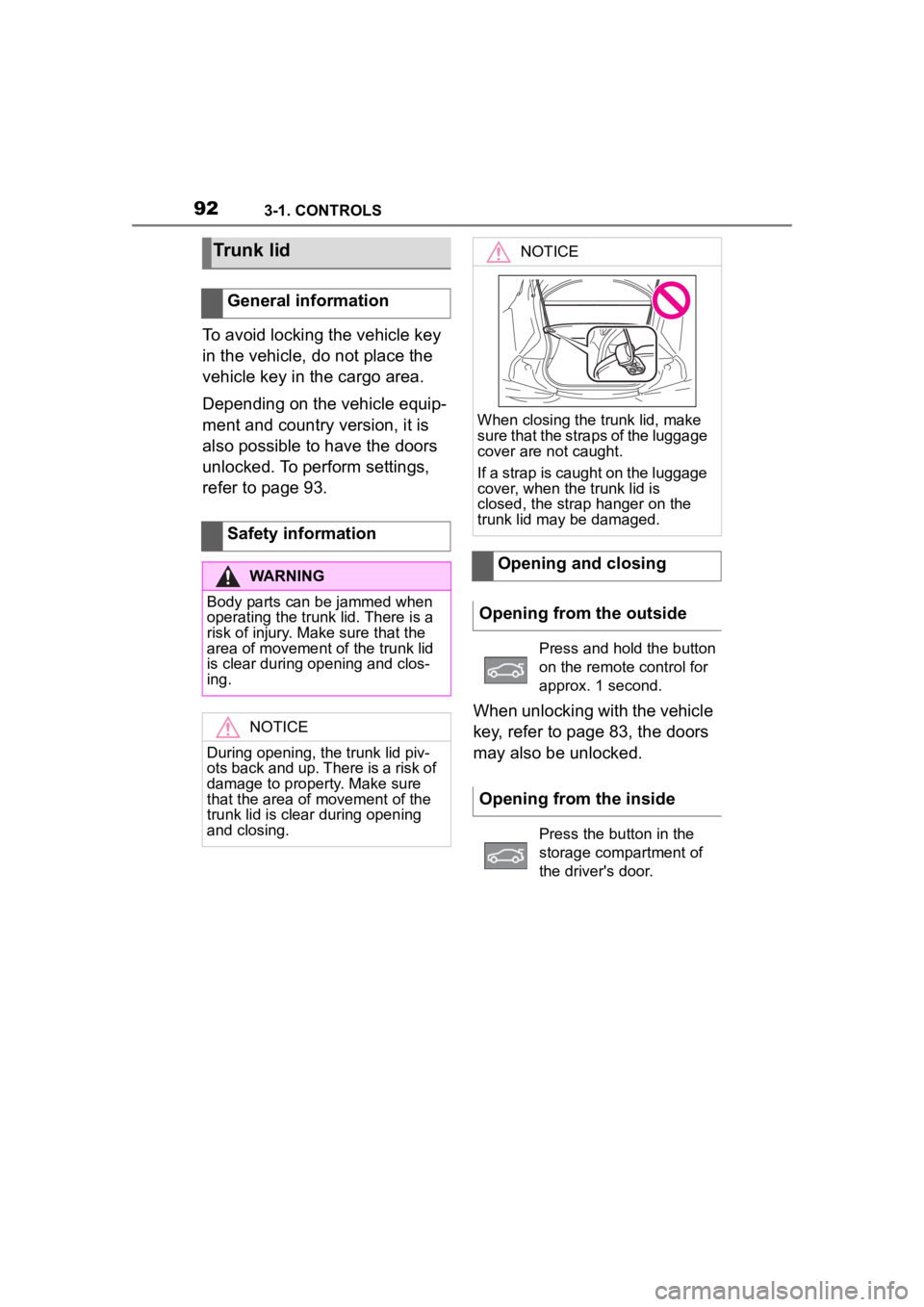
When closing the trunk lid, make
sure that the straps of the luggage
cover are not caught.
If a strap is caught on the luggage
cover, when the trunk lid is
closed, the strap hanger on the
trunk lid may be damaged.
Opening and closing
Opening from the outside
Press and hold the button
on the remote control for
approx. 1 second.
Opening from the inside
Press the button in the
storage compartment of
the driver's door.
Page 95 of 372

953-1. CONTROLS
3
CONTROLS
3"Doors/Key"
4 "Turn off after door opening"
Opening the front doors establishes
the idle state, refer to page 45.
The alarm system issues a
visual and acoustic signal when
someone attempts to open the
locked vehicle incorrectly.
When the vehicle is locked, the
vehicle alarm system reacts to
the following changes:
• Opening a door, the hood or
the trunk lid.
• Movements in the car's inte- rior.
• Changes in the vehicle tilt, e. g., during attempts at stealing
a wheel or when towing the
vehicle.
• Disconnected battery voltage.
• Improper use of the socket for OBD Onboard Diagnosis.
• Locking the vehicle while a device is connected to the
socket for the OBD Onboard-
Diagnosis. For socket for the
OBD Onboard Diagnosis,
refer to page 309.
The alarm system signals the
following changes visually and
acoustically:
• Acoustic alarm: Depending on local regulations, the acoustic
alarm may be suppressed.
• Visual alarm: By flashing of the hazard warning system
and headlights, where
required.
Do not modify the system to
ensure function of the alarm
system.
When you unlock and lock the
vehicle, either with the remote
control or with Comfort entry, the
alarm system is switched off and
on at the same time.
The alarm system is triggered
when a door is opened if the
door was unlocked using the
integrated key in the door lock.
Switching off the alarm, refer to
page 97.
The trunk lid can be opened
even when the alarm system is
switched on.
After the trunk lid is closed, it is
locked and monitored again pro-
vided the doors are locked. The
hazard warning system flashes
Alarm system
Concept
General information
Switching on/off
Opening the doors with
the alarm system switched
on
Opening the trunk lid with
the alarm system switched
on
Page 97 of 372

973-1. CONTROLS
3
CONTROLS
motion sensor can trigger an
alarm, although no unauthorized
action occurred.
Possible situations for an
unwanted alarm:
• In automatic vehicle washes.
• In duplex garages.
• During transport on trains car-rying vehicles, at sea or on a
trailer.
• With animals in the vehicle.
• When the vehicle is locked after start of fueling.
The tilt alarm sensor and the
interior motion sensor can be
switched off in such situations.
The indicator light lights up for
approx. 2 seconds and then
continues to flash.
The tilt alarm sensor and interior
motion sensor are switched off
until the vehicle is locked again.
• Unlock the vehicle with the remote control.
• Unlock the vehicle with the integrated key and activate
the drive-ready state via
emergency detection of the vehicle key, refer to page 85.
• With Smart Key System: when carrying the vehicle key,
grasp the driver’s door or front
passenger door handle com-
pletely.
The windows can be opened
with the vehicle key from the
outside as well as closed with
Smart Key System.
Additional information: Vehicle
key, refer to page 80.
Switching off the tilt alarm
sensor and interior motion
sensor
Press the button on the
remote control within 10
seconds as soon as the
vehicle is locked.
Switching off the alarm
Power windows
General information
Safety information
WARNING
When operating the windows,
body parts and objects can be
jammed. There is a risk of injury
or risk of damage to property.
Make sure that the area of move-
ment of the windows is clear
during opening and closing.
Overview
Power windows
Page 98 of 372
983-1. CONTROLS
The windows can be operated
under the following conditions.
• Standby state is established.
• Drive-ready state is activated.
The remote control must be in
the car’s interior.
• Press the switch to the resistance point.
The window opens while the switch
is being held.
• Press the switch beyond the resistance point.
The window opens automatically.
Pressing the switch again stops the
motion.
• Pull the switch to the
resistance point.
The window closes while the switch
is being held.
• Pull the switch beyond the resistance point.
The window closes automatically if
the door is closed. Pulling again
stops the motion.
The jam protection prevents objects or body parts becoming
jammed between the door frame
and window while a window is
being closed.
If resistance or a blockage is
detected while a window is
being closed, the closing action
is interrupted.
In case of danger from the out-
side or if ice might prevent nor-
mal closing, proceed as follows:
1
Pull the switch past the
resistance point and hold it
there.
The window closes with limited jam
protection. If the closing force
exceeds a specific threshold, clos-
ing is interrupted.
2 Pull the switch past the
resistance point again within
approx. 4 seconds and hold it
there.
The window closes without jam pro-
tection.
Functional requirements
Opening
Closing
Jam protection system
Concept
General information
Safety information
WARNING
Accessories on the windows such
as antennas can impact jam pro-
tection. There is a risk of injury.
Do not install accessories in the
area of movement of the win-
dows.
Closing without the jam pro-
tection system