2023 TOYOTA SUPRA mirror controls
[x] Cancel search: mirror controlsPage 94 of 372

943-1. CONTROLS
Via Toyota Supra Command:
1"My Vehicle"
2 "Driver profiles"
3 Select driver profile.
The setting can be made for the
driver profile marked with this sym-
bol.
4 "Last seat position automatic"
When the vehicle is unlocked,
the driver's seat and exterior
mirrors resume their last set
positions.
The most recent position is inde-
pendent of the positions saved
via the seat memory.
Via Toyota Supra Command:
1 "My Vehicle"
2 "Vehicle settings"
3 "Doors/Key"
4 Deactivate or activate the
desired confirmation signals:
• "Flash for lock/unlock"
Unlocking is signaled by two
flashes, locking by one.
Via Toyota Supra Command:
1 "My Vehicle"
2 "Vehicle settings" 3
"Doors/Key"
4 "Lock automatically"
The vehicle locks automatically
after a short period of time if no
door is opened after unlocking.
Via Toyota Supra Command:
1"My Vehicle"
2 "Vehicle settings"
3 "Doors/Key"
4 Select the desired setting:
• "Unlock doors when in Park"
• "Unlock at end of trip"
After drive-ready state is switched
off by pressing the Start/Stop but-
ton, the locked vehicle is automati-
cally unlocked.
Via Toyota Supra Command:
1 "My Vehicle"
2 "Vehicle settings"
3 "Doors/Key"
4 "Fold mirrors in when locked"
The exterior mirrors are automati-
cally folded in during locking.
Via Toyota Supra Command:
1"My Vehicle"
2 "Vehicle settings"
Adjusting the last seat and
mirror position
Confirmation signals from
the vehicle
Automatic locking
Automatic unlocking
Folding mirrors automati-
cally
Establishing idle state
after opening the front
doors
Page 96 of 372

963-1. CONTROLS
once.
You can trigger the alarm sys-
tem if you find yourself in a dan-
gerous situation.
To switch off the alarm: press
any button.
• The indicator light flashes briefly every 2 seconds: The
alarm system is switched on.
• Indicator light flashes for approx. 10 seconds, then it
flashes briefly every 2 sec-
onds: Interior motion sensor
and tilt alarm sensor are not
active, as doors, hood, or
trunk lid are not correctly
closed. Correctly closed
access points are secured.When the still open access points
are closed, interior motion sensor
and tilt alarm sensor will be
switched on.
• The indicator light goes out after unlocking: The vehicle
has not been tampered with.
• The indicator light flashes after unlocking until
drive-ready state is switched
on, but no longer than approx.
5 minutes: An alarm has been
triggered.
The tilt of the vehicle is moni-
tored.
The alarm system responds in
situations such as attempts to
steal a wheel or when the vehi-
cle is towed.
The car's interior is monitored to
the height of the seats. The
alarm system is switched on
together with the interior motion
sensor even when the window is
open. Falling objects such as
leaves can trigger the alarm
unintentionally.
The tilt alarm sensor and interior
Panic mode
• Press the button on the
remote control and hold
for at least 3 seconds.
• Briefly press the button on the remote control
three times in succes-
sion.
Indicator light on the inte-
rior mirror
Tilt alarm sensor
Interior motion sensor
Avoiding unintentional
alarms
General information
Page 99 of 372

993-1. CONTROLS
3
CONTROLS
This chapter describes all stan-
dard, country-specific and
optional features offered with
the series. It also describes fea-
tures and functions that are not
necessarily available in your
vehicle, e.g., due to the selected
options or country versions. This
also applies to safety-related
functions and systems. When
using these functions and sys-
tems, the applicable laws and
regulations must be observed.
An ideal seating position that
meets the needs of the occu-
pants can make a vital contribu-
tion to relaxed, fatigue-free
driving.
In the event of an accident, the
correct seating position plays an
important role. Follow the infor-
mation in the following chapters:
• Seats, refer to page 99.
• Safety belts, refer to page 103.
• Head restraints, refer to page 108.
• Airbags, refer to page 164.
Seats, mirrors, and
steering wheel
Vehicle features and
options
Sitting safely
Seats
Safety information
WARNING
Seat adjustments while driving
can lead to unexpected move-
ments of the seat. Vehicle control
could be lost. There is a risk of an
accident. Only adjust the seat on
the driver's side when the vehicle
is stationary.
WARNING
With a backrest inclined too far to
the rear, the efficacy of the safety
belt can no longer be ensured.
There is a risk of sliding under the
safety belt in an accident. There is
a risk of injuries or danger to life.
Adjust the seat prior to starting the
trip. Adjust the backrest so that it
is in the most upright position as
possible and do not adjust again
while driving.
WARNING
There is a risk of jamming when
moving the seats. There is a risk
of injury or risk of damage to prop-
erty. Make sure that the area of
movement of the seat is clear
prior to any adjustment.
Page 108 of 372
1083-1. CONTROLS
The height of the head restraints
cannot be adjusted.
The distance to the back of the
head is adjusted via the back-
rest tilt.
Adjust the distance so that the
head restraint is as close as
possible to the back of the head.
The head restraints cannot be
removed.The mirror on the front passen-
ger side is more curved than the
driver's side mirror.
The mirror setting is stored for
the driver profile currently in
use. When the vehicle is
unlocked via the vehicle key, the
position is automatically
retrieved if the function, refer to
page 68, is activated for this
purpose.
The current exterior mirror posi-
tion can be stored using the
memory function, refer to page
111 .
Front head restraints
Safety information
WARNING
Objects on the head restraint
reduce the p
rotective effect in the
head and neck area. There is a
risk of injury.
• Do not use seat or head restraint covers.
• Do not hang objects, for instance clothes hangers,
directly on the head restraint.
• Only use accessories that have been determined to be safe for
attachment to a h ead restraint.
• Do not use any accessories, for instance pillows, while driving.
Adjusting the height
Adjusting the distance
Removing
Exterior mirrors
General information
Safety information
WARNING
Objects reflected in the mirror are
closer than they appear. The dis-
tance to the traffic behind could
be incorrectly estimated, for
instance while changing lanes.
There is a risk of an accident.
Estimate the distance to the traffic
behind by looking over your
shoulder.
Page 109 of 372

1093-1. CONTROLS
3
CONTROLS
1Adjusting
2 Selecting a mirror, Automatic
Curb Monitor
3 Folding in and out
Press the button.
The selected mirror moves
along with the button move-
ment.
To change over to the
other mirror: Slide the switch.
In case of an electrical malfunc-
tion, adjust the mirror by press-
ing the edges of the mirror
glass. Press the button.
Folding is only possible up to a
speed of approx. 15 mph/20
km/h.
Folding the mirrors in and out is
helpful in the following situa-
tions:
• In vehicle washes.
• On narrow roads.
Mirrors that were folded in are
folded out automatically at a
speed of approx. 25 mph/40
km/h.
Both exterior mirrors are auto-
matically heated as needed and
when the drive-ready state is
switched on.
The exterior mirror on the
driver's side is automatically
dimmed. Photocells in the car's
interior mirror, refer to page 110,
are used to control this.
Overview
Adjusting the exterior mir-
rors
Selecting a mirror
Malfunction
Folding in and out
NOTICE
Depending on the vehicle width,
the vehicle can be damaged in
vehicle washes. There is a risk of
damage to property. Before wash-
ing, fold in the mirrors by hand or
with the button.
Automatic heating
Automatic dimming fea-
ture
Page 110 of 372
1103-1. CONTROLS
If reverse gear is engaged, the
mirror glass on the front passen-
ger side is tilted downward. This
improves your view of the curb
and other low-lying obstacles
when parking, for instance.
1 Slide the switch to the
driver's side mirror position.
2 Engage selector lever posi-
tion R.
Slide the switch to the passen-
ger's side mirror position.
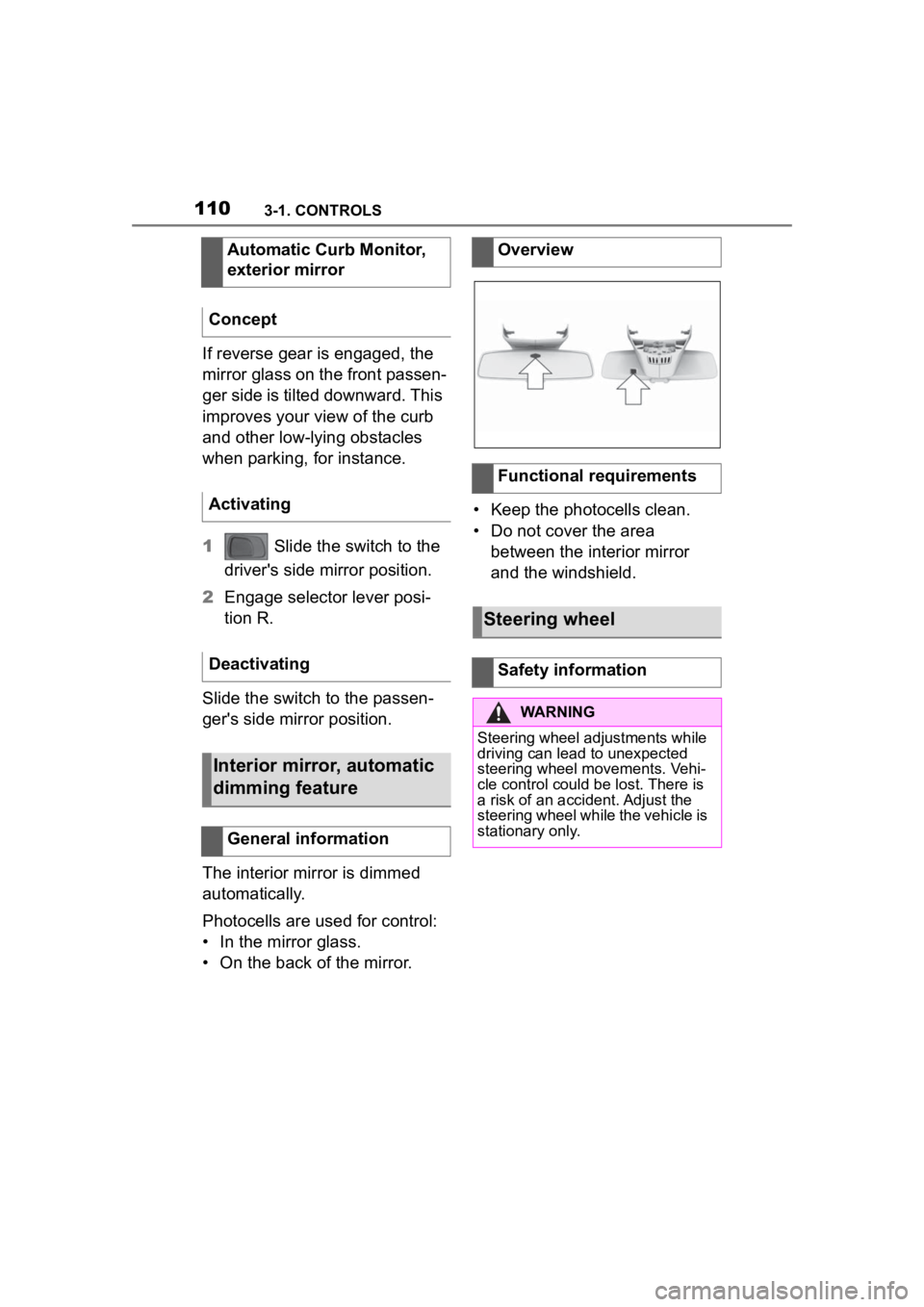
The interior mirror is dimmed
automatically.
Photocells are used for control:
• In the mirror glass.
• On the back of the mirror. • Keep the photocells clean.
• Do not cover the area
between the interior mirror
and the windshield.
Automatic Curb Monitor,
exterior mirror
Concept
Activating
Deactivating
Interior mirror, automatic
dimming feature
General information
Overview
Functional requirements
Steering wheel
Safety information
WARNING
Steering wheel adjustments while
driving can lead to unexpected
steering wheel movements. Vehi-
cle control could be lost. There is
a risk of an accident. Adjust the
steering wheel while the vehicle is
stationary only.
Page 111 of 372
1113-1. CONTROLS
3
CONTROLS
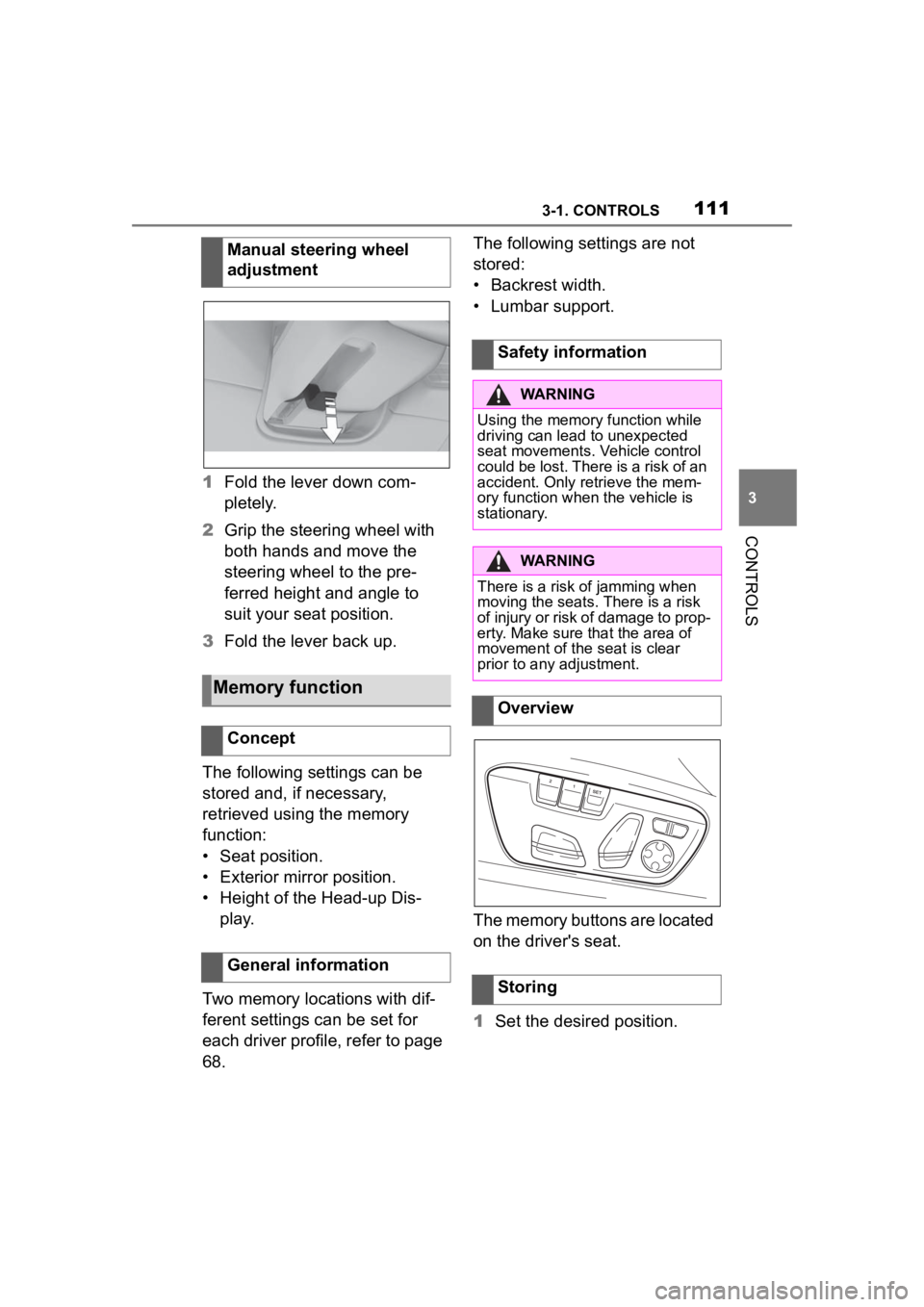
1Fold the lever down com-
pletely.
2 Grip the steering wheel with
both hands and move the
steering wheel to the pre-
ferred height and angle to
suit your seat position.
3 Fold the lever back up.
The following settings can be
stored and, if necessary,
retrieved using the memory
function:
• Seat position.
• Exterior mirror position.
• Height of the Head-up Dis- play.
Two memory locations with dif-
ferent settings can be set for
each driver profile, refer to page
68. The following settings are not
stored:
• Backrest width.
• Lumbar support.
The memory buttons are located
on the driver's seat.
1
Set the desired position.
Manual steering wheel
adjustment
Memory function
Concept
General information
Safety information
WARNING
Using the memory function while
driving can lead to unexpected
seat movements. Vehicle control
could be lost. There is a risk of an
accident. Only retrieve the mem-
ory function when
the vehicle is
stationary.
WARNING
There is a risk of jamming when
moving the seats. There is a risk
of injury or risk of damage to prop-
erty. Make sure that the area of
movement of the seat is clear
prior to any adjustment.
Overview
Storing
Page 125 of 372
1253-1. CONTROLS
3
CONTROLS
press the switch while the
brake is pressed or selector
lever position P is set.
The LED and indicator light go out.
The parking brake is released.
The parking brake is released
automatically when you drive
away.
The LED and indicator light go
out.
In the event of a failure or mal-
function of the parking brake:
Secure the vehicle against roll-
ing away, for instance with a
wheel chock, after existing the
vehicle.
To reestablish parking brake
functionality after a power fail-
ure:
1Switch on standby state.
2 Pull the switch while
stepping on the brake pedal
or selector lever position P is
set and then push.
This process may take a few
seconds. Any sounds associ-
ated with this are normal. When driving and during opera-
tion of the turn signals or hazard
warning system, do not fold in
the exterior mirrors, so that the
signal lights on the exterior mir-
ror are easy to see.
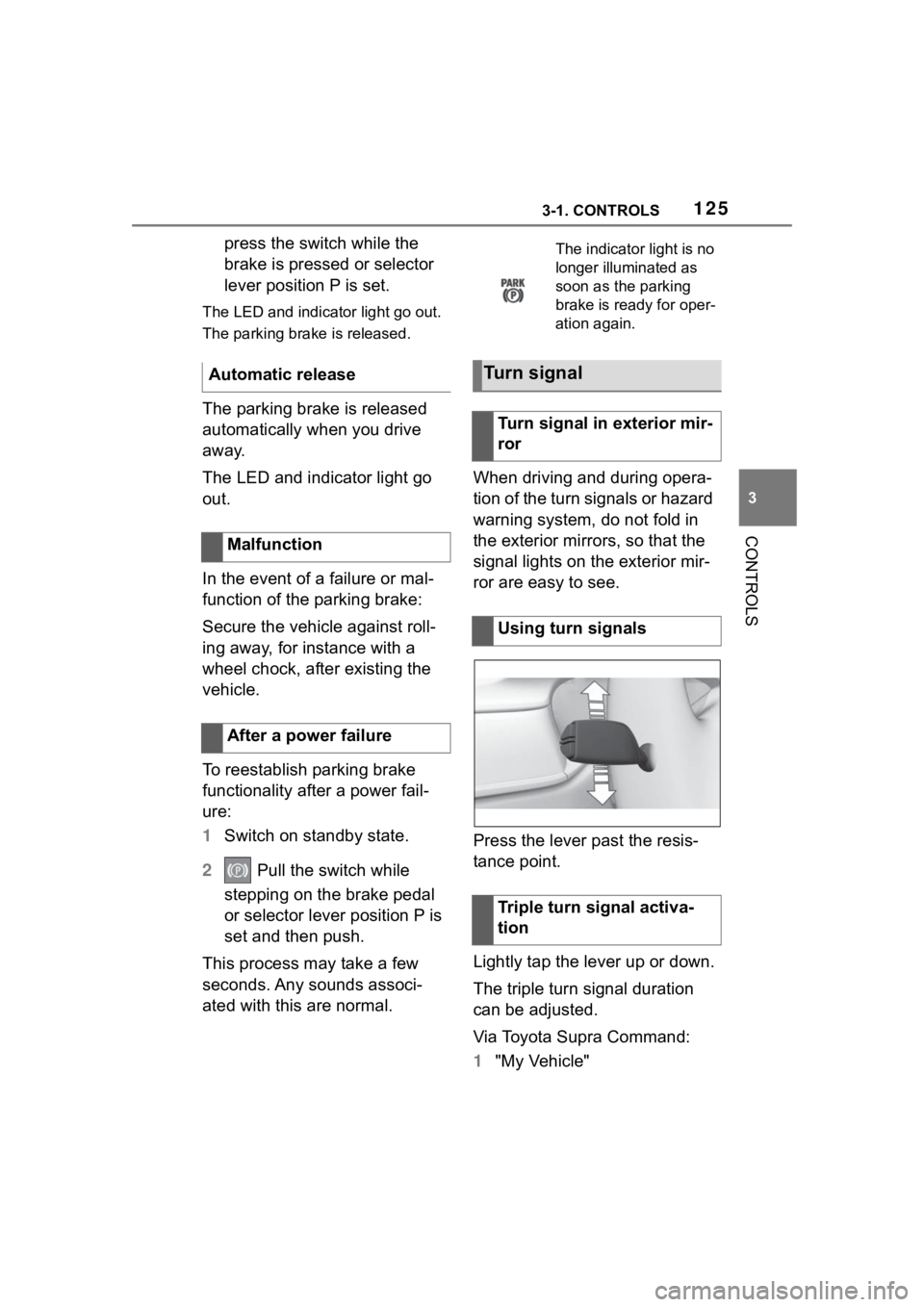
Press the lever past the resis-
tance point.
Lightly tap the lever up or down.
The triple turn signal duration
can be adjusted.
Via Toyota Supra Command:
1
"My Vehicle"
Automatic release
Malfunction
After a power failure
The indicator light is no
longer illuminated as
soon as the parking
brake is ready for oper-
ation again.
Turn signal
Turn signal in exterior mir-
ror
Using turn signals
Triple turn signal activa-
tion