2023 TOYOTA RAV4 HYBRID oil
[x] Cancel search: oilPage 1 of 586

RAV4 HEV_OM_OM0R102U_(U)
1
2
3
4
5
6
7
8
9
Pictorial indexSearch by illustration
For safety
and securityMake sure to read through them
(Main topics: Child seat, theft deterrent system)
Vehicle status
information and
indicatorsReading driving-related information
(Main topics: Meters, multi-information display)
Before driving
Opening and closing the doors and windows,
adjustment before driving
(Main topics: Keys, doors, seats, power windows)
Driving
Operations and advice which are necessary for
driving
(Main topics: Starting hybrid system, refueling)
Interior featuresUsage of the interior features
(Main topics: Air conditioner, storage features)
Maintenance
and careCaring for your vehicle and maintenance
procedures
(Main topics: Interior and exterior, light bulbs)
When trouble
arisesWhat to do in case of malfunction and emergency
(Main topics: 12-volt battery discharge, flat tire)
Vehicle
specificationsVehicle specifications, customizable features
(Main topics: Fuel, oil, tire inflation pressure)
For ownersReporting safety defects for U.S. owners, and seat
belt, SRS airbag and headlight aim instructions for
Canadian owners
IndexSearch by symptom
Search alphabetically
Page 5 of 586

5TABLE OF CONTENTS
1
2
3
4
5
6
7
8
9
If a warning light turns on or a warning buzzer sounds.................................... 456
If a warning message is dis- played.......................... 466
If you have a flat tire...... 471
If the hybrid system will not start ............................. 480
If you lose your keys ..... 481
If the fuel filler door cannot be opened ................... 482
If the electronic key does not operate properly (vehicles
with smart key system) 483
If the 12-volt battery is dis- charged ....................... 485
If your vehicle overheats 490
If the vehicle becomes stuck .................................... 493
8-1. Specifications Maintenance data (fuel, oil level, etc.) .................... 496
Fuel information ............ 505
Tire information ............. 507
8-2. Customization Customizable features .. 517
8-3. Initialization Items to initialize ........... 531
9-1. For owners Reporting safety defects for U.S. owners................. 534Reporting safet
y defects for
Canadian owners ........ 535
Seat belt instructions for Canadian owners (in
French) ........................ 535
SRS airbag instructions for Canadian owners (in
French) ........................ 537
Headlight aim instructions for Canadian owners (in
French) ........................ 544
What to do if... (Trouble- shooting) ..................... 548
Alphabetical Index ........ 551
8Vehicle specifications
9For owners
Index
Page 15 of 586
15Pictorial index
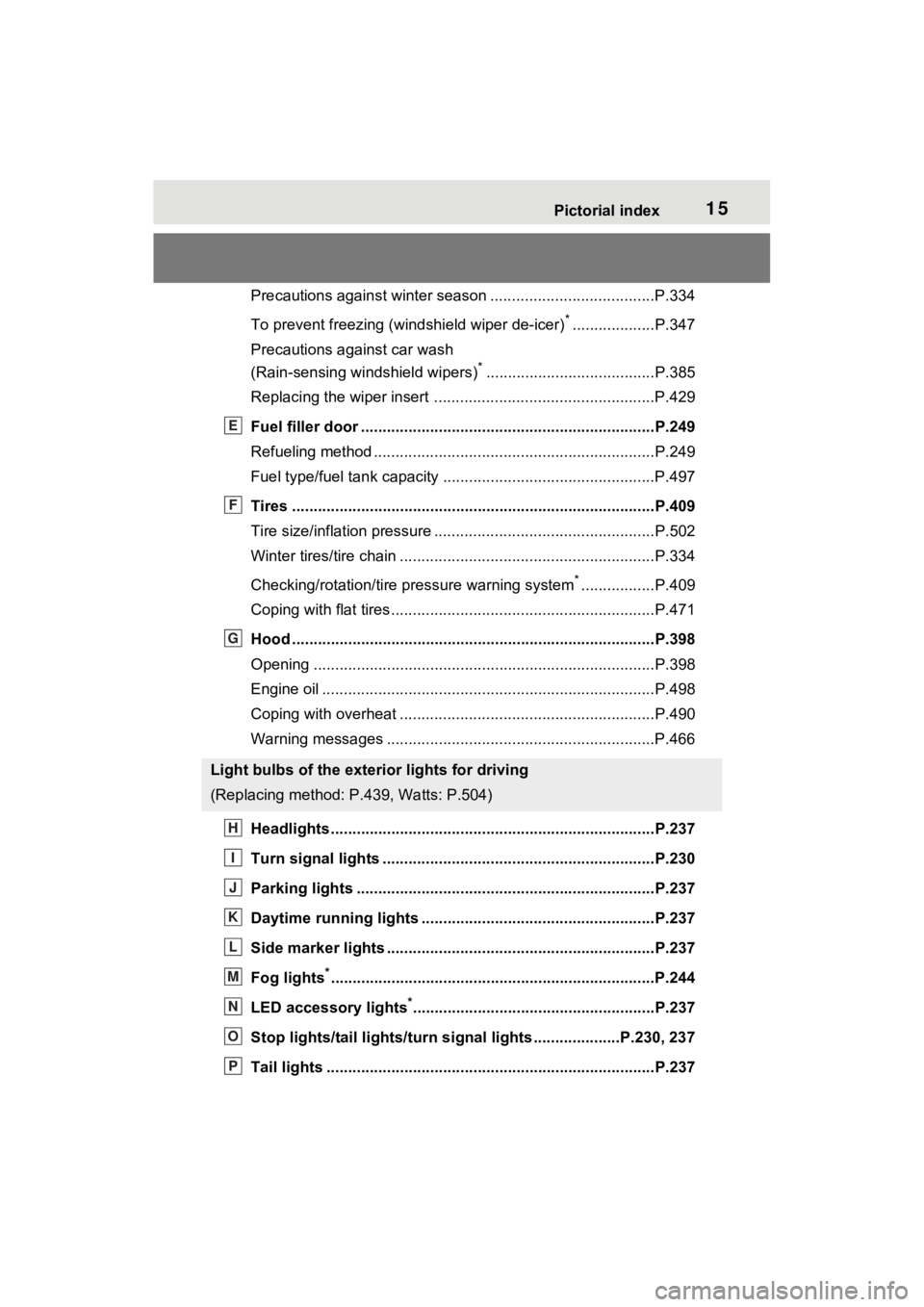
Precautions against winter season ......................................P.334
To prevent freezing (windshield wiper de-icer)
*...................P.347
Precautions against car wash
(Rain-sensing windshield wipers)
*.......................................P.385
Replacing the wiper insert .................................... ...............P.429
Fuel filler door ............................................... .....................P.249
Refueling method ............................................... ..................P.249
Fuel type/fuel tan k capacity .................................................P.497
Tires ....................................................................................P.409
Tire size/inflation pressure ................................... ................P.502
Winter tires/tire chain ........................................ ...................P.334
Checking/rotation/tire pressure warning system
*.................P.409
Coping with flat tires......................................... ....................P.471
Hood ....................................................................................P.398
Opening ........................................................ .......................P.398
Engine oil ..................................................... ........................P.498
Coping with overheat ........................................... ................P.490
Warning messages ..............................................................P.466
Headlights..................................................... ......................P.237
Turn signal lights ...............................................................P.230
Parking lights .....................................................................P.237
Daytime running lights .. ....................................................P.237
Side marker lights ............................................. .................P.237
Fog lights
*............................................................... ............P.244
LED accessory lights
*........................................................P.237
Stop lights/tail lights/turn s ignal lights ....................P.230, 237
Tail lights .................................................... ........................P.237
Light bulbs of the exterior lights for driving
(Replacing method: P.439, Watts: P.504)
E
F
G
H
I
J
K
L
M
N
O
P
Page 89 of 586
892-1. Instrument cluster
2
Vehicle status information and indicators
*1: These lights turn on when the
power switch is turned to ON to
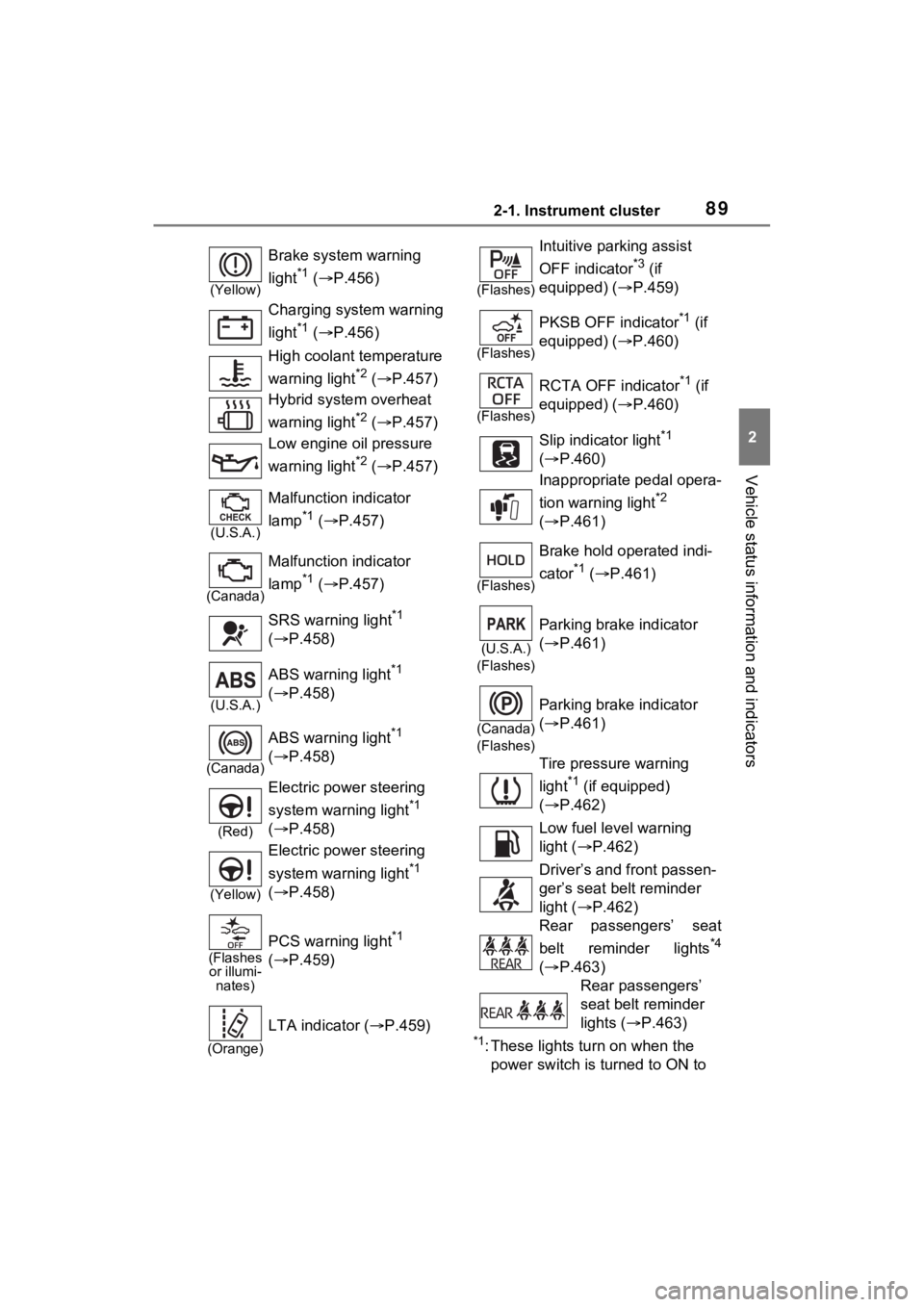
(Yellow)
Brake system warning
light
*1 ( P.456)
Charging system warning
light
*1 ( P.456)
High coolant temperature
warning light
*2 ( P.457)
Hybrid system overheat
warning light
*2 ( P.457)
Low engine oil pressure
warning light
*2 ( P.457)
(U.S.A.)
Malfunction indicator
lamp
*1 ( P.457)
(Canada)
Malfunction indicator
lamp
*1 ( P.457)
SRS warning light
*1
( P.458)
(U.S.A.)
ABS warning light*1
( P.458)
(Canada)
ABS warning light*1
( P.458)
(Red)
Electric power steering
system warning light
*1
( P.458)
(Yellow)
Electric power steering
system warning light
*1
( P.458)
(Flashes
or illumi- nates)
PCS warning light*1
( P.459)
(Orange)
LTA indicator ( P.459)
(Flashes)
Intuitive parking assist
OFF indicator
*3 (if
equipped) ( P.459)
(Flashes)
PKSB OFF indicator*1 (if
equipped) ( P.460)
(Flashes)
RCTA OFF indicator*1 (if
equipped) ( P.460)
Slip indicator light
*1
( P.460)
Inappropriate pedal opera-
tion warning light
*2
( P.461)
(Flashes)
Brake hold operated indi-
cator
*1 ( P.461)
(U.S.A.)
(Flashes)
Parking brake indicator
( P.461)
(Canada)
(Flashes)
Parking brake indicator
( P.461)
Tire pressure warning
light
*1 (if equipped)
( P.462)
Low fuel level warning
light ( P.462)
Driver’s and front passen-
ger’s seat belt reminder
light ( P.462)
Rear passengers’ seat
belt reminder lights
*4
( P.463)
Rear passengers’
seat belt reminder
lights ( P.463)
Page 104 of 586

1042-1. Instrument cluster
■Display items
Odometer
Displays the total distance the vehi-
cle has been driven.
Trip meter A/trip meter B
Displays the distan ce the vehicle
has been driven si nce the meter
was last reset. Trip meters A and B
can be used to record and display
different distances independently.
Distance until next engine oil
change
Displays the distan ce the vehicle
can be driven until an oil change is
necessary.
■Changing the display
Each time the “ODO TRIP”
switch is pressed, the displayed item will be changed.
When the trip meter is dis-
played, pressing and holding the
switch will reset the trip meter.
The brightness of the instrument
panel lights can be adjusted.
1
Brighter
2 Darker
■Brightness of the meter lights
(day mode and night mode)
The brightness of the meter lights
can be adjusted individually.
In the following si tuations, the
meters changes between day mode
and night mode.
●Day mode: When the tail lights are
off or when the ta il lights are on
but the surrounding area is bright
●Night mode: When the tail lights
For example, there is a lag
between the driver’s shifting and
the new gear number appearing
on the display. This lag could
cause the driver to downshift
again, causing rapid and exces-
sive engine braking and possibly
an accident resulting in death or
injury.
NOTICE
■To prevent damage to the
engine and its components
The engine may be overheating if
the engine coolant temperature
gauge is in the red zone (H). In
this case, immed iately stop the
vehicle in a safe place, and check
the engine after it has cooled
completely. ( P.490)
Odometer and trip meter
display
Changing the instrument
panel light brightness
Page 159 of 586
1573-2. Opening, closing and locking the doors
3
Before driving
mechanical key, to unlock the
doors.
■Turning an electronic key to
battery-saving mode
●When battery-saving mode is set,
battery depletion is minimized by
stopping the electronic key from
receiving radio waves.
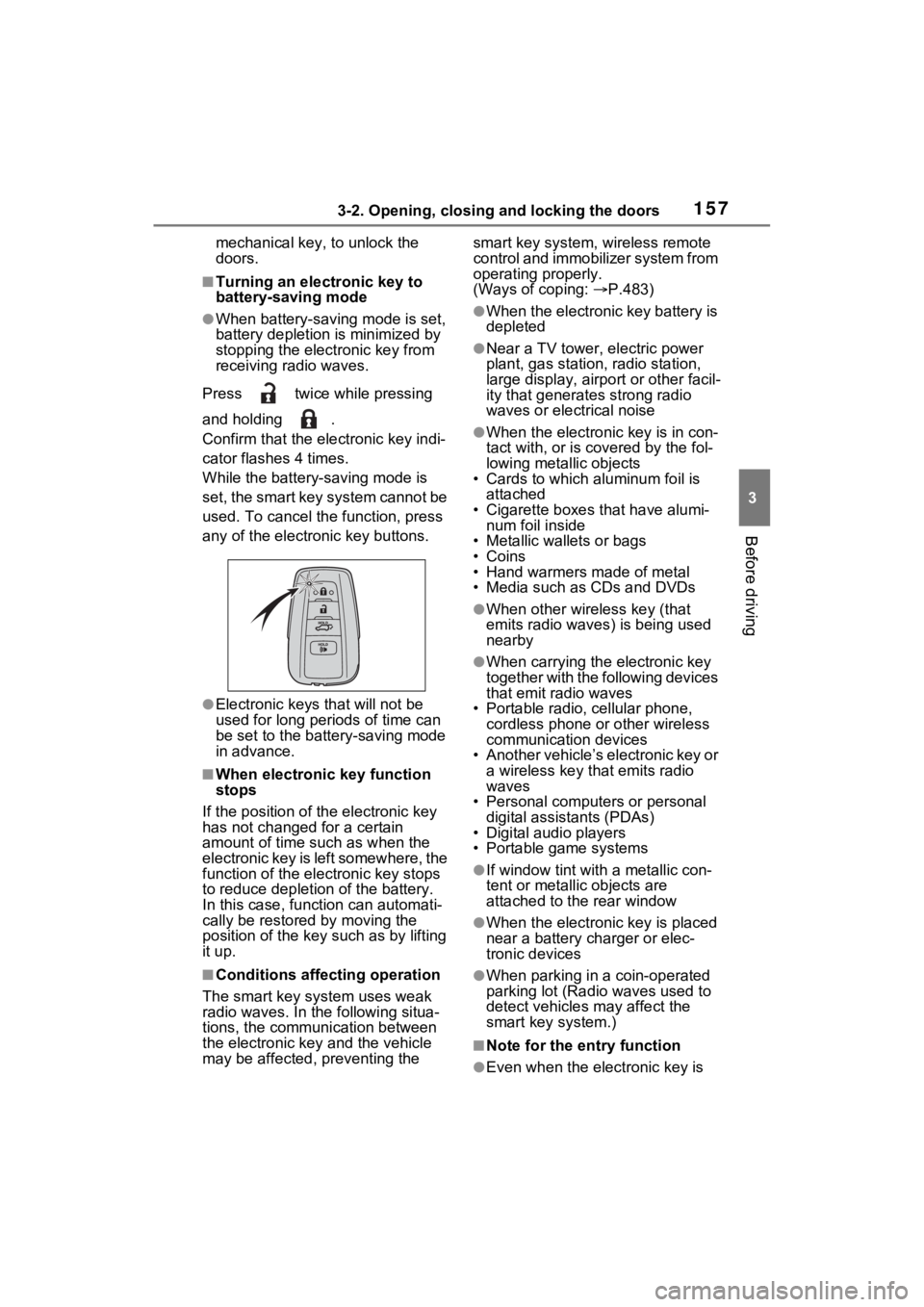
Press twice while pressing
and holding .
Confirm that the electronic key indi-
cator flashes 4 times.
While the battery-saving mode is
set, the smart key system cannot be
used. To cancel the function, press
any of the electronic key buttons.
●Electronic keys that will not be
used for long periods of time can
be set to the battery-saving mode
in advance.
■When electronic key function
stops
If the position of the electronic key
has not changed for a certain
amount of time such as when the
electronic key is left somewhere, the
function of the electronic key stops
to reduce depletio n of the battery.
In this case, function can automati-
cally be restored by moving the
position of the key such as by lifting
it up.
■Conditions affecting operation
The smart key system uses weak
radio waves. In the following situa-
tions, the communication between
the electronic key and the vehicle
may be affected, preventing the smart key system, wireless remote
control and immobilizer system from
operating properly.
(Ways of coping:
P.483)
●When the electronic key battery is
depleted
●Near a TV tower, electric power
plant, gas station, radio station,
large display, airpo rt or other facil-
ity that generates strong radio
waves or electrical noise
●When the electronic key is in con-
tact with, or is c overed by the fol-
lowing metallic objects
• Cards to which aluminum foil is
attached
• Cigarette boxes that have alumi- num foil inside
• Metallic wallets or bags
•Coins
• Hand warmers made of metal
• Media such as CDs and DVDs
●When other wireless key (that
emits radio waves) is being used
nearby
●When carrying the electronic key
together with the following devices
that emit radio waves
• Portable radio, cellular phone, cordless phone or other wireless
communication devices
• Another vehicle’s electronic key or a wireless key that emits radio
waves
• Personal computers or personal digital assistants (PDAs)
• Digital audio players
• Portable game systems
●If window tint wit h a metallic con-
tent or metallic objects are
attached to the rear window
●When the electronic key is placed
near a battery charger or elec-
tronic devices
●When parking in a coin-operated
parking lot (Radio waves used to
detect vehicles may affect the
smart key system.)
■Note for the entry function
●Even when the electronic key is
Page 203 of 586
2014-1. Before driving
4
Driving
When the following unusual
operation is performed with the
accelerator pedal depressed,
the hybrid system output may be
restrained.
When the shift lever is shifted
to R
*.
When the shift lever is shifted
from P or R to forward drive
shift position such as D
*.
When the system op erates, a mes-
sage appears on the multi-informa-
tion display. Read the message
and follow the instruction.
*: Depending on the situation, the shift position may not be
changed.
■Drive-Start Control (DSC)
●When the TRAC is turned off
(
P.327), sudden start restraint
control also does not operate. If
your vehicle have trouble escap-
ing from the mud or fresh snow
due to sudden star t restraint con-
trol operation, deactivate TRAC
( P.327) so that the vehicle may
become able to e scape from the
mud or fresh snow.
Also, sudden start restraint control
will not operate in the following con-
dition:
• When Trail Mode is turned on
NOTICE
In the event that you drive on a
flooded road and the vehicle is
flooded, be sure to have your
Toyota dealer c heck the following:
●Brake function
●Changes in quantity and quality
of oil and fluid used for the
engine, hybrid transaxle (front
and rear), etc.
●Lubricant condition for the bear-
ings and suspension joints
(where possible), and the func-
tion of all joints, bearings, etc.
■When parking the vehicle
Always set the parking brake, and
shift the shift lever to P. Failure to
do so may cause the vehicle to
move or the vehi cle may acceler-
ate suddenly if the accelerator
pedal is accidentally depressed.
Sudden start restraint
control (Drive-Start Con-
trol [DSC])
Page 270 of 586
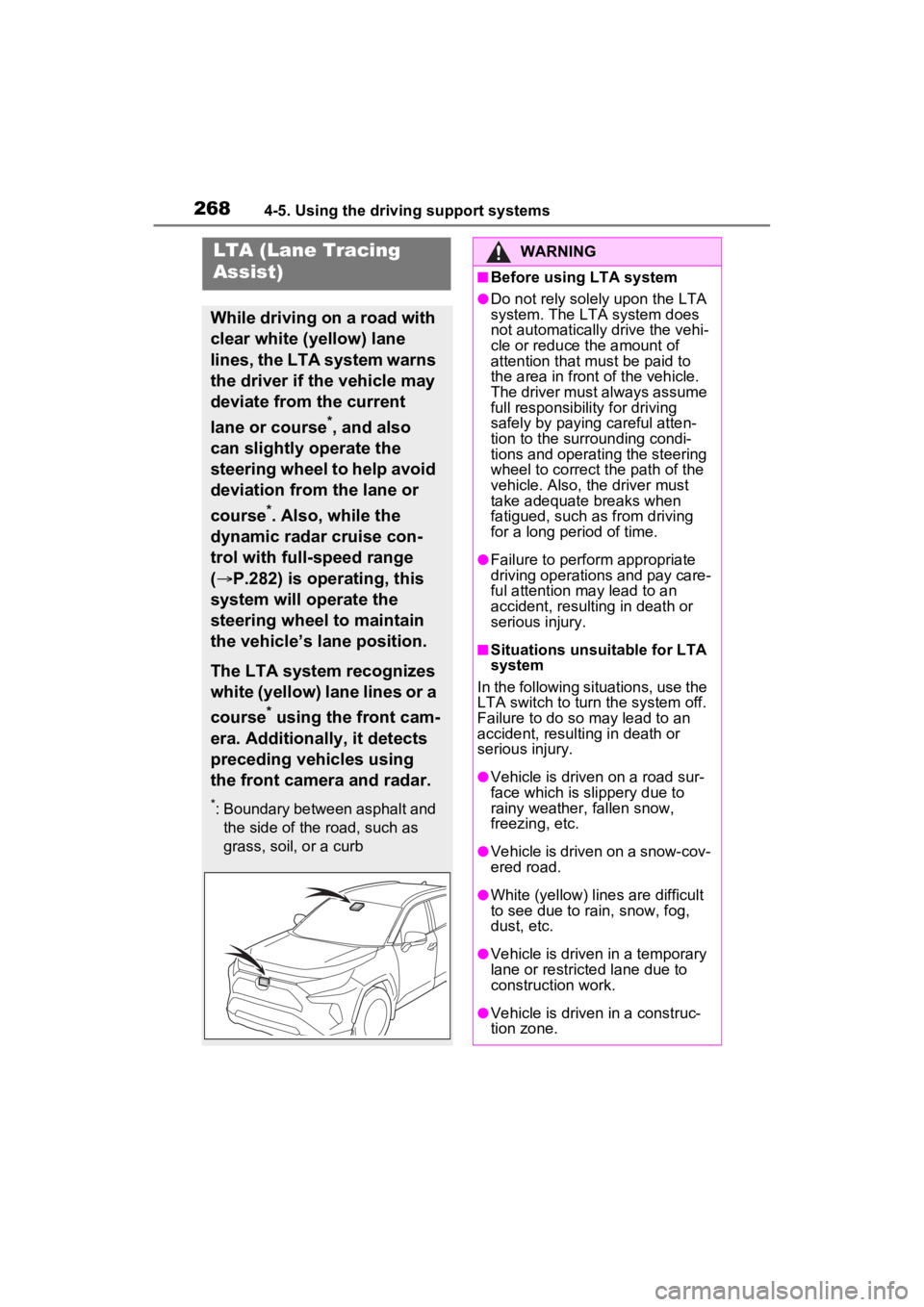
2684-5. Using the driving support systems
LTA (Lane Tracing
Assist)
While driving on a road with
clear white (yellow) lane
lines, the LTA system warns
the driver if the vehicle may
deviate from the current
lane or course
*, and also
can slightly operate the
steering wheel to help avoid
deviation from the lane or
course
*. Also, while the
dynamic radar cruise con-
trol with full-speed range
( P.282) is operating, this
system will operate the
steering wheel to maintain
the vehicle’s lane position.
The LTA system recognizes
white (yellow) lane lines or a
course
* using the front cam-
era. Additionally, it detects
preceding vehicles using
the front camera and radar.
*: Boundary between asphalt and the side of the road, such as
grass, soil, or a curb
WARNING
■Before using LTA system
●Do not rely solely upon the LTA
system. The LTA system does
not automatically drive the vehi-
cle or reduce the amount of
attention that m ust be paid to
the area in front of the vehicle.
The driver must always assume
full responsibilit y for driving
safely by paying careful atten-
tion to the surrounding condi-
tions and operating the steering
wheel to correct the path of the
vehicle. Also, the driver must
take adequate breaks when
fatigued, such as from driving
for a long period of time.
●Failure to perform appropriate
driving operations and pay care-
ful attention may lead to an
accident, resulting in death or
serious injury.
■Situations unsuitable for LTA
system
In the following situations, use the
LTA switch to turn the system off.
Failure to do so may lead to an
accident, resulting in death or
serious injury.
●Vehicle is driven on a road sur-
face which is slippery due to
rainy weather, fallen snow,
freezing, etc.
●Vehicle is driven on a snow-cov-
ered road.
●White (yellow) lin es are difficult
to see due to rain, snow, fog,
dust, etc.
●Vehicle is driven in a temporary
lane or restricted lane due to
construction work.
●Vehicle is driven in a construc-
tion zone.