2023 TOYOTA RAV4 HYBRID blind spot monitor
[x] Cancel search: blind spot monitorPage 3 of 586

3TABLE OF CONTENTS
1
2
3
4
5
6
7
8
9
Panoramic moon roof....189
4-1. Before driving Driving the vehicle......... 195
Cargo and luggage ....... 202
Vehicle load limits ......... 205
Trailer towing ................ 206
Dinghy towing ............... 216
4-2. Driving procedures Power (ignition) switch (vehi-cles without smart key sys-
tem) ............................. 217
Power (ignition) switch (vehi- cles with smart key system).................................... 219
EV drive mode .............. 224
Hybrid transmission ...... 226
Turn signal lever ........... 230
Parking brake ................ 231
Brake Hold .................... 235
4-3. Operating the lights and wipers
Headlight switch ............ 237
AHB (Automatic High Beam) .................................... 240
Fog light switch ............. 244
Windshield wipers and washer......................... 244
Rear window wiper and washer......................... 247
4-4. Refueling Opening the fuel tank cap.................................... 2494-5. Using the driving support
systems
Toyota Safety Sense 2.5 252
PCS (Pre-Collision System) .................................... 257
LTA (Lane Tracing Assist) .................................... 268
RSA (Road Sign Assist) 279
Dynamic radar cruise control with full-speed range ... 282
BSM (Blind Spot Monitor) .................................... 293
Intuitive parking assist ... 298
RCTA (Rear Cross Traffic Alert) function .............. 307
PKSB (Parking Support Brake) .......................... 312
Parking Support Brake func- tion (static objects) ...... 318
Parking Support Brake func- tion (rear-crossing vehicles)
.................................... 321
Driving mode s elect switch
.................................... 323
Trail Mode (AWD vehicles) .................................... 324
Driving assist systems ... 326
4-6. Driving tips Hybrid Electric Vehicle driv-ing tips ......................... 332
Winter driving tips .......... 334
Utility vehicle precautions .... ...
............................. 337
4Driving
Page 92 of 586
922-1. Instrument cluster
approximately 10 seconds, then
stay on.
*8: This light illuminates on the cen-
ter panel.
■BSM (Blind Spot Monitor) out-
side rear view mirror indicators
(if equipped)
In order to confirm operation, the
BSM outside rear view mirror indica-
tors illuminate in the following situa-
tions:
●When the power switch is turned
to ON while the BSM function is
enabled on the screen of the
multi-informat ion display.
●When the BSM function is
enabled on the screen of the
multi-information display while the
power switch is in ON.
If the system is functioning correctly,
the BSM outside rear view mirror
indicators will turn off afte r a few
seconds.
If the BSM outside rear view mirror
indicators do not illuminate or do not
turn off, there may be a malfunction
in the system. If this occurs, have
the vehicle insp ected by your
Toyota dealer.
Page 112 of 586
1122-1. Instrument cluster
PCS on/off
Select to enable/disable the pre-
collision system.
“Sensitivity”
Select to change t he pre-collision
warning timing.
■ BSM (Blind Spot Moni-
tor) (if equipped) ( P.293)
Select to set up the following
items.
BSM (Blind Spot Monitor)
on/off
Select to enable/disable the BSM
system.
“Brightness”
Select to switch the brightness of
the outside rear view mirror indica-
tors. ( P.294)
“Sensitivity”
Select to change the alert timing for
an approaching vehicle.
■ (Intuitive parking
assist) (if equipped)
( P.298)
Select to set up the following
items.
Intuitive parking assist on/off
Select to enable/disable the Intui-
tive parking assist.
“Volume”
Select to set the volume of the
buzzer which sounds when the
Intuitive parking assist is operated.
■RCTA (Rear Cross Traffic
Alert) (if equipped)
(P.307)
RCTA (Rear Cross Traffic
Alert) on/off
Select to enable /disable the RCTA
system.
“Volume”
Select to change the RCTA buzzer
volume.
■ PKSB (Parking Sup-
port Brake System) (if
equipped) ( P.312)
Select to enable/disable the
Parking Support Brake function.
■ RSA (Road Sign
Assist) (if equipped)
( P.279)
Select to set up the following
items.
Road Sign Assist on/off
Select to enable /disable the RSA
system.
“Notification method”
Select to change each notification
method used to notify the driver
when the system recognizes
excess speed and Do Not Enter
sign.
“Notification Level”
Select to change each notification
level used to notify the driver when
the system recognizes a speed limit
sign.
■ Vehicle Settings
PBD (Power Back Door)
Page 122 of 586
1222-1. Instrument cluster
the cursor to select the item
for changing settings.
If the function is turned on and off
or the volume, etc. is changed on
the setting screen, the setting is
changed each time is pressed .
For functions that allow operation
contents, display contents, etc., of
function to be selected, the setting
screen is displayed by pressing and
holding . When the setting
screen is displayed, select the set-
ting or desired va lue (time, etc.)
with .
4 After changing the settings,
press of the meter control
switches.
■LTA (Lane Tracing
Assist) ( P.268)
Select to set up the following
items.
“Lane Center”
Select to enable/disable the lane
centering function.
“Sensitivity”
Select to set the lane departure
alert sensitivity.
“Sway Warning”
Select to enable/disable the vehicle
sway warning.
“Sway Sensitivity”
Select to set the vehicle sway warn-
ing sensitivity.
■BSM (Blind Spot Moni-
tor) (if equipped) ( P.293)
Select to set up the following
items.
BSM (Blind Spot Monitor)
on/off
Select to enable/disable the
BSM system.
“Sensitivity”
Select to change the alert tim-
ing for an approaching vehi-
cle.
“Brightness”
Select to switch the bright-
ness of the outside rear view
mirror indicators. ( P.294)
■PCS (Pre-Collision Sys-
tem) ( P.257)
Select to set up the following
items.
PCS on/off
Select to enable/disable the
pre-collision system.
“Sensitivity”
Select to change the pre-colli-
sion warning timing.
■ (Intuitive parking
assist) (if equipped)
( P.298)
Select to set up the following
items.
Intuitive parking assist on/off
Select to enable/disable the
Intuitive parking assist.
“Volume”
Select to set the volume of the
buzzer which sounds when
the Intuitive parking assist is
operated.
Page 195 of 586
193
4
4
Driving
Driving
4-1. Before drivingDriving the vehicle....... 195
Cargo and luggage ..... 202
Vehicle load limits ....... 205
Trailer towing .............. 206
Dinghy towing ............. 216
4-2. Driving procedures Power (ignition) switch (vehicles without smart
key system) ............... 217
Power (ignition) switch (vehicles with smart key
system)...................... 219
EV drive mode ............ 224
Hybrid transmission .... 226
Turn signal lever ......... 230
Parking brake .............. 231
Brake Hold .................. 235
4-3. Operating the lights and wipers
Headlight switch .......... 237
AHB (Automatic High Beam)........................ 240
Fog light switch ........... 244
Windshield wipers and washer....................... 244
Rear window wiper and washer....................... 247
4-4. Refueling Opening the fuel tank cap.................................. 2494-5. Using the dr
iving support
systems
Toyota Safety Sense 2.5 .................................. 252
PCS (Pre-Collision System) .................................. 257
LTA (Lane Tracing Assist) .................................. 268
RSA (Road Sign Assist) .................................. 279
Dynamic radar cruise con- trol with full-speed range
.................................. 282
BSM (Blind Spot Monitor) .................................. 293
Intuitive parking assist . 298
RCTA (Rear Cross Traffic Alert) function ............ 307
PKSB (Parking Support Brake) ........................ 312
Parking Support Brake func- tion (static objects)
.................................. 318
Parking Support Brake function (rear-crossing
vehicles) .................... 321
Driving mode select switch .................................. 323
Trail Mode (AWD vehicles) .................................. 324
Driving assist systems. 326
Page 209 of 586
2074-1. Before driving
4
Driving
●Dynamic radar cruise control with
full-speed range (P.282)
●PKSB (Parking Support Brake) (if
equipped) ( P.312)
●BSM (Blind Spot Monitor) (if
equipped) ( P.293)
●Intuitive parking assist (if
equipped) ( P.298)
●RCTA (Rear Cross Traffic Alert)
function (if equipped) ( P.293)
WARNING
■Trailer towing precautions
To tow a traile r safely, use
extreme care and drive the vehi-
cle in accordance with the trailer’s
characteristics and operating con-
ditions. Failure to do so could
cause an accident resulting in
death or serious injury. Vehicle
stability and braking performance
are affected by trailer stability,
brake setting and performance,
and the hitch. Your vehicle will
handle differently when towing a
trailer.
■To avoid accident or injury
●Do not exceed the TWR,
unbraked TWR, GCWR, GVWR
or GAWR.
●Adjust the tongue weight within
the appropriate range. Place
heavier loads as close to the
trailer axle as possible.
●Do not exceed 65 mph (104
km/h), the posted towing speed
limit or the spee d limit for your
trailer as set forth in your trailer
owner’s manual, whichever is
lowest. Slow down sufficiently
before making a turn, in cross
winds, on wet or slippery sur-
face, etc. to help avoid an acci-
dent. If you experience a
vehicle-trailer instability from
reducing a certain speed, slow
down and make sure you keep
your vehicle speed under the
speed of which you experience
the instability.
●Do not make jer ky, abrupt or
sharp turns.
●Do not apply the brakes sud-
denly as you may skid, resulting
in jackknifing and loss of vehicle
control. This is especially true
on wet or slippery surfaces.
●Do not exceed the trailer hitch
assembly weight, gross vehicle
weight, gross axle weight and
trailer tongue w eight capacities.
●Do not use dynamic radar
cruise control with full-speed
range when towing.
●Slow down and downshift
before descending steep or long
downhill grades. Do not make
sudden downshifts while
descending steep or long down-
hill grades.
Page 295 of 586
2934-5. Using the driving support systems
4
Driving
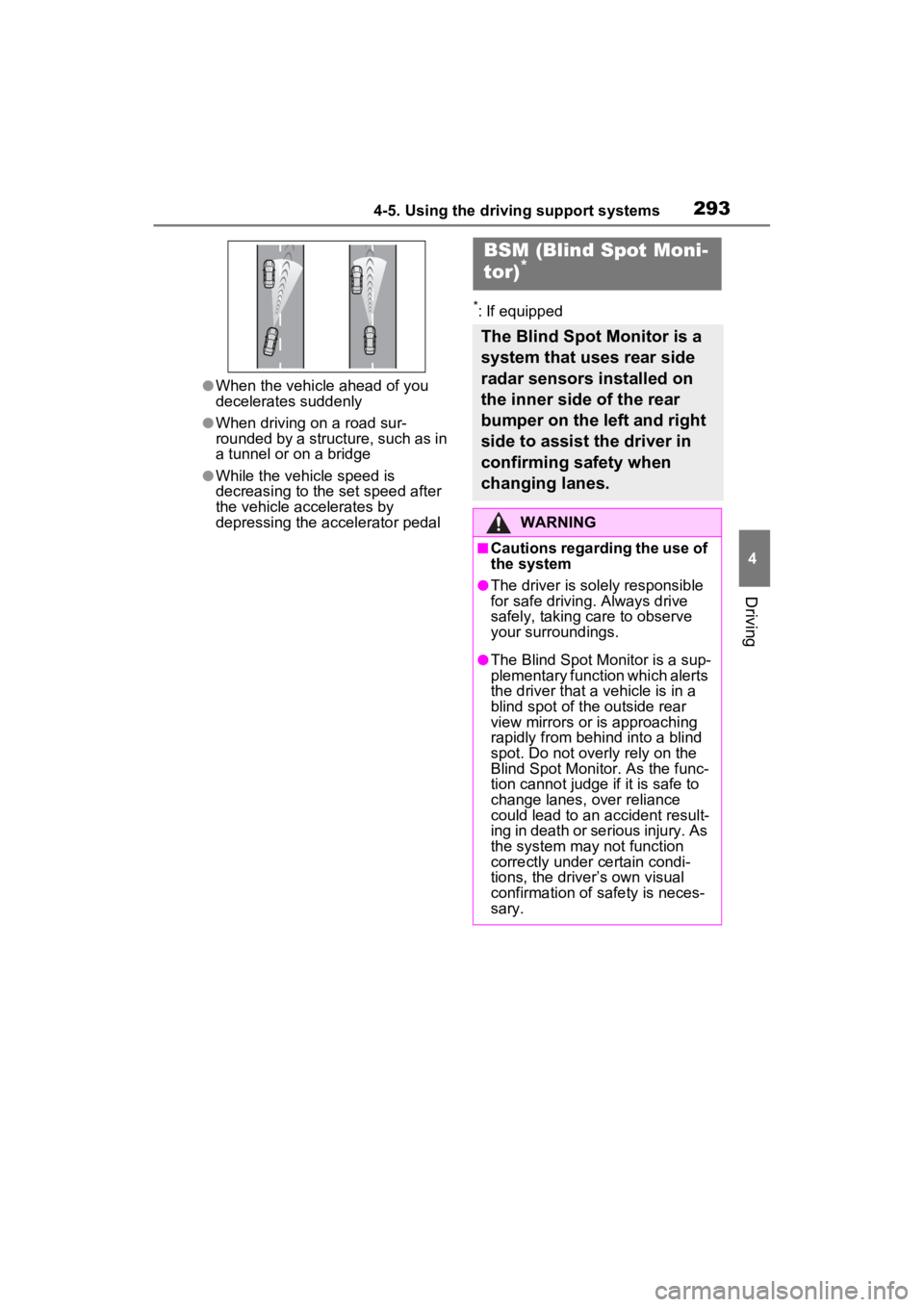
●When the vehicle ahead of you
decelerates suddenly
●When driving on a road sur-
rounded by a structure, such as in
a tunnel or on a bridge
●While the vehicle speed is
decreasing to the set speed after
the vehicle accelerates by
depressing the accelerator pedal
*: If equipped
BSM (Blind Spot Moni-
tor)*
The Blind Spot Monitor is a
system that uses rear side
radar sensors installed on
the inner side of the rear
bumper on the left and right
side to assist the driver in
confirming safety when
changing lanes.
WARNING
■Cautions regarding the use of
the system
●The driver is solely responsible
for safe driving. Always drive
safely, taking care to observe
your surroundings.
●The Blind Spot Monitor is a sup-
plementary function which alerts
the driver that a vehicle is in a
blind spot of the outside rear
view mirrors or is approaching
rapidly from behind into a blind
spot. Do not overly rely on the
Blind Spot Monitor. As the func-
tion cannot judge if it is safe to
change lanes, over reliance
could lead to an accident result-
ing in death or se rious injury. As
the system may not function
correctly under certain condi-
tions, the driver’s own visual
confirmation of safety is neces-
sary.
Page 296 of 586
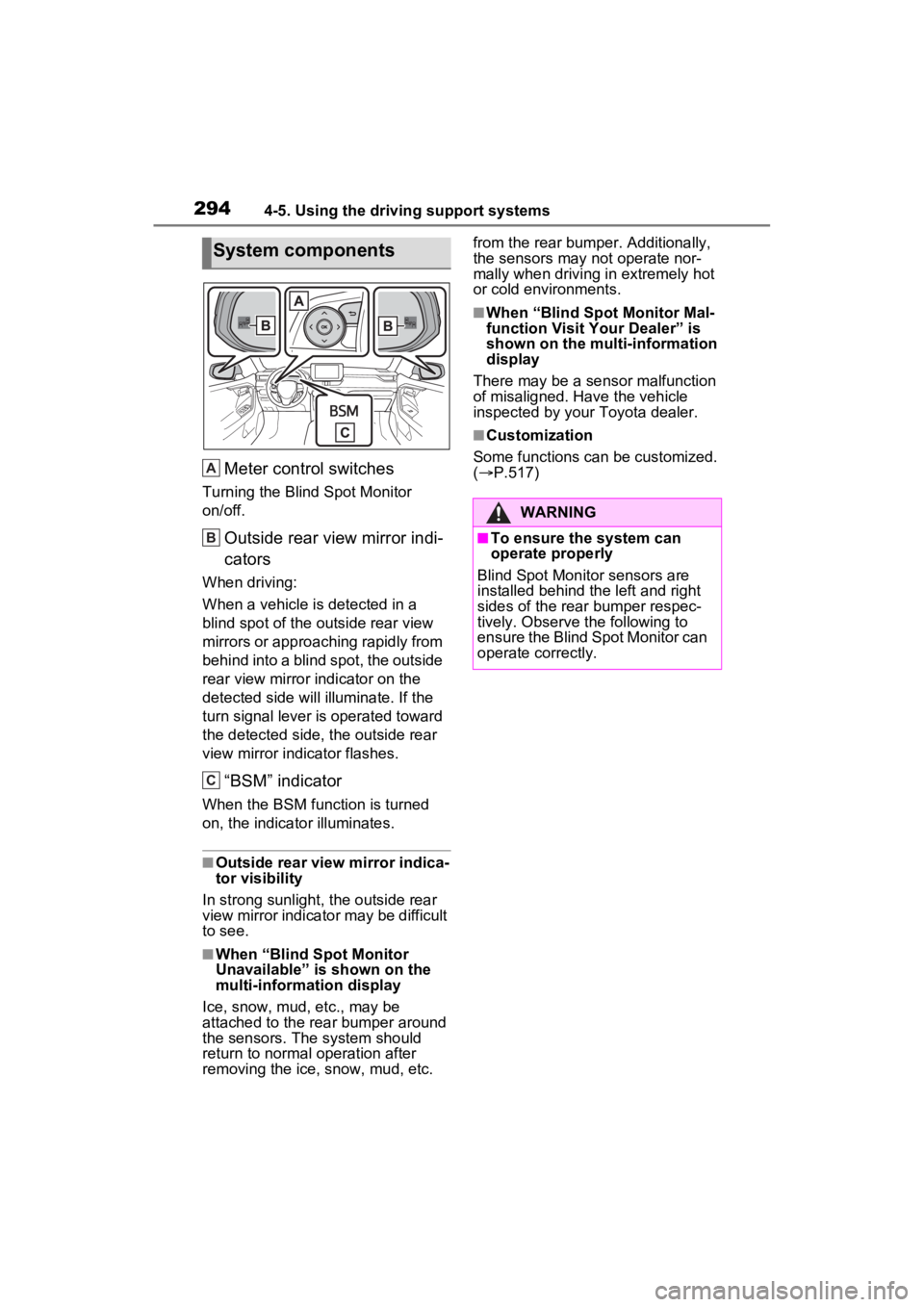
2944-5. Using the driving support systems
Meter control switches
Turning the Blind Spot Monitor
on/off.
Outside rear view mirror indi-
cators
When driving:
When a vehicle is detected in a
blind spot of the outside rear view
mirrors or approaching rapidly from
behind into a blind spot, the outside
rear view mirror indicator on the
detected side will illuminate. If the
turn signal lever is operated toward
the detected side, the outside rear
view mirror indicator flashes.
“BSM” indicator
When the BSM function is turned
on, the indicator illuminates.
■Outside rear view mirror indica-
tor visibility
In strong sunlight, the outside rear
view mirror indicato r may be difficult
to see.
■When “Blind Spot Monitor
Unavailable” is shown on the
multi-information display
Ice, snow, mud, etc., may be
attached to the rear bumper around
the sensors. The system should
return to normal operation after
removing the ice, snow, mud, etc. from the rear bumper. Additionally,
the sensors may not operate nor-
mally when driving in extremely hot
or cold environments.
■When “Blind Spot Monitor Mal-
function Visit Your Dealer” is
shown on the multi-information
display
There may be a sensor malfunction
of misaligned. Have the vehicle
inspected by your Toyota dealer.
■Customization
Some functions can be customized.
( P.517)
System components
A
B
C
:$51,1*
■To ensure the system can
operate properly
Blind Spot Monitor sensors are
installed behind the left and right
sides of the rear bumper respec-
tively. Observe the following to
ensure the Blind Spot Monitor can
operate correctly.