2023 TOYOTA RAIZE audio
[x] Cancel search: audioPage 98 of 516

962-1. Instrument cluster
RAIZE_OM_General_BZ358E
⬛About instrument panel illumination (day illumination and night illumination)
⚫There are 2 types of instrument panel illumination: day illumination and
night illumination, and the illumination changes at the following times.
⦁ Day illumination: when the front po sition lights are turned off
⦁ Night illumination: when the fron t position lights are turned on
⚫Instrument panel lights become dimmer when it switches to night illumina-
tion. However, illumination does not become dimmer when the level for
night illumination is set to the brightest.
⬛When battery terminals are connected/disconnected
Clock data is reset when battery terminals are connected or disconnected.
⬛About automatic correction of time
Automatic correction of time cannot be set if you connect a device other than 9
inch display audio pairab le with smart phones.
⬛About user customization screen
Operations performed on the user
customization screen will result in dis-
playing “FAIL” if changing the settings
is not allowed.
KBTA210346
RAIZE_OM_General_BZ358E.book 96 ページ 2022年5月17日 火曜日 午後1時59分
Page 107 of 516
1052-1. Instrument cluster
RAIZE_OM_General_BZ358E
Instrument cluster
2
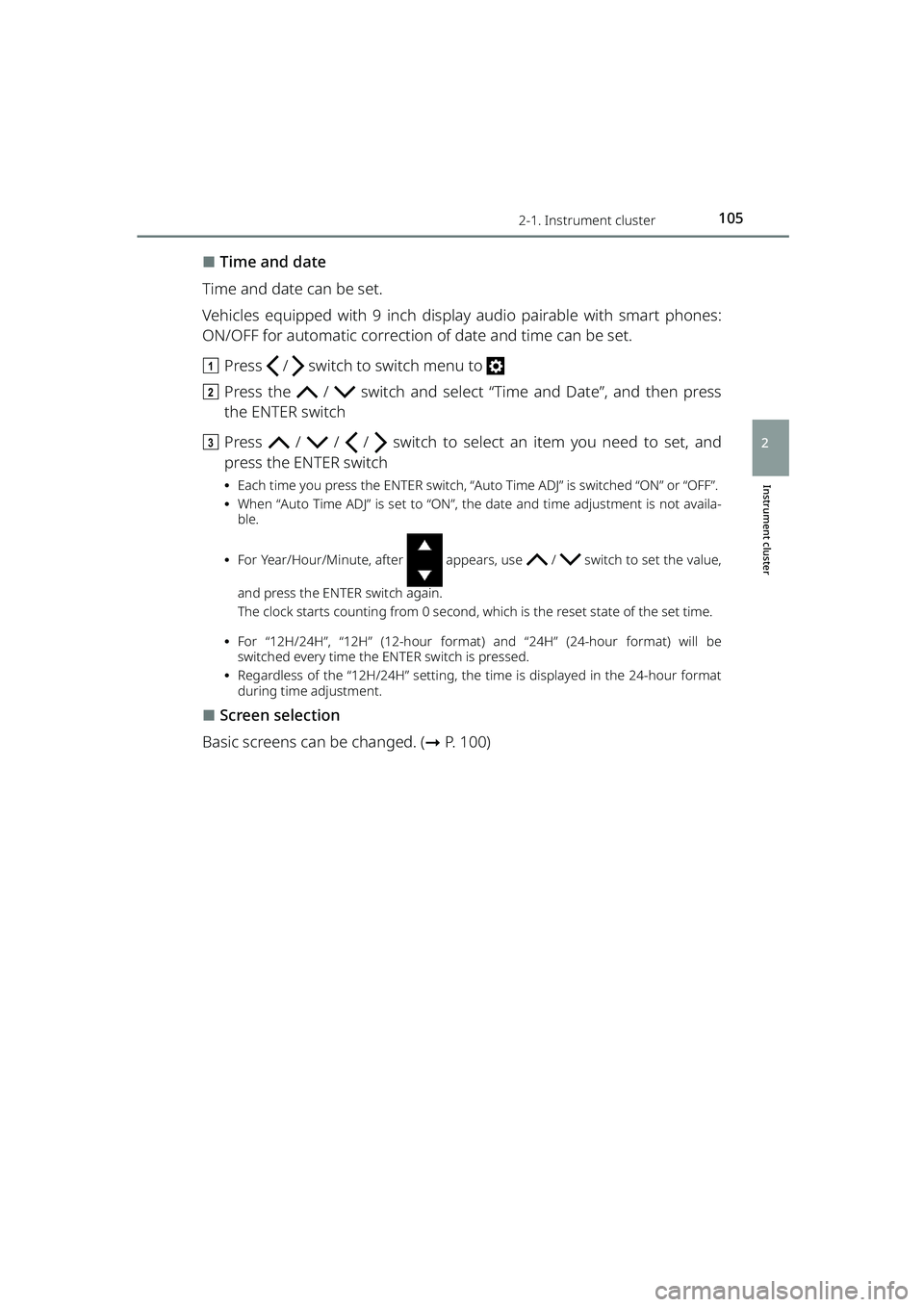
⬛Time and date
Time and date can be set.
Vehicles equipped with 9 inch display audio pairable with smart phones:
ON/OFF for automatic correction of date and time can be set.
a Press / switch to switch menu to
b Press the / switch and select “Time and Date”, and then press
the ENTER switch
c Press / / / switch to select an item you need to set, and
press the ENTER switch
⦁ Each time you press the ENTER switch, “Auto Time ADJ” is switched “ON” or “OFF”.
⦁ When “Auto Time ADJ” is set to “ON”, the date and time adjustment is not availa-
ble.
⦁ For Year/Hour/Minute, after appears, use / switch to set the value,
and press the ENTER switch again.
The clock starts counting from 0 second, which is the reset state of the set time.
⦁ For “12H/24H”, “12H” (12-hour format) and “24H” (24-hour format) will be
switched every time the ENTER switch is pressed.
⦁ Regardless of the “12H/24H” setting, the time is displayed in the 24-hour format
during time adjustment.
⬛Screen selection
Basic screens can be changed. ( ➞P. 100)
RAIZE_OM_General_BZ358E.book 105 ページ 2022年5月17日 火曜日 午後1時59分
Page 116 of 516

1142-1. Instrument cluster
RAIZE_OM_General_BZ358E
⬛Language
The language displayed on the TFT color multi-information display can be
switched to the following languages:
⚫English
⚫Spanish
⚫Portuguese
⚫Indonesian
⚫Thai
⚫French
⚫Arabic
a Press / switch to switch menu to
b Press and hold the / switch or press it several times to switch
the “Settings” screen, select “Lan guage” and press the ENTER switch
c Press the / switch to select th e language you want to use, and
press the ENTER switch
d Press the / switch to select “Y es”, and then press the ENTER switch
The display will be changed to the selected language.
⬛About instrument panel illumination (day illumination and night illumination)
⚫There are 2 types of instrument pa nel illumination: day illumination and
night illumination, and the illumination changes at the following times.
⦁ Day illumination: when the front po sition lights are turned off
⦁ Night illumination: when the fron t position lights are turned on
⚫Instrument panel lights become dimmer when it switches to night illumina-
tion. However, illumination does not become dimmer when the level for
night illumination is set to the brightest.
⬛About automatic correction of time and date
Automatic correction of da te and time cannot be set if you connect a device
other than 9 inch display audio pairable with smart phones.
RAIZE_OM_General_BZ358E.book 114 ページ 2022年5月17日 火曜日 午後1時59分
Page 122 of 516
1203-1. Keys
RAIZE_OM_General_BZ358E✽
: If equipped
NOTICE
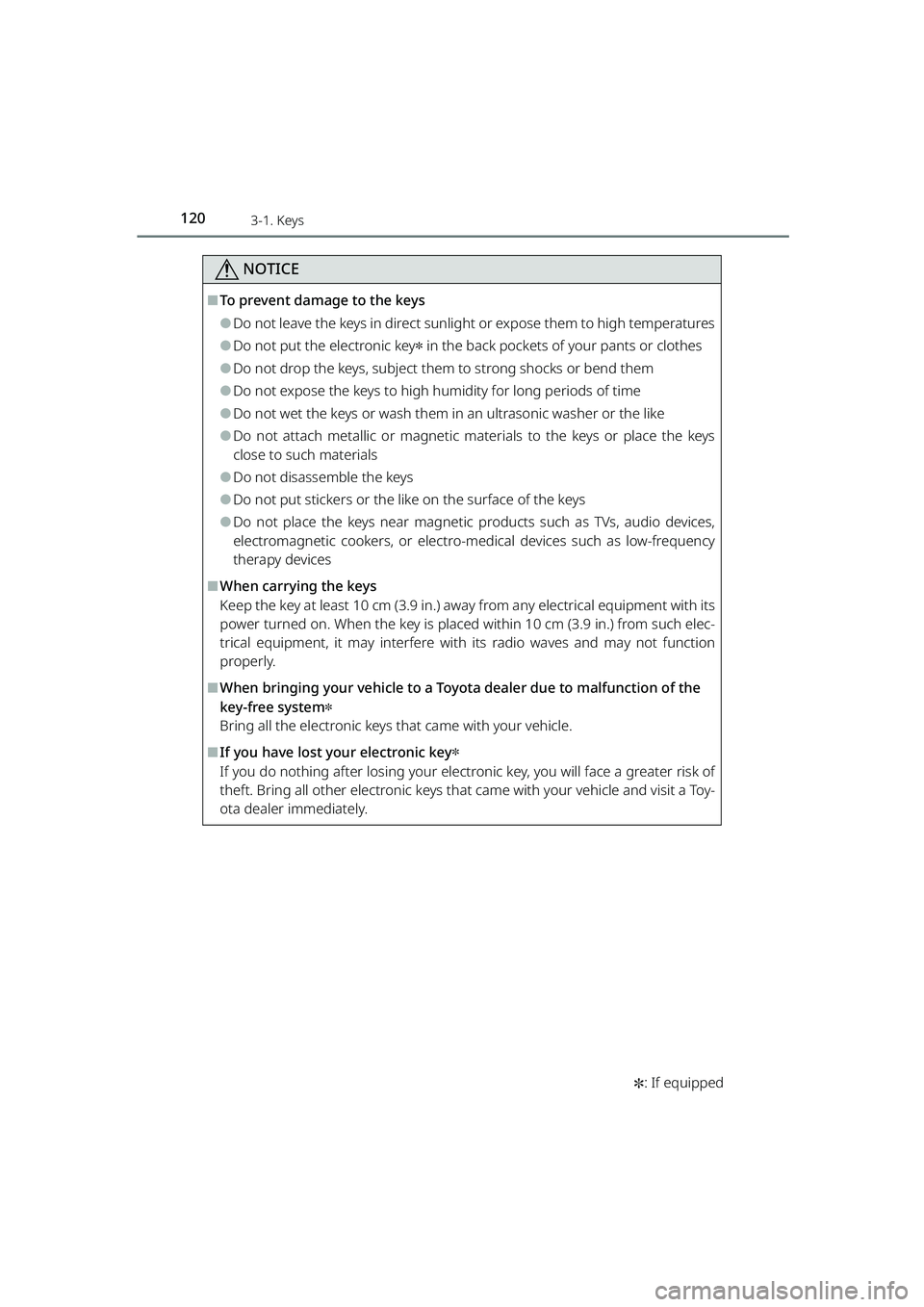
⬛To prevent damage to the keys
⚫Do not leave the keys in direct sunlight or expose them to high temperatures
⚫Do not put the electronic key✽ in the back pockets of your pants or clothes
⚫Do not drop the keys, subject them to strong shocks or bend them
⚫Do not expose the keys to high humidity for long periods of time
⚫Do not wet the keys or wash them in an ultrasonic washer or the like
⚫Do not attach metallic or magnetic materials to th e keys or place the keys
close to such materials
⚫Do not disassemble the keys
⚫Do not put stickers or the like on the surface of the keys
⚫Do not place the keys near magnetic products such as TVs, audio devices,
electromagnetic cookers, or electro- medical devices such as low-frequency
therapy devices
⬛When carrying the keys
Keep the key at least 10 cm (3.9 in.) away from any electrical equipment with its
power turned on. When the key is placed wi thin 10 cm (3.9 in.) from such elec-
trical equipment, it may interfere wi th its radio waves and may not function
properly.
⬛When bringing your vehicle to a Toyo ta dealer due to malfunction of the
key-free system
✽
Bring all the electronic keys that came with your vehicle.
⬛If you have lost your electronic key✽
If you do nothing after losing your electronic key, you will face a greater risk of
theft. Bring all other electronic keys that came with your vehicle and visit a Toy-
ota dealer immediately.
RAIZE_OM_General_BZ358E.book 120 ページ 2022年5月17日 火曜日 午後1時59分
Page 128 of 516

1263-2. Opening, closing and locking the doors
RAIZE_OM_General_BZ358E
⚫When the electronic key is carried with products that transmit radio waves as
follows
⦁ Wireless communication devices such as radios, mobile phones, and cord-
less telephones
⦁ Electronic keys or wireless keys (that emit radio waves) of other vehicles
⦁ Computers or portable information terminals (electronic organizers)
⦁ Digital audio players
⦁ Portable gaming devices
⚫When a metal-containing film is pasted on the rear window glass
⚫When the electronic key is placed near electronic devices such as a charger
⬛Important information
⚫Even when the electronic key is placed in the operating (detection) range, it
may not work properly in the following situations.
⦁ The electronic key is located too close to the door windows or door han-
dles when you lock or unlock the doors or located near the ground or at a
high place
⦁ The electronic key is placed on the instrument panel or the floor, placed
inside the door pockets or in the gl ove box when you start the engine or
switch the modes
⚫Even when you have the electronic key in your pocket, the key may not work
properly depending on the position or shape of your pocket. (Operating
range: ➞P. 122)
⚫Depending on the signal conditions, the electronic key could be trapped
inside the vehicle if you step outside of your vehicle by leaving the electronic
key on the instrument panel or near the door pockets since the external
antenna could detect the signal and lock the doors.
⚫As long as the electronic key is located within the operating range, the doors
can be locked and unlocked by anyone besides the person who is carrying
the key. Note that the doors other th an those detect the electronic key can-
not be unlocked in this case.
Even when the electronic key is located near the door that is opposite from
the unlocked door, the opposite door can detect the electronic key and get
unlocked.
⚫If the electronic key is located near th e door window outside the vehicle, the
key could start the engine sometimes.
RAIZE_OM_General_BZ358E.book 126 ページ 2022年5月17日 火曜日 午後1時59分
Page 131 of 516

1293-2. Opening, closing and locking the doors
RAIZE_OM_General_BZ358E
Operation of each component
3
⚫When the remaining battery becomes lo w, a warning buzzer will sound from
inside the vehicle when the engine is stopped. ( ➞P. 394)
⚫To prevent significant battery drainage, do not store the electronic key within
1 m (3.3 ft.) from the following electr onic devices that are known to emit a
magnetic field.
⦁ TV
⦁ Audio system
⦁ Personal computers
⦁ AC adapters
⦁ Mobile phones, cordless phones, and chargers
⦁ Desk lamps
⦁ Medical electronic devices such as lo w-frequency electric therapy equip-
ment
⦁ Liquid crystal display
⦁ Motors
⦁ Induction cookers
⚫Do not leave electronic keys inside or near the vehicle. Since the electronic
key and the vehicle are constantly communicating with one another, it
speeds up the battery draining. When they enter in the constant communi-
cation state, the indicator of the electro nic key starts blinking. Keep the elec-
tronic key away from the vehic le until the indicator turns off.
⚫If you do not plan on using the electr onic key for a long time, set the key to
the battery-saving mode to mini mize battery consumption. (➞P. 125)
⬛Running out of the battery
➞P. 3 4 4
⬛Functions configurable by Toyota dealers
Toyota dealers can deactivate the key-free system.
(List of customizable features: ➞ P. 430)
⬛When the key-free system was deactivated by a Toyota dealer
⚫Locking and unlocking doors: The doors can be locked and unlocked using
the wireless function or the emergency key. ( ➞P. 133, 406)
⚫Starting the engine and swit ching the engine switch mode: ➞ P. 4 0 6
⚫Stopping the engine: ➞P. 1 8 5
RAIZE_OM_General_BZ358E.book 129 ページ 2022年5月17日 火曜日 午後1時59分
Page 215 of 516

2134-5. Using the driving support systems
RAIZE_OM_General_BZ358E
Driving
4
How to set up
Go to the “Settings” menu on the TFT color multi-information display, you
can change the settings of BSM function/RCTA function ON (enabled)/OFF
(disabled). (➞P. 109)
⬛Visibility of the outside rear view mirror indicators
⚫It may be difficult to see if the outsid e rear view mirror indicators are lit or
flashing in the following cases:
⦁ Under strong sunlight
⦁ The outside rear view mirrors are covered with ice or snow
⬛Buzzers
⚫It may be difficult to hear the buzzers if there is a loud noise around, such as
high volume audio.
⬛When the TFT color multi-information display shows “BSM Radar Blocked
Temporarily Unavailable”
It is possible that the rear bumper near the sensors is covered with ice, snow,
or mud. If you remove the ice, snow, or mud covering the rear bumper near
the sensors, the function will start working normally again.
⬛When the TFT color multi-information display shows “BSM Temporary
Unavailable”
If you use the function in an extremely hot or cold environment or if the bat-
tery voltage is lower or higher than th e specified level, the system operation
will be temporarily stopped. If the BSM OFF indicator or the RCTA OFF indicator
remains lit for a long time, have the vehi cle inspected at your Toyota dealer.
⬛When the TFT color multi-information display shows “BSM Malfunction
Visit Your Dealer”
It is possible that the sensors have failed or their positions or orientations are
off. Have the vehicle inspec ted at your Toyota dealer.
⬛Customizations
The BSM and RCTA settings can be changed.
(List of customizable features: ➞ P. 430)
(The settings can be changed from the setup screen of the TFT color multi-
information display: ➞ P. 104)
RAIZE_OM_General_BZ358E.book 213 ページ 2022年5月17日 火曜日 午後1時59分
Page 225 of 516

2234-5. Using the driving support systems
RAIZE_OM_General_BZ358E
Driving
4
Sonar’s obstacle recognition range
The recognition areas are shown in
the right figure.
However, if the obstacle is too close
to the sonar, the recognition fails.
Depending on the obstacles’ shape
and conditions, the recognition
range may become shorter, or the
recognition may fail.
⬛Operating conditions
⚫Front corner sensors:
⦁When the engine switch is “ON”
⦁ When the front corner sensors/reverse sensors switch is ON
⦁ When the shift lever is set in other than P, and the vehicle speed is approx.
10 km/h or less
⚫Reverse sensors:
⦁When the engine switch is “ON”
⦁ Vehicles with front corner sensors:
When the front corner sensors/reverse sensors switch is ON
⦁ When the shift lever is set in R, and the vehicle speed is approx. 10 km/h or
less
⚫When an obstacle is recognized with all the activation conditions satisfied
and the parking brake not being applied, the buzzer will sound.
⬛Sonar recognition capabilities
⚫The sonar recognition range is limited to the area around the sonar on the
front side of the vehicle and th e rear bumper of the vehicle.
⚫It takes some time from when the sonar recognizes an obstacle until the
front corner sensors or reverse sensors become activated. If the vehicle gets
too close to the obstacle before the buzzers sounds, the buzzer may not
sound even when the vehicle is traveling at a slow speed.
⚫While the audio or air conditioning system is turned on, the music or fan
noise makes the buzzer sound difficult to hear.
KBRO451004E
RAIZE_OM_General_BZ358E.book 223 ページ 2022年5月17日 火曜日 午後1時59分