Page 124 of 468
1243-2. Opening, closing and locking the doors
●Do not leave the electronic key
inside the trunk.
The key confinement prevention
function may not operate, depend-
ing on the location of the key (the
inside edge of the trunk), condi-
tions (inside a met al bag, close to
metallic objects) and the radio
waves in the surrounding area.
( P.119)
■If the smart key system does
not operate properly
●Locking and unlocking the doors:
P. 3 8 2
●Starting the engine: P.382
■Customization
Some functions can be customized.
( P.412)
■If the smart key system has
been deactivated in a custom-
ized setting
●Locking and unlocking the doors:
Use the wireless remote control or
mechanical key. ( P.111, 382)
●Starting the engine and changing
engine switch modes: P. 3 8 2
●Stopping the engine: P. 1 5 7
WARNING
■Caution regarding interfer-
ence with electronic devices
●People with implantable car-
diac pacemakers, cardiac
resynchronization ther-
apy-pacemakers or implantable
cardioverter defib rillators should
keep away from the smart key
system antennas. ( P.120)
The radio waves may affect the
operation of such devices. If
necessary, the entry function
can be disabled. Ask your Toy-
ota dealer for details, such as
the frequency of radio waves
and timing of the emitted radio
waves. Then, consult your doc-
tor to see if you should disable
the entry function.
●Users of any electrical medical
device other than implantable
cardiac pacemakers, cardiac
resynchronization ther-
apy-pacemakers or implantable
cardioverter defibrillators should
consult the manufacturer of the
device for information about its
operation under the influence of
radio waves.
Radio waves could have unex-
pected effects on the operation
of such medical devices.
Ask your Toyota dealer for details
on disabling the entry function.
Page 126 of 468
1263-3. Adjusting the seats
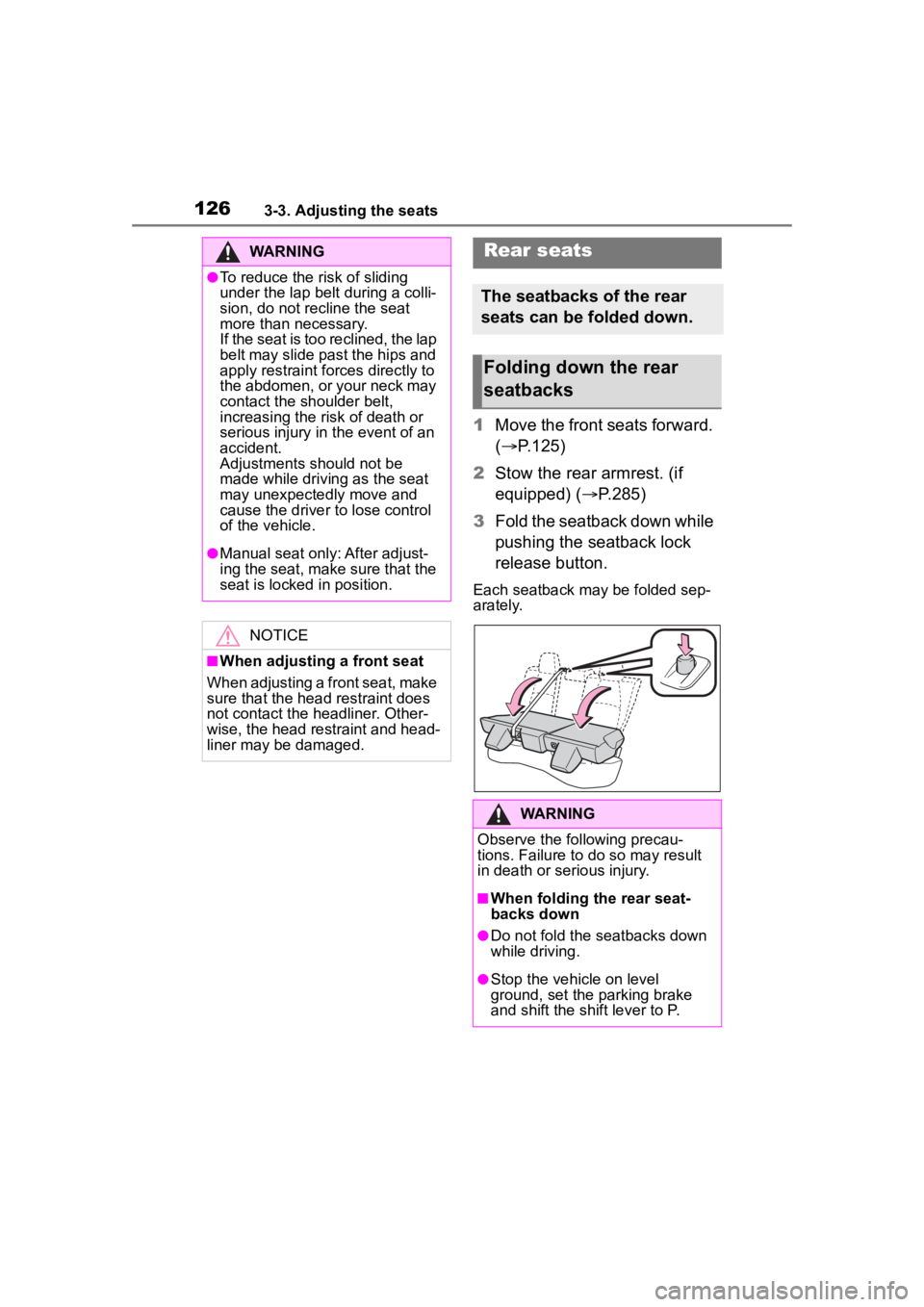
1Move the front seats forward.
( P.125)
2 Stow the rear armrest. (if
equipped) ( P.285)
3 Fold the seatback down while
pushing the seatback lock
release button.
Each seatback may be folded sep-
arately.
WARNING
●To reduce the risk of sliding
under the lap belt during a colli-
sion, do not recline the seat
more than necessary.
If the seat is too reclined, the lap
belt may slide past the hips and
apply restraint forces directly to
the abdomen, or your neck may
contact the shoulder belt,
increasing the risk of death or
serious injury in the event of an
accident.
Adjustments should not be
made while driving as the seat
may unexpectedly move and
cause the driver to lose control
of the vehicle.
●Manual seat only: After adjust-
ing the seat, make sure that the
seat is locked in position.
NOTICE
■When adjusting a front seat
When adjusting a front seat, make
sure that the head restraint does
not contact the headliner. Other-
wise, the head restraint and head-
liner may be damaged.
Rear seats
The seatbacks of the rear
seats can be folded down.
Folding down the rear
seatbacks
WARNING
Observe the following precau-
tions. Failure to do so may result
in death or serious injury.
■When folding the rear seat-
backs down
●Do not fold the seatbacks down
while driving.
●Stop the vehicle on level
ground, set the parking brake
and shift the shift lever to P.
Page 127 of 468
1273-3. Adjusting the seats
3
Before driving
WARNING
●Do not allow anyone to sit on a
folded seatback or in the trunk
while driving.
●Do not allow child ren to enter
the trunk.
●Be careful not to get your hand
caught when folding the rear
seatbacks.
●Adjust the position of the front
seats before folding down the
rear seatbacks so that the front
seats do not interfere with the
rear seatbacks when folding
down the rear seatbacks.
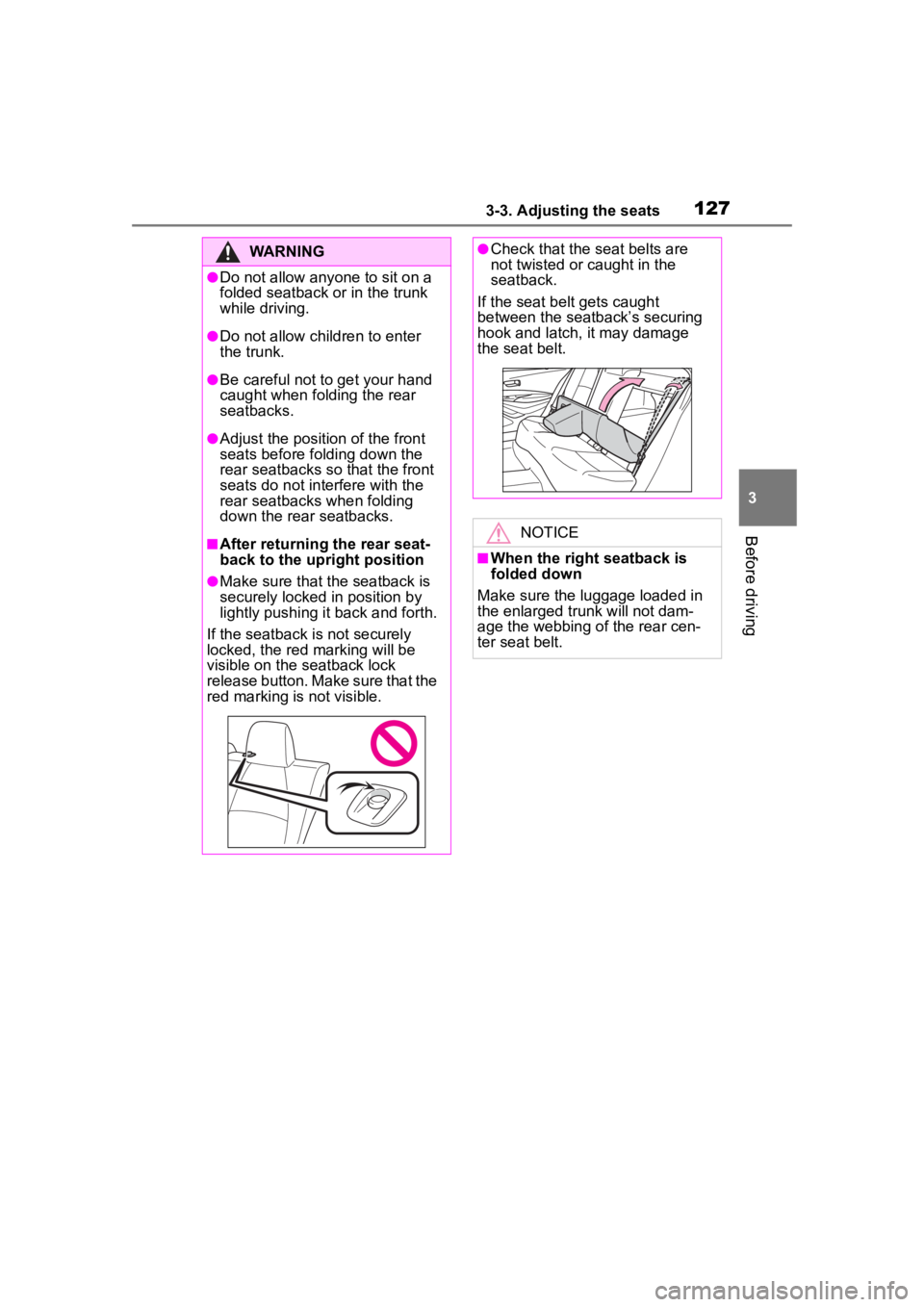
■After returning the rear seat-
back to the upright position
●Make sure that the seatback is
securely locked in position by
lightly pushing it back and forth.
If the seatback is not securely
locked, the red marking will be
visible on the seatback lock
release button. Make sure that the
red marking is not visible.
●Check that the seat belts are
not twisted or caught in the
seatback.
If the seat belt gets caught
between the seatback’s securing
hook and latch, it may damage
the seat belt.
NOTICE
■When the right seatback is
folded down
Make sure the luggage loaded in
the enlarged trunk will not dam-
age the webbing of the rear cen-
ter seat belt.
Page 128 of 468
1283-3. Adjusting the seats
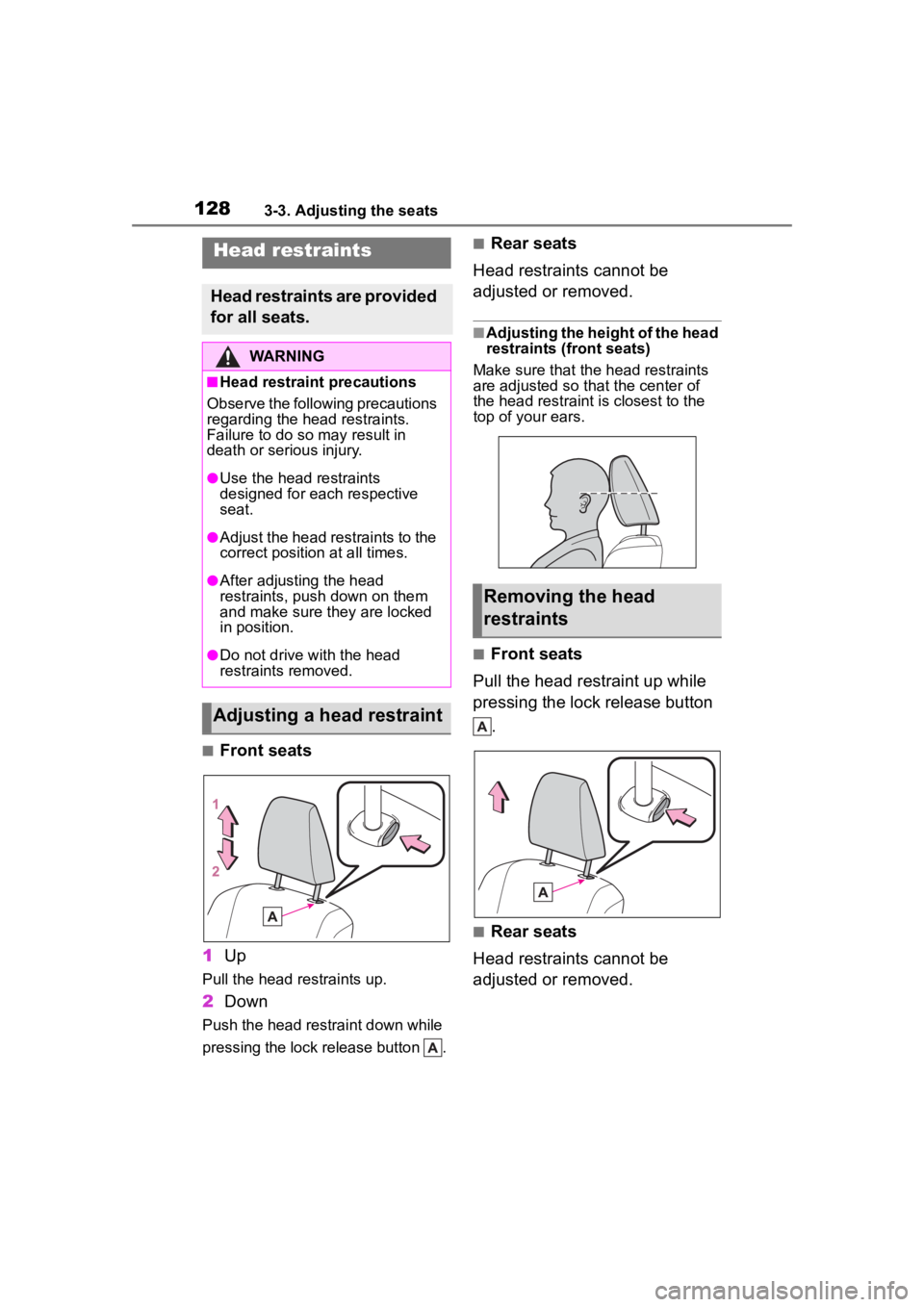
■Front seats
1 Up
Pull the head restraints up.
2Down
Push the head restraint down while
pressing the lock release button .
■Rear seats
Head restraints cannot be
adjusted or removed.
■Adjusting the height of the head
restraints (front seats)
Make sure that the head restraints
are adjusted so that the center of
the head restraint i s closest to the
top of your ears.
■Front seats
Pull the head restraint up while
pressing the lock release button .
■Rear seats
Head restraints cannot be
adjusted or removed.
Head restraints
Head restraints are provided
for all seats.
WARNING
■Head restraint precautions
Observe the following precautions
regarding the head restraints.
Failure to do so m ay result in
death or serious injury.
●Use the head restraints
designed for each respective
seat.
●Adjust the head restraints to the
correct position at all times.
●After adjusting the head
restraints, push down on them
and make sure they are locked
in position.
●Do not drive with the head
restraints removed.
Adjusting a head restraint
Removing the head
restraints
Page 129 of 468
1293-3. Adjusting the seats
3
Before driving
■Front seats
Align the head restraint with the
installation holes and push it
down to the lock position.
Press and hold the lock release
button when lowering the head
restraint.
■Rear seats
Head restraints cannot be
adjusted or removed.
Installing the head
restraints
Page 130 of 468
1303-4. Adjusting the steering wheel and mirrors
3-4.Adjusting the steering wheel and mirrors
1Hold the steering wheel and
push the lever down.
2 Adjust to the ideal position by
moving the steering wheel
horizontally and vertically.
After adjustment, pull the lever up
to secure the steering wheel.
To sound the horn, press on or
close to the mark.
Steering wheel
Adjustment procedure
WARNING
■Caution while driving
Do not adjust the steering wheel
while driving.
Doing so may cause the driver to
mishandle the vehicle and cause
an accident, resul ting in death or
serious injury.
■After adjusting the steering
wheel
Make sure that the steering wheel
is securely locked.
Otherwise, the steering wheel
may move suddenly, possibly
causing an accident, and resulting
in death or serious injury. Also,
the horn may not sound if the
steering wheel is not securely
locked.
Horn
Page 135 of 468
1353-5. Opening and closing the windows
3
Before driving
pushing the switch in the
one-touch opening direction, and
hold it there for approximately 4
seconds or more.
6 Pull and hold the power window
switch in the one-touch closing
direction again. After the door
window is completely closed,
continue holding the switch for a
further 1 second or more.
If you release the switch while the
window is moving, start again from
the beginning.
If the window reverses and cannot
be fully closed or opened, have the
vehicle inspected by your Toyota
dealer.
■Door lock linked window opera-
tion
●Vehicles without a smart key sys-
tem: The power windows can be
opened and closed using the key.
*
( P.112)
Vehicles with a smart key system:
The power windows can be
opened and closed using the
mechanical key.
* ( P.382)
●The power windows can be
opened using the wireless remote
control.
* (with a wireless remote
control function) ( P. 1 1 1 )
*: These settings must be custom-
ized at your Toyota dealer.
■Customization
Some functions can be customized.
( P.412)
WARNING
Observe the following precau-
tions. Failure to do so may result
in death or serious injury.
■Closing the windows
●The driver is responsible for all
the power window operations,
including the operation for the
passengers. In order to prevent
accidental operation, especially
by a child, do not let a child
operate the power windows. It is
possible for children and other
passengers to have body parts
caught in the power window.
Also, when ridin g with a child, it
is recommended to use the win-
dow lock switch. (
P.136)
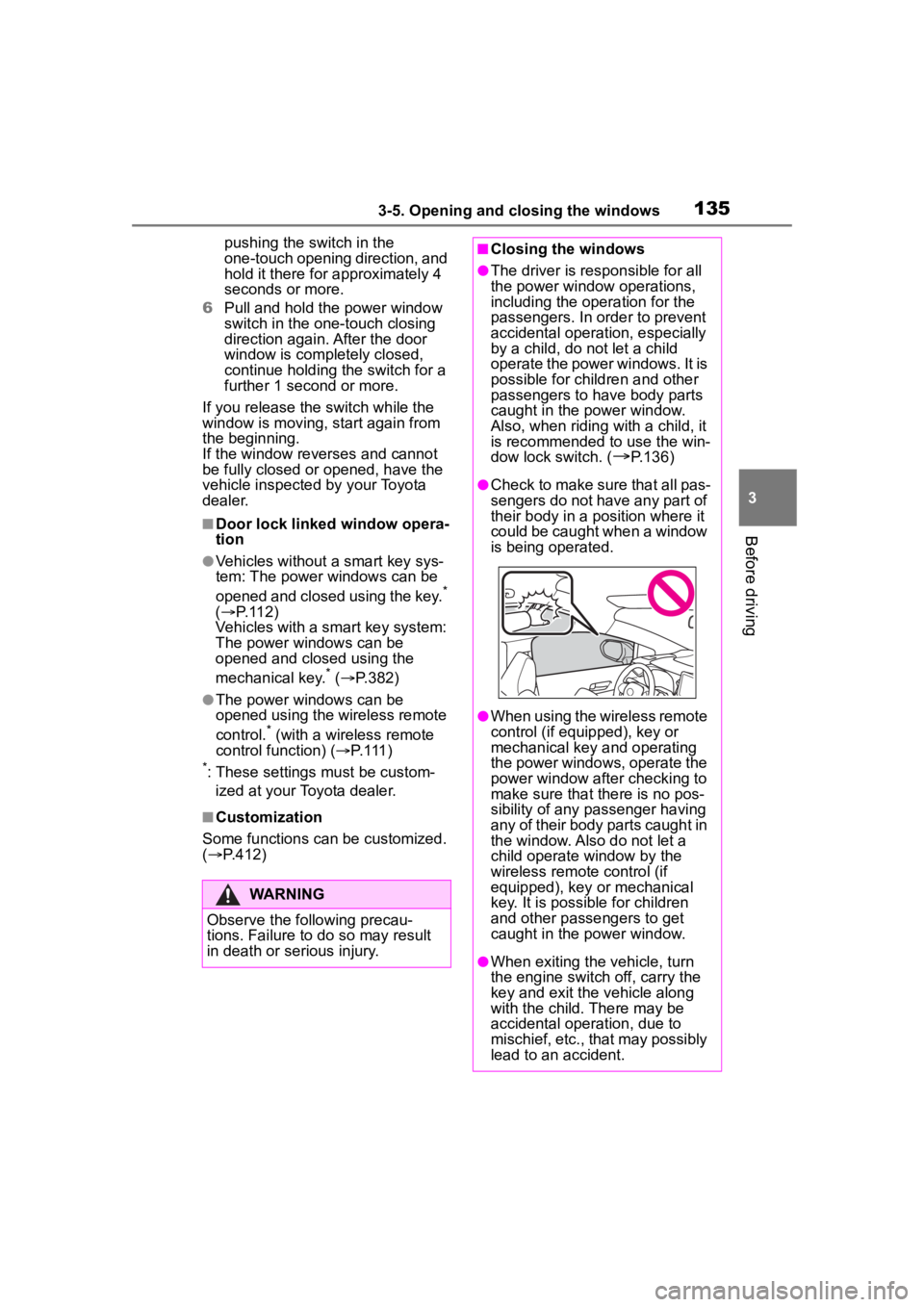
●Check to make sure that all pas-
sengers do not have any part of
their body in a pos ition where it
could be caught when a window
is being operated.
●When using the wireless remote
control (if equipped), key or
mechanical key and operating
the power windows, operate the
power window after checking to
make sure that there is no pos-
sibility of any passenger having
any of their body parts caught in
the window. Also do not let a
child operate window by the
wireless remote control (if
equipped), key or mechanical
key. It is possib le for children
and other passengers to get
caught in the power window.
●When exiting the vehicle, turn
the engine switch off, carry the
key and exit the vehicle along
with the child. There may be
accidental operation, due to
mischief, etc., that may possibly
lead to an accident.
Page 136 of 468
1363-5. Opening and closing the windows
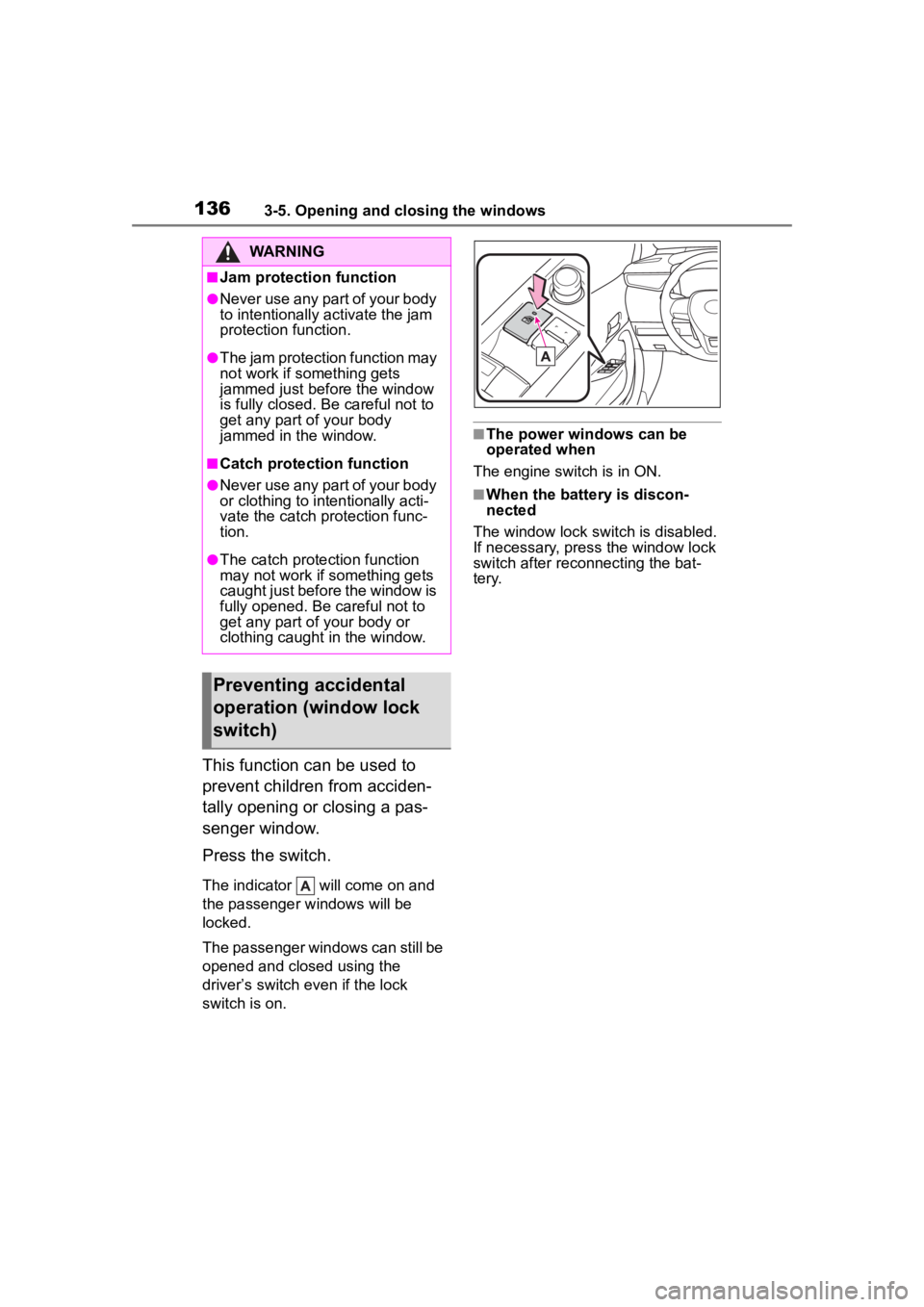
This function can be used to
prevent children from acciden-
tally opening or closing a pas-
senger window.
Press the switch.
The indicator will come on and
the passenger windows will be
locked.
The passenger windows can still be
opened and closed using the
driver’s switch even if the lock
switch is on.
■The power windows can be
operated when
The engine switch is in ON.
■When the battery is discon-
nected
The window lock switch is disabled.
If necessary, press the window lock
switch after reconnecting the bat-
tery.
WARNING
■Jam protection function
●Never use any part of your body
to intentionally a ctivate the jam
protection function.
●The jam protection function may
not work if something gets
jammed just before the window
is fully closed. Be careful not to
get any part of your body
jammed in the window.
■Catch protection function
●Never use any part of your body
or clothing to intentionally acti-
vate the catch p rotection func-
tion.
●The catch protection function
may not work if something gets
caught just before the window is
fully opened. Be careful not to
get any part of your body or
clothing caught in the window.
Preventing accidental
operation (window lock
switch)