2023 TOYOTA COROLLA CROSS vehicle sway
[x] Cancel search: vehicle swayPage 141 of 500

1414-1. Before driving
4
Driving
4-1.Before driving
■Starting the engine
P.162, 163
■Driving
1 With the brake pedal
depressed, shift the shift
lever to D. ( P.168)
2 Release the parking brake.
( P.172)
3 Gradually release the brake
pedal and gently depress the
accelerator pedal to acceler-
ate the vehicle.
■Stopping
1 With the shift lever in D,
depress the brake pedal.
2 If necessary, set the parking
brake.
If the vehicle is to be stopped for an
extended period of time, shift the
shift lever to P. ( P.168)
■Parking the vehicle
1 With the shift lever in D,
depress the brake pedal to
stop the vehicle completely.
2 Set the parking brake
( P.172), and shift the shift
lever to P. ( P.168)
Check the parking brake indicator
is illuminated. Do not press the shift lever button
after shifting the shit position to P.
3
Vehicles without a smart key
system: Turn the engine
switch to OFF to stop the
engine.
Vehicles with a smart key
system: Press the engine
switch to stop the engine.
4 Slowly release the brake
pedal.
5 Lock the door, making sure
that you have the key on your
person.
If parking on a hill, block the wheels
as needed.
■Starting off on a steep
uphill
1 Make sure that the parking
brake is set and shift the shift
lever to D.
2 Gently depress the accelera-
tor pedal.
3 Release the parking brake.
■When starting off on a uphill
The hill-start assist control will acti-
vate.
■Driving in the rain
●Drive carefully whe n it is raining,
because visibility will be reduced,
the windows may become
fogged-up, and the road will be
slippery.
●Drive carefully whe n it starts to
rain, because the road surface will
be especially slippery.
●Refrain from hig h speeds when
driving on an expressway in the
rain, because there may be a
layer of water between the tires
Driving the vehicle
The following procedures
should be observed to
ensure safe driving:
Driving procedure
Page 153 of 500
1534-1. Before driving
4
Driving
■If trailer sway occurs
One or more factors (crosswinds,
passing vehicles, rough roads, etc.)
can adversely affect handling of
your vehicle and trailer, causing
instability.
●If trailer swaying occurs:
• Firmly grip the steering wheel. Steer straight ahead.
Do not try to control trailer sway-
ing by turning the steering wheel.
• Begin releasing the accelerator pedal immediately but very gradu-
ally to reduce speed.
Do not increase speed. Do not
apply vehicle brakes.
If you make no ext reme correction
with the steering or brakes, your
vehicle and trailer should stabilize.
(if enabled, Trailer Sway Control can
also help to stabilize the vehicle and
trailer.)
●After the trailer swaying has
stopped:
• Stop in a safe place. Get all occu- pants out of the vehicle.
• Check the tires of the vehicle and the trailer.
• Check the load in the trailer.
Make sure the load has not
shifted.
Make sure the tongue weight is
appropriate, if possible.
• Check the load in the vehicle. Make sure the vehicle is not over-
loaded after occupants get in.
If you cannot find any problems, the
speed at which trailer swaying
occurred is beyond the limit of your
particular vehicle- trailer combina-
tion. Drive at a lower speed to pre-
vent instability. Remember that
swaying of the towing vehicle-trailer
increases as speed increases.
WARNING
■Trailer towing precautions
To tow a traile r safely, use
extreme care and drive the vehi-
cle in accordance with the trailer’s
characteristics and operating con-
ditions. Failure to do so could
cause an accident resulting in
death or serious injury. Vehicle
stability and brak ing performance
are affected by trailer stability,
brake setting and performance,
and the hitch. Your vehicle will
handle differently when towing a
trailer.
■To avoid accident or injury
●Do not exceed the TWR,
unbraked TWR, GCWR, GVWR
or GAWR.
●Adjust the tongue weight within
the appropriate range. Place
heavier loads as close to the
trailer axle as possible.
●Do not exceed 65 mph (104
km/h), the posted towing speed
limit or the spee d limit for your
trailer as set forth in your trailer
owner’s manual, whichever is
lowest. Slow down sufficiently
before making a turn, in cross
winds, on wet or slippery sur-
face, etc. to help avoid an acci-
dent. If you experience a
vehicle-trailer instability from
reducing a certain speed, slow
down and make sure you keep
your vehicle speed under the
speed of which you experience
the instability.
●Do not make jerky, abrupt or
sharp turns.
●Do not apply the brakes sud-
denly as you may skid, resulting
in jackknifing and loss of vehicle
control. This is especially true
on wet or slippery surfaces.
Page 158 of 500
1584-1. Before driving
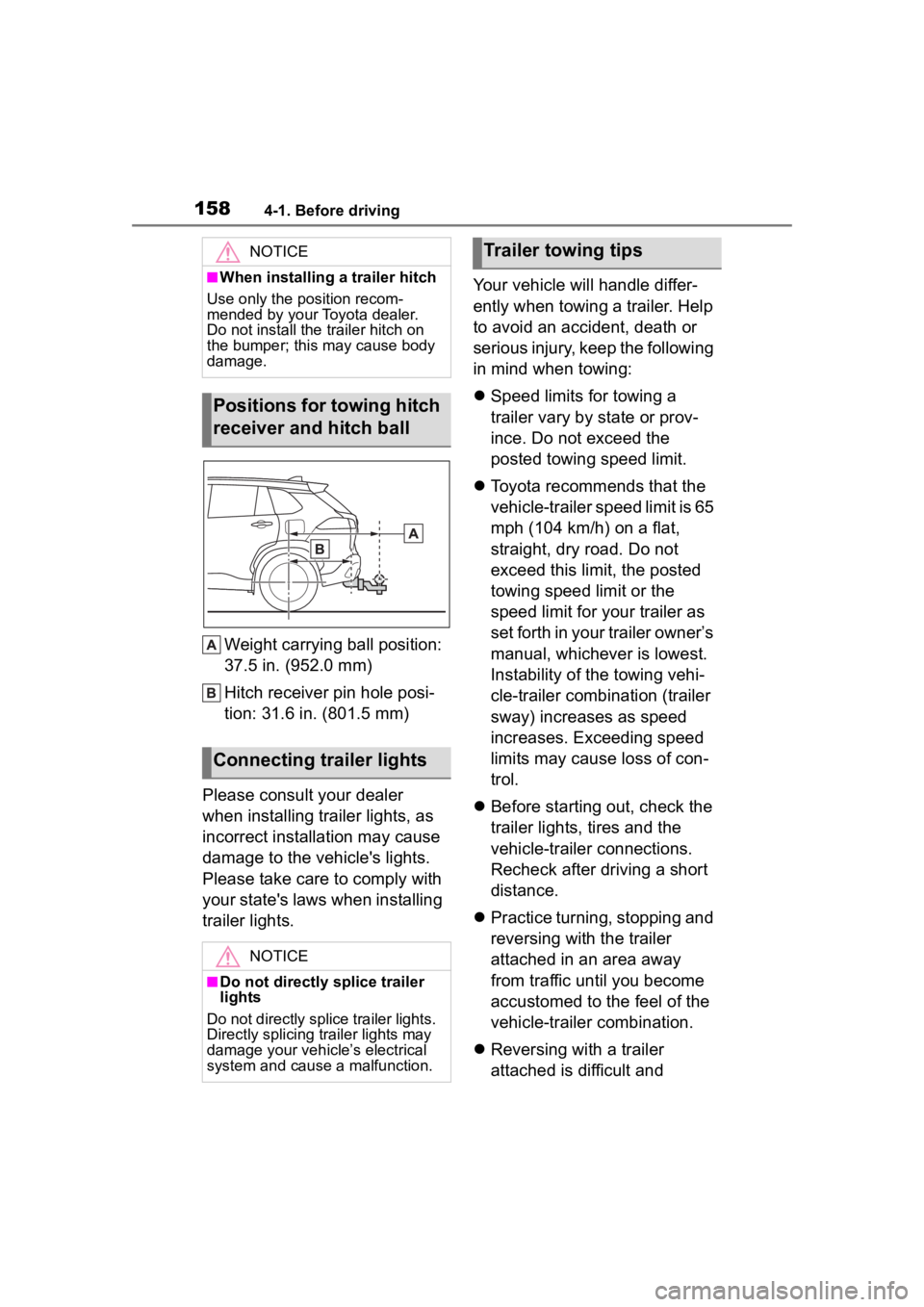
Weight carrying ball position:
37.5 in. (952.0 mm)
Hitch receiver pin hole posi-
tion: 31.6 in. (801.5 mm)
Please consult your dealer
when installing trailer lights, as
incorrect installation may cause
damage to the vehicle's lights.
Please take care to comply with
your state's laws when installing
trailer lights. Your vehicle will handle differ-
ently when towing a trailer. Help
to avoid an accident, death or
serious injury, keep the following
in mind when towing:
Speed limits for towing a
trailer vary by state or prov-
ince. Do not exceed the
posted towing speed limit.
Toyota recommends that the
vehicle-trailer speed limit is 65
mph (104 km/h) on a flat,
straight, dry road. Do not
exceed this limit, the posted
towing speed limit or the
speed limit for your trailer as
set forth in your trailer owner’s
manual, whichever is lowest.
Instability of the towing vehi-
cle-trailer combination (trailer
sway) increases as speed
increases. Exceeding speed
limits may cause loss of con-
trol.
Before starting out, check the
trailer lights, tires and the
vehicle-trailer connections.
Recheck after driving a short
distance.
Practice turning, stopping and
reversing with the trailer
attached in an area away
from traffic until you become
accustomed to the feel of the
vehicle-trailer combination.
Reversing with a trailer
attached is difficult and
NOTICE
■When installing a trailer hitch
Use only the position recom-
mended by your Toyota dealer.
Do not install the trailer hitch on
the bumper; this may cause body
damage.
Positions for towing hitch
receiver and hitch ball
Connecting trailer lights
NOTICE
■Do not directly splice trailer
lights
Do not directly splice trailer lights.
Directly splicing trailer lights may
damage your vehicle’s electrical
system and cause a malfunction.
Trailer towing tips
Page 211 of 500
2114-5. Using the driving support systems
4
Driving
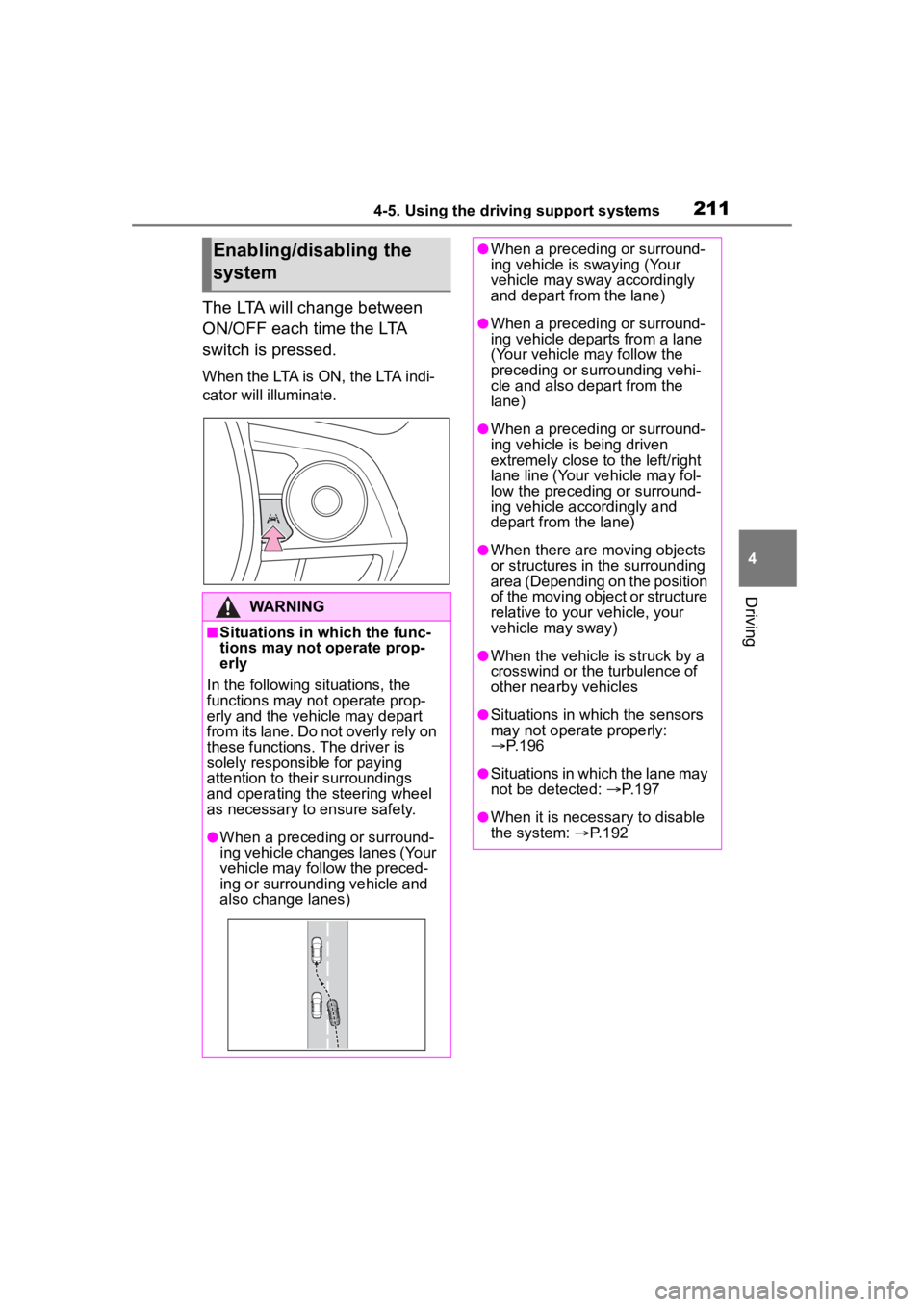
The LTA will change between
ON/OFF each time the LTA
switch is pressed.
When the LTA is ON, the LTA indi-
cator will illuminate.
Enabling/disabling the
system
WARNING
■Situations in which the func-
tions may not operate prop-
erly
In the following situations, the
functions may not operate prop-
erly and the vehicle may depart
from its lane. Do not overly rely on
these functions. The driver is
solely responsible for paying
attention to their surroundings
and operating the steering wheel
as necessary to ensure safety.
●When a preceding or surround-
ing vehicle changes lanes (Your
vehicle may follow the preced-
ing or surrounding vehicle and
also change lanes)
●When a preceding or surround-
ing vehicle is swaying (Your
vehicle may sway accordingly
and depart from the lane)
●When a preceding or surround-
ing vehicle departs from a lane
(Your vehicle may follow the
preceding or surrounding vehi-
cle and also depart from the
lane)
●When a preceding or surround-
ing vehicle is being driven
extremely close to the left/right
lane line (Your vehicle may fol-
low the preceding or surround-
ing vehicle accordingly and
depart from the lane)
●When there are moving objects
or structures in the surrounding
area (Depending on the position
of the moving object or structure
relative to your vehicle, your
vehicle may sway)
●When the vehicle is struck by a
crosswind or the turbulence of
other nearby vehicles
●Situations in which the sensors
may not operate properly:
P.196
●Situations in which the lane may
not be detected: P.197
●When it is necessary to disable
the system: P.192
Page 214 of 500
2144-5. Using the driving support systems
*: Boundary between the asphalt and grass, soil, etc., or structures,
such as a curb, guardrail, etc.
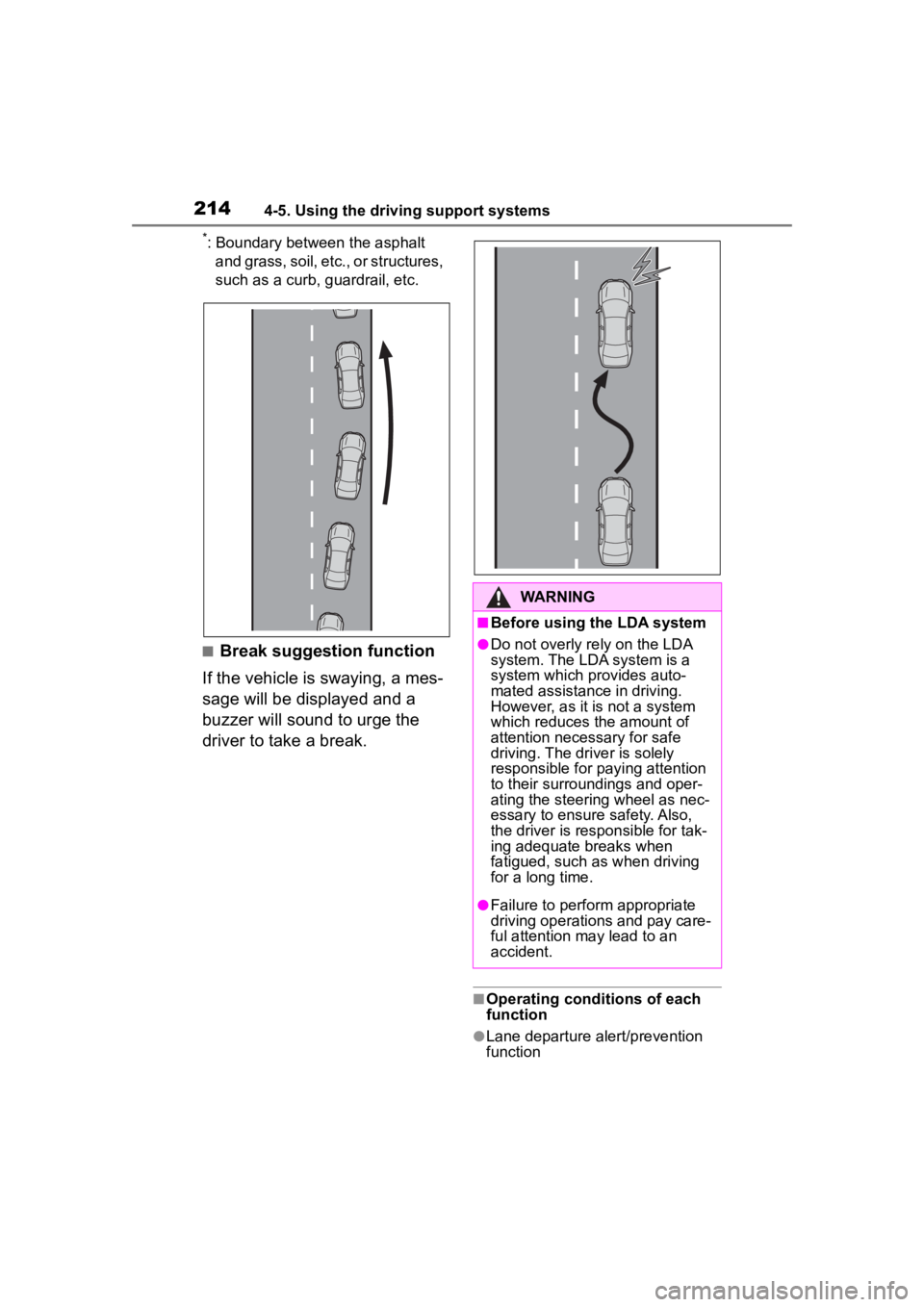
■Break suggestion function
If the vehicle is swaying, a mes-
sage will be displayed and a
buzzer will sound to urge the
driver to take a break.
■Operating conditions of each
function
●Lane departure alert/prevention
function
WARNING
■Before using the LDA system
●Do not overly re ly on the LDA
system. The LDA system is a
system which provides auto-
mated assistance in driving.
However, as it is not a system
which reduces the amount of
attention necessary for safe
driving. The driver is solely
responsible for paying attention
to their surroundings and oper-
ating the steering wheel as nec-
essary to ensure safety. Also,
the driver is responsible for tak-
ing adequate breaks when
fatigued, such as when driving
for a long time.
●Failure to perform appropriate
driving operations and pay care-
ful attention may lead to an
accident.
Page 220 of 500
2204-5. Using the driving support systems
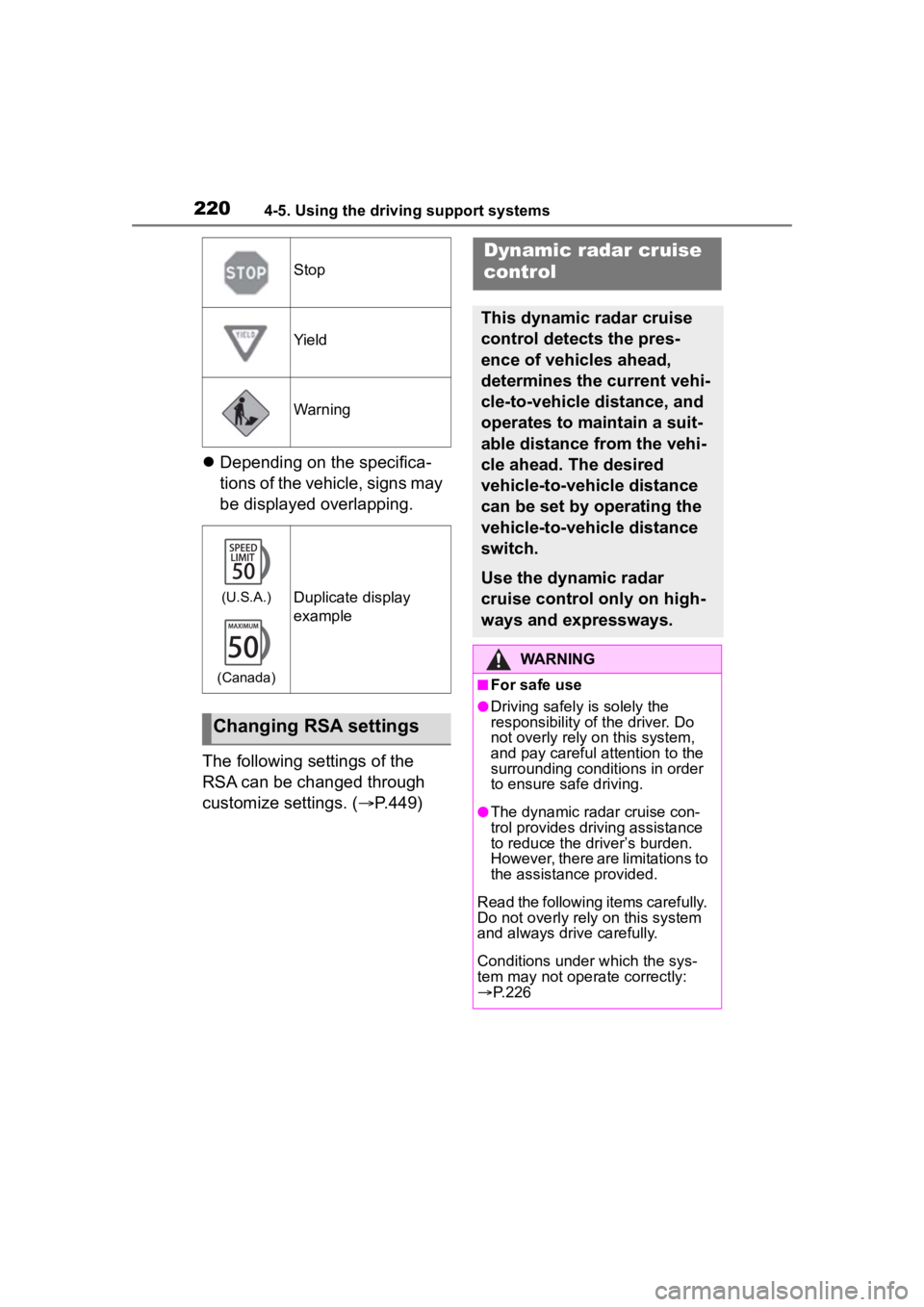
Depending on the specifica-
tions of the vehicle, signs may
be displayed overlapping.
The following settings of the
RSA can be changed through
customize settings. ( P.449)
Stop
Yield
Warning
(U.S.A.)
(Canada)Duplicate display
example
Changing RSA settings
Dynamic radar cruise
control
This dynamic radar cruise
control detects the pres-
ence of vehicles ahead,
determines the current vehi-
cle-to-vehicle distance, and
operates to maintain a suit-
able distance from the vehi-
cle ahead. The desired
vehicle-to-vehicle distance
can be set by operating the
vehicle-to-vehicle distance
switch.
Use the dynamic radar
cruise control only on high-
ways and expressways.
WARNING
■For safe use
●Driving safely is solely the
responsibility of the driver. Do
not overly rely on this system,
and pay careful attention to the
surrounding conditions in order
to ensure safe driving.
●The dynamic radar cruise con-
trol provides driving assistance
to reduce the driver’s burden.
However, there are limitations to
the assistance provided.
Read the following items carefully.
Do not overly rely on this system
and always drive carefully.
Conditions under which the sys-
tem may not opera te correctly:
P. 2 2 6
Page 221 of 500

2214-5. Using the driving support systems
4
Driving
WARNING
●Set the speed appropriately
according to the speed limit,
traffic flow, road conditions,
weather conditions, etc. The
driver is responsible for confirm-
ing the set speed.
●Even if the system is operating
correctly, the condition of a pre-
ceding vehicle as recognized by
the driver and detected by the
system may differ. Therefore, it
is necessary for the driver to
pay attention, assess risks, and
ensure safety. Over-reliance on
this system to drive the vehicle
safely may lead to an accident
resulting in death or serious
injury.
■Precautions for the driving
assist systems
Observe the following precau-
tions, as there are limitations to
the assistance provided by the
system. Over-reliance on this sys-
tem may lead to an accident
resulting in death or serious injury.
●Details of support provided for
the driver’s vision
The dynamic radar cruise control
is only intended to help the driver
in determining the distance
between the driver’s own vehicle
and a designated preceding vehi-
cle. It is not a system which allows
for careless or inattentive driving,
and is not a system which assists
in poor visibilit y conditions.
The driver must pay attention to
their surroundings, even when the
vehicle stops.
●Details of support provided for
the driver’s judgement
The dynamic radar cruise control
determines whether the distance
between the driver’s own vehicle
and a designated preceding vehi-
cle is within a set range. It is not
capable of making any other type
of judgement. Th erefore, it is
absolutely necessary for the
driver to remain vigilant and to
determine whether or not there is
a possibility of danger.
●Details of suppor t provided for
the driver’s operation
The dynamic radar cruise control
does not include functions which
will prevent or avoid collisions
with vehicles ahead of your vehi-
cle. Therefore, if there is ever any
possibility of danger, the driver
must take immediate and direct
control of the vehicle and act
appropriately in order to ensure
safety.
■Situations in which the
dynamic radar cruise control
should not be used
Do not use the d ynamic radar
cruise control in the following situ-
ations. As the system will not be
able to provide appropriate con-
trol, using it may lead to an acci-
dent resulting in death or serious
injury.
●Roads where there are pedes-
trians, cyclists, etc.
●When driving on a highway or
expressway entrance or exit
●When the approach warning
sounds frequently
●Situations in which the sensors
may not operate properly:
P.196
●Situations in which the lane may
not be detected:
P.192