2023 PEUGEOT 508 engine
[x] Cancel search: enginePage 194 of 244
192
Technical data
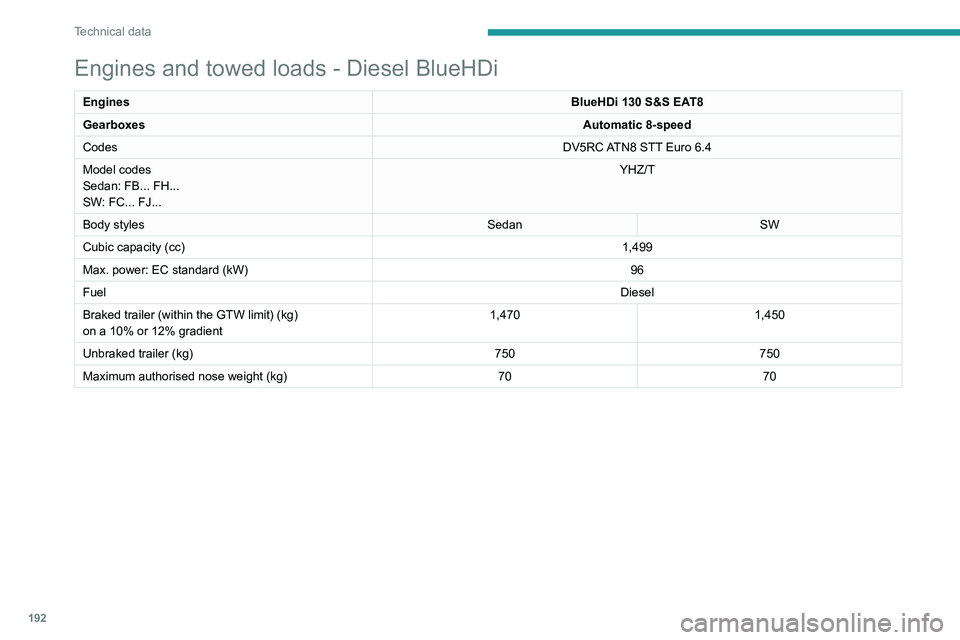
Engines and towed loads - Diesel BlueHDi
EnginesBlueHDi 130 S&S EAT8
Gearboxes Automatic 8-speed
Codes DV5RC ATN8 STT Euro
6.4
Model codes
Sedan: FB... FH...
SW: FC... FJ... YHZ/T
Body styles SedanSW
Cubic capacity (cc) 1,499
Max. power: EC standard (kW) 96
Fuel Diesel
Braked trailer (within the GTW limit) (kg)
on a 10% or 12% gradient 1,470
1,450
Unbraked trailer (kg) 750750
Maximum authorised nose weight (kg) 7070
Page 195 of 244
193
Technical data
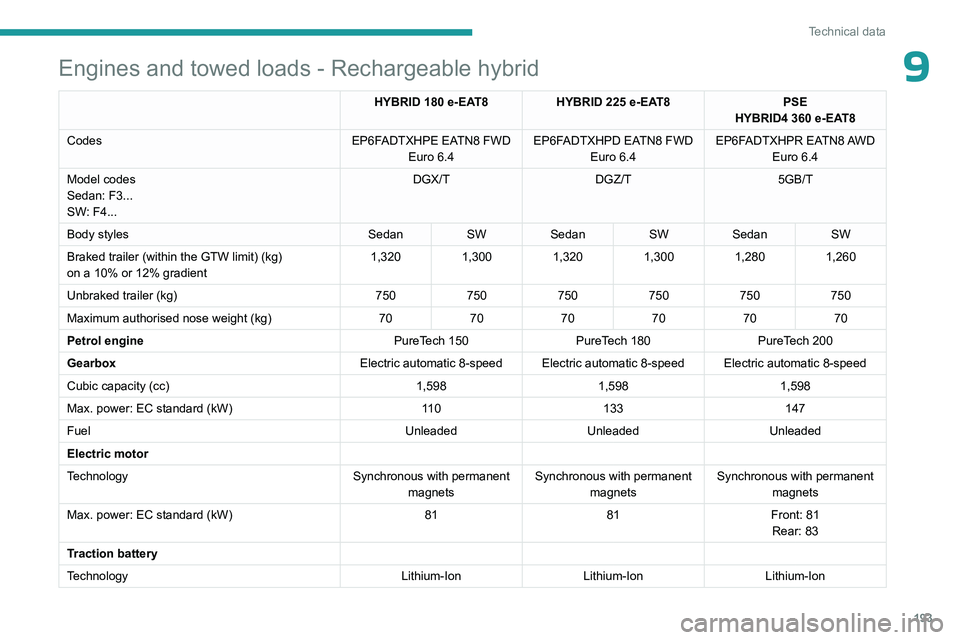
9Engines and towed loads - Rechargeable hybrid
HYBRID 180 e-EAT8HYBRID 225 e-EAT8PSE
HYBRID4 360 e-EAT8
Codes EP6FADTXHPE EATN8 FWD
Euro
6.4 EP6FADTXHPD EATN8 FWD
Euro
6.4EP6FADTXHPR EATN8 AWD
Euro
6.4
Model codes
Sedan: F3...
SW: F4... DGX/T
DGZ/T 5GB/T
Body styles SedanSWSedan SWSedan SW
Braked trailer (within the GTW limit) (kg)
on a 10% or 12% gradient 1,320
1,3001,3201,3001,2801,260
Unbraked trailer (kg) 750750750750750750
Maximum authorised nose weight (kg) 707070707070
Petrol engine PureTech
150 PureTech
180PureTech
200
Gearbox Electric automatic 8-speed Electric automatic 8-speed Electric automatic 8-speed
Cubic capacity (cc) 1,5981,5981,598
Max. power: EC standard (kW) 11 0133 147
Fuel UnleadedUnleadedUnleaded
Electric motor
Technology Synchronous with permanent
magnets Synchronous with permanent
magnets Synchronous with permanent
magnets
Max. power: EC standard (kW) 8181Front: 81
Rear: 83
Traction battery
Technology Lithium-IonLithium-IonLithium-Ion
Page 201 of 244
199
PEUGEOT i-Connect Advanced - PEUGEOT i-Connect
10to "Connected vehicle" to enable to the
connection to the radio network.
Irrespective of a valid subscription to a
connected service, the remote management
of devices relating to or connected with
the security of devices, and the updating
of software and firmware, will be carried
out when necessary in order to comply
with a legal requirement applicable to the
Manufacturer (e.g. the applicable law in terms
of product liability, the regulations governing
e-call) or when necessary to protect the
respective vital interests of the vehicle's users
and passengers.
The establishment of a secure connection via
radio network and the corresponding remote
updates are not affected by the privacy
settings and are intended to be carried out
after being initialised by the user in response
to a related notification.
The system can notify the receipt of an update
when it is connected to an exterior Wi-Fi network
or a mobile telephone network.
Large updates are downloaded only via the Wi-Fi
network.
The availability of an update is notified on the
screen at the end of the journey with an option
of immediate installation or postponement of
installation.
The installation time is variable and can take
several minutes with a maximum of about 30 minutes. A notification will give an estimate of the
duration and a description of the update.
Update information is available through the
"Settings" application.
Press the "Settings" application.
In the list, select the "Updates" tab.
This button allows you to change the authorisation for automatic downloading
of updates via an exterior Wi-Fi network.
For safety reasons and because it
requires sustained attention on the part
of the driver, the installation must be carried
out with the ignition on but without starting the
engine.
The installation cannot be carried out in the
following cases:
–
engine running.
–
emergency call in progress.
–
insufficient battery level.
–
when charging for electric vehicles.
If an update has failed or has expired, contact a
dealer or a qualified workshop.
The Manufacturer does not charge for the use of this service.
However, the use of Wi-Fi and/or mobile
telephone networks by your smartphone may
incur extra charges if you exceed the data
allowance included in your contract.
Any associated costs will be billed to you by
your mobile telephone operator.
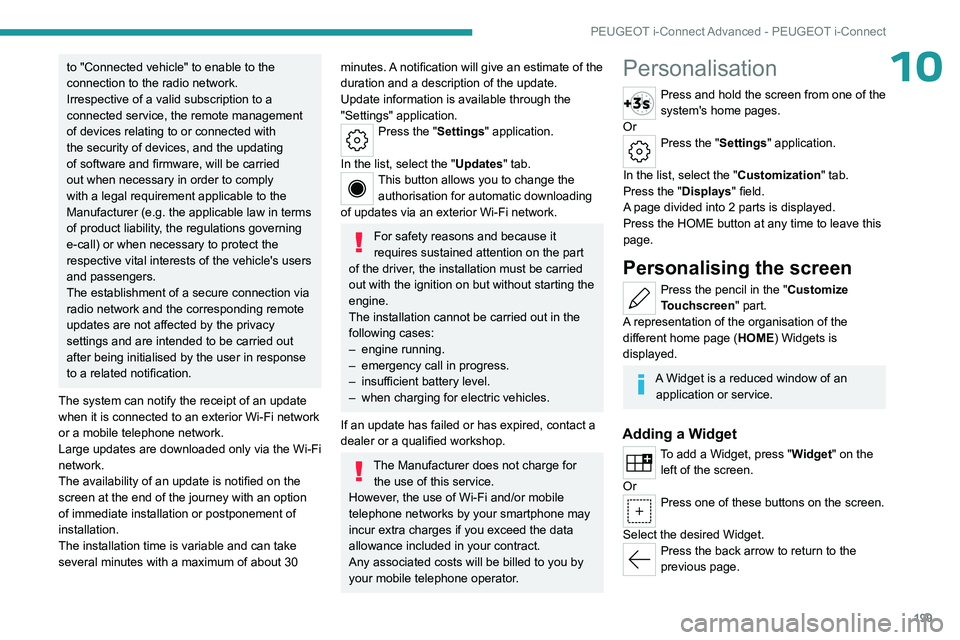
Personalisation
Press and hold the screen from one of the
system's home pages.
Or
Press the "Settings" application.
In the list, select the "Customization" tab.
Press the "Displays" field.
A page divided into 2 parts is displayed.
Press the HOME button at any time to leave this
page.
Personalising the screen
Press the pencil in the "Customize
Touchscreen" part.
A representation of the organisation of the
different home page ( HOME) Widgets
is
displayed.
A Widget is a reduced window of an application or service.
Adding a Widget
To add a Widget, press "Widget" on the left of the screen.
Or
Press one of these buttons on the screen.
Select the desired Widget.
Press the back arrow to return to the
previous page.
Page 203 of 244
201
PEUGEOT i-Connect Advanced - PEUGEOT i-Connect
10Smartphone not connected: access the menu
allowing you to connect a smartphone.
Navigation
(depending on equipment)
Enter navigation settings and choose a
destination.
Use services available in real time, depending on
equipment.
Voice commands
(depending on equipment)
Use the system or smartphone voice recognition
via the system.
Phone
Telephone not connected: access the
menu allowing you to connect a telephone.
Telephone connected: access the call log,
contacts and telephone settings.
Two connected telephones: access the contents
of the priority telephone with the possibility of
changing the priority of the telephone.
Settings
Main settings for the audio system, touch
screen and digital instrument panel.
Voice commands
First steps
(depending on equipment)
The voice recognition service offers a
choice of 20 languages minimum (French,
German, English (UK), English (US), Arabic, Brazilian, Chinese, Danish, Spanish, Hebrew,
Italian, Japanese, Dutch, Norwegian, Polish,
Portuguese, Russian, Swedish, Czech, Turkish)
available with the cellular network and in line
with the language chosen and previously
configured in the system.
The system supports two languages
for cases
where the area in which the vehicle is travelling
is not covered by the cellular network.
These languages, referred to as on-board
languages,
are downloaded into the system.
If the chosen language has not been
downloaded, a message on the screen appears
as soon as the cellular network is not connected
for the first time and offers to download it.
T
o use this new language in all areas, download
it beforehand (ignition on without starting the
engine) via the Wi-Fi network.
Apply the download procedure displayed on the
screen.
Downloading this new language removes the
least used on-board language.
Information - Using the
system
When voice commands are
activated, say your command after
the audible signal.
For commands in several stages, interaction
takes place with the system to complete the
initial request.
Some commands self-validate after 7
seconds.
If the system has not taken your command into
account, it will indicate this by a voice message
and an on-screen display.
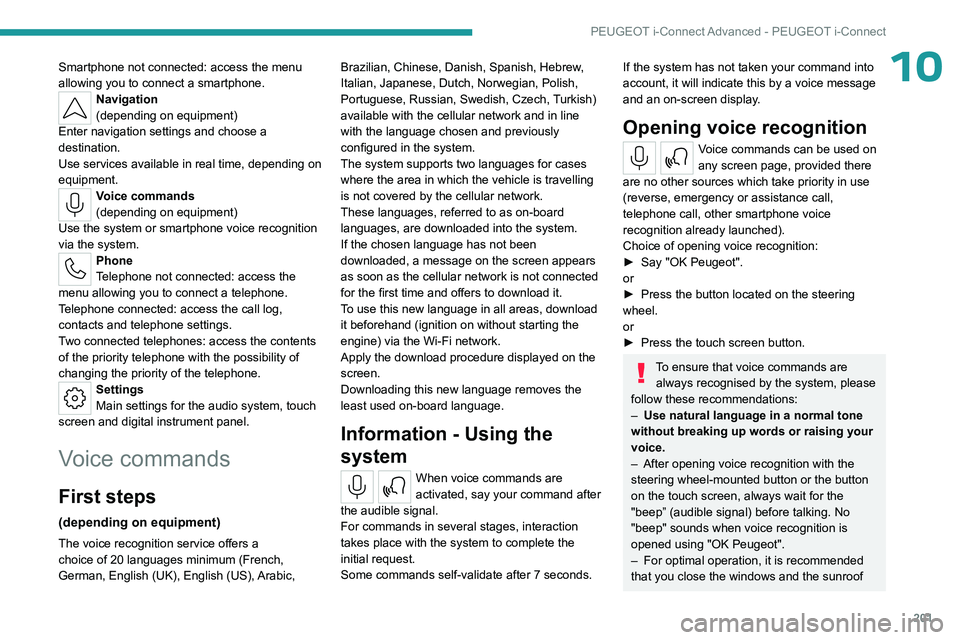
Opening voice recognition
Voice commands can be used on
any screen page, provided there
are no other sources which take priority in use
(reverse, emergency or assistance call,
telephone call, other smartphone voice
recognition already launched).
Choice of opening voice recognition:
►
Say
"OK Peugeot".
or
►
Press the button located on the steering
wheel.
or
►
Press the touch screen button.
To ensure that voice commands are always recognised by the system, please
follow these recommendations:
–
Use natural language in a normal tone
without breaking up words or raising your
voice.
–
After opening voice recognition with the
steering wheel-mounted button or the button
on the touch screen, always wait for the
"beep” (audible signal) before talking. No
"beep" sounds when voice recognition is
opened using "OK Peugeot".
–
For optimal operation, it is recommended
that you close the windows and the sunroof
Page 218 of 244
216
Alphabetical index
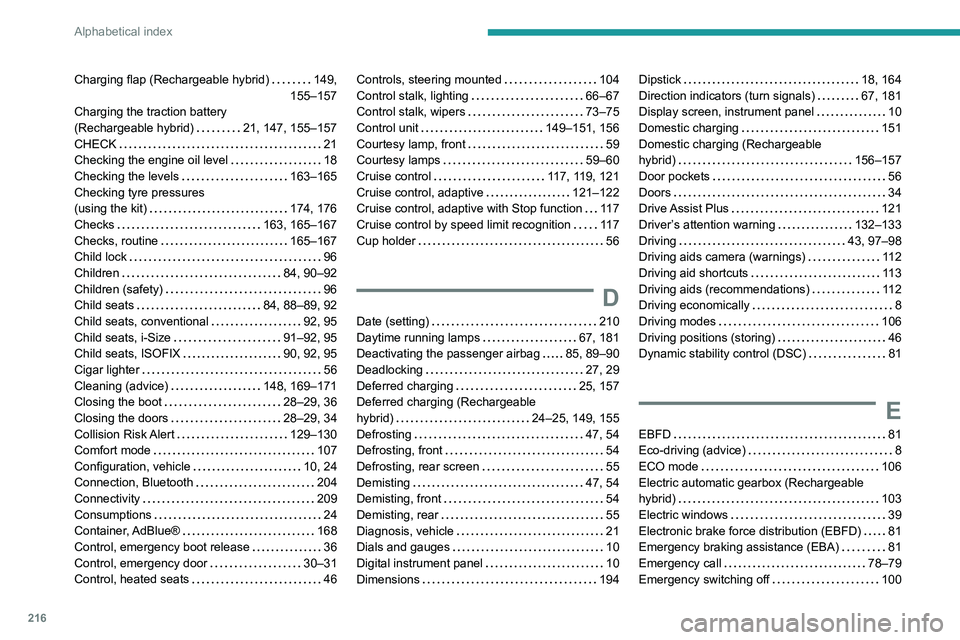
Charging flap (Rechargeable hybrid) 149,
155–157
Charging the traction battery
(Rechargeable hybrid)
21, 147, 155–157
CHECK
21
Checking the engine oil level
18
Checking the levels
163–165
Checking tyre pressures
(using the kit)
174, 176
Checks
163, 165–167
Checks, routine
165–167
Child lock
96
Children
84, 90–92
Children (safety)
96
Child seats
84, 88–89, 92
Child seats, conventional
92, 95
Child seats, i-Size
91–92, 95
Child seats, ISOFIX
90, 92, 95
Cigar lighter
56
Cleaning (advice)
148, 169–171
Closing the boot
28–29, 36
Closing the doors
28–29, 34
Collision Risk Alert
129–130
Comfort mode
107
Configuration, vehicle
10, 24
Connection, Bluetooth
204
Connectivity
209
Consumptions
24
Container, AdBlue®
168
Control, emergency boot release
36
Control, emergency door
30–31
Control, heated seats
46Controls, steering mounted 104
Control stalk, lighting
66–67
Control stalk, wipers
73–75
Control unit
149–151, 156
Courtesy lamp, front
59
Courtesy lamps
59–60
Cruise control
117, 119, 121
Cruise control, adaptive
121–122
Cruise control, adaptive with Stop function
11 7
Cruise control by speed limit recognition
11 7
Cup holder
56
D
Date (setting) 210
Daytime running lamps
67, 181
Deactivating the passenger airbag
85, 89–90
Deadlocking
27, 29
Deferred charging
25, 157
Deferred charging (Rechargeable
hybrid)
24–25, 149, 155
Defrosting
47, 54
Defrosting, front
54
Defrosting, rear screen
55
Demisting
47, 54
Demisting, front
54
Demisting, rear
55
Diagnosis, vehicle
21
Dials and gauges
10
Digital instrument panel
10
Dimensions
194
Dipstick 18, 164
Direction indicators (turn signals)
67, 181
Display screen, instrument panel
10
Domestic charging
151
Domestic charging (Rechargeable
hybrid)
156–157
Door pockets
56
Doors
34
Drive Assist Plus
121
Driver’s attention warning
132–133
Driving
43, 97–98
Driving aids camera (warnings)
11 2
Driving aid shortcuts
11 3
Driving aids (recommendations)
11 2
Driving economically
8
Driving modes
106
Driving positions (storing)
46
Dynamic stability control (DSC)
81
E
EBFD 81
Eco-driving (advice)
8
ECO mode
106
Electric automatic gearbox (Rechargeable
hybrid)
103
Electric windows
39
Electronic brake force distribution (EBFD)
81
Emergency braking assistance (EBA)
81
Emergency call
78–79
Emergency switching off
100
Page 219 of 244
217
Alphabetical index
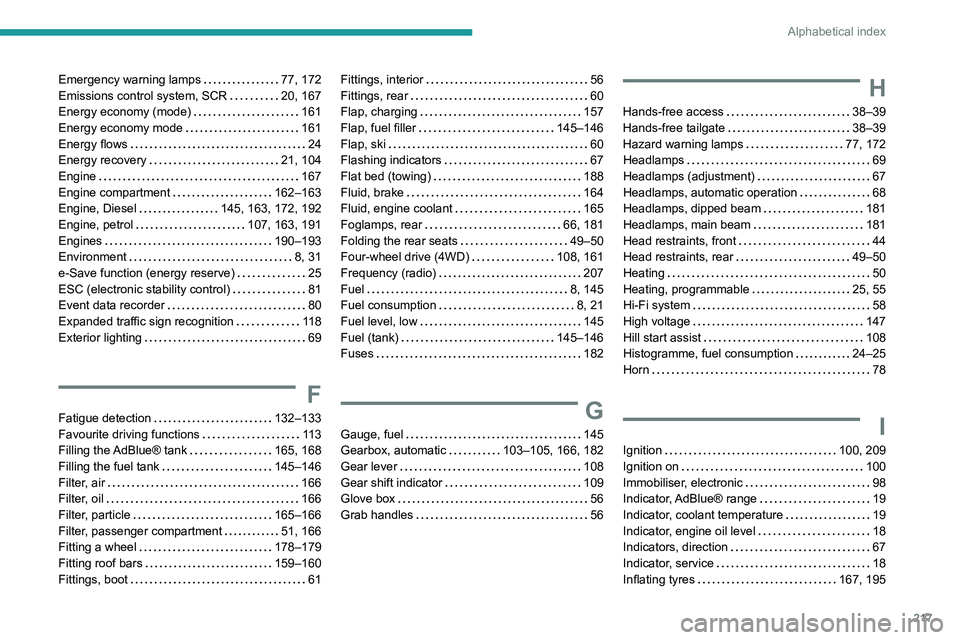
Emergency warning lamps 77, 172
Emissions control system, SCR
20, 167
Energy economy (mode)
161
Energy economy mode
161
Energy flows
24
Energy recovery
21, 104
Engine
167
Engine compartment
162–163
Engine, Diesel
145, 163, 172, 192
Engine, petrol
107, 163, 191
Engines
190–193
Environment
8, 31
e-Save function (energy reserve)
25
ESC (electronic stability control)
81
Event data recorder
80
Expanded traffic sign recognition
11 8
Exterior lighting
69
F
Fatigue detection 132–133
Favourite driving functions
11 3
Filling the AdBlue® tank
165, 168
Filling the fuel tank
145–146
Filter, air
166
Filter, oil
166
Filter, particle
165–166
Filter, passenger compartment
51, 166
Fitting a wheel
178–179
Fitting roof bars
159–160
Fittings, boot
61
Fittings, interior 56
Fittings, rear
60
Flap, charging
157
Flap, fuel filler
145–146
Flap, ski
60
Flashing indicators
67
Flat bed (towing)
188
Fluid, brake
164
Fluid, engine coolant
165
Foglamps, rear
66, 181
Folding the rear seats
49–50
Four-wheel drive (4WD)
108, 161
Frequency (radio)
207
Fuel
8, 145
Fuel consumption
8, 21
Fuel level, low
145
Fuel (tank)
145–146
Fuses
182
G
Gauge, fuel 145
Gearbox, automatic
103–105, 166, 182
Gear lever
108
Gear shift indicator
109
Glove box
56
Grab handles
56
H
Hands-free access 38–39
Hands-free tailgate
38–39
Hazard warning lamps
77, 172
Headlamps
69
Headlamps (adjustment)
67
Headlamps, automatic operation
68
Headlamps, dipped beam
181
Headlamps, main beam
181
Head restraints, front
44
Head restraints, rear
49–50
Heating
50
Heating, programmable
25, 55
Hi-Fi system
58
High voltage
147
Hill start assist
108
Histogramme, fuel consumption
24–25
Horn
78
I
Ignition 100, 209
Ignition on
100
Immobiliser, electronic
98
Indicator, AdBlue® range
19
Indicator, coolant temperature
19
Indicator, engine oil level
18
Indicators, direction
67
Indicator, service
18
Inflating tyres
167, 195
Page 220 of 244
218
Alphabetical index
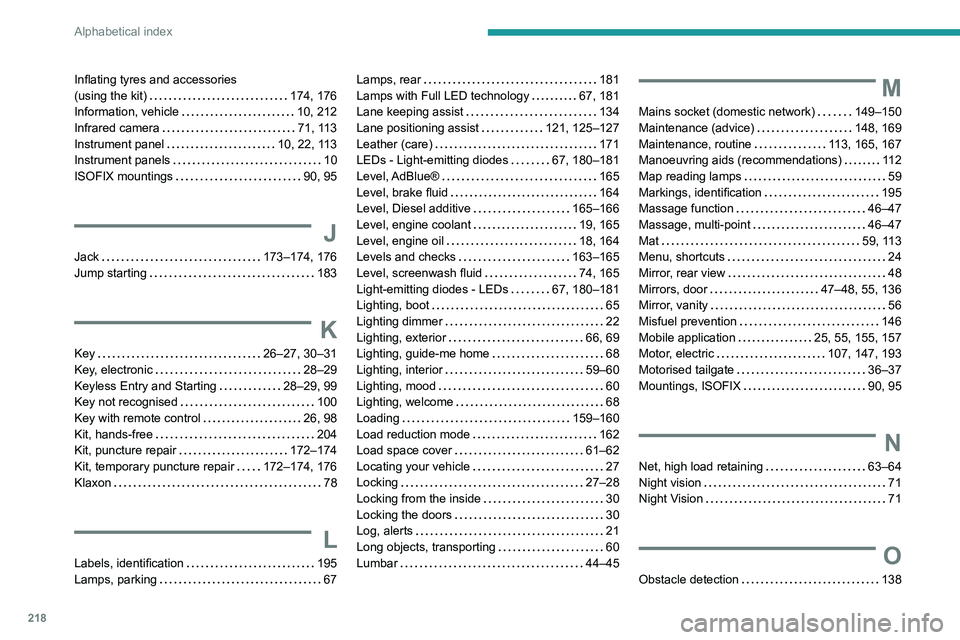
Inflating tyres and accessories
(using the kit)
174, 176
Information, vehicle
10, 212
Infrared camera
71, 113
Instrument panel
10, 22, 113
Instrument panels
10
ISOFIX mountings
90, 95
J
Jack 173–174, 176
Jump starting
183
K
Key 26–27, 30–31
Key, electronic
28–29
Keyless Entry and Starting
28–29, 99
Key not recognised
100
Key with remote control
26, 98
Kit, hands-free
204
Kit, puncture repair
172–174
Kit, temporary puncture repair
172–174, 176
Klaxon
78
L
Labels, identification 195
Lamps, parking
67
Lamps, rear 181
Lamps with Full LED technology
67, 181
Lane keeping assist
134
Lane positioning assist
121, 125–127
Leather (care)
171
LEDs - Light-emitting diodes
67, 180–181
Level, AdBlue®
165
Level, brake fluid
164
Level, Diesel additive
165–166
Level, engine coolant
19, 165
Level, engine oil
18, 164
Levels and checks
163–165
Level, screenwash fluid
74, 165
Light-emitting diodes - LEDs
67, 180–181
Lighting, boot
65
Lighting dimmer
22
Lighting, exterior
66, 69
Lighting, guide-me home
68
Lighting, interior
59–60
Lighting, mood
60
Lighting, welcome
68
Loading
159–160
Load reduction mode
162
Load space cover
61–62
Locating your vehicle
27
Locking
27–28
Locking from the inside
30
Locking the doors
30
Log, alerts
21
Long objects, transporting
60
Lumbar
44–45M
Mains socket (domestic network) 149–150
Maintenance (advice)
148, 169
Maintenance, routine
113, 165, 167
Manoeuvring aids (recommendations)
11 2
Map reading lamps
59
Markings, identification
195
Massage function
46–47
Massage, multi-point
46–47
Mat
59, 113
Menu, shortcuts
24
Mirror, rear view
48
Mirrors, door
47–48, 55, 136
Mirror, vanity
56
Misfuel prevention
146
Mobile application
25, 55, 155, 157
Motor, electric
107, 147, 193
Motorised tailgate
36–37
Mountings, ISOFIX
90, 95
N
Net, high load retaining 63–64
Night vision
71
Night Vision
71
O
Obstacle detection 138
Page 221 of 244

219
Alphabetical index
Oil change 164
Oil consumption
164
Oil, engine
164
On-board tools
65, 172–174
Opening the bonnet
162–163
Opening the boot
28, 35
Opening the doors
28, 34
P
Pads, brake 166
Paint
170, 195
Paint colour code
195
Parcel shelf, rear
61
Parking brake, electric
101–103, 166
Parking (sensors)
138
Parking sensors, audible and visual
138
Parking sensors, front
139
Parking sensors, rear
138
Parking sensors, side
139
Passenger compartment temperature pre-
conditioning (Rechargeable hybrid)
25, 55
Pedestrian horn (Rechargeable hybrid)
78
Personalisation
10
Peugeot Matrix LED Technology
67, 69
Plates, identification
195
Port, USB
56, 60
Power
21
Power indicator (Rechargeable hybrid)
9, 21
Pressures, tyres
167, 174, 176, 195
Pre-tensioning (seat belts)
84
Priming the fuel system 172
Profiles
197
Programmable cruise control
120
Protecting children
85, 88–92
Puncture
174, 176
R
Radar (warnings) 11 2
Radio
206–207
Range, AdBlue®
19, 165
Reading lamps, touch-sensitive
59–60
READY (warning lamp)
162
Rear bench seat
49
Rear screen (demisting)
55
Rechargeable hybrid engine
9, 24, 161–162, 188, 193
Rechargeable hybrid system
6, 9, 24,
99, 107, 147
Recharging the battery
182–183, 186
Recharging the traction battery
151
Recharging the traction battery (Rechargeable
hybrid)
147, 155–157
Recirculation, air
53–54
Recorder, trip distance
22
Reduction of electrical load (mode)
162
Regeneration of the particle filter
166
Regenerative braking (deceleration
by engine braking)
104
Reinitialising the remote control
32
Reinitialising the under-inflation detection
system
111
Reminder, lighting on
66
Remote control
26–30
Remote functions
157
Remotely operable functions (
Rechargeable hybrid)
25, 55
Removing a wheel
178–179
Removing the mat
59
Replacing bulbs
180–181
Replacing fuses
182
Replacing the air filter
166
Replacing the oil filter
166
Replacing the passenger compartment
filter
166
Reservoir, screenwash
165
Resetting the trip
22
Reversing camera
113, 140–141
Reversing lamps
181
Road sign recognition
11 4
Roof bars
159–160
Running out of fuel (Diesel)
172
S
Safety, children 85, 88–91
Saturation of the particle filter (Diesel)
166
Screen, cold climate
161
Screenwash
74
Screenwash, front
73
Screenwash, rear
74