2023 NISSAN PATHFINDER brake light
[x] Cancel search: brake lightPage 177 of 665
Seat belt indicator and
chime
• The indicator and chime remind you tofasten the seat belts.
• The seat belt indicator appears when the ignition switch is pushed to the ON posi-
tion if the driver’s seat belt is not fastened,
or if the front passenger seat belt is not
fastened when occupied.
• The seat belt indicator also appears if a rear passenger seat belt is changed from
fastened to unfastened.
• If the driver’s seat belt is not fastened when the ignition switch is pushed to the
ON position, the chime will sound shortly.
• If the vehicle is driven above 9 mph (15 km/h) in the conditions that illuminate
the seat belt indicator, the indicator will
begin to blink and the chime will sound
for over one minute, or until the seat belt
is fastened again.
NOTE:
•The indicator and/or chime may acti-
vate if an object is placed in the unoc-
cupied front passenger seat. In this
case, please remove the object from
the front passenger seat. •
The indicator and/or chime may acti-
vate if any seat belt is unfastened be-
fore the vehicle comes to a complete
stop. Please remain fastened until the
vehicle has come to a complete stop.
Shipping Mode On Push Storage Fuse
This warning may appear if the extended
storage switch is not pushed in. When this
warning appears, push in the extended
storage switch to turn off the warning. For
additional information, see “Extended stor-
age switch” (P. 2-106).
Side light and headlight
indicator (green)
The side indicator and headlight indicator
appears when the side light or headlights
are on (not including the Daytime Running
Lights (DRL) system or signature lights). If
the headlight switch is in the AUTO posi-
tion, the side indicator and headlight indi-
cator will appear when the headlights turn
on. For additional information, see “Head-
light and turn signal switch” (P. 2-82).
Steep Slope Apply foot
brake
This indicator appears, and chime sounds
if the “Caution Steep slope” indicator has
appeared over about 3 minutes. Then the parking brake will automatically be applied
and the brake force of the automatic brake
hold will be released, and the vehicle may
move or roll away unexpectedly. Apply the
foot brake to stop the vehicle moving.
For additional information, see “Automatic
brake hold” (P. 5-28).
Time for a break?
This indicator appears when the set time is
reached. The time can be set up to six
hours. For additional information, see “Set-
tings” (P. 2-55).
Tire Pressure Low - Add Air
This warning appears when the low tire
pressure warning light in the meter illumi-
nates and low tire pressure is detected. The
warning appears each time the ignition
switch is placed in the ON position as long
as the low tire pressure warning light re-
mains illuminated. If this warning appears,
stop the vehicle and adjust the tire pres-
sures of all four tires to the recommended
COLD tire pressure shown on the Tire and
Loading Information label. For additional
information, see “Low tire pressure warning
light” (P. 2-18) and “Tire Pressure Monitoring
System (TPMS)” (P. 5-5).
2-70Instruments and controls
Page 181 of 665

If you want to use the Steering Assist sys-
tem again, cancel the ProPILOT Assist sys-
tem and set it again when lane markers are
clearly visible.
Not Available Front Camera
Obstructed
This message may appear when the Steer-
ing Assist system is engaged.
Under the following conditions, the Steer-
ing Assist system is automatically
canceled:
• The camera area of the windshield isfogged up or covered with dirt, water
drops, ice, snow, etc.
• Strong light, such as sunlight or high beams from oncoming vehicles, enter
the front camera.
Not Available Parking Brake On
This message may appear when the ProPI-
LOT Assist system is engaged.
Under the following condition, the ProPILOT
Assist system is automatically canceled:
• The electronic parking brake is applied.
The above system cannot be used when
the electronic parking is activated.
For additional information, see "ProPILOT
Assist (P. 5-88) and “Parking brake” (P. 5-26).
Not Available Poor Road Conditions
This message may appear when the ProPI-
LOT Assist system, Intelligent Blind Spot In-
tervention (I-BSI) or the Intelligent Lane In-
tervention (I-LI) system is engaged.
Under the following conditions, the ProPI-
LOT Assist system, Intelligent Blind Spot In-
tervention (I-BSI) or the Intelligent Lane In-
tervention (I-LI) system is automatically
canceled:
• When the VDC system operates
• When a wheel slips
The above system cannot be used in some
situations (VDC operates, wheel slip and
VDC system is off.)
Not Available Seat Belt Not Fastened
This message may appear when the ProPI-
LOT Assist system is engaged.
Under the following condition, the ProPILOT
Assist system is automatically canceled:
• When the driver’s seat belt is not fastened
The above system cannot be used when
the driver’s seat belt is not fastened.
Not Available System Malfunction
This warning appears when one or more of
the following systems (if so equipped) is
not functioning properly.
• ProPILOT Assist
• Blind Spot Warning (BSW)
• Intelligent Blind Spot Intervention (I-BSI)
• Lane Departure Warning (LDW)
• Intelligent Lane Intervention (I-LI)
If one or more of these warnings appear,
have the system checked. It is recom-
mended that you visit a NISSAN dealer for
this service.
For additional information, see ProPILOT
Assist” (P. 5-88), Intelligent Blind Spot Inter-
vention (I-BSI)” (P. 5-65), “Blind Spot Warning
(BSW)” (P. 5-52), “Lane Departure Warning
(LDW)” (P. 5-38) or “Intelligent Lane Interven-
tion (I-LI)” (P. 5-45).
ProPILOT Assist indicators
These indicators show the ProPILOT Assist
system status. The status is shown by
color. For additional information, see “Pro-
PILOT Assist” (P. 5-88).
2-74Instruments and controls
Page 194 of 665

Ambient image sensor maintenance
The ambient image sensorOAfor the High
Beam Assist system is located in front of
the inside mirror. To maintain the proper
operation of the high beam assist system
and prevent a system malfunction, be sure
to observe the following:
• Always keep the windshield clean.
• Do not attach a sticker (including trans- parent material) or install an accessory
near the ambient image sensor.
• Do not strike or damage the areas around the ambient image sensor. Do
not touch the sensor lens that is located
on the ambient image sensor. If the ambient image sensor is damaged
due to an accident, it is recommended that
you visit a NISSAN dealer.
Battery saver system
If the ignition switch is placed in the OFF
position while the headlight switch is in the
orposition, the headlights will
turn off af ter a period of time.
CAUTION
Even though the battery saver feature
automatically turns off the headlights
af ter a period of time, you should turn
the headlight switch to the OFF posi-
tion when the engine is not running to
avoid discharging the vehicle battery.
LED DAYTIME RUNNING LIGHTS
(DRL) SYSTEM
The LED portion of the headlights auto-
matically illuminate at 100% intensity when
the engine is started and the parking brake
is released. The LED Daytime Running
Lights (DRL) operate with the headlight
switch in the OFF position. When you turn
the headlight switch to the
position
for full illumination, the LED lights switch
from LED DRL to the park function. If the parking brake is applied before the
engine is started, the LED DRL do not illumi-
nate. The LED DRL illuminate when the
parking brake is released. The LED DRL re-
main on until the ignition is placed in the
OFF position.
It is necessary at dusk to turn the headlight
switch on for interior controls and switches
to illuminate, as those remain off while the
switch is in the OFF position.
WARNING
When the LED DRL system is active, tail
lights on your vehicle are not on. It is
necessary at dusk to turn on your
headlights. Failure to do so could cause
an accident injuring yourself and
others.
LIC4690
Instruments and controls2-87
Page 201 of 665
WARNING
• Never rely solely on the hill descent
control system to control vehicle
speed when driving on steep down-
hill grades. Always drive carefully
when using the hill descent control
system and decelerate the vehicle
speed by depressing the brake pedal
if necessary. Be especially careful
when driving on frozen, muddy or ex-
tremely steep downhill roads. Failure
to control vehicle speed may result in
a loss of control of the vehicle and
possible serious injury or death. •
The hill descent control may not con-
trol the vehicle speed on a hill under
all load or road conditions. Always be
prepared to depress the brake pedal
to control vehicle speed. Failure to do
so may result in a collision or serious
personal injury.
CAUTION
When the hill descent control system
operates continuously for a long time,
the temperature of the brake pads may
increase and the hill descent control
system may be temporarily disabled
(the indicator light will blink). If the indi-
cator light does not come on continu-
ously af ter blinking, stop using the
system.
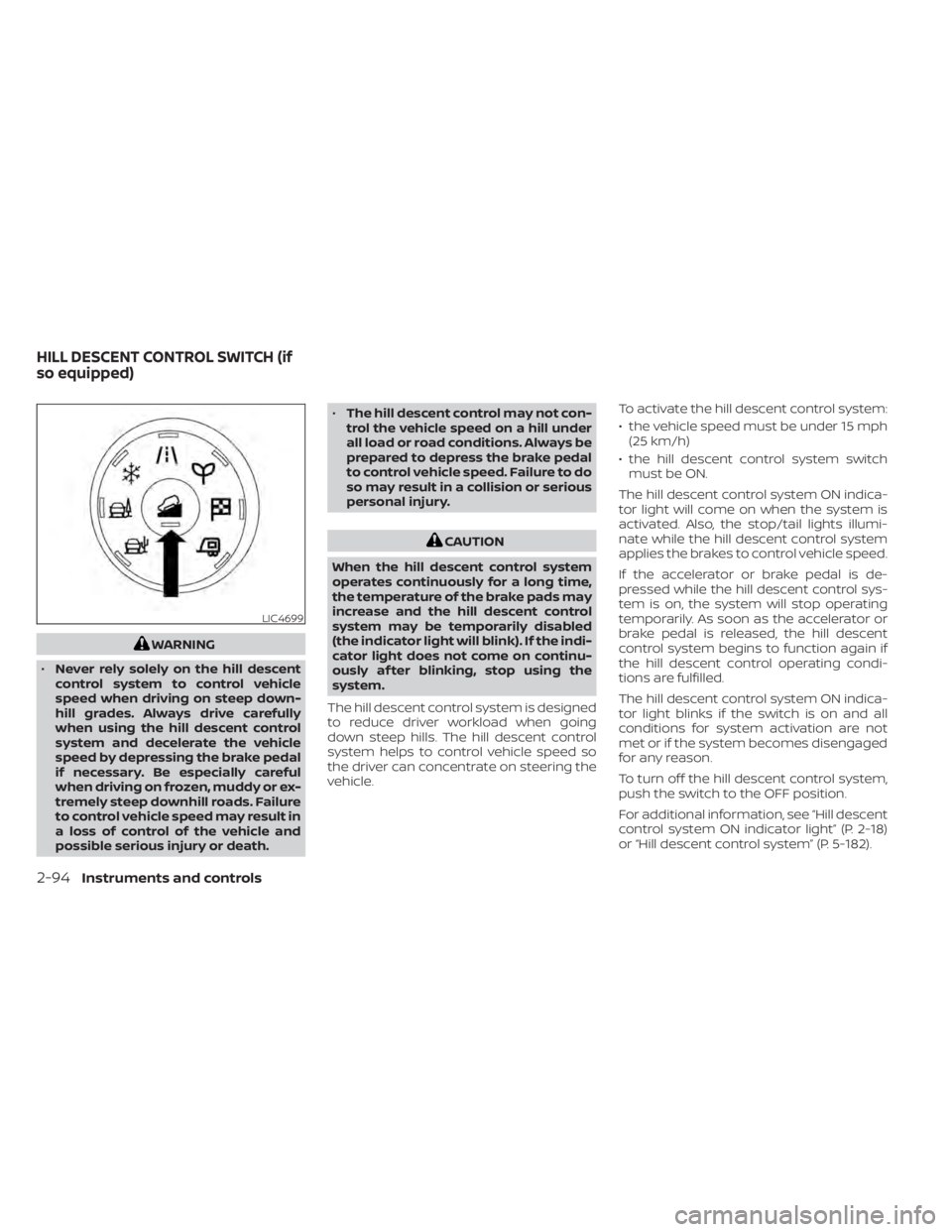
The hill descent control system is designed
to reduce driver workload when going
down steep hills. The hill descent control
system helps to control vehicle speed so
the driver can concentrate on steering the
vehicle. To activate the hill descent control system:
• the vehicle speed must be under 15 mph
(25 km/h)
• the hill descent control system switch must be ON.
The hill descent control system ON indica-
tor light will come on when the system is
activated. Also, the stop/tail lights illumi-
nate while the hill descent control system
applies the brakes to control vehicle speed.
If the accelerator or brake pedal is de-
pressed while the hill descent control sys-
tem is on, the system will stop operating
temporarily. As soon as the accelerator or
brake pedal is released, the hill descent
control system begins to function again if
the hill descent control operating condi-
tions are fulfilled.
The hill descent control system ON indica-
tor light blinks if the switch is on and all
conditions for system activation are not
met or if the system becomes disengaged
for any reason.
To turn off the hill descent control system,
push the switch to the OFF position.
For additional information, see “Hill descent
control system ON indicator light” (P. 2-18)
or “Hill descent control system” (P. 5-182).
LIC4699
HILL DESCENT CONTROL SWITCH (if
so equipped)
2-94Instruments and controls
Page 206 of 665
– It may not be possible to make anemergency call depending on the
severity of a collision and/or
emergency.
• Park the vehicle in a safe location and
set the parking brake before operat-
ing the Emergency Call (SOS) button.
• Only use this service in case of an
emergency. There may be a penalty
for inappropriate use of the service.
• Radio waves could adversely affect
electric medical equipment. Indi-
viduals who use a pacemaker should
contact the device manufacturer re-
garding any possible effects before
using the system.
• The TCU (Telematics Control Unit) an-
tenna is installed inside the upper
central part of the instrument panel.
An occupant should not get any
closer to the antenna than specified
by the pacemaker manufacturer. The
radio waves from the TCU antenna
may adversely affect the operation
of the pacemaker while using the
NissanConnect® Services.
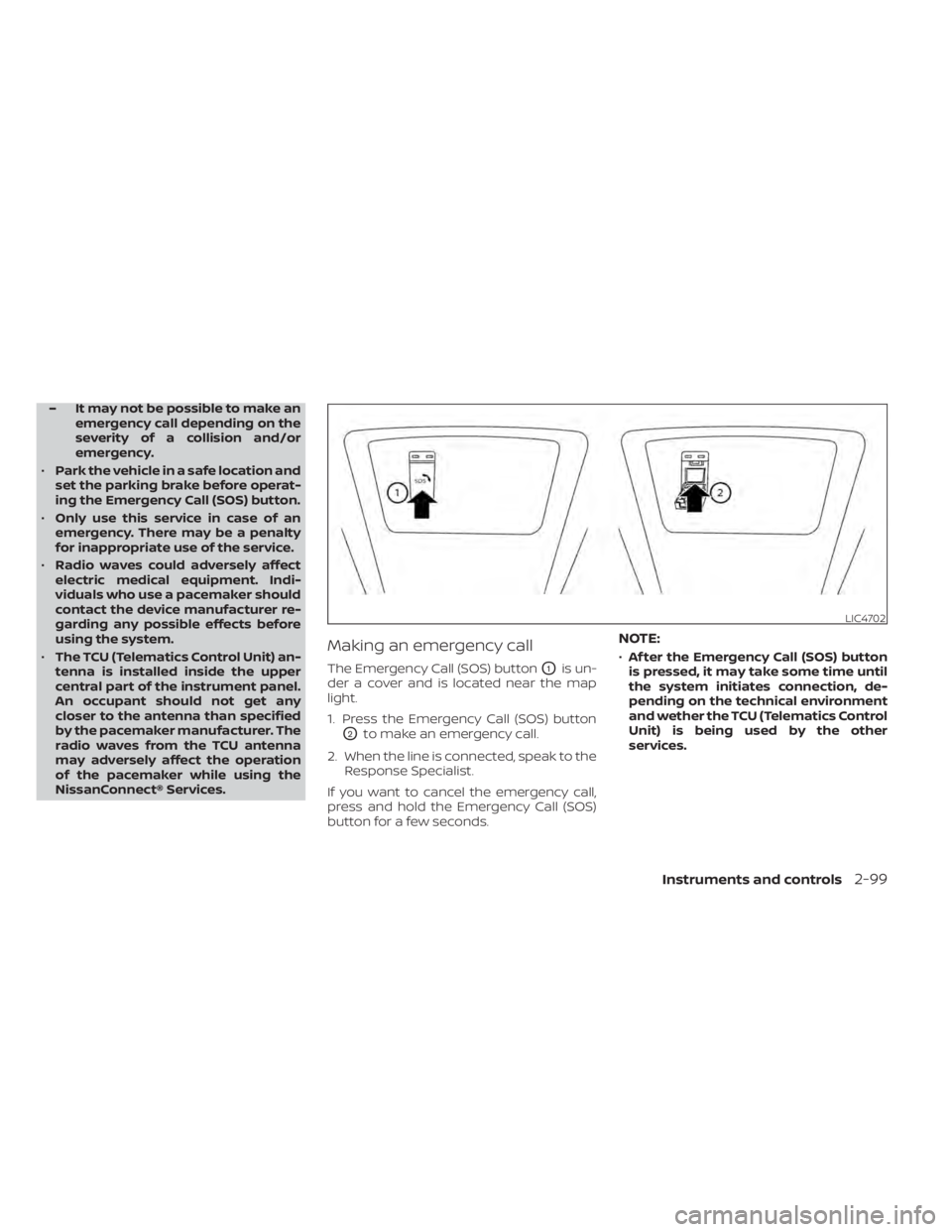
Making an emergency call
The Emergency Call (SOS) buttonO1is un-
der a cover and is located near the map
light.
1. Press the Emergency Call (SOS) button
O2to make an emergency call.
2. When the line is connected, speak to the Response Specialist.
If you want to cancel the emergency call,
press and hold the Emergency Call (SOS)
button for a few seconds.
NOTE:
• Af ter the Emergency Call (SOS) button
is pressed, it may take some time until
the system initiates connection, de-
pending on the technical environment
and wether the TCU (Telematics Control
Unit) is being used by the other
services.
LIC4702
Instruments and controls2-99
Page 258 of 665

REMOTE STARTING THE VEHICLE
To use the Remote Engine Start feature
perform the following:
1. Aim the Intelligent Key at the vehicle.
2. Press the
button to lock all doors.
3. Within 5 seconds press and hold the
button until the turn signal lights
flash and the tail lamps turn on. If the
vehicle is not within view press and hold
the
button for at least 2 seconds.
The following events will occur when the
engine starts:
• The parking lights will turn on and remain on as long as the engine is running.
• The doors will be locked and the climate control system may come on.
• The engine will continue to run for 10 min- utes. Repeat the steps to extend the time
for an additional 10 minutes. For addi-
tional information, see “Extending engine
run time” (P. 3-21).
Press and hold the brake pedal while
switching the ignition to the ON position
before driving. For additional information,
see “Driving the vehicle” (P. 5-18).
EXTENDING ENGINE RUN TIME
The Remote Engine Start feature can be
extended one time by performing the
steps listed in “Remote starting the vehicle”
(P. 3-21). Run time will be calculated as
follows:
• The first 10–minute run time will start when the Remote Engine Start function is
performed.
• The second 10 minutes will start immedi- ately when the Remote Engine Start
function is performed again. For example,
if the engine has been running for 5 min-
utes, and 10 minutes are added, the en-
gine will run for a total of 15 minutes.
• Extending engine run time will bring you to the two Remote Engine Start limit.
A maximum of two Remote Engine Starts,
or a single start with an extension, are al-
lowed between ignition cycles.
The vehicle must be driven at speeds of 4
mph (7 km/h) before the remote engine
start procedure can be used again.
CANCELING A REMOTE ENGINE
START
To cancel a Remote Engine Start, perform
one of the following:
• Aim the Intelligent Key at the vehicle and press
until the parking lights turn off.
• Turn on the hazard indicator flashers.
• Cycle the ignition switch on and then off.
• The extended engine run time has expired.
• The first 10–minute timer has expired.
• The engine hood has been opened.
• The vehicle is shif ted out of P (Park) position.
• The alarm sounds due to illegal entry into the vehicle.
• The ignition switch is pushed without an Intelligent Key in the vehicle.
• The ignition switch is pushed with an In- telligent Key in the vehicle but the brake
pedal is not depressed.
Pre-driving checks and adjustments3-21
Page 259 of 665
CONDITIONS THE REMOTE ENGINE
START WILL NOT WORK
The Remote Engine Start will not operate if
any of the following conditions are present:
• The ignition switch is placed in the ONposition.
• The hood is not securely closed.
• The hazard indicator lights are on.
• The engine is still running. The engine must be completely stopped. Wait at
least 6 seconds if the engine goes from
running to off. This is not applicable when
extending engine run time.
• The
button is not pressed and held
for at least 2 seconds.
• The
button is not pressed and held
within 5 seconds of pressing the lock
button.
• The brake is pressed.
• The doors are not closed and locked.
• The lif tgate is open.
• The Key System Error warning message appears in the vehicle information
display.
• The alarm sounds due to illegal entry into the vehicle. • Two Remote Engine Starts, or a single
Remote Engine Start with an extension,
have already been used.
• The vehicle is not in P (Park) position.
• There is a detected registered key already inside of the vehicle.
• The Remote Engine Start feature has been switched to the OFF position using
the “Vehicle Settings” menu on the vehicle
information display. For additional infor-
mation, see “Vehicle information display 7
inch (18 cm) Type A” (P. 2-23) or “Vehicle
information display 12.3 inch (31 cm) Type
B” (P. 2-48).
The Remote Engine Start may display a
warning or indicator in the vehicle informa-
tion display. For additional information, see
“Vehicle information display 7 inch (18 cm)
Type A” (P. 2-23) or “Vehicle information dis-
play 12.3 inch (31 cm) Type B” (P. 2-48).
3-22Pre-driving checks and adjustments
Page 333 of 665

The vehicle must be driven as appropriate
based on the conditions of the vehicle, road
and traffic.
WARNING
The following actions can increase the
chance of losing control of the vehicle if
there is a sudden loss of tire air pres-
sure. Losing control of the vehicle may
cause a collision and result in personal
injury.
• The vehicle generally moves or pulls
in the direction of the flat tire.
• Do not rapidly apply the brakes.
• Do not rapidly release the accelerator
pedal.
• Do not rapidly turn the steering
wheel.
1. Remain calm and do not overreact.
2. Maintain a firm grip on the steering wheel with both hands and try to hold a
straight course.
3. When appropriate, slowly release the ac- celerator pedal to gradually slow the
vehicle. 4. Gradually steer the vehicle to a safe lo-
cation off the road and away from traffic
if possible.
5. Lightly apply the brake pedal to gradu- ally stop the vehicle.
6. Turn on the hazard warning flashers and contact a roadside emergency service
to change the tire. For additional infor-
mation, see “Changing a flat tire” (P. 6-4).
DRINKING ALCOHOL/DRUGS AND
DRIVING
WARNING
Never drive under the influence of alco-
hol or drugs. Alcohol in the blood-
stream reduces coordination, delays
reaction time and impairs judgement.
Driving af ter drinking alcohol increases
the likelihood of being involved in an
accident injuring yourself and others.
Additionally, if you are injured in an ac-
cident, alcohol can increase the sever-
ity of the injury. NISSAN is committed to safe driving. How-
ever, you must choose not to drive under
the influence of alcohol. Every year thou-
sands of people are injured or killed in
alcohol-related collisions. Although the lo-
cal laws vary on what is considered to be
legally intoxicated, the fact is that alcohol
affects all people differently and most
people underestimate the effects of
alcohol.
Remember, drinking and driving don't mix!
That is true for drugs (over-the-counter,
prescription) and illegal drugs, too. Don't
drive if your ability to operate your vehicle is
impaired by alcohol, drugs, or some other
physical condition.
DRIVING SAFETY PRECAUTIONS
Your NISSAN is designed for both normal
and off-road use. However, avoid driving in
deep water or mud as your NISSAN is
mainly designed for leisure use, unlike a
conventional off-road vehicle.
Remember that 2-Wheel Drive (2WD) mod-
els are less capable than 4-Wheel Drive
(4WD) models for rough road driving and
extrication when stuck in deep snow or
mud, or the like.
5-10Starting and driving