Page 357 of 665
The ECO drive indicator will not illuminate
in the following cases:
• When the shif t lever is in the R (Reverse)position.
• When the vehicle speed is below 2 mph (3.2 km/h) or over 90 mph (144 km/h).
• When the Cruise Control (if so equipped) or Intelligent Cruise Control (ICC) system
(if so equipped) is operated.
ECO Customize
The “ECO Customize” is a function that can
change the priority from the Cruise Control
(if so equipped) or Intelligent Cruise Control
(ICC) (if so equipped) to fuel efficiency im-
provements. It can be set when the ECO
mode is selected. To activate or deactivate
this function, see “ECO Mode Setting”
(P. 2-29) or (P. 2-55).
• Cruise Control
When the setting is ON, the fuel efficiency
while cruising will be improved by lower-
ing acceleration target from normal
(setting OFF) mode.
NOTE:
When the vehicle speed is reduced (for
example, when the vehicle is driven on
an uphill road from a flat road), it will take
more time to return to the previously set
speed than normal mode.
Tire Pres ECO advice
The “Tire Pres ECO advice” is a function to
show ECO advice information in the vehicle
information display when low tire pressure
is detected. To activate or deactivate this
function, see “ECO Mode Setting” (P. 2-29) or
(P. 2-55).
When the setting is on, the ECO Drive Re-
port display shows “See Tire Pressures”. You
can switch the display to the Tire Pressures
display by selecting it in the vehicle infor-
mation display.
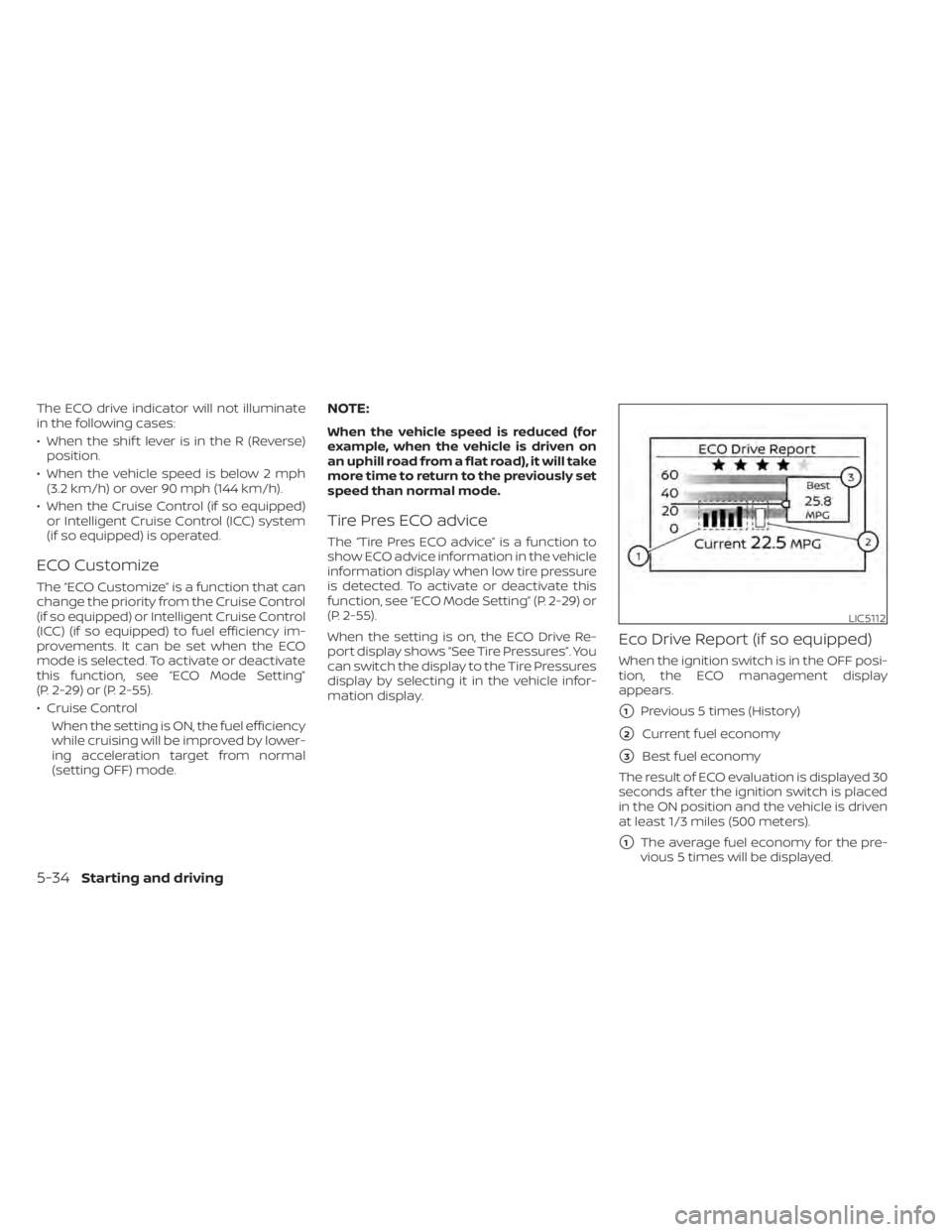
Eco Drive Report (if so equipped)
When the ignition switch is in the OFF posi-
tion, the ECO management display
appears.
�1Previous 5 times (History)
�2Current fuel economy
�3Best fuel economy
The result of ECO evaluation is displayed 30
seconds af ter the ignition switch is placed
in the ON position and the vehicle is driven
at least 1/3 miles (500 meters).
�1The average fuel economy for the pre-
vious 5 times will be displayed.
LIC5112
5-34Starting and driving
Page 358 of 665

�2The average fuel economy since the
last reset will be displayed.
�3The best fuel economy of the past his-
tory will be displayed.
The ECO Drive Report can be set to be ON
or OFF.
The TSR system provides the driver with
information about the most recently de-
tected speed limit. The system captures
the road sign information with the multi-
sensing front camera unit
OAlocated on
the windshield in front of the inside rear-
view mirror and displays the detected
signs in the vehicle information display. For
vehicles equipped with a navigation sys-
tem, the speed limit displayed is based on a
combination of navigation system data
and live camera recognition. TSR informa-
tion is always displayed at the top of the vehicle information display, and optionally
in the main central area of the display
screen.
WARNING
The TSR system is only intended to be a
support device to help provide the
driver with information. It is not a re-
placement for the driver’s attention to
traffic conditions or responsibility to
drive safely. It cannot prevent acci-
dents due to carelessness. It is the driv-
er’s responsibility to stay alert and
drive safely at all times.
LSD4143
TRAFFIC SIGN RECOGNITION (TSR) (if
so equipped)
Starting and driving5-35
Page 359 of 665

SYSTEM OPERATION
The Traffic Sign Recognition (TSR) system
displays the following types of road signs:
CAUTION
• The TSR system is intended as an aid
to careful driving. It is the driver’s re-
sponsibility to stay alert, drive safely,
and observe all road regulations that
currently apply, including looking out
for road signs.
• The TSR system may not function
properly under the following
conditions: –
When the road sign is not clearly
visible, for example, due to dam-
age or weather conditions.
– When rain, snow or dirt adheres to
the windshield in front of the
multi-sensing camera unit.
– When the headlights are not
bright, for example, due to dirt on
the lens or if the aiming is not ad-
justed properly.
– When strong light enters the cam-
era unit. (For example, the light di-
rectly shines on the front of the
vehicle at sunrise or sunset.) –
When a sudden change in bright-
ness occurs. (For example, when
the vehicle enters or exits a tunnel
or under a bridge.)
– If there are deviations in relation
to the navigation, for example due
to changes in the road routing.
– When overtaking buses or trucks
with speed stickers.
LSD4255LSD4307
5-36Starting and driving
Page 360 of 665

TURNING THE TRAFFIC SIGN
RECOGNITION (TSR) SYSTEM ON
AND OFFPerform the following steps to enable or
disable the TSR system.
1. Press the
button until “Settings” dis-
plays in the vehicle information display.
Use the scroll dial to select “Driver Assis-
tance.” Then press the OK button.
2. Select “Speed Limit Sign” and press the OK button to turn the system on or off.
SYSTEM TEMPORARILY
UNAVAILABLE
If the vehicle is parked in direct sunlight
under high temperature conditions (over
approximately 104°F [40°C]) and then
started, the TSR system may be deacti-
vated automatically. The “Unavailable: High
Cabin Temperature” warning message will
appear in the vehicle information display.
Action to take:
When the interior temperature is reduced,
the TSR system will resume operating
automatically.
SYSTEM MALFUNCTION
If the TSR system malfunctions, it will be
turned off automatically and the system
“Malfunction” warning message will appear
in the vehicle information display.
Action to take:
If the TSR “Malfunction” message appears,
pull off the road at a safe location and stop
the vehicle. Turn the engine off and restart
the engine. If the TSR “Malfunction” mes-
sage continues to appear, have the system
checked. It is recommended that you visit a
NISSAN dealer for this service.
LSD4256
For vehicles with the 7 inch (18 cm) display
LSD4257
For vehicles with the 12.3 inch (31.2 cm) display
Starting and driving5-37
Page 362 of 665
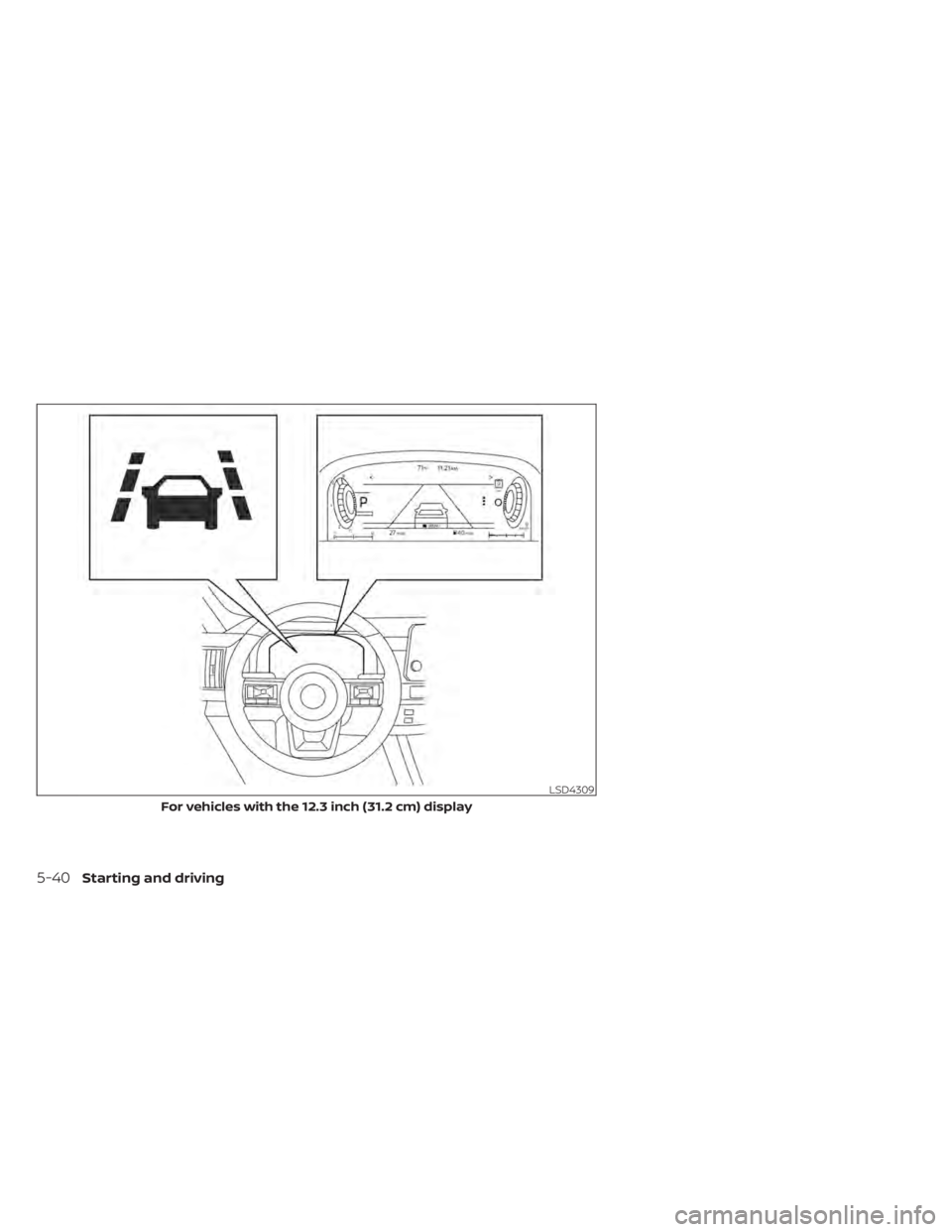
LDW SYSTEM OPERATION
The LDW system provides a lane departure
warning function when the vehicle is driven
at speeds of approximately 37 mph (60
km/h) and above and the lane markings
are clear. When the vehicle approaches ei-
ther the lef t or the right side of the traveling
lane, the steering wheel will vibrate and the
LDW indicator on the instrument panel will
blink to alert the driver.
The warning function will stop when the
vehicle returns inside of the lane markers.
LSD4308
For vehicles with the 7 inch (18 cm) display
Starting and driving5-39
Page 363 of 665
LSD4309
For vehicles with the 12.3 inch (31.2 cm) display
5-40Starting and driving
Page 364 of 665
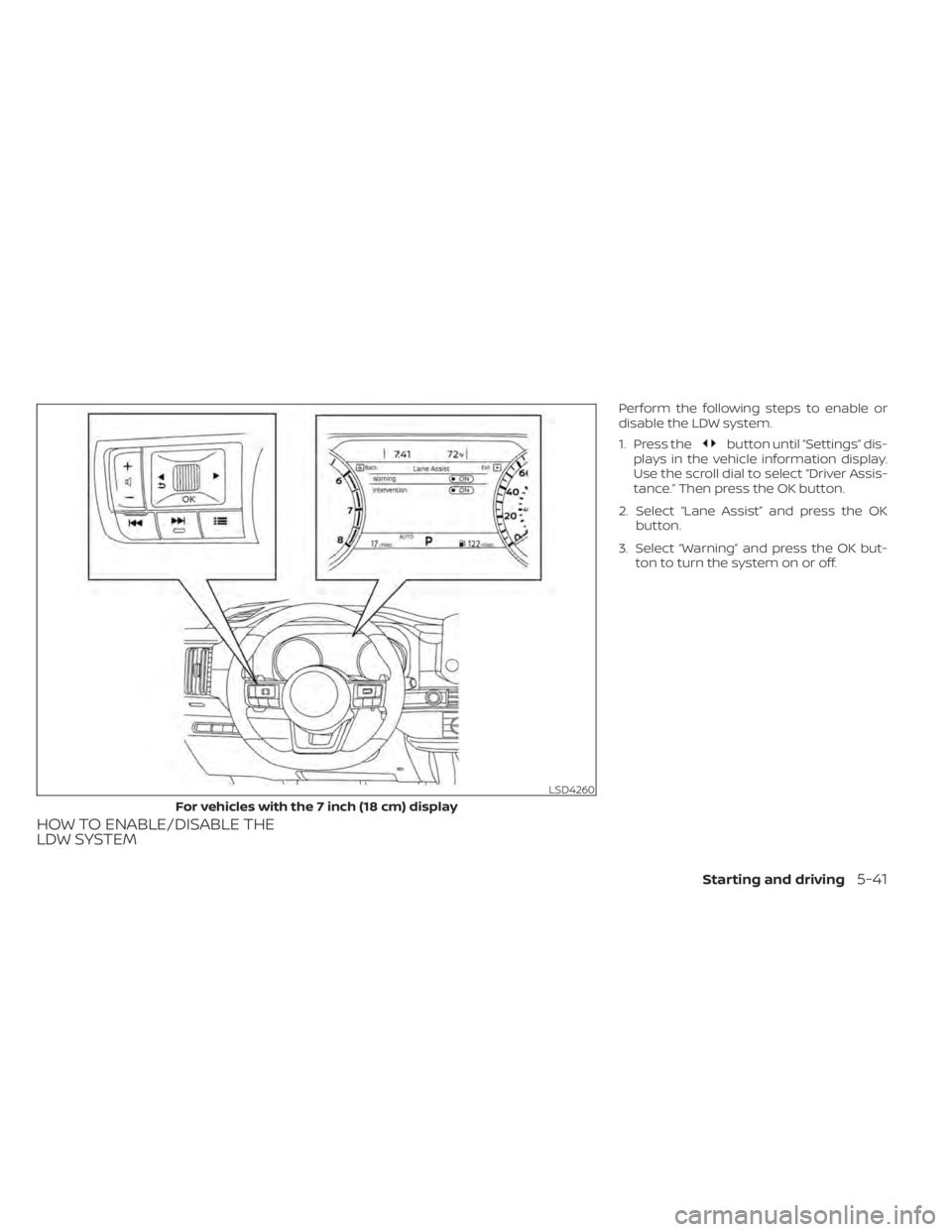
HOW TO ENABLE/DISABLE THE
LDW SYSTEM
Perform the following steps to enable or
disable the LDW system.
1. Press the
button until “Settings” dis-
plays in the vehicle information display.
Use the scroll dial to select “Driver Assis-
tance.” Then press the OK button.
2. Select “Lane Assist” and press the OK button.
3. Select “Warning” and press the OK but- ton to turn the system on or off.
LSD4260
For vehicles with the 7 inch (18 cm) display
Starting and driving5-41
Page 365 of 665
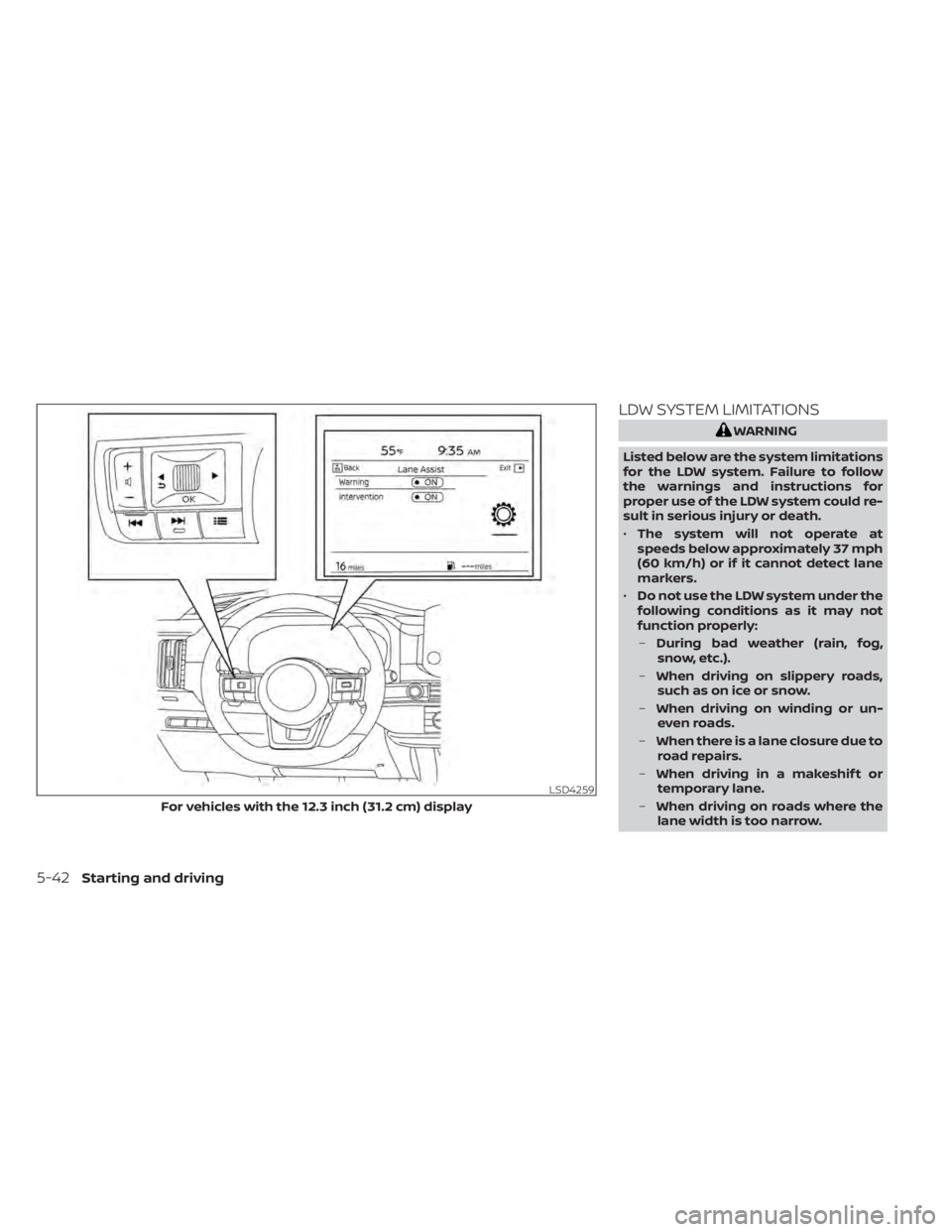
LDW SYSTEM LIMITATIONS
WARNING
Listed below are the system limitations
for the LDW system. Failure to follow
the warnings and instructions for
proper use of the LDW system could re-
sult in serious injury or death.
• The system will not operate at
speeds below approximately 37 mph
(60 km/h) or if it cannot detect lane
markers.
• Do not use the LDW system under the
following conditions as it may not
function properly:
– During bad weather (rain, fog,
snow, etc.).
– When driving on slippery roads,
such as on ice or snow.
– When driving on winding or un-
even roads.
– When there is a lane closure due to
road repairs.
– When driving in a makeshif t or
temporary lane.
– When driving on roads where the
lane width is too narrow.
LSD4259
For vehicles with the 12.3 inch (31.2 cm) display
5-42Starting and driving