2023 NISSAN LEAF wheel
[x] Cancel search: wheelPage 401 of 612
NOTE:
The approach warning chime may sound
and the system display may blink when
the ICC sensor detects objects on the
side of the vehicle or on the side of the
road. This may cause the ICC system to
decelerate or accelerate the vehicle. The
ICC sensor may detect these objects
when the vehicle is driven on winding
roads, narrow roads, hilly roads, or when
entering or exiting a curve. In these
cases you will have to manually control
the proper distance ahead of your
vehicle.
Also, the sensor sensitivity can be affected
by vehicle operation (steering maneuver or
driving position in the lane) or traffic or ve-
hicle condition (for example, if a vehicle is
being driven with some damage).
Acceleration when passing
When the ICC system is engaged above 43
mph and following a slower vehicle (below
ICC set speed), and the turn signal is acti-
vated to the lef t, the ICC system will auto-
matically start to accelerate the vehicle to
help initiate passing on the lef t and will
begin to reduce the distance to the vehicle
directly ahead. Only the lef t side turn signal
operates this feature. As the driver steersthe vehicle and moves into the passing
lane, if no vehicle is detected ahead the ICC
system will continue to accelerate to the
ICC system set speed. If another vehicle is
detected ahead, then the vehicle will accel-
erate up to the following speed of that ve-
hicle. If the vehicle is not steered into the
lef t lane to pass, the acceleration will stop
af ter a short time and regain the set follow-
ing distance. Acceleration can be stopped
at any point by depressing the brake pedal
or the CANCEL switch on the steering
wheel.
WARNING
In order to reduce the risk of a collision
that may result in serious injury or
death, please be aware of the following:
• This function is only activated with
the lef t turn signal and will briefly ac-
celerate the vehicle even if a lane
change is not initiated. This can in-
clude non-passing situations such as
lef t side exits.
• Ensure that when passing another
vehicle, the adjacent lane is clear be-
fore initiating the pass. Sudden
changes in traffic may occur while
passing. –
Always manually steer or brake as
needed
– Never solely rely on the system
Automatic cancellation
A chime sounds under the following condi-
tions and the control is automatically
canceled:
• When the vehicle ahead is not detected
and your vehicle is traveling below the
speed of 15 mph (24 km/h)
• When the system judges the vehicle is at a standstill
• When the shif t lever is not in the D (Drive) position or B mode
• When the parking brake system is applied
• When the VDC system is turned off
• When VDC operates
• When distance measurement becomes impaired due to adhesion of dirt or ob-
struction to the sensor
• When a wheel slips
• When the radar signal is temporarily interrupted
5-78Starting and driving
Page 406 of 612
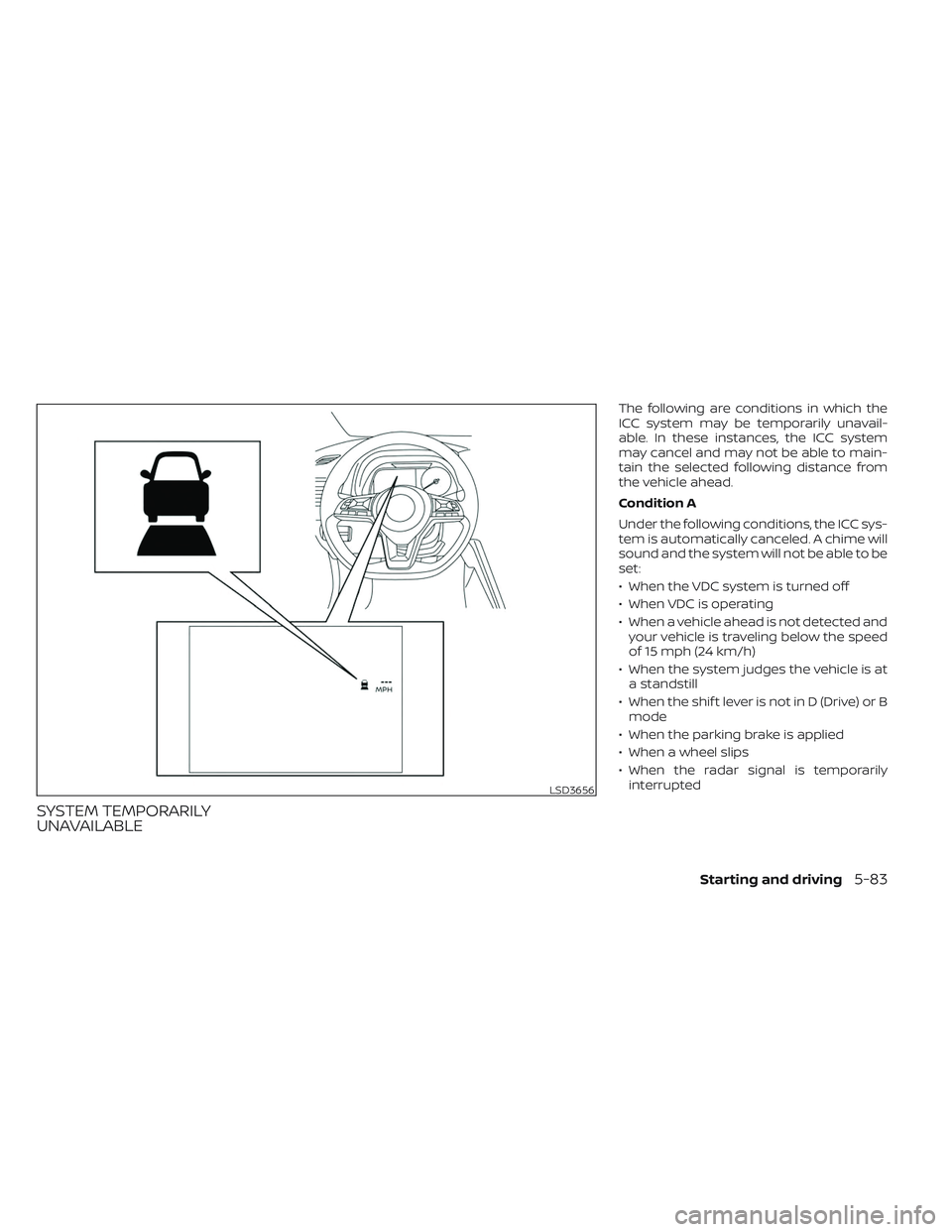
SYSTEM TEMPORARILY
UNAVAILABLE
The following are conditions in which the
ICC system may be temporarily unavail-
able. In these instances, the ICC system
may cancel and may not be able to main-
tain the selected following distance from
the vehicle ahead.
Condition A
Under the following conditions, the ICC sys-
tem is automatically canceled. A chime will
sound and the system will not be able to be
set:
• When the VDC system is turned off
• When VDC is operating
• When a vehicle ahead is not detected andyour vehicle is traveling below the speed
of 15 mph (24 km/h)
• When the system judges the vehicle is at a standstill
• When the shif t lever is not in D (Drive) or B mode
• When the parking brake is applied
• When a wheel slips
• When the radar signal is temporarily interrupted
LSD3656
Starting and driving5-83
Page 414 of 612
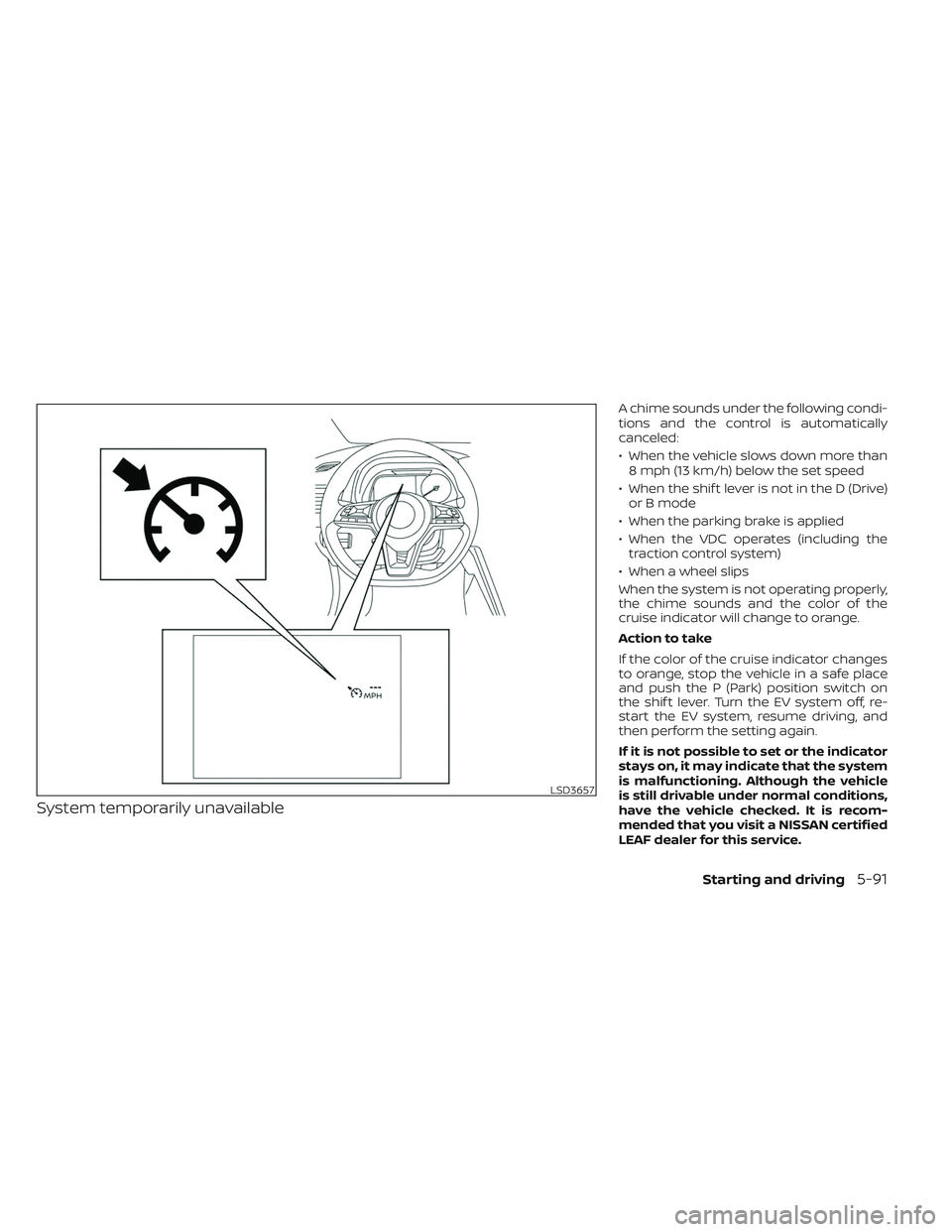
System temporarily unavailable
A chime sounds under the following condi-
tions and the control is automatically
canceled:
• When the vehicle slows down more than8 mph (13 km/h) below the set speed
• When the shif t lever is not in the D (Drive) or B mode
• When the parking brake is applied
• When the VDC operates (including the traction control system)
• When a wheel slips
When the system is not operating properly,
the chime sounds and the color of the
cruise indicator will change to orange.
Action to take
If the color of the cruise indicator changes
to orange, stop the vehicle in a safe place
and push the P (Park) position switch on
the shif t lever. Turn the EV system off, re-
start the EV system, resume driving, and
then perform the setting again.
If it is not possible to set or the indicator
stays on, it may indicate that the system
is malfunctioning. Although the vehicle
is still drivable under normal conditions,
have the vehicle checked. It is recom-
mended that you visit a NISSAN certified
LEAF dealer for this service.
LSD3657
Starting and driving5-91
Page 415 of 612
WARNING
Failure to follow the warnings and in-
structions for proper use of the ProPI-
LOT Assist system could result in seri-
ous injury or death.
• ProPILOT Assist is not a self-driving
system. Within the limits of its capa-
bilities, as described in this manual, it
helps the driver with certain driving
activities.
• The ProPILOT Assist system is not a
replacement for proper driving pro-
cedures and is not designed to cor-
rect careless, inattentive or absent-
minded driving. ProPILOT Assist will
not always steer the vehicle to keep it
in the lane. The ProPILOT Assist sys-
tem is not designed to prevent loss of
control. It is the driver’s responsibility
to stay alert, drive safely, keep the
vehicle in the traveling lane, and be in
control of the vehicle at all times. •
There are limitations to the ProPILOT
Assist system capability. The ProPI-
LOT Assist system does not function
in all driving, traffic, weather, and
road conditions. It is the driver’s re-
sponsibility to stay alert, drive safely,
keep the vehicle in the traveling lane,
and be in control of the vehicle at all
times.
• The ProPILOT Assist system is only an
aid to assist the driver and is not a
collision warning or avoidance
device.
• The ProPILOT Assist system is for
highway use only and is not intended
for city driving. Failure to apply the
brake or steer the vehicle when nec-
essary may result in a serious
accident.
• Always observe posted speed limits
and do not set the speed over them.
• Never take your hands off the steer-
ing wheel when driving. Always keep
your hands on the steering wheel
and drive your vehicle safely.
• Never unfasten your safety belt
when using ProPILOT Assist. Doing so
automatically cancels the ProPILOT
Assist system. •
The ProPILOT Assist system does not
react to stationary and slow-moving
vehicles.
• Always drive carefully and atten-
tively when using the ProPILOT Assist
system. Read and understand the
Owner’s Manual thoroughly before
using the ProPILOT Assist system. To
avoid serious injury or death, do not
rely on the system to prevent acci-
dents or to control the vehicle’s
speed in emergency situations. Do
not use the ProPILOT Assist system
except in appropriate road and traffic
conditions.
PROPILOT ASSIST (if so equipped)
5-92Starting and driving
Page 417 of 612
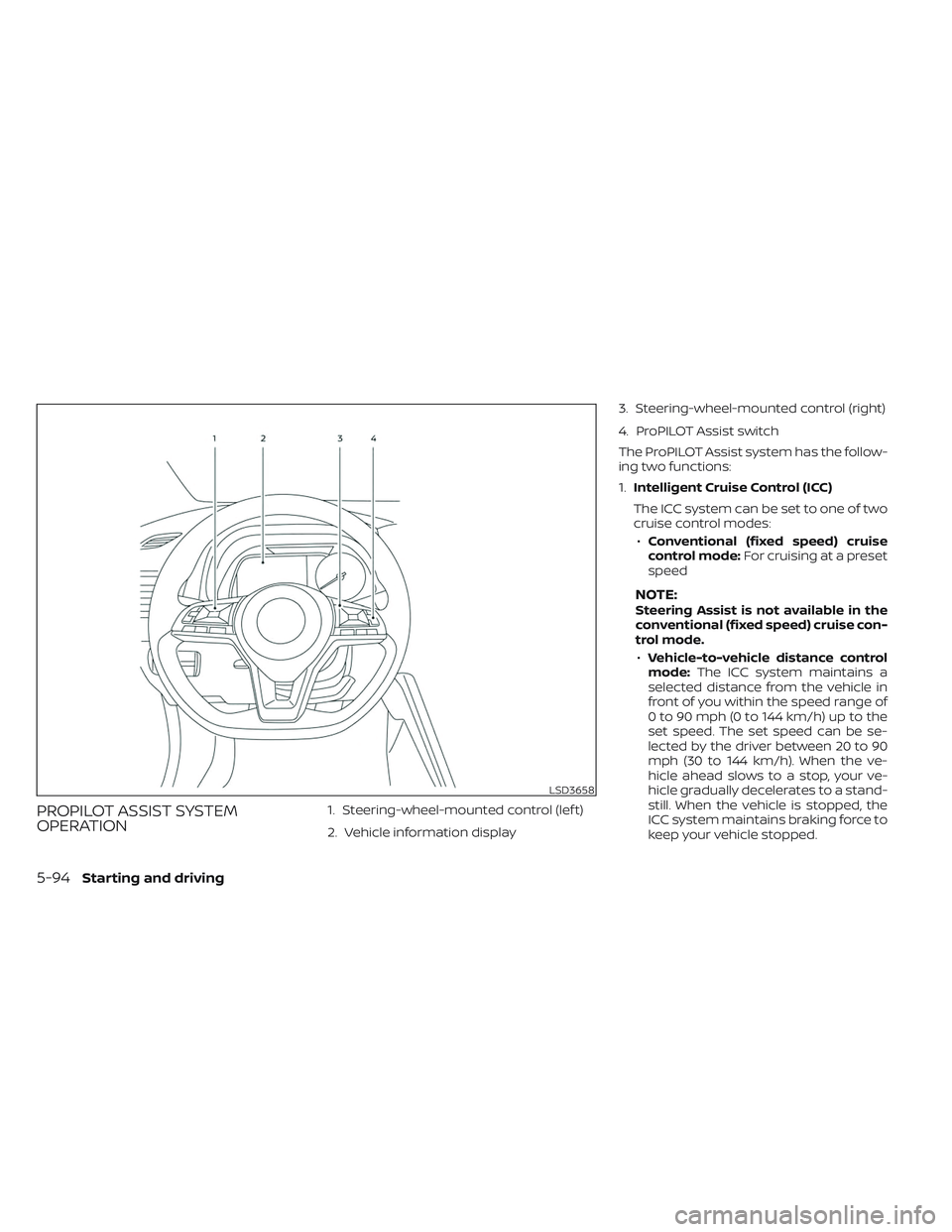
PROPILOT ASSIST SYSTEM
OPERATION1. Steering-wheel-mounted control (lef t)
2. Vehicle information display3. Steering-wheel-mounted control (right)
4. ProPILOT Assist switch
The ProPILOT Assist system has the follow-
ing two functions:
1.
Intelligent Cruise Control (ICC)
The ICC system can be set to one of two
cruise control modes: • Conventional (fixed speed) cruise
control mode: For cruising at a preset
speed
NOTE:Steering Assist is not available in the
conventional (fixed speed) cruise con-
trol mode.
• Vehicle-to-vehicle distance control
mode: The ICC system maintains a
selected distance from the vehicle in
front of you within the speed range of
0 to 90 mph (0 to 144 km/h) up to the
set speed. The set speed can be se-
lected by the driver between 20 to 90
mph (30 to 144 km/h). When the ve-
hicle ahead slows to a stop, your ve-
hicle gradually decelerates to a stand-
still. When the vehicle is stopped, the
ICC system maintains braking force to
keep your vehicle stopped.
LSD3658
5-94Starting and driving
Page 423 of 612
• When the Vehicle Dynamic Control (VDC)system is off. For additional information,
see “Vehicle Dynamic Control (VDC) sys-
tem” (P. 5-164).
• When the VDC system (including the trac- tion control system) is operating
• When a wheel is slipping
• When any door is open
• When the driver’s seat belt is not fastened
How to change the set vehicle
speed
The set vehicle speed can be adjusted.
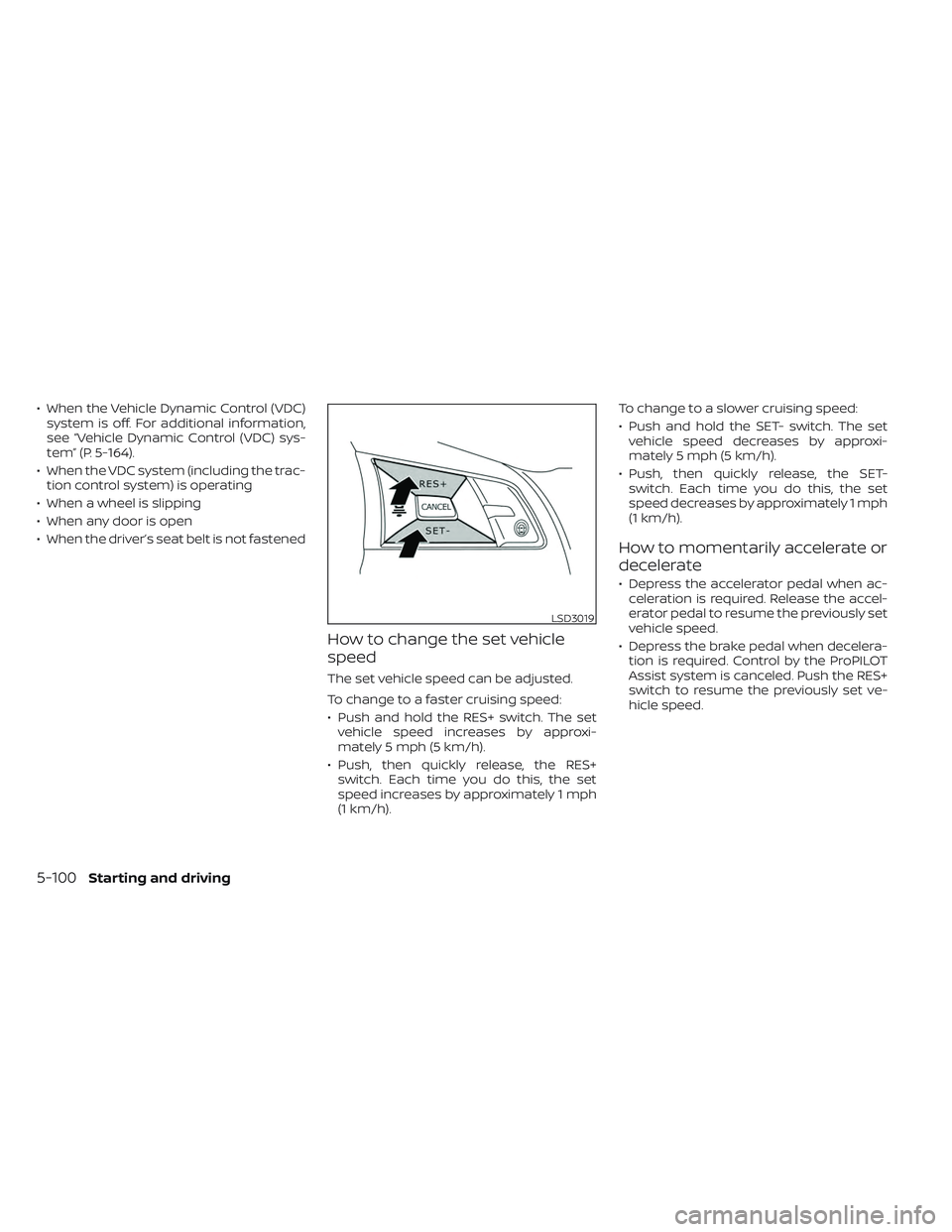
To change to a faster cruising speed:
• Push and hold the RES+ switch. The set vehicle speed increases by approxi-
mately 5 mph (5 km/h).
• Push, then quickly release, the RES+ switch. Each time you do this, the set
speed increases by approximately 1 mph
(1 km/h). To change to a slower cruising speed:
• Push and hold the SET- switch. The set
vehicle speed decreases by approxi-
mately 5 mph (5 km/h).
• Push, then quickly release, the SET- switch. Each time you do this, the set
speed decreases by approximately 1 mph
(1 km/h).
How to momentarily accelerate or
decelerate
• Depress the accelerator pedal when ac-celeration is required. Release the accel-
erator pedal to resume the previously set
vehicle speed.
• Depress the brake pedal when decelera- tion is required. Control by the ProPILOT
Assist system is canceled. Push the RES+
switch to resume the previously set ve-
hicle speed.
LSD3019
5-100Starting and driving
Page 426 of 612
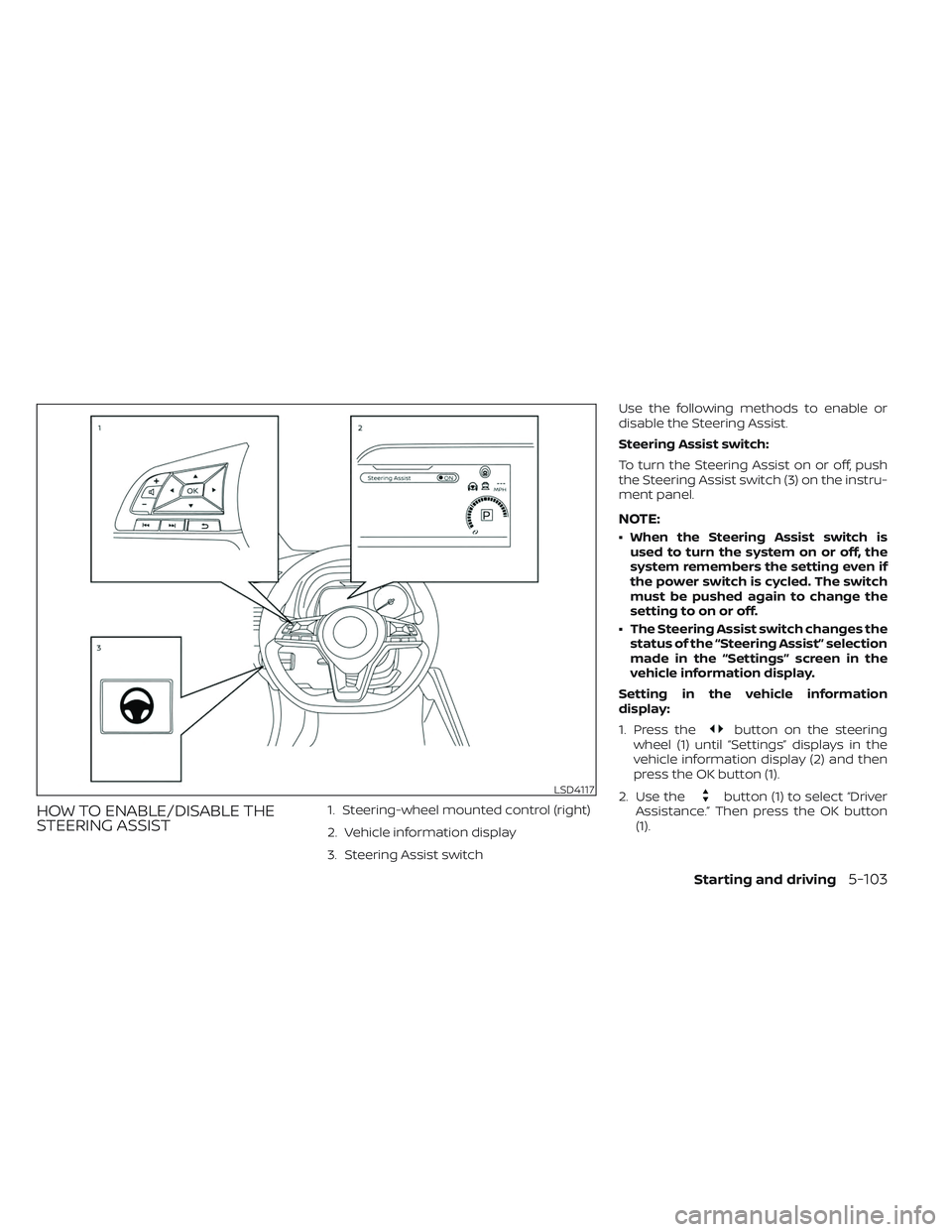
HOW TO ENABLE/DISABLE THE
STEERING ASSIST1. Steering-wheel mounted control (right)
2. Vehicle information display
3. Steering Assist switchUse the following methods to enable or
disable the Steering Assist.
Steering Assist switch:
To turn the Steering Assist on or off, push
the Steering Assist switch (3) on the instru-
ment panel.
NOTE:
• When the Steering Assist switch is
used to turn the system on or off, the
system remembers the setting even if
the power switch is cycled. The switch
must be pushed again to change the
setting to on or off.
• The Steering Assist switch changes the status of the “Steering Assist” selection
made in the “Settings” screen in the
vehicle information display.
Setting in the vehicle information
display:
1. Press the
button on the steering
wheel (1) until “Settings” displays in the
vehicle information display (2) and then
press the OK button (1).
2. Use the
button (1) to select “Driver
Assistance.” Then press the OK button
(1).LSD4117
Starting and driving5-103
Page 427 of 612
3. Select “Steering Assist” and press the OKbutton (1).
NOTE:
• When the Cruise screen is displayed onthe vehicle information display, press
the OK button on the steering wheel to
call up the “Driver Assistance” setting
display.
• When enabling/disabling the system through the vehicle information dis-
play or when pressing the Steering As-
sist switch, the system retains the cur-
rent settings even if the EV system is
restarted.
How to cancel the ProPILOT Assist
system
To cancel the ProPILOT Assist system, use
one of the following methods:
• Push the CANCEL switch.
• Tap the brake pedal (except at astandstill).
• Push the ProPILOT Assist switch to turn the system off. The ProPILOT Assist status
indicator will go out. When the ProPILOT Assist system is can-
celed while the vehicle is stopped, the elec-
tronic parking brake is automatically
activated.
WARNING
To prevent the vehicle from moving or
rolling unexpectedly, which could re-
sult in serious personal injury or prop-
erty damage, before exiting the vehicle
make sure to push the ProPILOT Assist
switch to turn the system off, push the
P (Park) position switch on the shif t le-
ver, and turn the EV system off.
INTELLIGENT CRUISE CONTROL
(ICC) (for vehicles with ProPILOT
Assist)
WARNING
Failure to follow the warnings and in-
structions for proper use of the ICC sys-
tem could result in serious injury or
death. •
The ICC system is only an aid to assist
the driver and is not a collision
warning or avoidance device. It is rec-
ommended for highway use only and
it is not intended for city driving. It is
the driver’s responsibility to stay
alert, drive safely, and be in control of
the vehicle at all times.
• There are limitations to the ICC sys-
tem capability. The ICC system does
not function in all driving, traffic,
weather, and road conditions. It is the
driver’s responsibility to stay alert,
drive safely, keep the vehicle in the
traveling lane, and be in control of the
vehicle at all times.
• Always observe posted speed limits
and do not set the speed over them.
• The ICC system does not react to sta-
tionary and slow-moving vehicles.
5-104Starting and driving