2023 NISSAN LEAF display
[x] Cancel search: displayPage 478 of 612
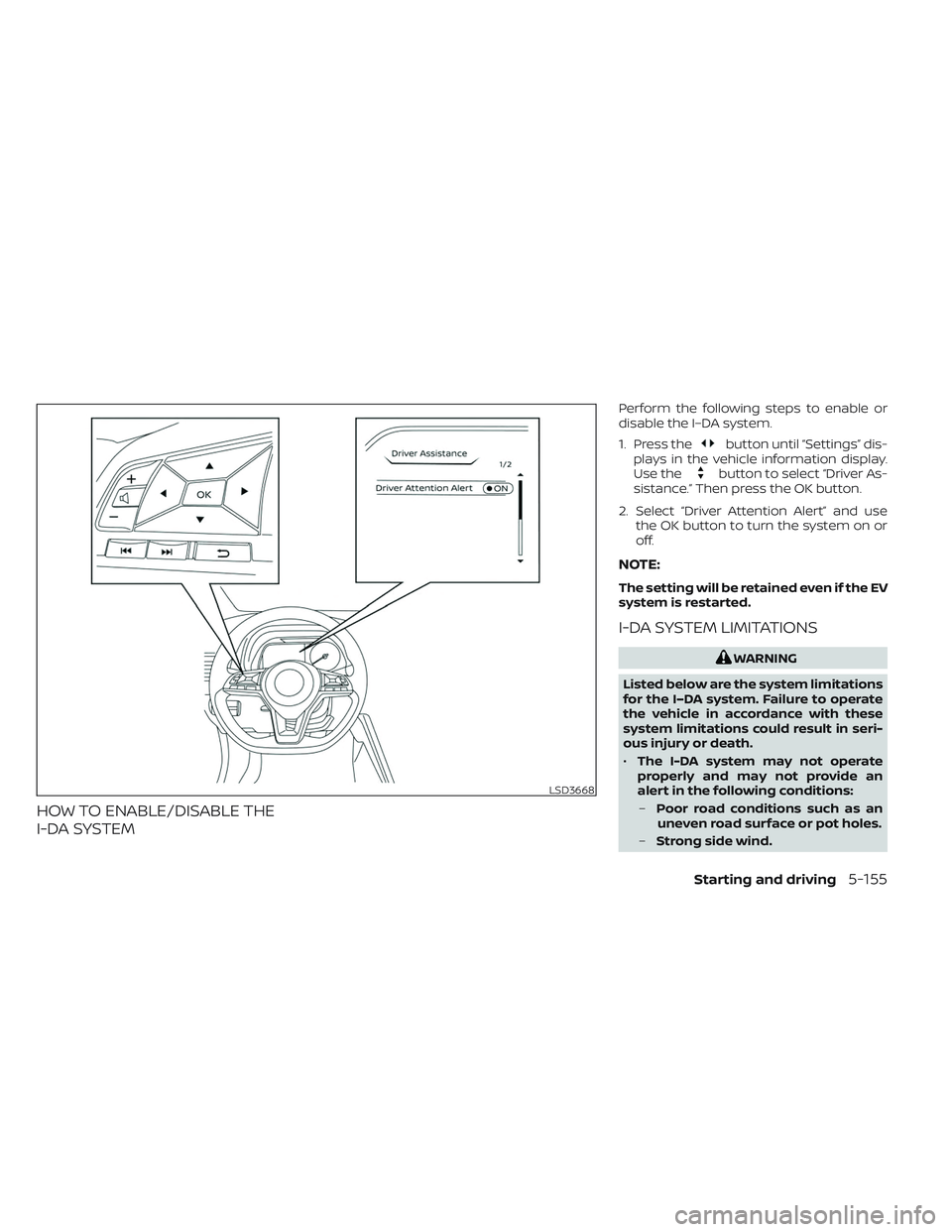
HOW TO ENABLE/DISABLE THE
I-DA SYSTEM
Perform the following steps to enable or
disable the I–DA system.
1. Press the
button until “Settings” dis-
plays in the vehicle information display.
Use the
button to select “Driver As-
sistance.” Then press the OK button.
2. Select “Driver Attention Alert” and use the OK button to turn the system on or
off.
NOTE:
The setting will be retained even if the EV
system is restarted.
I-DA SYSTEM LIMITATIONS
WARNING
Listed below are the system limitations
for the I–DA system. Failure to operate
the vehicle in accordance with these
system limitations could result in seri-
ous injury or death.
• The I-DA system may not operate
properly and may not provide an
alert in the following conditions:
– Poor road conditions such as an
uneven road surface or pot holes.
– Strong side wind.
LSD3668
Starting and driving5-155
Page 479 of 612
–If you have adopted a sporty driv-
ing style with higher cornering
speeds or higher rates of
acceleration.
– Frequent lane changes or
changes to vehicle speed.
• The I–DA system will not provide an
alert in the following conditions:
– Vehicle speeds lower than 37 mph
(60 km/h).
– Short lapses of attention.
– Instantaneous distractions such
as dropping an object.
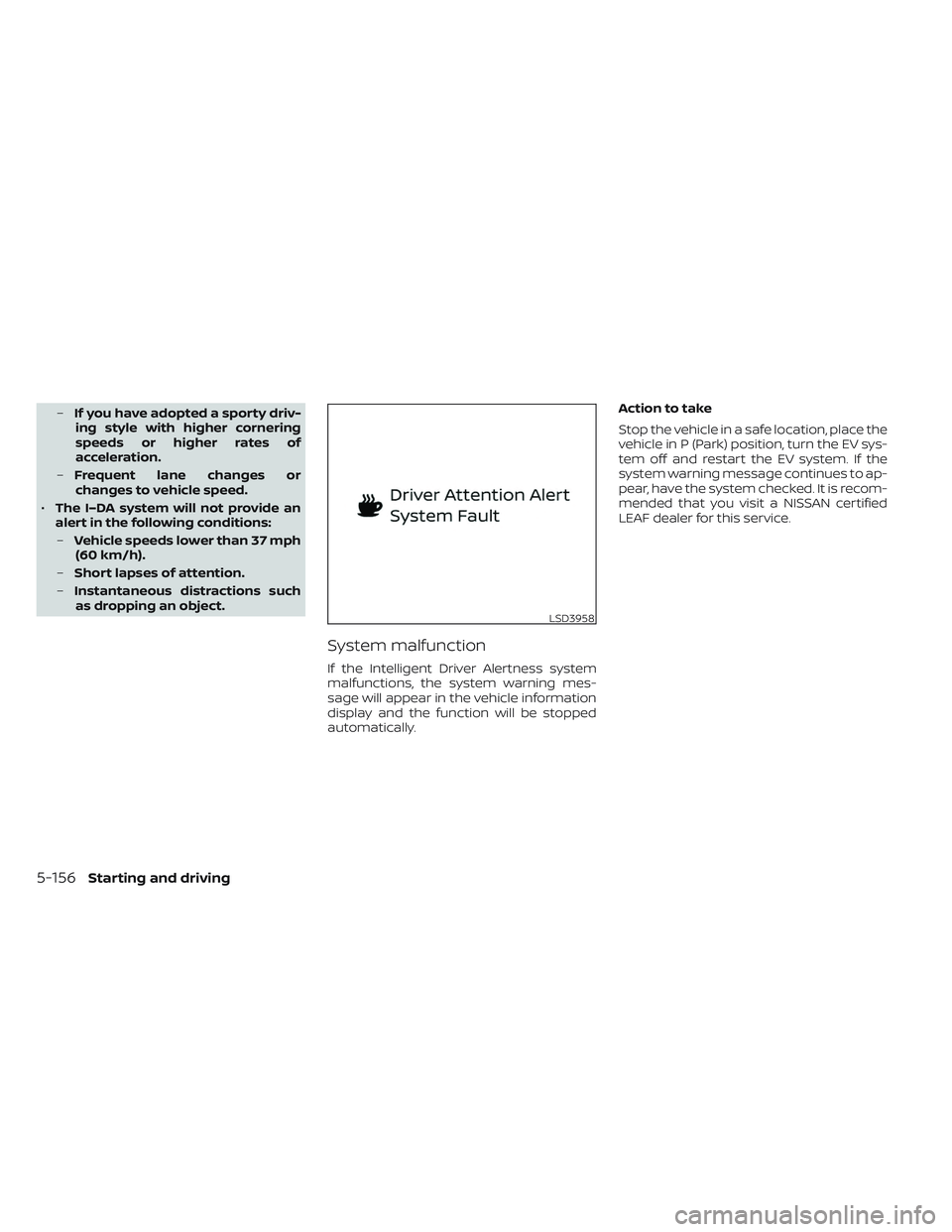
System malfunction
If the Intelligent Driver Alertness system
malfunctions, the system warning mes-
sage will appear in the vehicle information
display and the function will be stopped
automatically. Action to take
Stop the vehicle in a safe location, place the
vehicle in P (Park) position, turn the EV sys-
tem off and restart the EV system. If the
system warning message continues to ap-
pear, have the system checked. It is recom-
mended that you visit a NISSAN certified
LEAF dealer for this service.
LSD3958
5-156Starting and driving
Page 480 of 612
The ECO mode helps reduce power con-
sumption by reducing acceleration when
compared to the same accelerator pedal
position in the D (Drive) position. Use the
ECO mode for maximum driving range and
for city driving.
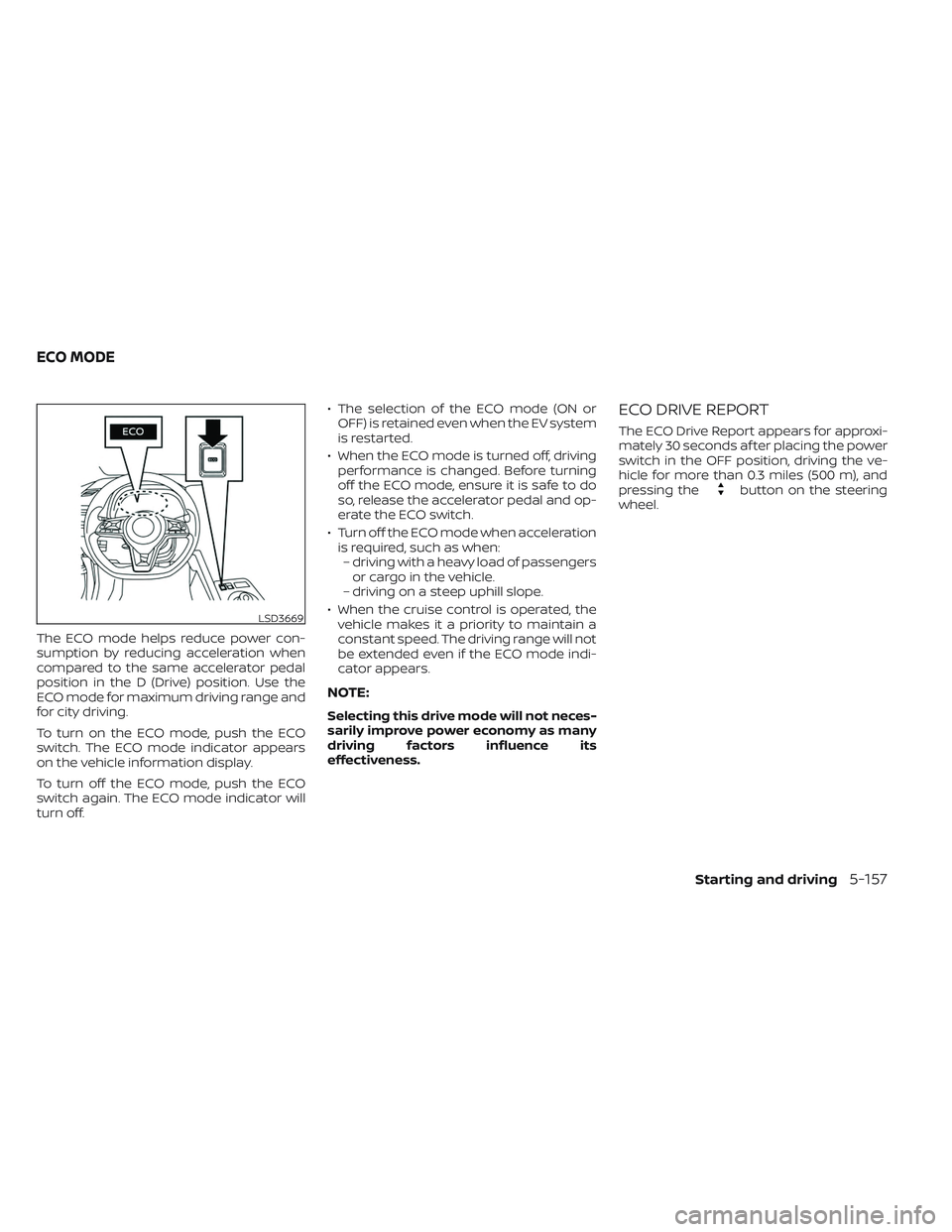
To turn on the ECO mode, push the ECO
switch. The ECO mode indicator appears
on the vehicle information display.
To turn off the ECO mode, push the ECO
switch again. The ECO mode indicator will
turn off.• The selection of the ECO mode (ON or
OFF) is retained even when the EV system
is restarted.
• When the ECO mode is turned off, driving performance is changed. Before turning
off the ECO mode, ensure it is safe to do
so, release the accelerator pedal and op-
erate the ECO switch.
• Turn off the ECO mode when acceleration is required, such as when:– driving with a heavy load of passengers or cargo in the vehicle.
– driving on a steep uphill slope.
• When the cruise control is operated, the vehicle makes it a priority to maintain a
constant speed. The driving range will not
be extended even if the ECO mode indi-
cator appears.
NOTE:
Selecting this drive mode will not neces-
sarily improve power economy as many
driving factors influence its
effectiveness.
ECO DRIVE REPORT
The ECO Drive Report appears for approxi-
mately 30 seconds af ter placing the power
switch in the OFF position, driving the ve-
hicle for more than 0.3 miles (500 m), and
pressing the
button on the steering
wheel.
LSD3669
ECO MODE
Starting and driving5-157
Page 481 of 612
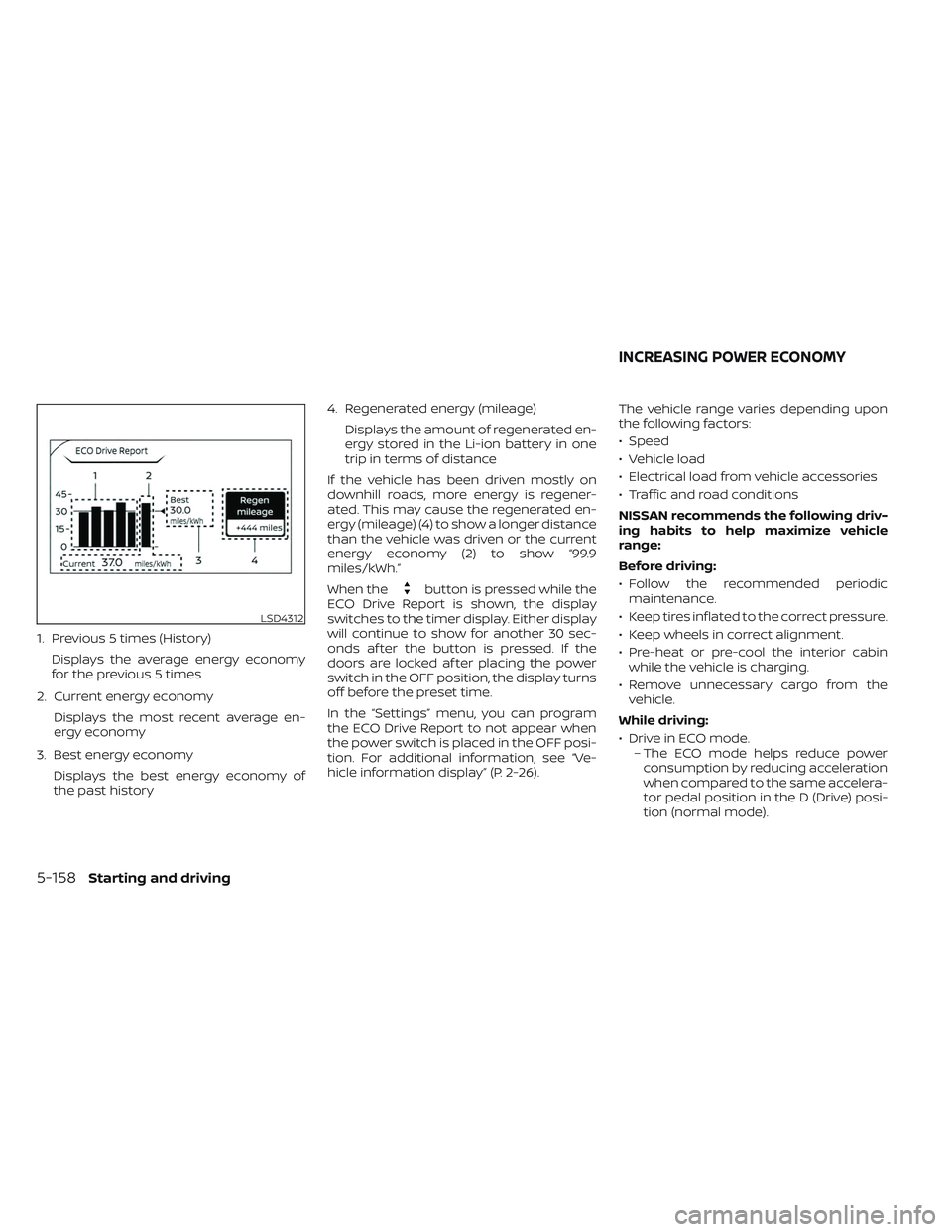
1. Previous 5 times (History)Displays the average energy economy
for the previous 5 times
2. Current energy economy Displays the most recent average en-
ergy economy
3. Best energy economy Displays the best energy economy of
the past history 4. Regenerated energy (mileage)
Displays the amount of regenerated en-
ergy stored in the Li-ion battery in one
trip in terms of distance
If the vehicle has been driven mostly on
downhill roads, more energy is regener-
ated. This may cause the regenerated en-
ergy (mileage) (4) to show a longer distance
than the vehicle was driven or the current
energy economy (2) to show “99.9
miles/kWh.”
When the
button is pressed while the
ECO Drive Report is shown, the display
switches to the timer display. Either display
will continue to show for another 30 sec-
onds af ter the button is pressed. If the
doors are locked af ter placing the power
switch in the OFF position, the display turns
off before the preset time.
In the “Settings” menu, you can program
the ECO Drive Report to not appear when
the power switch is placed in the OFF posi-
tion. For additional information, see “Ve-
hicle information display” (P. 2-26). The vehicle range varies depending upon
the following factors:
• Speed
• Vehicle load
• Electrical load from vehicle accessories
• Traffic and road conditions
NISSAN recommends the following driv-
ing habits to help maximize vehicle
range:
Before driving:
• Follow the recommended periodic
maintenance.
• Keep tires inflated to the correct pressure.
• Keep wheels in correct alignment.
• Pre-heat or pre-cool the interior cabin while the vehicle is charging.
• Remove unnecessary cargo from the vehicle.
While driving:
• Drive in ECO mode. – The ECO mode helps reduce powerconsumption by reducing acceleration
when compared to the same accelera-
tor pedal position in the D (Drive) posi-
tion (normal mode).
LSD4312
INCREASING POWER ECONOMY
5-158Starting and driving
Page 488 of 612
When the VDC system operates, theindicator light in the instrument panel
flashes. When the indicator light flashes,
note the following items:
• The road may be slippery or the systemmay determine some action is required
to help keep the vehicle on the steered
path.
• You may feel a pulsation in the brake pedal and hear a noise or vibration from
under the hood. This is normal and indi-
cates that the VDC system is working
properly.
• Adjust your speed and driving according to the road conditions.
For additional information, see “Slip indica-
tor light” (P. 2-24) and “Vehicle Dynamic
Control (VDC) OFF indicator light” (P. 2-24).
If a malfunction occurs in the system, the
indicator light illuminates in the ve-
hicle information display. The VDC system
automatically turns off when this indicator
light is lit. The vehicle information display is used to
turn off the VDC system. The VDC OFF indi-
cator light
, along with the AEB with
Pedestrian Detection and RAB warning
lights illuminate to indicate that the VDC,
AEB with Pedestrian Detection, and RAB
systems are off. When the vehicle informa-
tion display is used to turn off the system,
the VDC system still operates to prevent
one drive wheel from slipping by transfer-
ring power to a non-slipping wheel. The
indicator light flashes if this occurs. All
other VDC functions are off and the
indicator light will not flash. The VDC sys-
tem is automatically reset to on when the
power switch is placed in the OFF position
then back to the ON position. For additional
information, see “Vehicle information dis-
play” (P. 2-26).
The computer has a built-in diagnostic fea-
ture that tests the system each time you
start the EV and move the vehicle forward
or in reverse at a slow speed. When the
self-test occurs, you may hear a “clunk”
noise and/or feel a pulsation in the brake
pedal. This is normal and is not an indica-
tion of a malfunction.
WARNING
• The VDC system is designed to help
the driver maintain stability but does
not prevent accidents due to abrupt
steering operation at high speeds or
by careless or dangerous driving
techniques. Reduce vehicle speed
and be especially careful when driv-
ing and cornering on slippery sur-
faces and always drive carefully.
• Do not modif y the vehicle’s suspen-
sion. If suspension parts such as
shock absorbers, struts, springs, sta-
bilizer bars, bushings and wheels are
not NISSAN recommended for your
vehicle or are extremely deteriorated
the VDC system may not operate
properly. This could adversely affect
vehicle handling performance, and
the
indicator light may flash or
theindicator light may
illuminate.
• If brake related parts such as brake
pads, rotors and calipers are not
NISSAN recommended or are ex-
tremely deteriorated, the VDC sys-
tem may not operate properly and
the
indicator light may
illuminate.
Starting and driving5-165
Page 490 of 612
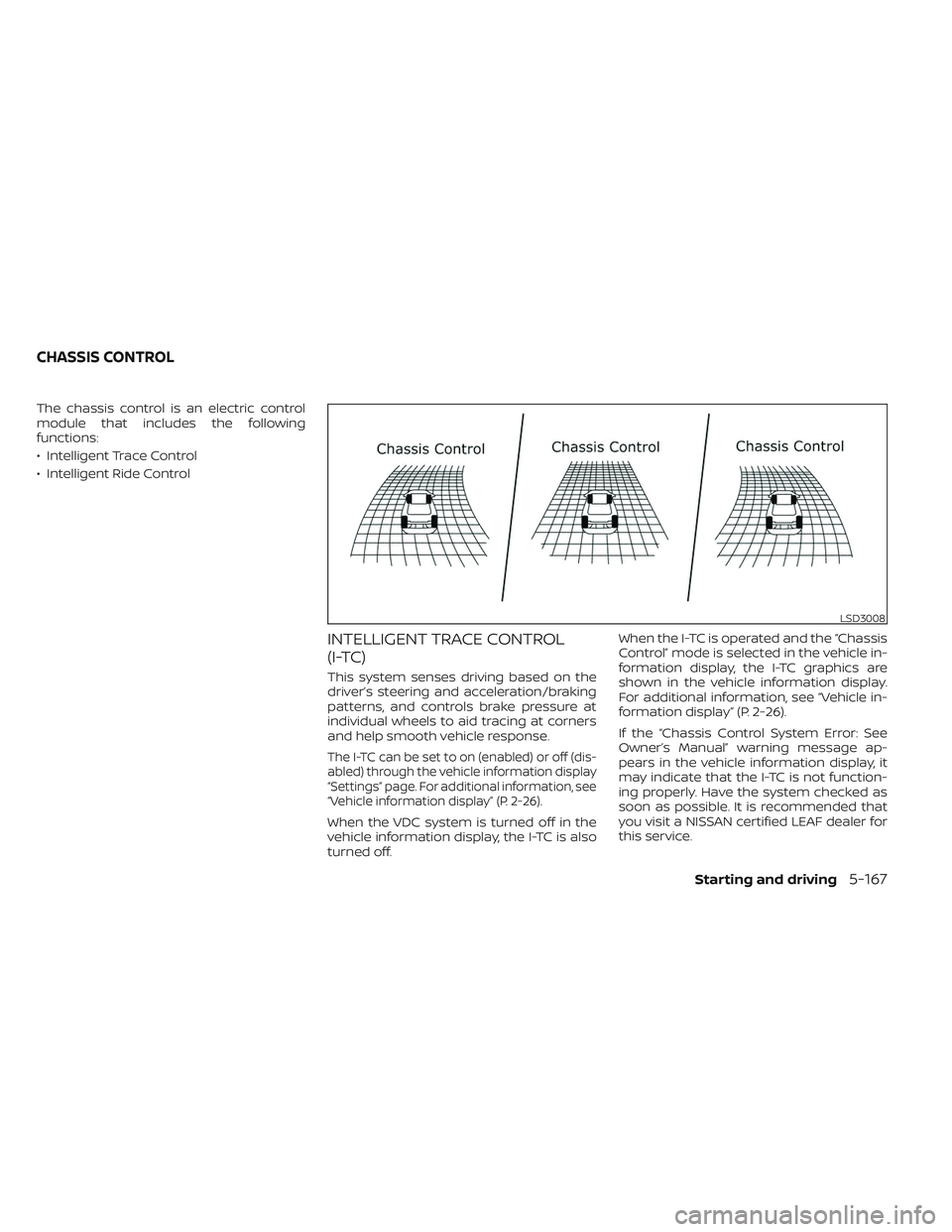
The chassis control is an electric control
module that includes the following
functions:
• Intelligent Trace Control
• Intelligent Ride Control
INTELLIGENT TRACE CONTROL
(I-TC)
This system senses driving based on the
driver’s steering and acceleration/braking
patterns, and controls brake pressure at
individual wheels to aid tracing at corners
and help smooth vehicle response.
The I-TC can be set to on (enabled) or off (dis-
abled) through the vehicle information display
“Settings” page. For additional information, see
“Vehicle information display” (P. 2-26).
When the VDC system is turned off in the
vehicle information display, the I-TC is also
turned off.When the I-TC is operated and the “Chassis
Control” mode is selected in the vehicle in-
formation display, the I-TC graphics are
shown in the vehicle information display.
For additional information, see “Vehicle in-
formation display” (P. 2-26).
If the “Chassis Control System Error: See
Owner’s Manual” warning message ap-
pears in the vehicle information display, it
may indicate that the I-TC is not function-
ing properly. Have the system checked as
soon as possible. It is recommended that
you visit a NISSAN certified LEAF dealer for
this service.
LSD3008
CHASSIS CONTROL
Starting and driving5-167
Page 491 of 612
WARNING
The I-TC may not be effective depend-
ing on the driving condition. Always
drive carefully and attentively.
When the I-TC is operating, you may feel a
pulsation in the brake pedal, hear a noise
and sense slight deceleration. This is nor-
mal and indicates that the I-TC is operating
properly.
Even if the I-TC is turned off, some functions
will remain on to assist the driver (for ex-
ample, avoidance scenes).
ACTIVE RIDE CONTROL (ARC)
This system senses upper body motion
(based on wheel speed information) and
controls motor torque. This will enhance
ride comfort in effort to restrain uncom-
fortable upper body movement when
passing over undulated road surfaces. This
system comes into effect above 25 mph
(40 km/h).
When the VDC system is turned off in the
vehicle information display, the ARC is also
turned off.
WARNING
The ARC may not be effective depend-
ing on the driving condition. Always
drive carefully and attentively.
When the ARC is operating, you may hear a
noise and sense slight deceleration. This is
normal and indicates that the ARC is oper-
ating properly.
If the “Chassis Control System Error: See
Owner’s Manual” warning message ap-
pears in the vehicle information display, it
may indicate that the ARC is not function-
ing properly. Have the system checked as
soon as possible. It is recommended that
you visit a NISSAN certified LEAF dealer for
this service.WARNING
• Never rely solely on the hill start as-
sist system to prevent the vehicle
from moving backward on a hill. Al-
ways drive carefully and attentively.
Depress the brake pedal when the
vehicle is stopped on a steep hill. Be
especially careful when stopped on a
hill on frozen or muddy roads. Failure
to prevent the vehicle from rolling
backwards may result in a loss of
control of the vehicle and possible
serious injury or death.
• The hill start assist system is not de-
signed to hold the vehicle at a stand-
still on a hill. Depress the brake pedal
when the vehicle is stopped on a
steep hill. Failure to do so may cause
the vehicle to roll backwards and
may result in a collision or serious
personal injury.
• The hill start assist may not prevent
the vehicle from rolling backwards
on a hill under all load or road condi-
tions. Always be prepared to depress
the brake pedal to prevent the ve-
hicle from rolling backwards. Failure
to do so may result in a collision or
serious personal injury.
HILL START ASSIST SYSTEM
5-168Starting and driving
Page 492 of 612
The hill start assist system automatically
keeps the brakes applied to help prevent
the vehicle from rolling backwards in the
time it takes the driver to release the brake
pedal and apply the accelerator when the
vehicle is stopped on a hill.
Hill start assist will operate automatically
under the following conditions:
• The shif t lever is placed in the D (Drive), Bmode, or R (Reverse) position.
• The vehicle is stopped completely on a hill by applying the brake.
The maximum holding time is 2 seconds.
Af ter 2 seconds the vehicle will begin to roll
back and hill start assist will stop operating
completely.
Hill start assist will not operate when the
shif t position is placed in the N (Neutral) or P
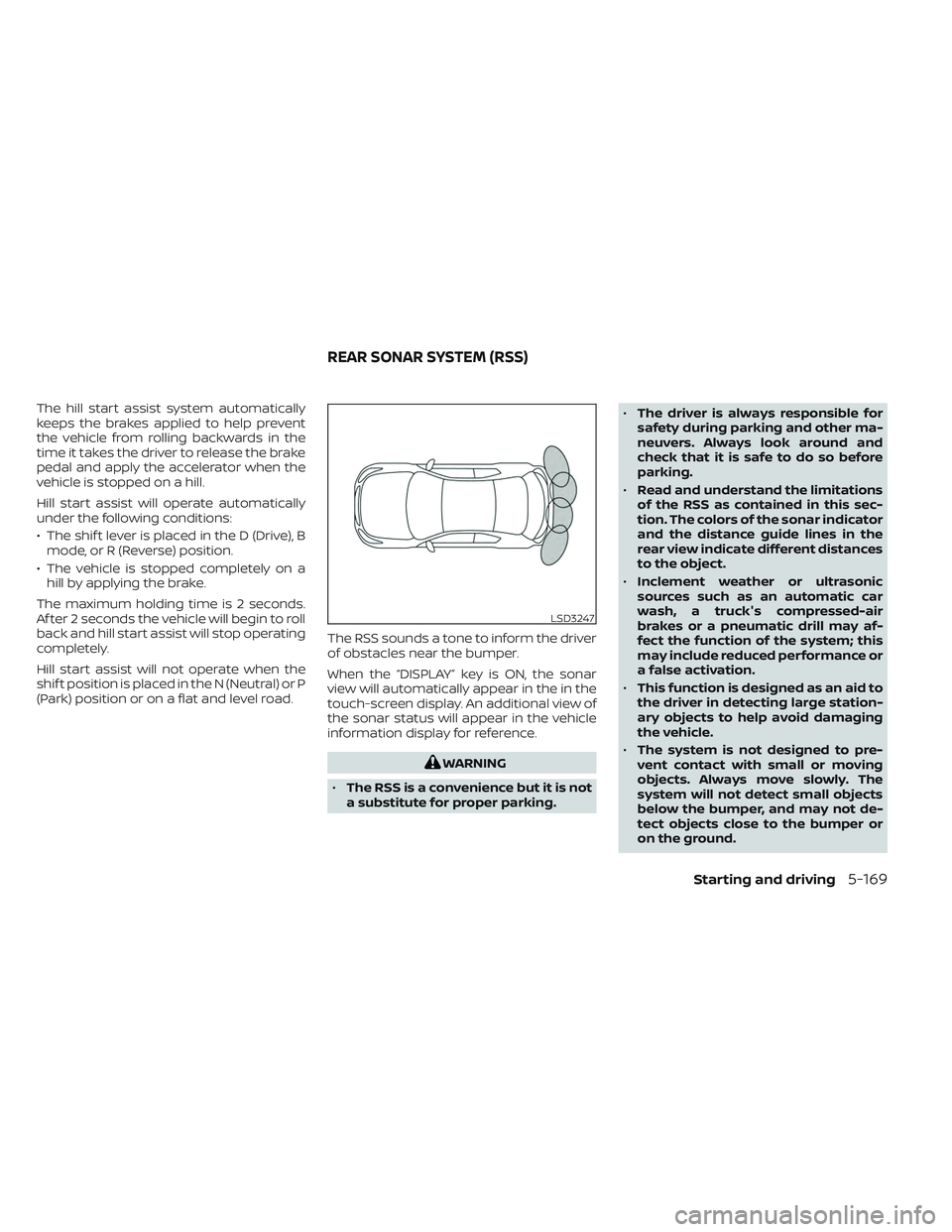
(Park) position or on a flat and level road. The RSS sounds a tone to inform the driver
of obstacles near the bumper.
When the “DISPLAY” key is ON, the sonar
view will automatically appear in the in the
touch-screen display. An additional view of
the sonar status will appear in the vehicle
information display for reference.
WARNING
• The RSS is a convenience but it is not
a substitute for proper parking. •
The driver is always responsible for
safety during parking and other ma-
neuvers. Always look around and
check that it is safe to do so before
parking.
• Read and understand the limitations
of the RSS as contained in this sec-
tion. The colors of the sonar indicator
and the distance guide lines in the
rear view indicate different distances
to the object.
• Inclement weather or ultrasonic
sources such as an automatic car
wash, a truck's compressed-air
brakes or a pneumatic drill may af-
fect the function of the system; this
may include reduced performance or
a false activation.
• This function is designed as an aid to
the driver in detecting large station-
ary objects to help avoid damaging
the vehicle.
• The system is not designed to pre-
vent contact with small or moving
objects. Always move slowly. The
system will not detect small objects
below the bumper, and may not de-
tect objects close to the bumper or
on the ground.
LSD3247
REAR SONAR SYSTEM (RSS)
Starting and driving5-169