2023 NISSAN ARMADA USB
[x] Cancel search: USBPage 277 of 604

Adjust the audio level using the volume
control on each headphone.
Wired headphones
There is a 3.5mm stereo headphone out-
put on each monitor which can be used
with most standard stereo headphones
(wired headphones sold separately).
Bluetooth® streaming audio
To listen to audio throughout the entire
vehicle, the system includes the ability to
stream audio over a Bluetooth® connec-
tion to the vehicle’s stereo system.
When monitor A is selected as the source
to stream from, the audio output to the
wireless and wired headphones will be
disabled (only on monitor A). To use the
wireless or wired headphones with moni-
tor A, you must turn off the Bluetooth®
streaming feature. To enable/disable
Bluetooth® streaming, navigate to the
“SETTINGS” menu, or press
on the
remote control during content playback.
For additional information, see “Settings”
(P.4-69).
Media compatibility
For a list of compatible media formats for
this system, see “Storage device format-
ting” (P.4-47).
. The metadata or file information of
some audio and video files may not be
correctly displayed.
. It is not possible to play content that is
protected by DRM (Digital Rights Man-
agement).
. There may be a delay before playback
begins when using USB flash drives or
SD cards with complex folder hierar-
chies or many files.
. Some audio, video, and image files
may be incompatible with this system
due to file characteristics, file format,
recording software used, directory
structure, and/or the type of audio/
video encoding used.
Storage device formatting
This system is compatible with several
types of formatting for USB flash drives
and SD cards. Refer to the documentation
that comes with your storage device for
more details on how to format.
FAT32 - USB and SDHC
Good for smaller capacity storage de-
vices, but individual files on the drive must
be less than 4GB. This format is good for music and images.
EX-FAT - USB and SDXC
Better choice for larger capacity storage
devices with files that are more than 4GB.
This format is better for larger files such
as full-length movies.
NTFS - USB and SDXC
Best choice for very large capacity sto-
rage devices - with no limitations on file
size. This format can be used for all file
sizes.
Monitor, heater, air conditioner, audio, phone and voice recognition systems4-47
Page 281 of 604
6.HDMI port
Connect an external audio/video
source using a full-size HDMI connec-
tor. Supports MHL 2.0 playback and
charging.
7. USB 2.0 port
Play videos, music, and images stored
on most USB devices. Provides up to 2
amps of output to charge most mo-
bile devices.
8. Headphone output jack
Connect wired headphones using a
1/8 in (3.5 mm) stereo connector.
CAUTION
.Do not use any harsh solvents or
chemicals when cleaning the
monitor.
. Do not use any abrasive cleaners
that may scratch the screen. Use
only a lightly dampened lint free
cloth to wipe the screen if it is
dirty.
. The LCD display screen is not
touchscreen. Do not put pressure
or add suction cups on the
screen. .
Caution children to avoid touch-
ing or scratching the screen, as it
may become dirty or damaged.
. Place the monitor in the fully
closed position when not in use.
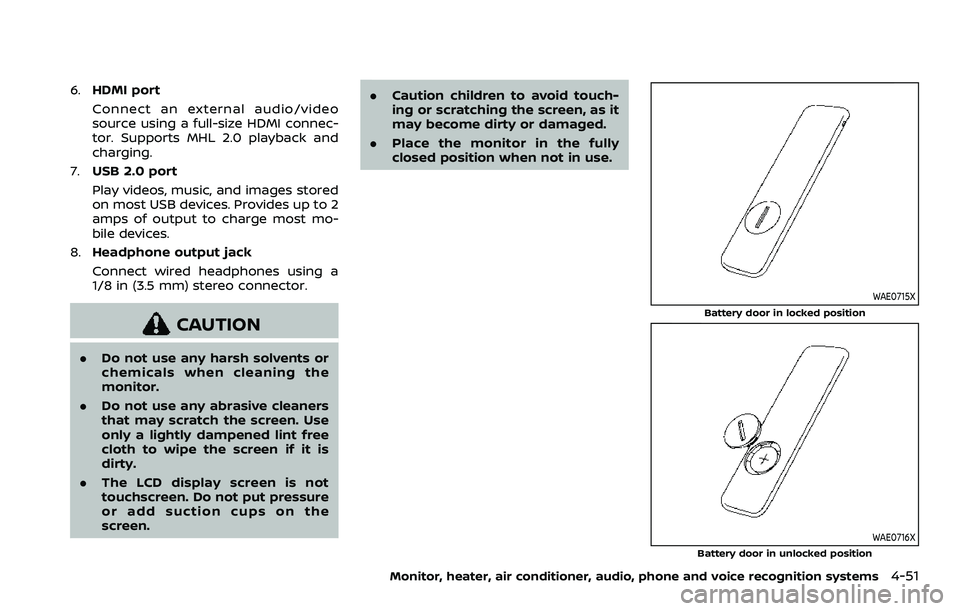
WAE0715X
Battery door in locked position
WAE0716X
Battery door in unlocked position
Monitor, heater, air conditioner, audio, phone and voice recognition systems4-51
Page 285 of 604
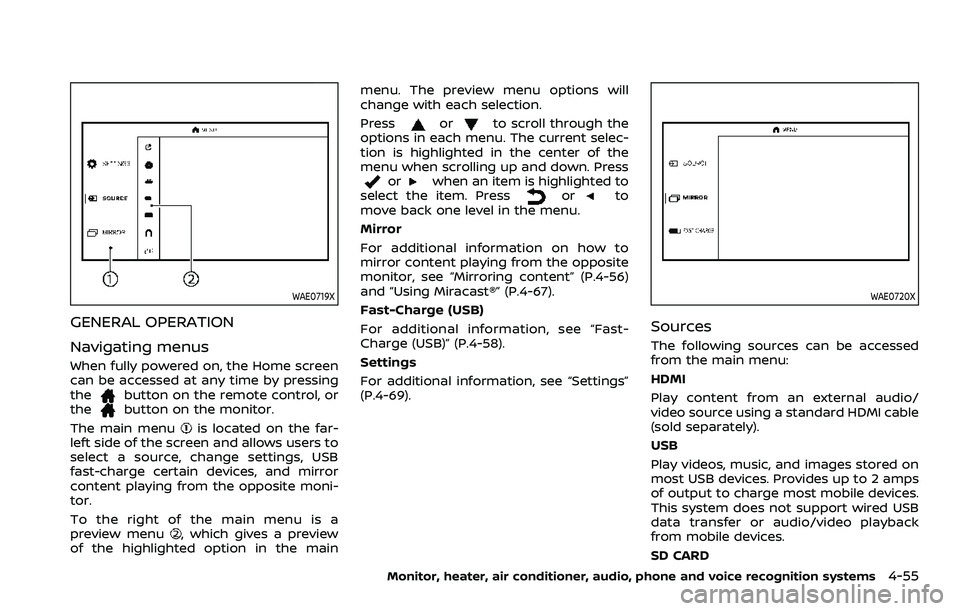
WAE0719X
GENERAL OPERATION
Navigating menus
When fully powered on, the Home screen
can be accessed at any time by pressing
the
button on the remote control, or
thebutton on the monitor.
The main menu
is located on the far-
left side of the screen and allows users to
select a source, change settings, USB
fast-charge certain devices, and mirror
content playing from the opposite moni-
tor.
To the right of the main menu is a
preview menu
, which gives a preview
of the highlighted option in the main menu. The preview menu options will
change with each selection.
Press
orto scroll through the
options in each menu. The current selec-
tion is highlighted in the center of the
menu when scrolling up and down. Press
orwhen an item is highlighted to
select the item. Pressorto
move back one level in the menu.
Mirror
For additional information on how to
mirror content playing from the opposite
monitor, see “Mirroring content” (P.4-56)
and “Using Miracast®” (P.4-67).
Fast-Charge (USB)
For additional information, see “Fast-
Charge (USB)” (P.4-58).
Settings
For additional information, see “Settings”
(P.4-69).
WAE0720X
Sources
The following sources can be accessed
from the main menu:
HDMI
Play content from an external audio/
video source using a standard HDMI cable
(sold separately).
USB
Play videos, music, and images stored on
most USB devices. Provides up to 2 amps
of output to charge most mobile devices.
This system does not support wired USB
data transfer or audio/video playback
from mobile devices.
SD CARD
Monitor, heater, air conditioner, audio, phone and voice recognition systems4-55
Page 287 of 604
WAE0722X
HDMI/MHL CONNECTION
HDMI connection
Display content from an external source
connected to the system using the HDMI
port located on the front of monitor A. A
standard HDMI cable is required (sold
separately).
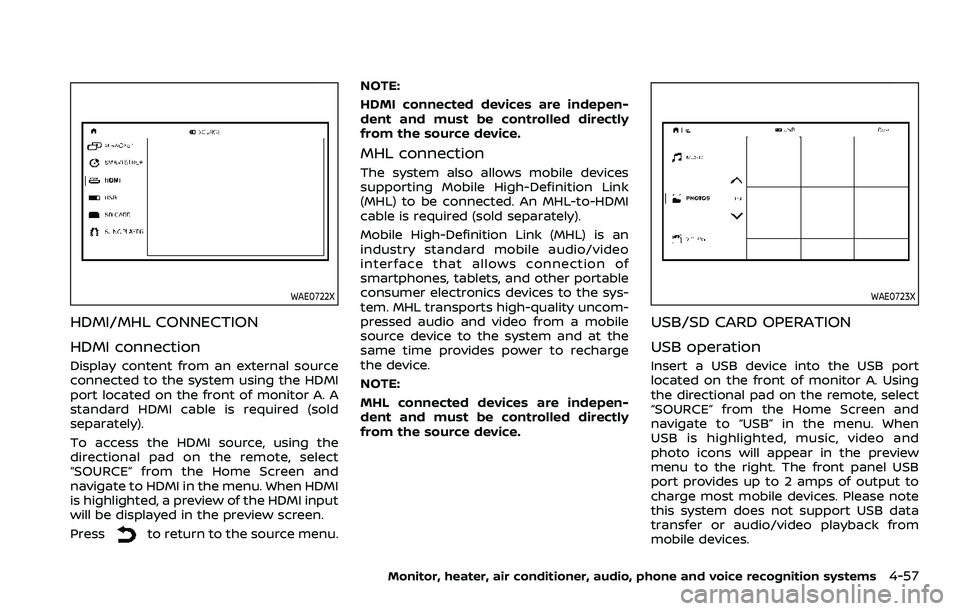
To access the HDMI source, using the
directional pad on the remote, select
“SOURCE” from the Home Screen and
navigate to HDMI in the menu. When HDMI
is highlighted, a preview of the HDMI input
will be displayed in the preview screen.
Press
to return to the source menu.NOTE:
HDMI connected devices are indepen-
dent and must be controlled directly
from the source device.
MHL connection
The system also allows mobile devices
supporting Mobile High-Definition Link
(MHL) to be connected. An MHL-to-HDMI
cable is required (sold separately).
Mobile High-Definition Link (MHL) is an
industry standard mobile audio/video
interface that allows connection of
smartphones, tablets, and other portable
consumer electronics devices to the sys-
tem. MHL transports high-quality uncom-
pressed audio and video from a mobile
source device to the system and at the
same time provides power to recharge
the device.
NOTE:
MHL connected devices are indepen-
dent and must be controlled directly
from the source device.
WAE0723X
USB/SD CARD OPERATION
USB operation
Insert a USB device into the USB port
located on the front of monitor A. Using
the directional pad on the remote, select
“SOURCE” from the Home Screen and
navigate to “USB” in the menu. When
USB is highlighted, music, video and
photo icons will appear in the preview
menu to the right. The front panel USB
port provides up to 2 amps of output to
charge most mobile devices. Please note
this system does not support USB data
transfer or audio/video playback from
mobile devices.
Monitor, heater, air conditioner, audio, phone and voice recognition systems4-57
Page 288 of 604
4-58Monitor, heater, air conditioner, audio, phone and voice recognition systems
NOTE:
When inserting a USB storage device
with a large library of content, there
may be a delay before the content is
accessible.
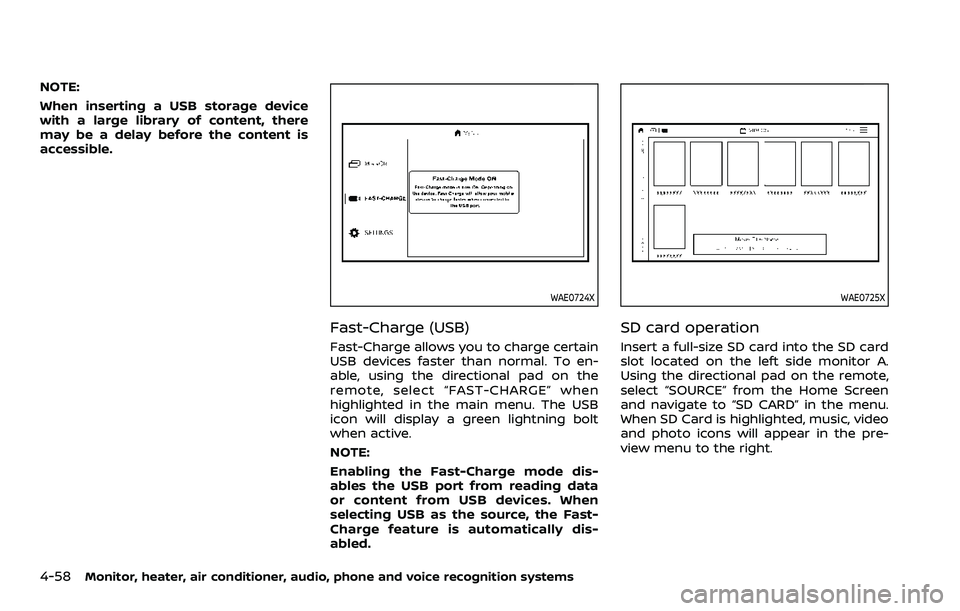
WAE0724X
Fast-Charge (USB)
Fast-Charge allows you to charge certain
USB devices faster than normal. To en-
able, using the directional pad on the
remote, select “FAST-CHARGE” when
highlighted in the main menu. The USB
icon will display a green lightning bolt
when active.
NOTE:
Enabling the Fast-Charge mode dis-
ables the USB port from reading data
or content from USB devices. When
selecting USB as the source, the Fast-
Charge feature is automatically dis-
abled.
WAE0725X
SD card operation
Insert a full-size SD card into the SD card
slot located on the left side monitor A.
Using the directional pad on the remote,
select “SOURCE” from the Home Screen
and navigate to “SD CARD” in the menu.
When SD Card is highlighted, music, video
and photo icons will appear in the pre-
view menu to the right.
Page 289 of 604
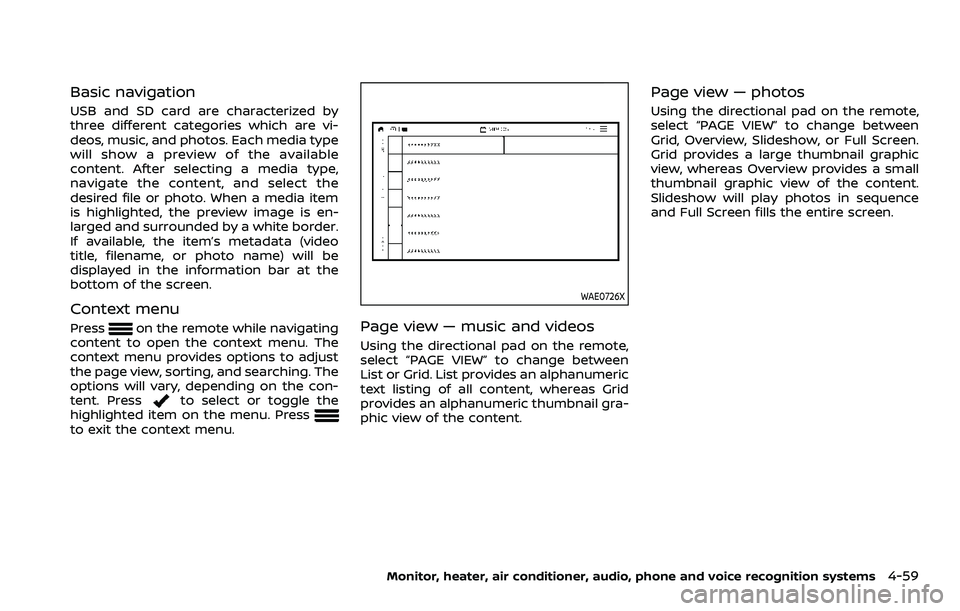
Basic navigation
USB and SD card are characterized by
three different categories which are vi-
deos, music, and photos. Each media type
will show a preview of the available
content. After selecting a media type,
navigate the content, and select the
desired file or photo. When a media item
is highlighted, the preview image is en-
larged and surrounded by a white border.
If available, the item’s metadata (video
title, filename, or photo name) will be
displayed in the information bar at the
bottom of the screen.
Context menu
Presson the remote while navigating
content to open the context menu. The
context menu provides options to adjust
the page view, sorting, and searching. The
options will vary, depending on the con-
tent. Press
to select or toggle the
highlighted item on the menu. Press
to exit the context menu.
WAE0726X
Page view — music and videos
Using the directional pad on the remote,
select “PAGE VIEW” to change between
List or Grid. List provides an alphanumeric
text listing of all content, whereas Grid
provides an alphanumeric thumbnail gra-
phic view of the content.
Page view — photos
Using the directional pad on the remote,
select “PAGE VIEW” to change between
Grid, Overview, Slideshow, or Full Screen.
Grid provides a large thumbnail graphic
view, whereas Overview provides a small
thumbnail graphic view of the content.
Slideshow will play photos in sequence
and Full Screen fills the entire screen.
Monitor, heater, air conditioner, audio, phone and voice recognition systems4-59
Page 291 of 604
WAE0728X
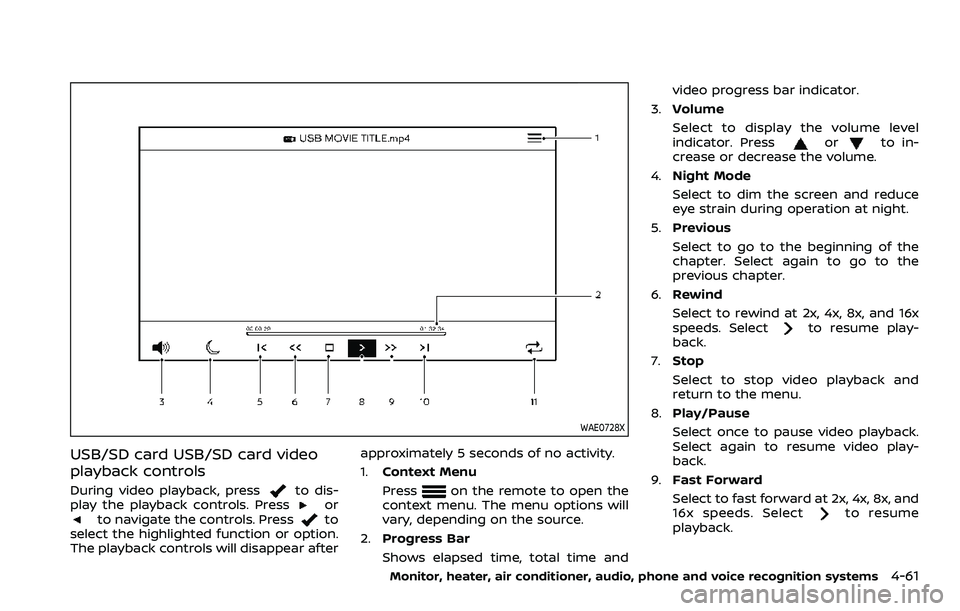
USB/SD card USB/SD card video
playback controls
During video playback, pressto dis-
play the playback controls. Pressorto navigate the controls. Pressto
select the highlighted function or option.
The playback controls will disappear after approximately 5 seconds of no activity.
1.
Context Menu
Press
on the remote to open the
context menu. The menu options will
vary, depending on the source.
2. Progress Bar
Shows elapsed time, total time and video progress bar indicator.
3. Volume
Select to display the volume level
indicator. Press
orto in-
crease or decrease the volume.
4. Night Mode
Select to dim the screen and reduce
eye strain during operation at night.
5. Previous
Select to go to the beginning of the
chapter. Select again to go to the
previous chapter.
6. Rewind
Select to rewind at 2x, 4x, 8x, and 16x
speeds. Select
to resume play-
back.
7. Stop
Select to stop video playback and
return to the menu.
8. Play/Pause
Select once to pause video playback.
Select again to resume video play-
back.
9. Fast Forward
Select to fast forward at 2x, 4x, 8x, and
16x speeds. Select
to resume
playback.
Monitor, heater, air conditioner, audio, phone and voice recognition systems4-61
Page 294 of 604
4-64Monitor, heater, air conditioner, audio, phone and voice recognition systems
WAE0731X
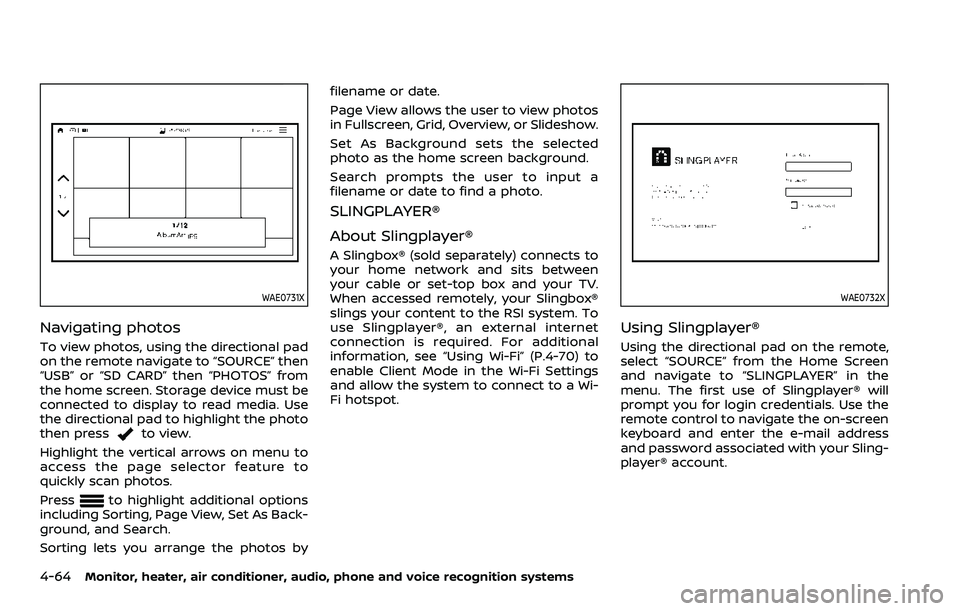
Navigating photos
To view photos, using the directional pad
on the remote navigate to “SOURCE” then
“USB” or “SD CARD” then “PHOTOS” from
the home screen. Storage device must be
connected to display to read media. Use
the directional pad to highlight the photo
then press
to view.
Highlight the vertical arrows on menu to
access the page selector feature to
quickly scan photos.
Press
to highlight additional options
including Sorting, Page View, Set As Back-
ground, and Search.
Sorting lets you arrange the photos by filename or date.
Page View allows the user to view photos
in Fullscreen, Grid, Overview, or Slideshow.
Set As Background sets the selected
photo as the home screen background.
Search prompts the user to input a
filename or date to find a photo.
SLINGPLAYER®
About Slingplayer®
A Slingbox® (sold separately) connects to
your home network and sits between
your cable or set-top box and your TV.
When accessed remotely, your Slingbox®
slings your content to the RSI system. To
use Slingplayer®, an external internet
connection is required. For additional
information, see “Using Wi-Fi” (P.4-70) to
enable Client Mode in the Wi-Fi Settings
and allow the system to connect to a Wi-
Fi hotspot.
WAE0732X
Using Slingplayer®
Using the directional pad on the remote,
select “SOURCE” from the Home Screen
and navigate to “SLINGPLAYER” in the
menu. The first use of Slingplayer® will
prompt you for login credentials. Use the
remote control to navigate the on-screen
keyboard and enter the e-mail address
and password associated with your Sling-
player® account.