2023 NISSAN ALTIMA intelligent key
[x] Cancel search: intelligent keyPage 11 of 644
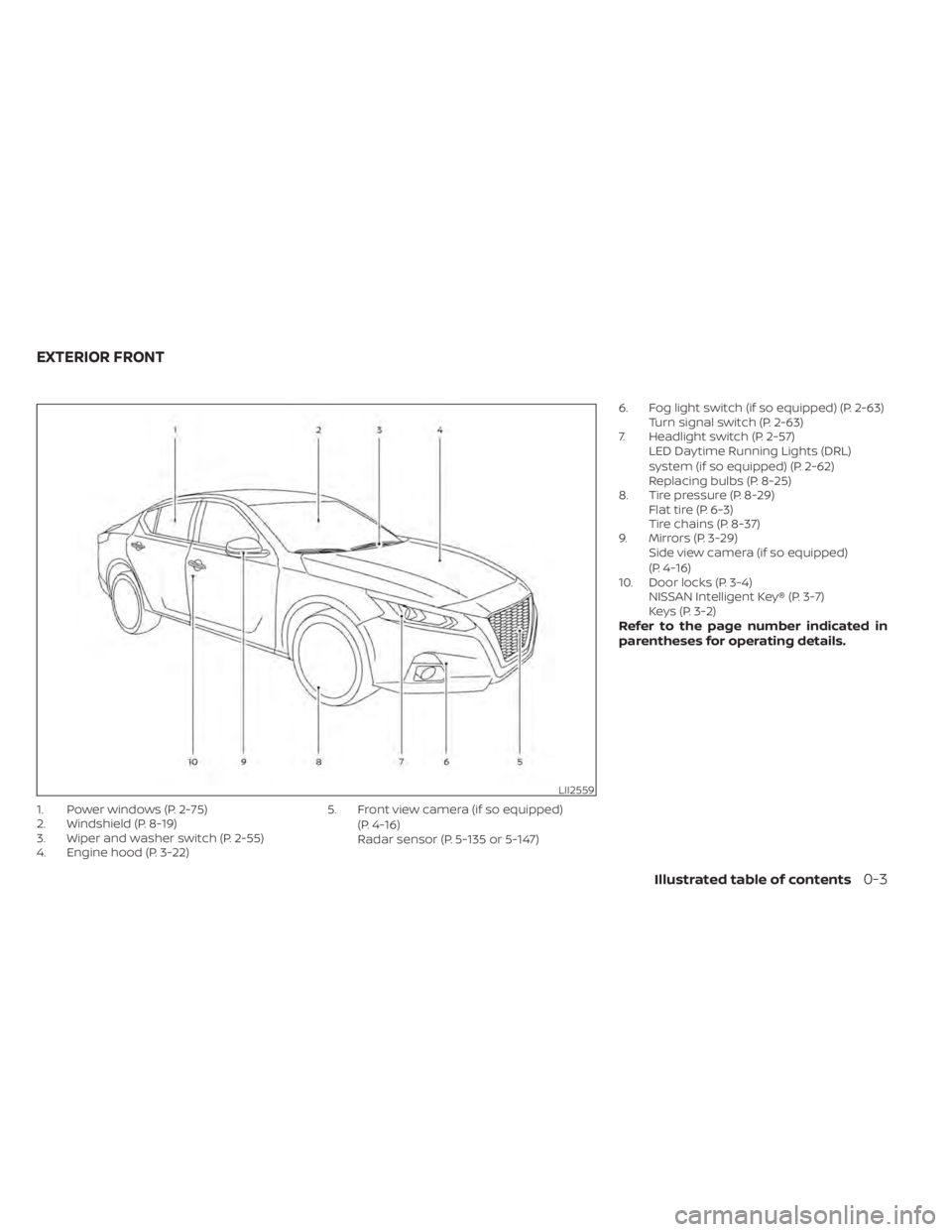
1. Power windows (P. 2-75)
2. Windshield (P. 8-19)
3. Wiper and washer switch (P. 2-55)
4. Engine hood (P. 3-22)5. Front view camera (if so equipped)
(P. 4-16)
Radar sensor (P. 5-135 or 5-147) 6. Fog light switch (if so equipped) (P. 2-63)
Turn signal switch (P. 2-63)
7. Headlight switch (P. 2-57) LED Daytime Running Lights (DRL)
system (if so equipped) (P. 2-62)
Replacing bulbs (P. 8-25)
8. Tire pressure (P. 8-29) Flat tire (P. 6-3)
Tire chains (P. 8-37)
9. Mirrors (P. 3-29) Side view camera (if so equipped)
(P. 4-16)
10. Door locks (P. 3-4) NISSAN Intelligent Key® (P. 3-7)
Keys (P. 3-2)
Refer to the page number indicated in
parentheses for operating details.
LII2559
EXTERIOR FRONT
Illustrated table of contents0-3
Page 108 of 644
Turn signal/hazard
indicator lights (green)
The appropriate light flashes when the turn
signal switch is activated.
Both lights flash when the hazard switch is
turned on.
AUDIBLE REMINDERS
Brake pad wear warning
The disc brake pads have audible wear
warnings. When a disc brake pad requires
replacement, it makes a high pitched
scraping sound when the vehicle is in mo-
tion, whether or not the brake pedal is de-
pressed. Have the brakes checked as soon
as possible if the warning sound is heard.
Light reminder chime
With the ignition switch placed in the OFF
position, a chime sounds when the driver's
door is opened if the headlights or parking
lights are on.
Turn the headlight control switch off before
leaving the vehicle.
NISSAN Intelligent Key® door
buzzer
The Intelligent Key door buzzer sounds if
the Intelligent Key is lef t inside the vehicle
when locking the doors. When the buzzer
sounds, be sure to check both the vehicle
and the Intelligent Key. For additional infor-
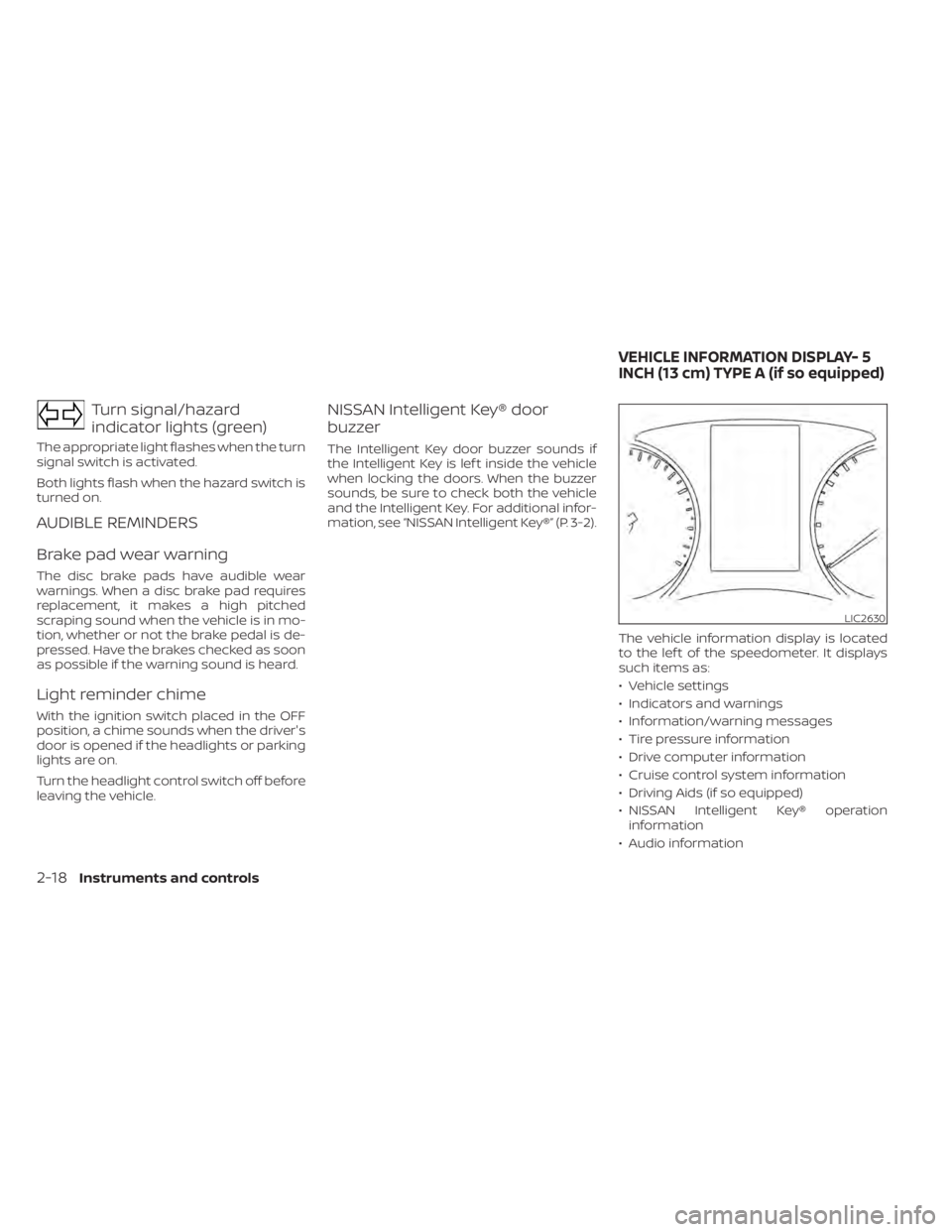
mation, see “NISSAN Intelligent Key®” (P. 3-2).The vehicle information display is located
to the lef t of the speedometer. It displays
such items as:
• Vehicle settings
• Indicators and warnings
• Information/warning messages
• Tire pressure information
• Drive computer information
• Cruise control system information
• Driving Aids (if so equipped)
• NISSAN Intelligent Key® operationinformation
• Audio information
LIC2630
VEHICLE INFORMATION DISPLAY- 5
INCH (13 cm) TYPE A (if so equipped)
2-18Instruments and controls
Page 114 of 644
Vehicle Settings
The vehicle settings allow the user to change the settings for lights, wipers, locking, keys, and other vehicle settings.
Some menu items shown below may not be equipped on your vehicle.
Menu itemExplanation
Lighting Displays the available lighting options.
Welcome Light Allows user to turn the welcome light on or off.
Auto Room Lamp Allows user to turn the interior light timer on or off.
Light Sensitivity Allows user to change when the auto lights activate based on exterior brightness.
Light Off Delay Allows user to change the length of time the exterior lights remain on.
Turn indicator Displays the available turn indicator options.
3 Flash Pass Allows user to turn the 3 flash pass on or off.
Locking Displays the available locking options.
I-Key Door Lock Allows the user to turn the I-Key door lock on or off. When on, the request switch on the door is activated.
Selective Unlock Allows user to turn selective unlock on or off. When turned on, only the driver’s door is unlocked af ter the door
unlock operation. When the door handle request switch on the driver’s or front passenger’s side door is
pushed to be unlocked, only the corresponding door is unlocked first. All the doors can be unlocked if the
door unlock operation is performed again within 60 seconds. When this item is turned off, all the doors will be
unlocked af ter the door unlock operation is performed once.
Auto Door Unlock Displays the auto door unlock options.
Off Doors will have to be manually unlocked.
Ignition OFF Doors will unlock when the ignition is turned off.
Shif t to Park Doors will unlock when the vehicle is shif ted into Park.
Answer Back Horn Allows user to turn answer back horn on or off. When turned on, the horn will chirp and the hazard indicators
will flash twice when locking the vehicle with the Intelligent Key.
2-24Instruments and controls
Page 118 of 644
VEHICLE INFORMATION DISPLAY
WARNINGS AND INDICATORS
The following messages may appear in
your vehicle information display.
Engine start operation for
Intelligent Key system (if
I-Key battery level is low)
This indicator appears when the battery of
the Intelligent Key is low and when the In-
telligent Key system and the vehicle are not
communicating normally.
If this appears, touch the ignition switch
with the Intelligent Key while depressing
the brake pedal. For additional information,
see “Battery replacement” (P. 5-15).
Key Battery Low
This indicator appears when the Intelligent
Key battery is running out of power.
If this indicator appears, replace the bat-
tery with a new one. For additional infor-
mation, see “Battery replacement” (P. 8-23).
Key ID Incorrect
This warning appears when the ignition
switch is placed from the OFF position and
the Intelligent Key is not recognized by the
system. You cannot start the engine with
an unregistered key.
For additional information, see “NISSAN In-
telligent Key®” (P. 3-7).
Key System Error: See
Owner’s Manual
Af ter the ignition switch is placed in the ON
position, this warning appears for a period
of time and then turns off.
The Key System Error message warns of a
malfunction with the Intelligent Key sys-
tem. If the warning appears while the en-
gine is stopped, it may be impossible to
start the engine.
If the warning appears while the engine is
running, you can drive the vehicle. However,
in these cases, have the system checked. It
is recommended that you visit a NISSAN
dealer for this service.
No Key Detected
This warning appears when the Intelligent
Key is lef t outside the vehicle with the igni-
tion switch in the ON position. Make sure
the Intelligent Key is inside the vehicle.
For additional information, see “NISSAN In-
telligent Key®” (P. 3-2).
Brightness indicator
This indicator appears when the vehicle
information display screen brightness is
being adjusted.
Alarm— Time for a driver
break
This indicator appears when the set time is
reached. The time can be set up to six
hours. For additional information, see “Set-
tings” (P. 2-21).
Chassis Control System Error: See
Owner’s Manual
This warning appears if there is an error in
the Automatic Brake Hold system. Have the
system checked. It is recommended that
you visit a NISSAN dealer for this service. For
additional information, see “Chassis con-
trol” (P. 5-178) or “Automatic brake hold”
(P. 5-27).
2-28Instruments and controls
Page 124 of 644
Unavailable High Cabin Temperature
This message appears when the camera
detects an interior temperature of more
than 104°F (40°C). For additional informa-
tion, see “Automatic Emergency Braking
(AEB) with Pedestrian Detection” (P. 5-135) or
“Lane Departure Warning (LDW)” (P. 5-33).
Unavailable Side Radar Obstruction
This message appears when the Blind
Spot Warning (BSW)/Rear Cross Traffic Alert
(RCTA) systems become unavailable be-
cause a radar blockage is detected. For
additional information, see “Blind Spot
Warning (BSW)” (P. 5-46) or “Rear Cross Traf-
fic Alert (RCTA)” (P. 5-58).
Vehicle ahead detection
indicator
This indicator shows when the following
systems are engaged and have detected a
vehicle:
• Automatic Emergency Braking (AEB) withPedestrian Detection
• Intelligent Forward Collision Warning (I-FCW)
For additional information, see “Automatic
Emergency Braking (AEB) with Pedestrian
Detection” (P. 5-135) or “Intelligent Forward
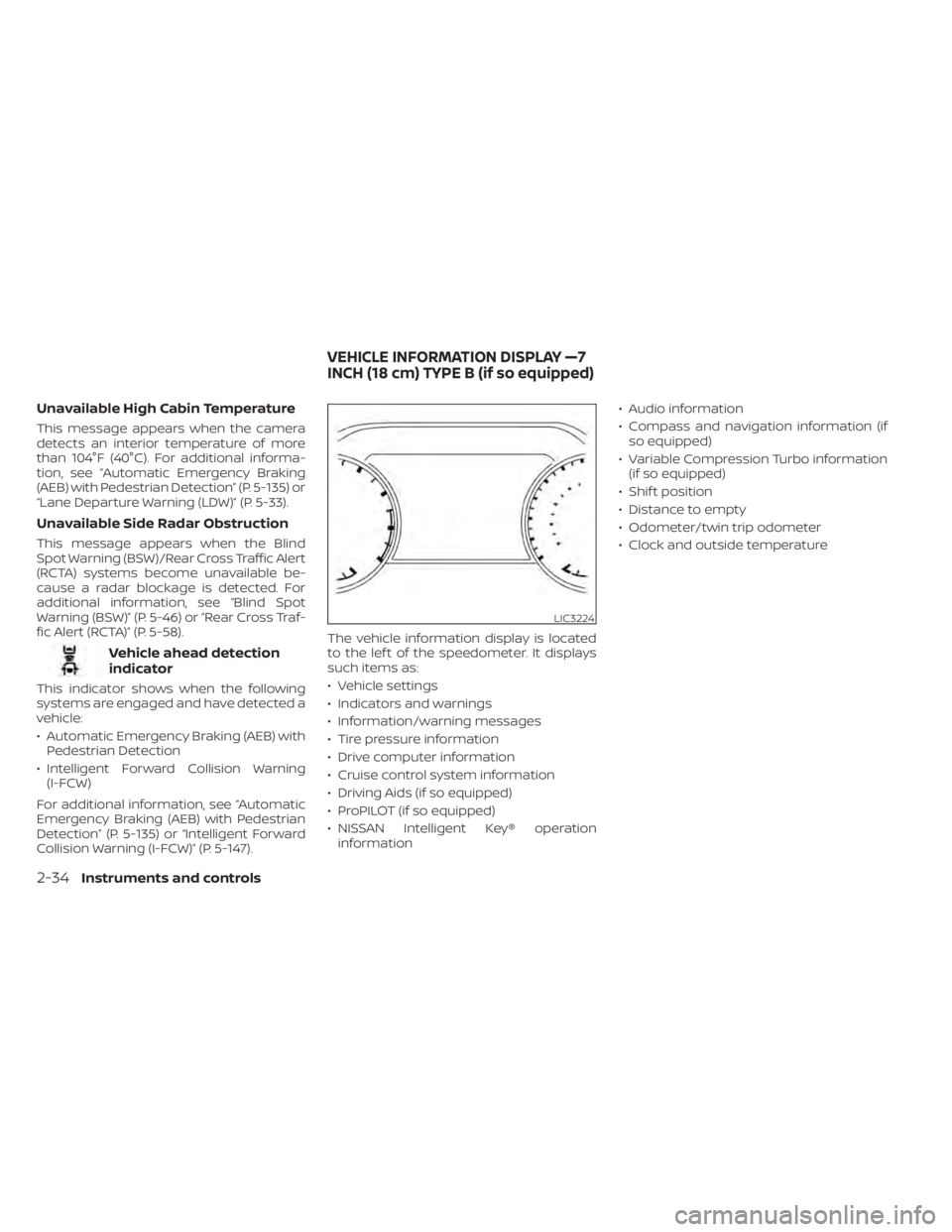
Collision Warning (I-FCW)” (P. 5-147). The vehicle information display is located
to the lef t of the speedometer. It displays
such items as:
• Vehicle settings
• Indicators and warnings
• Information/warning messages
• Tire pressure information
• Drive computer information
• Cruise control system information
• Driving Aids (if so equipped)
• ProPILOT (if so equipped)
• NISSAN Intelligent Key® operation
information • Audio information
• Compass and navigation information (if
so equipped)
• Variable Compression Turbo information (if so equipped)
• Shif t position
• Distance to empty
• Odometer/twin trip odometer
• Clock and outside temperature
LIC3224
VEHICLE INFORMATION DISPLAY —7
INCH (18 cm) TYPE B (if so equipped)
2-34Instruments and controls
Page 130 of 644
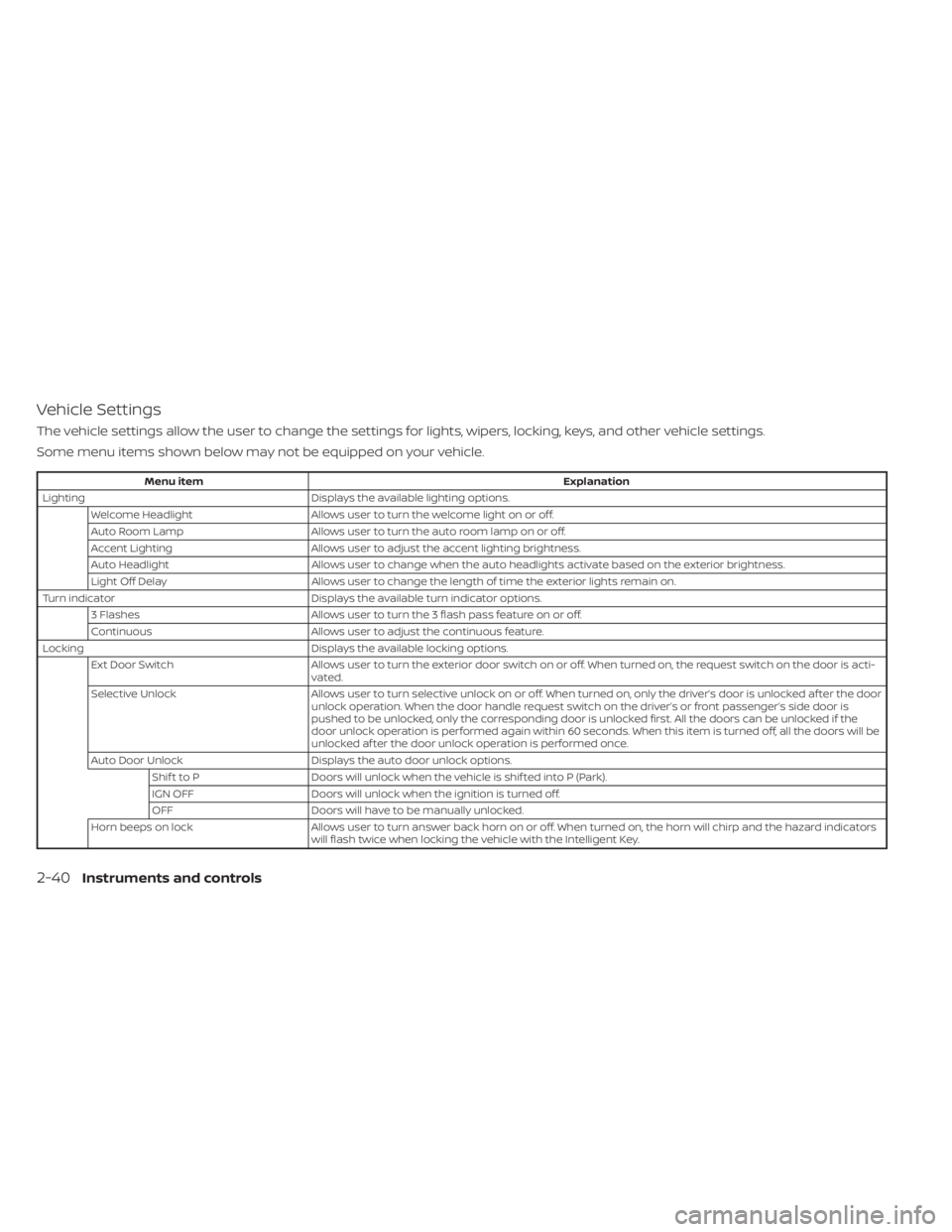
Vehicle Settings
The vehicle settings allow the user to change the settings for lights, wipers, locking, keys, and other vehicle settings.
Some menu items shown below may not be equipped on your vehicle.
Menu itemExplanation
Lighting Displays the available lighting options.
Welcome Headlight Allows user to turn the welcome light on or off.
Auto Room Lamp Allows user to turn the auto room lamp on or off.
Accent Lighting Allows user to adjust the accent lighting brightness.
Auto Headlight Allows user to change when the auto headlights activate based on the exterior brightness.
Light Off Delay Allows user to change the length of time the exterior lights remain on.
Turn indicator Displays the available turn indicator options.
3 Flashes Allows user to turn the 3 flash pass feature on or off.
Continuous Allows user to adjust the continuous feature.
Locking Displays the available locking options.
Ext Door Switch Allows user to turn the exterior door switch on or off. When turned on, the request switch on the door is acti-
vated.
Selective Unlock Allows user to turn selective unlock on or off. When turned on, only the driver’s door is unlocked af ter the door
unlock operation. When the door handle request switch on the driver’s or front passenger’s side door is
pushed to be unlocked, only the corresponding door is unlocked first. All the doors can be unlocked if the
door unlock operation is performed again within 60 seconds. When this item is turned off, all the doors will be
unlocked af ter the door unlock operation is performed once.
Auto Door Unlock Displays the auto door unlock options.
Shif t to P Doors will unlock when the vehicle is shif ted into P (Park).
IGN OFF Doors will unlock when the ignition is turned off.
OFF Doors will have to be manually unlocked.
Horn beeps on lock Allows user to turn answer back horn on or off. When turned on, the horn will chirp and the hazard indicators
will flash twice when locking the vehicle with the Intelligent Key.
2-40Instruments and controls
Page 135 of 644
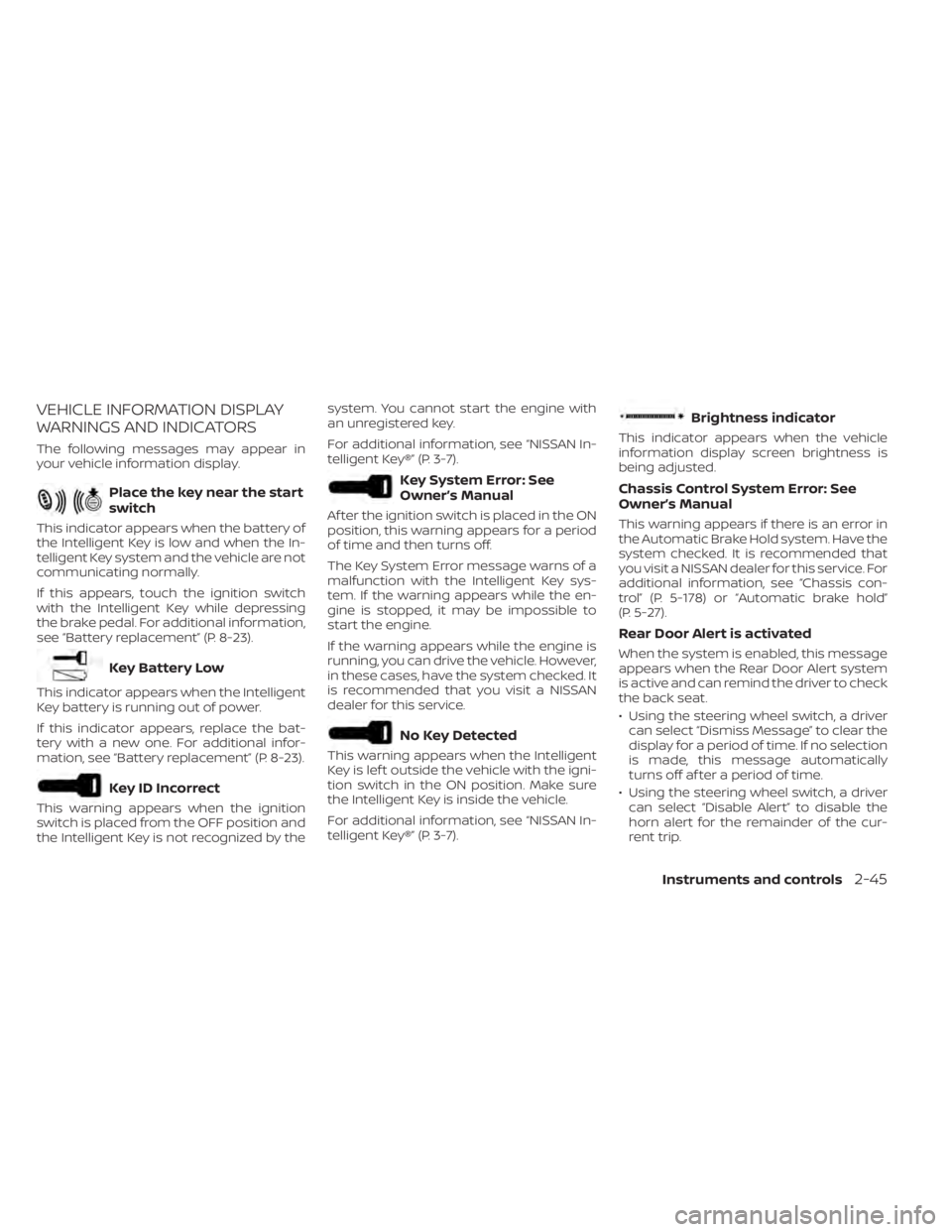
VEHICLE INFORMATION DISPLAY
WARNINGS AND INDICATORS
The following messages may appear in
your vehicle information display.
Place the key near the start
switch
This indicator appears when the battery of
the Intelligent Key is low and when the In-
telligent Key system and the vehicle are not
communicating normally.
If this appears, touch the ignition switch
with the Intelligent Key while depressing
the brake pedal. For additional information,
see “Battery replacement” (P. 8-23).
Key Battery Low
This indicator appears when the Intelligent
Key battery is running out of power.
If this indicator appears, replace the bat-
tery with a new one. For additional infor-
mation, see “Battery replacement” (P. 8-23).
Key ID Incorrect
This warning appears when the ignition
switch is placed from the OFF position and
the Intelligent Key is not recognized by thesystem. You cannot start the engine with
an unregistered key.
For additional information, see “NISSAN In-
telligent Key®” (P. 3-7).
Key System Error: See
Owner’s Manual
Af ter the ignition switch is placed in the ON
position, this warning appears for a period
of time and then turns off.
The Key System Error message warns of a
malfunction with the Intelligent Key sys-
tem. If the warning appears while the en-
gine is stopped, it may be impossible to
start the engine.
If the warning appears while the engine is
running, you can drive the vehicle. However,
in these cases, have the system checked. It
is recommended that you visit a NISSAN
dealer for this service.
No Key Detected
This warning appears when the Intelligent
Key is lef t outside the vehicle with the igni-
tion switch in the ON position. Make sure
the Intelligent Key is inside the vehicle.
For additional information, see “NISSAN In-
telligent Key®” (P. 3-7).
Brightness indicator
This indicator appears when the vehicle
information display screen brightness is
being adjusted.
Chassis Control System Error: See
Owner’s Manual
This warning appears if there is an error in
the Automatic Brake Hold system. Have the
system checked. It is recommended that
you visit a NISSAN dealer for this service. For
additional information, see “Chassis con-
trol” (P. 5-178) or “Automatic brake hold”
(P. 5-27).
Rear Door Alert is activated
When the system is enabled, this message
appears when the Rear Door Alert system
is active and can remind the driver to check
the back seat.
• Using the steering wheel switch, a driver
can select “Dismiss Message” to clear the
display for a period of time. If no selection
is made, this message automatically
turns off af ter a period of time.
• Using the steering wheel switch, a driver can select “Disable Alert” to disable the
horn alert for the remainder of the cur-
rent trip.
Instruments and controls2-45
Page 143 of 644
The system helps deter vehicle thef t but
cannot prevent it, nor can it prevent the
thef t of interior or exterior vehicle compo-
nents in all situations. Always secure your
vehicle even if parking for a brief period.
Never leave your keys in the vehicle, and
always lock the vehicle when unattended.
Be aware of your surroundings, and park in
secure, well-lit areas whenever possible.
Many devices offering additional protec-
tion, such as component locks, identifica-
tion markers, and tracking systems, are
available at auto supply stores and spe-
cialty shops. A NISSAN dealer may also offer
such equipment. Check with your insur-
ance company to see if you may be eligible
for discounts for various thef t protection
features.
How to arm the vehicle security
system
1. Close all windows and the moonroof.The system can be armed even if the
windows and moonroof (if so
equipped) are open.
2. Remove the Intelligent Key from the vehicle. 3. Close all doors, hood and trunk. Lock all
doors. The doors can be locked with the
Intelligent Key, door handle request
switch, or power door lock switch..
4. Confirm that the
indicator light
comes on. Theindicator stays
illuminated for a period of time indicat-
ing that the system is in the pre-armed
phase.
The
indicator light will blink every
3 seconds once the security system is
armed.
If during the pre-armed phase one of
the following occurs, the system will not
arm:
• Any door is unlocked with the Intelligent Key or door request switch.
• The ignition switch is placed in the ON position.
• Even when the driver and/or passen-
gers are in the vehicle, the system will
activate when all the doors, hood and
trunk are locked with the ignition
switch placed in the LOCK position.
When placing the ignition switch in the
AUTO ACC or ON position, the system
will be released.
Vehicle security system activation
The vehicle security system will give the
following alarm:
• The headlights blink and the horn sounds intermittently.
• The alarm automatically turns off af ter a period of time. However, the alarm reacti-
vates if the vehicle is tampered with
again. The alarm can be shut off by press-
ing the
button on the Intelligent Key.
The alarm is activated by:
• opening the door or trunk without using Intelligent Key (even if the door is un-
locked by releasing the door inside lock
knob switch).
How to stop an activated alarm
The alarm stops only by unlocking a door
by pressing thebutton on the Intelli-
gent Key or pushing the request switch on
the driver's or passenger's door with the
Intelligent Key in range of the door handle.
Instruments and controls2-53