2023 NISSAN ALTIMA intelligent key
[x] Cancel search: intelligent keyPage 310 of 644
OPERATING RANGE
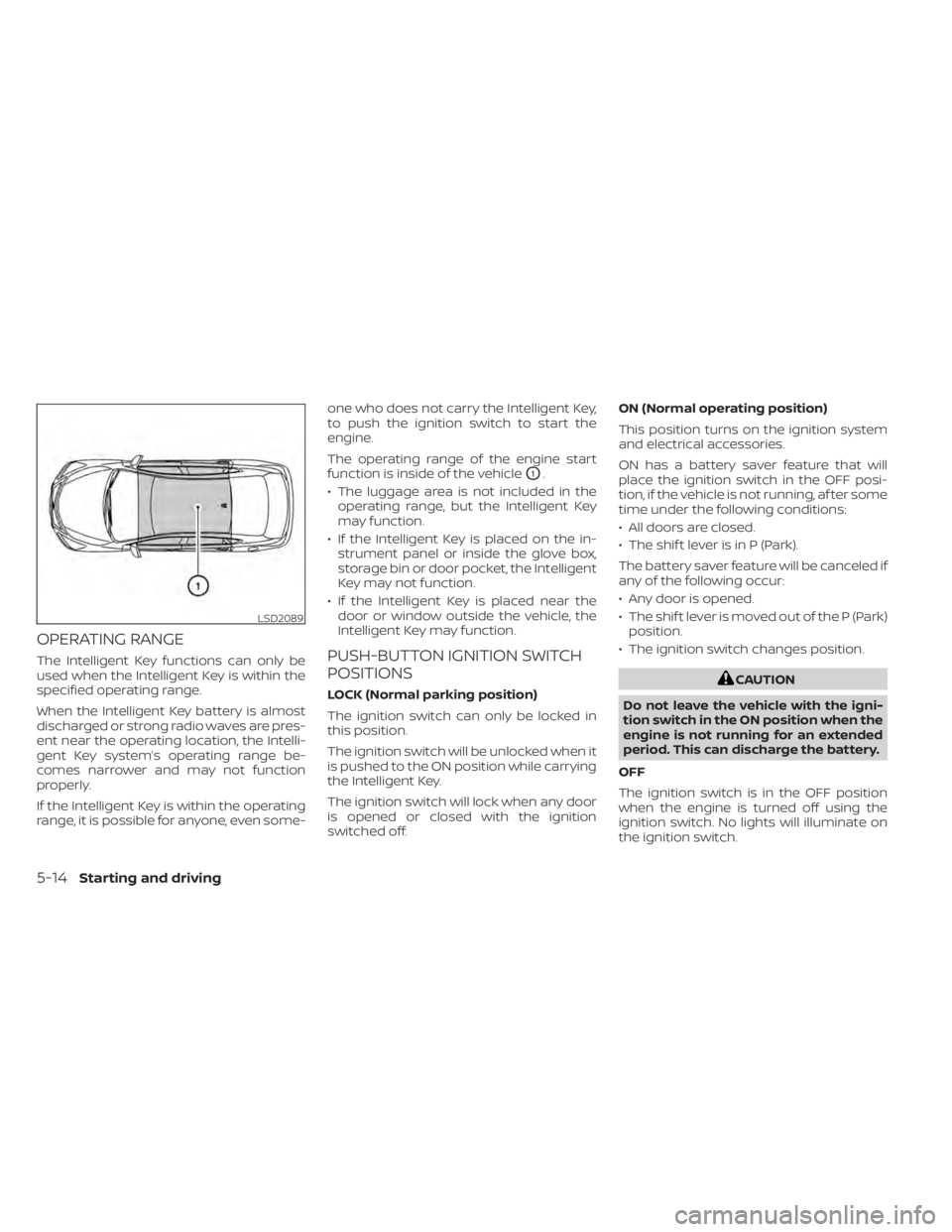
The Intelligent Key functions can only be
used when the Intelligent Key is within the
specified operating range.
When the Intelligent Key battery is almost
discharged or strong radio waves are pres-
ent near the operating location, the Intelli-
gent Key system’s operating range be-
comes narrower and may not function
properly.
If the Intelligent Key is within the operating
range, it is possible for anyone, even some-one who does not carry the Intelligent Key,
to push the ignition switch to start the
engine.
The operating range of the engine start
function is inside of the vehicle
O1.
• The luggage area is not included in the operating range, but the Intelligent Key
may function.
• If the Intelligent Key is placed on the in- strument panel or inside the glove box,
storage bin or door pocket, the Intelligent
Key may not function.
• If the Intelligent Key is placed near the door or window outside the vehicle, the
Intelligent Key may function.
PUSH-BUTTON IGNITION SWITCH
POSITIONS
LOCK (Normal parking position)
The ignition switch can only be locked in
this position.
The ignition switch will be unlocked when it
is pushed to the ON position while carrying
the Intelligent Key.
The ignition switch will lock when any door
is opened or closed with the ignition
switched off. ON (Normal operating position)
This position turns on the ignition system
and electrical accessories.
ON has a battery saver feature that will
place the ignition switch in the OFF posi-
tion, if the vehicle is not running, af ter some
time under the following conditions:
• All doors are closed.
• The shif t lever is in P (Park).
The battery saver feature will be canceled if
any of the following occur:
• Any door is opened.
• The shif t lever is moved out of the P (Park)
position.
• The ignition switch changes position.CAUTION
Do not leave the vehicle with the igni-
tion switch in the ON position when the
engine is not running for an extended
period. This can discharge the battery.
OFF
The ignition switch is in the OFF position
when the engine is turned off using the
ignition switch. No lights will illuminate on
the ignition switch.
LSD2089
5-14Starting and driving
Page 311 of 644
AUTO ACC:
With the vehicle in the P (Park) position, the
Intelligent Key with you and the ignition
switch placed from the ON position to the
OFF position, the radio can still be used for
a period of time, or until the driver’s door is
opened.
Af ter a period of time, functions such as
radio, navigation, and Bluetooth® Hands-
Free Phone System may be restarted by
pressing the POWER button/VOLUME con-
trol knob or the key fob unlock button. For
additional information, refer to the sepa-
rate NissanConnect® Owner’s Manual.
EMERGENCY ENGINE SHUT OFF
To shut off the engine in an emergency
situation while driving, perform the follow-
ing procedure:
• Rapidly push the ignition switch threeconsecutive times in less than 1.5 sec-
onds, or
• Push and hold the ignition switch for more than 2 seconds.
NISSAN INTELLIGENT KEY®
BATTERY DISCHARGE
If the battery of the NISSAN Intelligent Key®
is discharged or environmental conditions
interfere with the Intelligent Key operation,
start the engine according to the following
procedure:
1. Place the shif t lever in the P (Park) position.
2. Firmly apply the foot brake.
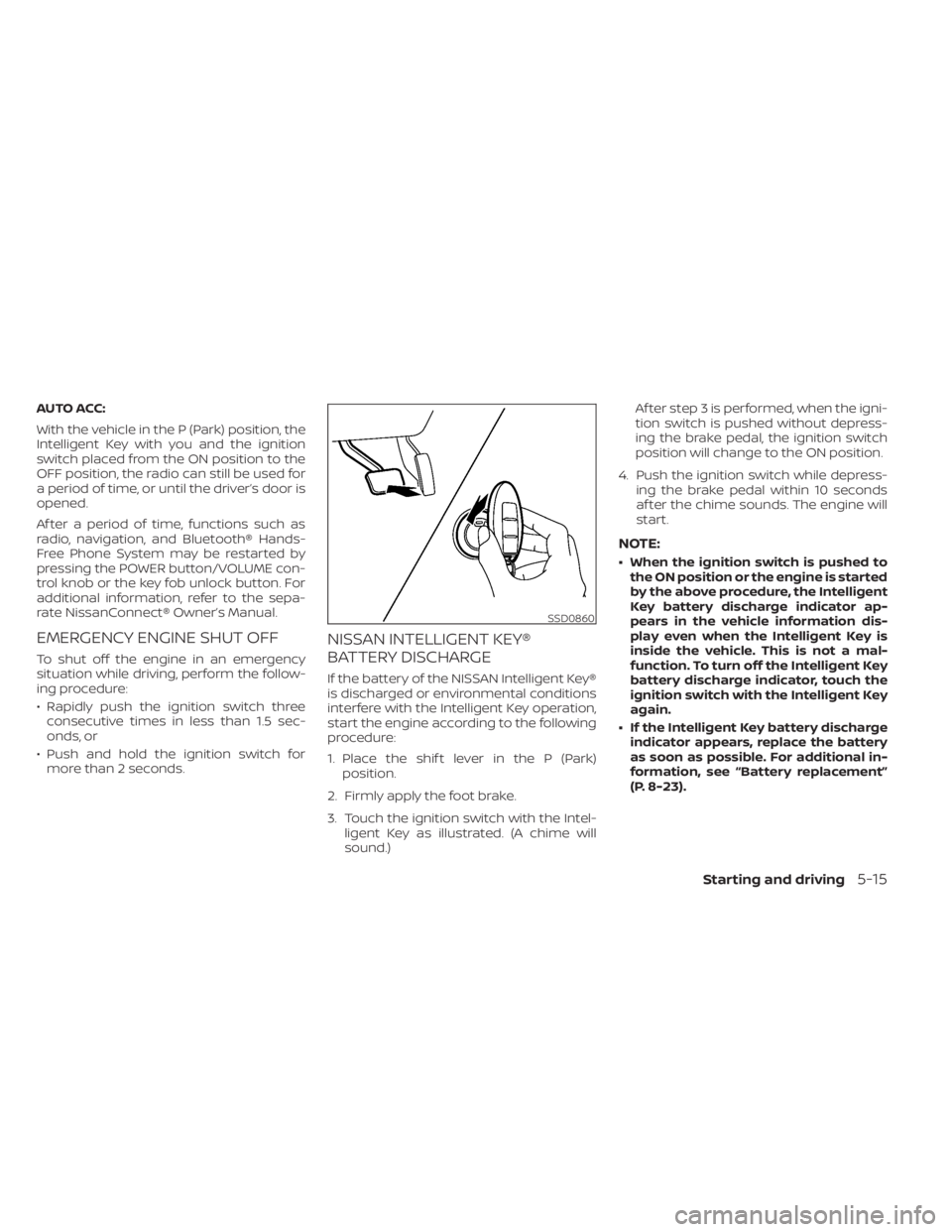
3. Touch the ignition switch with the Intel- ligent Key as illustrated. (A chime will
sound.) Af ter step 3 is performed, when the igni-
tion switch is pushed without depress-
ing the brake pedal, the ignition switch
position will change to the ON position.
4. Push the ignition switch while depress- ing the brake pedal within 10 seconds
af ter the chime sounds. The engine will
start.
NOTE:
• When the ignition switch is pushed tothe ON position or the engine is started
by the above procedure, the Intelligent
Key battery discharge indicator ap-
pears in the vehicle information dis-
play even when the Intelligent Key is
inside the vehicle. This is not a mal-
function. To turn off the Intelligent Key
battery discharge indicator, touch the
ignition switch with the Intelligent Key
again.
• If the Intelligent Key battery discharge indicator appears, replace the battery
as soon as possible. For additional in-
formation, see “Battery replacement”
(P. 8-23).
SSD0860
Starting and driving5-15
Page 313 of 644
cranking the engine, release the accel-
erator pedal. Crank the engine with
your foot off the accelerator pedal by
depressing the brake pedal and push-
ing the ignition switch to start the en-
gine. If the engine starts, but fails to
run, repeat the above procedure.
CAUTION
Do not operate the starter for more
than 15 seconds at a time. If the engine
does not start, push the ignition switch
to the OFF position and wait 10 seconds
before cranking again, otherwise the
starter could be damaged.
4. Warm-up:
Allow the engine to idle for at least 30
seconds af ter starting. Do not race the
engine while warming it up. Drive at a
moderate speed for a short distance
first, especially in cold weather. In cold
weather, keep the engine running for a
minimum of 2 to 3 minutes before shut-
ting it off. Starting and stopping the en-
gine over a short period of time may
make the vehicle more difficult to start.
5. To stop the engine, move the shif t lever to the P (Park) position and push the
ignition switch to the OFF position.
NOTE:
Care should be taken to avoid situa-
tions that can lead to potential battery
discharge and potential no-start con-
ditions such as:
1. Installation or extended use of elec- tronic accessories that consume bat-
tery power when the engine is not
running (phone chargers, GPS, DVD
players, etc.).
2. The vehicle is not driven regularly and/or only driven short distances.
In these cases, the battery may need to
be charged to maintain battery health.
REMOTE ENGINE START
Vehicles started with the Remote Engine
Start require the ignition switch to be
placed in the ON position before the shif t
lever can be moved from the P (Park) posi-
tion. To place the ignition switch in the ON
position, follow these steps:
1. Make sure that the Intelligent Key is on you.
2. Apply the brake.
3. Push the ignition switch once to the ON position. For additional information, see “NISSAN In-
telligent Key®” (P. 3-7).
Starting and driving5-17
Page 517 of 644

8 Do-it-yourself
Maintenance precautions.......................8-2
Engine compartment check locations ...........8-3
Engine cooling system ..........................8-5
Checking engine coolant level ................8-6
Changing engine coolant ....................8-6
Engine oil .......................................8-7
Checking engine oil level .....................8-7
Changing engine oil and oil filter ..............8-8
Continuously Variable Transmission (CVT)
fluid ............................................ 8-12
Brake fluid ...................................... 8-12
Windshield-washer fluid ........................8-13
Windshield-washer fluid reservoir ...........8-13
Battery......................................... 8-14
Jump starting ............................... 8-15
Variable voltage control system ................8-16
Drive belt ....................................... 8-16
Spark plugs .................................... 8-17
Replacing spark plugs ....................... 8-17
Air cleaner ..................................... 8-18In-cabin microfilter
.......................... 8-18
Windshield wiper blades ........................8-19
Cleaning .................................... 8-19
Replacing ................................... 8-19
Brakes ......................................... 8-20
Fuses .......................................... 8-21
Engine compartment ....................... 8-21
Passenger compartment ...................8-22
Battery replacement ........................... 8-23
NISSAN Intelligent Key® ......................8-24
Lights .......................................... 8-25
Headlights .................................. 8-25
Fog lights (if so equipped) ...................8-26
Exterior and interior lights ...................8-26
Wheels and tires ............................... 8-29
Tire pressure ................................ 8-29
Tire labeling ................................. 8-33
Types of tires ................................
8-36
Tir
e chains .................................. 8-37
Changing wheels and tires ..................8-39
Page 540 of 644
NISSAN INTELLIGENT KEY®
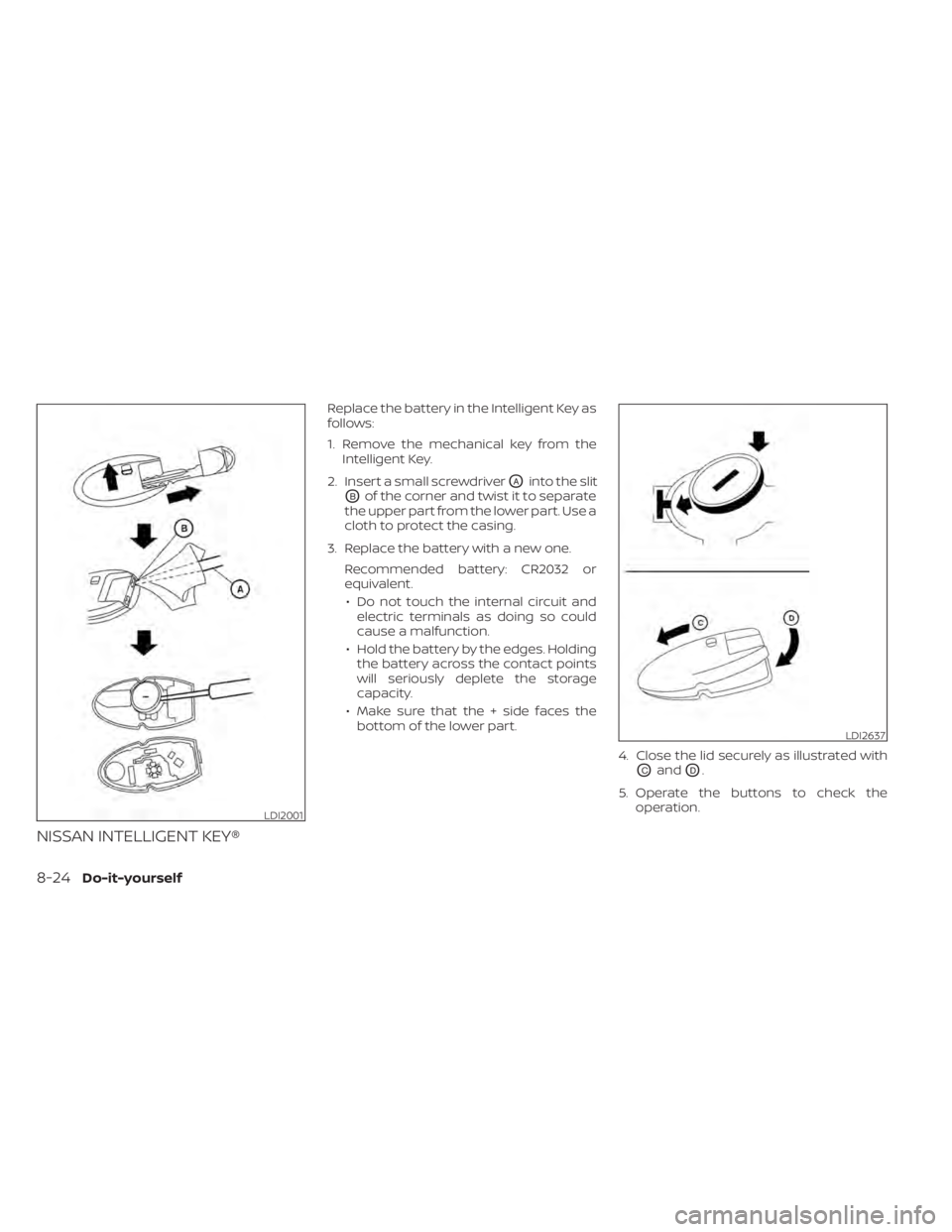
Replace the battery in the Intelligent Key as
follows:
1. Remove the mechanical key from theIntelligent Key.
2. Insert a small screwdriver
OAinto the slit
OBof the corner and twist it to separate
the upper part from the lower part. Use a
cloth to protect the casing.
3. Replace the battery with a new one. Recommended battery: CR2032 or
equivalent.• Do not touch the internal circuit and electric terminals as doing so could
cause a malfunction.
• Hold the battery by the edges. Holding the battery across the contact points
will seriously deplete the storage
capacity.
• Make sure that the + side faces the bottom of the lower part.
4. Close the lid securely as illustrated with
OCandOD.
5. Operate the buttons to check the operation.
LDI2001
LDI2637
8-24Do-it-yourself
Page 571 of 644
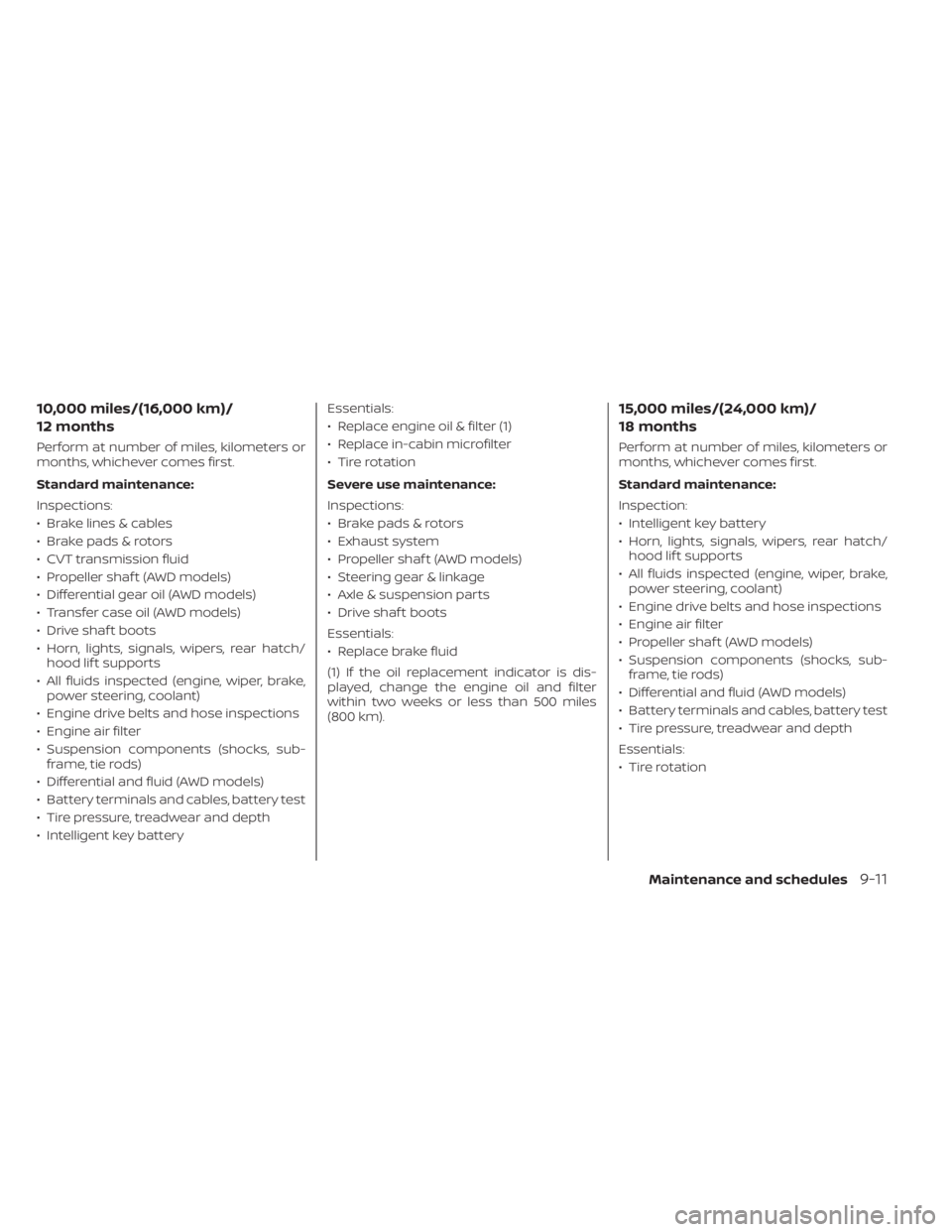
10,000 miles/(16,000 km)/
12 months
Perform at number of miles, kilometers or
months, whichever comes first.
Standard maintenance:
Inspections:
• Brake lines & cables
• Brake pads & rotors
• CVT transmission fluid
• Propeller shaf t (AWD models)
• Differential gear oil (AWD models)
• Transfer case oil (AWD models)
• Drive shaf t boots
• Horn, lights, signals, wipers, rear hatch/hood lif t supports
• All fluids inspected (engine, wiper, brake, power steering, coolant)
• Engine drive belts and hose inspections
• Engine air filter
• Suspension components (shocks, sub- frame, tie rods)
• Differential and fluid (AWD models)
• Battery terminals and cables, battery test
• Tire pressure, treadwear and depth
• Intelligent key battery Essentials:
• Replace engine oil & filter (1)
• Replace in-cabin microfilter
• Tire rotation
Severe use maintenance:
Inspections:
• Brake pads & rotors
• Exhaust system
• Propeller shaf t (AWD models)
• Steering gear & linkage
• Axle & suspension parts
• Drive shaf t boots
Essentials:
• Replace brake fluid
(1) If the oil replacement indicator is dis-
played, change the engine oil and filter
within two weeks or less than 500 miles
(800 km).
15,000 miles/(24,000 km)/
18 months
Perform at number of miles, kilometers or
months, whichever comes first.
Standard maintenance:
Inspection:
• Intelligent key battery
• Horn, lights, signals, wipers, rear hatch/
hood lif t supports
• All fluids inspected (engine, wiper, brake, power steering, coolant)
• Engine drive belts and hose inspections
• Engine air filter
• Propeller shaf t (AWD models)
• Suspension components (shocks, sub- frame, tie rods)
• Differential and fluid (AWD models)
• Battery terminals and cables, battery test
• Tire pressure, treadwear and depth
Essentials:
• Tire rotation
Maintenance and schedules9-11
Page 572 of 644
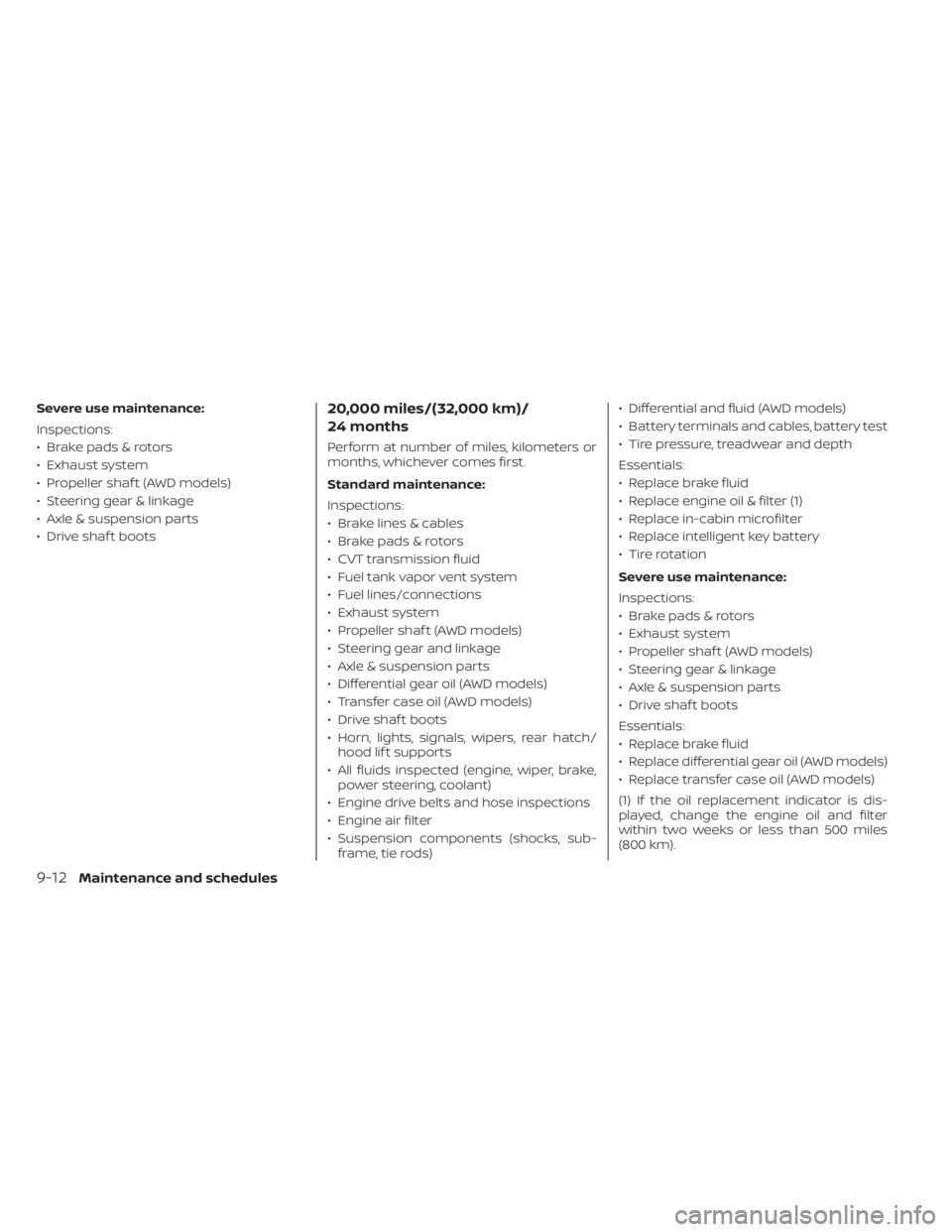
Severe use maintenance:
Inspections:
• Brake pads & rotors
• Exhaust system
• Propeller shaf t (AWD models)
• Steering gear & linkage
• Axle & suspension parts
• Drive shaf t boots20,000 miles/(32,000 km)/
24 months
Perform at number of miles, kilometers or
months, whichever comes first.
Standard maintenance:
Inspections:
• Brake lines & cables
• Brake pads & rotors
• CVT transmission fluid
• Fuel tank vapor vent system
• Fuel lines/connections
• Exhaust system
• Propeller shaf t (AWD models)
• Steering gear and linkage
• Axle & suspension parts
• Differential gear oil (AWD models)
• Transfer case oil (AWD models)
• Drive shaf t boots
• Horn, lights, signals, wipers, rear hatch/hood lif t supports
• All fluids inspected (engine, wiper, brake, power steering, coolant)
• Engine drive belts and hose inspections
• Engine air filter
• Suspension components (shocks, sub- frame, tie rods) • Differential and fluid (AWD models)
• Battery terminals and cables, battery test
• Tire pressure, treadwear and depth
Essentials:
• Replace brake fluid
• Replace engine oil & filter (1)
• Replace in-cabin microfilter
• Replace intelligent key battery
• Tire rotation
Severe use maintenance:
Inspections:
• Brake pads & rotors
• Exhaust system
• Propeller shaf t (AWD models)
• Steering gear & linkage
• Axle & suspension parts
• Drive shaf t boots
Essentials:
• Replace brake fluid
• Replace differential gear oil (AWD models)
• Replace transfer case oil (AWD models)
(1) If the oil replacement indicator is dis-
played, change the engine oil and filter
within two weeks or less than 500 miles
(800 km).
9-12Maintenance and schedules
Page 574 of 644
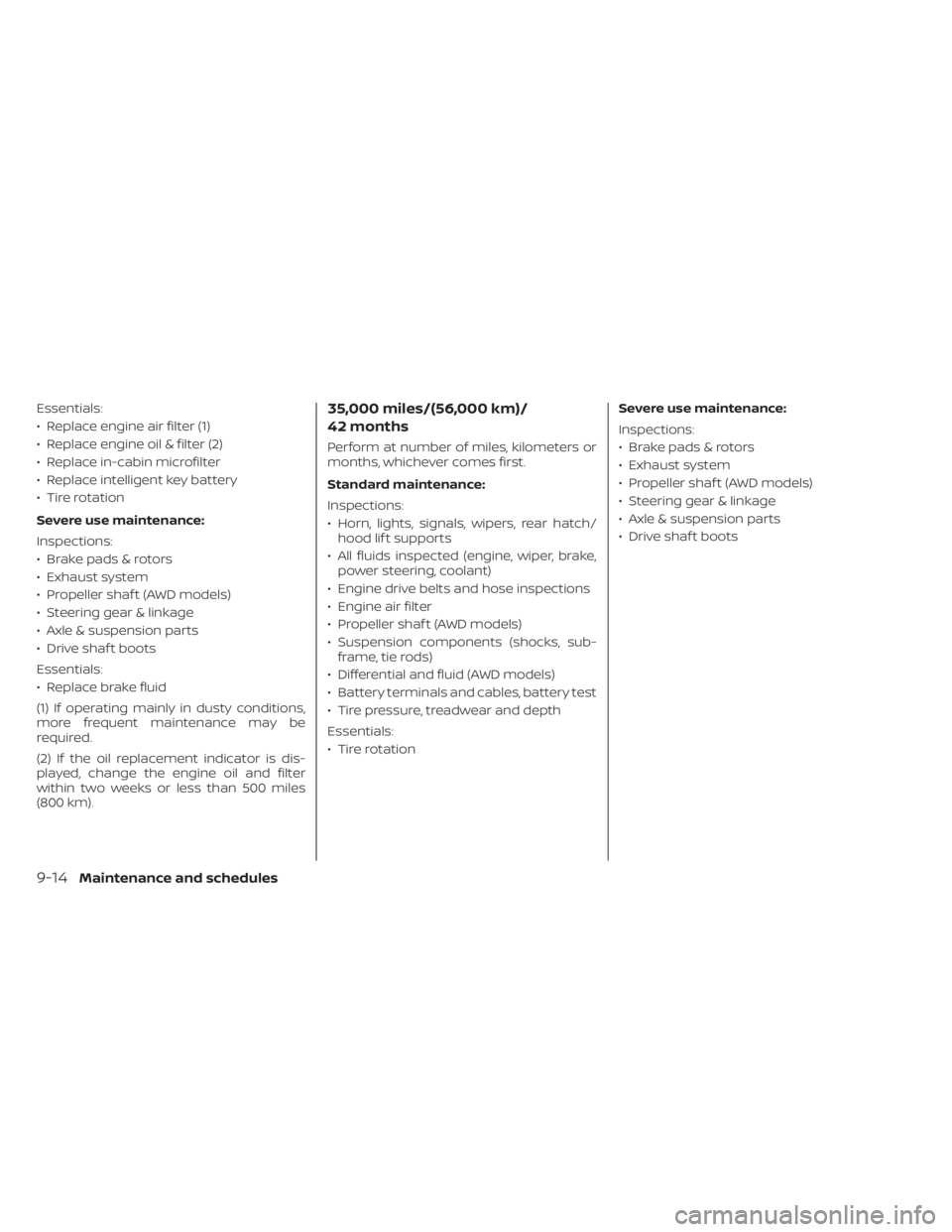
Essentials:
• Replace engine air filter (1)
• Replace engine oil & filter (2)
• Replace in-cabin microfilter
• Replace intelligent key battery
• Tire rotation
Severe use maintenance:
Inspections:
• Brake pads & rotors
• Exhaust system
• Propeller shaf t (AWD models)
• Steering gear & linkage
• Axle & suspension parts
• Drive shaf t boots
Essentials:
• Replace brake fluid
(1) If operating mainly in dusty conditions,
more frequent maintenance may be
required.
(2) If the oil replacement indicator is dis-
played, change the engine oil and filter
within two weeks or less than 500 miles
(800 km).35,000 miles/(56,000 km)/
42 months
Perform at number of miles, kilometers or
months, whichever comes first.
Standard maintenance:
Inspections:
• Horn, lights, signals, wipers, rear hatch/hood lif t supports
• All fluids inspected (engine, wiper, brake, power steering, coolant)
• Engine drive belts and hose inspections
• Engine air filter
• Propeller shaf t (AWD models)
• Suspension components (shocks, sub- frame, tie rods)
• Differential and fluid (AWD models)
• Battery terminals and cables, battery test
• Tire pressure, treadwear and depth
Essentials:
• Tire rotation Severe use maintenance:
Inspections:
• Brake pads & rotors
• Exhaust system
• Propeller shaf t (AWD models)
• Steering gear & linkage
• Axle & suspension parts
• Drive shaf t boots
9-14Maintenance and schedules