Page 228 of 340
9-28
Warmer/Ventilation Features (if equipped)
You can set to make the driving environment pleasant by controlling the steering wheel
warmer and driver's seat warmer/ventilation.
�Link to Climate Settings for Auto-Adjustment: Automatically controls the heating wire
or ventilation for the driver's seat and steering wheel, in sync with the climate control
function.
Steering Wheel Warmer: Steering Wheel Warmer adjusts automatically based on
Climate settings.
Driver Seat Warmer/Ventilation: Seat Warmer/Ventilation adjusts automatically
based on Climate settings.
Seating Easy Access (if equipped)
For convenience upon getting on and off, you can adjust the position of the driver's seat or
steering wheel to secure space inside the vehicle.
� Seat Slide Easy Access: Can set the distance to automatically move the driver's seat
when getting on or off.
Rear Seat Heating Control (if equipped)
You can set to enable the warmer for the rear-left and rear-right seats.
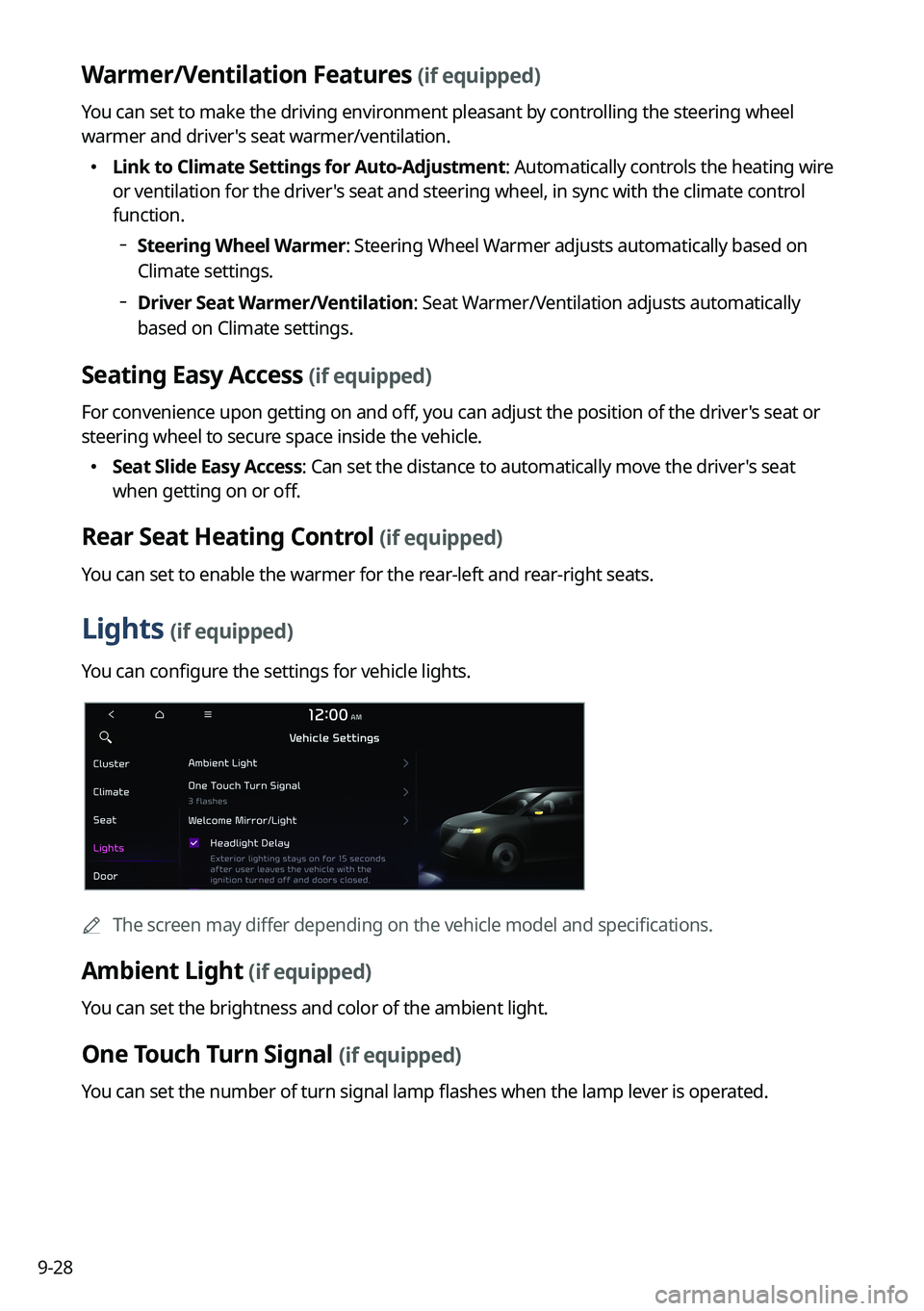
Lights (if equipped)
You can configure the settings for vehicle lights.
A
The screen may differ depending on the vehicle model and specifications.
Ambient Light (if equipped)
You can set the brightness and color of the ambient light.
One Touch Turn Signal (if equipped)
You can set the number of turn signal lamp flashes when the lamp lever is operated.
Page 229 of 340

9-29
Welcome Mirror/Light (if equipped)
You can set the welcoming time on the outside rear view mirrors.
�Enable on Door Unlock: The welcome feature is enabled by the door unlock event.
�Enable on Driver Approach: When the driver with the smart key approaches, the
welcome feature is enabled.
Headlight Delay (if equipped)
You can set to turn off the taillights and headlights in 15 seconds after turning off the vehicle
to ensure visibility.
Travel Mode (if equipped)
Prevents blinding oncoming traffic by decreasing the headlamp illumination range. This
option is applicable in countries where traffic can move in opposite directions.
High Beam Assist (if equipped)
You can set to automatically control the high beam when an oncoming vehicle is approaching
to decrease the high beam glare.
Door (if equipped)
You can configure the operation environment for the trunk (liftgate) and doors.
A
The screen may differ depending on the vehicle model and specifications.
Auto Lock (if equipped)
You can set the time to automatically lock all doors.
Auto Unlock (if equipped)
You can set the time to automatically unlock all doors.
Page 232 of 340
9-32
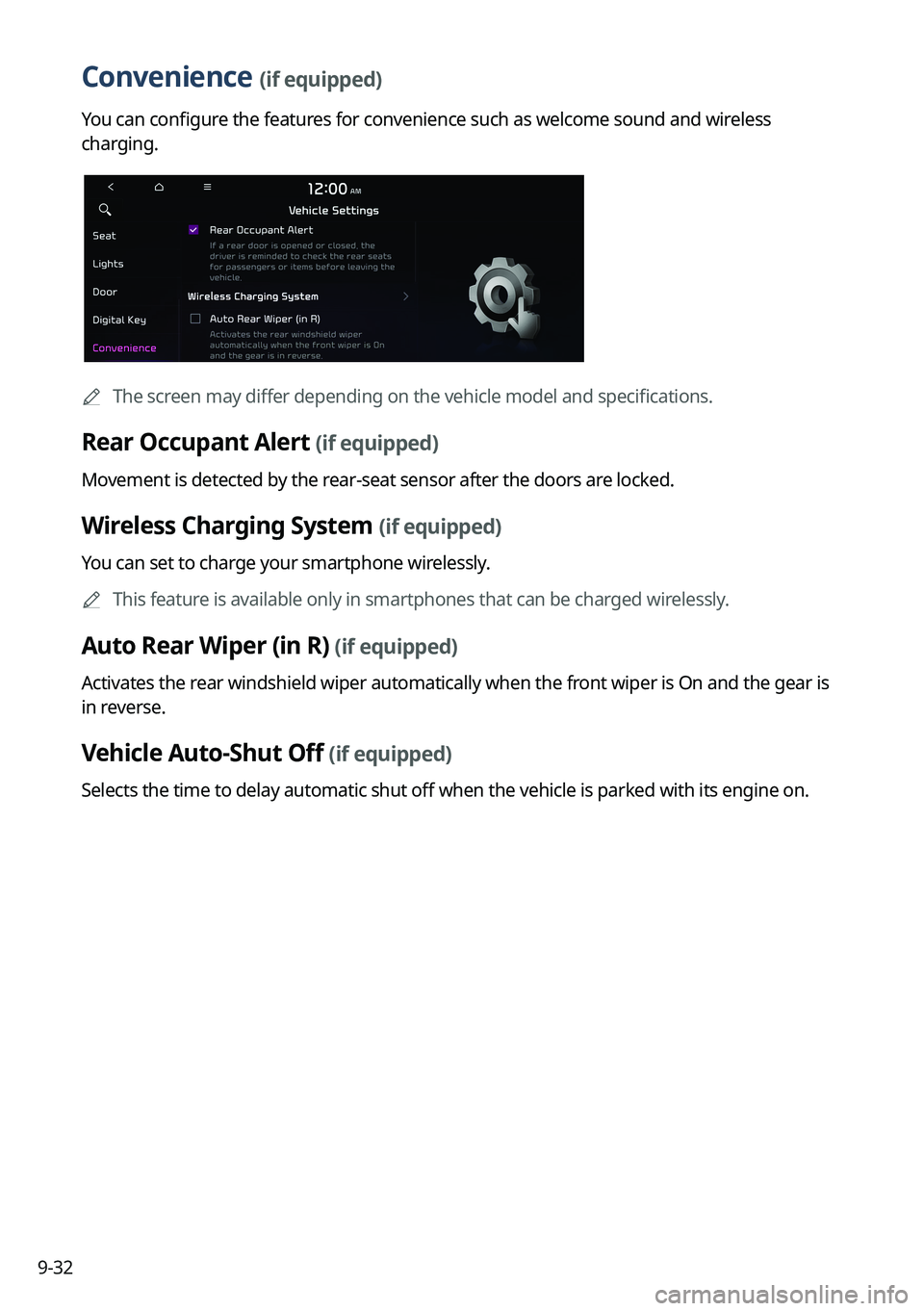
Convenience (if equipped)
You can configure the features for convenience such as welcome sound and wireless
charging.
A
The screen may differ depending on the vehicle model and specifications.
Rear Occupant Alert (if equipped)
Movement is detected by the rear-seat sensor after the doors are locked.
Wireless Charging System (if equipped)
You can set to charge your smartphone wirelessly.
A
This feature is available only in smartphones that can be charged wirelessly.
Auto Rear Wiper (in R) (if equipped)
Activates the rear windshield wiper automatically when the front wiper is On and the gear is
in reverse.
Vehicle Auto-Shut Off (if equipped)
Selects the time to delay automatic shut off when the vehicle is parked with its engine on.
Page 244 of 340
9-44
Import Address Book from USB Device
You can import the location data on a USB device to the system.
A
The previous location data on the system is to be deleted.
A
While importing from a navigation system that uses a different coordinate system, the
locations may appear differently.
Export Address Book to USB Device
You can export the location data on the system to a USB device.
A
The location data on the USB device is deleted.
Extend Rear Camera Use (if equipped)
You can set to display the rear camera display even when you change the shift position other
than "R" (Reverse) after reversing.
A
When you shift to "P" (Park) or drive at a predetermined speed or faster, the rear view
display disappears to display the previous screen.
Configuring the button settings (Type1)
You can configure features to activate when pressing buttons on the control panel or steering
wheel.
1 On the All Menus screen, press Setup >
Button.
The button settings screen appears.
2 Configure the settings required:
A
Press Menu >
Search for Settings or press and enter a keyword to search for a
setting item. You can also search for a setting item by voice.
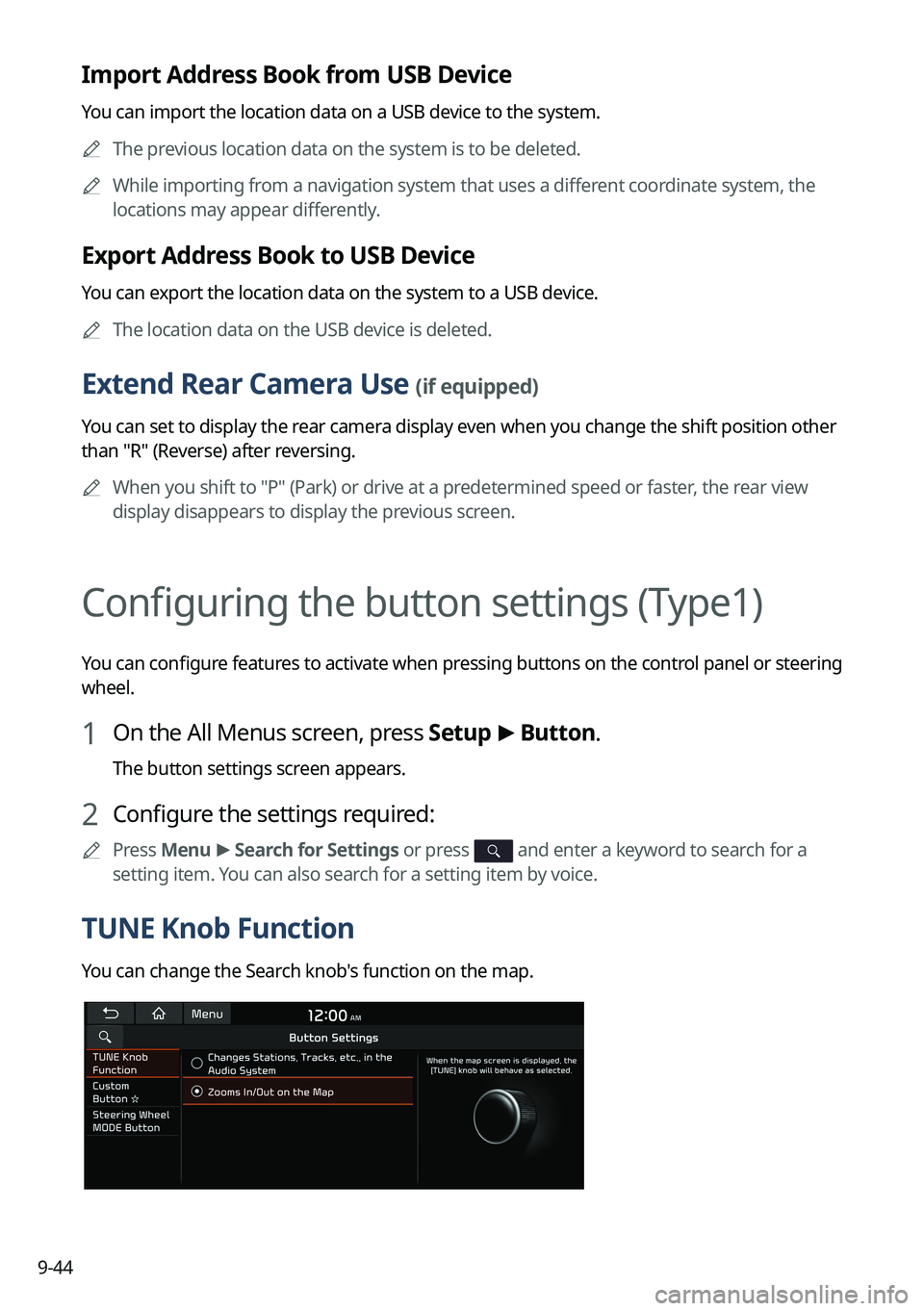
TUNE Knob Function
You can change the Search knob's function on the map.
Page 259 of 340
9-59
Configuring the voice recognition settings
(Type2)
You can change the settings for voice recognition.
1 On the All Menus screen, press Setup >
Voice Recognition.
The voice recognition settings screen appears.
2 Configure the settings required:
A
Press >
Search for Settings or press and enter a keyword to search for a
setting item. You can also search for a setting item by voice.
Audible Prompts
You can set whether to hear the voice recognition guidance briefly or in detail. You can also
turn off the voice guidance.
A
The displayed screen or name may differ depending on the vehicle model and
specifications.
Rear Seat (if equipped)
Turn on the rear-seat speech recognition function.
AThe screen may differ depending on the vehicle model and specifications.
A
If the rear-seat speech recognition lock is on, it is not possible to use speech recognition
from the rear seats.
Page 295 of 340
9-95
Media Change Notifications
You can set to briefly display media information at the top of screen while playing the next
item when you move from the media player screen to another.
Extend Rear Camera Use
You can set to display the rear camera display even when you change the shift position other
than "R" (Reverse) after reversing.
A
When you shift to "P" (Park) or drive at a predetermined speed or faster, the rear view
display disappears to display the previous screen.
Page 298 of 340
9-98
Blue Light Filter
Enable blue light filtering to adjust the screen light to reduce the level of eye strain.
Use Blue Light Filter
Enable or disable blue light filtering.
Blue Light Filter Settings
Set to activate blue light filtering automatically based on the ambient light or pick the time
range manually.
�Automatic: Enable blue light filtering based on the ambient light.
�Scheduled Time: Enable blue light filtering during the set time range.
Extend Rear Camera Use (if equipped)
You can set to display the rear camera display even when you change the shift position other
than "R" (Reverse) after reversing.
A
When you shift to "P" (Park) or drive at a predetermined speed or faster, the rear view
display disappears to display the previous screen.
Page 299 of 340
9-99
Audio System ON/OFF (if equipped)
You can set so that power for the system is maintained when the vehicle is turned off.
Camera Settings (if equipped)
You can configure the screen settings for the driving assist view and set the information to
display in the view.
Display Contents (if equipped)
You can set the information to display on the view screen.
�Extended Rear View Monitor: You can set to display the rear camera display even when
you change the shift position other than "R" (Reverse) after reversing.
�Rear View Parking Lines: Displays the parking assist guide lines on the rear view screen.
Display Settings (if equipped)
You can adjust the brightness and contrast of the view screen.