2023 HYUNDAI TUCSON settings
[x] Cancel search: settingsPage 380 of 638
07
7-17
Forward Collision-Avoidance
Assist Settings
Setting features
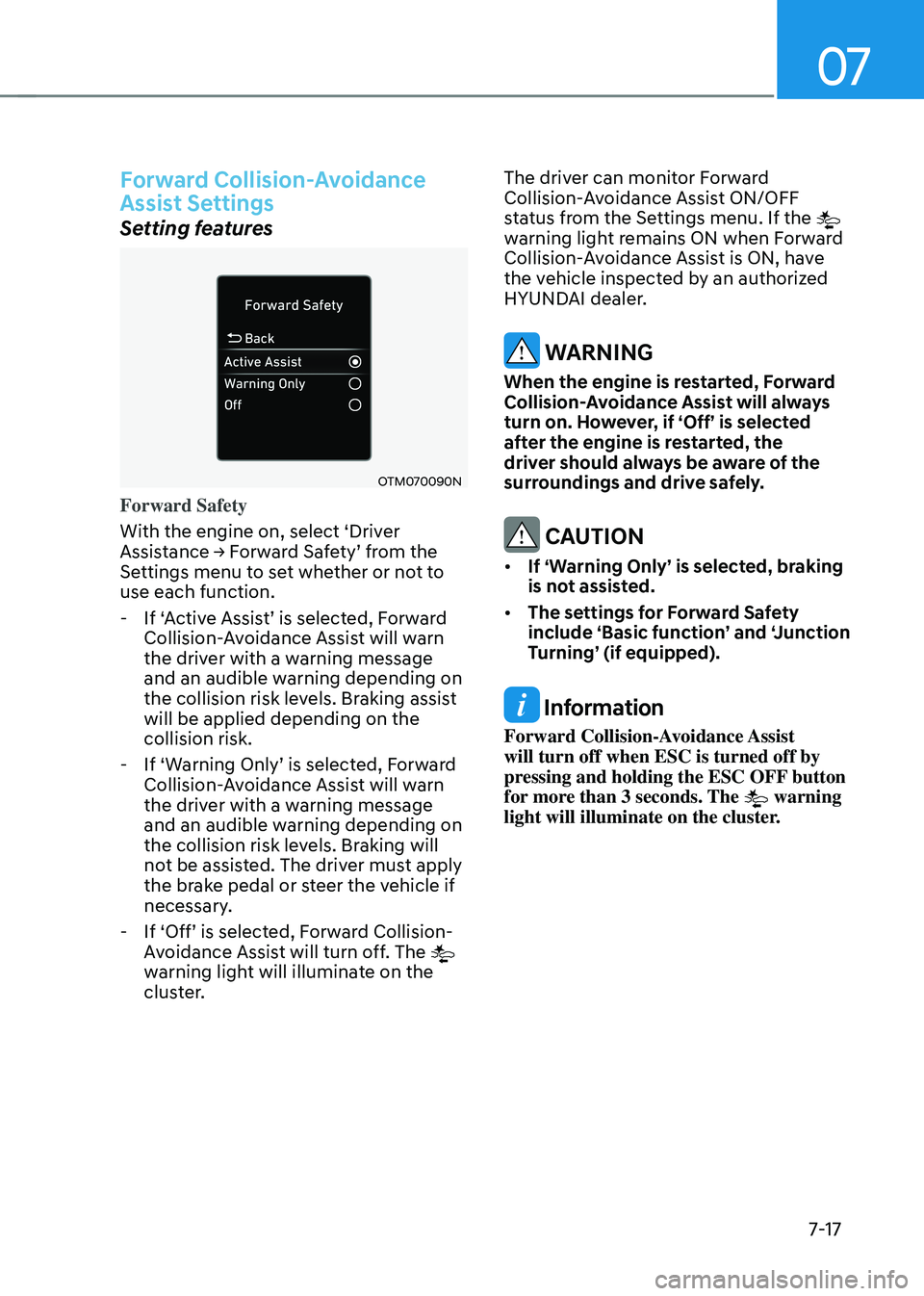
OTM070090N
Forward Safety
With the engine on, select ‘Driver
Assistance → Forward Safety’ from the Settings menu to set whether or not to
use each function.
-If ‘Active Assist’ is selected, Forward Collision-Avoidance Assist will warn
the driver with a warning message
and an audible warning depending on
the collision risk levels. Braking assist
will be applied depending on the
collision risk.
-If ‘Warning Only’ is selected, Forward Collision-Avoidance Assist will warn
the driver with a warning message
and an audible warning depending on
the collision risk levels. Braking will
not be assisted. The driver must apply
the brake pedal or steer the vehicle if
necessary.
-If ‘Off’ is selected, Forward Collision-Avoidance Assist will turn off. The
warning light will illuminate on the
cluster. The driver can monitor Forward
Collision-Avoidance Assist ON/OFF
status from the Settings menu. If the
warning light remains ON when Forward
Collision-Avoidance Assist is ON, have
the vehicle inspected by an authorized
HYUNDAI dealer.
WARNING
When the engine is restarted, Forward
Collision-Avoidance Assist will always
turn on. However, if ‘Off’ is selected
after the engine is restarted, the
driver should always be aware of the
surroundings and drive safely.
CAUTION
• If ‘Warning Only’ is selected, braking
is not assisted.
• The settings for Forward Safety
include ‘Basic function’ and ‘Junction
Turning’ (if equipped).
Information
Forward Collision-Avoidance Assist
will turn off when ESC is turned off by
pressing and holding the ESC OFF button
for more than 3 seconds. The
warning
light will illuminate on the cluster.
Page 381 of 638
Driver assistance system
7-18
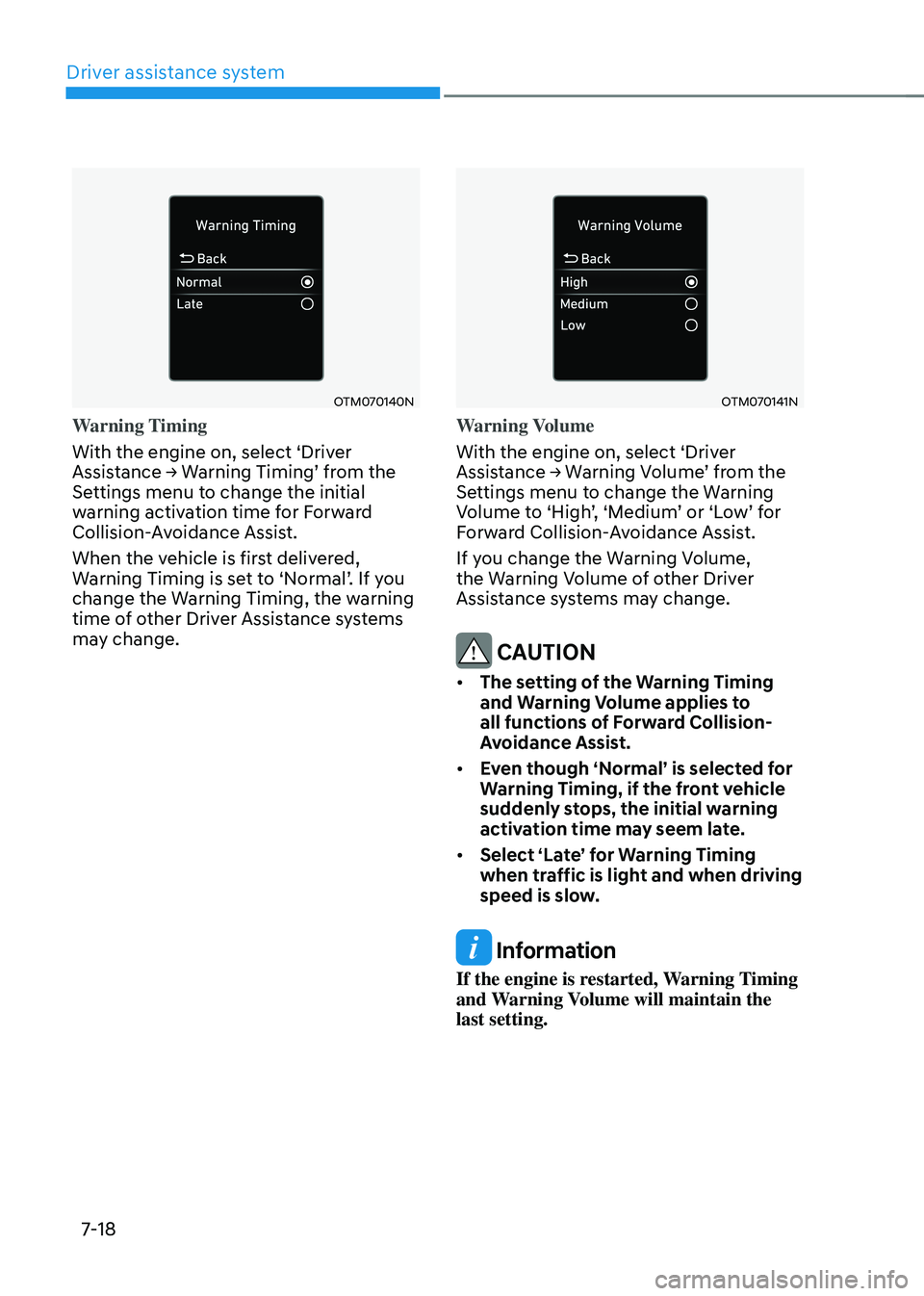
OTM070140N
Warning Timing
With the engine on, select ‘Driver
Assistance → Warning Timing’ from the Settings menu to change the initial
warning activation time for Forward
Collision-Avoidance Assist.
When the vehicle is first delivered,
Warning Timing is set to ‘Normal’. If you change the Warning Timing, the warning
time of other Driver Assistance systems
may change.
OTM070141N
Warning Volume
With the engine on, select ‘Driver
Assistance → Warning Volume’ from the Settings menu to change the Warning Volume to ‘High’, ‘Medium’ or ‘Low’ for Forward Collision-Avoidance Assist.
If you change the Warning Volume,
the Warning Volume of other Driver
Assistance systems may change.
CAUTION
• The setting of the Warning Timing
and Warning Volume applies to
all functions of Forward Collision-
Avoidance Assist.
• Even though ‘Normal’ is selected for
Warning Timing, if the front vehicle
suddenly stops, the initial warning
activation time may seem late.
• Select ‘Late’ for Warning Timing
when traffic is light and when driving
speed is slow.
Information
If the engine is restarted, Warning Timing
and Warning Volume will maintain the
last setting.
Page 385 of 638
Driver assistance system
7-22
WARNING
Take the following precautions when
using Forward Collision-Avoidance
Assist:
• For your safety, change the Settings
after parking the vehicle at a safe
location.
• With ‘Active Assist’ or ‘Warning Only’
selected, when ESC is turned off by
pressing and holding the ESC OFF
button for more than 3 seconds,
Forward Collision-Avoidance Assist
will turn off automatically. In this
case, Forward Collision-Avoidance
Assist cannot be set from the
Settings menu and the
warning
light will illuminate on the cluster
which is normal. If ESC is turned on
by pressing the ESC OFF button,
Forward Collision-Avoidance Assist
will maintain the last setting.
• Forward Collision-Avoidance Assist
does not operate in all situations or
cannot avoid all collisions.
• The driver should hold the
responsibility to control the vehicle.
Do not solely depend on Forward
Collision-Avoidance Assist. Rather,
maintain a safe braking distance, and
if necessary, depress the brake pedal
to reduce driving speed or to stop
the vehicle.
• Never deliberately operate Forward
Collision-Avoidance Assist on people,
animal, objects, etc. It may cause
serious injury or death.
• Forward Collision-Avoidance
Assist may not operate if the driver
depresses the brake pedal to avoid
collision. •
Depending on the road and driving
conditions, Forward Collision-
Avoidance Assist may warn the driver
late or may not warn the driver.
• During Forward Collision-Avoidance
Assist operation, the vehicle may
stop suddenly injuring passengers
and shifting loose objects. Always
have the seat belt on and keep loose
objects secured.
• If any other system’s warning
message is displayed or audible
warning is generated, Forward
Collision-Avoidance Assist warning
message may not be displayed
and audible warning may not be
generated.
• You may not hear the warning sound
of Forward Collision-Avoidance
Assist if the surrounding is noisy.
• Forward Collision-Avoidance
Assist may turn off or may not
operate properly or may operate
unnecessarily depending on the road
conditions and the surroundings.
WARNING
• Even if there is a problem with
Forward Collision-Avoidance
Assist, the vehicle’s basic braking
performance will operate normally.
• During emergency braking, braking
control by Forward Collision-
Avoidance Assist will automatically
cancel when the driver excessively
depresses the accelerator pedal or
sharply steers the vehicle.
Page 394 of 638
07
7-31
LANE KEEPING ASSIST (LKA)
Lane Keeping Assist is designed to help
detect lane markings (or road edges)
while driving over a certain speed. Lane
Keeping Assist will warn the driver if the
vehicle leaves the lane without using the
turn signal, or will automatically assist
the driver’s steering to help prevent the vehicle from departing the lane.
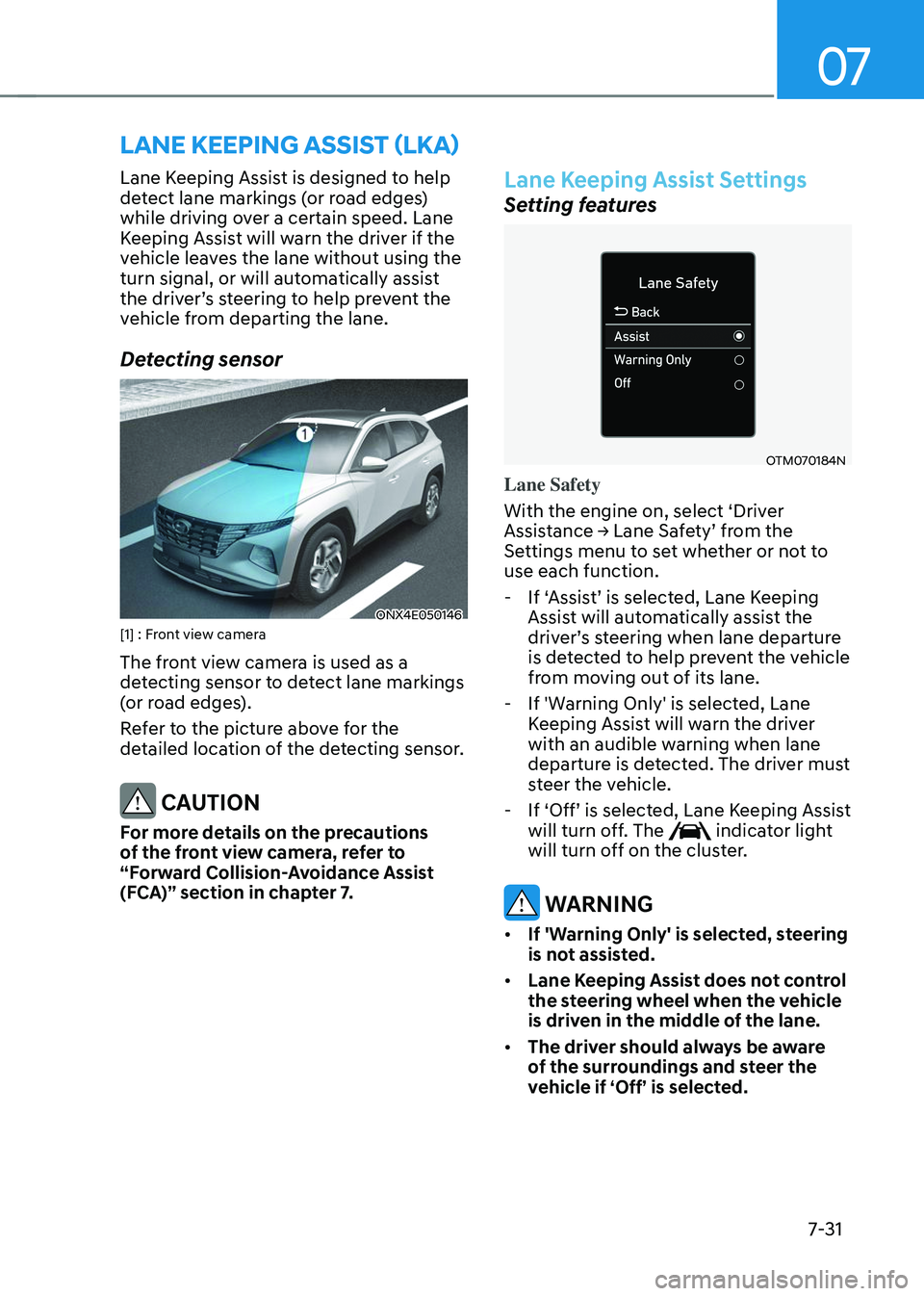
Detecting sensor
ONX4E050146[1] : Front view camera
The front view camera is used as a
detecting sensor to detect lane markings
(or road edges).
Refer to the picture above for the
detailed location of the detecting sensor.
CAUTION
For more details on the precautions
of the front view camera, refer to
“Forward Collision-Avoidance Assist
(FCA)” section in chapter 7.
Lane Keeping Assist Settings
Setting features
OTM070184N
Lane Safety
With the engine on, select ‘Driver
Assistance → Lane Safety’ from the Settings menu to set whether or not to
use each function.
-If ‘Assist’ is selected, Lane Keeping Assist will automatically assist the driver’s steering when lane departure is detected to help prevent the vehicle
from moving out of its lane.
-If 'Warning Only' is selected, Lane
Keeping Assist will warn the driver
with an audible warning when lane
departure is detected. The driver must
steer the vehicle.
-If ‘Off’ is selected, Lane Keeping Assist will turn off. The indicator light
will turn off on the cluster.
WARNING
• If 'Warning Only' is selected, steering
is not assisted.
• Lane Keeping Assist does not control
the steering wheel when the vehicle
is driven in the middle of the lane.
• The driver should always be aware
of the surroundings and steer the
vehicle if ‘Off’ is selected.
Page 395 of 638
Driver assistance system
7-32
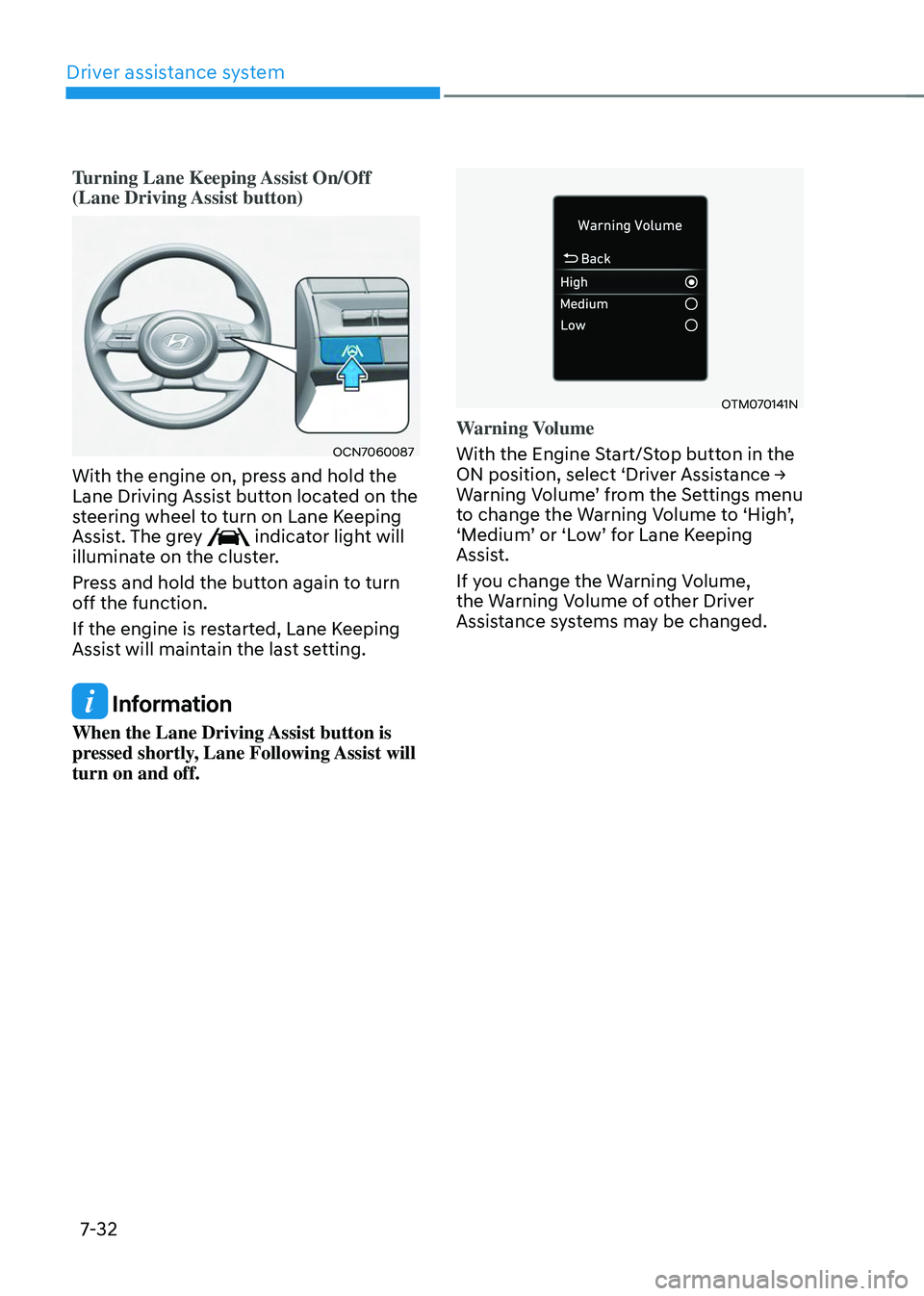
Turning Lane Keeping Assist On/Off
(Lane Driving Assist button)
OCN7060087
With the engine on, press and hold the
Lane Driving Assist button located on the
steering wheel to turn on Lane Keeping
Assist. The grey
indicator light will
illuminate on the cluster.
Press and hold the button again to turn
off the function.
If the engine is restarted, Lane Keeping
Assist will maintain the last setting.
Information
When the Lane Driving Assist button is
pressed shortly, Lane Following Assist will
turn on and off.
OTM070141N
Warning Volume
With the Engine Start/Stop button in the
ON position, select ‘Driver Assistance → Warning Volume’ from the Settings menu to change the Warning Volume to ‘High’, ‘Medium’ or ‘Low’ for Lane Keeping Assist.
If you change the Warning Volume,
the Warning Volume of other Driver
Assistance systems may be changed.
Page 397 of 638
Driver assistance system
7-34
WARNING
• The steering wheel may not be
assisted if the steering wheel is held
very tight or the steering wheel is
steered over a certain degree.
• Lane Keeping Assist does not operate
at all times. It is the responsibility of
the driver to safely steer the vehicle
and to maintain the vehicle in its
lane.
• The hands–off warning message
may appear late depending on road
conditions. Always have your hands
on the steering wheel while driving.
• If the steering wheel is held very
lightly, the hands–off warning
message may appear because Lane
Keeping Assist may not recognize
that the driver has their hands on the
steering wheel.
• If you attach objects to the steering
wheel, the hands-off warning may
not work properly.
Information
• You may change settings from the
instrument cluster (User Settings) or
infotainment system (Vehicle Settings),
whichever option that is provided with
your vehicle. For more details, see
"User Settings" section in chapter 4, or
"Vehicle Settings" section in supplied
Infotainment Manual.
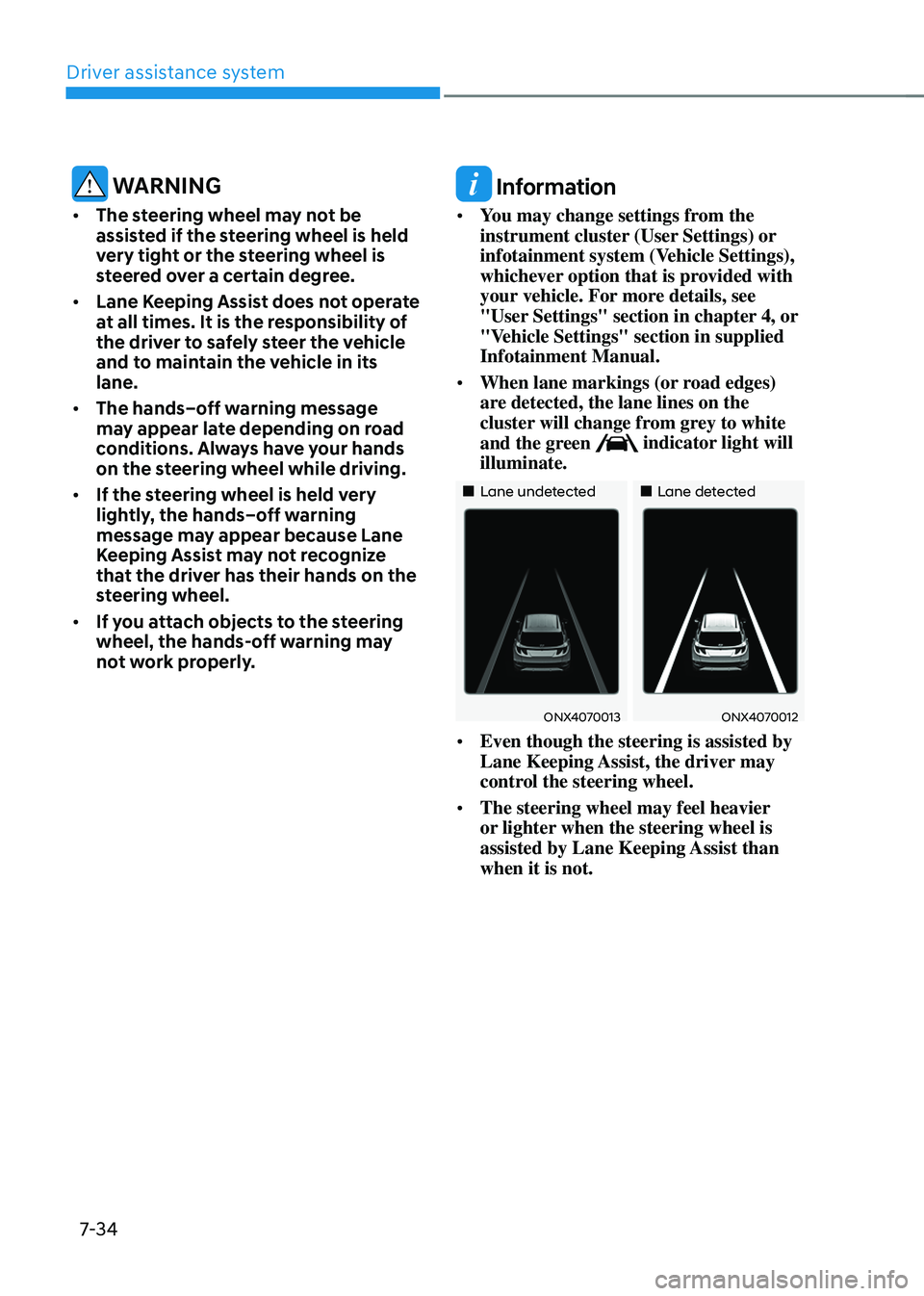
• When lane markings (or road edges)
are detected, the lane lines on the
cluster will change from grey to white
and the green
indicator light will
illuminate.
„„Lane undetected„„Lane detected
ONX4070013ONX4070012
• Even though the steering is assisted by
Lane Keeping Assist, the driver may
control the steering wheel.
• The steering wheel may feel heavier
or lighter when the steering wheel is
assisted by Lane Keeping Assist than
when it is not.
Page 402 of 638
07
7-39
CAUTION
Take the following precautions to
maintain optimal performance of the
detecting sensor:
• Never disassemble the rear corner
radar or radar assembly, or apply any
impact on it.
• If there is impact on the rear corner
radar or near the radar, even though
the warning message does not
appear on the cluster, Blind-Spot
Safety system may not operate
properly. Have the vehicle inspected
by an authorized HYUNDAI dealer.
• If the rear corner radars have been
replaced or repaired, have the
vehicle inspected by an authorized
HYUNDAI dealer.
• Use only genuine parts to repair the
rear bumper where the rear corner
radar is located.
• Do not apply license plate frame or
objects, such as a bumper sticker,
film or a bumper guard near the rear
corner radar.
• The system may not work properly
if the bumper has been replaced, or
the surroundings of the rear corner
radar has been damaged or paint has
been applied.
• If a trailer, carrier, etc. is installed,
it may adversely affect the
performance of the rear corner radar
or the system may not operate.
For more details on the precautions
of the front view camera, refer to
“Forward Collision-Avoidance Assist
(FCA)” section in chapter 7.
Blind- Spot Safety System
Settings
Setting features
OTM070096N
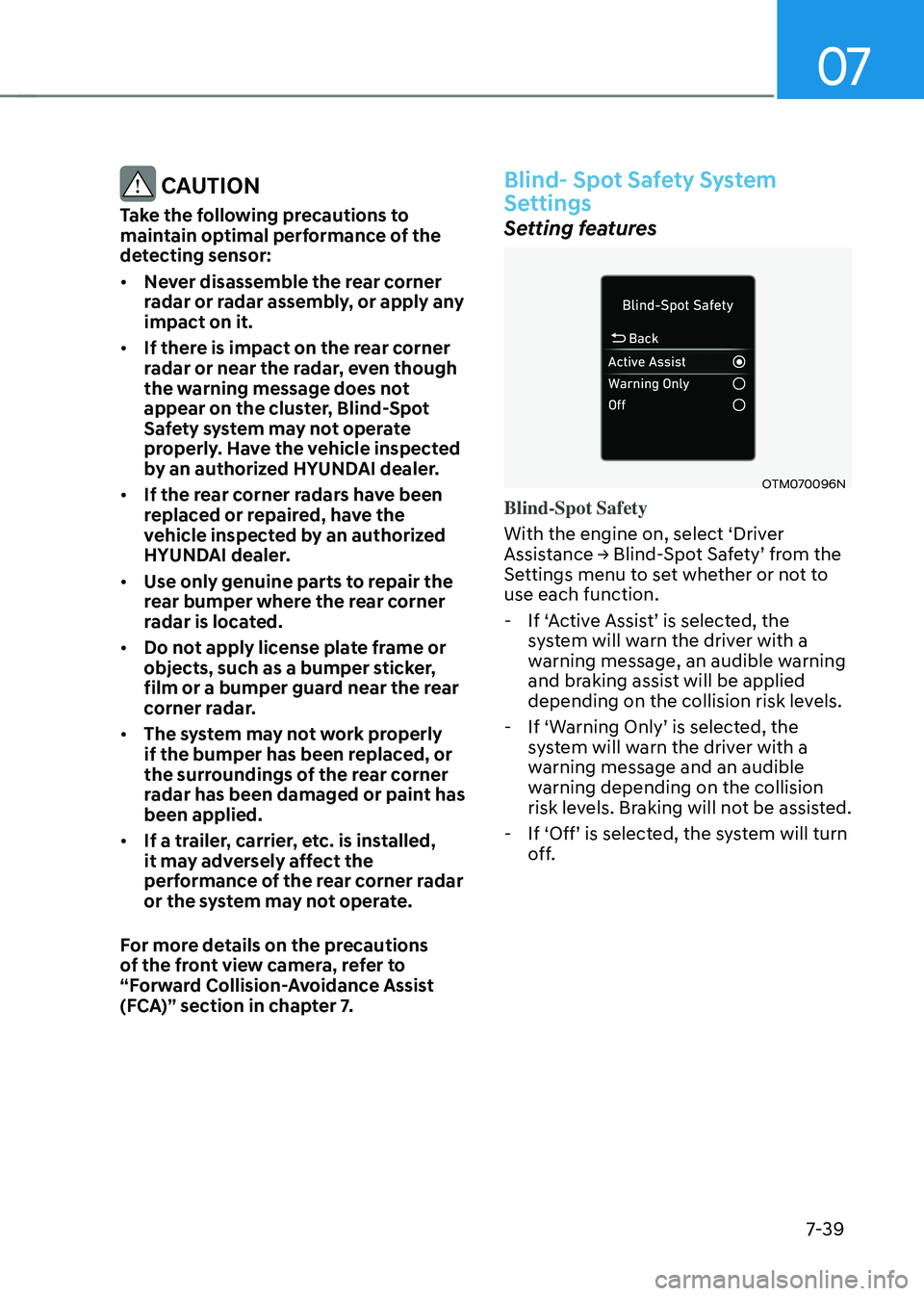
Blind-Spot Safety
With the engine on, select ‘Driver
Assistance → Blind-Spot Safety’ from the Settings menu to set whether or not to
use each function.
-If ‘Active Assist’ is selected, the system will warn the driver with a
warning message, an audible warning
and braking assist will be applied
depending on the collision risk levels.
-If ‘Warning Only’ is selected, the system will warn the driver with a
warning message and an audible
warning depending on the collision
risk levels. Braking will not be assisted.
-If ‘Off’ is selected, the system will turn off.
Page 403 of 638
Driver assistance system
7-40
OTM070097N
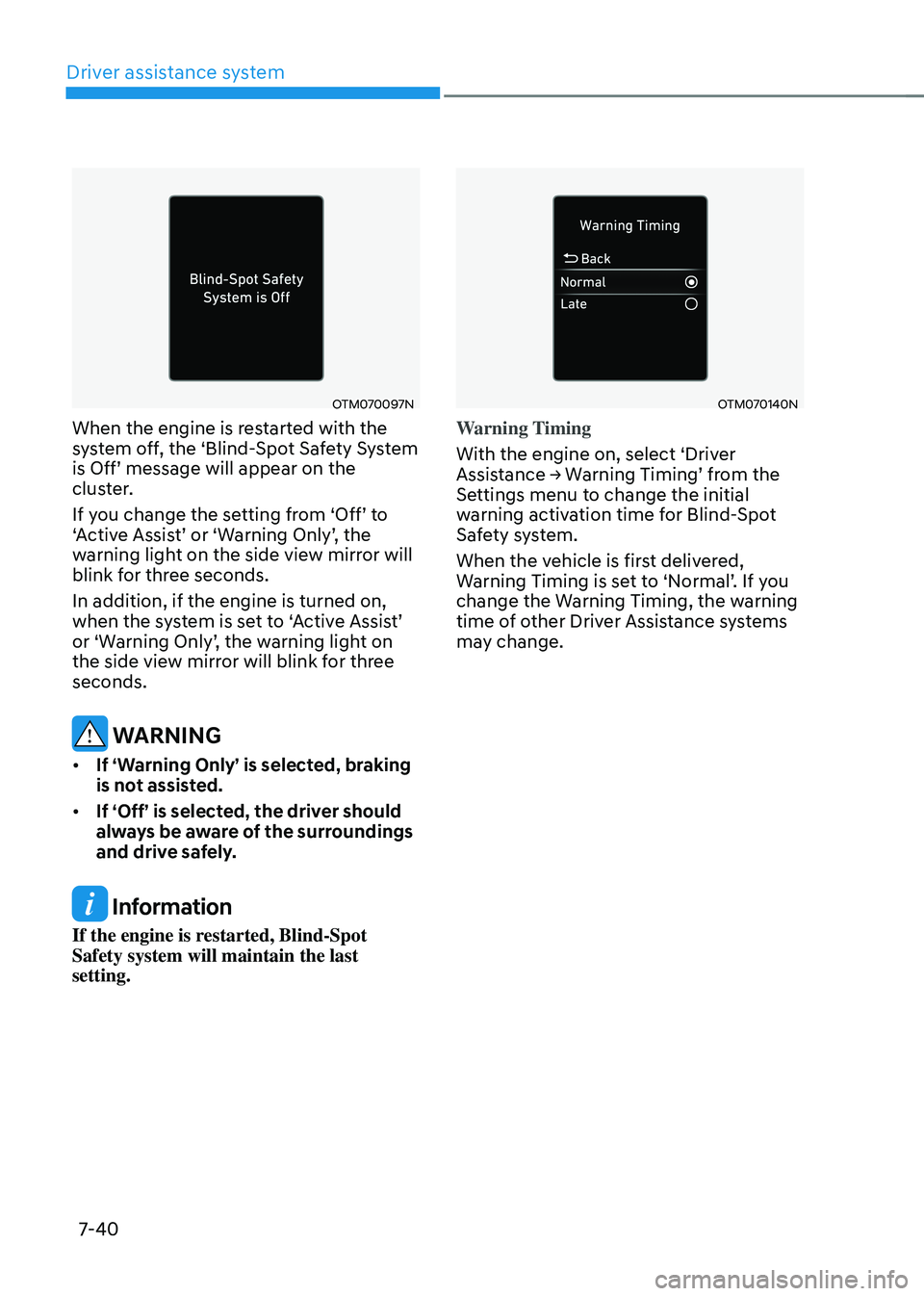
When the engine is restarted with the
system off, the ‘Blind-Spot Safety System
is Off’ message will appear on the cluster.
If you change the setting from ‘Off’ to ‘Active Assist’ or ‘Warning Only’, the warning light on the side view mirror will
blink for three seconds.
In addition, if the engine is turned on,
when the system is set to ‘Active Assist’ or ‘Warning Only’, the warning light on the side view mirror will blink for three
seconds.
WARNING
• If ‘Warning Only’ is selected, braking
is not assisted.
• If ‘Off’ is selected, the driver should
always be aware of the surroundings
and drive safely.
Information
If the engine is restarted, Blind-Spot
Safety system will maintain the last
setting.
OTM070140N
Warning Timing
With the engine on, select ‘Driver
Assistance → Warning Timing’ from the Settings menu to change the initial
warning activation time for Blind-Spot
Safety system.
When the vehicle is first delivered,
Warning Timing is set to ‘Normal’. If you change the Warning Timing, the warning
time of other Driver Assistance systems
may change.