2023 HYUNDAI SONATA warning lights
[x] Cancel search: warning lightsPage 154 of 555
Convenience Features
5-8
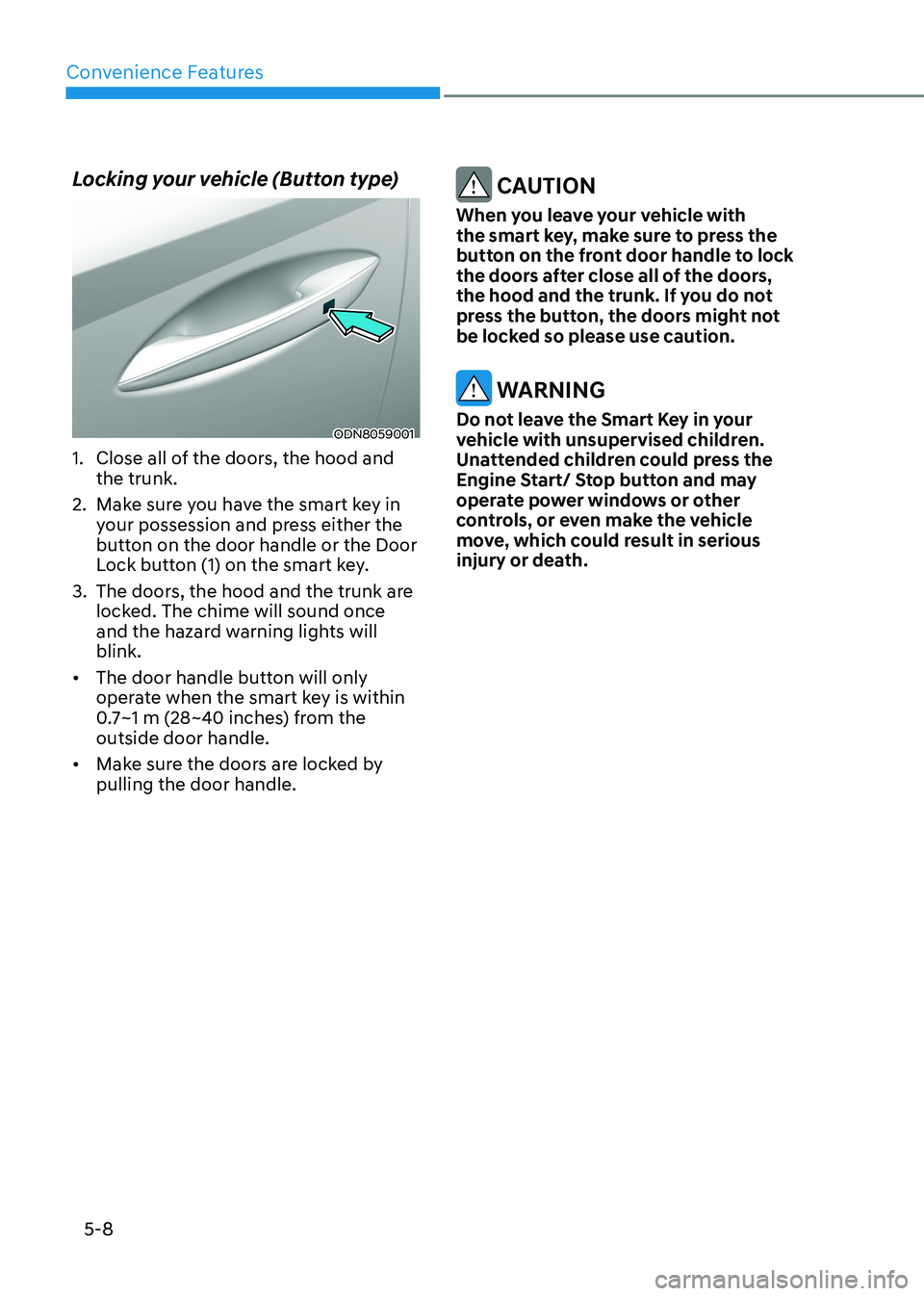
Locking your vehicle (Button type)
ODN8059001
1. Close all of the doors, the hood and the trunk.
2. Make sure you have the smart key in your possession and press either the
button on the door handle or the Door
Lock button (1) on the smart key.
3. The doors, the hood and the trunk are locked. The chime will sound once
and the hazard warning lights will blink.
• The door handle button will only
operate when the smart key is within
0.7~1 m (28~40 inches) from the outside door handle.
• Make sure the doors are locked by pulling the door handle.
CAUTION
When you leave your vehicle with
the smart key, make sure to press the
button on the front door handle to lock
the doors after close all of the doors,
the hood and the trunk. If you do not
press the button, the doors might not
be locked so please use caution.
WARNING
Do not leave the Smart Key in your
vehicle with unsupervised children.
Unattended children could press the
Engine Start/ Stop button and may
operate power windows or other
controls, or even make the vehicle
move, which could result in serious
injury or death.
Page 155 of 555
05
5-9
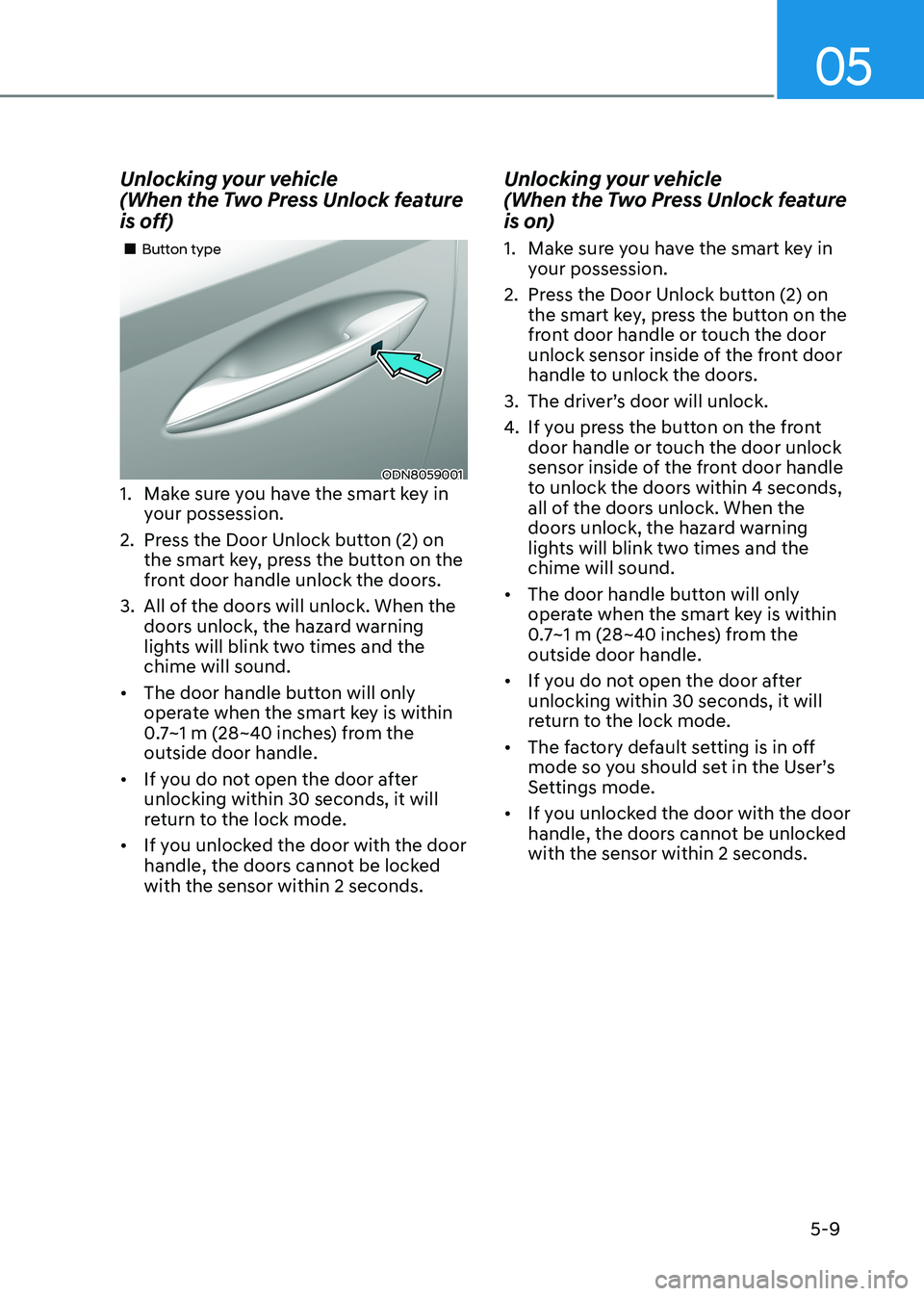
Unlocking your vehicle
(When the Two Press Unlock feature
is off)
ODN8059001
„
„Button type
1. Make sure you have the smart key in your possession.
2. Press the Door Unlock button (2) on the smart key, press the button on the
front door handle unlock the doors.
3. All of the doors will unlock. When the doors unlock, the hazard warning
lights will blink two times and the chime will sound.
• The door handle button will only
operate when the smart key is within
0.7~1 m (28~40 inches) from the outside door handle.
• If you do not open the door after unlocking within 30 seconds, it will
return to the lock mode.
• If you unlocked the door with the door
handle, the doors cannot be locked with the sensor within 2 seconds. Unlocking your vehicle
(When the Two Press Unlock feature
is on)
1. Make sure you have the smart key in
your possession.
2. Press the Door Unlock button (2) on the smart key, press the button on the
front door handle or touch the door
unlock sensor inside of the front door
handle to unlock the doors.
3. The driver’s door will unlock.
4. If you press the button on the front
door handle or touch the door unlock
sensor inside of the front door handle
to unlock the doors within 4 seconds,
all of the doors unlock. When the
doors unlock, the hazard warning
lights will blink two times and the chime will sound.
• The door handle button will only
operate when the smart key is within
0.7~1 m (28~40 inches) from the outside door handle.
• If you do not open the door after unlocking within 30 seconds, it will
return to the lock mode.
• The factory default setting is in off
mode so you should set in the User’s
Settings mode.
• If you unlocked the door with the door
handle, the doors cannot be unlocked with the sensor within 2 seconds.
Page 156 of 555
Convenience Features
5-10
Two Press Unlock Feature
The priority for unlocking the driver door
only, or unlocking all the doors with
one press may be adjusted in the User
Settings mode in the cluster LCD display.
The Two Press Unlock feature, when
enabled, will require the user to press
the door unlock button once for driver
door only and twice for unlocking all the
doors.
Select or Deselect the Two Press Unlock
feature in the User Settings mode in the
cluster LCD display. The option can be
found under the following menu:
User Settings → Door → Two Press Unlock
The Two Press Unlock feature can also be
enabled or disabled by pressing the door
lock and unlock buttons simultaneously
on the Key FOB:
Press and hold both the Door Lock
button and the Door Unlock button
simultaneously until the hazard warning
lights blink.
This will enable or disable the Two Press
Unlock feature. Repeat this procedure to enable/disable the mode again.
Information
If you press the front passenger outside
door handle with the smart key in your possession, all the doors will unlock. Smart Key Reminder
If the smart key is in the vehicle and
any door is opened, the doors will not
lock even though the lock button of the
central door lock switch is pressed.
Trunk opening
To open:
1. Make sure you have the smart key
in your possession and either press
inside the trunk emblem or press the
Trunk Unlock button (3) on the smart
key for more than one second.
2. Once the trunk is opened, the hazard warning lights will blink two times.
• The trunk handle button will only
operate when the smart key is within
0.7~1 m (28~40 inches) from the outside door handle.
• Once the trunk is opened and then
closed, the trunk will automatically
re-lock and the hazard warning will blink once.
• If you leave the smart key and close
the trunk, the chime will sound for 5
seconds. In the case, the trunk cannot
be locked so open it with the trunk
handle button.
Panic button
Press and hold the Panic button (4) for
more than one second. The horn sounds
and hazard warning lights blink for about
30 seconds. To cancel the panic mode,
press any button on the Smart Key.
Page 169 of 555
05
5-23
This system helps to protect your vehicle
and valuables. The horn will sound and
the hazard warning lights will blink
continuously if any of the following occur:
- A door is opened without using the remote key or smart key.
- The trunk is opened without using the remote key or smart key.
- The engine hood is opened.
The alarm continues for 30 seconds, then
the system resets. To turn off the alarm,
unlock the doors with the remote key or
smart key.
The Theft Alarm System automatically
sets 30 seconds after you lock the doors
and the trunk. For the system to activate,
you must lock the doors and the trunk
from outside the vehicle with the remote
key or smart key or by pressing the
button on the outside of the door handle
with the smart key in your possession.
The hazard warning lights will blink and
the chime will sound once to indicate the
system is armed.
Once the security system is set, opening
any door, the trunk, or the hood without
using the remote key or smart key will
cause the alarm to activate.
The Theft Alarm System will not set if the
hood, the trunk, or any door is not fully
closed. If the system will not set, check
the hood, the trunk, or the doors are fully closed.
Do not attempt to alter this system or
add other devices to it.
Information
• Do not lock the doors until all passengers have left the vehicle. If the
remaining passenger leaves the vehicle when the system is armed, the alarm will be activated.
• If the vehicle is not disarmed with the
remote key or smart key, open the doors by using the mechanical key and place the ignition switch in the
ON position (for remote key) or start
the engine (for smart key) by directly
pressing the ignition switch with the
smart key.
• If the system is disarmed by unlocking
the vehicle, but neither a door or the trunk is opened within 30 seconds, the
doors will relock and the system will
rearm automatically.
ThefT-AlArm SySTem
Page 173 of 555
05
5-27
Electric Power Steering (EPS)
The system assists you with steering the
vehicle. If the vehicle is turned off or
if the power steering system becomes
inoperative, you may still steer the
vehicle, but it will require increased
steering effort.
Also, the steering effort becomes heavier
as the vehicle’s speed increases and
becomes lighter as the vehicle’s speed
decreases for better control of the
steering wheel.
Should you notice any change in the
effort required to steer during normal
vehicle operation, have the system
checked by an authorized HYUNDAI
dealer.
CAUTION
• If the Electric Power Steering System
does not operate normally, the
warning light (
) will illuminate
on the instrument cluster. You may
steer the vehicle, but it will require
increased steering efforts. Take your
vehicle to an authorized HYUNDAI
dealer and have the system checked as soon as possible.
• When an abnormality is detected
in the electric power steering
system, to prevent a an accident, the
steering assist function may become
inoperative. At this time, the warning
light turns on or blinks on the cluster.
The steering wheel may become
difficult to control or operate. Have
your vehicle checked immediately,
after moving the vehicle to a safe
area.
Information
The following symptoms may occur during normal vehicle operation: • The steering effort may be high
immediately after placing the ignition switch in the ON position. This happens as the system performs
the EPS system diagnostics. When the
diagnostics are completed, the steering
wheel effort will return to its normal condition.
• When the battery voltage is low, you
might have to put more steering effort.
However, it is a temporary condition so
that it will return to normal condition
after charging the battery.
• A click noise may be heard from the
EPS relay after the ignition switch is in
the ON or LOCK/OFF position.
• Motor noise may be heard when the
vehicle is at a stop or at a low driving speed.
• When you operate the steering wheel
in low temperatures, abnormal noise
may occur. If the temperature rises, the
noise will disappear. This is a normal condition.
• When an error is detected from the EPS, the steering effort assist function
may become inoperative in order to
prevent fatal accidents. Instrument
cluster warning lights may be on or the steering effort may be high. If these
symptoms occur, drive the vehicle to
a safe area as soon as it is safe to do so. Have the system checked by an
authorized HYUNDAI dealer as soon as possible.
steering Wheel
Page 174 of 555
Convenience Features
5-28
Tilt Steering / Telescope Steering
When adjusting the steering wheel to a
comfortable position, adjust the steering
wheel so that it points toward your chest,
not toward your face. Make sure you can
see the instrument cluster warning lights
and gauges. After locking the lever, push
the steering wheel both up and down to
be certain it is locked in position. Always
adjust the position of the steering wheel
before driving.
WARNING
NEVER adjust the steering wheel while
driving. This may cause loss of vehicle
control resulting in an accident.
ODN8059021
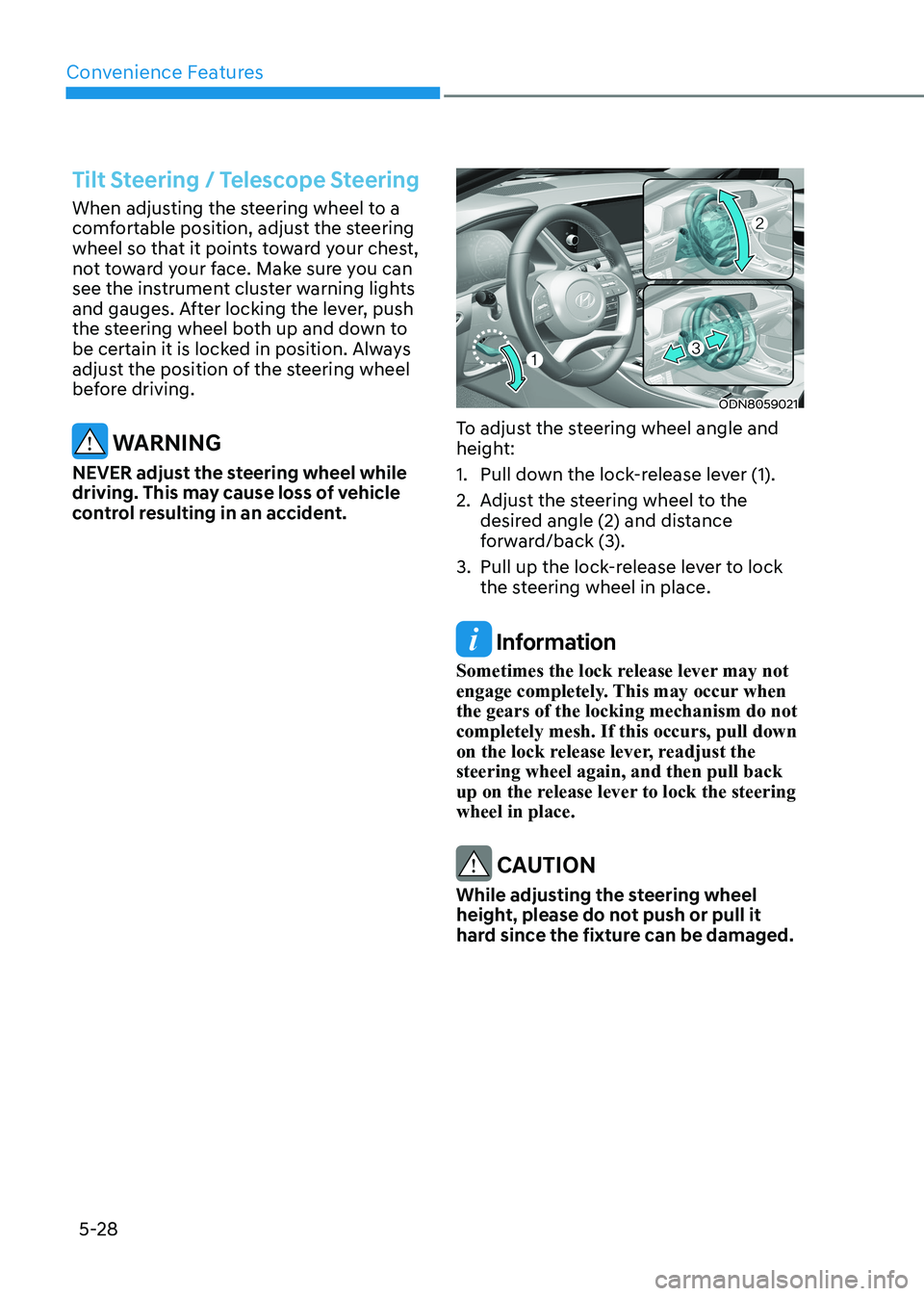
To adjust the steering wheel angle and
height:
1. Pull down the lock-release lever (1).
2. Adjust the steering wheel to the desired angle (2) and distance
forward/back (3).
3. Pull up the lock-release lever to lock the steering wheel in place.
Information
Sometimes the lock release lever may not
engage completely. This may occur when the gears of the locking mechanism do not completely mesh. If this occurs, pull down
on the lock release lever, readjust the steering wheel again, and then pull back
up on the release lever to lock the steering wheel in place.
CAUTION
While adjusting the steering wheel
height, please do not push or pull it
hard since the fixture can be damaged.
Page 200 of 555
Convenience Features
5-54
ODN8A059047
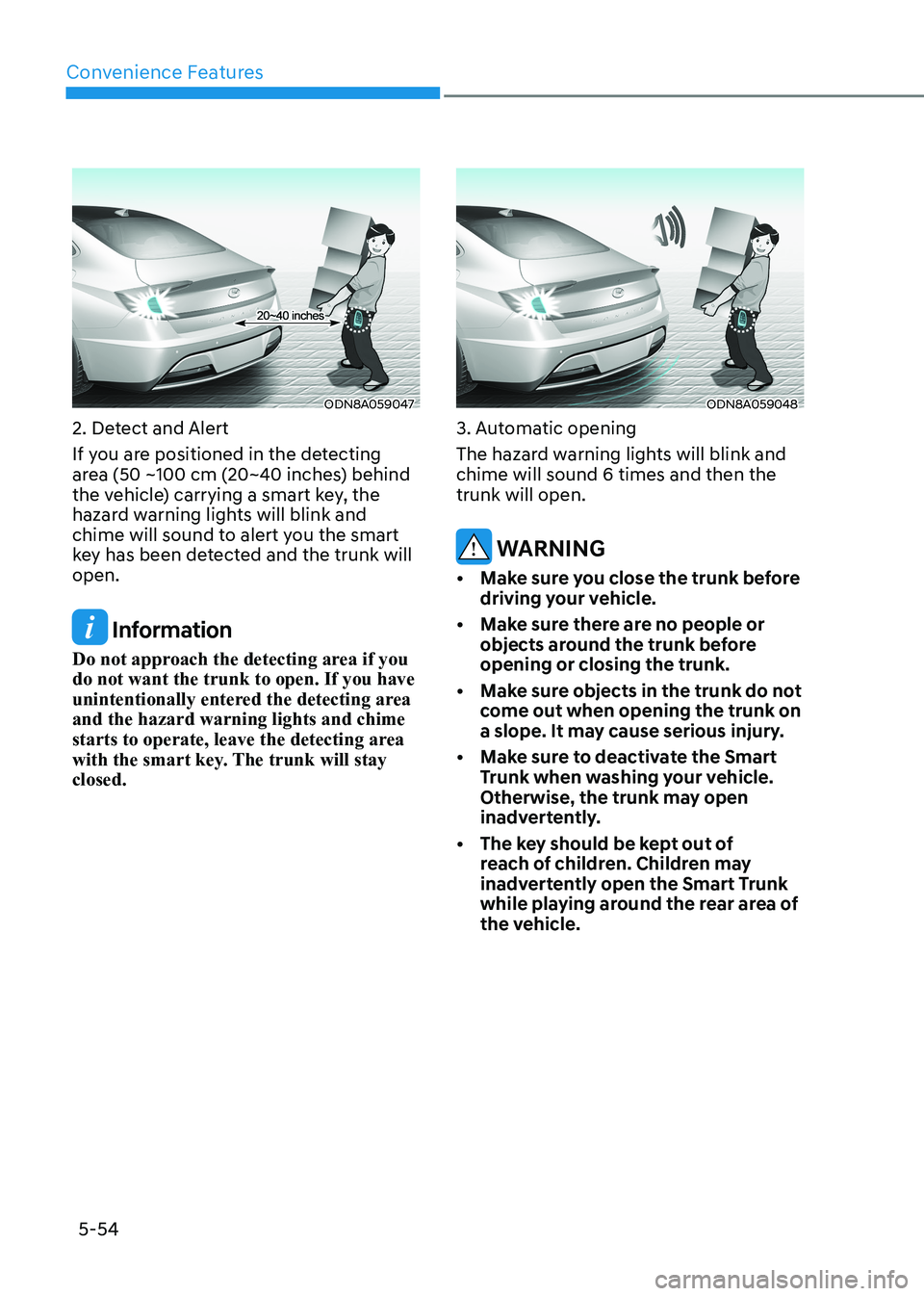
2. Detect and Alert
If you are positioned in the detecting
area (50 ~100 cm (20~40 inches) behind
the vehicle) carrying a smart key, the
hazard warning lights will blink and
chime will sound to alert you the smart
key has been detected and the trunk will open.
Information
Do not approach the detecting area if you do not want the trunk to open. If you have
unintentionally entered the detecting area and the hazard warning lights and chime
starts to operate, leave the detecting area
with the smart key. The trunk will stay closed.
ODN8A059048
3. Automatic opening
The hazard warning lights will blink and chime will sound 6 times and then the trunk will open.
WARNING
• Make sure you close the trunk before driving your vehicle.
• Make sure there are no people or objects around the trunk before opening or closing the trunk.
• Make sure objects in the trunk do not come out when opening the trunk on
a slope. It may cause serious injury.
• Make sure to deactivate the Smart Trunk when washing your vehicle.
Otherwise, the trunk may open
inadvertently.
• The key should be kept out of reach of children. Children may
inadvertently open the Smart Trunk
while playing around the rear area of
the vehicle.
Page 210 of 555
Convenience Features
5-64
When High Beam Assist system is
operating, the high beam switches to low
beam if any of the following conditions occur:
- When the headlamp of an on-coming vehicle is detected.
- When the tail lamp of a vehicle in front
is detected.
- When the headlamp or tail lamp of a motorcycle or a bicycle is detected.
- When the surrounding ambient light is bright enough that high beams are not
required.
- When streetlights or other lights are detected.
- When the headlamp switch is not in the AUTO position.
- When High Beam Assist system is off.
- When vehicle speed is below 24 km/h (15 mph).
OIK047132N
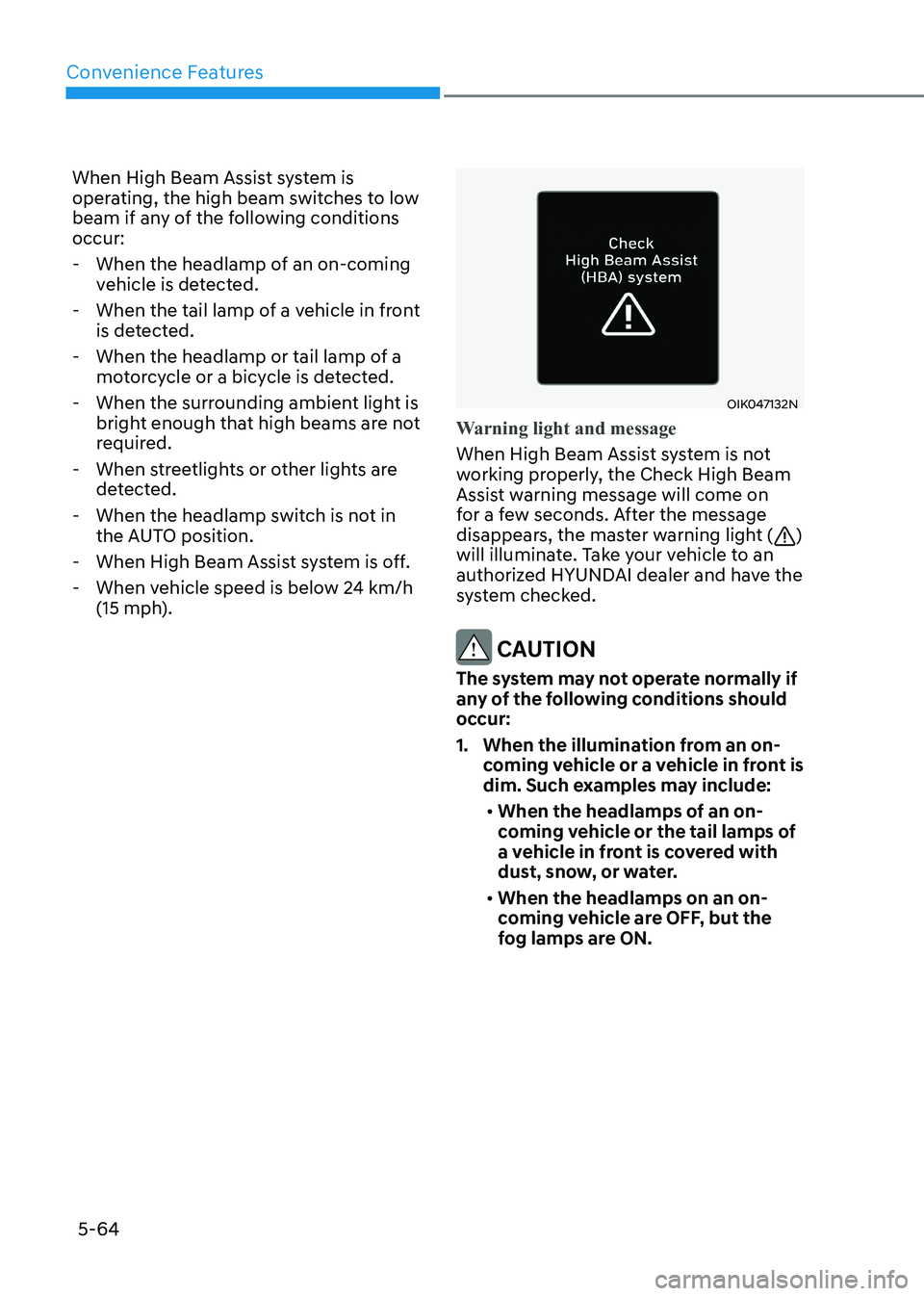
Warning light and message
When High Beam Assist system is not
working properly, the Check High Beam
Assist warning message will come on
for a few seconds. After the message
disappears, the master warning light (
)
will illuminate. Take your vehicle to an
authorized HYUNDAI dealer and have the
system checked.
CAUTION
The system may not operate normally if
any of the following conditions should
occur:
1. When the illumination from an on- coming vehicle or a vehicle in front is
dim. Such examples may include:
• When the headlamps of an on-
coming vehicle or the tail lamps of
a vehicle in front is covered with
dust, snow, or water.
• When the headlamps on an on-
coming vehicle are OFF, but the
fog lamps are ON.