2023 HYUNDAI SONATA oil
[x] Cancel search: oilPage 270 of 555
Convenience Features
5-124
Checking the amount of air
conditioner refrigerant and
compressor lubricant
When the amount of refrigerant is low,
the performance of the air conditioning
is reduced. Overfilling also reduces the
performance of the air conditioning
system.
Therefore, if abnormal operation is
found, have the system inspected by an
authorized HYUNDAI dealer.
NOTICE
It is important that the correct type and
amount of oil and refrigerant is used.
Otherwise, damage to the compressor
and abnormal system operation may
occur. To prevent damage, the air
conditioning system in your vehicle
should only be serviced by trained and
certified technicians.
WARNING
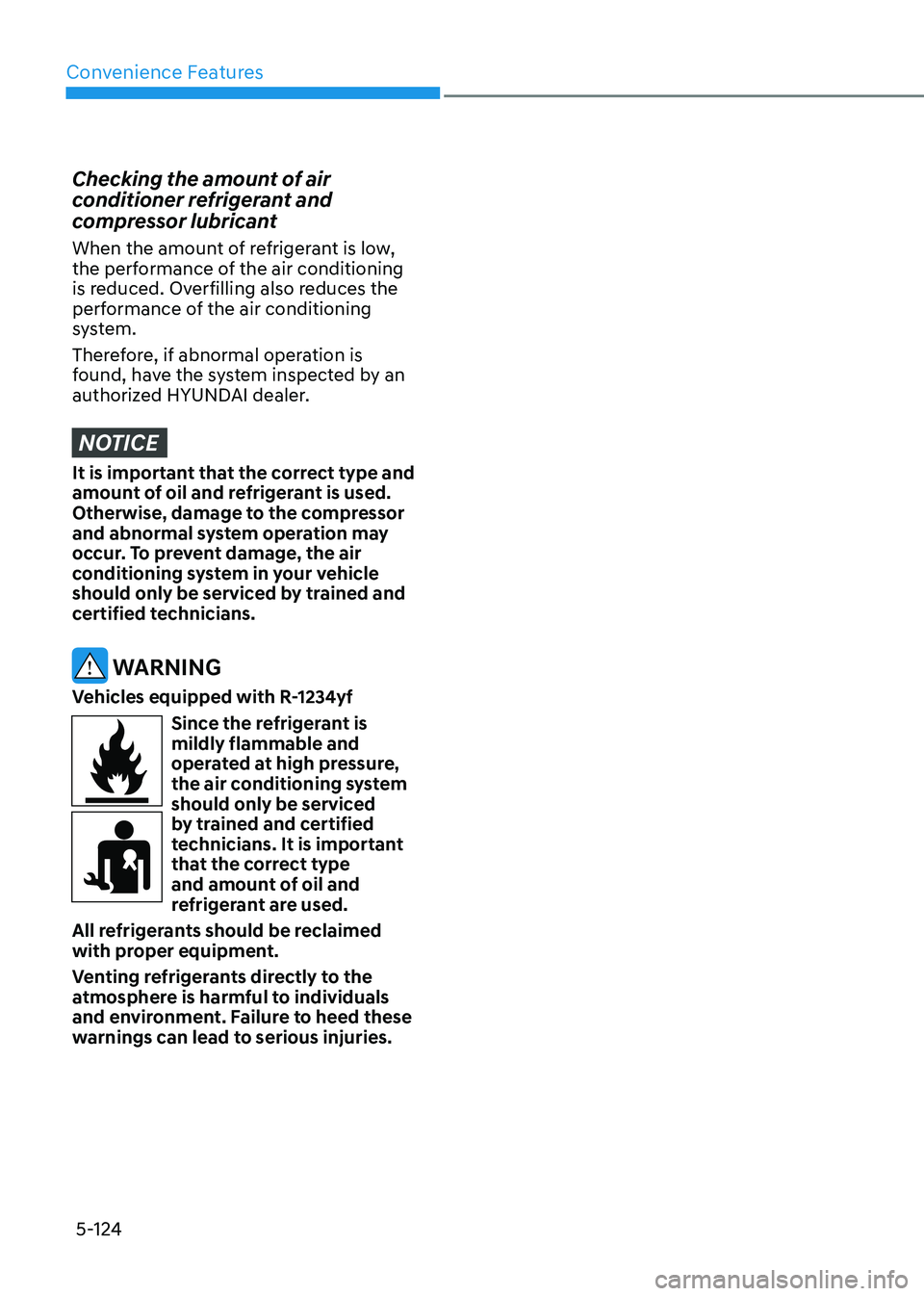
Vehicles equipped with R-1234yf
Since the refrigerant is mildly flammable and
operated at high pressure,
the air conditioning system
should only be serviced
by trained and certified
technicians. It is important
that the correct type
and amount of oil and
refrigerant are used.
All refrigerants should be reclaimed
with proper equipment.
Venting refrigerants directly to the
atmosphere is harmful to individuals
and environment. Failure to heed these
warnings can lead to serious injuries.
Page 285 of 555
05
5-139
infoTAinmenT SySTem
NOTICE
• If you install an aftermarket HID
head lamp, your vehicle’s audio and
electronic devices may not function
properly.
• Prevent chemicals such as perfume,
cosmetic oil, sunscreen, hand
cleaner, and air freshener from
contacting the interior parts
because they may cause damage or
discoloration.
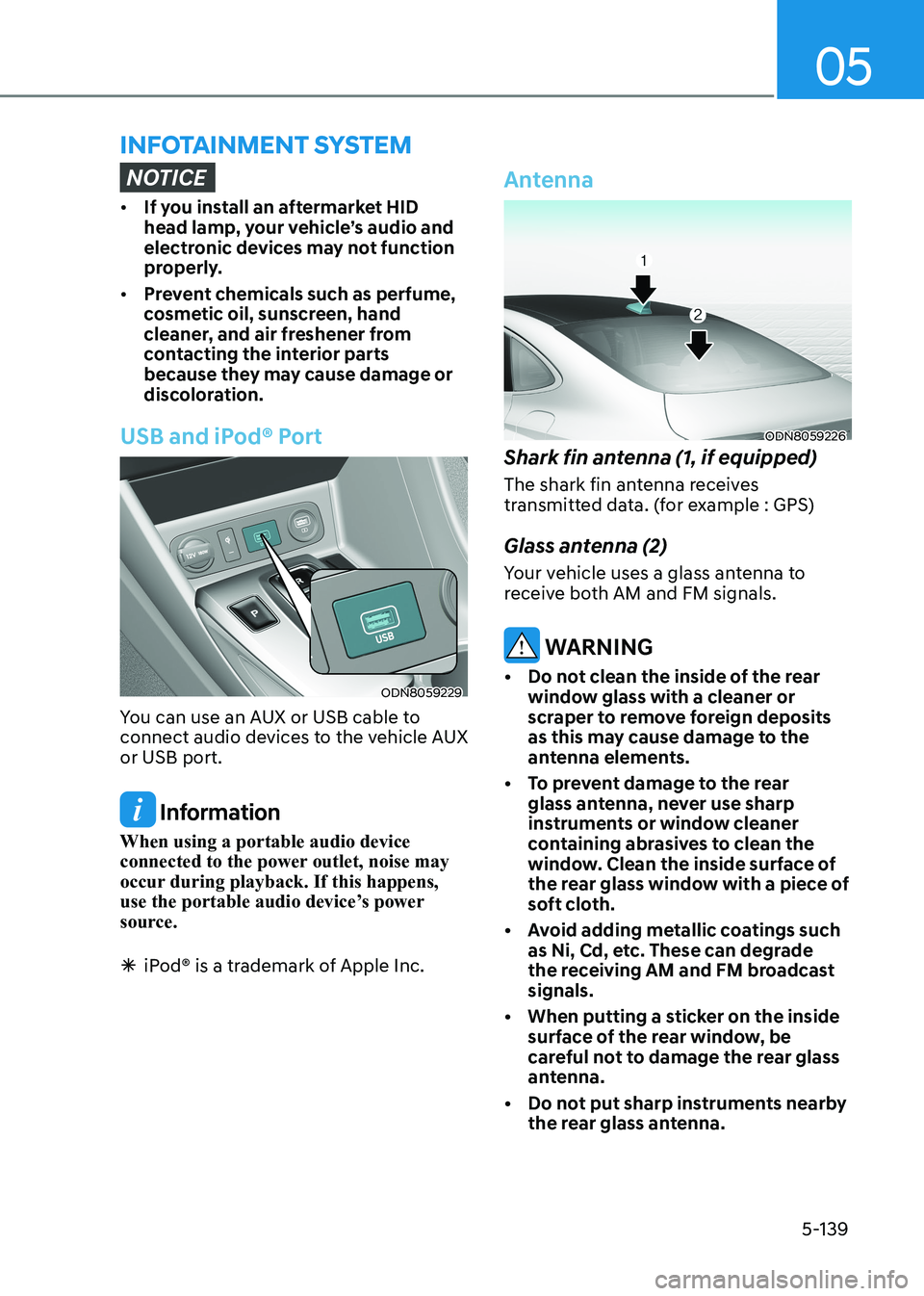
USB and iPod® Port
ODN8059229
You can use an AUX or USB cable to
connect audio devices to the vehicle AUX or USB port.
Information
When using a portable audio device
connected to the power outlet, noise may
occur during playback. If this happens,
use the portable audio device’s power
source.
à iPod® is a trademark of Apple Inc.
Antenna
ODN8059226
Shark fin antenna (1, if equipped)
The shark fin antenna receives
transmitted data. (for example : GPS)
Glass antenna (2)
Your vehicle uses a glass antenna to
receive both AM and FM signals.
WARNING
• Do not clean the inside of the rear window glass with a cleaner or
scraper to remove foreign deposits
as this may cause damage to the
antenna elements.
• To prevent damage to the rear glass antenna, never use sharp
instruments or window cleaner
containing abrasives to clean the
window. Clean the inside surface of
the rear glass window with a piece of
soft cloth.
• Avoid adding metallic coatings such as Ni, Cd, etc. These can degrade
the receiving AM and FM broadcast signals.
• When putting a sticker on the inside surface of the rear window, be
careful not to damage the rear glass
antenna.
• Do not put sharp instruments nearby the rear glass antenna.
Page 291 of 555
While Driving
6-4
WARNING
Carbon monoxide (CO) gas is toxic. Breathing CO can cause unconsciousness and
death.
Engine exhaust contains carbon monoxide which cannot be seen or smelled.
Do not inhale engine exhaust.
If at any time you smell engine exhaust inside the vehicle, open the windows
immediately. Exposure to CO can cause unconsciousness and death by asphyxiation.
Be sure the exhaust system does not leak.
The exhaust system should be checked whenever the vehicle is raised to change the
oil or for any other purpose. If you hear a change in the sound of the exhaust or if you
drive over something that strikes the underneath side of the vehicle, have the exhaust
system checked as soon as possible by an authorized HYUNDAI dealer.
Do not run the engine in an enclosed area.
Letting the engine idle in your garage, even with the garage door open, is a hazardous
practice. Run the engine only long enough to start the engine and to move the vehicle
out of the garage.
Avoid idling the engine for prolonged periods with people inside the vehicle.
If it is necessary to idle the engine for a prolonged period with people inside the
vehicle, be sure to do so only in an open area with the air intake set at "Fresh" and fan
control set to high so fresh air is drawn into the interior.
Keep the air intakes clear.
To assure proper operation of the ventilation system, keep the ventilation air intakes
located in front of the windshield clear of snow, ice, leaves, or other obstructions.
If you must drive with the trunk open:
Close all windows.
Open instrument panel air vents.
Set the air intake control at "Fresh", the air flow control at "Floor" or "Face", and the fan
control set to high.
Page 331 of 555
While Driving
6-44
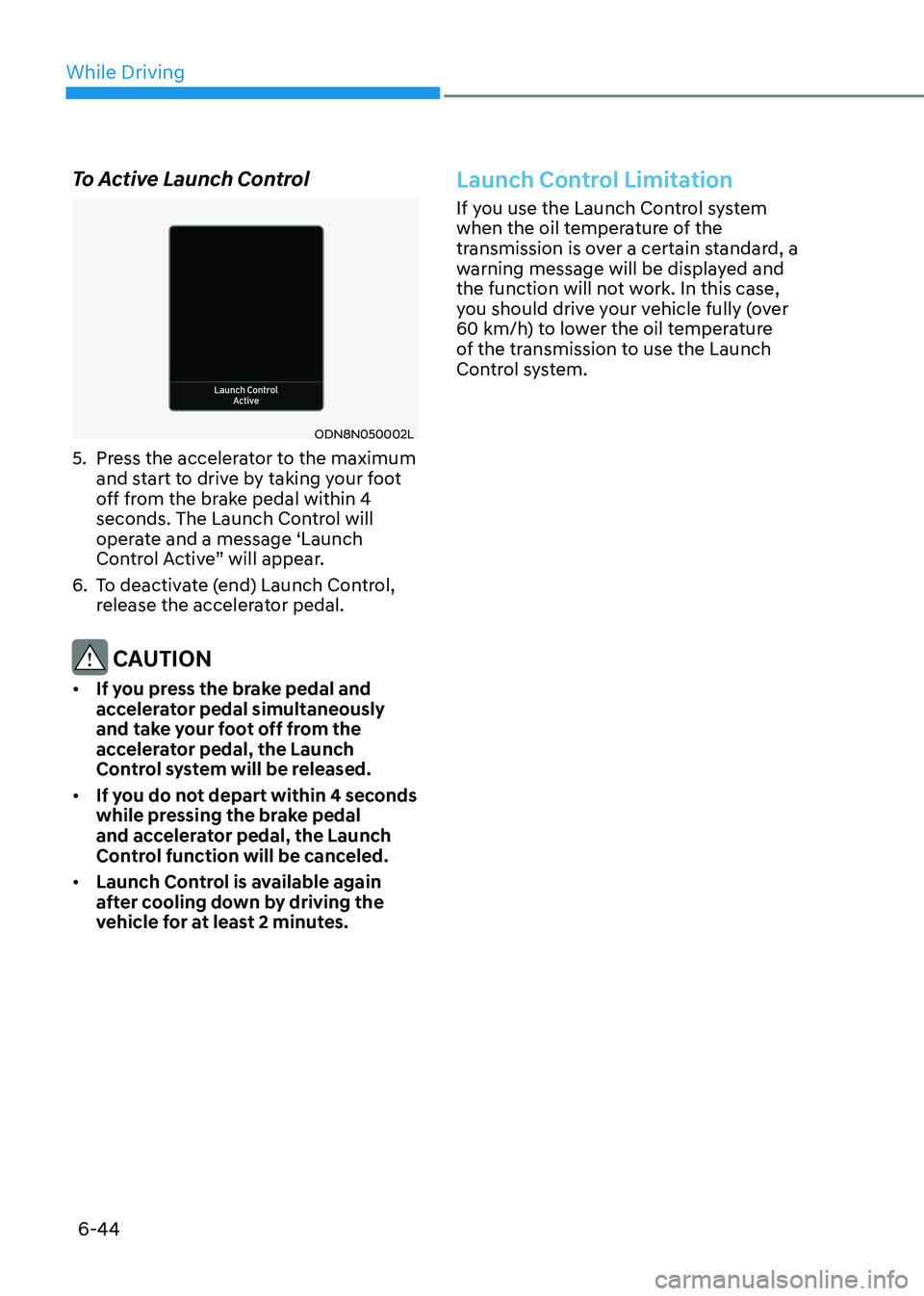
To Active Launch Control
ODN8N050002L
5. Press the accelerator to the maximum and start to drive by taking your foot
off from the brake pedal within 4
seconds. The Launch Control will
operate and a message ‘Launch
Control Active” will appear.
6. To deactivate (end) Launch Control, release the accelerator pedal.
CAUTION
• If you press the brake pedal and
accelerator pedal simultaneously
and take your foot off from the
accelerator pedal, the Launch
Control system will be released.
• If you do not depart within 4 seconds
while pressing the brake pedal
and accelerator pedal, the Launch
Control function will be canceled.
• Launch Control is available again
after cooling down by driving the
vehicle for at least 2 minutes.
Launch Control Limitation
If you use the Launch Control system
when the oil temperature of the
transmission is over a certain standard, a
warning message will be displayed and
the function will not work. In this case,
you should drive your vehicle fully (over
60 km/h) to lower the oil temperature
of the transmission to use the Launch
Control system.
Page 335 of 555
While Driving
6-48
Various driving situations, which you may
encounter in SMART mode
• The driving mode automatically
changes to SMART SPORT, when
you abruptly accelerate the vehicle
or repetitively operate the steering
wheel (Your driving is categorized
to be sporty.). In this mode, your
vehicle drives in a lower gear for
abrupt accelerating/decelerating
and increases the engine brake
performance.
• You may still sense the engine
braking performance, even when
you release the accelerator pedal in
SMART SPORT mode. It is because
your vehicle remains in lower gear
over a certain period of time for next
acceleration. Thus, it is a normal
driving situation, not indicating any malfunction.
• The driving mode automatically
changes to SMART SPORT mode only
in harsh driving situations. In most
of the normal driving situations, the
driving mode sets to be in SMART NORMAL mode.
Limitation of SMART mode
The SMART mode may be limited in
following situations. (The OFF indicator
illuminates in those situations.) • The driver uses the paddle shifter
(manual shift mode) :
It deactivates SMART mode. The
vehicle drives, as the driver manually
changes gear with the paddle shifter.
• The cruise control is activated :
The cruise control system may
deactivate the SMART mode when
the vehicle is controlled by the set
speed of Smart Cruise Control system.
(SMART mode is not deactivated
just by activating the cruise control
system.)
• The transmission oil temperature is
either extremely low or extremely high :
The SMART mode can be active in
most of the normal driving situations.
However, an extremely high/ low
transmission oil temperature may
temporarily deactivate the SMART
mode, because the transmission
condition is out of normal operation condition.
Page 362 of 555
06
6-75
LKA system will not be in the ENABLED state and the steering wheel will not be assisted when:
• The turn signal is turned on before
changing a lane. If you change lanes without the turn signal on, the
steering wheel might be controlled.
• The vehicle is not driven in the middle
of the lane when the system is turned
on or right after changing a lane.
• ESC (Electronic Stability Control) or
VSM (Vehicle Stability Management)
is activated.
• The vehicle is driven on a sharp curve.
• Vehicle speed is below 64 km/h (40
mph) and over 177 km/h (110 mph).
• The vehicle makes sharp lane changes.
• The vehicle brakes suddenly.
• Only one lane marker is detected.
• The lane (or road width) is very wide
or narrow.
• There are more than two lane markers
on the road. (e.g. construction area)
• The vehicle is driven on a steep incline.
• The steering wheel is turned suddenly.
• The system may not operate for 15
seconds after the engine is started or
the camera is initialized.
Limitations of the System
LKA system may operate prematurely
even if the vehicle does not depart from
the intended lane, OR, LKA system may
not assist your steering or warn you if the
vehicle leaves the intended lane under
the following circumstances:
When the lane and road conditions are poor • It is difficult to distinguish the lane
marking from the road surface or the
lane marking is faded or not clearly
marked.
• It is difficult to distinguish the color of
the lane marker from the road.
• There are markings on the road
surface that look like a lane marker
that is inadvertently being detected
by the camera.
• The lane marker is indistinct or damaged.
• The lane marker is merged or divided
(e.g. tollgate).
• The lane number increases or
decreases or the lane marker are
crossing complicatedly.
• There are more than two lane markers
on the road in front of you.
• The lane marker is very thick or thin.
• The lane is very wide or narrow.
• The lane ahead is not visible due
to rain, snow, water on the road,
damaged or stained road surface, or
other factors.
• The shadow is on the lane marker by
a median strip, trees, guardrail, noise
barriers, etc.
• The lane markers are complicated or a
structure substitutes for the lines such
as a construction area.
• There are crosswalk signs or other
symbols on the road.
• The lane marker in a tunnel is stained
with oil, etc.
• The lane suddenly disappears such as
at the intersection.
Page 417 of 555
While Driving
6-130
Limitations of the System
LFA system may operate prematurely
even if the vehicle does not depart from
the intended lane, OR, LFA system may
not assist your steering or warn you if the
vehicle leaves the intended lane under
the following circumstances:
When the lane and road conditions are poor • It is difficult to distinguish the lane
marking from the road surface or the
lane marking is faded or not clearly
marked.
• It is difficult to distinguish the color of
the lane marker from the road.
• There are markings on the road
surface that look like a lane marker
that is inadvertently being detected
by the camera.
• The lane marker is indistinct or damaged.
• The lane marker is merged or divided
(e.g. tollgate).
• The lane number increases or
decreases or the lane marker are
crossing complicatedly.
• There are more than two lane markers
on the road in front of you.
• The lane marker is very thick or thin.
• The lane is very wide or narrow.
• The lane marker ahead is not visible
due to rain, snow, water on the road,
damaged or stained road surface, or
other factors. •
The shadow is on the lane marker by
a median strip, trees, guardrail, noise
barriers, etc.
• The lane markers are complicated or a
structure substitutes for the lines such
as a construction area.
• There are crosswalk signs or other
symbols on the road.
• The lane marker in a tunnel is stained
with oil, etc.
• The lane suddenly disappears such as
at the intersection.
• Driving the shared lane usage (bicycle
lane, pedestrians lane, etc.)
When external condition is intervened • The brightness outside changes
suddenly such as when entering or
exiting a tunnel, or when passing under a bridge.
• The brightness outside is too low such
as when the headlamps are not on at
night or the vehicle is going through a tunnel.
• There is a boundary structure in the
roadway such as a concrete barrier,
guardrail and reflector post that is
inadvertently being detected by the
camera.
• When light coming from a street light
or an oncoming vehicle is reflected on
a wet road surface such as a puddle in
the road.
• The field of view in front is obstructed
by sun glare.
Page 439 of 555
While Driving
6-152
Driving in Flooded Areas
Avoid driving through flooded areas
unless you are sure the water is no
higher than the bottom of the wheel hub.
Drive through any water slowly. Allow
adequate stopping distance because
brake performance may be reduced.
After driving through water, dry the
brakes by gently applying them several
times while the vehicle is moving slowly.
Highway Driving
Tires
Adjust the tire inflation, as specified.
Under-inflation may overheat or damage
the tires.
Do not install worn-out or damaged tires,
which may reduce traction or adversely
affect vehicle handling. This could lead
to sudden tire failure that may cause
loss of vehicle control resulting in an
accident.
Information
Never over-inflate your tires above the
maximum inflation pressure, as specified
on your tires.
Fuel, engine coolant and engine oil
Driving at higher speeds on the highway
consumes more fuel and is less efficient
than driving at a slower, more moderate
speed. Maintain a moderate speed in
order to conserve fuel when driving on
the highway.
Be sure to check both the engine coolant
level and the engine oil before driving.
Drive belt
A loose or damaged drive belt may
overheat the engine.