2023 HYUNDAI I30 VIN
[x] Cancel search: VINPage 184 of 533

3-101
Convenient features of your vehicle
3
This system is a supplemental sys-
tem that senses objects within the
range and location of the sensors. It
cannot detect objects in other areas
where sensors are not installed.Operation of the Parking
Distance Warning
(Reverse/Forward) system
Operating condition
This system will activate when the
Parking Distance Warning
(Reverse/Forward) system button
is pressed with the engine running. The Parking Distance Warning
(Reverse/Forward) system button
turns on automatically and acti-
vates the Parking Distance
Warning (Reverse/Forward) sys-
tem when you move the shift lever
to the R (Reverse) position.
However, if vehicle speed exceeds
10 km/h, the system will not warn
you even though objects are
detected, and if vehicle speed
exceeds 20 km/h, the system will
turn off automatically. To turn on
the system, press the Parking
Distance Warning
(Reverse/Forward) system button.
When more than two objects are
sensed at the same time, the clos-
est one will be recognised first.
ALWAYS look around your vehi-
cle to make sure there are no
objects or obstacles, before
moving the vehicle in any direc-
tion, to prevent a collision.
Always pay close attention
when the vehicle is driven
close to objects, particularly
pedestrians, and especially
children.
Be aware that some objects
may not be visible on the
screen or be detected by the
sensors, due to the objects
distance, size or material, all of
which can limit the effective-
ness of the sensor.
WARNING
OPDE046403R
Page 185 of 533

3-102
Convenient features of your vehicle
Non-operational conditions of
Parking Distance Warning
(Reverse/Forward) system
Parking Distance Warning
(Reverse/Forward) system may not
operate normally when:
Moisture is frozen to the sensor.
Sensor is covered with foreign mat-
ter, such as snow or water, or the
sensor cover is blocked.
There is a possibility of Parking
Distance Warning
(Reverse/Forward) system malfunc-
tion when:
Driving on uneven road surfaces
such as unpaved roads, gravel,
bumps, or gradients.
Objects generating excessive noise
such as vehicle horns, loud motor-
cycle engines, or truck air brakes
can interfere with the sensor.
Heavy rain or water spray is present.
Wireless transmitters or mobile
phones are present near the sensor.
The sensor is covered with snow. The indicator may differ from the illustration depending on objects or
sensor status. If the indicator blinks, we recommend that the system
be checked by an authorised HYUNDAI dealer.
If the audible warning does not sound or if the buzzer sounds inter-
mittently when shifting into R (Reverse) position, this may indicate a
malfunction with the Parking Distance Warning (Reverse/Forward)
system. If this occurs, we recommend that you have your vehicle
checked by an authorised HYUNDAI dealer as soon as possible.
NOTICE
Distance
from object Warning indicator
Warning soundWhen driving
forwardWhen driving
rearward
61 ~ 100Front-Buzzer beeps
intermittently
61 ~ 120Rear-Buzzer beeps
intermittently
31 ~ 60
FrontBuzzer beeps
frequently
Rear-Buzzer beeps
frequently
30
FrontBuzzer sounds
continuously
Rear-Buzzer sounds
continuously
Types of warning sound and indicatorcm
Page 192 of 533
3-109
Convenient features of your vehicle
3
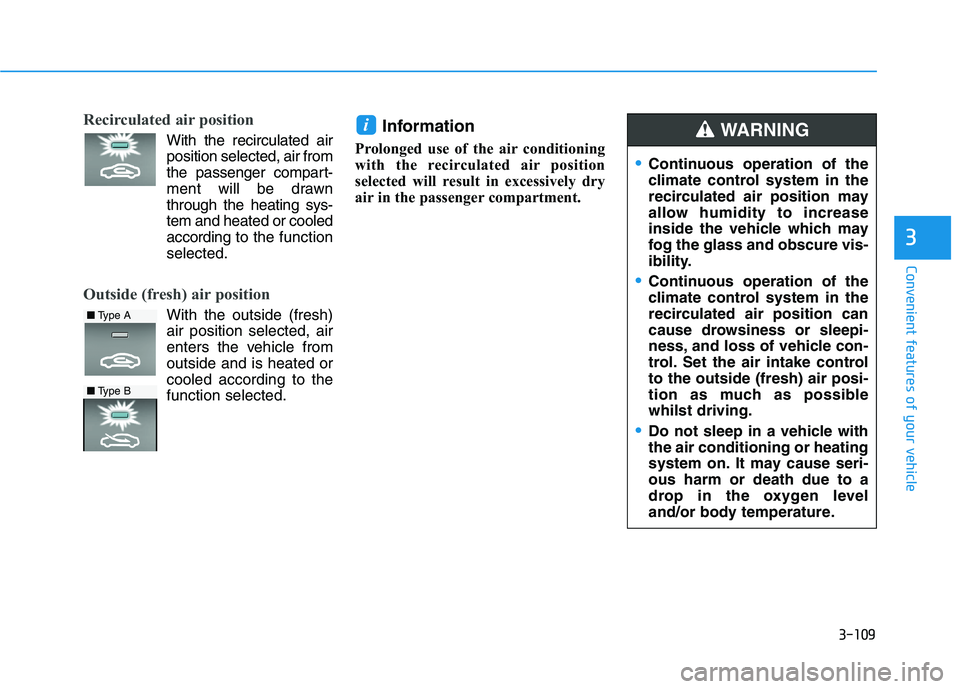
Recirculated air position
With the recirculated air
position selected, air from
the passenger compart-
ment will be drawn
through the heating sys-
tem and heated or cooled
according to the function
selected.
Outside (fresh) air position
With the outside (fresh)
air position selected, air
enters the vehicle from
outside and is heated or
cooled according to the
function selected.
Information
Prolonged use of the air conditioning
with the recirculated air position
selected will result in excessively dry
air in the passenger compartment.
i
Continuous operation of the
climate control system in the
recirculated air position may
allow humidity to increase
inside the vehicle which may
fog the glass and obscure vis-
ibility.
Continuous operation of the
climate control system in the
recirculated air position can
cause drowsiness or sleepi-
ness, and loss of vehicle con-
trol. Set the air intake control
to the outside (fresh) air posi-
tion as much as possible
whilst driving.
Do not sleep in a vehicle with
the air conditioning or heating
system on. It may cause seri-
ous harm or death due to a
drop in the oxygen level
and/or body temperature.
WARNING
■Type A
■Type B
Page 194 of 533
3-111
Convenient features of your vehicle
3
Operation Tips
To keep dust or unpleasant fumes
from entering the vehicle through
the ventilation system, temporarily
set the air intake control to the
recirculated air position. Be sure to
return the control to the fresh air
position when the irritation has
passed to keep fresh air in the
vehicle. This will help keep the driv-
er alert and comfortable.
To prevent interior fog on the wind-
screen, set the air intake control to
the fresh air position and blower
speed to the desired position. Turn
on the air conditioning system, and
adjust the temperature control to
the desired temperature.
Air conditioning
HYUNDAI Air Conditioning Systems
are filled with R-134a refrigerant.
1. Start the engine. Push the air con-
ditioning button.
2. Set the mode to the position.
3. Set the air intake control to the out-
side air or recirculated air position.
4. Adjust the blower speed control
and temperature control to main-
tain maximum comfort.
The refrigerant system should
only be serviced by trained and
certified technicians to insure
proper and safe operation.
The refrigerant system should
be serviced in a well-ventilated
place.
The air conditioning evaporator
(cooling coil) shall never be
repaired or replaced with one
removed from a used or sal-
vaged vehicle and new replace-
ment MAC evaporators shall be
certified (and labelled) as meet-
ing SAE Standard J2842. When using the air conditioning
system, monitor the temperature
gauge closely whilst driving up
hills or in heavy traffic when out-
side temperatures are high. Air
conditioning system operation
may cause engine overheating.
Continue to use the blower but
turn the air conditioning system
off if the temperature gauge
indicates engine overheating.
When opening the windows in
humid weather, air conditioning
may create water droplets inside
the vehicle. As excessive water
droplets may cause damage to
electrical equipment, air condi-
tioning should only be used with
the windows closed.
NOTICE
NOTICE
Page 199 of 533

3-116
Convenient features of your vehicle
Information
Never place anything near the sensor
to ensure better control of the heating
and cooling system.
Manual heating and air condi-
tioning
The heating and cooling system can be
controlled manually by pushing buttons
other than the AUTO button. In this
case, the system works sequentially
according to the order of buttons select-
ed. When pressing any button except
the AUTO button whilst using automat-
ic operation, the functions not selected
will be controlled automatically.
1.Start the engine.
2.Set the mode to the desired position.
For improving the effectiveness of
heating and cooling, select:
- Heating:
- Cooling:
3.Set the temperature control to the
desired position.4.Set the air intake control to the out-
side (fresh) air position.
5.Set the blower speed control to the
desired speed.
6.If air conditioning is desired, turn
the air conditioning system on.
7.Press the AUTO button to convert
to full automatic control of the sys-
tem.
i
Page 203 of 533
3-120
Convenient features of your vehicle
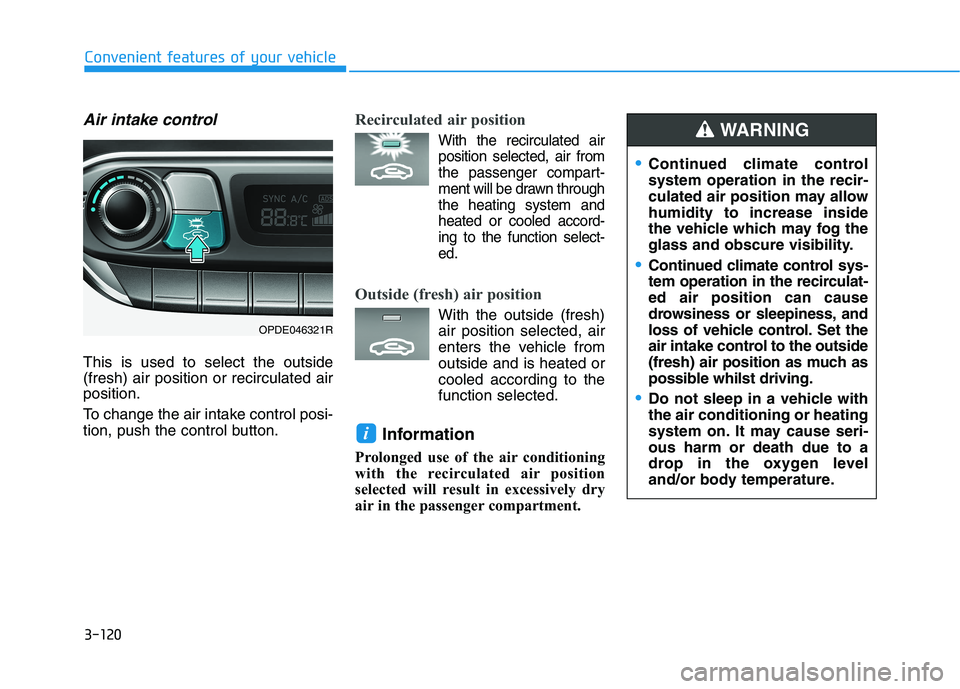
Air intake control
This is used to select the outside
(fresh) air position or recirculated air
position.
To change the air intake control posi-
tion, push the control button.
Recirculated air position
With the recirculated air
position selected, air from
the passenger compart-
ment will be drawn through
the heating system and
heated or cooled accord-
ing to the function select-
ed.
Outside (fresh) air position
With the outside (fresh)
air position selected, air
enters the vehicle from
outside and is heated or
cooled according to the
function selected.
Information
Prolonged use of the air conditioning
with the recirculated air position
selected will result in excessively dry
air in the passenger compartment.
i
Continued climate control
system operation in the recir-
culated air position may allow
humidity to increase inside
the vehicle which may fog the
glass and obscure visibility.
Continued climate control sys-
tem operation in the recirculat-
ed air position can cause
drowsiness or sleepiness, and
loss of vehicle control. Set the
air intake control to the outside
(fresh) air position as much as
possible whilst driving.
Do not sleep in a vehicle with
the air conditioning or heating
system on. It may cause seri-
ous harm or death due to a
drop in the oxygen level
and/or body temperature.
WARNING
OPDE046321R
Page 206 of 533
3-123
Convenient features of your vehicle
3
The refrigerant system should
only be serviced by trained and
certified technicians to insure
proper and safe operation.
The refrigerant system should
be serviced in a well-ventilated
place.
The air conditioning evaporator
(cooling coil) shall never be
repaired or replaced with one
removed from a used or salvaged
vehicle and new replacement
MAC evaporators shall be certi-
fied (and labelled) as meeting
SAE Standard J2842. When using the air conditioning
system, monitor the temperature
gauge closely whilst driving up
hills or in heavy traffic when out-
side temperatures are high. Air
conditioning system operation
may cause engine overheating.
Continue to use the blower but
turn the air conditioning system
off if the temperature gauge
indicates engine overheating.
When opening the windows in
humid weather, air conditioning
may create water droplets inside
the vehicle. As excessive water
droplets may cause damage to
electrical equipment, air condi-
tioning should only be used with
the windows closed.
Air conditioning system operation
tips
If the vehicle has been parked in
direct sunlight during hot weather,
open the windows for a short time
to let the hot air inside the vehicle
escape.
achieved, switch back from the
recirculated air to the fresh outside
air position.
To help reduce moisture inside of
the windows on rainy or humid
days, decrease the humidity inside
the vehicle by operating the air
conditioning system with the win-
dows and sunroof closed.
Use the air conditioning system
every month for a few minutes to
ensure maximum system perform-
ance.
NOTICENOTICE
Page 209 of 533
3-126
Convenient features of your vehicle
For maximum windscreen defrost-
ing, set the temperature control
knob to the highest temperature
setting and the blower speed con-
trol knob to the highest blower
speed. Select the front defrost but-
ton on the climate control display.
After the engine warm-up period,
warm air will be directed to the
front windscreen.
If warm air to the floor is desired
whilst defrosting or defogging, set the
mode to the floor-defrost position.
Before driving, clear all snow and
ice from the windscreen, rear win-
dow, outside rear view mirrors, and
all side windows.
Clear all snow and ice from the bon-
net and air inlet in the cowl grill to
improve heater and defroster effi-
ciency and to reduce the probability
of fogging up inside of the wind-
screen.
Information
If the engine temperature is still cold
after starting, then a brief engine
warm up period may be required for
the vented air flow to become warm or
hot.
Manual climate control system
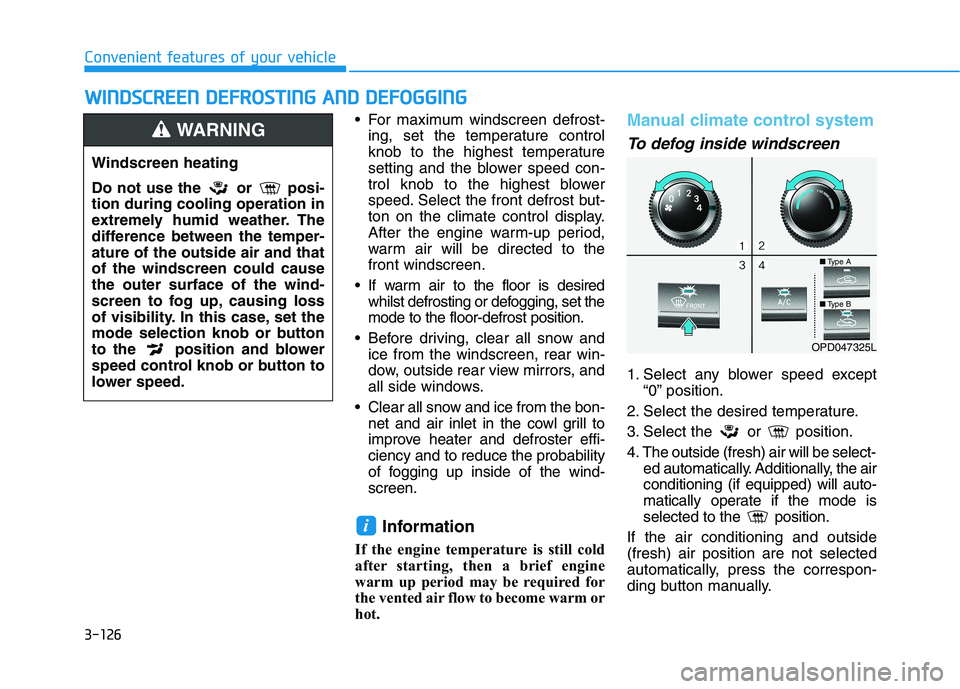
To defog inside windscreen
1. Select any blower speed except
“0” position.
2. Select the desired temperature.
3. Select the or position.
4. The outside (fresh) air will be select-
ed automatically. Additionally, the air
conditioning (if equipped) will auto-
matically operate if the mode is
selected to the position.
If the air conditioning and outside
(fresh) air position are not selected
automatically, press the correspon-
ding button manually.
i
W WI
IN
ND
DS
SC
CR
RE
EE
EN
N
D
DE
EF
FR
RO
OS
ST
TI
IN
NG
G
A
AN
ND
D
D
DE
EF
FO
OG
GG
GI
IN
NG
G
Windscreen heating
Do not use the or posi-
tion during cooling operation in
extremely humid weather. The
difference between the temper-
ature of the outside air and that
of the windscreen could cause
the outer surface of the wind-
screen to fog up, causing loss
of visibility. In this case, set the
mode selection knob or button
to the position and blower
speed control knob or button to
lower speed.
WARNING
OPD047325L
■Type A
■Type B