Page 161 of 533
3-78
Convenient features of your vehicle
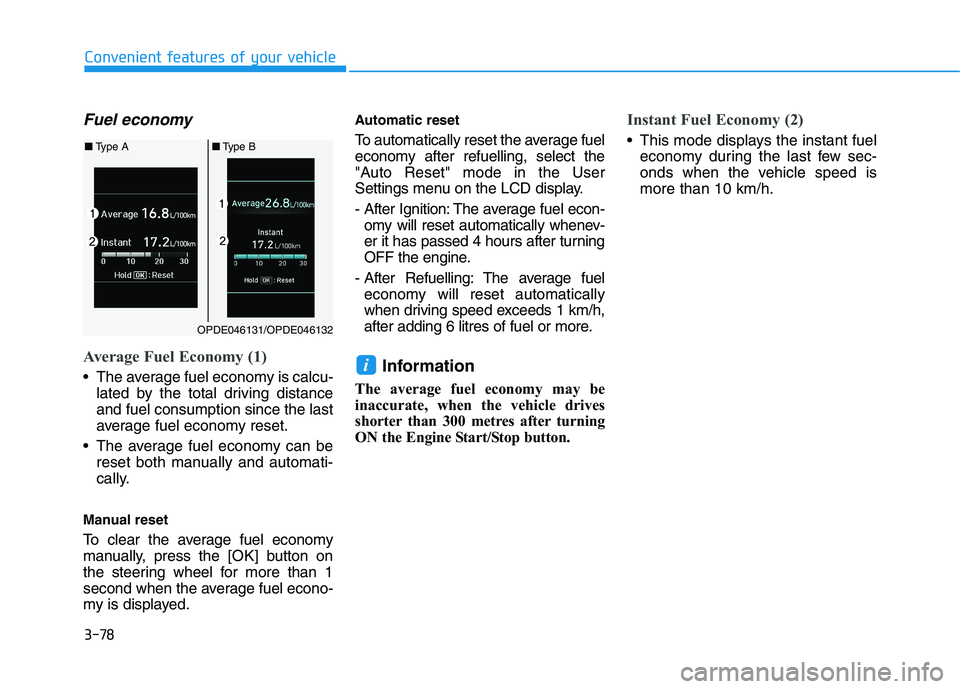
Fuel economy
Average Fuel Economy (1)
The average fuel economy is calcu-
lated by the total driving distance
and fuel consumption since the last
average fuel economy reset.
The average fuel economy can be
reset both manually and automati-
cally.
Manual reset
To clear the average fuel economy
manually, press the [OK] button on
the steering wheel for more than 1
second when the average fuel econo-
my is displayed.
Automatic reset
To automatically reset the average fuel
economy after refuelling, select the
"Auto Reset" mode in the User
Settings menu on the LCD display.
- After Ignition: The average fuel econ-
omy will reset automatically whenev-
er it has passed 4 hours after turning
OFF the engine.
- After Refuelling: The average fuel
economy will reset automatically
when driving speed exceeds 1 km/h,
after adding 6 litres of fuel or more.
Information
The average fuel economy may be
inaccurate, when the vehicle drives
shorter than 300 metres after turning
ON the Engine Start/Stop button.
Instant Fuel Economy (2)
This mode displays the instant fuel
economy during the last few sec-
onds when the vehicle speed is
more than 10 km/h.
i
OPDE046131/OPDE046132
■Type A■Type B
Page 162 of 533
3-79
Convenient features of your vehicle
3
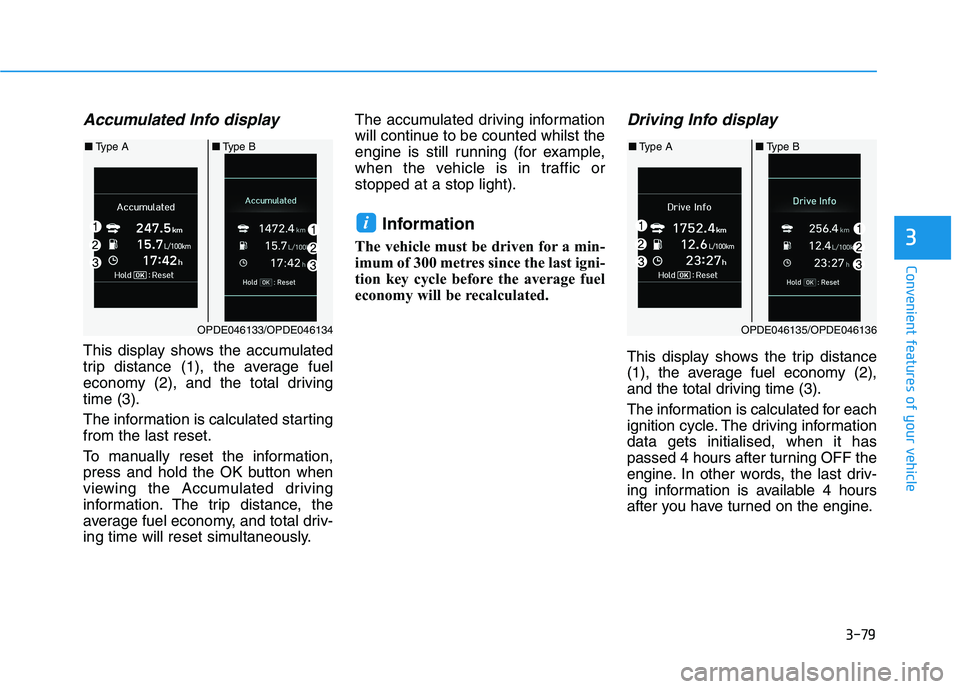
Accumulated Info display
This display shows the accumulated
trip distance (1), the average fuel
economy (2), and the total driving
time (3).
The information is calculated starting
from the last reset.
To manually reset the information,
press and hold the OK button when
viewing the Accumulated driving
information. The trip distance, the
average fuel economy, and total driv-
ing time will reset simultaneously.The accumulated driving information
will continue to be counted whilst the
engine is still running (for example,
when the vehicle is in traffic or
stopped at a stop light).
Information
The vehicle must be driven for a min-
imum of 300 metres since the last igni-
tion key cycle before the average fuel
economy will be recalculated.
Driving Info display
This display shows the trip distance
(1), the average fuel economy (2),
and the total driving time (3).
The information is calculated for each
ignition cycle. The driving information
data gets initialised, when it has
passed 4 hours after turning OFF the
engine. In other words, the last driv-
ing information is available 4 hours
after you have turned on the engine.
i
OPDE046133/OPDE046134
■Type A■Type B
OPDE046135/OPDE046136
■Type A■Type B
Page 163 of 533
3-80
Convenient features of your vehicle
To manually reset the information,
press and hold the OK button when
viewing the Driving information. The
trip distance, the average fuel econo-
my, and total driving time will reset
simultaneously.
The driving information will continue
to be counted whilst the engine is still
running (for example, when the vehi-
cle is in traffic or stopped at a stop
light.)
Information
The vehicle must be driven for a min-
imum of 300 metres since the last igni-
tion key cycle before the average fuel
economy will be recalculated.
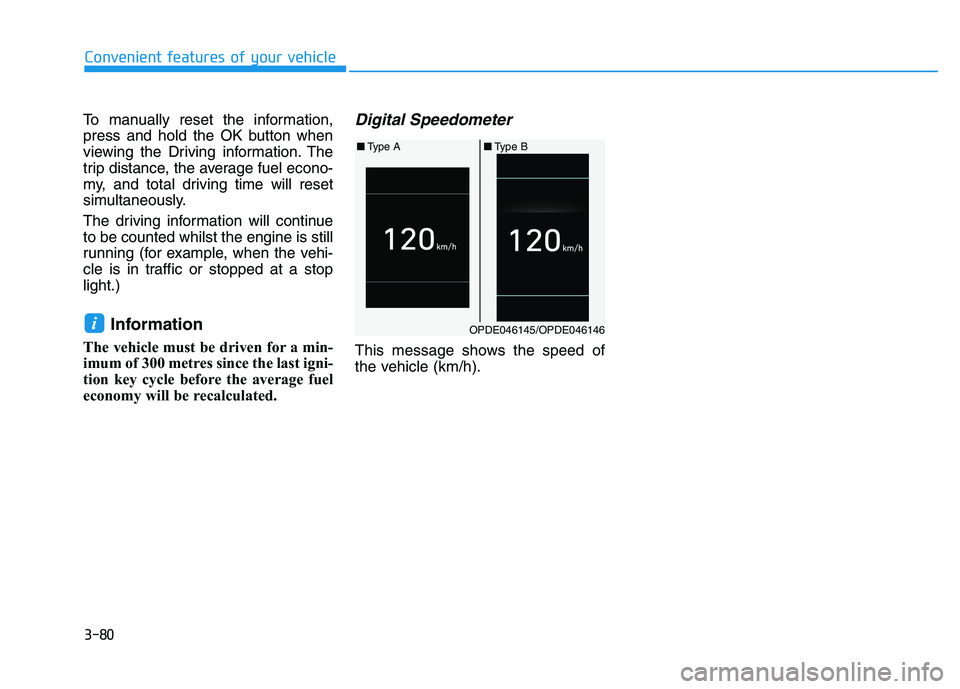
Digital Speedometer
This message shows the speed of
the vehicle (km/h).
iOPDE046145/OPDE046146
■Type A■Type B
Page 164 of 533

3-81
Convenient features of your vehicle
3
Exterior lights
Lighting control
To operate the lights, turn the knob at
the end of the control lever to one of
the following positions:
(1) OFF position
(2) AUTO light position (if equipped)
(3) Position lamp position
(4) Headlamp position
AUTO light position (if equipped)
When the light switch is in the AUTO
position, the position lamp and head-
lamp will be turned ON or OFF auto-
matically depending on the amount
of light outside the vehicle.
Even with the AUTO light feature in
operation, it is recommended to
manually turn ON the lamps when
driving at night or in fog, or when you
enter dark areas, such as tunnels
and parking facilities.• Do not cover or spill anything on
the sensor (1) located on the
instrument panel.
Do not clean the sensor using a
window cleaner, as the cleanser
may leave a light film which
could interfere with sensor oper-
ation.
If your vehicle has window tint
or other types of metallic coat-
ing on the front windscreen, the
AUTO light system may not work
properly.
NOTICE
L LI
IG
GH
HT
TI
IN
NG
G
OPD047036E
OPD047481E
Page 171 of 533
3-88
Convenient features of your vehicle
Interior lights
Do not use the interior lights for
extended periods when the engine
is turned off otherwise the battery
will discharge.
Interior lamp AUTO cut
The interior lamps will automatically
go off approximately 20 minutes after
the engine is turned off and the
doors are closed. If a door is opened,
the lamp will go off 40 minutes after
the engine is turned off. If the doors
are locked and the vehicle enters the
armed stage of the theft alarm sys-
tem, the lamps will go off five sec-
onds later.
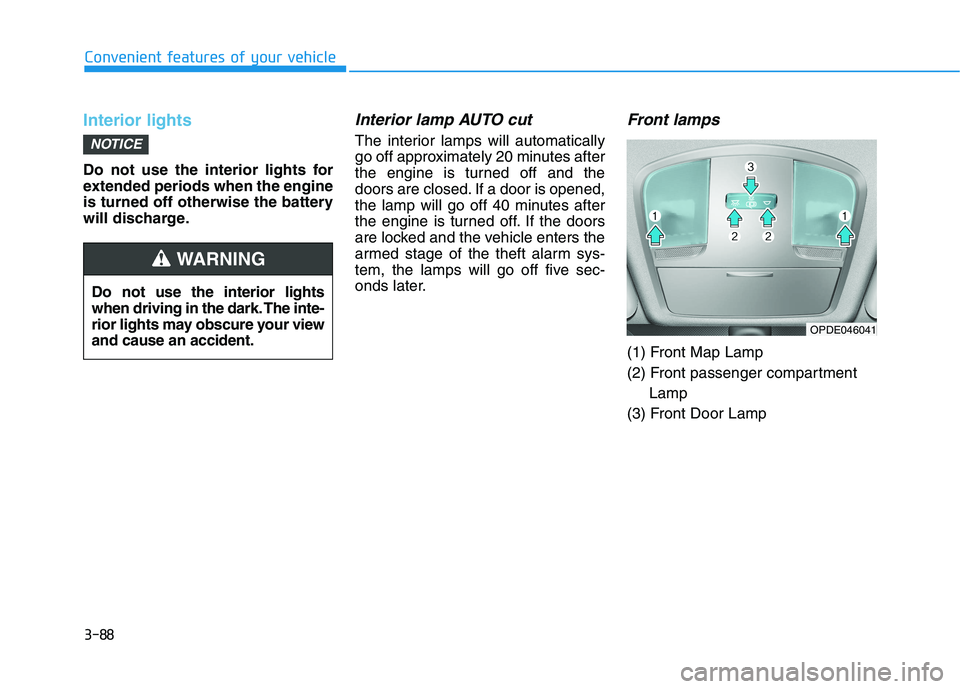
Front lamps
(1) Front Map Lamp
(2) Front passenger compartment
Lamp
(3) Front Door Lamp
NOTICE
Do not use the interior lights
when driving in the dark. The inte-
rior lights may obscure your view
and cause an accident.
WARNING
OPDE046041
Page 179 of 533
3-96
Convenient features of your vehicle
D DR
RI
IV
VE
ER
R
A
AS
SS
SI
IS
ST
T
S
SY
YS
ST
TE
EM
M
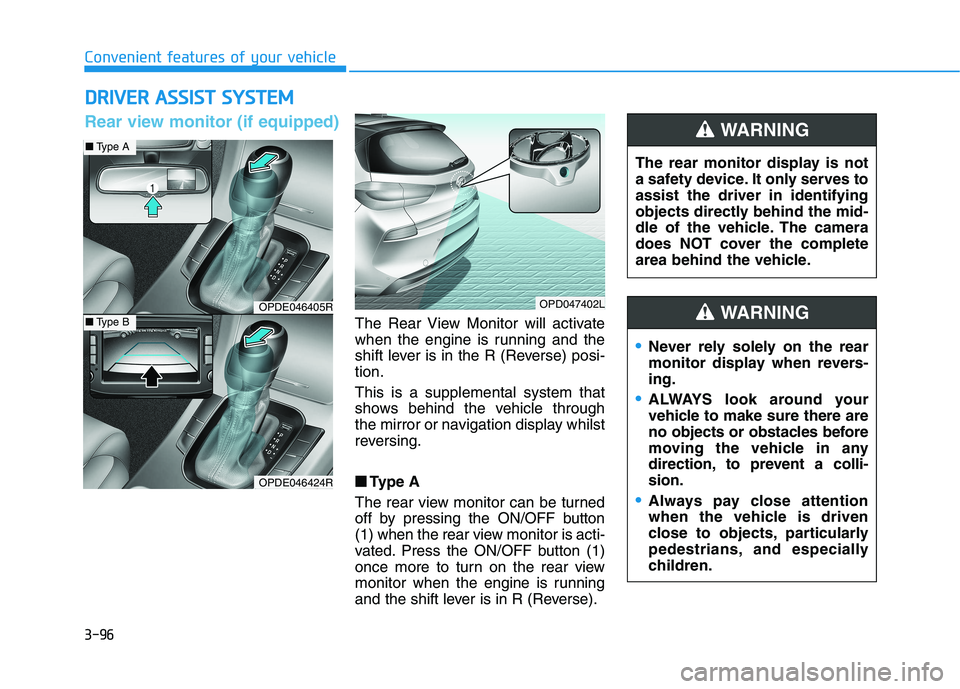
The Rear View Monitor will activate
when the engine is running and the
shift lever is in the R (Reverse) posi-
tion.
This is a supplemental system that
shows behind the vehicle through
the mirror or navigation display whilst
reversing.
■ ■
Type A
The rear view monitor can be turned
off by pressing the ON/OFF button
(1) when the rear view monitor is acti-
vated. Press the ON/OFF button (1)
once more to turn on the rear view
monitor when the engine is running
and the shift lever is in R (Reverse).The rear monitor display is not
a safety device. It only serves to
assist the driver in identifying
objects directly behind the mid-
dle of the vehicle. The camera
does NOT cover the complete
area behind the vehicle.
WARNING
OPDE046405R
OPDE046424R
OPD047402L
■Type A
■Type B
Rear view monitor (if equipped)
Never rely solely on the rear
monitor display when revers-
ing.
ALWAYS look around your
vehicle to make sure there are
no objects or obstacles before
moving the vehicle in any
direction, to prevent a colli-
sion.
Always pay close attention
when the vehicle is driven
close to objects, particularly
pedestrians, and especially
children.
WARNING
Page 180 of 533

3-97
Convenient features of your vehicle
3
Do not use any cleanser contain-
ing acid or alkaline detergents
when cleaning the lens. Use only a
mild soap or neutral detergent,
and rinse thoroughly with water.
Information
Always keep the camera lens clean. The
camera may not work normally if the
lens is covered with foreign material.
Parking Distance Warning
(Reverse) system (if equipped)
The Parking Distance Warning
(Reverse) system assists the driver
during reverse movement of the vehi-
cle by chiming if any object is sensed
within the distance of 120 cm behind
the vehicle.
This system is a supplemental sys-
tem that senses objects within the
range and location of the sensors, it
cannot detect objects in other areas
where sensors are not installed.
i
NOTICE
OPD047400LSensor
ALWAYS look around your
vehicle to make sure there are
no objects or obstacles,
before moving the vehicle in
any direction, to prevent a col-
lision.
Always pay close attention
when the vehicle is driven
close to objects, particularly
pedestrians, and especially
children.
Be aware that some objects
may not be visible on the
screen or be detected by the
sensors, due to the objects
distance, size or material, all
of which can limit the effec-
tiveness of the sensor.
WARNING
Page 182 of 533

3-99
Convenient features of your vehicle
3
Non-operational conditions of
Parking Distance Warning
(Reverse) system
The Parking Distance Warning
(Reverse) system may not operate
normally when:
Moisture is frozen to the sensor.
Sensor is covered with foreign mat-
ter, such as snow or water, or the
sensor cover is blocked.
There is a possibility of Parking
Distance Warning (Reverse) system
malfunction when:
Driving on uneven road surfaces
such as unpaved roads, gravel,
bumps, or gradients.
Objects generating excessive noise
such as vehicle horns, loud motor-
cycle engines, or truck air brakes
can interfere with the sensor.
Heavy rain or water spray is present. Wireless transmitters or mobile
phones are present near the sensor.
The sensor is covered with snow.
Any non-factory equipment or acces-
sories have been installed, or if the
vehicle bumper height or sensor
installation has been modified.
Detecting range may decrease when:
Outside air temperature is extreme-
ly hot or cold.
Undetectable objects smaller than
1 m and narrower than 14 cm in
diameter.
The following objects may not be
recognised by the sensor:
Sharp or slim objects such as
ropes, chains or small poles.
Objects, which tend to absorb sen-
sor frequency such as clothes,
spongy material or snow.
Your new vehicle warranty does
not cover any accidents or dam-
age to the vehicle or injuries to
its occupants related to a
Parking Distance Warning
(Reverse) system. Always drive
safely and cautiously.
WARNING