Page 219 of 533
3-136
Convenient features of your vehicle
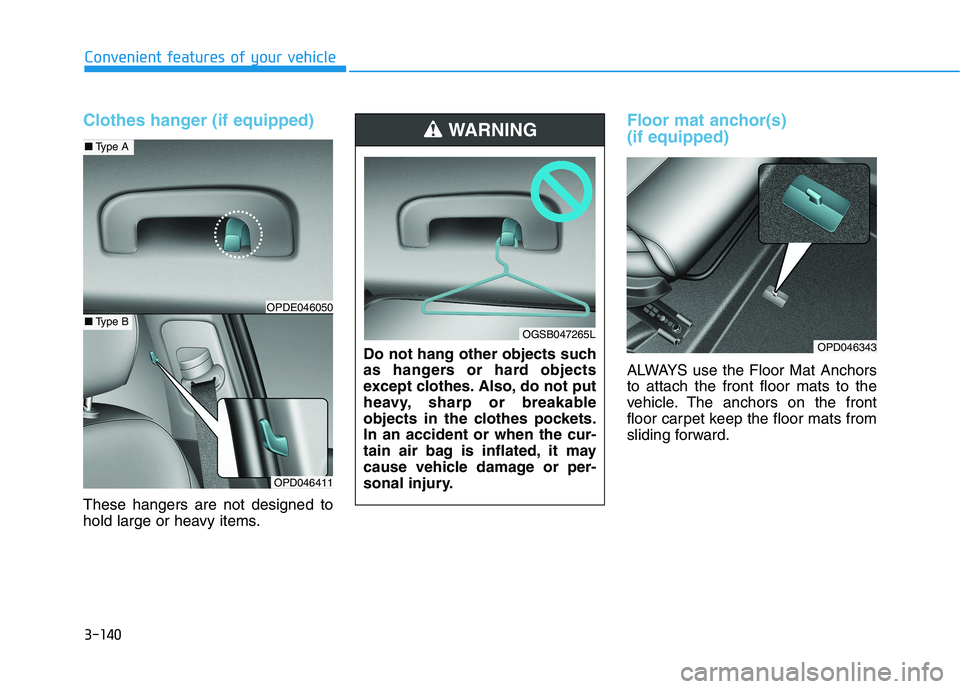
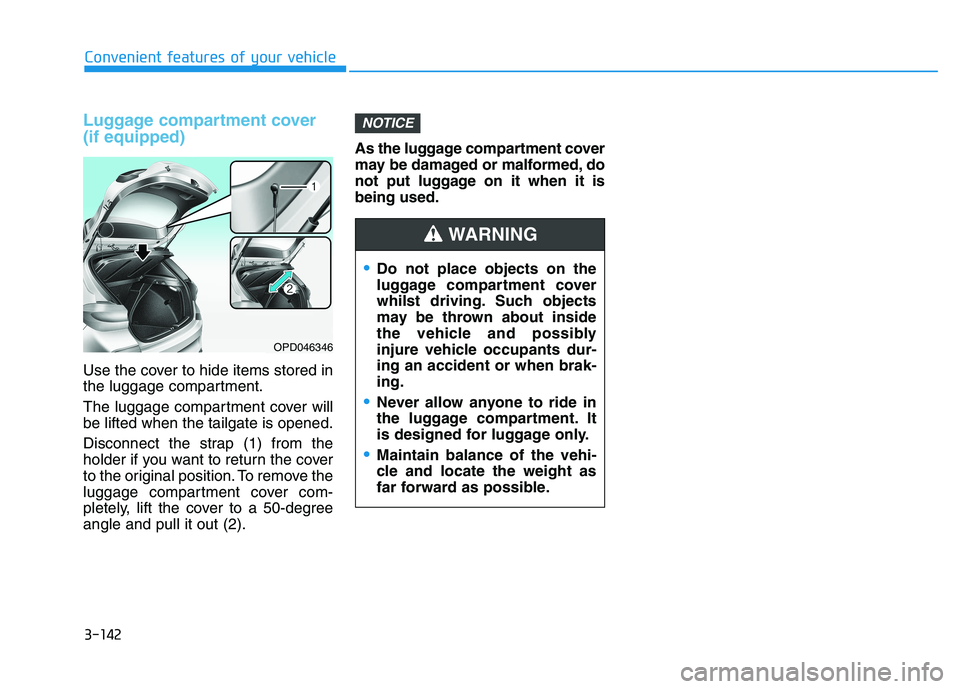
The power outlet is designed to pro-
vide power for mobile telephones or
other devices designed to operate
with vehicle electrical systems. The
devices should draw less than 180
W(Watts) with the engine running.To prevent damage to the Power
Outlets :
Use the power outlet only when
the engine is running and remove
the accessory plug after use.
Using the accessory plug for pro-
longed periods of time with the
engine off could cause the battery
to discharge.
Only use 12V electric accessories
which are less than 180 W(Watts)
in electric capacity.
Adjust the air-conditioner or
heater to the lowest operating
level when using the power outlet.
Close the cover when not in use.
(Continued)(Continued)
Some electronic devices can
cause electronic interference
when plugged into a vehicle’s
power outlet. These devices may
cause excessive audio static
and malfunctions in other elec-
tronic systems or devices used
in your vehicle.
Push the plug in as far as it will
go. If good contact is not made,
the plug may overheat and the
fuse may open.
Plug in battery equipped electrical/
electronic devices with reverse
current protection. The current
from the battery may flow into the
vehicle's electrical/electronic sys-
tem and cause system malfunc-
tion.
NOTICEOPD046340
■Centre
OPD046341
■Rear
Avoid electrical shocks. Do not
place your fingers or foreign
objects (pin, etc.) into a power
outlet or touch the power outlet
with a wet hand.
WARNING
Page 220 of 533
3-137
Convenient features of your vehicle
3
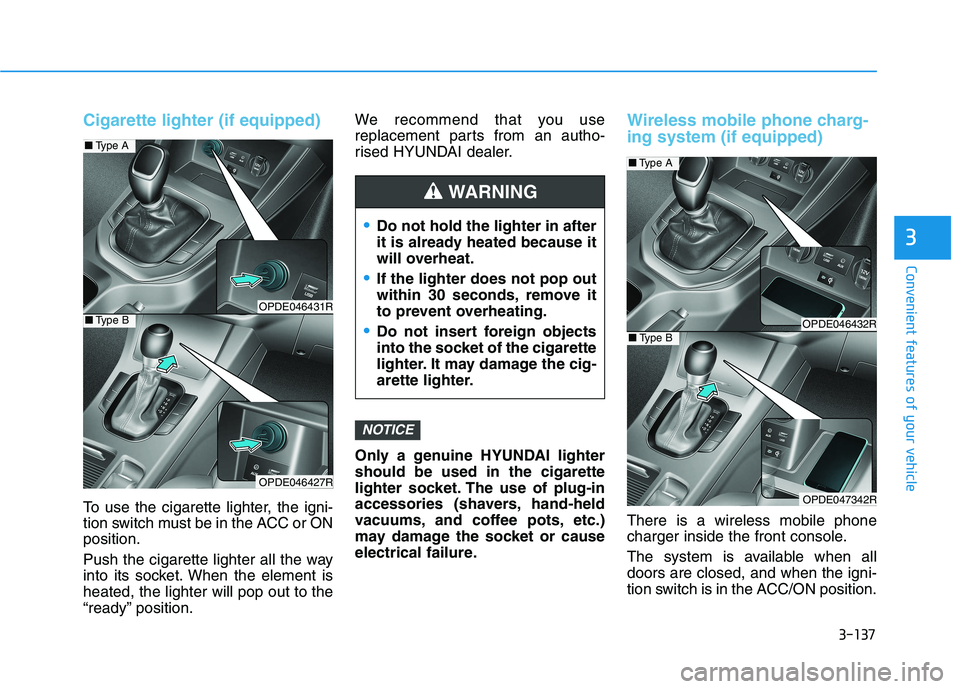
Cigarette lighter (if equipped)
To use the cigarette lighter, the igni-
tion switch must be in the ACC or ON
position.
Push the cigarette lighter all the way
into its socket. When the element is
heated, the lighter will pop out to the
“ready” position.We recommend that you use
replacement parts from an autho-
rised HYUNDAI dealer.
Only a genuine HYUNDAI lighter
should be used in the cigarette
lighter socket. The use of plug-in
accessories (shavers, hand-held
vacuums, and coffee pots, etc.)
may damage the socket or cause
electrical failure.
Wireless mobile phone charg-
ing system (if equipped)
There is a wireless mobile phone
charger inside the front console.
The system is available when all
doors are closed, and when the igni-
tion switch is in the ACC/ON position.
NOTICE
Do not hold the lighter in after
it is already heated because it
will overheat.
If the lighter does not pop out
within 30 seconds, remove it
to prevent overheating.
Do not insert foreign objects
into the socket of the cigarette
lighter. It may damage the cig-
arette lighter.
WARNING
OPDE046431R
OPDE046427R
■Type A
■Type BOPDE046432R
OPDE047342R
■Type A
■Type B
Page 222 of 533

3-139
Convenient features of your vehicle
3
Clock
Vehicles with Audio system
Ty p e A
H (Hour)
Each time you press the "H" button,
the clock will change by one hour.
Pressing and holding the "H" button
will change the clock continuously.
Release the button at the desired
time.
M (Minute)
Each time you press the "M" button ,
the clock will change by one minute.
Pressing and holding the "M" button
will change the clock continuously.
Release the button at the desired
time.
Display conversion
To change the 12 hour format to the
24 hour format, press the "H" and
"M" button simultaneously for more
than 4 seconds.
For example, if the "H" and "M" but-
ton is pressed when the time is 10:15
p.m., the display will change to
22:15.
Type B
Select the [SETUP/CLOCK ]button on
the audio system ➟Select [Date/Time].
Set time: Set the time displayed on
the audio screen.
Time format: Choose between 12-
hour and 24-hour time formats.
Vehicles with Navigation system
Select the Settings menu on the
Navigation system➟Select
[Date/Time].
GPS time: Displays time according
to the received GNSS time.
24-hour: Switches to 12 hour or 24
hour.
For more details, please refer to
the separate manual that was sup-
plied with your vehicle. Do not adjust the clock whilst
driving. You may lose your steer-
ing control and cause severe
personal injury or accidents.
WARNING
Page 223 of 533
3-140
Convenient features of your vehicle
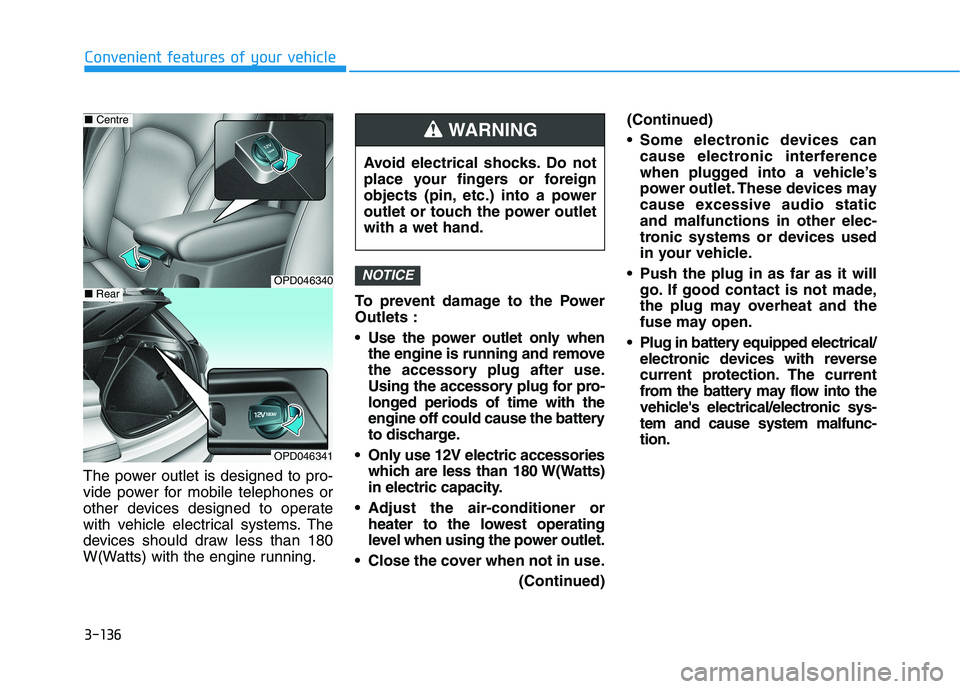
Clothes hanger (if equipped)
These hangers are not designed to
hold large or heavy items.
Floor mat anchor(s)
(if equipped)
ALWAYS use the Floor Mat Anchors
to attach the front floor mats to the
vehicle. The anchors on the front
floor carpet keep the floor mats from
sliding forward.
OPD046343
OPD046411
■Type A
■Type BOPDE046050
Do not hang other objects such
as hangers or hard objects
except clothes. Also, do not put
heavy, sharp or breakable
objects in the clothes pockets.
In an accident or when the cur-
tain air bag is inflated, it may
cause vehicle damage or per-
sonal injury.
WARNING
OGSB047265L
Page 224 of 533
3-141
Convenient features of your vehicle
3
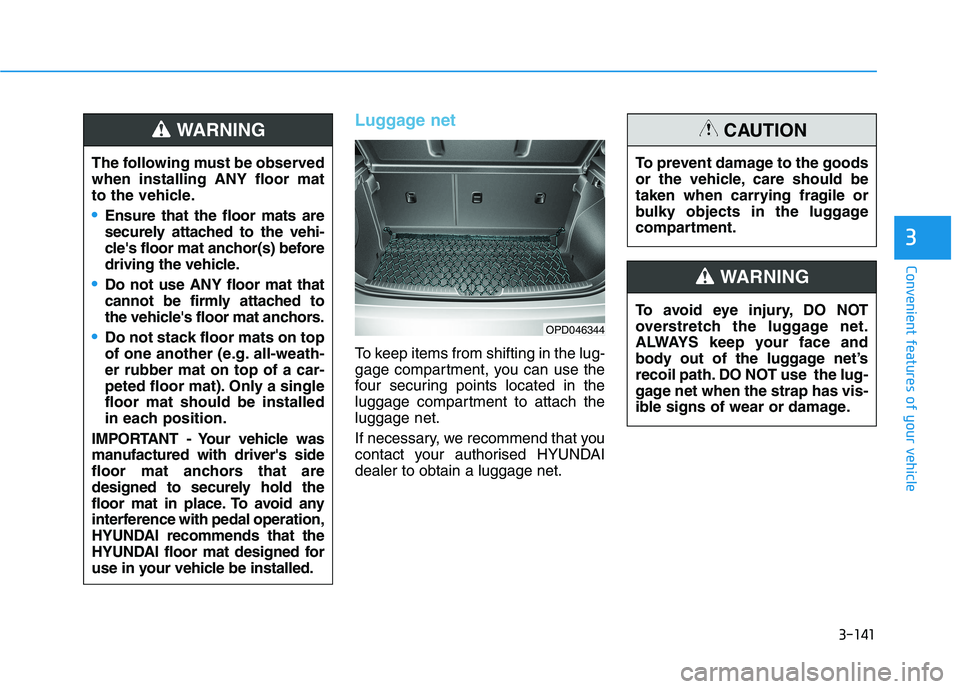
Luggage net
To keep items from shifting in the lug-
gage compartment, you can use the
four securing points located in the
luggage compartment to attach the
luggage net.
If necessary, we recommend that you
contact your authorised HYUNDAI
dealer to obtain a luggage net.
OPD046344
The following must be observed
when installing ANY floor mat
to the vehicle.
Ensure that the floor mats are
securely attached to the vehi-
cle's floor mat anchor(s) before
driving the vehicle.
Do not use ANY floor mat that
cannot be firmly attached to
the vehicle's floor mat anchors.
Do not stack floor mats on top
of one another (e.g. all-weath-
er rubber mat on top of a car-
peted floor mat). Only a single
floor mat should be installed
in each position.
IMPORTANT - Your vehicle was
manufactured with driver's side
floor mat anchors that are
designed to securely hold the
floor mat in place. To avoid any
interference with pedal operation,
HYUNDAI recommends that the
HYUNDAI floor mat designed for
use in your vehicle be installed.
WARNING
To avoid eye injury, DO NOT
overstretch the luggage net.
ALWAYS keep your face and
body out of the luggage net’s
recoil path. DO NOT use the lug-
gage net when the strap has vis-
ible signs of wear or damage.
WARNING
To prevent damage to the goods
or the vehicle, care should be
taken when carrying fragile or
bulky objects in the luggage
compartment.
CAUTION
Page 225 of 533
3-142
Convenient features of your vehicle
Luggage compartment cover
(if equipped)
Use the cover to hide items stored in
the luggage compartment.
The luggage compartment cover will
be lifted when the tailgate is opened.
Disconnect the strap (1) from the
holder if you want to return the cover
to the original position. To remove the
luggage compartment cover com-
pletely, lift the cover to a 50-degree
angle and pull it out (2).As the luggage compartment cover
may be damaged or malformed, do
not put luggage on it when it is
being used.
NOTICE
OPD046346
Do not place objects on the
luggage compartment cover
whilst driving. Such objects
may be thrown about inside
the vehicle and possibly
injure vehicle occupants dur-
ing an accident or when brak-
ing.
Never allow anyone to ride in
the luggage compartment. It
is designed for luggage only.
Maintain balance of the vehi-
cle and locate the weight as
far forward as possible.
WARNING
Page 232 of 533
4-7
Multimedia System
4
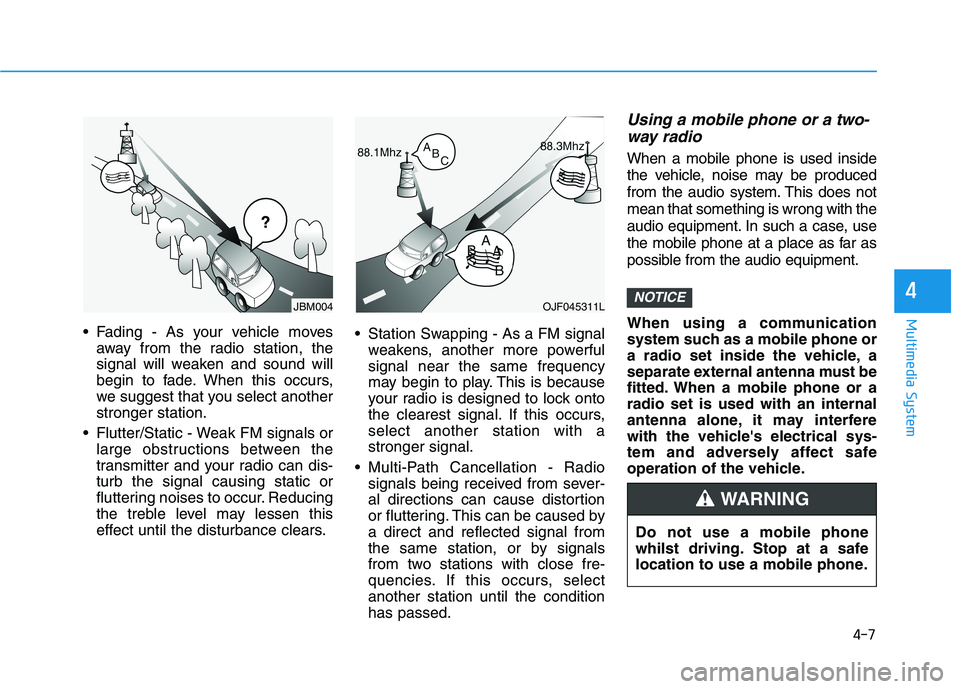
Fading - As your vehicle moves
away from the radio station, the
signal will weaken and sound will
begin to fade. When this occurs,
we suggest that you select another
stronger station.
Flutter/Static - Weak FM signals or
large obstructions between the
transmitter and your radio can dis-
turb the signal causing static or
fluttering noises to occur. Reducing
the treble level may lessen this
effect until the disturbance clears. Station Swapping - As a FM signal
weakens, another more powerful
signal near the same frequency
may begin to play. This is because
your radio is designed to lock onto
the clearest signal. If this occurs,
select another station with a
stronger signal.
Multi-Path Cancellation - Radio
signals being received from sever-
al directions can cause distortion
or fluttering. This can be caused by
a direct and reflected signal from
the same station, or by signals
from two stations with close fre-
quencies. If this occurs, select
another station until the condition
has passed.
Using a mobile phone or a two-
way radio
When a mobile phone is used inside
the vehicle, noise may be produced
from the audio system. This does not
mean that something is wrong with the
audio equipment. In such a case, use
the mobile phone at a place as far as
possible from the audio equipment.
When using a communication
system such as a mobile phone or
a radio set inside the vehicle, a
separate external antenna must be
fitted. When a mobile phone or a
radio set is used with an internal
antenna alone, it may interfere
with the vehicle's electrical sys-
tem and adversely affect safe
operation of the vehicle.
NOTICEOJF045311L
¢¢¢
JBM004
Do not use a mobile phone
whilst driving. Stop at a safe
location to use a mobile phone.
WARNING
Page 241 of 533
4-16
Multimedia System
(6)END(if equipped)
Press in Bluetooth
®Handsfree
mode to end the phone call.
Press in the incoming call screen
to reject the call. Do not stare at the screen
whilst driving. Staring at the
screen for prolonged periods
of time could lead to traffic
accidents.
Do not disassemble, assem-
ble, or modify the audio sys-
tem. Such acts could result in
accidents, fire, or electric
shock.
Using the phone whilst driv-
ing may lead to a lack of atten-
tion of traffic conditions and
increase the likelihood of
accidents. Use the phone fea-
ture after parking the vehicle.
Exercise caution not to spill
water or introduce foreign
objects into the device. Such
acts could lead to smoke, fire,
or product malfunction.
(Continued)WARNING(Continued)
Please refrain from use if the
screen is blank or no sound
can be heard as these signs
may indicate product malfunc-
tion. Continued use in such
conditions could lead to acci-
dents (fires, electric shock) or
product malfunctions.
Do not touch the antenna dur-
ing thunder or lightening as
such acts may lead to light-
ning induced electric shock.
Do not stop or park in park-
ing-restricted areas to operate
the product. Such acts could
lead to traffic accidents.
Use the system with the vehi-
cle engine turned on.
Prolonged use with the igni-
tion turned on only could
result in battery discharge.