Page 149 of 533

3-66
Convenient features of your vehicle
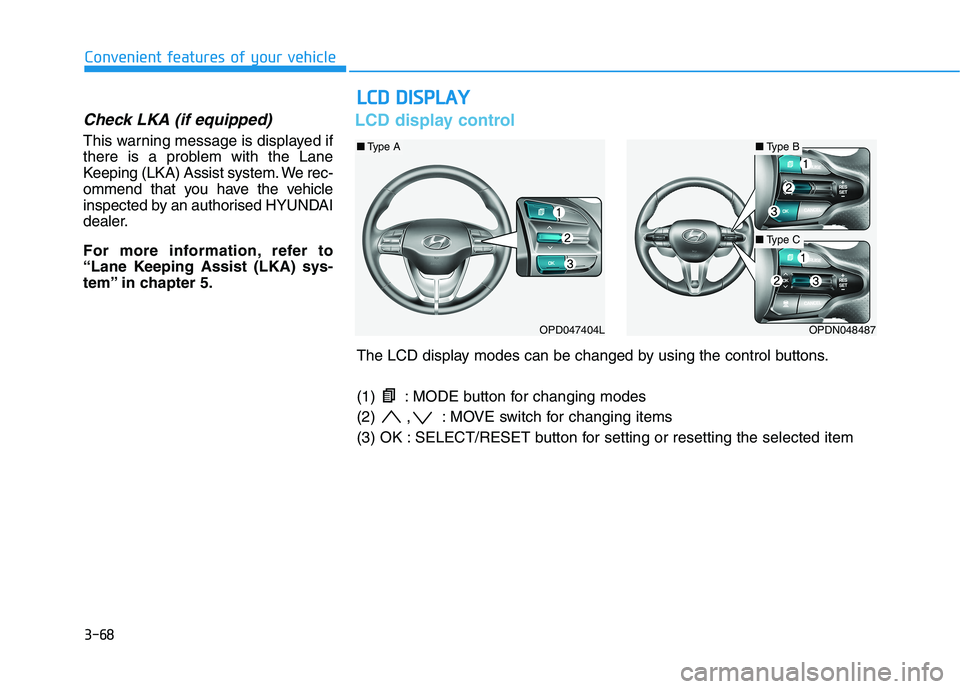
Low Pressure (if equipped)
This warning message is displayed if
the tyre pressure is low. The corre-
sponding tyre on the vehicle will be
illuminated.
For more details, refer to "Tyre
Pressure Monitoring System (TPMS)"
in chapter 6.
Turn on FUSE SWITCH
This warning message is displayed if
the fuse switch located on the fuse
box under the steering wheel is OFF.
You should turn the fuse switch on.
For more details, refer to “Fuses”
in chapter 7.
Low washer fluid (if equipped)
This warning message is displayed
if the washer fluid level in the reser-
voir is nearly empty.
Have the washer fluid reservoir
refilled.
Low fuel
This warning message is displayed if
the fuel tank is almost out of fuel.
When this message is displayed, the
low fuel level warning light in the
cluster will come on.
It is recommended to look for the
nearest service station and refuel as
soon as possible.
Add fuel as soon as possible.
Engine has overheated
(if equipped)
This warning message is displayed
when the engine coolant tempera-
ture is above 120°C (248°F). This
means that the engine is overheated
and may be damaged.
If your vehicle is overheated, refer
to “Overheating” in chapter 6.
OPDE046119OPD067005L
Page 150 of 533

3-67
Convenient features of your vehicle
3
Check exhaust system
(for diesel engine)
This warning message is displayed if
the DPF system has a malfunction.
At this time, the DPF warning light
also blinks.
In this case, we recommend that you
have the DPF system checked by an
authorised HYUNDAI dealer.
For more details, refer to “Warning
Lights” in this chapter.
Check headlight (if equipped)
This warning message is displayed if
the headlamps are not operating
properly. A headlamp bulb may need
to be replaced.
Information
Make sure to replace the burned out
bulb with a new one of the same wattage
rating.
Check headlamps LED
(if equipped)
This warning message is displayed if
there is a problem with the LED
headlamps. We recommend that
youthat you have the vehicle inspect-
ed by an authorised HYUNDAI deal-
er.
Check headlamp FAN
(if equipped)
This warning message is displayed if
there is a problem with the headlamp
fan. We recommend that you have
the vehicle inspected by an autho-
rised HYUNDAI dealer.
Check FCA system (if equipped)
This warning message is displayed if
there is a malfunction with the
Forward Collision-Avoidance Assist
(FCA) system. We recommend that
the vehicle be inspected by an
authorised HYUNDAI dealer.
For more details, refer to "Forward
Collision-Avoidance Assist (FCA)
system" in chapter 5.
Check Driver Attention Warning
(DAW) system (if equipped)
This warning message is displayed if
there is a problem with the Driver
Attention Warning (DAW) system. We
recommend that you have the vehicle
inspected by an authorised HYUNDAI
dealer.
For more information, refer to
“Driver Attention Warning (DAW)
system” in chapter 5.
Check BCW system
(if equipped)
This warning message is displayed if
there is a problem with the Blind-spot
Collision Warning (BCW) system. We
recommend that the vehicle be
inspected by an authorised
HYUNDAI dealer.
For more information, refer to
"Blind-spot Collision Warning
(BCW) System" in chapter 5.
i
Page 151 of 533
3-68
Convenient features of your vehicle
Check LKA (if equipped)
This warning message is displayed if
there is a problem with the Lane
Keeping (LKA) Assist system. We rec-
ommend that you have the vehicle
inspected by an authorised HYUNDAI
dealer.
For more information, refer to
“Lane Keeping Assist (LKA) sys-
tem” in chapter 5.
LCD display control
L LC
CD
D
D
DI
IS
SP
PL
LA
AY
Y
OPD047404LOPDN048487
■Type B■Type A
■Type C
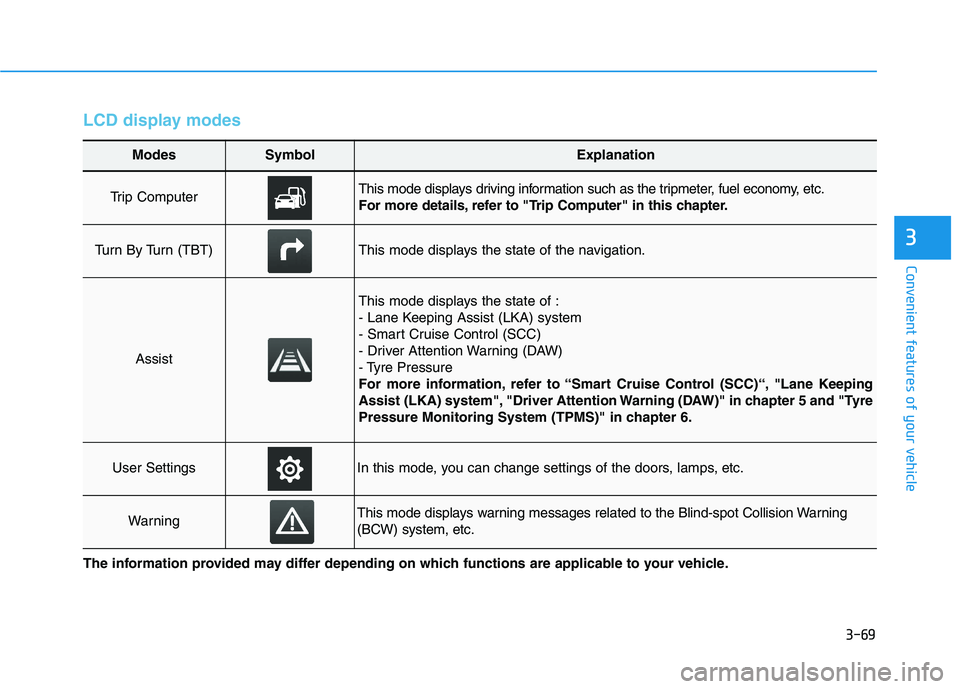
The LCD display modes can be changed by using the control buttons.
(1) : MODE button for changing modes
(2) , : MOVE switch for changing items
(3) OK : SELECT/RESET button for setting or resetting the selected item
Page 152 of 533
3-69
Convenient features of your vehicle
3
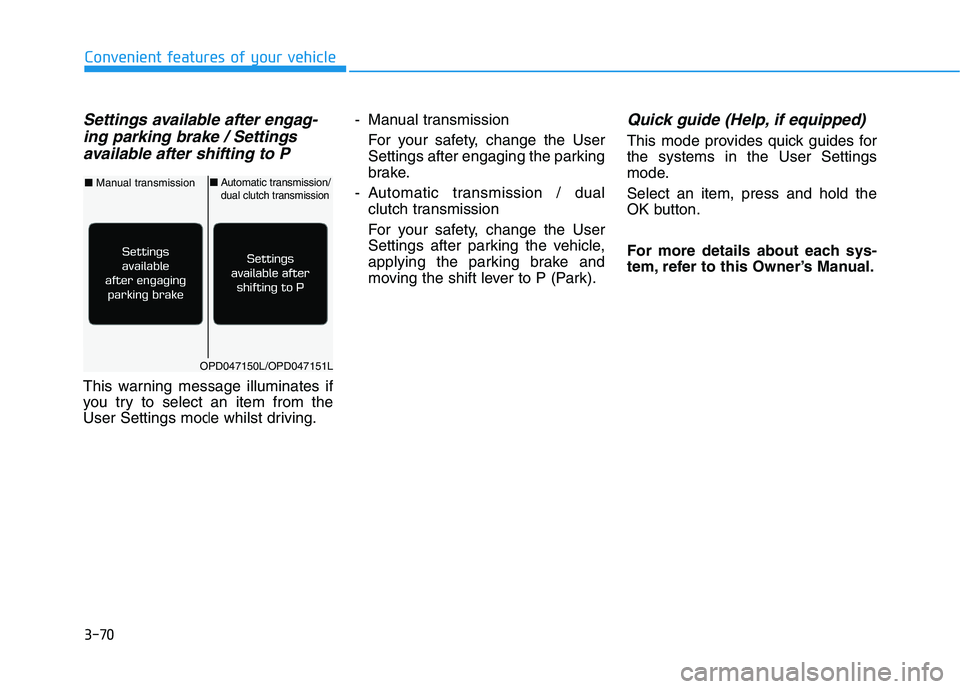
LCD display modes
Modes SymbolExplanation
Trip Computer This mode displays driving information such as the tripmeter, fuel economy, etc.
For more details, refer to "Trip Computer" in this chapter.
Turn By Turn (TBT)This mode displays the state of the navigation.
Assist
This mode displays the state of :
- Lane Keeping Assist (LKA) system
- Smart Cruise Control (SCC)
- Driver Attention Warning (DAW)
- Tyre Pressure
For more information, refer to “Smart Cruise Control (SCC)“, "Lane Keeping
Assist (LKA) system", "Driver Attention Warning (DAW)" in chapter 5 and "Tyre
Pressure Monitoring System (TPMS)" in chapter 6.
User SettingsIn this mode, you can change settings of the doors, lamps, etc.
WarningThis mode displays warning messages related to the Blind-spot Collision Warning
(BCW) system, etc.
The information provided may differ depending on which functions are applicable to your vehicle.
Page 153 of 533
3-70
Convenient features of your vehicle
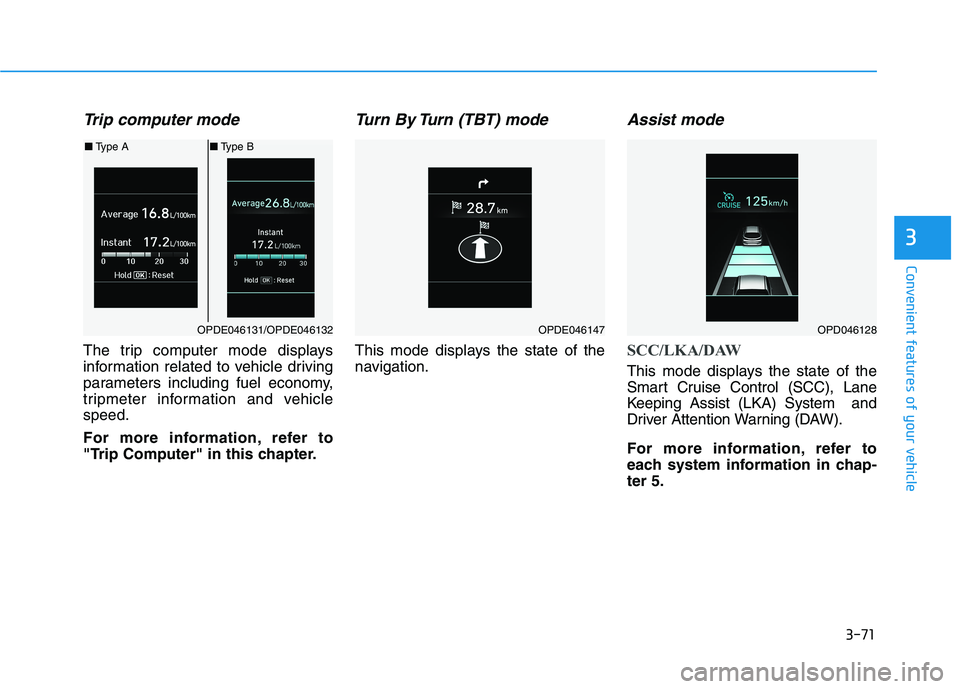
Settings available after engag-
ing parking brake / Settings
available after shifting to P
This warning message illuminates if
you try to select an item from the
User Settings mode whilst driving.- Manual transmission
For your safety, change the User
Settings after engaging the parking
brake.
- Automatic transmission / dual
clutch transmission
For your safety, change the User
Settings after parking the vehicle,
applying the parking brake and
moving the shift lever to P (Park).
Quick guide (Help, if equipped)
This mode provides quick guides for
the systems in the User Settings
mode.
Select an item, press and hold the
OK button.
For more details about each sys-
tem, refer to this Owner’s Manual.
OPD047150L/OPD047151L
■Manual transmission■Automatic transmission/dual clutch transmission
Page 154 of 533
3-71
Convenient features of your vehicle
3
Trip computer mode
The trip computer mode displays
information related to vehicle driving
parameters including fuel economy,
tripmeter information and vehicle
speed.
For more information, refer to
"Trip Computer" in this chapter.
Turn By Turn (TBT) mode
This mode displays the state of the
navigation.
Assist mode
SCC/LKA/DAW
This mode displays the state of the
Smart Cruise Control (SCC), Lane
Keeping Assist (LKA) System and
Driver Attention Warning (DAW).
For more information, refer to
each system information in chap-
ter 5.
OPDE046131/OPDE046132
■Type A■Type B
OPDE046147OPD046128
Page 155 of 533
3-72
Convenient features of your vehicle
Tyre Pressure
This mode displays information relat-
ed to Tyre Pressure.
For more information, refer to
"Tyre Pressure Monitoring System
(TPMS)" in chapter 6.
Warning message mode
If one of followings occurs, warning
messages will be displayed on the
LCD display for several seconds.
- LED head lamp malfunction
(if equipped)
- BCW (Blind-Spot Collision
Warning) malfunction (if equipped)
- FCA (Forward Collision-Avoidance
Assist) malfunction (if equipped)
- SCC (Smart Cruise Control) mal-
function (if equipped)
User settings mode
In this mode, you can change the
settings of the instrument cluster,
doors, lamps, etc.
1. Driver Assistance
2. Door
3. Lights
4. Sound
5. Convenience
6. Service Interval
7. Other Features
8. Reset
The information provided may dif-
fer depending on which functions
are applicable to your vehicle.
OPD047148L
Page 156 of 533
3-73
Convenient features of your vehicle
3
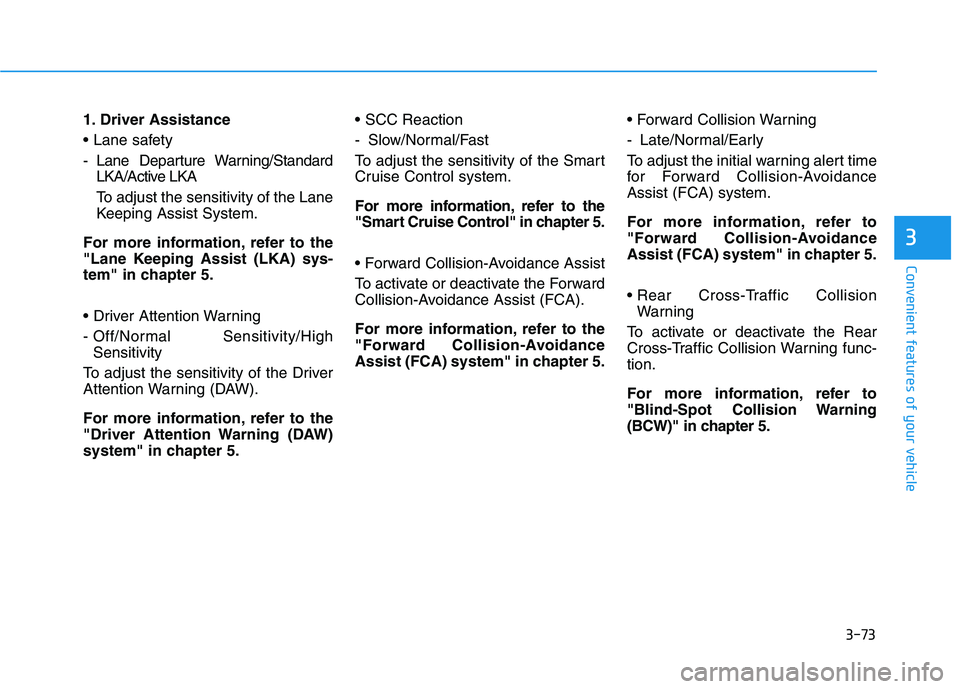
1. Driver Assistance
- Lane Departure Warning/Standard
LKA/Active LKA
To adjust the sensitivity of the Lane
Keeping Assist System.
For more information, refer to the
"Lane Keeping Assist (LKA) sys-
tem" in chapter 5.
- Off/Normal Sensitivity/High
Sensitivity
To adjust the sensitivity of the Driver
Attention Warning (DAW).
For more information, refer to the
"Driver Attention Warning (DAW)
system" in chapter 5.
- Slow/Normal/Fast
To adjust the sensitivity of the Smart
Cruise Control system.
For more information, refer to the
"Smart Cruise Control" in chapter 5.
To activate or deactivate the Forward
Collision-Avoidance Assist (FCA).
For more information, refer to the
"Forward Collision-Avoidance
Assist (FCA) system" in chapter 5.
- Late/Normal/Early
To adjust the initial warning alert time
for Forward Collision-Avoidance
Assist (FCA) system.
For more information, refer to
"Forward Collision-Avoidance
Assist (FCA) system" in chapter 5.
Warning
To activate or deactivate the Rear
Cross-Traffic Collision Warning func-
tion.
For more information, refer to
"Blind-Spot Collision Warning
(BCW)" in chapter 5.