Page 98 of 814
97
Instrument Panel
This chapter describes the buttons, indicators, and gauges that are used while driving.
Indicators............................................ 98
Gauges and Displays Gauges ............................................ 121
Driver Information Interface (A-type Meter) ...125
Driver Information Interface Left Side Area (B-type-Meter) ............................... 151
Driver Information In terface Right Side
Area (B-type-Meter) ....................... 154
Head-Up Display
*............................ 169
* Not available on all models
23 PILOT-31T906000_03.book 97 ページ 2022年10月31日 月曜日 午前10時26分
Page 99 of 814

98
Instrument Panel
Indicators
Indicators come on/blink depending on the condition of the vehicle. Messages may
display on the driver information interface at the same time. Please take the
appropriate action outlined in the message, such as contacting a dealer.
Parking Brake and
Brake System
Indicator (Red)U.S.
Canada P. 100*1
M (sequential mode)
Indicator/Gear
Selection Indicator
P. 103Parking Brake and
Brake System
Indicator (Amber)U.S.
Canada
Automatic Brake
Hold System
Indicator
Automatic Brake
Hold IndicatorU.S.
Canada
*1 : When you set the power mode to ON, these indicators come on to indicate that system checks are being performed. They go off a few seconds later or after the engine
has started. If an indicator does not come on or turn off, ther e may be a malfunction in the corresponding system. To resolve the issue, follow the instructions in the
owner's manual.
Malfunction
Indicator Lamp Charging System
Indicator
Seat Belt Reminder
Indicator
Low Fuel Indicator
(Amber)
P. 102
P. 10
2
P. 102
P. 103
P. 103*1
*1 *1
Gear Position
Indicator
P. 103
Tr
ansmission System
Indica
tor
P. 104
P. 105
P. 105
*1
*1
Anti-lock Brake System
(ABS ) Indicator
Vehicle Stability AssistTM
(VSA®) System Indicator
Vehicle Stability Assist
TM
(VSA®) OFF Indicator
Supplemental
Restraint System
Indicator
Electric Power Steering
(EPS) System Indicator
*1
P. 106
P. 106
P. 107*1 *1
P. 107
*1 P. 106
*1
*1
*1
Low Tire Pressure/
TPMS Indicator
Turn Signal and
Hazard Warning
Indicators
Lights On
Indicator
P. 108
*1
P. 108
P. 108
23 PILOT-31T906000_03.book 98 ページ 2022年10月31日 月曜日 午前10時26分
Page 107 of 814
106
uuIndicators u
Instrument Panel
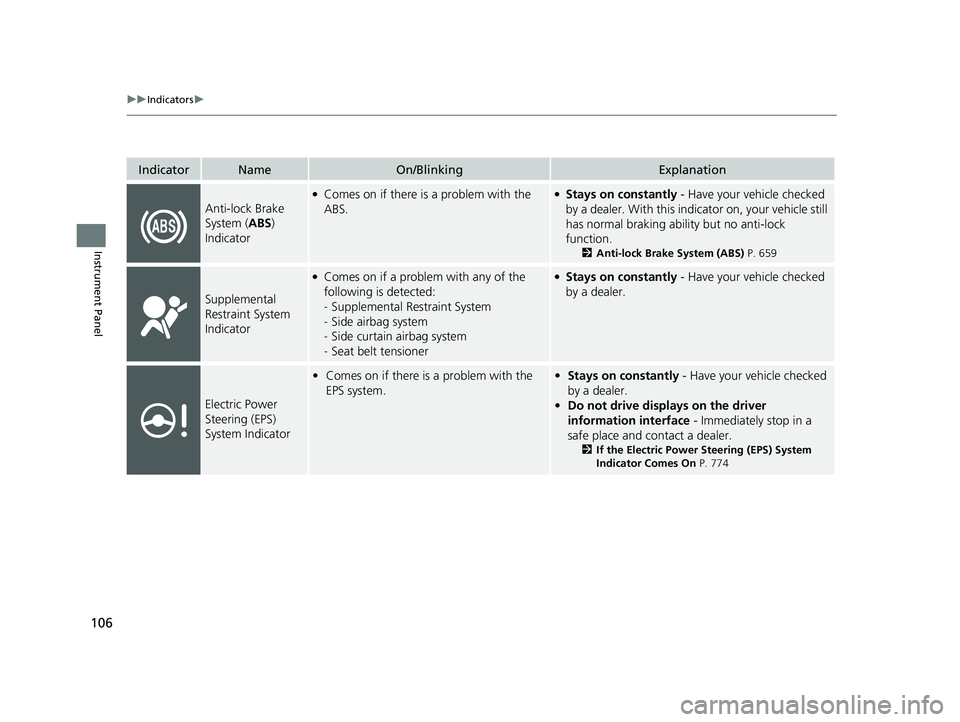
IndicatorNameOn/BlinkingExplanation
Anti-lock Brake
System (ABS)
Indicator
●Comes on if there is a problem with the
ABS.●Stays on constantly - Have your vehicle checked
by a dealer. With this indicator on, your vehicle still
has normal braking ability but no anti-lock
function.
2 Anti-lock Brake System (ABS) P. 659
Supplemental
Restraint System
Indicator
●Comes on if a problem with any of the
following is detected:
-Supplemental Restraint System
- Side airbag system
- Side curtain airbag system
- Seat belt tensioner●Stays on constantly - Have your vehicle checked
by a dealer.
Electric Power
Steering (EPS)
System Indicator
• Comes on if there is a problem with the
EPS system.•Stays on constantly - Have your vehicle checked
by a dealer.
• Do not drive displays on the driver
information interface - Immediately stop in a
safe place and contact a dealer.
2 If the Electric Power Steering (EPS) System
Indicator Comes On P. 774
23 PILOT-31T906000_03.book 106 ページ 2022年10月31日 月曜日 午前10時26分
Page 108 of 814
107
uuIndicators u
Continued
Instrument Panel
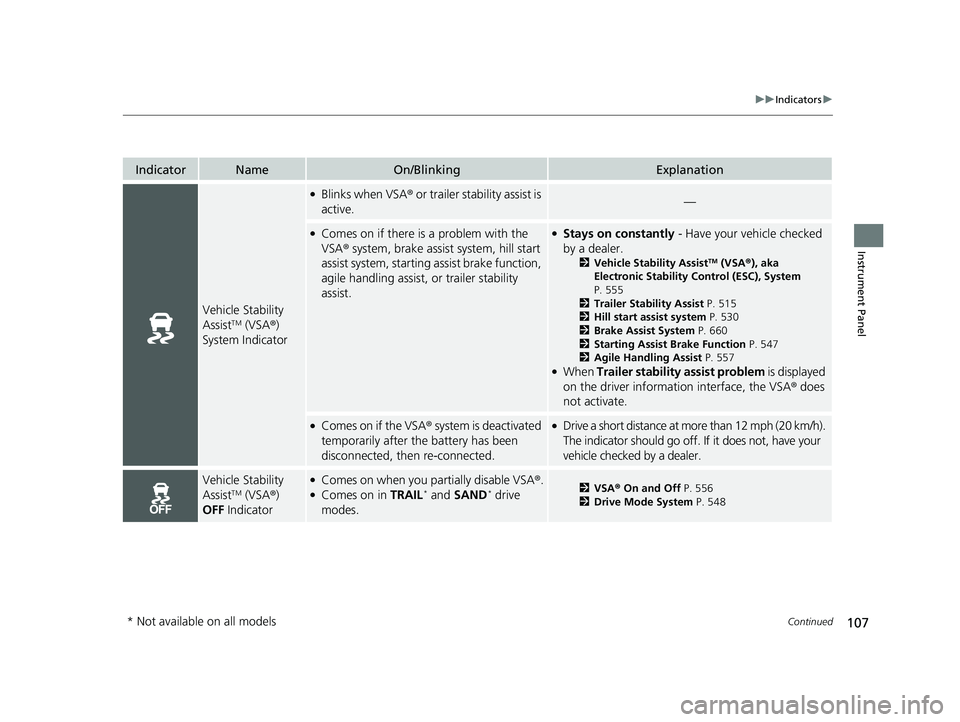
IndicatorNameOn/BlinkingExplanation
Vehicle Stability
AssistTM (VSA®)
System Indicator
●Blinks when VSA ® or trailer stability assist is
active.—
●Comes on if there is a problem with the
VSA ® system, brake assist system, hill start
assist system, starting assist brake function,
agile handling assist, or trailer stability
assist.●Stays on constantly - Have your vehicle checked
by a dealer.
2 Vehicle Stability AssistTM (VSA ®), aka
Electronic Stability Control (ESC), System
P. 555
2 Trailer Stability Assist P. 515
2 Hill start assist system P. 530
2 Brake Assist System P. 660
2 Starting Assist Brake Function P. 547
2 Agile Handling Assist P. 557
●When Trailer stability assist problem is displayed
on the driver information interface, the VSA ® does
not activate.
●Comes on if the VSA ® system is deactivated
temporarily after the battery has been
disconnected, then re-connected.●Drive a short distance at more than 12 mph (20 km/h).
The indicator should go off. If it does not, have your
vehicle checked by a dealer.
Vehicle Stability
AssistTM (VSA ®)
OFF Indicator
●Comes on when you partially disable VSA ®.●Comes on in TRAIL* and SAND* drive
modes.2 VSA ® On and Off P. 556
2 Drive Mode System P. 548
* Not available on all models
23 PILOT-31T906000_03.book 107 ページ 2022年10月31日 月曜日 午前10時26分
Page 110 of 814
109
uuIndicators u
Continued
Instrument Panel
IndicatorNameOn/BlinkingExplanation
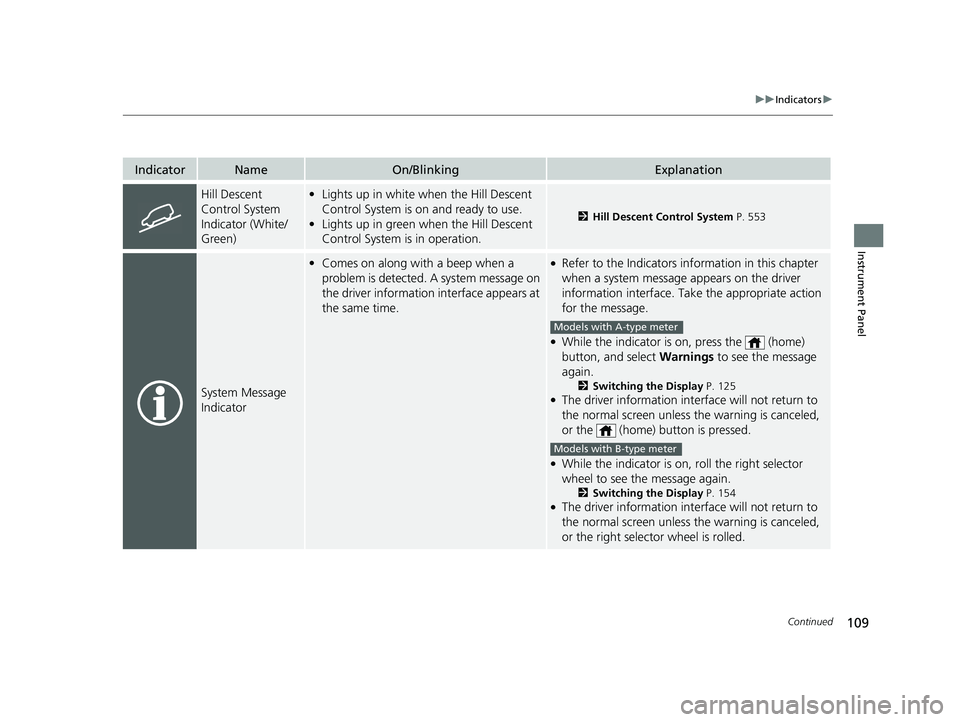
Hill Descent
Control System
Indicator (White/
Green)•Lights up in white when the Hill Descent
Control System is on and ready to use.
• Lights up in green when the Hill Descent
Control System is in operation.
2 Hill Descent Control System P. 553
System Message
Indicator
•Comes on along with a beep when a
problem is detected. A system message on
the driver information interface appears at
the same time.●Refer to the Indicators in formation in this chapter
when a system message appears on the driver
information interface. Take the appropriate action
for the message.
●While the indicator is on, press the (home)
button, and select Warnings to see the message
again.
2 Switching the Display P. 125●The driver information interface will not return to
the normal screen unless the warning is canceled,
or the (home) button is pressed.
●While the indicator is on, roll the right selector
wheel to see the message again.
2Switching the Display P. 154●The driver information interface will not return to
the normal screen unless the warning is canceled,
or the right selector wheel is rolled.
Models with A-type meter
Models with B-type meter
23 PILOT-31T906000_03.book 109 ページ 2022年10月31日 月曜日 午前10時26分
Page 115 of 814
114
uuIndicators u
Instrument Panel
IndicatorNameOn/BlinkingExplanation
Auto Idle Stop
Suspend Indicator
●Comes on while Auto Idle Stop is
temporarily suspended in the following
situations.
—
-Brake pedal is not fully pressed●Depress the brake pedal firmly.
-The transmission is in a position other than
(D
2Auto Idle Stop P. 542-System charging is prioritized
-Climate control system is prioritized
-Engine coolant temperature is not in
operating range
-SNOW , TOW, SPORT*, TRAIL*, or SAND*
mode is selected.2 Auto Idle Stop P. 542
2 Drive Mode System P. 548
-The battery temperature is too low.
- Auto Idle Stop does not activate for some
reason.
2 Auto Idle Stop P. 542
—
●If you press and hold the Auto Idle Stop OFF
button, you can select whether to display the status
messages or not.
* Not available on all models
23 PILOT-31T906000_03.book 114 ページ 2022年10月31日 月曜日 午前10時26分
Page 120 of 814

119
uuIndicators u
Continued
Instrument Panel
IndicatorNameOn/BlinkingExplanation
Safety Support
Indicator (Amber)
●Comes on when the Road Departure
Mitigation system and/or CMBSTM shuts
itself off.
●Stays on - The area around the camera is blocked
by dirt, mud, etc. Stop yo ur vehicle in a safe place
and wipe the debris off with a soft cloth.
●Have your vehicle checked by a dealer if the
indicator and message are still displayed even after
you have cleaned the area around the camera.
2 Front Sensor Camera P. 648●It may come on when the ambient conditions are
dark, such as when driving in a tunnel, or at night,
dawn, or dusk.
●Comes on when mud, snow, or ice
accumulates in the vicinity of the sonar
sensor.
●Remove the obstacle in the vicinity of the sonar
sensor.
2Low Speed Braking Control* P. 584
●Comes on when mud, snow, or ice
accumulates in the vicinity of the blind spot
information system sensor.
●Comes on when the temperature of the
blind spot information system sensor is
high.
●Comes on while driving - Something may be
interfering with th e blind spot information system
sensor. Check the vicinity of the blind spot
information system sensor and remove any
obstacles.
●The system will return to normal when the
temperature cools down.
2 Blind Spot Information System* P. 563
Models with Low Speed Braking Control
Models with blind spot information system
* Not available on all models
23 PILOT-31T906000_03.book 119 ページ 2022年10月31日 月曜日 午前10時26分
Page 122 of 814
121Continued
Instrument Panel
Gauges and Displays
Gauges
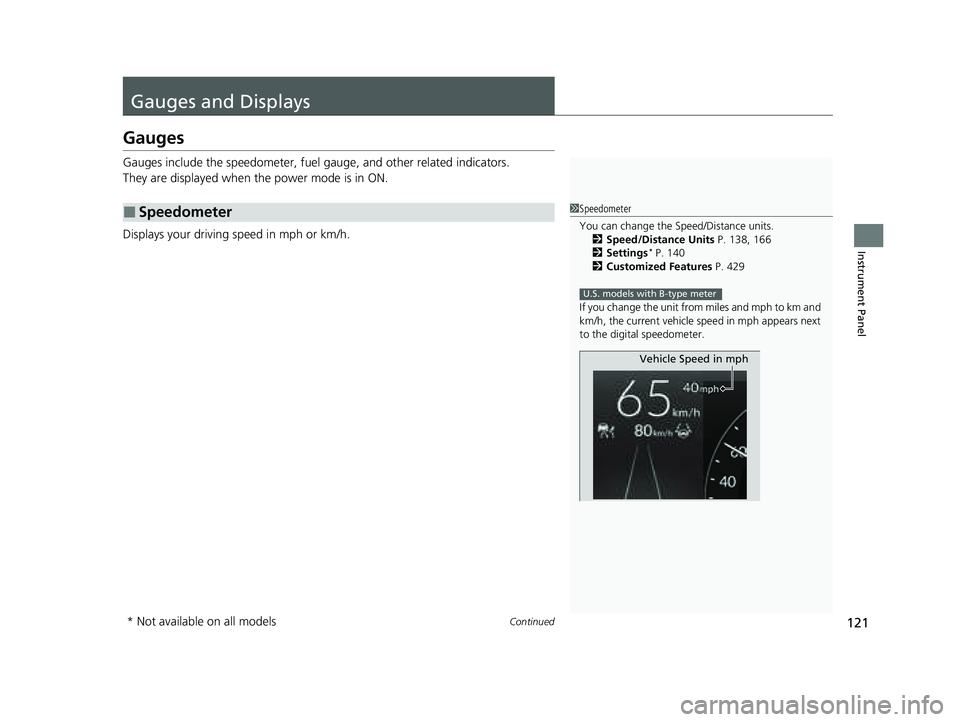
Gauges include the speedometer, fuel gauge, and other related indicators.
They are displayed when the power mode is in ON.
Displays your driving speed in mph or km/h.
■Speedometer1 Speedometer
You can change the Speed/Distance units.
2 Speed/Distance Units P. 138, 166
2 Settings
* P. 140
2 Customized Features P. 429
If you change the unit from miles and mph to km and
km/h, the current vehicle speed in mph appears next
to the digital speedometer.
U.S. models with B-type meter
Vehicle Speed in mph
* Not available on all models
23 PILOT-31T906000_03.book 121 ページ 2022年10月31日 月曜日 午前10時26分