2023 HONDA ODYSSEY remote control
[x] Cancel search: remote controlPage 192 of 707

uuOperating the Switches Around the Steering Wheel uENGINE START/STOP Button
190
Controls
If you open the driver’s door when the power mode is set to ACCESSORY, a warning
beep sound.
When the power mode is set to any mode
other than OFF and you remove the keyless
remote from the vehicle and shut the door, an
alarm will sound. If the alarm continues to
sound, place the keyless remote in another
location.
■When the power mode is in
ACCESSORY
The alarm will sound from outside the vehicle.
■When the power mode is in ON
An alarm will sound both inside and outside
the vehicle. In addition, a warning indicator
will appear on the instrument panel.
■Power Mode Reminder
■Keyless Remote Reminder1 Keyless Remote Reminder
When the keyless remote is within the system’s
operational range, and all the doors are closed, the
warning function cancels.
If the keyless remote is taken out of the vehicle after
the engine has been st arted, you can no longer
change the ENGINE START/STOP button mode or
restart the engine. Always make sure if the keyless
remote is in your vehi cle when you operate the
ENGINE START/STOP button.
Removing the keyless remote from the vehicle
through a window does not activate the warning
buzzer.
Do not put the keyless remo te on the dashboard or in
the glove box. It may cause the warning buzzer to
activate. Under some ot her conditions that can
prevent the vehicle from locating the keyless remote,
the warning buzzer may also activate even if the
remote is within the system’s operational range.
23 US ODYSSEY-31THR6500.book 190 ページ 2022年1月24日 月曜日 午前11時35分
Page 196 of 707
uuOperating the Switches Around the Steering Wheel uLight Switches
194
Controls
The headlights automatically come on when the wipers are used several times within
a certain number of intervals wi th the headlight switch in AUTO.
The headlights automatically go off a few minutes later if the wipers are stopped.
The headlights, all other exterior lights, an d the instrument panel lights turn off 15
seconds after you set the power mode to VE HICLE OFF, take the remote with you,
and close the driver’s door.
If you set the power mode to VEHICLE OFF with the headlight switch on, but do not
open the door, the lights turn off after 10 minutes (3 minutes, if the switch is in the
AUTO position).
The lights turn on again when you unlock or open the driver’s door. If you unlock
the door, but do not open it within 15 seconds, the lights go off. If you open the
driver’s door, you will hear a reminder chime alerting you that the lights are on.
■Headlight Integration with Wiper
■Automatic Lighting Off Feature
1Automatic Operation (aut omatic lighting control)
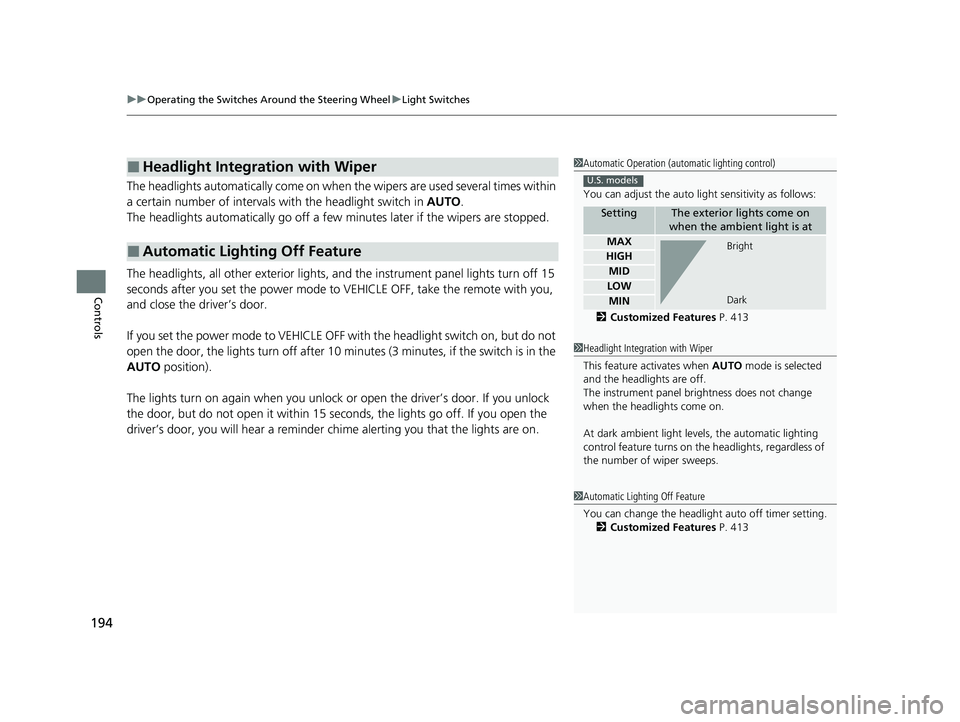
You can adjust the auto li ght sensitivity as follows:
2 Customized Features P. 413
SettingThe exterior lights come on
when the ambient light is at
MAX
HIGH
MID
LOW
MIN
U.S. models
Bright
Dark
1 Headlight Integration with Wiper
This feature activates when AUTO mode is selected
and the headlights are off.
The instrument panel br ightness does not change
when the headlights come on.
At dark ambient light leve ls, the automatic lighting
control feature turns on the headlights, regardless of
the number of wiper sweeps.
1 Automatic Lighting Off Feature
You can change the headlight auto off timer setting.
2 Customized Features P. 413
23 US ODYSSEY-31THR6500.book 194 ページ 2022年1月24日 月曜日 午前11時35分
Page 208 of 707
206
uuOperating the Switches Around the Steering Wheel uDriving Position Memory System*
Controls
Driving Position Memory System*
You can store two driver’s seat positions (except for power lumbar) and outside
mirror positions with the driv ing position memory system.
When you unlock and open the driver’s door with a remote, the seat and outside
mirrors adjust automatically to one of the two preset positions.
When you enter the vehicle, the driver in formation interface briefly shows you which
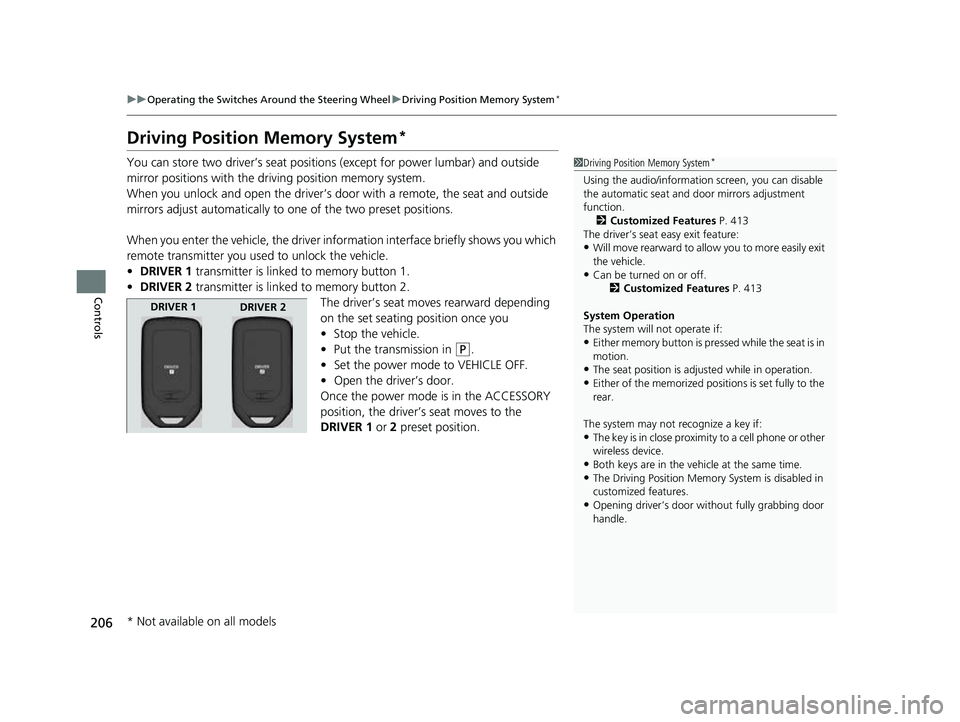
remote transmitter you used to unlock the vehicle.
• DRIVER 1 transmitter is linked to memory button 1.
• DRIVER 2 transmitter is linked to memory button 2.
The driver’s seat moves rearward depending
on the set seating position once you
•Stop the vehicle.
• Put the transmission in
(P.
• Set the power mode to VEHICLE OFF.
• Open the driver’s door.
Once the power mode is in the ACCESSORY
position, the driver’s seat moves to the
DRIVER 1 or 2 preset position.
1Driving Position Memory System*
Using the audio/informati on screen, you can disable
the automatic seat and d oor mirrors adjustment
function.
2 Customized Features P. 413
The driver’s seat easy exit feature:
•Will move rearward to allow you to more easily exit
the vehicle.
•Can be turned on or off. 2Customized Features P. 413
System Operation
The system will not operate if:
•Either memory button is pressed while the seat is in
motion.
•The seat position is adju sted while in operation.•Either of the memorized positions is set fully to the
rear.
The system may not recognize a key if:
•The key is in close proximity to a cell phone or other
wireless device.
•Both keys are in the vehicle at the same time.
•The Driving Position Memory System is disabled in
customized features.
•Opening driver’s door wi thout fully grabbing door
handle.
DRIVER 1 DRIVER 2
* Not available on all models
23 US ODYSSEY-31THR6500.book 206 ページ 2022年1月24日 月曜日 午前11時35分
Page 259 of 707

257
Features
This chapter describes how to operate technology features.
Audio System
About Your Audio System ................ 258
USB Ports ......................................... 259
Auxiliary Input Jack .......................... 261
Audio System Theft Protection ......... 261
Audio Remote Controls .................... 262
Audio System Basic Operation ........ 264
Audio/Information Screen ................ 265
System Updates ............................... 279
File Manager .................................... 285
Adjusting the Sound ........................ 291
Display Setup ................................... 292
Voice Control Operation .................. 294 Playing AM/FM Radio ....................... 297
Playing SiriusXM
® Radio*................. 300
Playing an iPod ................................ 310
Playing a USB Flash Drive ................. 313
Playing My Honda Music .................. 316
Playing Bluetooth ® Audio................. 320
Playing Social Playlist ........................ 322
HondaLink ®..................................... 324
Wi-Fi Connection ............................. 329
AT&T Hotspot
*................................ 330
Siri Eyes Free .................................... 331
Apple CarPlay .................................. 332
Android Auto
TM................................ 335 Audio Error Messages
...................... 339
General Information on the Audio System.. 341Blu-ray/DVD Rear Entertainment System*... 365Customized Features........................ 413
HomeLink ® Universal Transceiver*.. 432
Bluetooth® HandsFreeLink® ............. 435
CabinWatch ®
*................................... 460
CabinTalk ®*....................................... 461
* Not available on all models
23 US ODYSSEY-31THR6500.book 257 ページ 2022年1月24日 月曜日 午前11時35分
Page 260 of 707

258
Features
Audio System
About Your Audio System
The audio system features AM/FM radio and SiriusXM® Radio* service. It can also
play audio CDs*, USB flash drives, iPod, iPhone, iPad and Bluetooth® devices.
You can operate the audio system from th e knob on the panel, the remote controls
on the steering wheel, or the icons on the touchscreen interface.
1About Your Audio System
State or local laws may pr ohibit the operation of
handheld electronic devices while operating a
vehicle.
Video CDs and 3-inch (8 -cm) mini CDs are not
supported.
SiriusXM ® Radio
* is available on a subscription basis
only. For more information on SiriusXM ® Radio*,
contact a dealer. 2 General Information on the Audio System
P. 341
SiriusXM ® Radio
* is available in the United States and
Canada, except Ha waii, Alaska, and Puerto Rico.
SiriusXM ®
* is a registered tra demark of SiriusXM
Radio*, Inc.
After you set the power m ode to VEHICLE OFF, you
can use the audio system for up to 30 minutes per
driving cycle, or until opening the driver’s door.
However, whether you can continue using the audio
system depends on the batter y condition. Repeatedly
using this feature ma y drain the battery.
Models with Blu-rayTM player
Remote Controls iPod
USB Flash Drive
* Not available on all models
23 US ODYSSEY-31THR6500.book 258 ページ 2022年1月24日 月曜日 午前11時35分
Page 264 of 707

262
uuAudio System uAudio Remote Controls
Features
Audio Remote Controls
Allow you to operate the audio system wh ile driving. The information is shown on
the driver information interface.
(+/(- (Volume) Bar
Press
(+: To increase the volume.
Press
(-: To decrease the volume.
1 Audio Remote Controls
Some modes appear only when an appropriate
device or medium is used.
Depending on the Bluetooth® device you connect,
some functions ma y not be operated.
Press the (back) button to go back to the
previous screen or cancel a command.
Press the (home) button to go back to the home
screen of the driver information interface.
You can show or hide the audio mode icons, or
change the order of the icons. 2 Show/Hide Apps P. 140
2 Arrange Apps P. 141
ENTER Button
(+/(-
Bar///
Buttons34
23 US ODYSSEY-31THR6500.book 262 ページ 2022年1月24日 月曜日 午前11時35分
Page 265 of 707

263
uuAudio System uAudio Remote Controls
Features
/ / / /ENTER Buttons
• When selecting the audio mode
Press or to select Now Playing on the home screen of the driver
information interface, and then press the ENTER button.
Press or : To cycles through the audio modes as follows:
Android Auto/Apple CarPlay SiriusXM ®
*Rear Entertainment* AUX
Input AM Bluetooth ® AudioSocial Playlist FMMy Honda Music USB/
iPod
• When listening to the radio
Press : To select the next preset radio station.
Press : To select the previous preset radio station.
Press and hold : To select the next strong station.
Press and hold : To select the previous strong station.
• When listening to an iPod, USB flash drive, My Honda Music, or Bluetooth® Audio
Press : To skip to the next song.
Press : To go back to the beginning of the current or previous song.
• When listening to an iPod, USB flash drive, My Honda Music, Bluetooth® Audio,
or Apple CarPlay
Press and hold / : To move rapidly within a song.
34
34
34
* Not available on all models
23 US ODYSSEY-31THR6500.book 263 ページ 2022年1月24日 月曜日 午前11時35分
Page 300 of 707

uuAudio System Basic Operation uPlaying AM/FM Radio
298
Features
To store a station:
1. Tune to the selected station.
2. Select and hold the preset number fo r the station you want to store.
Lists the strongest stations on the selected band.
1. Select Station List to display a list.
2. Select the station.
■Manual update
Updates your available station list at any time.
1. Select Station List to display a list.
2. Select Refresh .
■Preset Memory
■Station List
1Preset Memory
The ST indicator appears on the display indicating
stereo FM broadcasts.
Stereo reproduction in AM is not available.
Switching the Audio Mode
Press the or button on the steering wheel or
select the audio source icon on the screen. 2 Audio Remote Controls P. 262
You can store 12 AM/FM st ations into preset
memory.
HD Radio Technology manufactured under license
from iBiquity Digi tal Corporation. U.S. and Foreign
Patents. HD Radio
TM and the HD, HD Radio, and
“Arc” logos are proprietary trademarks of iBiquity
Digital Corp.
34
Models with HD RadioTM feature
23 US ODYSSEY-31THR6500.book 298 ページ 2022年1月24日 月曜日 午前11時35分