Page 343 of 664
341
uuCustomized Features u
Continued
Features
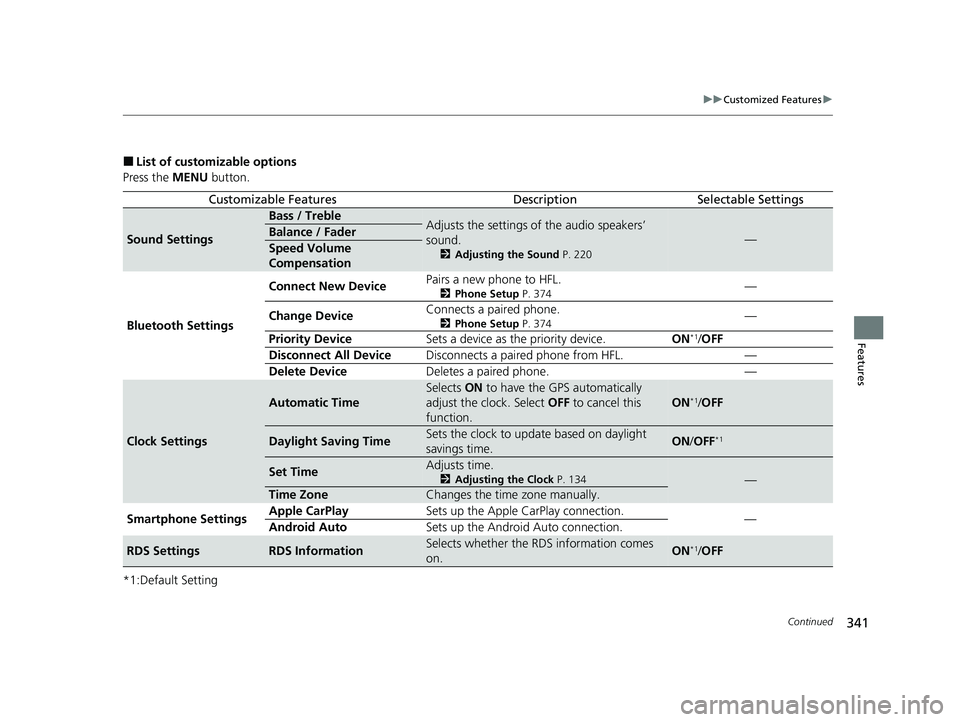
■List of customizable options
Press the MENU button.
*1:Default Setting
Customizable FeaturesDescriptionSelectable Settings
Sound Settings
Bass / TrebleAdjusts the settings of the audio speakers’
sound.
2 Adjusting the Sound P. 220
—Balance / Fader
Speed Volume
Compensation
Bluetooth Settings Connect New Device
Pairs a new phone to HFL.
2
Phone Setup P. 374—
Change Device Connects a paired phone.
2
Phone Setup P. 374—
Priority Device Sets a device as the priority device. ON
*1/OFF
Disconnect All Device Disconnects a paired phone from HFL. —
Delete Device Deletes a paired phone. —
Clock Settings
Automatic Time
Selects ON to have the GPS automatically
adjust the clock. Select OFF to cancel this
function.
ON*1/ OFF
Daylight Saving TimeSets the clock to update based on daylight
savings time.ON /OFF*1
Set TimeAdjusts time.
2 Adjusting the Clock P. 134—
Time ZoneChanges the time zone manually.
Smartphone Settings Apple CarPlay
Sets up the Apple CarPlay connection.
—
Android Auto Sets up the Android Auto connection.
RDS SettingsRDS InformationSelects whether the RDS information comes
on.ON*1/OFF
23 HR-V-313V06000_01.book 341 ページ 2022年4月4日 月曜日 午前10時49分
Page 357 of 664
355
uuCustomized Features u
Continued
Features
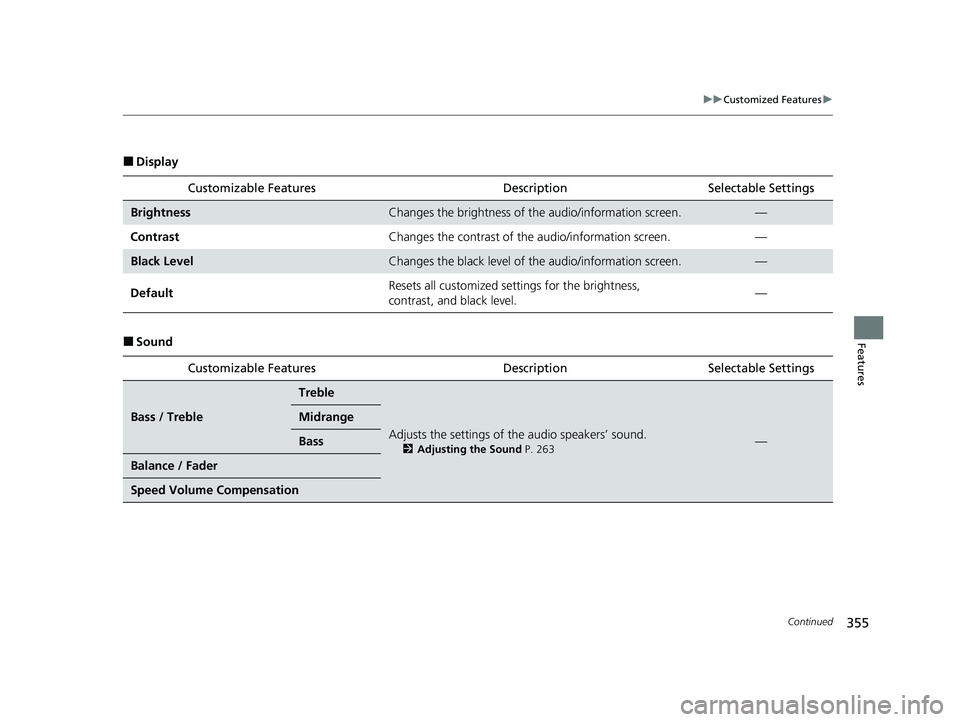
■Display
■SoundCustomizable Features
DescriptionSelectable Settings
BrightnessChanges the brightness of the audio/information screen.—
Contrast Changes the contrast of the audio/information screen. —
Black LevelChanges the black level of the audio/information screen.—
Default Resets all customized sett
ings for the brightness,
contrast, and black level. —
Customizable Features DescriptionSelectable Settings
Bass / Treble
Treble
Adjusts the settings of the audio speakers’ sound.
2Adjusting the Sound P. 263—
Midrange
Bass
Balance / Fader
Speed Volume Compensation
23 HR-V-313V06000_01.book 355 ページ 2022年4月4日 月曜日 午前10時49分
Page 381 of 664
Continued379
uuBluetooth ® HandsFreeLink ®u HFL Menus
Features
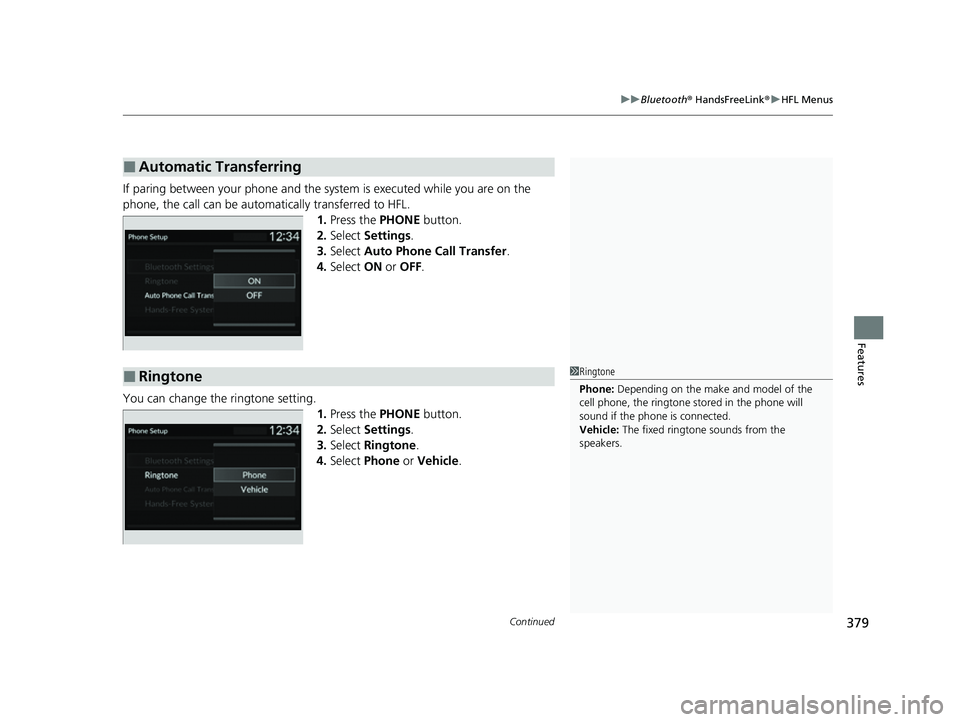
If paring between your phone and the system is executed while you are on the
phone, the call can be automa tically transferred to HFL.
1.Press the PHONE button.
2. Select Settings .
3. Select Auto Phone Call Transfer .
4. Select ON or OFF .
You can change the ringtone setting. 1.Press the PHONE button.
2. Select Settings .
3. Select Ringtone .
4. Select Phone or Vehicle .
■Automatic Transferring
■Ringtone1Ringtone
Phone: Depending on the make and model of the
cell phone, the ringtone st ored in the phone will
sound if the phone is connected.
Vehicle: The fixed ringtone sounds from the
speakers.
23 HR-V-313V06000_01.book 379 ページ 2022年4月4日 月曜日 午前10時49分
Page 386 of 664
uuBluetooth ® HandsFreeLink ®u HFL Menus
384
Features
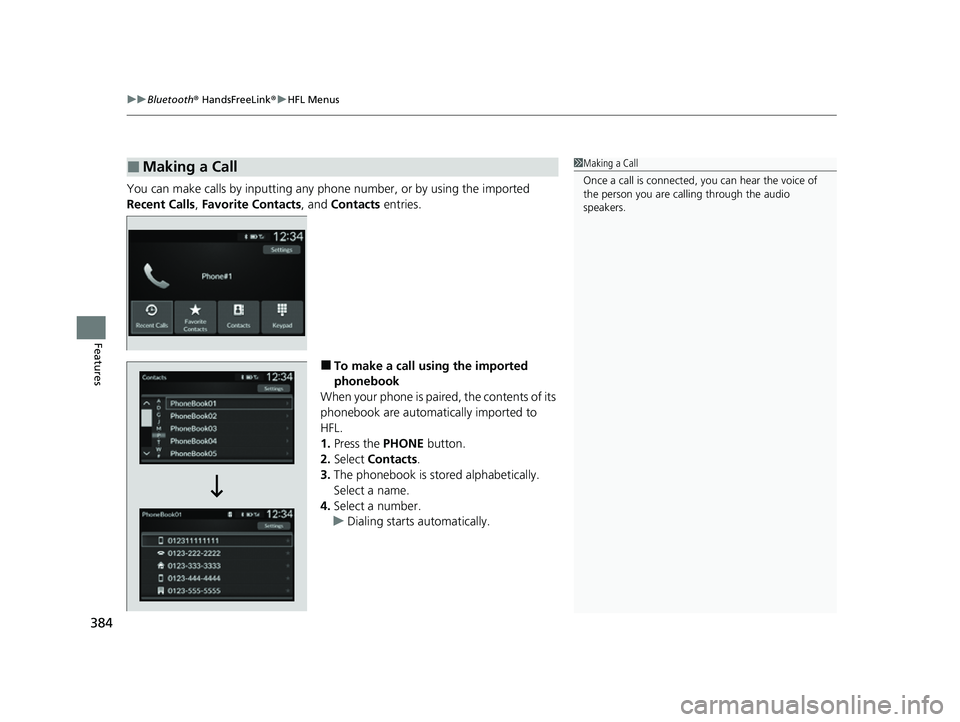
You can make calls by inpu tting any phone number, or by using the imported
Recent Calls , Favorite Contacts , and Contacts entries.
■To make a call using the imported
phonebook
When your phone is paired, the contents of its
phonebook are automatically imported to
HFL.
1. Press the PHONE button.
2. Select Contacts .
3. The phonebook is stored alphabetically.
Select a name.
4. Select a number.
u Dialing starts automatically.
■Making a Call1Making a Call
Once a call is connected, you can hear the voice of
the person you are call ing through the audio
speakers.
23 HR-V-313V06000_01.book 384 ページ 2022年4月4日 月曜日 午前10時49分
Page 400 of 664
uuBluetooth ® HandsFreeLink ®u HFL Menus
398
Features
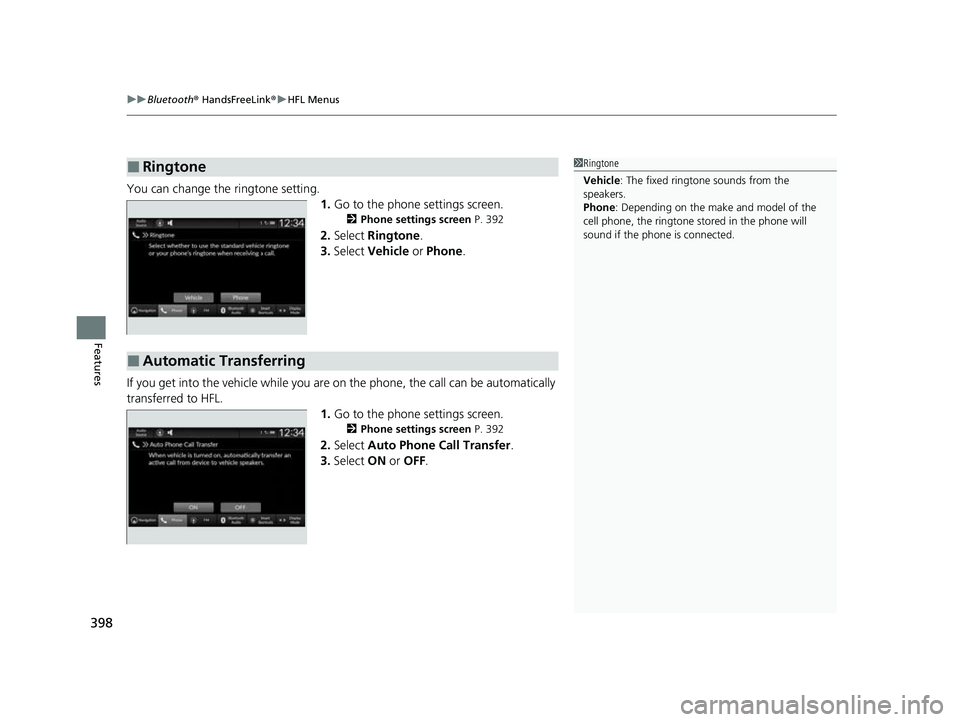
You can change the ringtone setting.
1.Go to the phone settings screen.
2 Phone settings screen P. 392
2.Select Ringtone .
3. Select Vehicle or Phone .
If you get into the vehicle while you are on the phone, the call can be automatically
transferred to HFL. 1.Go to the phone settings screen.
2 Phone settings screen P. 392
2.Select Auto Phone Call Transfer .
3. Select ON or OFF .
■Ringtone1Ringtone
Vehicle : The fixed ringtone sounds from the
speakers.
Phone : Depending on the make and model of the
cell phone, the ringtone st ored in the phone will
sound if the phone is connected.
■Automatic Transferring
23 HR-V-313V06000_01.book 398 ページ 2022年4月4日 月曜日 午前10時49分
Page 404 of 664
uuBluetooth ® HandsFreeLink ®u HFL Menus
402
Features
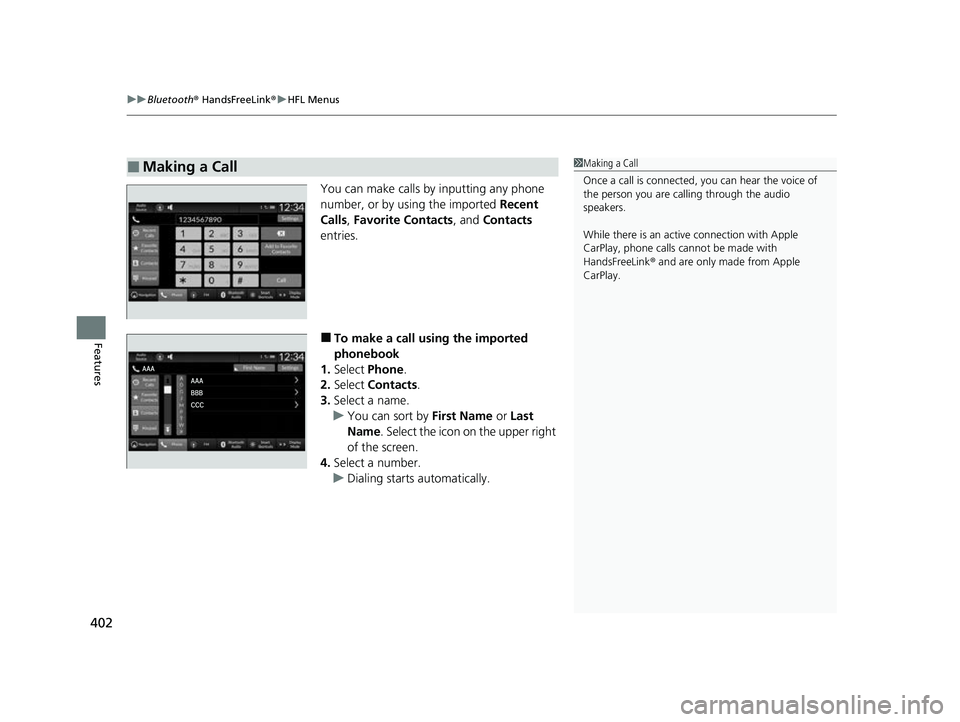
You can make calls by inputting any phone
number, or by using the imported Recent
Calls, Favorite Contacts , and Contacts
entries.
■To make a call using the imported
phonebook
1. Select Phone .
2. Select Contacts .
3. Select a name.
u You can sort by First Name or Last
Name . Select the icon on the upper right
of the screen.
4. Select a number.
u Dialing starts automatically.
■Making a Call1Making a Call
Once a call is connected, you can hear the voice of
the person you are call ing through the audio
speakers.
While there is an active connection with Apple
CarPlay, phone calls ca nnot be made with
HandsFreeLink ® and are only made from Apple
CarPlay.
23 HR-V-313V06000_01.book 402 ページ 2022年4月4日 月曜日 午前10時49分
Page 408 of 664
406
uuBluetooth ® HandsFreeLink ®u HondaLink ® Assist
Features
HondaLink ® Assist
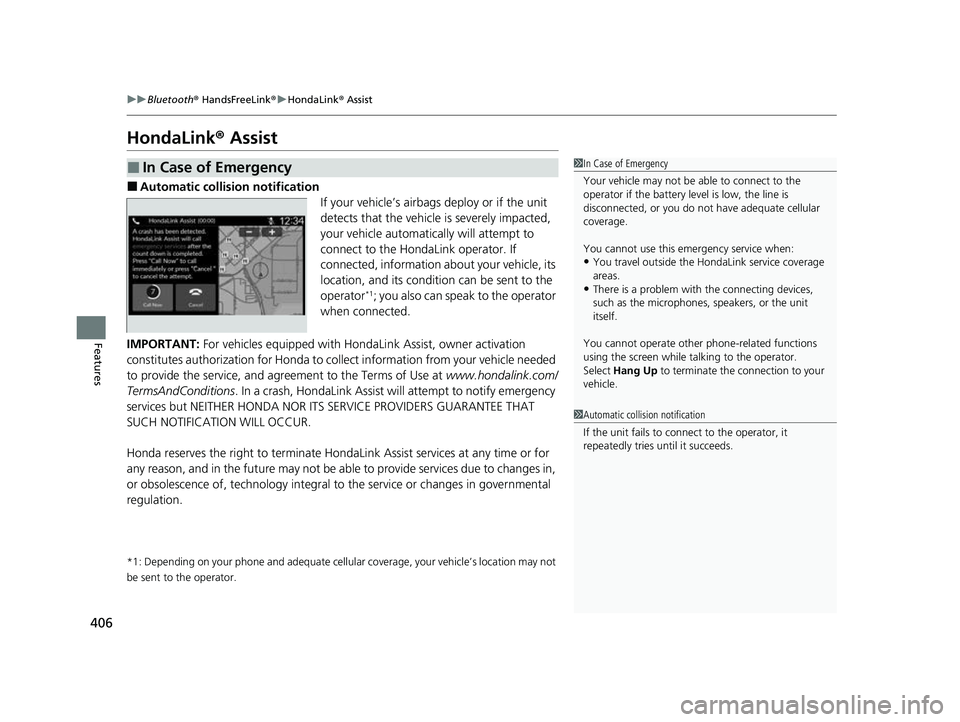
■Automatic collision notification
If your vehicle’s airbags deploy or if the unit
detects that the vehicle is severely impacted,
your vehicle automatically will attempt to
connect to the HondaLink operator. If
connected, information about your vehicle, its
location, and its condition can be sent to the
operator
*1; you also can speak to the operator
when connected.
IMPORTANT: For vehicles equipped with Hond aLink Assist, owner activation
constitutes authorization for Honda to co llect information from your vehicle needed
to provide the service, and agr eement to the Terms of Use at www.hondalink.com/
TermsAndConditions . In a crash, HondaLink Assist w ill attempt to notify emergency
services but NEITHER HONDA NOR ITS SERVICE PROVIDERS GUARANTEE THAT
SUCH NOTIFICATION WILL OCCUR.
Honda reserves the right to terminate HondaLink Assist services at any time or for
any reason, and in the future may not be ab le to provide services due to changes in,
or obsolescence of, technology integral to the service or changes in governmental
regulation.
*1: Depending on your phone and ad equate cellular coverage, your vehicle’s location may not
be sent to the operator.
■In Case of Emergency1 In Case of Emergency
Your vehicle may not be able to connect to the
operator if the battery level is low, the line is
disconnected, or you do not have adequate cellular
coverage.
You cannot use this emergency service when:
•You travel outside the HondaLink service coverage
areas.
•There is a problem with the connecting devices,
such as the microphones, speakers, or the unit
itself.
You cannot operate othe r phone-related functions
using the screen while talking to the operator.
Select Hang Up to terminate the connection to your
vehicle.
1 Automatic collision notification
If the unit fails to connect to the operator, it
repeatedly tries until it succeeds.
23 HR-V-313V06000_01.book 406 ページ 2022年4月4日 月曜日 午前10時49分