Page 180 of 664
178
Controls
Mirrors
Interior Rearview Mirror
Adjust the angle of the rearview mirror when you are sitting in the correct driving
position.
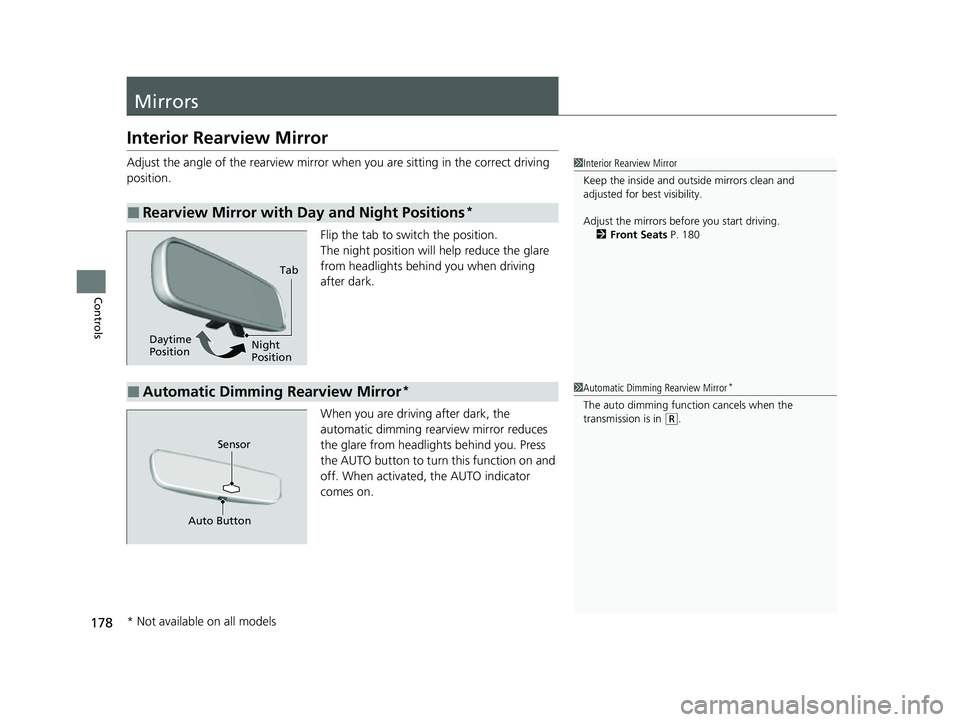
Flip the tab to switch the position.
The night position will help reduce the glare
from headlights behind you when driving
after dark.
When you are driving after dark, the
automatic dimming rearview mirror reduces
the glare from headlights behind you. Press
the AUTO button to turn this function on and
off. When activated, the AUTO indicator
comes on.
■Rearview Mirror with Day and Night Positions*
1 Interior Rearview Mirror
Keep the inside and out side mirrors clean and
adjusted for best visibility.
Adjust the mirrors before you start driving. 2 Front Seats P. 180
Tab
Daytime
Position Night
Position
■Automatic Dimming Rearview Mirror*1
Automatic Dimming Rearview Mirror*
The auto dimming function cancels when the
transmission is in (R.
Sensor
Auto Button
* Not available on all models
23 HR-V-313V06000_01.book 178 ページ 2022年4月4日 月曜日 午前10時49分
Page 189 of 664
187
uuSeats uHead Restraints
Controls
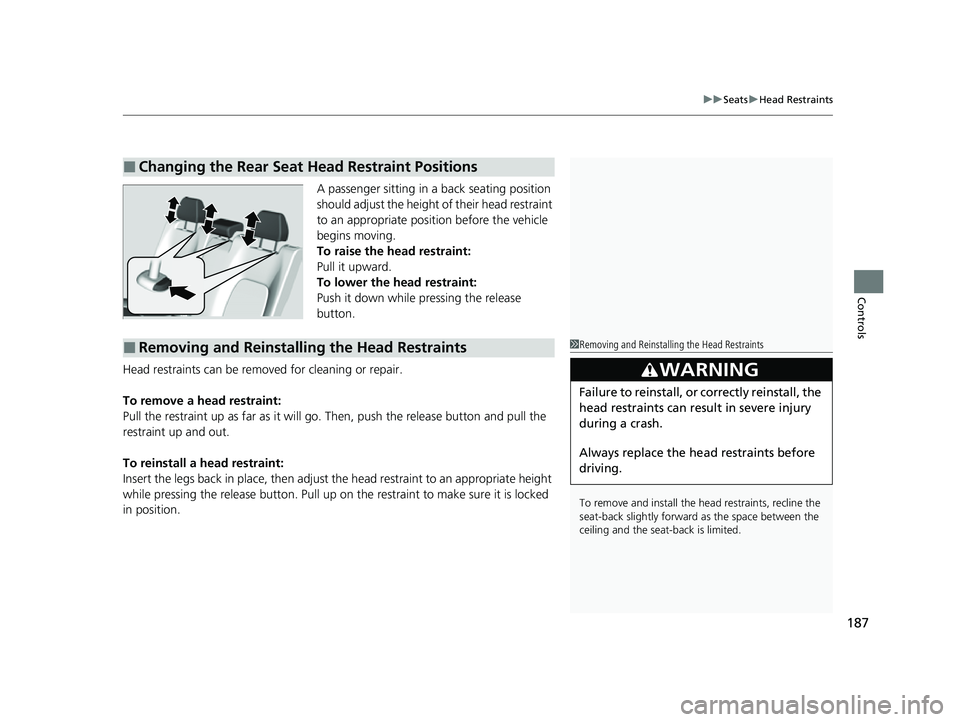
A passenger sitting in a back seating position
should adjust the height of their head restraint
to an appropriate position before the vehicle
begins moving.
To raise the head restraint:
Pull it upward.
To lower the head restraint:
Push it down while pressing the release
button.
Head restraints can be removed for cleaning or repair.
To remove a head restraint:
Pull the restraint up as far as it will go. Then, push the release button and pull the
restraint up and out.
To reinstall a head restraint:
Insert the legs back in place, then adjust the head restraint to an appropriate height
while pressing the release button. Pull up on the restraint to make sure it is locked
in position.
■Changing the Rear Seat Head Restraint Positions
■Removing and Reinstalling the Head Restraints1 Removing and Reinstalling the Head Restraints
To remove and install the head restraints, recline the
seat-back slightly forward as the space between the
ceiling and the seat -back is limited.
3WARNING
Failure to reinstall, or correctly reinstall, the
head restraints can result in severe injury
during a crash.
Always replace the he ad restraints before
driving.
23 HR-V-313V06000_01.book 187 ページ 2022年4月4日 月曜日 午前10時49分
Page 191 of 664
189Continued
Controls
Interior Convenience Items
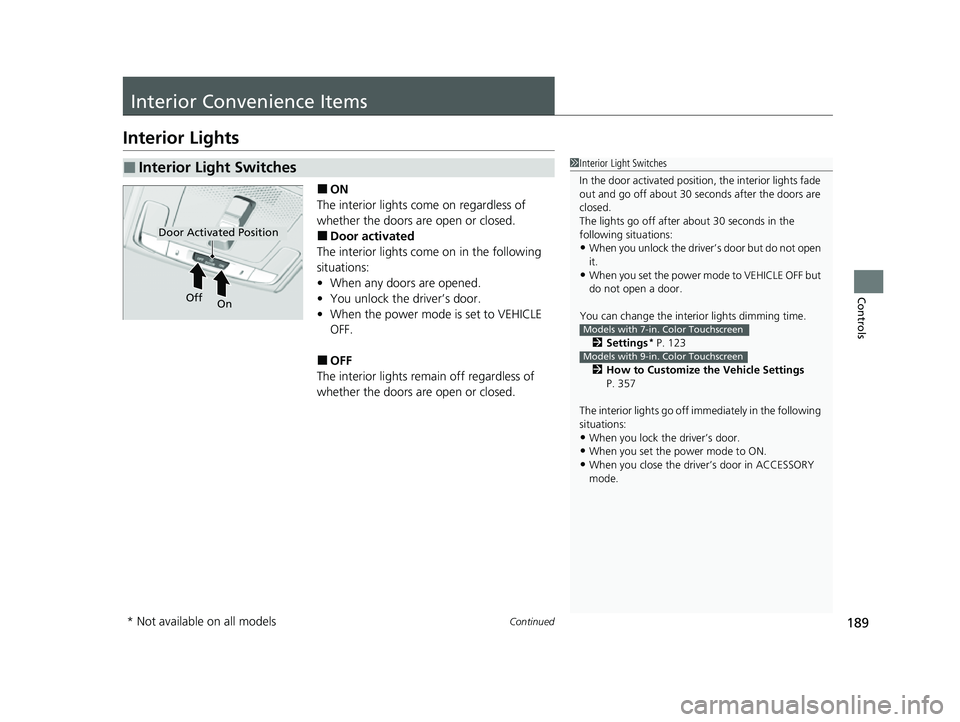
Interior Lights
■ON
The interior lights come on regardless of
whether the doors are open or closed.
■Door activated
The interior lights come on in the following
situations:
• When any doors are opened.
• You unlock the driver’s door.
• When the power mode is set to VEHICLE
OFF.
■OFF
The interior lights remain off regardless of
whether the doors are open or closed.
■Interior Light Switches1 Interior Light Switches
In the door activated position, the interior lights fade
out and go off about 30 seconds after the doors are
closed.
The lights go off after about 30 seconds in the
following situations:
•When you unlock the driver’s door but do not open
it.
•When you set the power mode to VEHICLE OFF but
do not open a door.
You can change the interi or lights dimming time.
2 Settings
* P. 123
2 How to Customize the Vehicle Settings
P. 357
The interior lights go off im mediately in the following
situations:
•When you lock the driver’s door.
•When you set the power mode to ON.
•When you close the driver’s door in ACCESSORY
mode.
Models with 7-in. Color Touchscreen
Models with 9-in. Color Touchscreen
Door Activated Position
Off
On
* Not available on all models
23 HR-V-313V06000_01.book 189 ページ 2022年4月4日 月曜日 午前10時49分
Page 192 of 664
uuInterior Convenience Items uInterior Lights
190
Controls
■Front seat
The map lights can be turned on and off by
pressing the buttons.
■Rear seat
The map lights can be turned on and off by
touching the map lights.
■Map Light Switches1 Interior Light Switches
To avoid draining the ba ttery, do not leave the
interior light on for an extended length of time when
the engine is off.
If you leave any of the doors open in VEHICLE OFF
mode, the interior light s go off after about 15
minutes.
1 Map Light Switches
When the front interior li ght switch is in the door
activated position and any door is open, the map
light will not go off when you press the buttons or
touch the map lights.
Touch
23 HR-V-313V06000_01.book 190 ページ 2022年4月4日 月曜日 午前10時49分
Page 193 of 664
191
uuInterior Convenience Items uInterior Lights
Controls
The cargo area lights come on when you open
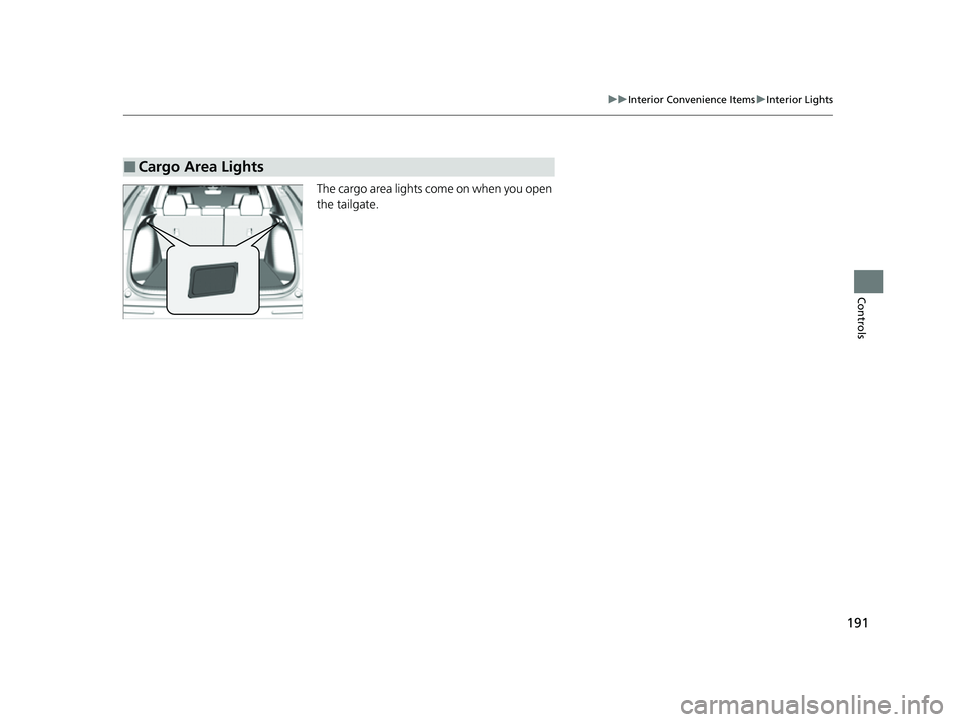
the tailgate.
■Cargo Area Lights
23 HR-V-313V06000_01.book 191 ページ 2022年4月4日 月曜日 午前10時49分
Page 198 of 664
196
uuInterior Convenience Items uOther Interior Convenience Items
Controls
Other Interior Convenience Items
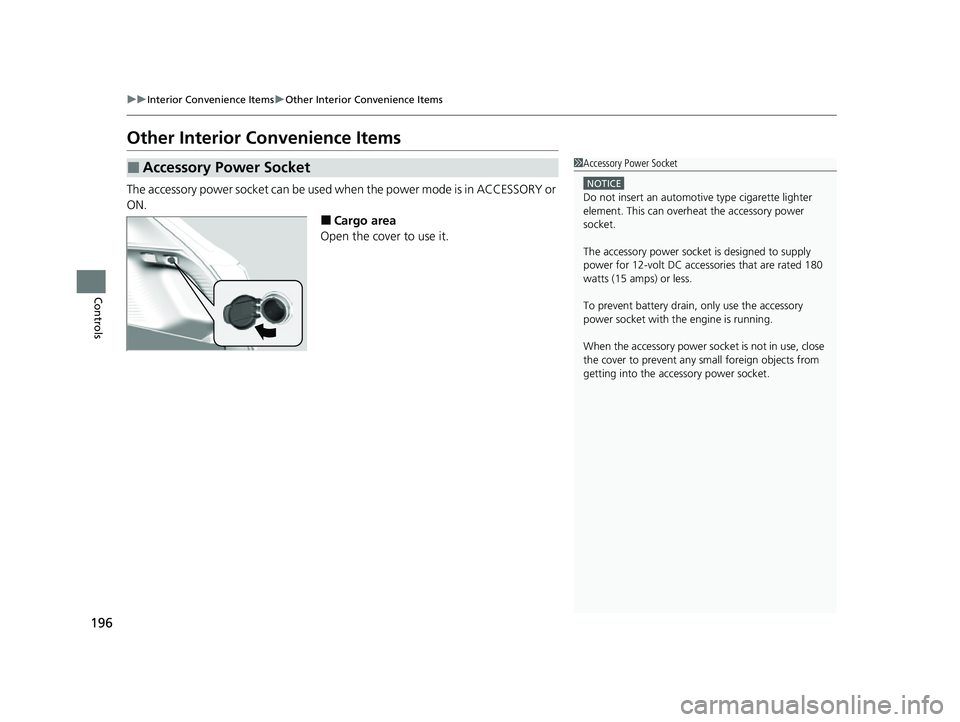
The accessory power socket can be used when the power mode is in ACCESSORY or
ON.
■Cargo area
Open the cover to use it.
■Accessory Power Socket1 Accessory Power Socket
NOTICE
Do not insert an automotive type cigarette lighter
element. This can overheat the accessory power
socket.
The accessory power socket is designed to supply
power for 12-volt DC accessories that are rated 180
watts (15 amps) or less.
To prevent battery drain, only use the accessory
power socket with th e engine is running.
When the accessory power soc ket is not in use, close
the cover to prevent any small foreign objects from
getting into the accessory power socket.
23 HR-V-313V06000_01.book 196 ページ 2022年4月4日 月曜日 午前10時49分
Page 199 of 664

Continued197
uuInterior Convenience Items uOther Interior Convenience Items
Controls
To use the wireless charger, the power mode must be in ACCESSORY or ON.
Charge any devices compatible with Qi wi reless charging on the area indicated by
the mark as follows:
1.To turn the system on and off, press and
hold the (power) button.
u When the system is activated, the green
indicator light comes on.
2. Place the device you want to charge on the
charging area.
u The system will au tomatically start
charging the device and the amber
indicator light will come on.
u Make sure that the device is compatible
with the system and placed with the
chargeable side in the center of the
charging area.
3. When charging is completed, the green
indicator light will come on.
u Depending on the device, the amber
indicator light will stay on.
■Wireless Charger*1Wireless Charger*
RF Radiation Exposure Statement:
This equipment complies with FCC RF Radiation
exposure limits set forth for an uncontrolled
environment.
This device and its antenna must not be co-located or
operating in conjunction with any other antenna or
transmitter.
In order to use safely:
•Remove any metal objects from the charge pad
before charging a device.
•Do not open the charger case.
•Do not use the charger if it malfunctions. Contact
your dealer.
If the charger interferes with radio communications,
attempt to correct the interference:
•Press and hold the switch on the charger for a few
seconds to turn off the charger.
Green Indicator
Charging Area
(Power) Button
Amber Indicator
* Not available on all models
23 HR-V-313V06000_01.book 197 ページ 2022年4月4日 月曜日 午前10時49分
Page 215 of 664

213
uuAudio System uUSB Ports
Features
USB Ports
■On the front panel
The USB port (2.5A) is for charging devices,
playing audio files and connecting compatible
phones with Apple CarPlay or Android Auto. u To prevent any potenti al issues, be sure
to use an Apple MFi Certified Lightning
Connector for Apple CarPlay, and for
Android Auto, the USB cables should be
certified by USB-IF to be compliant with
USB 2.0 Standard.
■On the undertray
The USB ports (2.5A) are only for charging
devices. u You cannot play music even if you have
connected music players to them.
1USB Ports
•Do not leave the iPod or USB flash drive in the
vehicle. Direct sunlight and high temperatures may
damage it.
•We recommend that you us e a USB cable if you are
attaching a USB flash drive to the USB port.
•Do not connect the iPod or USB flash drive using a
hub.
•Do not use a device such as a card reader or hard
disk drive, as the device or your files may be
damaged.
•We recommend backing up yo ur data before using
the device in your vehicle.
•Displayed messages may vary depending on the
device model and software version.
The USB port can supply up to 2.5A of power. It does
not output 2.5A unless requested by the device.
For amperage details, read the operating manual of
the device that ne eds to be charged.
Under certain condi tions, a device connected to the
port may generate noise to the radio station you are
listening to.
USB charge
On the front panel
On the undertray
23 HR-V-313V06000_01.book 213 ページ 2022年4月4日 月曜日 午前10時49分