2023 FORD SUPER DUTY display
[x] Cancel search: displayPage 293 of 738
Note:Zooming in also engages park holdwhich applies the electric park brake whenyou shift to park (P). When you press thezoom button, the electronic park holdbutton illuminates on the touchscreen. SeeConnecting a Trailer (page 359).
Note:Manual zoom is only available whenthe transmission is in reverse (R).
Note:Only the centerline shows when youenable manual zoom.
SWITCHING REAR VIEW CAMERADELAY ON AND OFF
1.Press Features on the touchscreen.
2.Press Driver Assistance.
3.Press Rear View Camera.
4.Switch Rear View Camera Delay on oroff.
When shifting the transmission out ofreverse (R) and into any gear other thanpark (P), the camera image remains in thedisplay until:
•Your vehicle speed reachesapproximately 5 mph (8 km/h).
•You shift your vehicle into park (P).
REAR VIEW CAMERA VIDEOS
Dynamic Hitch Assist Video Link
289
2023 Super Duty (TFH) Canada/United States of America, enUSA, Edition date: 202211, DOMRear View Camera
Page 295 of 738
Bed Camera
The bed camera is mounted within thehigh-mount stop lamp. It displays thecontents of your truck bed. The cameracontains a dynamic guideline to help locatethe center of your vehicle. This view canbe accessed while in drive (D) or reverse(R).
Auxiliary Camera
The auxiliary camera is a variant of the rearview camera and is accessed by pressingthe AUX button on the display screen whenmoving in reverse (R) or in drive (D). Itdisplays a rear view image from the backof a trailer while in reverse.
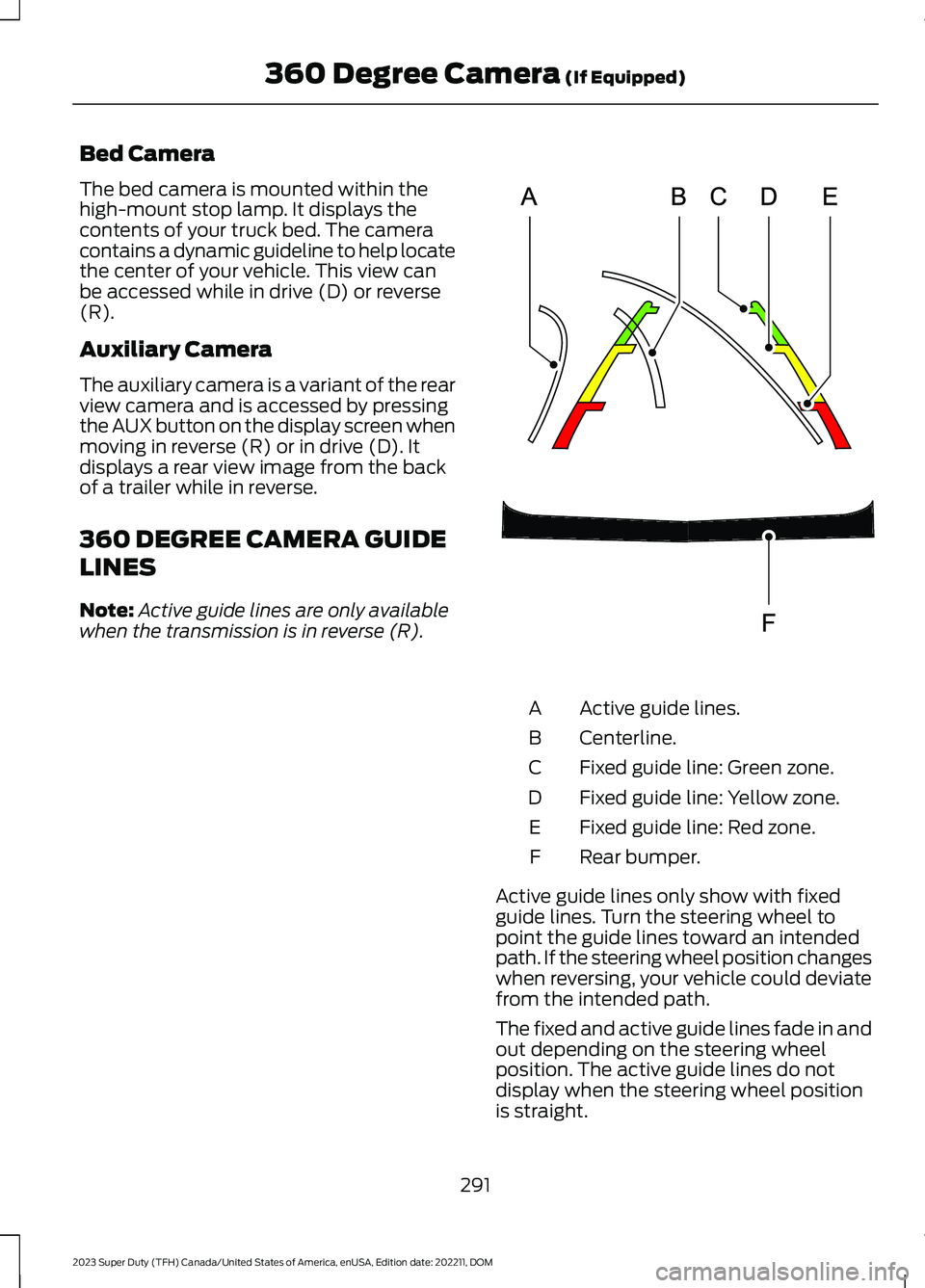
360 DEGREE CAMERA GUIDE
LINES
Note:Active guide lines are only availablewhen the transmission is in reverse (R).
Active guide lines.A
Centerline.B
Fixed guide line: Green zone.C
Fixed guide line: Yellow zone.D
Fixed guide line: Red zone.E
Rear bumper.F
Active guide lines only show with fixedguide lines. Turn the steering wheel topoint the guide lines toward an intendedpath. If the steering wheel position changeswhen reversing, your vehicle could deviatefrom the intended path.
The fixed and active guide lines fade in andout depending on the steering wheelposition. The active guide lines do notdisplay when the steering wheel positionis straight.
291
2023 Super Duty (TFH) Canada/United States of America, enUSA, Edition date: 202211, DOM360 Degree Camera (If Equipped)E306774
Page 296 of 738
Objects in the red zone are closest to yourvehicle and objects in the green zone arefarther away. Objects get closer to yourvehicle as they move from the green zoneto the yellow or red zones. Use the sideview mirrors and rear view mirror to getbetter coverage on both sides and rear ofyour vehicle.
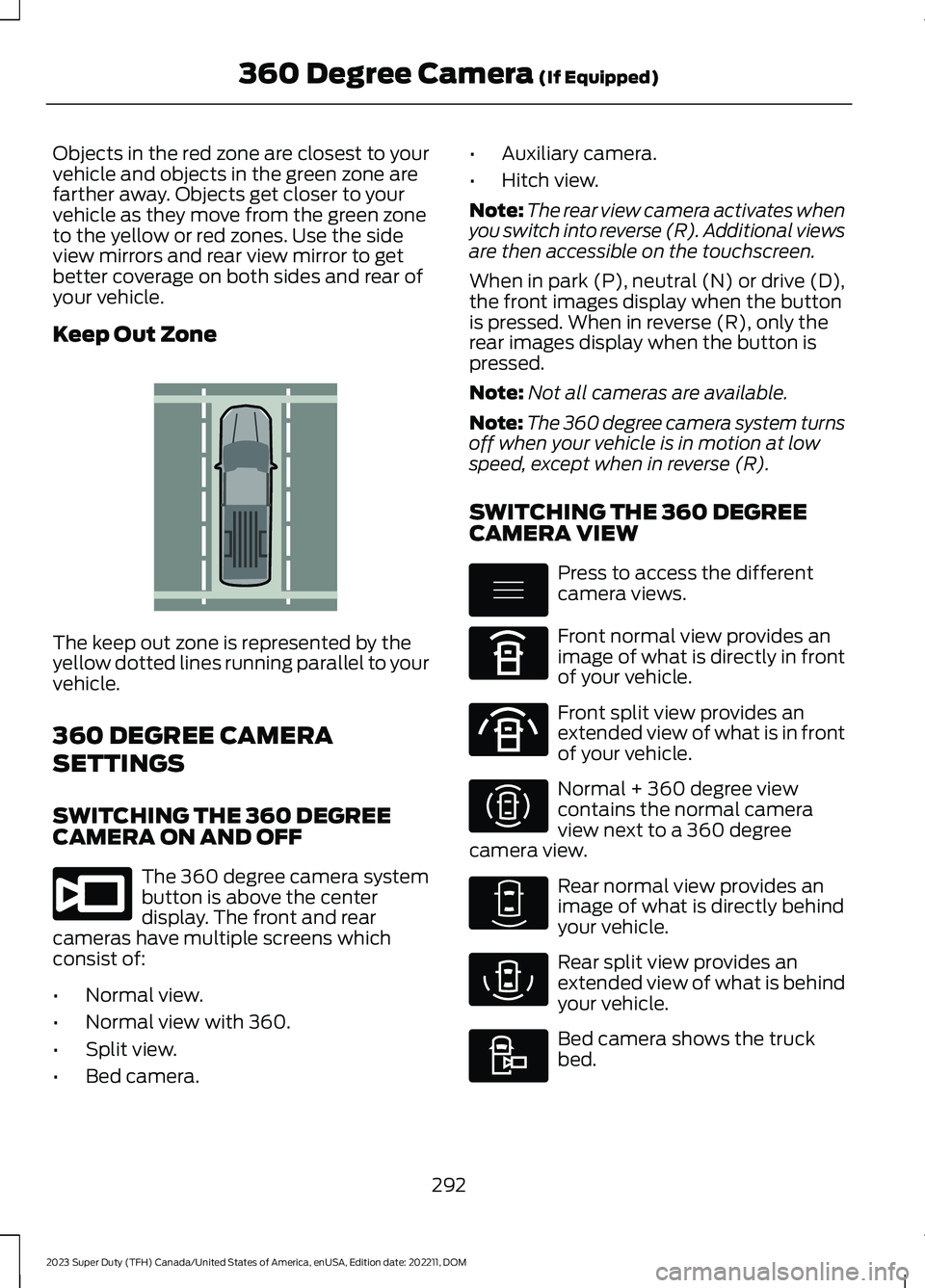
Keep Out Zone
The keep out zone is represented by theyellow dotted lines running parallel to yourvehicle.
360 DEGREE CAMERA
SETTINGS
SWITCHING THE 360 DEGREECAMERA ON AND OFF
The 360 degree camera systembutton is above the centerdisplay. The front and rearcameras have multiple screens whichconsist of:
•Normal view.
•Normal view with 360.
•Split view.
•Bed camera.
•Auxiliary camera.
•Hitch view.
Note:The rear view camera activates whenyou switch into reverse (R). Additional viewsare then accessible on the touchscreen.
When in park (P), neutral (N) or drive (D),the front images display when the buttonis pressed. When in reverse (R), only therear images display when the button ispressed.
Note:Not all cameras are available.
Note:The 360 degree camera system turnsoff when your vehicle is in motion at lowspeed, except when in reverse (R).
SWITCHING THE 360 DEGREECAMERA VIEW
Press to access the differentcamera views.
Front normal view provides animage of what is directly in frontof your vehicle.
Front split view provides anextended view of what is in frontof your vehicle.
Normal + 360 degree viewcontains the normal cameraview next to a 360 degreecamera view.
Rear normal view provides animage of what is directly behindyour vehicle.
Rear split view provides anextended view of what is behindyour vehicle.
Bed camera shows the truckbed.
292
2023 Super Duty (TFH) Canada/United States of America, enUSA, Edition date: 202211, DOM360 Degree Camera (If Equipped)E310341 E332186 E337002 E336516 E336517 E310996 E310967 E310974 E310995
Page 298 of 738
WHAT IS CRUISE CONTROL
Cruise control lets you maintain a setspeed without keeping your foot on theaccelerator pedal.
Requirements
Use cruise control when the vehicle speedis greater than 20 km/h in metric units or15 mph in imperial units.
SWITCHING CRUISE CONTROL
ON AND OFF
WARNING: Do not use cruisecontrol on winding roads, in heavy trafficor when the road surface is slippery. Thiscould result in loss of vehicle control,serious injury or death.
The cruise controls are on the steeringwheel.
Switching Cruise Control On
Press the button to activate thesystem. When the systemactivates, the set speed is equalto the current vehicle speed or 20 km/h (15mph), whichever is greater. If the speed istoo low, or other conditions are not correctfor cruise control activation, the systementers standby mode.
Switching Cruise Control Off
Press the button when thesystem is active or switch theignition off.
Note:When you switch cruise control off,the set speed clears.
SETTING THE CRUISE
CONTROL SPEED
WARNING: When you are goingdownhill, your vehicle speed couldincrease above the set speed. Thesystem does not apply the brakes.
Drive to the speed you prefer.
Press either the SET+ or SET-buttons to set the current speed.
Take your foot off the accelerator pedal.
Note:The indicator changes color in theinformation display.
Changing the Set Speed
Press the SET+ button toincrease the set speed in smallincrements. Press and hold theSET+ button to accelerate. Release thebutton when you have reached yourpreferred speed.
Press the SET- button todecrease the set speed in smallincrements. Press and hold theSET- button to decelerate. Release thebutton when you have reached yourpreferred speed.
Note: If you accelerate by pressing theaccelerator pedal, the set speed does notchange. When you release the acceleratorpedal, your vehicle returns to the speed thatyou previously set.
294
2023 Super Duty (TFH) Canada/United States of America, enUSA, Edition date: 202211, DOMCruise ControlE332905 E332905 E246884 E246885 E246884 E246885
Page 302 of 738

Note:You cannot see the sensor. It isbehind a fascia panel.
Note:Keep the front of your vehicle free ofdirt, metal badges or objects. Vehicle frontprotectors, aftermarket lights, additionalpaint or plastic coatings could also degradesensor performance.
A message displays if something obstructsthe camera or the sensor. When somethingblocks the sensor, the system cannotdetect a vehicle ahead and does notfunction. See Adaptive Cruise Control– Information Messages (page 309).
The radar sensor has a limited field of view.It may not detect vehicles at all or detecta vehicle later than expected in somesituations. The lead vehicle image doesnot illuminate if the system does notdetect a vehicle in front of you.
Detection Issues Can Occur:
When driving on a different linethan the vehicle in front.A
With vehicles that edge into yourlane. The system can only detectthese vehicles once they movefully into your lane.
B
There may be issues with thedetection of vehicles in frontwhen driving into and coming outof a bend or curve in the road.
C
In these cases, the system may brake lateor unexpectedly.
If something hits the front end of yourvehicle or damage occurs, theradar-sensing zone may change. This couldcause missed or false vehicle detection.
298
2023 Super Duty (TFH) Canada/United States of America, enUSA, Edition date: 202211, DOMAdaptive Cruise Control (If Equipped)E71621
Page 303 of 738

Optimal system performance requires aclear view of the road by the windshieldcamera.
Optimal performance may not occur if:
•The camera is blocked.
•There is poor visibility or lightingconditions.
•There are bad weather conditions.
SWITCHING ADAPTIVE
CRUISE CONTROL ON AND OFF
The cruise controls are on the steeringwheel.
Switching Adaptive Cruise ControlOn
Press the button to activate thesystem. When the systemactivates, the set speed is equalto whichever is greater, the current vehiclespeed, or 15 mph when in imperial units or20 km/h when in metric units. If the speedis too low, or other conditions are notcorrect for adaptive cruise controlactivation, the system enters standbymode. When you are below 15 mph whenin imperial units or 20 km/h when in metricunits, adaptive cruise control does notactivate unless you are following anothervehicle.
The indicator, current gap setting and setspeed appear in the instrument clusterdisplay.
Switching Adaptive Cruise ControlOff
Press the button when thesystem is in standby mode orswitch the ignition off.
Note:When you switch the system off, theset speed clears.
ADAPTIVE CRUISE CONTROL
AUTOMATIC CANCELLATION
The system may cancel if:
•The tires lose traction.
•You apply the parking brake.
The system may cancel and set the parkingbrake if:
•You unbuckle the seatbelt and openthe driver door after adaptive cruisecontrol stops your vehicle.
•Adaptive cruise control holds yourvehicle at a stop continuously for morethan three minutes.
The system may deactivate or preventactivating when requested if:
•The vehicle has a blocked sensor.
•The brake temperature is too high.
•There is a failure in the system or arelated system.
SETTING THE ADAPTIVE
CRUISE CONTROL SPEED
Drive to the speed you prefer.
Press the SET+ or SET- buttonsto set the current speed.
Take your foot off the accelerator pedal.
The indicator, current gap setting and setspeed appear in the instrument clusterdisplay.
A vehicle image illuminates if there is avehicle detected in front of you.
299
2023 Super Duty (TFH) Canada/United States of America, enUSA, Edition date: 202211, DOMAdaptive Cruise Control (If Equipped)E144529 E144529 E246884 E246885
Page 304 of 738
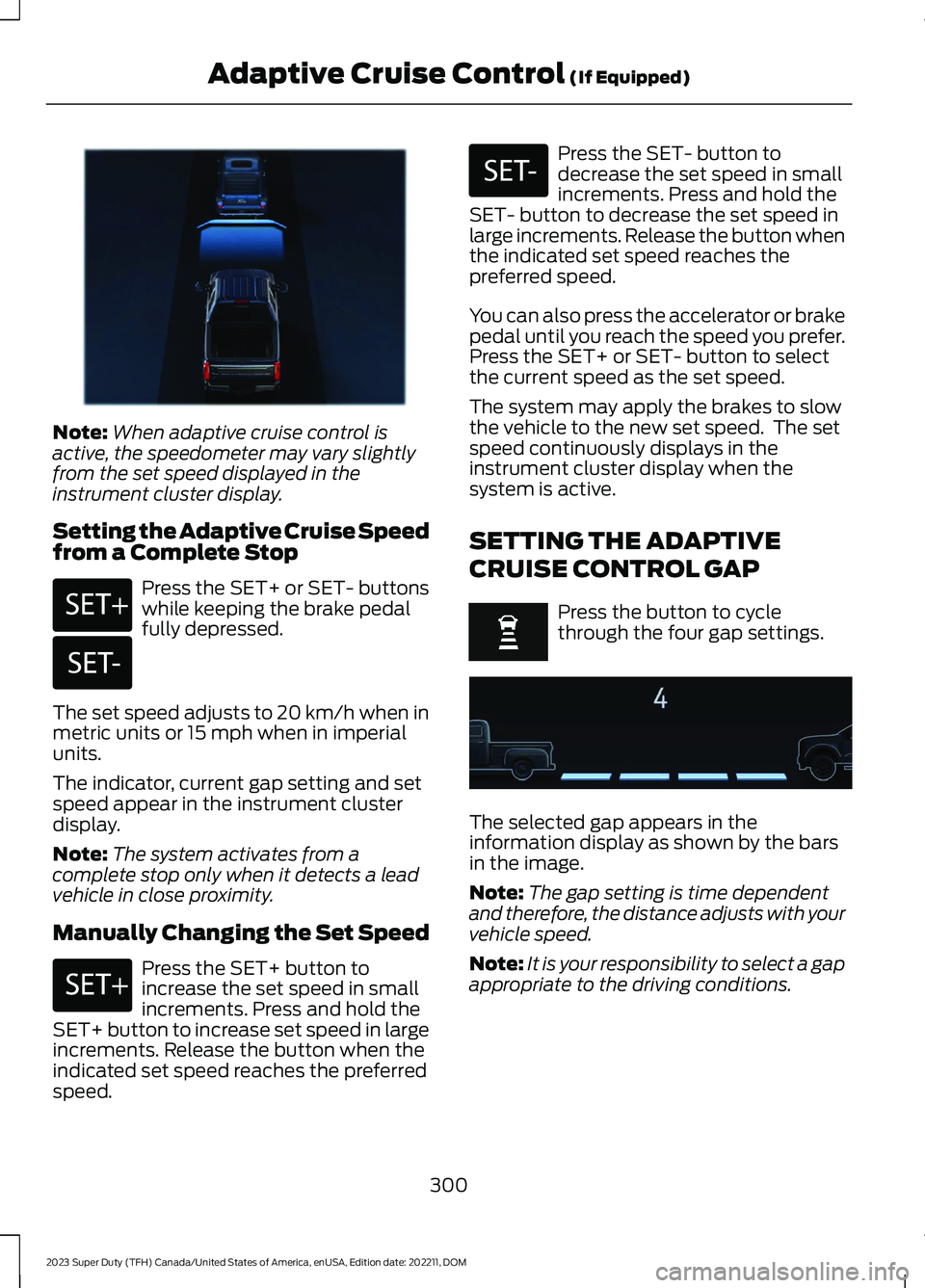
Note:When adaptive cruise control isactive, the speedometer may vary slightlyfrom the set speed displayed in theinstrument cluster display.
Setting the Adaptive Cruise Speedfrom a Complete Stop
Press the SET+ or SET- buttonswhile keeping the brake pedalfully depressed.
The set speed adjusts to 20 km/h when inmetric units or 15 mph when in imperialunits.
The indicator, current gap setting and setspeed appear in the instrument clusterdisplay.
Note:The system activates from acomplete stop only when it detects a leadvehicle in close proximity.
Manually Changing the Set Speed
Press the SET+ button toincrease the set speed in smallincrements. Press and hold theSET+ button to increase set speed in largeincrements. Release the button when theindicated set speed reaches the preferredspeed.
Press the SET- button todecrease the set speed in smallincrements. Press and hold theSET- button to decrease the set speed inlarge increments. Release the button whenthe indicated set speed reaches thepreferred speed.
You can also press the accelerator or brakepedal until you reach the speed you prefer.Press the SET+ or SET- button to selectthe current speed as the set speed.
The system may apply the brakes to slowthe vehicle to the new set speed. The setspeed continuously displays in theinstrument cluster display when thesystem is active.
SETTING THE ADAPTIVE
CRUISE CONTROL GAP
Press the button to cyclethrough the four gap settings.
The selected gap appears in theinformation display as shown by the barsin the image.
Note:The gap setting is time dependentand therefore, the distance adjusts with yourvehicle speed.
Note:It is your responsibility to select a gapappropriate to the driving conditions.
300
2023 Super Duty (TFH) Canada/United States of America, enUSA, Edition date: 202211, DOMAdaptive Cruise Control (If Equipped)E380799 E246884 E246885 E246884 E246885 E375589
Page 305 of 738
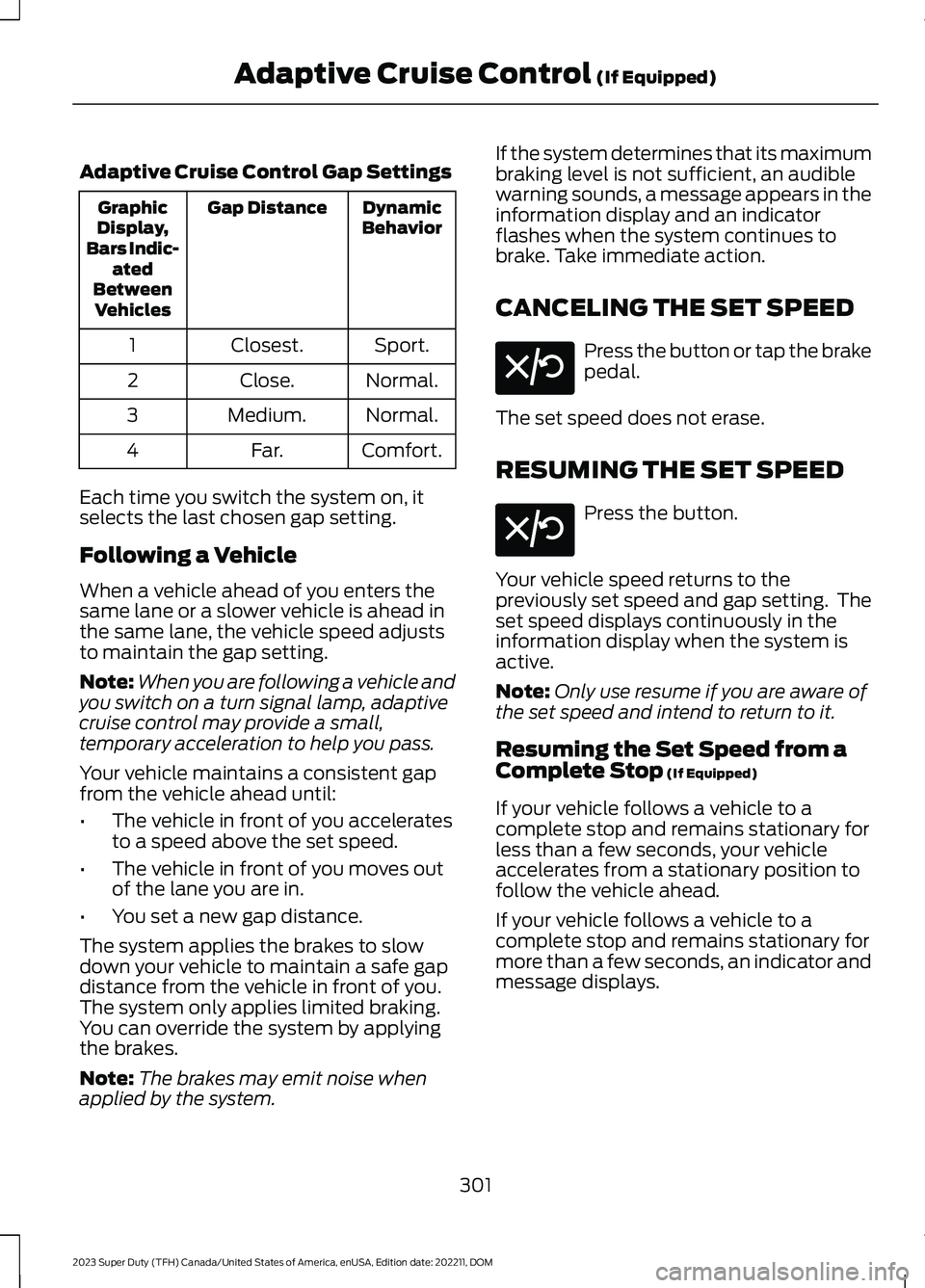
Adaptive Cruise Control Gap Settings
DynamicBehaviorGap DistanceGraphicDisplay,Bars Indic-atedBetweenVehicles
Sport.Closest.1
Normal.Close.2
Normal.Medium.3
Comfort.Far.4
Each time you switch the system on, itselects the last chosen gap setting.
Following a Vehicle
When a vehicle ahead of you enters thesame lane or a slower vehicle is ahead inthe same lane, the vehicle speed adjuststo maintain the gap setting.
Note:When you are following a vehicle andyou switch on a turn signal lamp, adaptivecruise control may provide a small,temporary acceleration to help you pass.
Your vehicle maintains a consistent gapfrom the vehicle ahead until:
•The vehicle in front of you acceleratesto a speed above the set speed.
•The vehicle in front of you moves outof the lane you are in.
•You set a new gap distance.
The system applies the brakes to slowdown your vehicle to maintain a safe gapdistance from the vehicle in front of you.The system only applies limited braking.You can override the system by applyingthe brakes.
Note:The brakes may emit noise whenapplied by the system.
If the system determines that its maximumbraking level is not sufficient, an audiblewarning sounds, a message appears in theinformation display and an indicatorflashes when the system continues tobrake. Take immediate action.
CANCELING THE SET SPEED
Press the button or tap the brakepedal.
The set speed does not erase.
RESUMING THE SET SPEED
Press the button.
Your vehicle speed returns to thepreviously set speed and gap setting. Theset speed displays continuously in theinformation display when the system isactive.
Note:Only use resume if you are aware ofthe set speed and intend to return to it.
Resuming the Set Speed from aComplete Stop (If Equipped)
If your vehicle follows a vehicle to acomplete stop and remains stationary forless than a few seconds, your vehicleaccelerates from a stationary position tofollow the vehicle ahead.
If your vehicle follows a vehicle to acomplete stop and remains stationary formore than a few seconds, an indicator andmessage displays.
301
2023 Super Duty (TFH) Canada/United States of America, enUSA, Edition date: 202211, DOMAdaptive Cruise Control (If Equipped)E308130 E308130