2023 FORD SUPER DUTY instrument cluster
[x] Cancel search: instrument clusterPage 289 of 738

The warning tone continuously soundswhen an object is 12 in (30 cm) or less fromthe front bumper.
Note:If the detected object is 12 in (30 cm)or less from your vehicle, visual indicationremains on.
PARKING AID INDICATORS
The system provides object distanceindication through the center display.
•As the distance to the objectdecreases, the indicator blocksilluminate and move toward the vehicleicon.
•If there is no object detected, thedistance indicator blocks are grey.
Visual indication remains on when thetransmission is in reverse (R). When youstop your vehicle, visual indication turnsoff after four seconds.
If the parking aids are not available, thedistance indicator blocks do not display.
PARKING AIDS –
TROUBLESHOOTING
PARKING AIDS – INFORMATIONMESSAGES
If a fault is present in the parking aids, awarning message appears in theinstrument cluster or the touchscreen.
ActionMessage
The system detects a condition thatrequires service. Have your vehicle checkedas soon as possible.
Park Aid Fault
Inclement weather, ice, mud, or water isblocking the sensor, causing the system tobecome unavailable. You can typicallyclean the sensor to resolve.
Sensor Blocked
A correct trailer connection is sensed duringa given ignition cycle.Trailer Connected
285
2023 Super Duty (TFH) Canada/United States of America, enUSA, Edition date: 202211, DOMParking Aids (If Equipped)E388639
Page 303 of 738

Optimal system performance requires aclear view of the road by the windshieldcamera.
Optimal performance may not occur if:
•The camera is blocked.
•There is poor visibility or lightingconditions.
•There are bad weather conditions.
SWITCHING ADAPTIVE
CRUISE CONTROL ON AND OFF
The cruise controls are on the steeringwheel.
Switching Adaptive Cruise ControlOn
Press the button to activate thesystem. When the systemactivates, the set speed is equalto whichever is greater, the current vehiclespeed, or 15 mph when in imperial units or20 km/h when in metric units. If the speedis too low, or other conditions are notcorrect for adaptive cruise controlactivation, the system enters standbymode. When you are below 15 mph whenin imperial units or 20 km/h when in metricunits, adaptive cruise control does notactivate unless you are following anothervehicle.
The indicator, current gap setting and setspeed appear in the instrument clusterdisplay.
Switching Adaptive Cruise ControlOff
Press the button when thesystem is in standby mode orswitch the ignition off.
Note:When you switch the system off, theset speed clears.
ADAPTIVE CRUISE CONTROL
AUTOMATIC CANCELLATION
The system may cancel if:
•The tires lose traction.
•You apply the parking brake.
The system may cancel and set the parkingbrake if:
•You unbuckle the seatbelt and openthe driver door after adaptive cruisecontrol stops your vehicle.
•Adaptive cruise control holds yourvehicle at a stop continuously for morethan three minutes.
The system may deactivate or preventactivating when requested if:
•The vehicle has a blocked sensor.
•The brake temperature is too high.
•There is a failure in the system or arelated system.
SETTING THE ADAPTIVE
CRUISE CONTROL SPEED
Drive to the speed you prefer.
Press the SET+ or SET- buttonsto set the current speed.
Take your foot off the accelerator pedal.
The indicator, current gap setting and setspeed appear in the instrument clusterdisplay.
A vehicle image illuminates if there is avehicle detected in front of you.
299
2023 Super Duty (TFH) Canada/United States of America, enUSA, Edition date: 202211, DOMAdaptive Cruise Control (If Equipped)E144529 E144529 E246884 E246885
Page 304 of 738
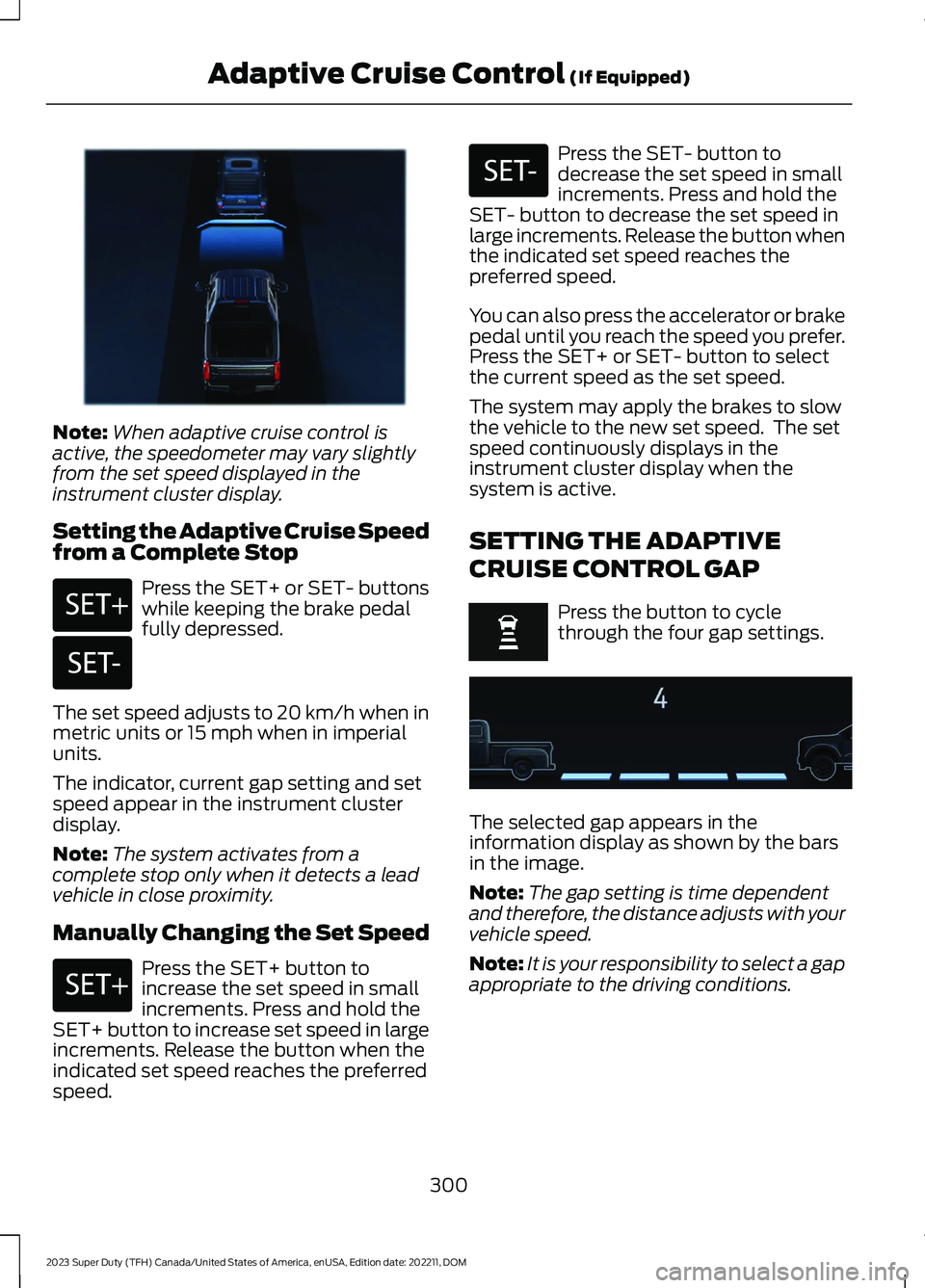
Note:When adaptive cruise control isactive, the speedometer may vary slightlyfrom the set speed displayed in theinstrument cluster display.
Setting the Adaptive Cruise Speedfrom a Complete Stop
Press the SET+ or SET- buttonswhile keeping the brake pedalfully depressed.
The set speed adjusts to 20 km/h when inmetric units or 15 mph when in imperialunits.
The indicator, current gap setting and setspeed appear in the instrument clusterdisplay.
Note:The system activates from acomplete stop only when it detects a leadvehicle in close proximity.
Manually Changing the Set Speed
Press the SET+ button toincrease the set speed in smallincrements. Press and hold theSET+ button to increase set speed in largeincrements. Release the button when theindicated set speed reaches the preferredspeed.
Press the SET- button todecrease the set speed in smallincrements. Press and hold theSET- button to decrease the set speed inlarge increments. Release the button whenthe indicated set speed reaches thepreferred speed.
You can also press the accelerator or brakepedal until you reach the speed you prefer.Press the SET+ or SET- button to selectthe current speed as the set speed.
The system may apply the brakes to slowthe vehicle to the new set speed. The setspeed continuously displays in theinstrument cluster display when thesystem is active.
SETTING THE ADAPTIVE
CRUISE CONTROL GAP
Press the button to cyclethrough the four gap settings.
The selected gap appears in theinformation display as shown by the barsin the image.
Note:The gap setting is time dependentand therefore, the distance adjusts with yourvehicle speed.
Note:It is your responsibility to select a gapappropriate to the driving conditions.
300
2023 Super Duty (TFH) Canada/United States of America, enUSA, Edition date: 202211, DOMAdaptive Cruise Control (If Equipped)E380799 E246884 E246885 E246884 E246885 E375589
Page 306 of 738
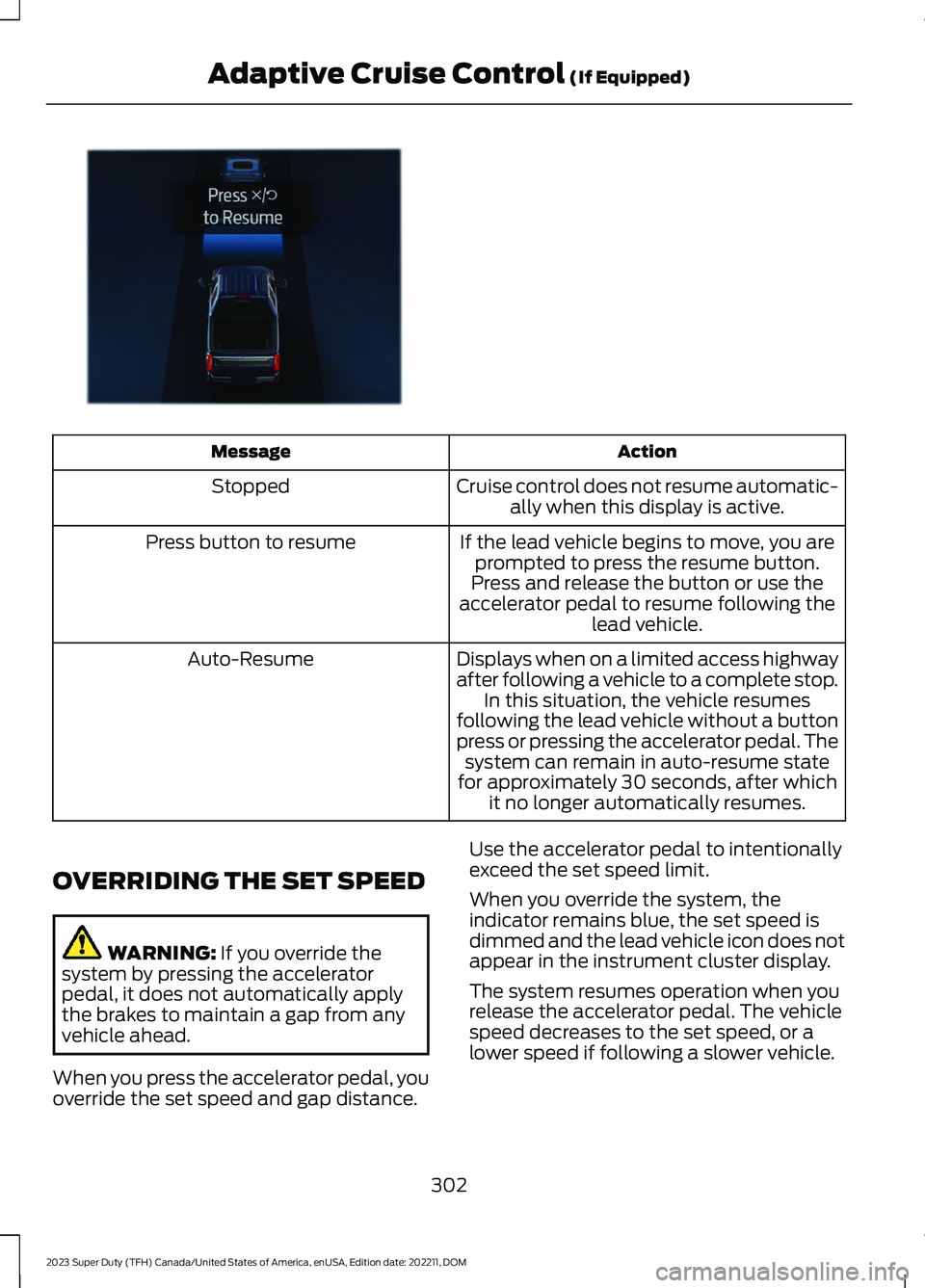
ActionMessage
Cruise control does not resume automatic-ally when this display is active.Stopped
If the lead vehicle begins to move, you areprompted to press the resume button.Press button to resume
Press and release the button or use theaccelerator pedal to resume following thelead vehicle.
Displays when on a limited access highwayafter following a vehicle to a complete stop.In this situation, the vehicle resumesfollowing the lead vehicle without a buttonpress or pressing the accelerator pedal. Thesystem can remain in auto-resume statefor approximately 30 seconds, after whichit no longer automatically resumes.
Auto-Resume
OVERRIDING THE SET SPEED
WARNING: If you override thesystem by pressing the acceleratorpedal, it does not automatically applythe brakes to maintain a gap from anyvehicle ahead.
When you press the accelerator pedal, youoverride the set speed and gap distance.
Use the accelerator pedal to intentionallyexceed the set speed limit.
When you override the system, theindicator remains blue, the set speed isdimmed and the lead vehicle icon does notappear in the instrument cluster display.
The system resumes operation when yourelease the accelerator pedal. The vehiclespeed decreases to the set speed, or alower speed if following a slower vehicle.
302
2023 Super Duty (TFH) Canada/United States of America, enUSA, Edition date: 202211, DOMAdaptive Cruise Control (If Equipped)E380823
Page 309 of 738
The indicator appears in the instrumentcluster display. When the system is on, thecolor of the indicator changes to indicatethe system status.
You can override the system at any timeby steering your vehicle.
Note:The correct requirements must bemet before you can switch the system on.See Lane Centering Requirements (page304).
Enabling and Disabling LaneCentering
1.Press Features on the touchscreen.
2.Press Driver Assistance.
3.Press Cruise Control.
4.Press Lane Centering Assist.
LANE CENTERING ALERTS
You must keep your hands on the steeringwheel at all times.
When the system is active and detects nosteering activity for a period of time, thesystem alerts you to put your hands on thesteering wheel. If you do not reactappropriately to the warnings the adaptivecruise control with lane centering systemcancels and slows your vehicle down toidle speeds while maintaining steeringcontrol. See Lane Centering AutomaticCancellation (page 305).
The system also alerts you if your vehiclecrosses lane line markings withoutdetected steering activity.
Note:The system could detect a light gripor light touch on the steering wheel ashands-off driving.
LANE CENTERING AUTOMATICCANCELLATION
When an external condition cancels thesystem, and your hands are on the steeringwheel, a tone sounds and a messageappears in the instrument cluster display.
When an external condition cancels thesystem, and your hands are not on thesteering wheel, the system immediatelyalerts you to take control of the vehicle. Ifthis alert is ignored, the system slows thevehicle while maintaining steeringassistance when lane markings areavailable. When no lane markings areavailable, the vehicle comes to a stop.
If your vehicle starts to slowdown after system cancellation,you must take full control of thevehicle. To re-enable adaptive cruisecontrol with lane centering aftercancellation, press and release the resumebutton.
Automatic cancellation can also occur if:
•The lane becomes too wide or narrow.
•The system cannot detect valid lanemarkings.
•Lane markings cross over one another.
•The curve of the road is too sharp.
Note:If your vehicle slows down due to yourinactivity twice within a key cycle, thesystem disables. To reset the system, whenthe vehicle is stationary, return the gearselector to park (P) and turn the vehicle off.Then, restart the vehicle with your foot onthe brake pedal.
LANE CENTERING MANUALCANCELLATION
When you perform the following actions,adaptive cruise control with lane centeringwill cancel:
305
2023 Super Duty (TFH) Canada/United States of America, enUSA, Edition date: 202211, DOMAdaptive Cruise Control (If Equipped)E308130
Page 313 of 738
ADAPTIVE CRUISE CONTROL
– TROUBLESHOOTING
ADAPTIVE CRUISE CONTROL –INFORMATION MESSAGES -VEHICLES WITH: LANECENTERING
Note:Depending on your vehicle optionsand instrument cluster type, somemessages can appear different or not at all.
ActionMessage
You must return your hands to the steering wheel and providesteering input to cancel the message.Keep Hands on SteeringWheel
Lane centering is currently not available, due to conditionsthat prevent the system from becoming active. To reset thesystem, when the vehicle is stationary, return the gear selectorto park (P) and turn the vehicle off. Then, restart the vehiclewith your foot on the brake pedal.
Lane Centering AssistNot Available
Adaptive cruise control with lane centering is about to cancel.You must immediately take full control of the vehicle.Resume Control
Adaptive cruise control with lane centering is in standby mode.When safe to do so, you can resume adaptive cruise controlwith lane centering by applying pressure on the acceleratorpedal. Alternatively, you can also re-enable adaptive cruisecontrol with lane centering by pressing the resume button onthe steering wheel.
Press Accelerator Pedalto Resume
ADAPTIVE CRUISE CONTROL –INFORMATION MESSAGES -VEHICLES WITH: STOP AND GO
Note:Depending on your vehicle optionsand instrument cluster type, not allmessages display or are available.
Note:The system could abbreviate orshorten certain messages depending uponwhich cluster type you have.
309
2023 Super Duty (TFH) Canada/United States of America, enUSA, Edition date: 202211, DOMAdaptive Cruise Control (If Equipped)
Page 315 of 738
WHAT IS DRIVE MODE
CONTROL
Your vehicle has various drive modes thatyou can select for different drivingconditions. Depending on the drive modethat you select, the system adjusts variousvehicle settings.
HOW DOES DRIVE MODE
CONTROL WORK
Drive mode control adjusts your vehicleconfiguration for each mode you select.
Changing the drive mode adjusts thesteering effort and feel of the steeringsystem.
The stability and traction control assistyour vehicle control in adverse conditionsor high-performance driving.
Throttle control enhances the powertrainresponse, transmission controls becomeoptimized with shift schedules, andfour-wheel drive settings are optimizedand tuned to each mode.
Changing the drive mode can engage ordisengage the electronic lockingdifferentials.
Changing the drive mode changes thefour-wheel drive mode to the defaultsetting for the selected drive mode.
Note:The system has diagnostic checksthat continuously monitor the system forproper operation. If a mode is unavailabledue to a system fault, the drive modesystem defaults to normal. When thesystem defaults to normal, the drivelinesettings remain the same as prior to thesystem fault.
Note:The system reverts to the normalmode each time you start your vehicle. Atstartup the system also displays a prompton the instrument cluster display that givesyou the option to return to the previouslyselected drive mode during the last ignitioncycle. If you select yes, the system returnsto the last selected drive mode and thedefault driveline settings associated withthat mode. If you select no, the systemremains in normal mode and the drivelinesettings remain the same as selected in theprior ignition cycle. If you do not select yesor no, the system stays in normal mode andthe driveline settings remain the same asselected in the prior ignition cycle.
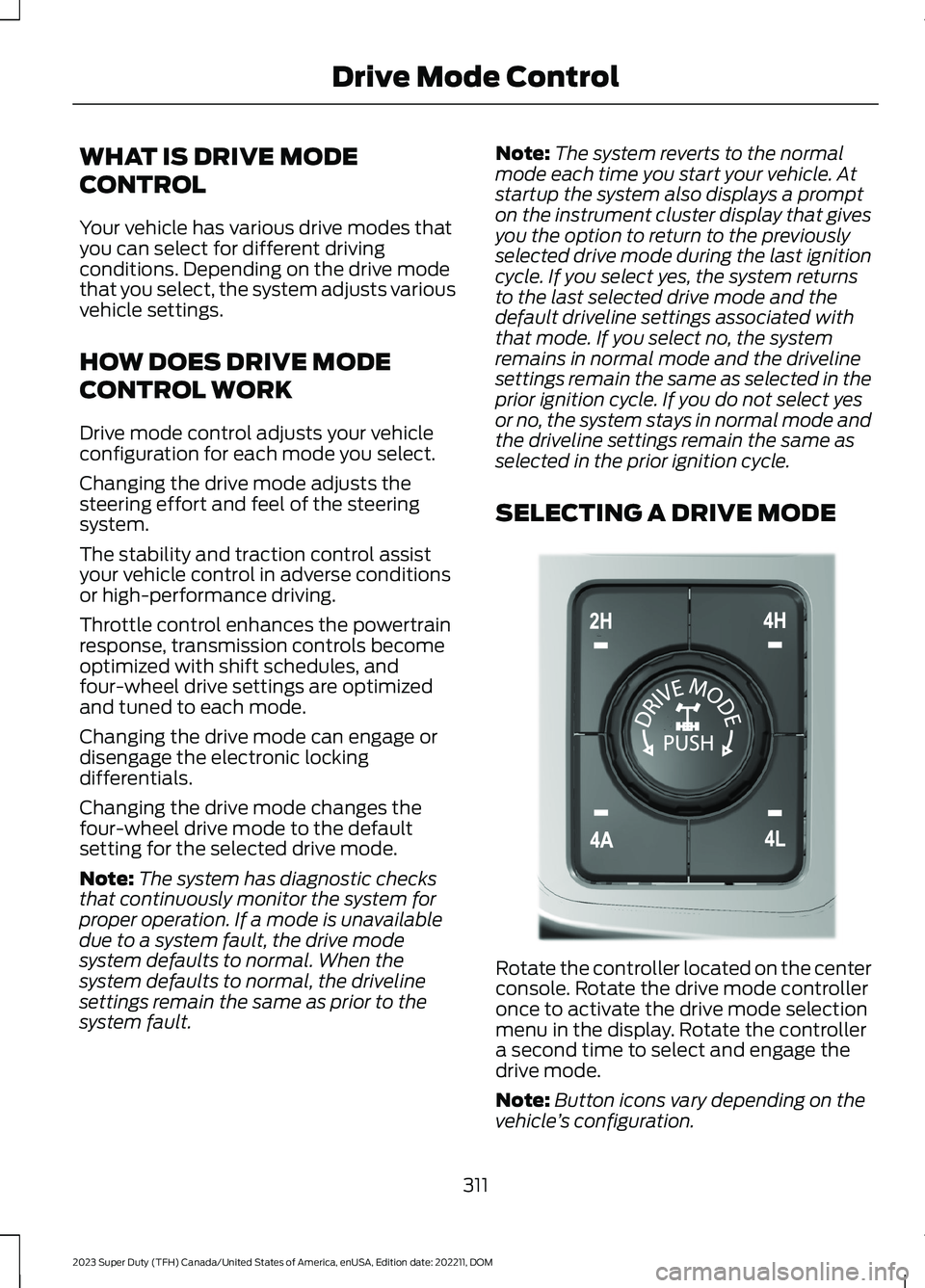
SELECTING A DRIVE MODE
Rotate the controller located on the centerconsole. Rotate the drive mode controlleronce to activate the drive mode selectionmenu in the display. Rotate the controllera second time to select and engage thedrive mode.
Note:Button icons vary depending on thevehicle’s configuration.
311
2023 Super Duty (TFH) Canada/United States of America, enUSA, Edition date: 202211, DOMDrive Mode ControlE308146
Page 318 of 738
TRAIL - 4X2
This mode is used for muddy,rutted, soft or uneven terrain.This mode lowers acceleratorpedal response to allow for better controlwhen in low speed off-road environments.The transmission shift points change tomaximize low end torque. Traction andstability controls are also optimized to helpyour vehicle maintain forward momentum.
The electronic locking differential isavailable. See Switching the ElectronicLocking Differential On and Off (page247).
DRIVE MODE CONTROL –
TROUBLESHOOTING
DRIVE MODE CONTROL –WARNING LAMPS
Some drive modes reducetraction and stability controlperformance and the indicatorilluminates in the instrument cluster.
DRIVE MODE CONTROL – INFORMATION MESSAGES
ActionMessage
You have selected a four-wheel drive modethat is not available in the current drivemode. Select an available four-wheel drivemode.
Selected 4x4 Mode Not Available in CurrentDrive Mode
314
2023 Super Duty (TFH) Canada/United States of America, enUSA, Edition date: 202211, DOMDrive Mode ControlE295419 E130458