2023 FORD SUPER DUTY key battery
[x] Cancel search: key batteryPage 425 of 738
The service is available 24 hours a day,seven days a week.
This program is separate from the NewVehicle Limited Warranty, but the coverageis concurrent with the powertrain coverageperiod of your vehicle. Canadian roadsidecoverage and benefits may differ from theU.S. coverage.
If you require more information, please callus in Canada at 1-800-665-2006, or visitour website at www.ford.ca.
SWITCHING THE HAZARD
FLASHERS ON AND OFF
The hazard flasher button is onthe instrument panel. Press thebutton to switch the hazardflashers on if your vehicle is creating asafety hazard for other road users.
When you switch the hazard flashers on,all front and rear direction indicators flash.
Note:The hazard flashers operate whenthe ignition is in any position, or if the key isnot in the ignition. The battery loses chargeand could have insufficient power to restartyour vehicle.
Press the button again to switch them off.
JUMP STARTING THE VEHICLE
JUMP STARTING PRECAUTIONS
WARNING: Batteries normallyproduce explosive gases which cancause personal injury. Therefore, do notallow flames, sparks or lightedsubstances to come near the battery.When working near the battery, alwaysshield your face and protect your eyes.Always provide correct ventilation.
WARNING: Keep batteries out ofreach of children. Batteries containsulfuric acid. Avoid contact with skin,eyes or clothing. Shield your eyes whenworking near the battery to protectagainst possible splashing of acidsolution. In case of acid contact with skinor eyes, flush immediately with water fora minimum of 15 minutes and get promptmedical attention. If acid is swallowed,call a physician immediately.
WARNING: Use only adequatelysized cables with insulated clamps.
WARNING: Make sure that thecables are clear of any moving parts andfuel delivery system parts.
WARNING: Connect batteries withonly the same nominal voltage.
WARNING: If the engine is runningwhile the hood is open, stay clear ofmoving engine components. Failure tofollow this warning could result in seriouspersonal injury or death.
Do not attempt to push-start an automatictransmission vehicle. This could causetransmission damage.
Do not disconnect the battery of thedisabled vehicle. This could damage yourvehicle's electrical system.
PREPARING THE VEHICLE
Use only a 12 volt supply to start yourvehicle.
Park the booster vehicle close to the hoodof the disabled vehicle, making sure thetwo vehicles do not touch.
421
2023 Super Duty (TFH) Canada/United States of America, enUSA, Edition date: 202211, DOMCrash and Breakdown InformationE75790
Page 431 of 738
TOWING YOUR VEHICLE
PRECAUTIONS
Use the following guidelines when towingyour vehicle. Failure to follow thisinstruction could result in vehicle damagenot covered by the vehicle warranty.
Note:Make sure you properly secure yourvehicle to the tow vehicle.
Note:If you are unsure of the vehicle’sconfiguration, contact an authorized dealer.
RECREATIONALLY TOWING
YOUR VEHICLE - 4X4
WARNING: Do not disconnect thebattery when recreationally towing yourvehicle. This prevents the transfer casefrom shifting properly and could causethe vehicle to roll, even if thetransmission is in park (P).
WARNING: Placing the transfercase in its neutral position could causeyour vehicle to freely roll. Make sure youpress and hold the brake pedal and thevehicle is in a secure, safe position whenyou place the transfer case in its neutralposition.
Follow these guidelines if you have a needfor recreational towing. An example ofrecreational towing would be towing yourvehicle behind a motorhome. Theseguidelines are to make sure that you donot damage the transmission.
You can only tow your vehicle with allwheels on the ground by placing thetransfer case in its neutral position andengaging the recreational tow feature.Perform the following steps afterpositioning your vehicle behind the towvehicle and properly securing themtogether.
Note:Put your climate control system inrecirculated air mode to prevent exhaustfumes from entering your vehicle.
Note:Failure to put the transfer case in itsneutral position can damage vehiclecomponents.
Note: You can check the towing status atany time by opening the driver door orturning the ignition to the accessory or onposition.Neutral Tow Enabled LeaveTransmission in Neutral appears in theinstrument cluster display to confirm youcan recreationally tow your vehicle.
Note:If your vehicle has an anti-theftalarm, make sure you switch perimetersensing on when towing. See Setting theAlarm Security Level (page 104).
Switching Neutral Tow On
1.Place your vehicle in accessory modeby pressing the push button ignitionswitch once without pressing the brakepedal or by turning the ignition key tothe on position.
2.Press and hold the brake pedal.
3.Press the 2H button on the four-wheeldrive mode control.
4.Shift the transmission into neutral (N).
5.Using the instrument cluster controlson the steering wheel, select Settings.
6.Select Neutral Tow.
7.Press and hold the OK button until aconfirmation message appears in theinformation display.
427
2023 Super Duty (TFH) Canada/United States of America, enUSA, Edition date: 202211, DOMTowing Your Vehicle
Page 575 of 738
MAKING AND RECEIVING A
PHONE CALL
Making Calls
To call a number in your contacts,select:
Action and DescriptionMenu Item
You can then select thename of the contact youwant to call. Any numbersstored for that contactdisplay along with anystored contact photos. Youcan then select thenumber that you want tocall. The system begins thecall.
Contacts
To call a number from your recent calls,select:
Action and DescriptionMenu Item
You can then select anentry that you want to call.The system begins the call.
Recent CallList
To call a number from your favorites,select:
Action and DescriptionMenu Item
You can then select anentry that you want to call.The system begins the call.
Favorites
To call a number that is not stored inyour phone, select:
Action and DescriptionMenu Item
Select the digits of thenumber you wish to call.PhoneKeypad
The system begins the call.Call
Pressing the backspace button deletes thelast digit you typed.
Receiving Calls
During an incoming call, an audible tonesounds. Caller information appears in thedisplay if it is available.
To accept the call, select:
Menu Item
Accept
Note:You can also accept the call bypressing the phone button on the steeringwheel.
To reject the call, select:
Menu Item
Reject
Ignore the call by doing nothing. Thesystem logs it as a missed call.
During a Phone Call
During a phone call, the contacts nameand number display on the screen alongwith the call duration.
The phone status items are also visible:
•Signal Strength.
•Battery.
You can select any of the following duringan active phone call:
571
2023 Super Duty (TFH) Canada/United States of America, enUSA, Edition date: 202211, DOMPhone
Page 586 of 738
This introduces new features and providesupdates to the vehicle's software systems.Make sure to switch Automatic Updateson, set a recurring update schedule andconnect your vehicle to Wi-Fi. Updatescould take longer when not connected toWi-Fi or could not download at all. SeeConnecting the Vehicle to a Wi-FiNetwork (page 548).
Your vehicle may be able to receivedrivable software updates, non-drivablesoftware updates or both. Drivablesoftware updates happen during normalvehicle usage and require limited inputfrom you. You are notified on yourtouchscreen and connected device priorto a non-drivable update.
Most non-drivable updates complete inless than 30 minutes, although someupdates could take up to a few hours.
You are notified of vehicle software updatestatus on to the top left of touchscreen.You can also see the notifications in yourconnected device. See Software UpdateIndicators (page 583).
Vehicle Software UpdateRequirements
Non-drivable software updates do notinstall if any of the following occur:
•Your vehicle is running.
•Your vehicle is switched on.
•Your vehicle is not parked.
•The 12 V battery charge is too low.
•The hazard indicators are switched on.
•The alarm is sounding.
•The doors are open.
•The parking lamps are switched on.
•You are pressing the brake pedal.
•An emergency call is in process.
•Your vehicle is in limp home mode.
Vehicle Software UpdateLimitations
Once you begin a non-drivable softwareupdate, you cannot:
•Cancel the update.
•Enter your vehicle unless you have akey blade.
•You can open the doors using themechanical latch if child locks arenot on.
•Use the remote control to lock, unlockor start your vehicle.
•Drive your vehicle.
•Charge your vehicle.
•Charging resumes once the updatecompletes.
SOFTWARE UPDATE
SETTINGS
To access the Software Updates menu:
1.Press Settings on the touchscreen.
2.Press Software Updates.
You can do the following in the SoftwareUpdates menu:
•Switch Automatic Updates on and off.
•Schedule and install software updates.
•View software update details.
Press the button next to a menuoption for more information.
Switching Automatic Updates Onand Off
Your vehicle may come with AutomaticUpdates switched on. To make sure yourvehicle always has the latest software,which could include security or otherenhancements, we do not recommendswitching Automatic Updates off.
582
2023 Super Duty (TFH) Canada/United States of America, enUSA, Edition date: 202211, DOMVehicle Software UpdatesE366956
Page 711 of 738

1
12V Battery.....................................................45612V Battery Precautions..................................456Battery Management SystemLimitations.......................................................457Changing the 12V Battery...............................457How Does the Battery ManagementSystem Work...................................................457Recycling and Disposing of the 12VBattery..............................................................458Resetting the Battery Sensor........................458What Is the Battery ManagementSystem..............................................................45712V Battery – Troubleshooting...............45912V Battery – Information Messages.........45912V Battery – Warning Lamps......................459
3
360 Degree Camera...................................290360 Degree Camera Settings.......................292360 Degree Camera Guide Lines...........291360 Degree Camera Precautions.........290360 Degree Camera Settings.................292Switching the 360 Degree Camera On andOff.......................................................................292Switching the 360 Degree CameraView...................................................................292
4
4WDSee: Four-Wheel Drive.....................................238
9
911 Assist............................................................67911 Assist Videos............................................68
A
A/CSee: Climate Control - Vehicles With:Automatic Temperature Control..............152See: Climate Control - Vehicles With: ManualTemperature Control....................................156About This Publication..................................21
ABSSee: Brakes..........................................................249Accessing Apps.............................................575Accessing Navigation.................................579Accessing the Passive Key BackupPosition........................................................209Accessing the Trip Computer - VehiclesWith: 12 Inch Screen.................................146Accessing the Trip Computer - VehiclesWith: 8 Inch Screen..................................146Accessories....................................................585Adaptive Cruise Control............................296Adaptive Cruise Control –Troubleshooting...........................................309Lane Centering...................................................303Predictive Speed Assist..................................306Predictive Speed Assist –Troubleshooting...........................................308Adaptive Cruise Control AutomaticCancellation...............................................299Adaptive Cruise Control Indicators.......303Adaptive Cruise ControlLimitations...................................................297Adaptive Cruise ControlPrecautions.................................................296Adaptive Cruise Control –Troubleshooting.......................................309Adaptive Cruise Control – InformationMessages........................................................309Adaptive Cruise Control Videos..............310Adaptive Front Lighting..............................124How Does Adaptive Front LightingWork....................................................................124Switching Adaptive Front Lighting On andOff........................................................................125Adjustable Pedals..........................................112Adjusting the Exterior Mirrors...................132Adjusting the Headlamps........................460Adjusting the Instrument Panel LightingBrightness.....................................................127Adjusting the Integrated Trailer BrakeController Mode.........................................374Adjusting the Map.......................................579Changing the Format of the Map................579Zooming the Map In and Out........................579Adjusting the Pedals.....................................112Adjusting the Seatbelt Height...................53Adjusting the Seatbelt Length..................54
707
2023 Super Duty (TFH) Canada/United States of America, enUSA, Edition date: 202211, DOMIndex
Page 714 of 738
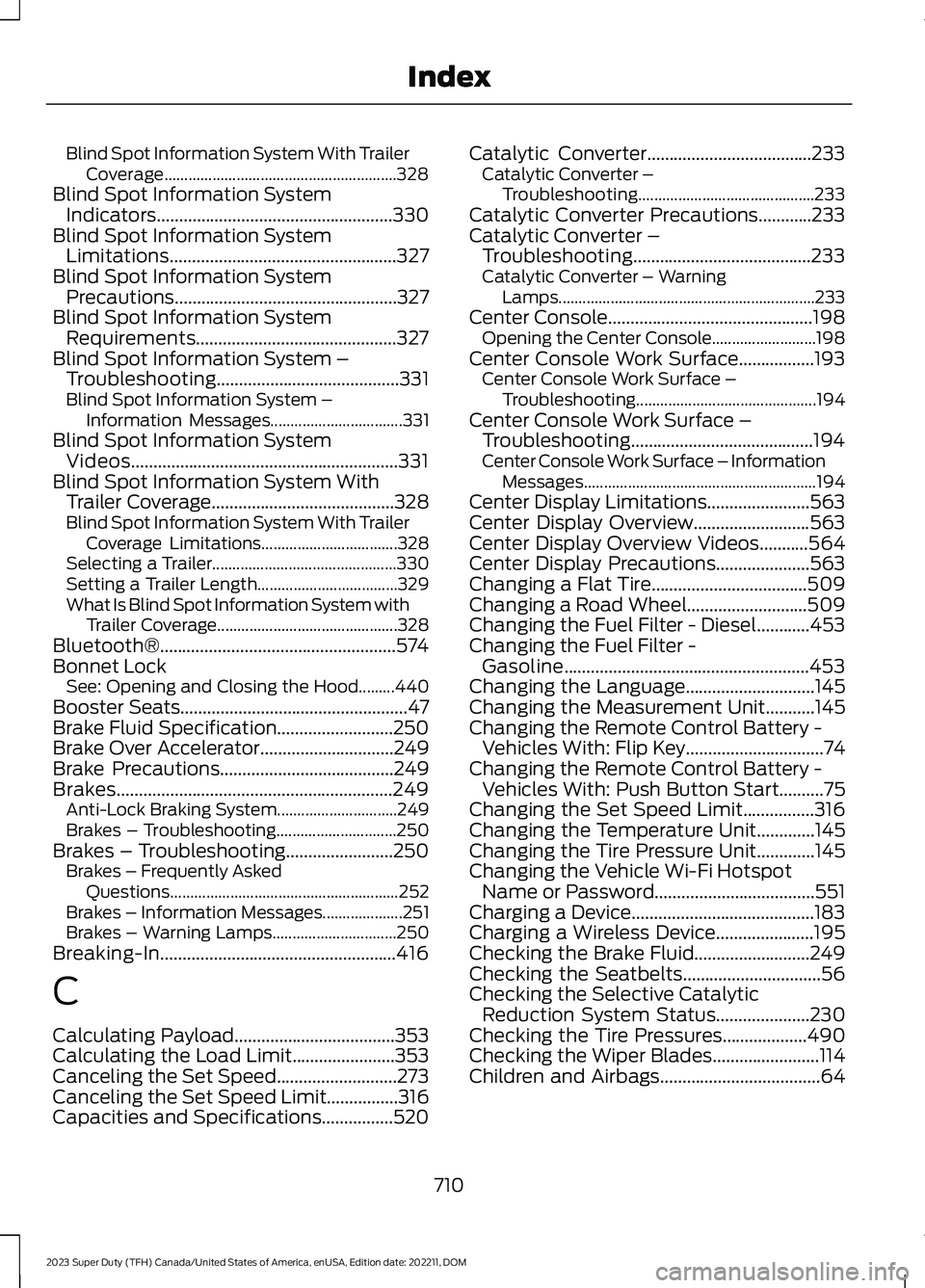
Blind Spot Information System With TrailerCoverage..........................................................328Blind Spot Information SystemIndicators.....................................................330Blind Spot Information SystemLimitations...................................................327Blind Spot Information SystemPrecautions..................................................327Blind Spot Information SystemRequirements.............................................327Blind Spot Information System –Troubleshooting.........................................331Blind Spot Information System –Information Messages.................................331Blind Spot Information SystemVideos............................................................331Blind Spot Information System WithTrailer Coverage.........................................328Blind Spot Information System With TrailerCoverage Limitations..................................328Selecting a Trailer..............................................330Setting a Trailer Length...................................329What Is Blind Spot Information System withTrailer Coverage.............................................328Bluetooth®.....................................................574Bonnet LockSee: Opening and Closing the Hood.........440Booster Seats...................................................47Brake Fluid Specification..........................250Brake Over Accelerator..............................249Brake Precautions.......................................249Brakes..............................................................249Anti-Lock Braking System..............................249Brakes – Troubleshooting..............................250Brakes – Troubleshooting........................250Brakes – Frequently AskedQuestions.........................................................252Brakes – Information Messages....................251Brakes – Warning Lamps...............................250Breaking-In.....................................................416
C
Calculating Payload....................................353Calculating the Load Limit.......................353Canceling the Set Speed...........................273Canceling the Set Speed Limit................316Capacities and Specifications................520
Catalytic Converter.....................................233Catalytic Converter –Troubleshooting............................................233Catalytic Converter Precautions............233Catalytic Converter –Troubleshooting........................................233Catalytic Converter – WarningLamps................................................................233Center Console..............................................198Opening the Center Console..........................198Center Console Work Surface.................193Center Console Work Surface –Troubleshooting.............................................194Center Console Work Surface –Troubleshooting.........................................194Center Console Work Surface – InformationMessages..........................................................194Center Display Limitations.......................563Center Display Overview..........................563Center Display Overview Videos...........564Center Display Precautions.....................563Changing a Flat Tire...................................509Changing a Road Wheel...........................509Changing the Fuel Filter - Diesel............453Changing the Fuel Filter -Gasoline.......................................................453Changing the Language.............................145Changing the Measurement Unit...........145Changing the Remote Control Battery -Vehicles With: Flip Key...............................74Changing the Remote Control Battery -Vehicles With: Push Button Start..........75Changing the Set Speed Limit................316Changing the Temperature Unit.............145Changing the Tire Pressure Unit.............145Changing the Vehicle Wi-Fi HotspotName or Password....................................551Charging a Device.........................................183Charging a Wireless Device......................195Checking the Brake Fluid..........................249Checking the Seatbelts...............................56Checking the Selective CatalyticReduction System Status.....................230Checking the Tire Pressures...................490Checking the Wiper Blades........................114Children and Airbags....................................64
710
2023 Super Duty (TFH) Canada/United States of America, enUSA, Edition date: 202211, DOMIndex
Page 724 of 738

What Is Live Traffic............................................579Load Carrying.................................................351Load Carrying Precautions........................351Loading Your Trailer....................................366Locating the 360 DegreeCameras......................................................290Locating the Auxiliary Switches............586Locating the Auxiliary SwitchWiring............................................................586Locating the Blind Spot InformationSystem Sensors........................................328Locating the Brake Fluid Reservoir.......249Locating the Cross Traffic AlertSensors.........................................................336Locating the Exit Warning Sensors.......333Locating the Keyless Entry Keypad.........87Locating the Key Readers............................73Locating the Memory FunctionButtons...........................................................177Locating the Outlets...................................188Locating the Power Outlets......................185Locating the Pre-Collision AssistSensors..........................................................341Locating the Rear View Camera.............287Locating the Safety ComplianceCertification Labels..................................352Locating the Tire label...............................478Locating the USB Ports..............................183Locating the Wireless AccessoryCharger..........................................................195Locating Your Vehicle....................................74Locking the Rear Window Controls.......129
M
Maintenance.................................................44012V Battery...........................................................45612V Battery – Troubleshooting.....................459Coolant.................................................................450Engine Air Filter..................................................445Engine Oil.............................................................444Exterior Bulbs.......................................................461Interior Bulbs......................................................468Maintenance Precautions.......................440Making and Receiving a Phone Call.......571Manually Dimming the InteriorMirror...............................................................131
Manually Releasing the Electric ParkingBrake..............................................................253Manually Shifting Gears............................235Shifting Using the Buttons on the ColumnShifter................................................................235Manual Seats.................................................162Adjusting the Head Restraint.........................162Adjusting the Lumbar Support.....................164Adjusting the Seat Backrest...........................164Folding the Seats.................................................171Head Restraint Components.........................162Installing the Head Restraint.........................163Moving the Seat Backward andForward.............................................................163Removing the Head Restraint........................163Unfolding the Seats.............................................171Massage Seats...............................................167Adjusting the Massage Seat Settings........168Massage Seat Limitations...............................167Memory Function..........................................177Memory Function Precautions.................177Memory Function Videos...........................178Mislock...............................................................82Mislock Limitations..............................................82Switching Mislock On and Off.........................82What Is Mislock.....................................................82Mobile CommunicationsEquipment...................................................674Mobile Device Data........................................29Moonroof Bounce-Back.............................135Overriding Moonroof Bounce-Back.............135What Is Moonroof Bounce-Back..................135Moonroof.........................................................134Moonroof Bounce-Back...................................135Moonroof Videos..........................................135Motorcraft Parts - 6.7L Diesel.................523Motorcraft Parts - 6.8L, Gasoline..........524Motorcraft Parts - 7.3L, Gasoline...........525Muting the Audio.........................................554
N
Navigation Map Updates..........................579Navigation......................................................579Adjusting the Map.............................................579Live Traffic............................................................579Route Guidance.................................................580Setting a Destination........................................579
720
2023 Super Duty (TFH) Canada/United States of America, enUSA, Edition date: 202211, DOMIndex
Page 727 of 738

Switching Predictive Speed Assist ModeOn and Off.......................................................307Predictive Speed Assist –Troubleshooting.......................................308Predictive Speed Assist – InformationMessages........................................................308Preparing Your Vehicle forStorage.........................................................476Programming the Garage DoorOpener..........................................................180Programming the Remote Control -Vehicles With: Flip Key...............................77Programming the Remote Control -Vehicles With: Push Button Start..........78Properly Adjusting the Driver and FrontPassenger Seats..........................................64Protecting the Environment......................30PunctureSee: Changing a Flat Tire...............................509Push Button Ignition Switch....................203
R
Radio Frequency CertificationLabels...........................................................626Blind Spot Information SystemSensors.............................................................626Body Control Module.......................................629Cruise Control Module......................................631Garage Door Opener........................................635Keys and Remote Controls............................636Near Field Communication...........................638Passive Anti-Theft System............................639Radio Transceiver Module..............................643SYNC......................................................................644Telematics Control Unit..................................650Tire Pressure Monitoring SystemSensors.............................................................652Wireless Accessory ChargingModule.............................................................666Rear Axle Fluid Capacity andSpecification..............................................542Rear Cross Traffic BrakingSee: Cross Traffic Braking...............................262Rear Exterior.....................................................35Rear Occupant Alert System AudibleWarnings.......................................................176
Rear Occupant Alert SystemIndicators.......................................................175Rear Occupant Alert SystemLimitations....................................................174Rear Occupant Alert SystemPrecautions..................................................174Rear Occupant Alert System....................174Rear Occupant Alert SystemSettings..........................................................175Rear Parking Aid...........................................283Locating the Rear Parking AidSensors.............................................................283Rear Parking Aid Audible Warnings............284Rear Parking Aid Limitations.........................283What is the Rear Parking Aid.........................283Rear Seats.......................................................170Heated Seats........................................................172Manual Seats.......................................................170Rear View Camera Guide Lines.............288Rear View Camera Precautions..............287Rear View Camera.......................................287Rear View Camera Settings..........................288Rear View Camera Settings....................288Switching Rear View Camera Delay On andOff......................................................................289Zooming the Rear View Camera In andOut.....................................................................288Rear View Camera Videos.......................289Rebooting the Center Display................564Recalling a Preset Position........................177Recovery Towing..........................................423Accessing the Front Towing Point...............423Recreationally Towing Your Vehicle -4x2.................................................................429Recreationally Towing Your Vehicle -4x4..................................................................427Refueling..........................................................218Refueling System Overview............................218Refueling Your Vehicle......................................218Releasing the Electric Parking Brake ifthe Vehicle Battery Has Run Out ofCharge...........................................................254Remote Control Limitations......................69Remotely Starting and Stopping theVehicle...........................................................149Remote Start Limitations..........................149Remote Start Precautions........................149
723
2023 Super Duty (TFH) Canada/United States of America, enUSA, Edition date: 202211, DOMIndex